Gaming Performance · Input Lag
How to reduce input lag. — The full latency chain. Every ms worth chasing.
Latency is the gap between your reaction and what happens on screen. The chain from finger to pixel has six stages. Most players obsess over one. We'll fix all six.
- tuned target
- 15-30 ms
- Reflex saving
- +10-30 ms
- in the chain
- 6 stages
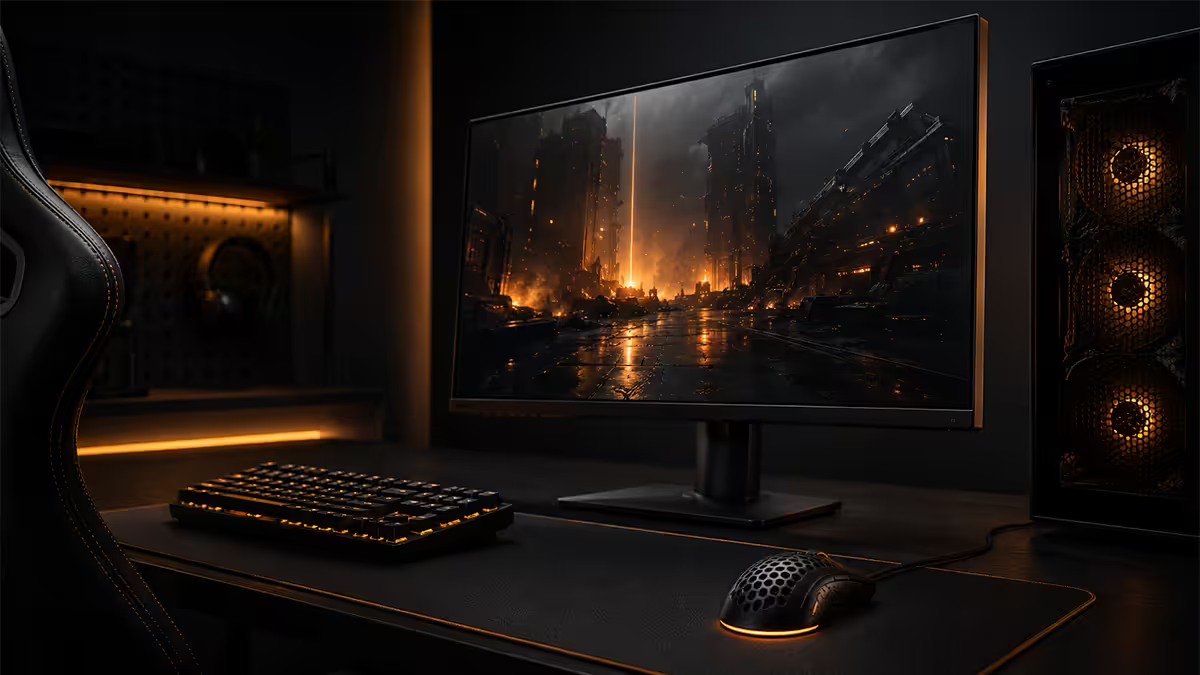
The latency chain — finger to photon, in six stages
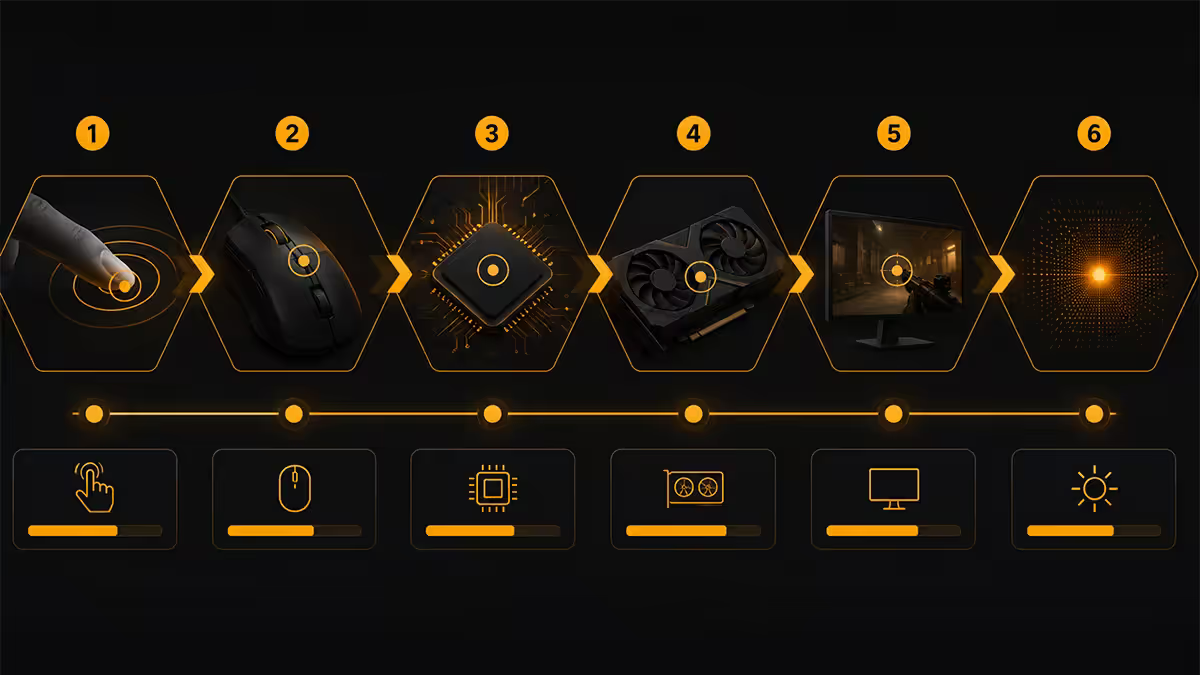
Input lag isn't one number. It's a chain of delays that add up between your physical action and the photons that hit your eye. Understanding the chain is the only way to know which fix delivers the biggest gain.
| Stage | What happens | Typical cost |
|---|---|---|
| 1 · Mouse / keyboard sensor | Sensor reads movement / switch press | 0.5-1 ms |
| 2 · USB polling + transit | Input report sent to PC | 1 ms @ 1000 Hz |
| 3 · CPU game logic | Engine processes input, updates state | 2-8 ms |
| 4 · GPU render queue | Frame composed, may be queued behind others | 3-30 ms (Reflex target) |
| 5 · Display cable + scan-out | Frame sent over DP/HDMI to monitor | 1-3 ms |
| 6 · Monitor processing + pixel response | Panel processes signal, pixels switch | 2-25 ms |
Total tuned chain: 15-30 ms for a well-configured competitive PC. Uncontrolled: 80-150 ms. The big-ticket items are stages 4 (render queue depth, what Reflex/Anti-Lag 2 attack) and 6 (monitor processing — entirely a buying decision).
NVIDIA Reflex + Boost — the single biggest win
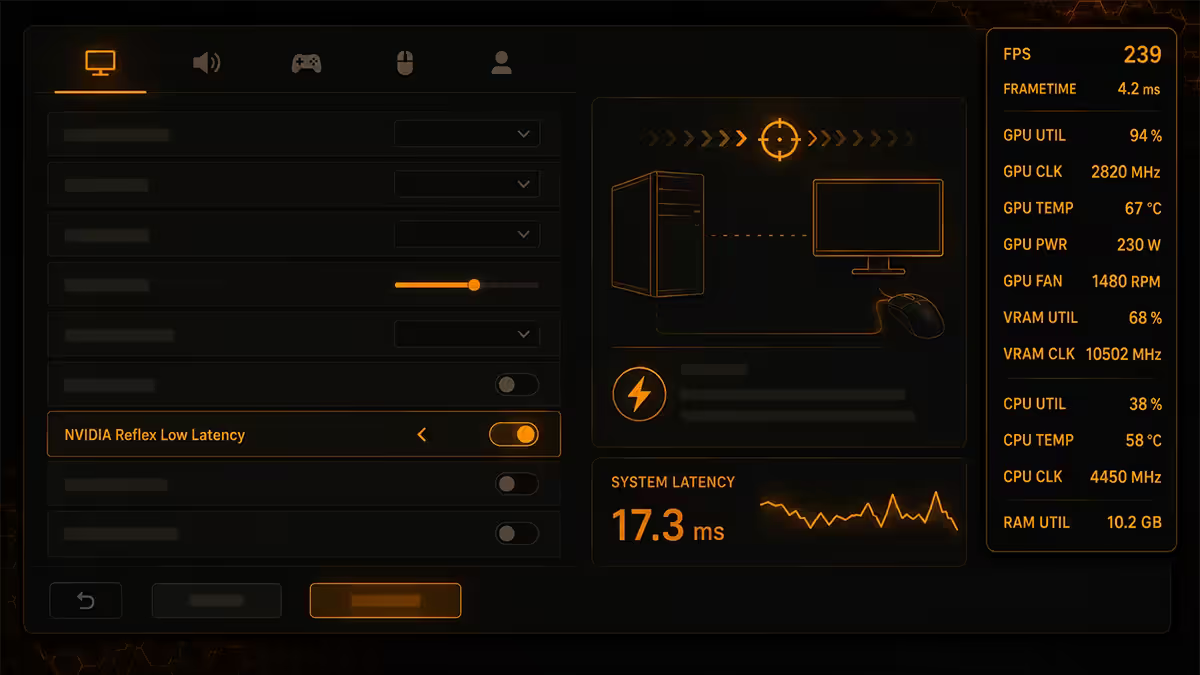
Without Reflex, the CPU can be 1-3 frames ahead of the GPU, queueing work the GPU hasn't yet started. That render queue depth is pure latency — your mouse moved, the CPU updated the game state, but the GPU is still rendering an earlier frame. By the time the new frame reaches the display, 20-30 ms of "queue waiting" has accumulated.
Reflex eliminates this. The driver pulls CPU and GPU into lockstep — the CPU only prepares the frame the GPU is about to render. Render queue depth drops from 2-3 frames to roughly 0. In CS2, Apex, COD, Fortnite and Valorant the latency delta is measurable in third-party Reflex Analyzer testing: 10-30 ms saved.
Reflex + Boost goes further: it forces the GPU clock above idle thresholds even when it's not 100% loaded, so the next bursty frame doesn't have to wait for the GPU to clock up first. Costs a small amount of extra power; saves another 1-5 ms in CPU-bound competitive scenes.
AMD Anti-Lag 2 — the Radeon equivalent
AMD's first-generation Anti-Lag worked driver-side: clever heuristics, broad compatibility, occasional anti-cheat issues. Anti-Lag 2 is the rewrite — per-game integration into the engine itself, like Reflex. Compatible games (Counter-Strike 2, Call of Duty, Apex Legends, Valorant, Fortnite, Marvel Rivals) get the same render-queue elimination as Reflex.
Performance in 2026 third-party testing is broadly within 1-2 ms of Reflex in the same titles. Requires RDNA 3 (RX 7000) or RDNA 4 (RX 9000) Radeon GPUs — older RDNA 2 cards stick with the original Anti-Lag.
Setting up: enable AMD Adrenalin → Gaming → AMD Anti-Lag 2, then verify the in-game toggle is on. Some titles ship the integration via a patch — check release notes if you don't see the option.
Mouse — polling, wired vs wireless, sensor
Mouse latency has three components: sensor read (≈1 ms), USB polling interval, and transit to the PC. The polling interval is the one users can change.
| Polling rate | Interval | Avg added latency |
|---|---|---|
| 125 Hz (default office mouse) | 8 ms | 4 ms |
| 500 Hz | 2 ms | 1 ms |
| 1000 Hz (gaming standard) | 1 ms | 0.5 ms |
| 4000 Hz | 0.25 ms | 0.125 ms |
| 8000 Hz | 0.125 ms | 0.063 ms |
1000 Hz is the practical standard. The leap from 125 Hz to 1000 Hz is enormous and obvious; the leap from 1000 Hz to 4000 Hz is fractional and only meaningful in combination with a 360 Hz+ monitor where the screen can actually display the extra polling data.
Wired vs wireless
In 2026, top-tier 2.4 GHz wireless mice (Logitech Pro X Superlight 2, Razer DeathAdder V3 Pro / Viper V3 Pro, Pulsar X2H, Endgame Gear OP1 8K) match wired latency within 0.5-1 ms in Reflex Analyzer testing. Bluetooth is the exception — 10-30 ms added, unsuitable for competitive use. Use a 2.4 GHz dongle, not BT.
Monitor input lag — the silent killer
Refresh rate and input lag are not the same thing. A 240 Hz monitor refreshes the panel every 4.2 ms — but if the panel's internal processing adds 15 ms before that refresh, you're worse off than a 144 Hz monitor with 2 ms processing.
Monitor input lag splits into two parts:
- Signal processing delay — how long the panel's electronics take between receiving a frame over DP/HDMI and starting to draw it. Premium esports monitors: 1-3 ms. Mid-range: 4-8 ms. Budget: 15-25 ms.
- Pixel response time — how long pixels take to physically switch. Modern OLED: 0.03 ms (effectively instant). Modern IPS: 1-3 ms with proper overdrive. VA: 2-5 ms.
Always check Rtings (rtings.com) for "Total Input Lag (1080p 60 Hz)" and "Pixel Response Time" before buying for competitive use. Manufacturer specs are unreliable — they quote pixel response only and hide the processing delay.
2026 top picks for low input lag
- Alienware AW2725DF — 360 Hz QD-OLED, ≈2 ms total input lag, near-zero pixel response.
- ASUS ROG Swift PG27AQDP — 480 Hz QD-OLED, the absolute esports apex in 2026.
- LG 27GR95QE-B — 240 Hz OLED, ≈3 ms input lag, excellent SA pricing.
- Gigabyte M27Q-X — 240 Hz IPS, ≈4 ms input lag, best price-to-spec in SA.
Windows tuning — the free wins
A clean Windows configuration is worth several ms even before you touch the game. The 2026 recipe:
- 1
Power Plan: Ultimate Performance.
Runpowercfg -duplicatescheme e9a42b02-d5df-448d-aa00-03f14749eb61in admin Command Prompt, then select it. Stops CPU clock-down dipping between input frames. - 2
Disable Xbox Game Bar.
Settings → Gaming → Xbox Game Bar OFF. Saves the overlay hook and 1-3 ms of presentation overhead. - 3
Disable Game Mode (yes, really).
Game Mode adds priority management that can backfire on Ryzen X3D CCD scheduling. Try OFF first; verify with frame-time logging. - 4
Enable Hardware-Accelerated GPU Scheduling.
Settings → Display → Graphics → Default settings → ON. Required for Reflex frame-pacing optimisations to work correctly. - 5
Exclusive fullscreen, not borderless windowed.
Saves 2-4 ms by skipping DWM compositor. In 2026 the gap is smaller than it used to be, but still real for competitive use. - 6
Disable fullscreen optimisations on the game .exe.
Right-click executable → Properties → Compatibility → "Disable fullscreen optimisations". Counterintuitive — the name is misleading. Try with and without; pick the lower-latency result for that title.
Real wins versus marketing wins
Real wins (do these)
- Reflex / Anti-Lag 2 on: 10-30 ms
- Low-input-lag monitor upgrade: 10-20 ms (versus a budget 60 Hz panel)
- Disable Double-Buffer VSync, enable VRR + FPS cap: 5-20 ms
- 1000 Hz mouse polling instead of 125 Hz: 3-4 ms
- Exclusive fullscreen: 2-4 ms
- Ultimate Performance power plan: 1-3 ms
Marketing wins (mostly noise)
- 8000 Hz mouse over 1000 Hz: <1 ms saved, demands rare 360 Hz+ monitor to surface.
- "Pro gamer" Ethernet cables: 0 ms saved over a quality Cat 6.
- $5,000 mechanical keyboards: 0 ms saved over a $80 hot-swap gaming keyboard with the same switches.
- RAM overclocking from XMP to manual tune: <1 ms in input latency (real benefit is FPS, not latency).
- CPU undervolting for "smoother" play: Useful for thermals; negligible for measured input lag.
Key takeaways
- Input lag is a six-stage chain. The biggest savings are at stage 4 (render queue) and stage 6 (monitor processing).
- Reflex / Anti-Lag 2 on Boost = 10-30 ms saved. Single biggest win for free.
- Monitor processing delay is the silent killer. Check Rtings input-lag numbers before buying.
- 1000 Hz mouse polling, wired or 2.4 GHz wireless. Bluetooth adds 10-30 ms.
- Below 25 ms total system latency, marginal wins disappear. Aim training pays better than chasing 0.5 ms.
Frequently asked questions
What is input lag in gaming?
Input lag (often called total system latency or click-to-photon latency) is the time from your physical action — moving the mouse, pressing a key — to the moment the result appears on screen. It's a chain: mouse polling, USB transit, CPU game logic, GPU render, display cable, monitor scan-out. Modern competitive PCs run a total chain of 15-30 ms; uncontrolled systems can hit 80-150 ms.What is NVIDIA Reflex and how does it reduce input lag?
NVIDIA Reflex is a driver and game-engine feature that eliminates the GPU's render queue. Without Reflex, the CPU can be 1-3 frames ahead of the GPU, baking in latency. Reflex pulls CPU and GPU into lockstep, queuing only the work the GPU is about to execute. Real-world latency savings of 10-30 ms in CPU-bound competitive titles. Reflex + Boost increases the GPU clock above idle thresholds to react faster to bursty workloads.What is AMD Anti-Lag 2 and how is it different from Reflex?
AMD Anti-Lag 2 is AMD's per-game equivalent — integrated into the title rather than applied driver-side like the original Anti-Lag. It synchronises CPU input frame timing with GPU presentation, removing the same render queue depth Reflex targets. Performance is broadly comparable to Reflex in supported games (COD, Counter-Strike 2, Apex Legends, Valorant). Requires RDNA 3 or RDNA 4 Radeon GPUs.Does a higher mouse polling rate reduce input lag?
Yes, but with diminishing returns. 1000 Hz polling (1 ms interval) is the long-standing standard. 4000 Hz and 8000 Hz polling save another 0.75 ms and 0.875 ms respectively over 1000 Hz — measurable but small. The bigger win at 4K-8K polling is smoother tracking on high-refresh monitors. Most competitive players use 1000 Hz wired; 4000 Hz becomes useful with 360 Hz+ monitors and Reflex Analyzer rigs.Is wireless mouse input lag noticeable for competitive gaming?
Modern 2.4 GHz wireless mice (Logitech Pro X Superlight 2, Razer DeathAdder V3 Pro, Pulsar X2H Mini) match wired latency within 0.5-1 ms in third-party Reflex Analyzer testing. The lag is real but smaller than monitor input lag or USB polling overhead. Bluetooth is a different story — 10-30 ms added latency, unsuitable for competitive use. Stick to 2.4 GHz dongles, not BT.How much input lag does a monitor add?
Wildly variable. Premium 240-360 Hz esports monitors (Alienware AW2725DF, ASUS ROG Swift PG27AQDP) add 1-3 ms of processing delay. Mid-range gaming monitors (Samsung Odyssey G5, Gigabyte M27Q) sit at 4-8 ms. Budget 60 Hz office monitors can add 15-25 ms. Rtings publishes input-lag measurements for every panel they test — verify before buying for competitive use.Should I use exclusive fullscreen for lower input lag?
Yes for competitive games. Exclusive fullscreen gives the game direct control of the display flip and bypasses the DWM (Desktop Window Manager) compositor, saving 2-4 ms. Borderless windowed mode in 2026 is nearly as fast for most engines (NVIDIA's Fullscreen Optimisations and Windows Auto HDR have closed the gap) but exclusive fullscreen remains the lowest-latency option.What is the ms-level latency that actually matters?
Below 25 ms total system latency, competitive players can't reliably distinguish differences in blind testing. Above 50 ms, performance impact becomes measurable in K/D and reaction tests. The biggest wins come from: enabling Reflex / Anti-Lag 2 (10-30 ms), choosing a low-input-lag monitor (5-20 ms), running an FPS cap inside VRR (5-10 ms), and avoiding double-buffer VSync (16-50 ms). Everything else is single-digit ms.
Get the Evetech app
Exclusive app-only prices, daily flash sales, and free delivery on orders over R4,000 — download the app and start saving.