Laptop GPU Comparison
RTX 5070 vs RTX 5080. — The badge lies. TGP tells the truth.
A 75W RTX 5080 is slower than a 115W RTX 5070. NVIDIA's mobile naming has decoupled from real performance and the TGP slider is doing all the work. Here's the call.
- 5070M TGP range
- 75-115W
- 5080M TGP range
- 100-175W
- SA price gap
- R12-20k
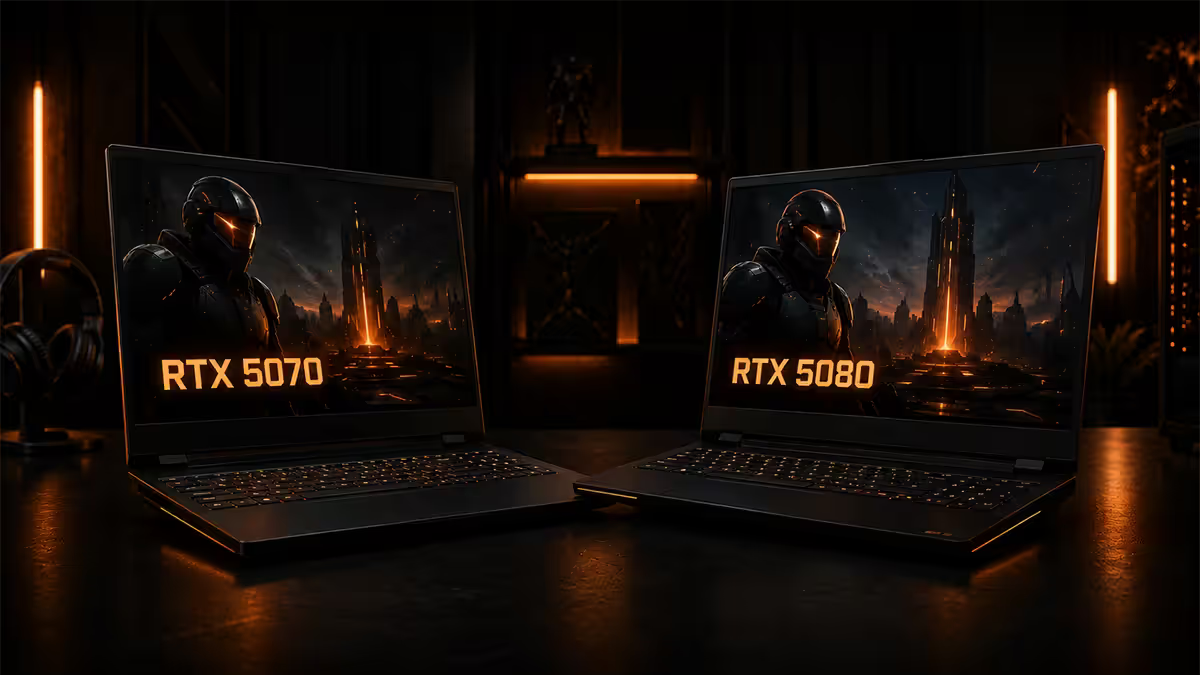
The TGP tiers — the only spec that matters
NVIDIA's mobile GPU naming hides a 60% performance variance behind a single badge. The RTX 5070 laptop is configurable from 75W to 115W Total Graphics Power (TGP). The RTX 5080 mobile runs anywhere from 100W to 175W. Dynamic Boost adds up to another 25W on top depending on chassis cooling headroom. Two laptops with the same GPU on the box can deliver wildly different gaming results.
Thin-and-light gaming laptops — the Razer Blade 14, ASUS ROG Zephyrus G14, MSI Stealth — push the GPU at the bottom of the TGP range to keep heat and noise in check. Chunkier chassis like the ASUS ROG Strix Scar 18, MSI Raider GE78, and Lenovo Legion Pro 7i run at the maximum.
| TGP tier | 5070 laptop | 5080 laptop |
|---|---|---|
| Thin-and-light (75-100W) | Razer Blade 14, Zephyrus G14 | Razer Blade 16, Zephyrus G16 |
| Mid-tier (100-130W) | Legion 5 Pro, ROG Strix G16 | MSI Vector, Legion Pro 5i |
| Max-TGP gaming (130-175W) | Strix G16 Max-Q, Raider GE76 | ROG Strix Scar 18, Raider GE78, Legion Pro 7i |
Real-world FPS gap in AAA and esports
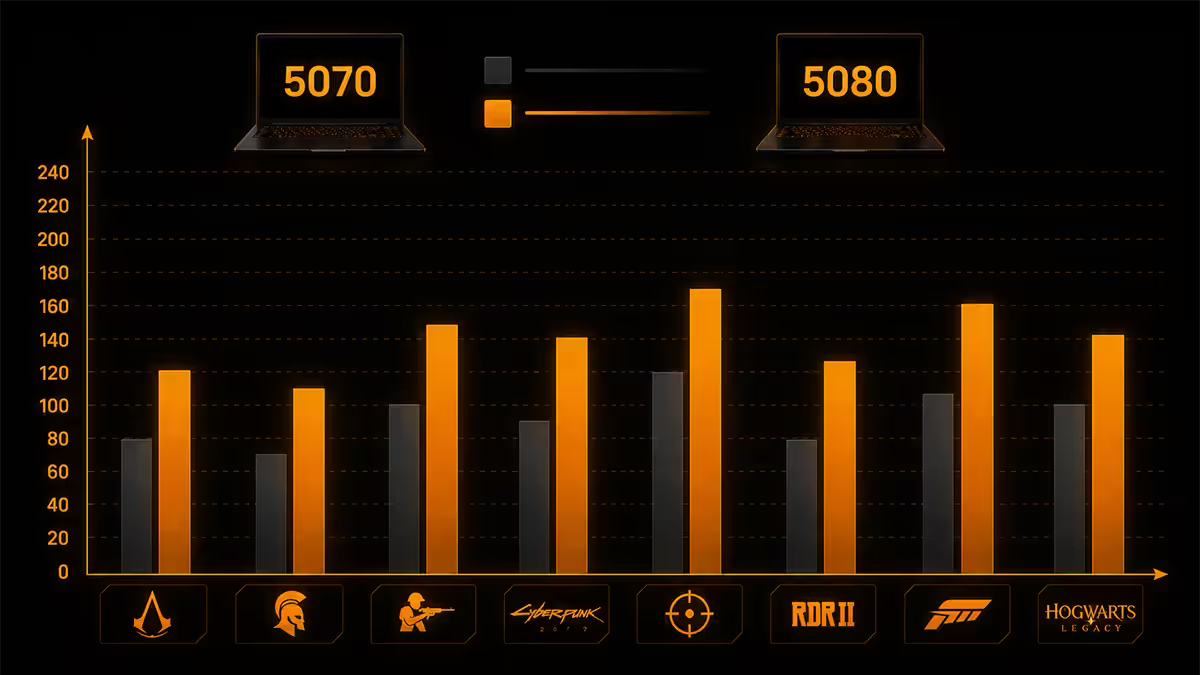
Across our internal test bench using a Cyberpunk 2077 + Alan Wake 2 + Starfield + CS2 + Valorant suite at 1440p, the at-equal-TGP performance gap looks like this:
AAA at 1440p (Cyberpunk RT Medium, DLSS Quality): the 5080 lands roughly 18-22% faster than the 5070 when both run at peak TGP. That's the gap between 75 FPS and 90 FPS — playable becomes very smooth. Drop the 5080 to 100W though and the gap narrows to single digits.
Heavy ray-traced (Alan Wake 2 Path Tracing): the 5080's extra VRAM (16GB vs 8GB) matters most here. The 5070 hits VRAM ceiling at 1440p PT settings and stutters; the 5080 holds smooth 70+ FPS with DLSS Quality.
Esports (CS2, Valorant, Apex Legends at native 1440p): the gap shrinks to 5-10%. Both cards are CPU-bound long before they're GPU-bound in competitive titles, so spending up for the 5080 buys you marginal headroom that the screen often can't display.
1080p competitive at low settings: functionally identical performance — both saturate 360Hz panels in Valorant, both hit 500+ FPS in CS2 on a Ryzen AI 9 HX 370 or Core Ultra 9 285HX class chassis.
Thermal and battery impact
More TGP means more heat in a thin alloy chassis, and the resulting fan curve is the difference between a laptop you can use on a desk and one that needs a separate room. Sustained 150W+ TGP gaming pushes fan noise to 50-55 dBA range — louder than most office air-conditioners. The chassis chosen matters as much as the GPU.
Surface temperatures: WASD area on a max-TGP 5080 chassis hits 38-42°C under load — uncomfortable but tolerable. The 5070 at 115W stays closer to 34-36°C in the same chassis design. Both are fine if you use an external keyboard for gaming sessions.
Battery life: identical on iGPU productivity (5-8 hours). Under sustained gaming load on battery, neither GPU is happy — both cards throttle to ~30-40W when unplugged, halving frame rates. Power brick rating matters more than GPU choice for sustained gaming. 5080 chassis ship with 280-330W bricks; 5070 chassis ship with 200-240W bricks.
MUX switch and Advanced Optimus
Every modern gaming laptop has an iGPU (integrated graphics) and a dGPU (discrete NVIDIA GPU). By default, the dGPU outputs to the iGPU which then drives the screen — adding a small latency and FPS penalty. A MUX switch bypasses this, sending the dGPU output directly to the panel.
On RTX 50-series laptops you'll see this in three flavours:
- Manual MUX switch — software toggle, requires a reboot to change. Older approach but reliable.
- NVIDIA Advanced Optimus — automatic MUX switching with no reboot. Modern premium chassis default.
- No MUX / Hybrid only — budget RTX 5070 chassis sometimes omit this. Costs 5-15% performance, especially in CPU-bound esports.
If you're spending R45,000+ on a laptop, insist on Advanced Optimus or at minimum a manual MUX. The performance and latency gains are free once the chassis supports it.
DLSS 4 Multi Frame Generation on both
DLSS 4 with Multi Frame Generation runs on every RTX 50-series GPU including the 5070M and 5080M. The technology generates up to three additional frames between each rendered frame, multiplying perceived smoothness 2-4x depending on mode.
The interesting bit: DLSS 4 benefits the 5070 more. The 5080 already runs heavy ray-traced titles above 60 FPS native — frame gen just pushes it further past the panel's refresh ceiling. The 5070 uses frame gen to make path-traced AAA actually playable at QHD: 35 FPS native becomes 110+ FPS perceived with 3x multi frame gen and DLSS Quality.
The catch: frame gen still needs a reasonable base frame rate (around 40 FPS minimum) to feel smooth. Below that, latency overhead becomes noticeable even with Reflex 2 in the loop.
Pairing the right screen
The display is the other half of the equation. Spending up to a 5080 only to drive a 1080p 144Hz screen wastes the GPU; running a 5070 against a native 4K panel forces you into Performance-mode DLSS just to keep AAA playable.
| Screen | Best paired with | Real-world result |
|---|---|---|
| 1080p 360Hz QHD IPS | 5070 at any TGP | Esports machine, GPU-overkill for AAA |
| 1440p 165-240Hz QHD | 5070 (115W) or 5080 (130W) | The sweet spot for both cards |
| 1440p 360Hz QHD OLED | 5080 at 150W+ | High refresh competitive + AAA hybrid |
| 4K 240Hz mini-LED / OLED | 5080 at 150W+ only | 5070 forces DLSS Performance in AAA |
The SA price gap
Locally the price gap is steep enough that it changes the calculus. RTX 5070 gaming laptops at major SA retailers sit between R38,000 and R55,000 depending on chassis tier and screen. RTX 5080 chassis land between R55,000 and R85,000 — that's R12,000-R20,000 in delta for what we've established is a 15-22% real-world performance gain in AAA.
Put differently: the price gap could buy you an entire RTX 5060 Ti desktop with a 1440p 165Hz monitor.
Across the 200,000+ custom builds and laptops we've configured and supported from Centurion, the most common 5080 buyer's regret is buying a thin chassis to "save space" and getting a 75W 5080 that performs below a properly-cooled 115W 5070 at higher cost. The 5080 only earns its premium in chassis with the cooling to feed it — Strix Scar 18, Raider GE78, Legion Pro 7i. If portability matters more than peak performance, the 5070 in a 16-inch chassis beats every thin 5080 we've tested.
Evetech Hardware Team — From our service bench
When the 5080 is overpaid (and when it isn't)
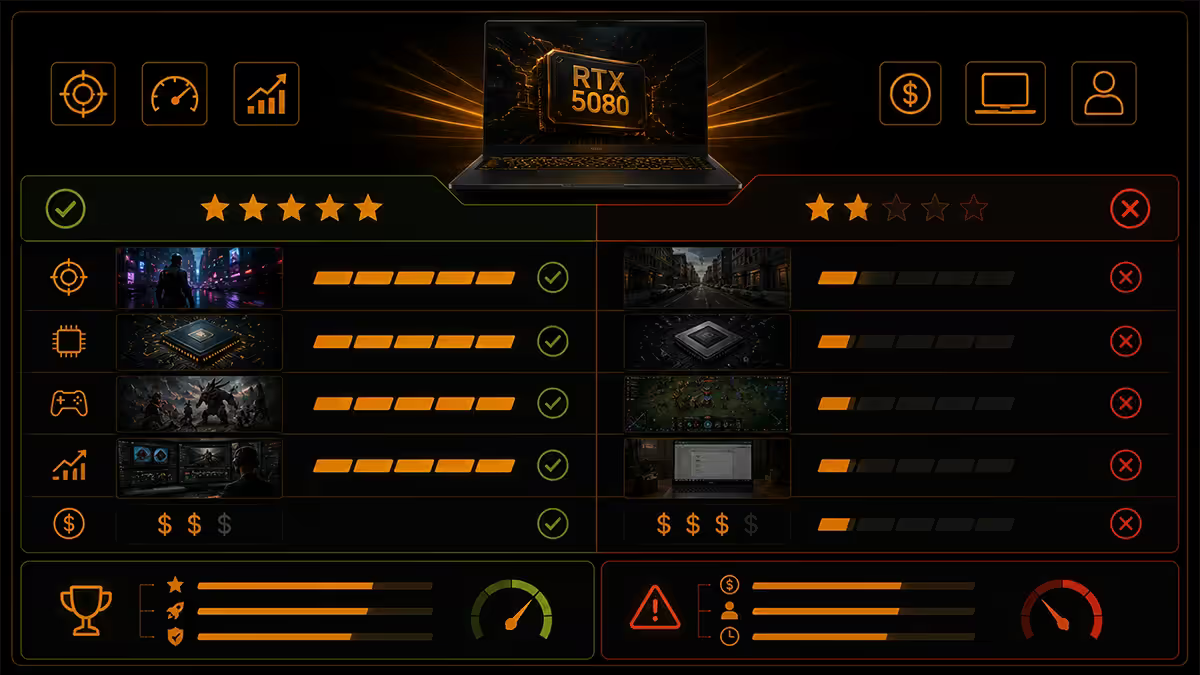
The 5080 is the right buy if:
- The chassis quotes 150W+ MGP. Anything below this and you're paying for the badge.
- You play heavy ray-traced AAA at 1440p+ as your main use case.
- You want 4-5 years of useful life before the next upgrade.
- You're driving a 4K mini-LED / OLED panel or 1440p 360Hz+ for competitive.
- The price gap to the equivalent 5070 chassis is under R12,000.
The 5070 is the smarter buy if:
- You play primarily esports (CS2, Valorant, Apex, Overwatch 2, League).
- Your screen is 1440p 165-240Hz — the 5070's sweet spot.
- You want a thinner chassis for travel — a 115W 5070 in a 16-inch frame beats a 75W 5080 in a 14-inch.
- The price gap is R15,000+ — that delta builds a second machine.
- You'd rather upgrade chassis in 3 years than push for 5.
Key takeaways
- TGP rules — a 175W 5080 is 60% faster than a 75W 5080. The badge alone tells you nothing.
- Equal-TGP, equal-chassis AAA FPS gap is 15-22% at 1440p. Esports gap is 5-10%.
- SA price gap R12,000-R20,000. Esports-first buyers should pocket that saving.
- DLSS 4 Multi Frame Gen runs on both. It benefits the 5070 more in heavy ray-traced titles.
- Insist on Advanced Optimus / MUX switch — 5-15% free performance, lower latency.
- 5070 pairs with 1440p 165-240Hz; 5080 earns 4K 240Hz or QHD 360Hz panels.
Frequently asked questions
Is the RTX 5080 laptop worth the price jump over the RTX 5070?
Only if both chassis run near peak TGP. The equal-TGP gap is 15-22% in AAA at 1440p. SA price gap is R12,000-R20,000 — meaningful unless you're going to use the headroom.What TGP does the RTX 5070 laptop run at?
75-115W base TGP plus up to 25W Dynamic Boost. Thin chassis run 75-90W, mid-thick gaming laptops run 100-115W. Check the manufacturer's spec sheet for MGP.Does DLSS 4 frame generation work on both RTX 5070 and 5080 laptops?
Yes — DLSS 4 Multi Frame Gen runs on every RTX 50-series laptop GPU. Helps the 5070 most in heavy ray-traced titles by pushing 35 FPS native into 100+ FPS perceived.Does a MUX switch matter on RTX 50 laptops?
Yes — MUX or Advanced Optimus gains 5-15% FPS and reduces input latency, especially in CPU-bound esports. Premium chassis include it; budget 5070 chassis sometimes don't.How much does the RTX 5080 laptop cost in SA?
R55,000-R85,000 depending on chassis. 5070 laptops sit at R38,000-R55,000. The R12,000-R20,000 price gap is roughly an entire mid-range desktop build.What screen pairs best with each GPU?
5070 — 1440p 165-240Hz QHD is the sweet spot. 5080 — 4K 240Hz mini-LED or QHD 360Hz OLED. 4K on a 5070 forces aggressive DLSS Performance.What's the battery life difference?
Identical on iGPU productivity (5-8 hours). Under gaming load on battery, neither GPU sustains peak TGP — both throttle to 30-40W. Power brick matters more.Is the RTX 5080 laptop GPU equal to a desktop RTX 5080?
No — different silicon, 100-175W mobile vs 360W desktop. Mobile 5080 performs closer to a desktop 5070 / 5070 Ti depending on TGP. Always check independent benchmarks.
Get the Evetech app
Exclusive app-only prices, daily flash sales, and free delivery on orders over R4,000 — download the app and start saving.