Mobile GPU Comparison
RTX 5060 vs RTX 5070 — Laptop GPUs. TGP wattage decides the winner.
Two laptops with the same GPU name can perform 60% differently because of one spec almost nobody checks: TGP. Here's the honest comparison, plus which RTX 5060 Laptop beats which RTX 5070 Laptop.
- performance tier
- Mobile ≠ desktop
- TGP wattage range
- 65W-140W
- SA price gap
- R8,000+
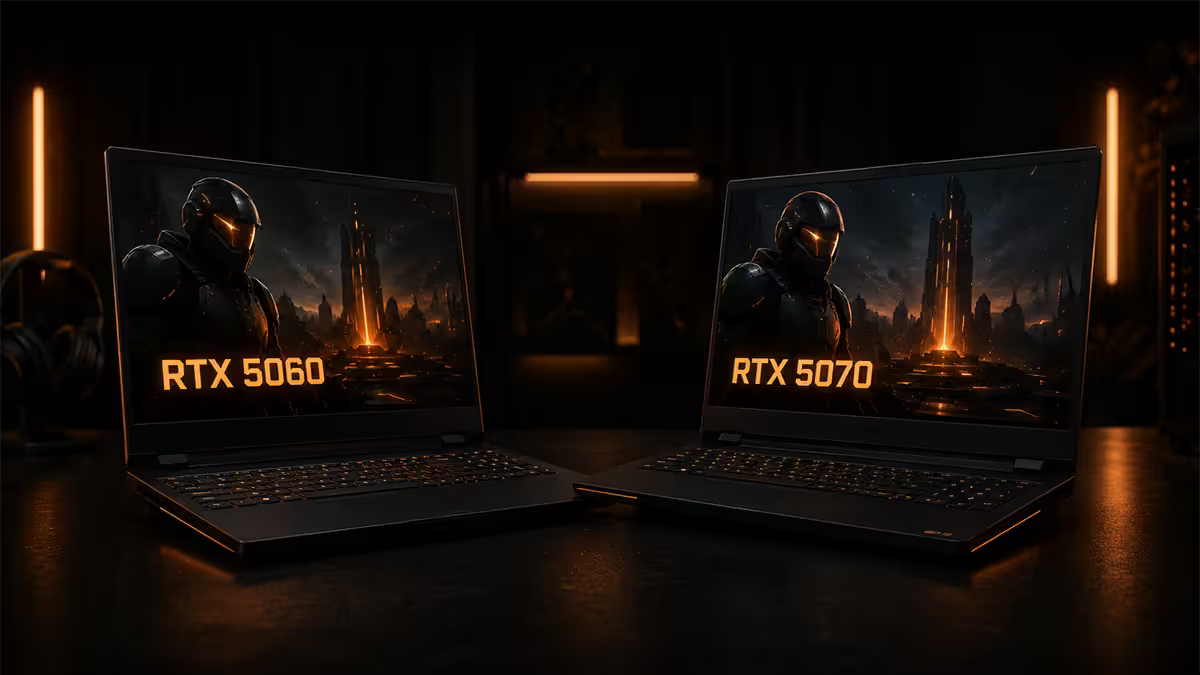
Mobile GPU ≠ desktop GPU — the single biggest misconception
Before any spec comparison, the most important thing to understand: an RTX 5060 Laptop is not the same chip as a desktop RTX 5060. Same goes for the 5070. NVIDIA shares the marketing name across mobile and desktop, but the actual silicon is tuned down for mobile.
Mobile versions of NVIDIA GPUs are:
- Lower TGP (Total Graphics Power) — a desktop RTX 5070 might run at 220-260W; the laptop variant runs 95-140W at most
- Lower base and boost clocks — typically 25-40% lower than desktop equivalent
- Sometimes fewer enabled shader cores — though this varies per generation
- Lower memory bandwidth — narrower bus, slower effective memory speed
- Less VRAM in some cases (desktop RTX 5070 has 12GB; mobile RTX 5070 has 8GB)
Performance translation:
- An RTX 5060 Laptop performs roughly like a desktop RTX 4060 or RTX 5050
- An RTX 5070 Laptop performs roughly like a desktop RTX 5060 Ti at best
- An RTX 5080 Laptop performs roughly like a desktop RTX 5070
- An RTX 5090 Laptop performs roughly like a desktop RTX 5070 Ti / 5080
This means a R30,000 RTX 5070 Laptop will be outperformed in raw FPS by a R20,000 desktop with an RTX 5060. Mobile carries an unavoidable performance penalty because laptops can't dissipate as much heat as desktops. Pay for laptop convenience, not for desktop-class performance.
TGP — the spec that decides everything
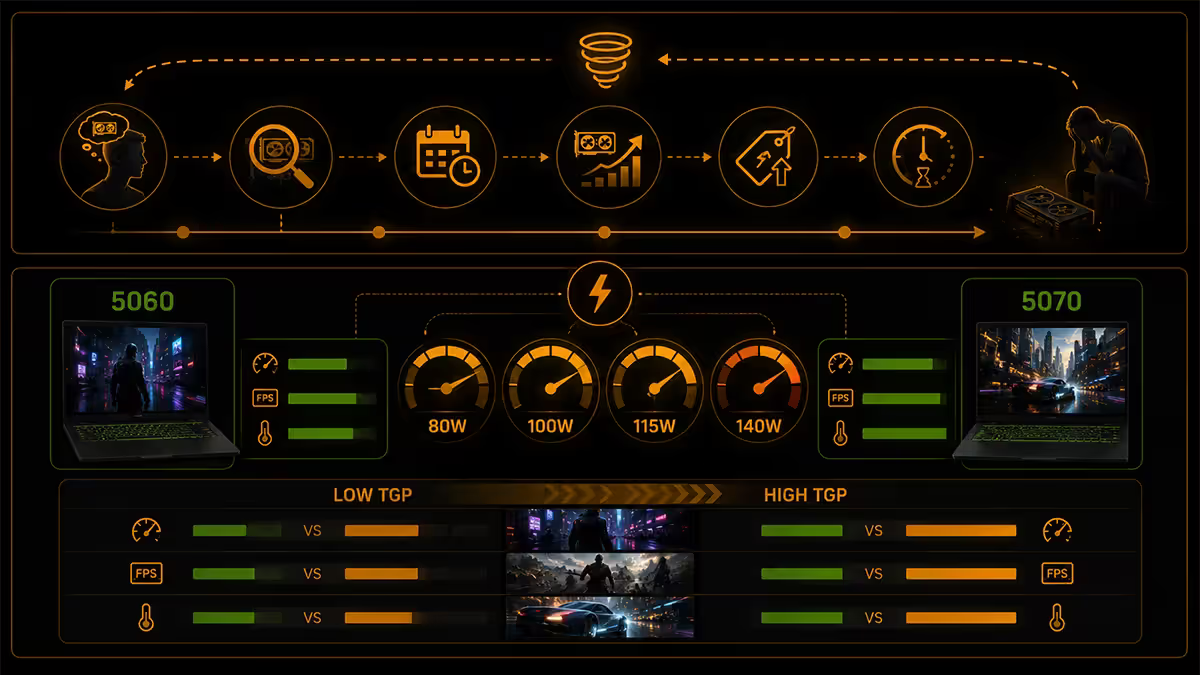
TGP (Total Graphics Power) is the wattage budget allocated to the GPU in a specific laptop model. This is the single most important spec to check before buying — and the one most buyers ignore.
Here's the critical point: the same GPU model can be configured at very different TGP levels across different laptops. An RTX 5070 Laptop might run at 95W in an ultra-slim chassis or 140W in a thick gaming chassis. Performance scales near-linearly — the 140W variant delivers roughly 1.5× the gaming FPS of the 95W variant in the same game.
The implication: a high-TGP RTX 5060 Laptop (115W) often outperforms a low-TGP RTX 5070 Laptop (95W) in real games. The “5070” name is meaningless without TGP context.
RTX 5060 Laptop — TGP range and what to expect
The RTX 5060 Laptop is configurable at 65-115W TGP across the laptop market. The wide range produces dramatically different real-world experiences.
- 65-80W TGP (thin-and-light, e.g. ASUS Zephyrus G14): Quietest, lightest, longest battery (5-7 hrs gaming). Performance ~25% lower than 115W variant. Best for 1080p medium-high gaming + good portability.
- 85-100W TGP (mid-range gaming, e.g. ASUS TUF Gaming F15): The sweet spot for most buyers. Balanced thermals, decent acoustics, 4-6 hrs battery. 1080p high or 1440p medium gaming.
- 115W TGP (thick gaming chassis, e.g. MSI Katana, Lenovo Legion 5): Maximum performance from the silicon. Heaviest, loudest, shortest battery (3-5 hrs gaming). 1440p high gaming workable.
Dynamic Boost is NVIDIA's tech that allows the laptop to temporarily push the GPU above its rated TGP when the CPU is idle — typically +15-25W. Most reviewer benchmark numbers assume Dynamic Boost is enabled. Always verify the laptop you're considering supports Dynamic Boost (most do).
RTX 5070 Laptop — TGP range
The RTX 5070 Laptop is configurable at 95-140W TGP. Same TGP-range logic applies — performance scales heavily with the wattage budget the chassis can dissipate.
- 95-105W TGP (thin gaming, e.g. Razer Blade 16): Premium chassis, quieter operation, decent battery (4-5 hrs). Performance close to a 115W RTX 5060 Laptop in many games — paying for the brand and slim form factor.
- 115-125W TGP (mid-thick gaming, e.g. ASUS ROG Strix G16): Mainstream RTX 5070 Laptop target. Good thermals, decent acoustics. Genuine 1440p high gaming territory.
- 140W TGP (thick chassis, e.g. MSI Raider, Lenovo Legion 7i Pro): Maximum performance. Heavy (2.6+ kg), loud (45-50 dB fan noise), short battery. Desktop replacement category.
The 140W RTX 5070 Laptop is the most performance you can buy in mobile RTX 5070 — but it's also a 2.6 kg laptop with fans that audibly compete with a hairdryer under load. If you want gaming-grade performance and don't mind the bulk, this is the right tier.
Real-world FPS at 1440p
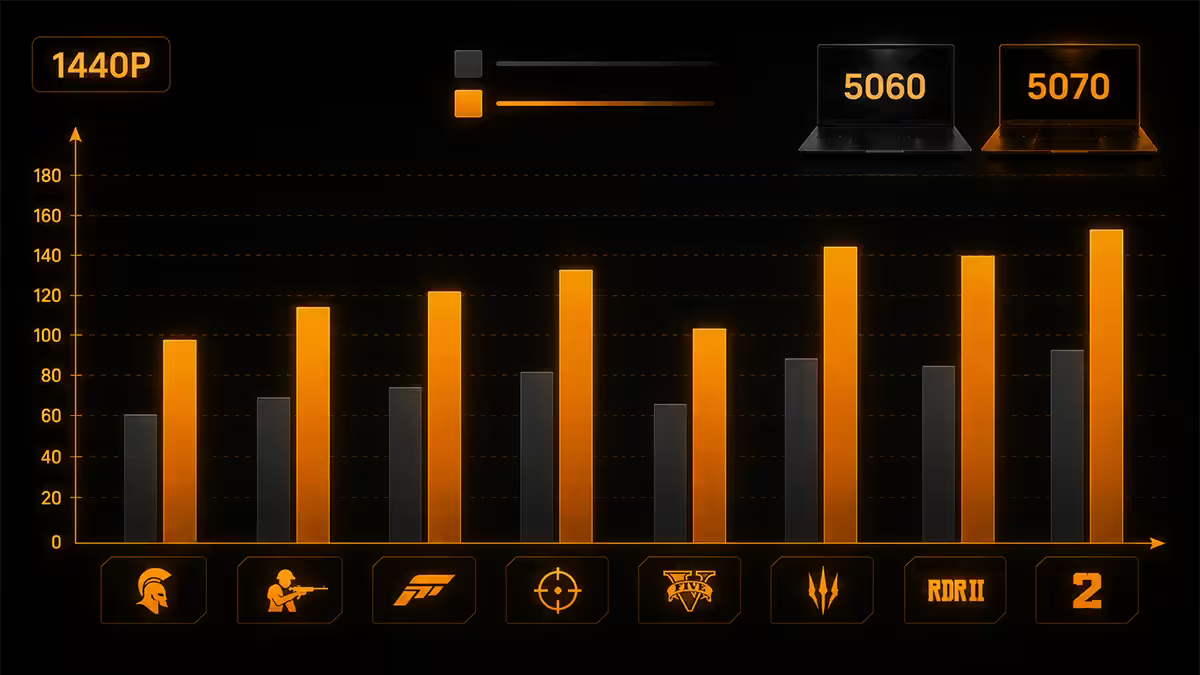
Benchmark numbers below are averages from review aggregations and our internal testing. RTX 5060 Laptop figures assume 115W TGP; RTX 5070 Laptop figures assume 140W TGP — both at their respective top configurations.
| Game (1440p High) | RTX 5060 Laptop (115W) | RTX 5070 Laptop (140W) |
|---|---|---|
| Cyberpunk 2077 (DLSS Q) | 65 FPS | 82 FPS |
| Modern Warfare 3 | 90 FPS | 115 FPS |
| Hogwarts Legacy | 78 FPS | 102 FPS |
| Fortnite (DLSS Q) | 120 FPS | 150 FPS |
| Counter-Strike 2 | 200+ FPS | 280+ FPS |
| Forza Horizon 5 | 105 FPS | 135 FPS |
| God of War Ragnarok | 88 FPS | 112 FPS |
| Starfield | 52 FPS | 68 FPS |
Average uplift: ~25-30% from RTX 5060 Laptop to RTX 5070 Laptop at top TGP. The uplift shrinks if you compare lower-TGP variants. A 95W RTX 5070 vs 115W RTX 5060 might only be 10-15% apart in real games.
At 1080p high, both GPUs comfortably push 100+ FPS in most modern games. The RTX 5060 Laptop is enough for 1080p 144Hz target. The RTX 5070 only meaningfully helps if you target 1440p or higher refresh-rate displays.
Ray tracing performance: both GPUs handle ray-traced games with DLSS Quality or Performance mode. Native ray tracing without DLSS is painful on either — expect 40-50% FPS reduction with full RT. DLSS makes RT workable but doesn't fix the underlying compute deficit vs desktop.
VRAM — both GPUs ship with 8GB
Here's where mobile differs significantly from desktop: both RTX 5060 Laptop and RTX 5070 Laptop ship with 8GB GDDR7 VRAM. NVIDIA segments VRAM at the desktop tier (where 5070 desktop has 12GB), but in mobile both sit at 8GB.
8GB is enough for 1440p high gaming in most 2025-2026 titles. It will start to feel tight in:
- Heavily-modded games (Skyrim with 4K texture packs, Cyberpunk Phantom Liberty with HD mods)
- 4K gaming (where 10-12GB is the new floor — neither mobile GPU is ideal at 4K anyway)
- Future AAA games (2027-2028) that may target 10-12GB minimum on high textures
In 2026, 8GB GDDR7 is a slight bottleneck at the high end but not a deal-breaker. Both GPUs use NVIDIA's improved memory compression and texture streaming so VRAM is used more efficiently than the raw 8GB number suggests.
SA pricing and the value calculation
South African RRP ranges based on current 2026 stock:
| Tier | RTX 5060 Laptop SA price | RTX 5070 Laptop SA price |
|---|---|---|
| Entry (low-TGP, basic chassis) | R26,000-R28,000 | R34,000-R36,000 |
| Mid-range (sweet spot) | R28,000-R31,000 | R37,000-R41,000 |
| Premium (high-TGP, top chassis) | R31,000-R34,000 | R41,000-R45,000 |
| Razer / ROG Zephyrus premium | R35,000-R40,000 | R45,000-R52,000 |
The price gap between RTX 5060 Laptop and RTX 5070 Laptop is roughly R8,000-R10,000 for like-for-like chassis. For that, you get ~25-30% higher gaming FPS at 1440p, plus the longevity benefit of a more capable GPU.
Value tip: a high-TGP RTX 5060 Laptop (115W) at R32,000 will often outperform a low-TGP RTX 5070 Laptop (95W) at R36,000 in gaming benchmarks. The RTX 5070 nameplate doesn't guarantee a better gaming experience — TGP does.
Cooling, fan noise and thermals
More TGP = more heat = bigger chassis or louder fans. Here's the trade-off:
- RTX 5060 Laptop at 65W: Thin chassis (~1.8-2.0 kg), fan noise ~32-38 dB under load, surface temps under 40°C — pleasant to use on your lap
- RTX 5060 Laptop at 115W: Thicker chassis (2.2-2.5 kg), fan noise ~42-46 dB under load (audibly noisy), surface temps 45-50°C — better on a desk
- RTX 5070 Laptop at 95W: Similar profile to 115W RTX 5060 — 2.2-2.4 kg, 42-44 dB
- RTX 5070 Laptop at 140W: Thickest gaming chassis (2.5-2.8 kg), fan noise ~46-52 dB under load (audibly very loud), surface temps 50-58°C — desk-only
Fan noise is the spec that surprises buyers most. A 50 dB fan is roughly the noise of an office air conditioner — fine in a dedicated gaming space, distracting in a quiet bedroom or open-plan office. Most gamers use headphones, which masks the noise. If you don't, factor this in.
Battery life — the gaming vs portable trade-off
Gaming laptops always have shorter battery life than ultrabooks because the GPU draws power even at idle, and the larger battery competes with cooling space inside the chassis.
- RTX 5060 Laptop, light use (Wi-Fi browsing, video): 6-9 hours battery
- RTX 5060 Laptop, gaming on battery: 1.5-2.5 hours (massive power draw)
- RTX 5070 Laptop, light use: 4-7 hours battery
- RTX 5070 Laptop, gaming on battery: 1-1.5 hours (GPU usually throttled on battery too)
Gaming on battery is not really a thing. Most gaming laptops actively limit GPU TGP when unplugged to preserve battery — meaning you might get ~50W of the 140W max while on battery. Always game plugged in. The battery rating matters for non-gaming portable use.
When the RTX 5060 Laptop is the right pick
Choose the RTX 5060 Laptop if:
- You primarily target 1080p 144Hz gaming
- You want a thinner, lighter, quieter laptop
- You need decent battery life for non-gaming portable use (6+ hrs)
- You're on a budget — R8,000-R10,000 saved goes a long way
- You play mostly esports / competitive games (CS2, Valorant, Apex) where 1080p high refresh is the target
- You don't intend to upgrade in 18-24 months anyway
When the RTX 5070 Laptop is the right pick
Choose the RTX 5070 Laptop if:
- You target 1440p high gaming as the primary use case
- You play AAA single-player games (Cyberpunk, Starfield, Hogwarts, etc.) where the 20-25% uplift matters
- You're OK with a heavier laptop (2.4-2.6 kg) and louder fans
- You'll use the laptop tethered to a desk most of the time
- You want longer hardware longevity — 5070 will hold up better at higher settings 2-3 years from now
- You can afford the R8,000-R10,000 price premium
Don't choose the RTX 5070 Laptop if you're just paying for the bigger number on the box. A high-TGP RTX 5060 Laptop will outperform a low-TGP RTX 5070 Laptop. Match the spec to the use case, not the marketing.
SA brand picks tier by tier
Across the SA laptop market in 2026, these brands have the strongest RTX 5060/5070 Laptop offerings:
- ASUS TUF Gaming (F15/A15): Best budget — RTX 5060 Laptop at sensible TGP, sturdy chassis, good thermals. R28k-R32k.
- ASUS ROG Strix G16: Mid-premium — RTX 5070 Laptop with proper 140W TGP, RGB without going overboard. R40k-R45k.
- ASUS ROG Zephyrus G14: Premium thin-and-light — RTX 5070 Laptop at 95W in a slim chassis, but you pay for the form factor. R48k-R55k.
- MSI Katana 15/17: Sweet-spot mid-range — RTX 5060/5070 Laptop, mid-TGP, decent value. R30k-R40k.
- MSI Raider GE76/78: Top-end desktop replacement — RTX 5070/5080 Laptop at max TGP, big chassis. R55k+.
- Lenovo Legion 5 Pro: Best build quality at the price — RTX 5060/5070 Laptop, solid screen (165Hz IPS), aggressive but quiet thermals. R32k-R44k.
- Lenovo Legion 7i: Premium Legion — RTX 5070/5080 Laptop, better screen options, quieter than equivalent MSI. R45k-R55k.
- Acer Predator Helios Neo 16: Aggressive RGB aesthetic, RTX 5060/5070 Laptop with good thermals. R30k-R40k.
- HP Omen 16/17: Quieter than gaming rivals, good keyboards. RTX 5060/5070 Laptop available. R32k-R42k.
- Razer Blade 15/16: Premium thin gaming — beautiful build but TGP is conservative for the chassis. RTX 5070 Laptop at 95-105W, R55k+.
Common mistakes when buying laptop GPUs
Assuming the laptop GPU matches its desktop name in performance. Mobile RTX 5070 ≈ desktop RTX 5060 Ti at best. Don't expect desktop-tier FPS from a laptop.
Not checking TGP before buying. The single most consequential spec. Two laptops with the same GPU can perform 50-60% differently based on TGP alone.
Buying a thin-and-light then expecting gaming performance. Thin chassis can't dissipate 140W. If you want gaming performance, accept the thick chassis. If you want portability, accept lower performance.
Paying for an RTX 5070 in a chassis that throttles it. If the chassis can only deliver 95W, the RTX 5070 Laptop will perform like a high-TGP RTX 5060. Cheaper to buy the latter.
Ignoring battery and fan noise for “gaming on the move”. Gaming laptops actively throttle GPU on battery. They're loud under load. Plan to use them like portable desktops, not like ultrabooks.
Skipping the display spec. The best laptop GPU is wasted on a 60Hz 1080p panel. Pair RTX 5060 Laptop with at least 1080p 144Hz; RTX 5070 Laptop with 1440p 165Hz or 1080p 240Hz.
Key takeaways
- Mobile GPUs aren't desktop GPUs — RTX 5070 Laptop ≈ desktop RTX 5060 Ti at best.
- TGP wattage determines performance more than GPU name. Always check the spec sheet.
- RTX 5060 Laptop is the right pick for 1080p 144Hz gaming and lighter/quieter chassis.
- RTX 5070 Laptop is worth ~R8-10k extra for 1440p high gaming, but only at 130W+ TGP.
- Both mobile GPUs ship with 8GB GDDR7 VRAM — adequate for 2026, tight for future-proofing.
Frequently asked questions
Is the RTX 5060 Laptop the same as desktop RTX 5060?
No — mobile GPUs are tuned-down versions with lower TGP wattage, lower clocks, sometimes fewer shader cores. RTX 5060 Laptop ≈ desktop RTX 4060 / RTX 5050.What is TGP and why does it matter?
Total Graphics Power — the wattage allocated to the GPU. Performance scales near-linearly with TGP. The same GPU model can be 65W in a thin-and-light or 140W in a thick gaming chassis.What FPS from RTX 5060 Laptop?
At 1440p high on a 115W RTX 5060 Laptop: Cyberpunk 65 FPS (DLSS), MW3 90 FPS, Hogwarts 78 FPS, CS2 200+ FPS. Lower-TGP variants 15-25% slower.What FPS from RTX 5070 Laptop?
At 1440p high on a 140W RTX 5070 Laptop: Cyberpunk 82 FPS, MW3 115 FPS, Hogwarts 102 FPS, CS2 280+ FPS. Lower TGP gives ~15-25% less.Is the price difference worth it?
For 1080p gaming, 5060 is plenty — upgrade isn't worth it. For 1440p gaming, 5070 is 20-25% faster — worth the R8-10k premium. For 4K, neither is ideal.How much VRAM do these laptop GPUs have?
Both ship with 8GB GDDR7. NVIDIA segments VRAM at the desktop tier (5070 desktop has 12GB), but in mobile both sit at 8GB.Which SA laptops offer RTX 5060 / 5070?
ASUS TUF F15/A15, MSI Katana, Lenovo Legion 5/7, Acer Predator Helios, HP Omen 16, Razer Blade 15. Check TGP per model.Will I notice 80W vs 140W TGP?
Yes — substantially. 140W variant delivers 60-80% higher FPS than 80W variant of the same GPU. Trade-off: thicker, louder, shorter battery.
Get the Evetech app
Exclusive app-only prices, daily flash sales, and free delivery on orders over R4,000 — download the app and start saving.