CPU Comparison
X3D vs non-X3D. — Is 3D V-Cache worth R3,500 over a stock chip?
AMD's stacked-cache trick adds 64MB of L3 to your gaming hot path. It works — sometimes spectacularly. It also costs more, runs cooler, clocks lower and loses ground in productivity. Here's the honest trade-off.
- L3 cache (X3D)
- 96 MB
- gaming FPS uplift
- 8-22%
- productivity wash
- ~Even
What 3D V-Cache actually is
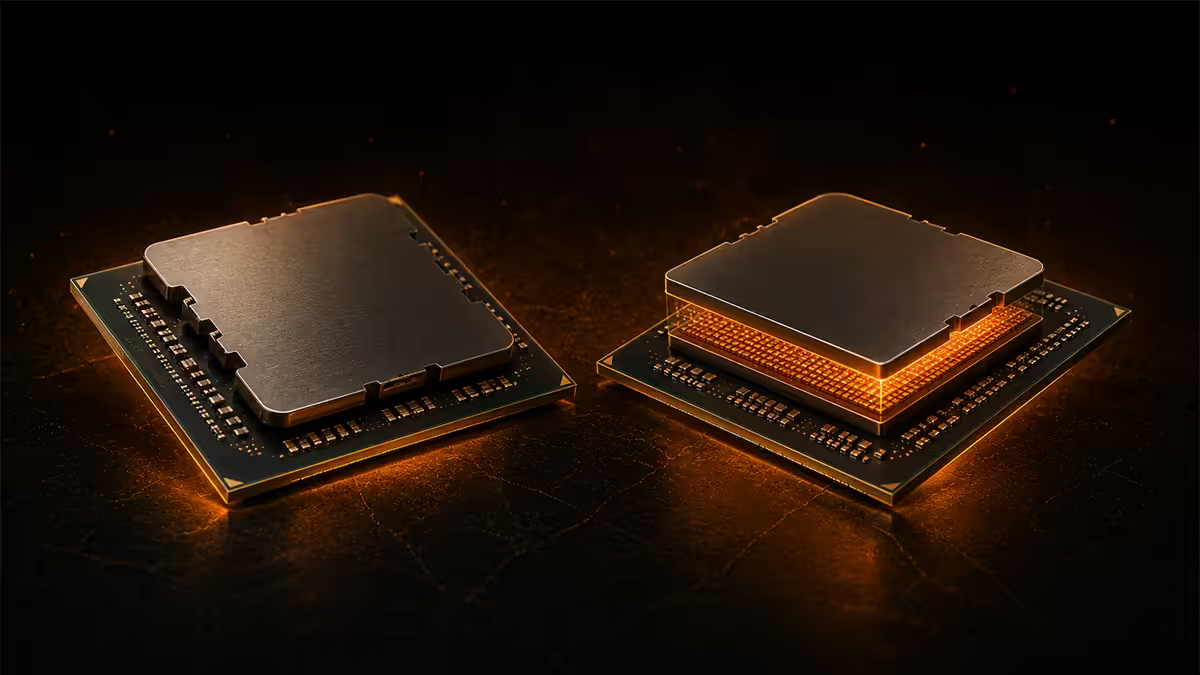
3D V-Cache is AMD's marketing name for a stacked SRAM die that sits directly on top of the compute die using TSMC's hybrid bonding process. Where a standard Ryzen 9000-series CCD has 32MB of L3 cache, an X3D variant adds another 64MB of cache stacked on top — giving the chip 96MB total L3 per CCD.
Why does this matter? Modern games are unusually cache-sensitive. A large L3 cache lets the CPU keep more of the game's working data (geometry, AI state, physics, level data) close to the cores. When the cache isn't large enough, the CPU has to fetch data from main system memory — and that round-trip can be 10-50x slower than a cache hit. Triple the L3 cache and the cache hit rate climbs, the memory bus is busier with less critical work, and frame times stabilise.
The trade-offs come from physics:
- Heat path: The stacked cache sits between the heat-producing cores and the IHS. AMD has to be cautious with voltage to avoid cooking the cache die, which means slightly lower boost clocks than non-X3D.
- Voltage limit: X3D parts have a lower tjMax (typically 89°C vs 95°C on non-X3D) because of the same thermal sandwich.
- Cost: The hybrid bonding step adds yield risk and processing cost — passed on as a R3,500-R4,500 retail premium.
Gaming performance — where X3D shines
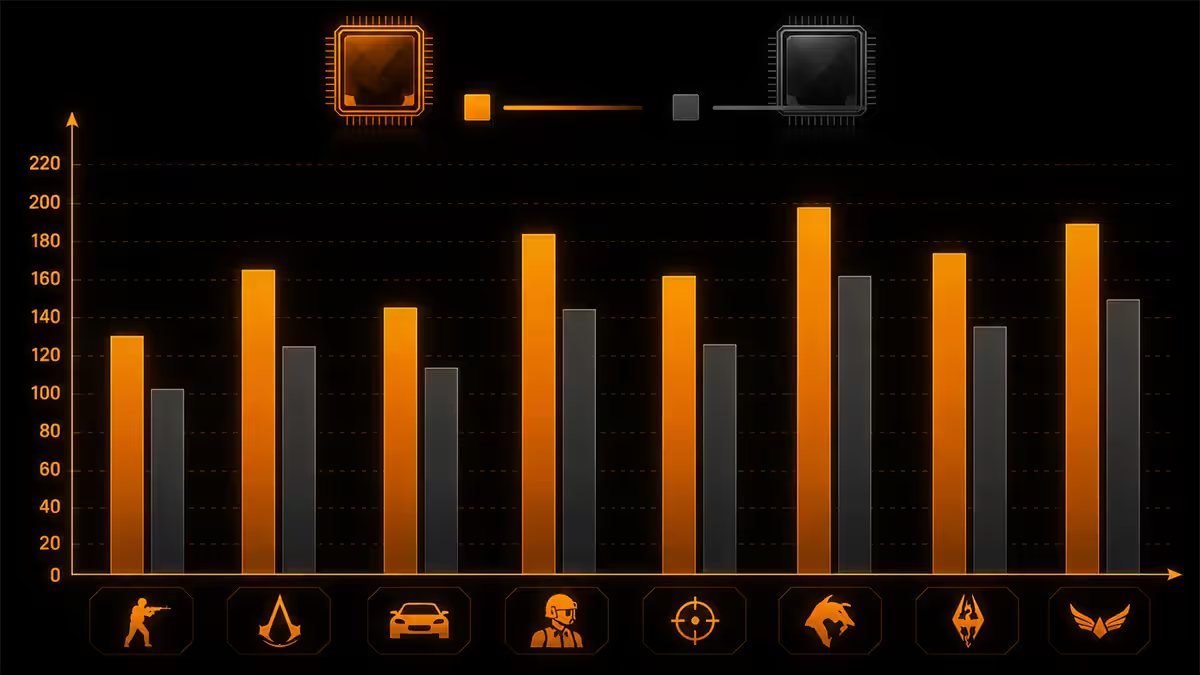
The X3D advantage isn't uniform. It's biggest in titles where the CPU is the bottleneck — competitive shooters at low resolution, simulators, strategy games, and any title with complex AI or physics calculations. It's smallest at 4K with a top-end GPU where the GPU does the heavy lifting.
Typical FPS uplift, 9800X3D vs 9700X (1080p, paired with RTX 5080):
| Game | 9700X (FPS avg) | 9800X3D (FPS avg) | Uplift |
|---|---|---|---|
| Counter-Strike 2 | 485 | 595 | +23% |
| Microsoft Flight Sim 2024 | 112 | 142 | +27% |
| Factorio (megabase) | 78 | 102 | +31% |
| Cyberpunk 2077 (ultra) | 165 | 192 | +16% |
| Baldur's Gate 3 | 148 | 172 | +16% |
| Total War: Warhammer III | 92 | 112 | +22% |
| Hogwarts Legacy | 148 | 168 | +14% |
| Call of Duty MW3 | 312 | 375 | +20% |
At 4K the gap shrinks significantly — typically to 3-8% — because the GPU is doing most of the work. This is the crucial insight: X3D's gaming advantage scales inversely with GPU load. Competitive players at 1080p see the biggest gains; cinematic 4K players see the smallest.
For 1% lows (the smoothness metric that matters more than averages), X3D shows a similar or larger uplift — often 15-30% — because cache hits stabilise frame times. This is why X3D builds "feel" smoother even in titles where the average FPS gap is modest.
Productivity trade-offs
Where X3D loses ground is in workloads that aren't cache-sensitive: rendering, video encoding, software compilation, scientific simulation, large parallel compute jobs. These benefit from raw clock speed and core count, not L3 cache.
Productivity comparison (Cinebench 2024 nT scores):
| Workload | 9700X | 9800X3D |
|---|---|---|
| Cinebench 2024 multi-thread | 1,285 | 1,205 |
| Blender Classroom (seconds, lower = better) | 128 | 136 |
| HandBrake H.265 transcode | 1.15x baseline | 1.0x baseline |
| 7-Zip compression | 96 GIPS | 91 GIPS |
| Stable Diffusion XL (it/s) | — | — |
| Visual Studio code compile | 1.08x baseline | 1.0x baseline |
The 9700X (non-X3D) edges ahead by 5-10% in pure productivity scores because its boost clock is 200-300 MHz higher. For a hybrid creator-gamer profile, the 9800X3D's gaming gain is much larger than its productivity loss — but if you're doing 8+ hours of rendering or compilation per day, the non-X3D part is the right choice.
Thermals and clocks
X3D chips run cooler under load than their non-X3D siblings because they clock lower and pull less power. The 9800X3D peaks around 120W package power; the 9700X can hit 142W. But X3D's lower tjMax (89°C vs 95°C) means you should not save money on cooling.
Cooler recommendations:
- Ryzen 7 9800X3D: 240mm AIO (Arctic LF II 240, Corsair iCUE H100i) or premium air (Noctua NH-D15, Be Quiet Dark Rock Pro 5). The cooler in this tier should run the chip 65-72°C under gaming load.
- Ryzen 9 9950X3D: 280-360mm AIO recommended (Arctic LF III 280, Corsair H115i). The 16-core part needs more dissipation headroom for productivity workloads.
- Avoid: Stock-bundled coolers on X3D parts. AMD does not ship a stock cooler with 9800X3D / 9900X3D / 9950X3D for a reason — they need real cooling.
Boost clocks: The 9800X3D boosts to 5.2GHz, the 9700X to 5.5GHz. That 300MHz gap accounts for the productivity difference but rarely shows up in gaming because gaming workloads are usually limited by cache and memory latency, not by raw clock.
Memory sensitivity
Non-X3D Ryzen chips reward fast DDR5 — going from DDR5-5600 to DDR5-6400 can deliver 5-8% gaming uplift. X3D chips are less sensitive: the larger L3 cache absorbs the memory pressure, so the same DDR5-5600 to DDR5-6400 jump might yield 2-3% on X3D.
Memory recommendations:
- X3D builds: DDR5-6000 CL30 EXPO. 32GB (2x16GB) is the sweet spot — Crucial Pro EXPO, G.Skill Flare X5 or Kingston Fury Beast. Don't pay for DDR5-7200; the X3D won't use it.
- Non-X3D builds: DDR5-6000 CL30 minimum; DDR5-6400 CL32 is worth the small premium. Same kits as X3D but with the extra speed actually contributing.
- Both: stick to 2-DIMM configurations. AM5 + 4 DIMMs reliably trips speed limits (usually drops to DDR5-3600 unless heroically tuned).
SA picks and pricing
| Chip | Cores / Threads | L3 cache | SA price |
|---|---|---|---|
| Ryzen 5 9600X (non-X3D) | 6 / 12 | 32 MB | R5,200 |
| Ryzen 7 9700X (non-X3D) | 8 / 16 | 32 MB | R6,800 |
| Ryzen 7 9800X3D | 8 / 16 | 96 MB | R10,500 |
| Ryzen 9 9900X (non-X3D) | 12 / 24 | 64 MB | R9,500 |
| Ryzen 9 9950X (non-X3D) | 16 / 32 | 64 MB | R11,800 |
| Ryzen 9 9950X3D | 16 / 32 | 128 MB | R14,500 |
How to decide — three workload profiles
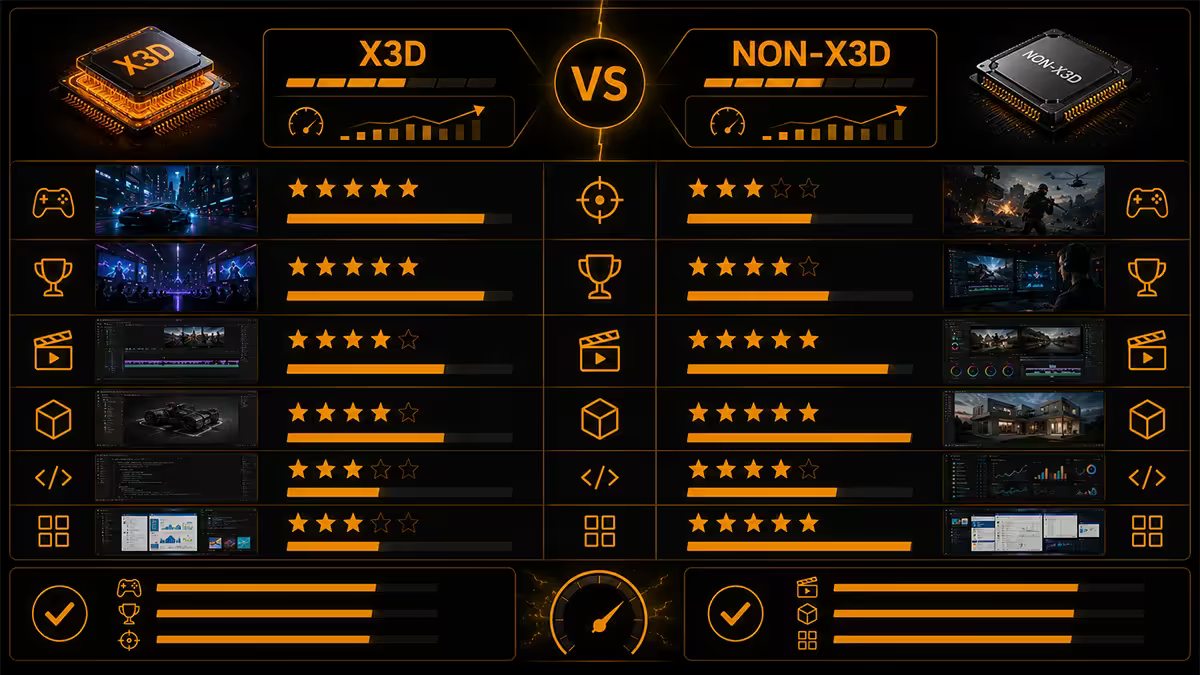
Pure gaming (90%+ of system time)
Choose X3D. The 9800X3D is the right chip for almost every gaming build between R25,000 and R55,000. Step down to a 9600X (non-X3D) only on budget builds under R20,000 where every Rand matters. Step up to the 9950X3D only if you also do serious productivity.
Hybrid gaming + creator (60% gaming / 40% productivity)
Choose the 9950X3D. 16 cores cover the productivity side, the X3D CCD handles gaming. Windows 11's scheduler now routes game threads to the X3D CCD automatically — this used to require manual tuning, but works out of the box on current builds. The R14,500 premium over the 9800X3D buys 8 more cores and full productivity throughput.
Pure productivity (Blender, video, code, AI)
Choose non-X3D. The 9900X (R9,500) and 9950X (R11,800) deliver the highest sustained productivity throughput for the money. You'll lose 8-15% gaming FPS vs X3D but gain 5-10% productivity throughput and save R3,000-R4,000 to spend elsewhere on the build.
Key takeaways
- 3D V-Cache stacks 64MB of SRAM on top of the compute die — gaming-focused chips with 96MB L3 cache total.
- 8-22% gaming FPS uplift in cache-sensitive titles. 3-8% at 4K. 15-30% better 1% lows across the board.
- 5-10% productivity loss vs non-X3D — clock-limited. Use 9950X3D for hybrid creator-gamer profiles.
- 89°C tjMax (vs 95°C non-X3D). Use 240-360mm AIO or premium air cooler. No stock cooler shipped.
- DDR5-6000 CL30 is the X3D sweet spot. Don't overspend on DDR5-7200 — X3D's cache absorbs the gain.
Frequently asked questions
What does 3D V-Cache actually do?
It's a 64MB SRAM die stacked on top of the compute die via hybrid bonding. Triples the L3 cache from 32MB to 96MB per CCD. More cache hits, less memory bus traffic, smoother frame times in games.Is the 9800X3D worth the R3,500 premium over the 9700X?
For gaming, yes — 12-20% higher FPS in CPU-bound titles. For productivity, no — the 9700X is faster in rendering and compilation.Do X3D chips run hotter or cooler?
Cooler under load but with a lower 89°C tjMax. Need a real cooler — 240mm AIO or premium air at minimum.Can I overclock an X3D CPU?
Limited core overclocking, but PBO + Curve Optimiser works. Expect 100-200MHz uplift and 3-5% gaming improvement.Should I get a 9950X3D for productivity?
Yes for hybrid creator-gamer use. 16 cores for productivity, X3D CCD for gaming. For pure productivity the 9950X is better value.Do X3D CPUs need fast RAM?
Less sensitive than non-X3D. DDR5-6000 CL30 is the sweet spot. Don't waste money on DDR5-7200+ for X3D.Is the price gap shrinking — is X3D becoming the default?
Yes. R3,500 premium today vs R5,000+ in 2022. For gaming builds above R25,000 total, X3D is the clear default.Does Intel have an X3D equivalent?
No. Intel's Core Ultra Series 2 has no stacked-cache analogue. For pure gaming, AMD X3D leads by 8-18% in cache-sensitive titles.
Get the Evetech app
Exclusive app-only prices, daily flash sales, and free delivery on orders over R4,000 — download the app and start saving.