OLED Monitor State of the Art · 2026
OLED monitors in 2026 — finally worth it.
Two panel generations after the original burn-in panic, OLED has quietly become the gaming-monitor default. Here's what changed, what didn't, and when to skip it anyway.
- peak HDR sustained
- 1300 nits
- burn-in warranty
- 3 years
- SA pricing band
- R20-45k
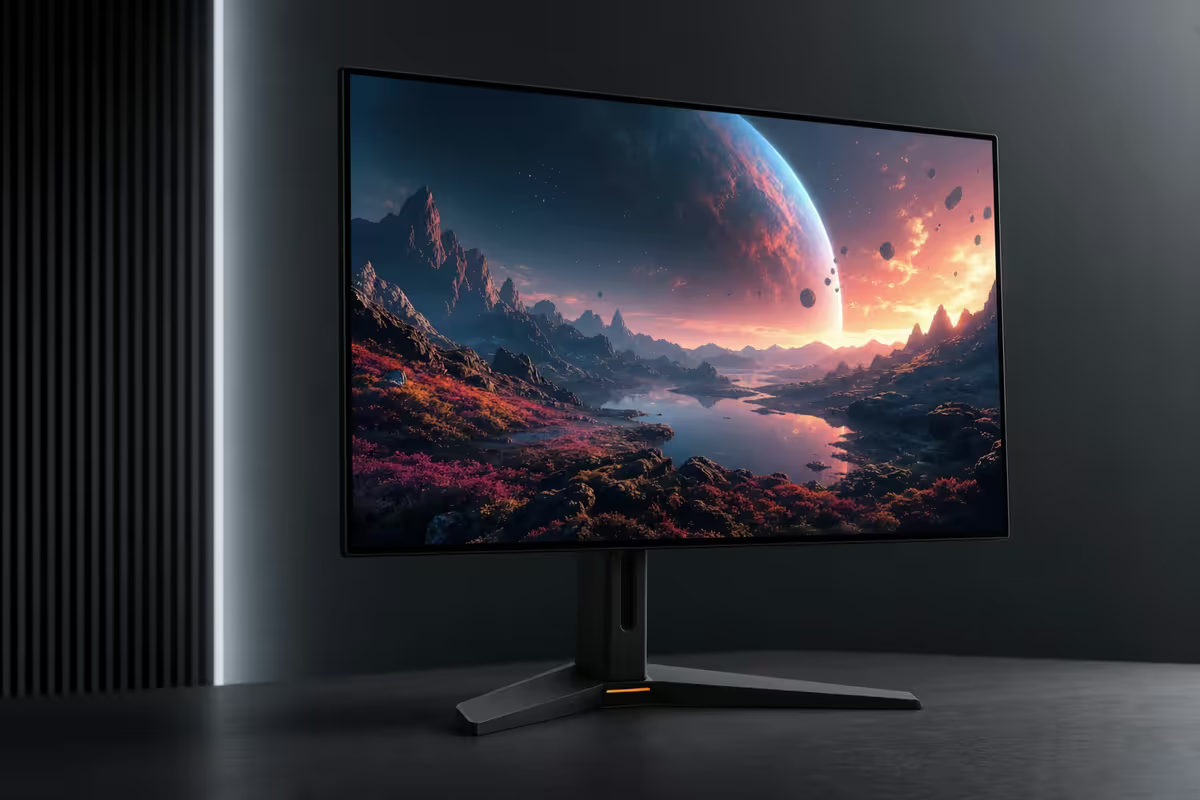
QD-OLED gen 3 vs WOLED gen 4 — what's actually new
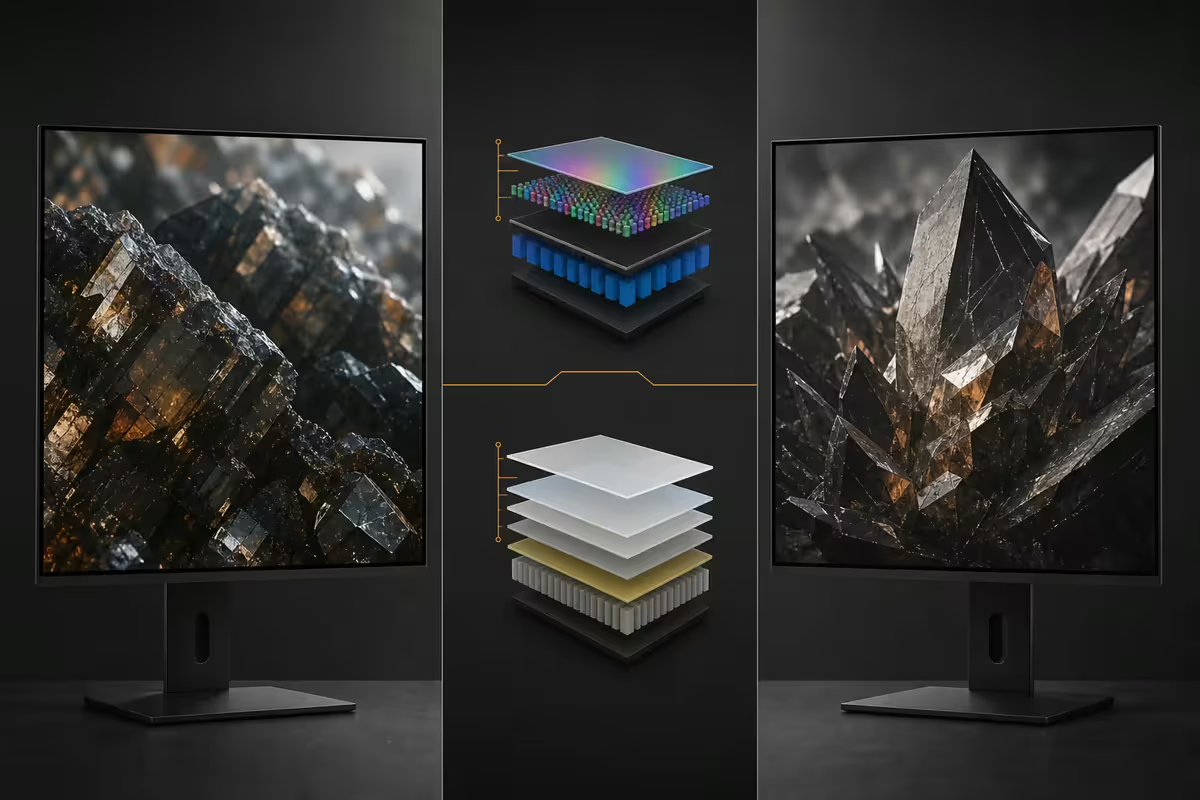
Two panel families dominate 2026 monitor OLED: Samsung Display's QD-OLED (now third generation) and LG Display's WOLED (now fourth generation). They use fundamentally different stacks and they're not equivalent for every use case.
| Spec | QD-OLED gen 3 | WOLED gen 4 |
|---|---|---|
| Peak HDR (10% window) | 1300 nits | 1200 nits |
| Sustained full-screen white | 275 nits | 300 nits |
| Sub-pixel layout | Triangle RGB | RGBW stripe (better text) |
| Colour volume DCI-P3 | 99% | 97% |
| Glare layer | Matte (gen 3 new) | Glossy or matte option |
| Best at | Gaming, HDR, cinematic media | Mixed gaming + desk text work |
The headline change for QD-OLED gen 3 is the matte-finish glare layer that finally tames the milky-purple raised-black look QD-OLED gen 1 had in bright rooms. The headline change for WOLED gen 4 is the brighter blue sub-pixel and revised emitter chemistry that pushes sustained brightness past 300 nits.
Burn-in in 2026 — much less scary than 2023
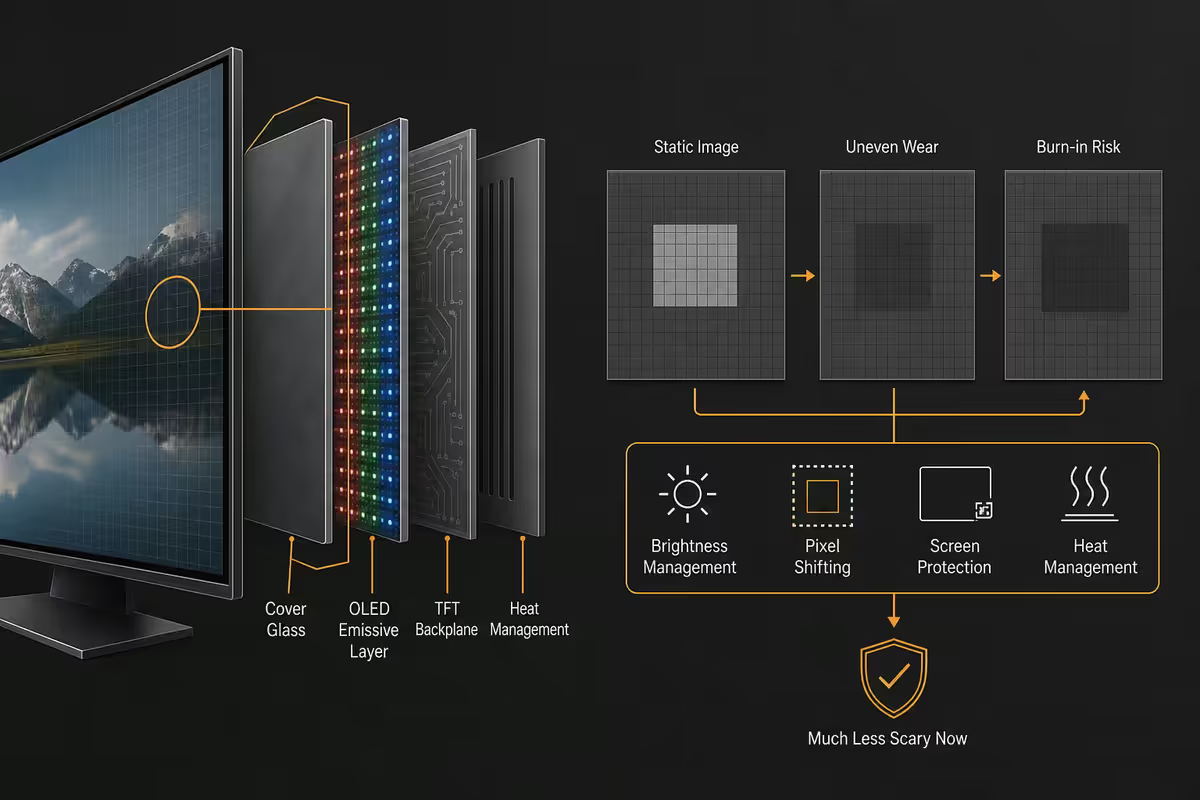
Burn-in is permanent uneven wear of OLED sub-pixels. Static UI elements (Windows taskbar, browser address bar, game HUDs) drive sub-pixels harder than surrounding screen area, so over time those areas dim relative to the rest of the panel.
2026 panels include three mitigations that earlier panels did not:
- Multi-layer pixel shift — the whole image moves by 1-3 pixels on a slow cycle, distributing wear across neighbouring sub-pixels.
- Compensation cycles — every 4 hours, the panel runs a brief refresh routine to even out brightness; a longer cycle runs at 500-hour intervals.
- Brighter blue sub-pixels (gen 4 WOLED especially) — blue is the weakest OLED colour; brighter sub-pixels work less hard for the same output.
The biggest change isn't technical though — it's the warranty. Every premium 2026 OLED monitor includes a 3-year burn-in warranty. If your panel develops visible burn-in in the first 3 years, you get a replacement panel. That's the safety net the technology lacked in 2022-2023.
ABL — the OLED quirk that still trips up productivity buyers
ABL (Auto Brightness Limiter) protects OLED emitters from sustained power draw by reducing brightness when a large portion of the screen is white. On HDR content, you don't notice — bright highlights against dark scenes barely engage ABL.
On a productivity desktop with a maximised white browser tab, ABL drops sustained brightness from 1300 nits peak to roughly 250-275 nits across the full panel. That's still bright — but a good IPS monitor (Asus ProArt PA32UCG, Dell U3225QE) sits at 400-600 nits sustained without dimming.
How ABL feels in practice:
- Gaming + HDR — invisible. ABL almost never engages because game scenes have mixed brightness.
- Mixed work day — you notice ABL once or twice if you go from a dark Lightroom panel to a white Notion page. Brain adapts in seconds.
- All-day spreadsheets — you sit at the ABL-reduced brightness all day. It's fine, but IPS would be brighter.
- Single-page coding (white IDE) — ABL engages when the editor fills the screen. Switch to a dark IDE theme and ABL barely engages.
480Hz OLED — actually useful or marketing?
2026 brought a wave of 480Hz 1440p OLED panels (Alienware AW2525HM, ASUS ROG PG27AQDP, MSI MPG 271QRX). At R35k+, they're the premium tier. Are they worth the R6k-R8k premium over 240Hz OLED?
If you play CS2, Valorant, Apex Legends or Overwatch competitively and you have an RTX 5080 or better — yes. The motion clarity at 480Hz OLED is genuinely better than 240Hz OLED for flick-aim scenarios. Sample-and-hold blur at 240Hz on OLED is roughly 1.5 pixels; at 480Hz it's roughly 0.75 pixels.
If you mostly play AAA single-player at 1440p — no. Cyberpunk, Starfield 2, Black Myth: Wukong, RDR3 all hover at 80-160 fps even on an RTX 5080 — you're nowhere near 480Hz. Buy 240Hz OLED and put the saved money toward a better GPU or speakers.
SA picks by budget — June 2026
| Budget | Pick | Spec |
|---|---|---|
| R18k-R22k | MSI MAG 271QPX QD-OLED | 27" 1440p 240Hz QD-OLED |
| R23k-R28k | LG UltraGear 27GS95QE | 27" 1440p 240Hz WOLED gen 4 |
| R28k-R32k | Alienware AW2725DF | 27" 1440p 360Hz QD-OLED gen 3 |
| R32k-R38k | ASUS ROG PG27UCDM | 27" 4K 240Hz QD-OLED gen 3 (DSC) |
| R35k-R42k | Alienware AW3425DW | 34" ultrawide 240Hz QD-OLED gen 3 |
| R38k-R45k | ASUS ROG PG27AQDP | 27" 1440p 480Hz WOLED gen 4 (competitive) |
| R42k-R52k | Samsung Odyssey OLED G9 49" | 49" super-ultrawide 240Hz QD-OLED gen 3 |
When to wait vs buy now
Buy now if:
- Your current monitor is 5+ years old IPS or TN.
- You're building a new gaming PC and the monitor budget is R20k+.
- You mostly play HDR-supported games (Cyberpunk, Resident Evil, Forza Horizon) on RTX 4070 / 5070 or better.
- You watch a lot of HDR media (Netflix, Apple TV+, Disney+) at your desk.
Wait if:
- You're 90%+ productivity (sustained brightness wins on IPS).
- Your budget is under R18k (entry OLED in SA is still WOLED gen 3, harder to recommend in 2026).
- You're hoping for 4K 480Hz OLED — projected late 2026 / early 2027, will reset the price tiers below.
- You leave your PC on with a static desktop for 6+ hours unattended daily (work-from-home pattern that hammers ABL and pixel shift).
Common OLED monitor mistakes
Disabling the screensaver and sleep timer. The compensation cycles need that idle time to run. Set Windows sleep to 10-15 minutes and let it.
Buying QD-OLED gen 1 panels in 2026. Some retailers still discount the original 2023 Alienware AW3423DW and Samsung Odyssey G8 — they lack the matte coating, run 1000 nits peak, and don't include the new burn-in mitigation. Skip them unless they're under R12k.
Mounting OLED on a sun-facing wall. Direct sunlight increases heat stress on emitters and accelerates wear. Move the desk or close the curtain.
Running a maxed-brightness white IDE all day. Use a dark theme. ABL stays disengaged, the panel runs cooler, perceived contrast doubles.
Buying 480Hz when your GPU caps at 144 fps. A 240Hz OLED with the saved R6k spent on a better GPU delivers more visible improvement.
Key takeaways
- OLED is finally the default for gaming + mixed-use enthusiasts in 2026 — QD-OLED gen 3 hits 1300 nits with proper warranty.
- 3-year burn-in warranty is now standard — the safety net the technology needed.
- ABL still dims sustained full-white scenes — productivity-heavy buyers should stick with IPS.
- QD-OLED gen 3 for gaming + HDR, WOLED gen 4 for mixed gaming + text-heavy work.
- SA sweet spot R28k-R32k — Alienware AW2725DF or LG UltraGear 27GS95QE. 480Hz is competitive-shooter-only.
Frequently asked questions
Are OLED monitors finally worth buying in 2026?
For most enthusiasts — yes. Third-gen QD-OLED panels (Samsung S95F generation) hit 1300 nits sustained HDR peak, 3-year burn-in warranties are now standard across Alienware, ASUS ROG and LG UltraGear, and 480Hz 1440p OLED is shipping at R30k-R35k. The remaining caveats: ABL (Auto Brightness Limiter) still kicks in on full-white scenes, productivity-only buyers don't gain much over a good IPS, and prices below R20k still mean WOLED gen 3 panels with weaker HDR. Gaming + mixed-use enthusiasts: buy. Pure-productivity buyers: stick with IPS.How serious is OLED burn-in in 2026?
Much less serious than 2022-2023 panels. QD-OLED gen 3 and WOLED gen 4 ship with multi-layer pixel-shift, automatic compensation cycles, brighter blue sub-pixels and improved organic emitter chemistry. Real-world reports from 3-year-old QD-OLED gen 1 panels show burn-in in heavy mixed-use cases (8+ hours/day with static Windows taskbar). Gen 3 panels are projected to extend that 30-50%. The 3-year manufacturer burn-in warranty is the safety net — if it happens within 3 years, you get a replacement panel.What is ABL and does it still ruin OLED monitors?
ABL (Auto Brightness Limiter) reduces panel brightness when a large portion of the screen is full white — protecting the OLED emitters from sustained power draw. On a productivity desktop with a white browser tab, ABL drops sustained brightness from 1300 nits peak to roughly 250-275 nits across the full panel. For gaming HDR (small bright highlights against dark scenes), ABL is invisible. For office work on a white background all day, an IPS panel will look brighter than an OLED. Pick the technology that matches your workload.QD-OLED or WOLED — which is better in 2026?
QD-OLED (Samsung Display) wins on colour volume, peak HDR brightness and the cinematic 'inky black plus saturated colour' look — Alienware AW3225QF, Samsung Odyssey OLED G8 and ASUS ROG PG34WCDM use QD-OLED. WOLED (LG Display) wins on text clarity for desk use (less colour fringing from sub-pixel layout) and slightly higher sustained brightness for productivity — LG UltraGear, MSI MAG and Corsair Xeneon use WOLED. Gaming-first: QD-OLED. Mixed gaming + text work: WOLED.Is 480Hz OLED actually useful?
For competitive shooter players (CS2, Valorant, Apex) on an RTX 5080-tier GPU — yes, the motion clarity difference between 240Hz and 480Hz OLED is visible in flick-aim scenarios. For everyone else — single-player AAA games at 1440p typically render 80-160 fps even on top-end hardware, so the panel sits well below its refresh ceiling. 240Hz OLED panels are now R6k-R8k cheaper than 480Hz and deliver 95% of the gaming feel for most users.What does a good OLED monitor cost in South Africa in 2026?
Entry OLED in SA starts around R18k (WOLED gen 3 27-inch 1440p 240Hz, MSI MAG 271QPX tier). Mid-tier QD-OLED is R28k-R35k (Alienware AW2725DF, ASUS ROG PG27UCDM, 27-inch QD-OLED 4K 240Hz). Top tier 480Hz QD-OLED 1440p is R35k-R45k. 32-inch QD-OLED 4K 240Hz with full HDR1000 sits at R38k-R52k. The R20k-R30k bracket is the sweet spot for most buyers in 2026.Should I buy an OLED if I work on it all day?
Honest answer for productivity-heavy users: a high-end IPS (Asus ProArt PA32UCG, Dell U3225QE) gives you brighter sustained whites, no ABL dimming on full-white backgrounds, and zero burn-in risk on a static Windows taskbar. If your day is 80% spreadsheets and code, IPS is the safer call. If your day is 50% mixed creative + games + media, OLED's contrast pays back. The 3-year burn-in warranty has made OLED viable for productivity, but it's still not the absolute best fit for it.Which OLED monitor should I buy in SA for gaming in 2026?
Best 1440p 240Hz for most gamers: Alienware AW2725DF (QD-OLED gen 3, R28k-R32k) or MSI MAG 271QPX (WOLED gen 4, R23k-R27k). Best 4K 240Hz: ASUS ROG Swift PG27UCDM (QD-OLED gen 3, R38k-R44k) or LG UltraGear 27GS95QE (WOLED gen 4, R33k-R39k). Best 480Hz competitive: Alienware AW2525HM or ASUS ROG PG27AQDP. Best ultrawide: Alienware AW3425DW (34-inch QD-OLED, R35k-R42k).
Get the Evetech app
Exclusive app-only prices, daily flash sales, and free delivery on orders over R4,000 — download the app and start saving.