Monitor Comparison
OLED vs IPS — which panel for you?
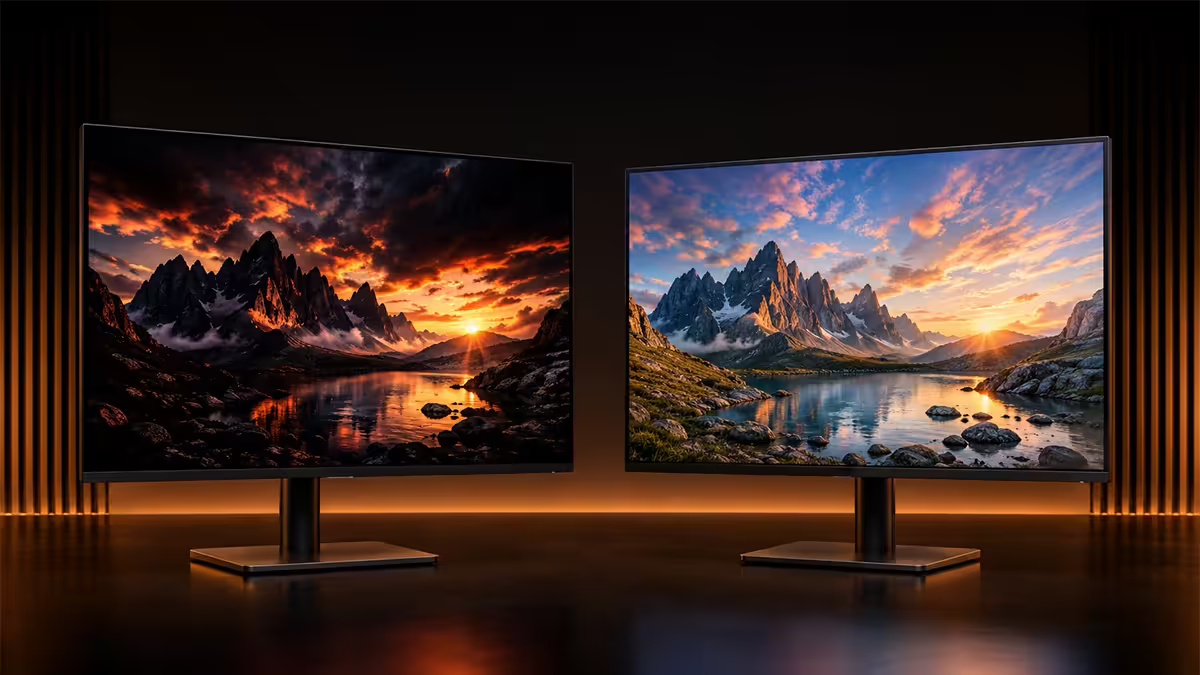
The 2026 OLED-vs-IPS gap is narrower than ever — but it's not closed. Burn-in is largely solved. Brightness still favours IPS. Motion clarity still belongs to OLED. The right pick depends on your room, your workflow and your tolerance for change.
- OLED response
- 0.03ms
- peak HDR highlight
- 1,300 nits
- burn-in warranty
- 3-year
Contrast and black levels — OLED's permanent lead
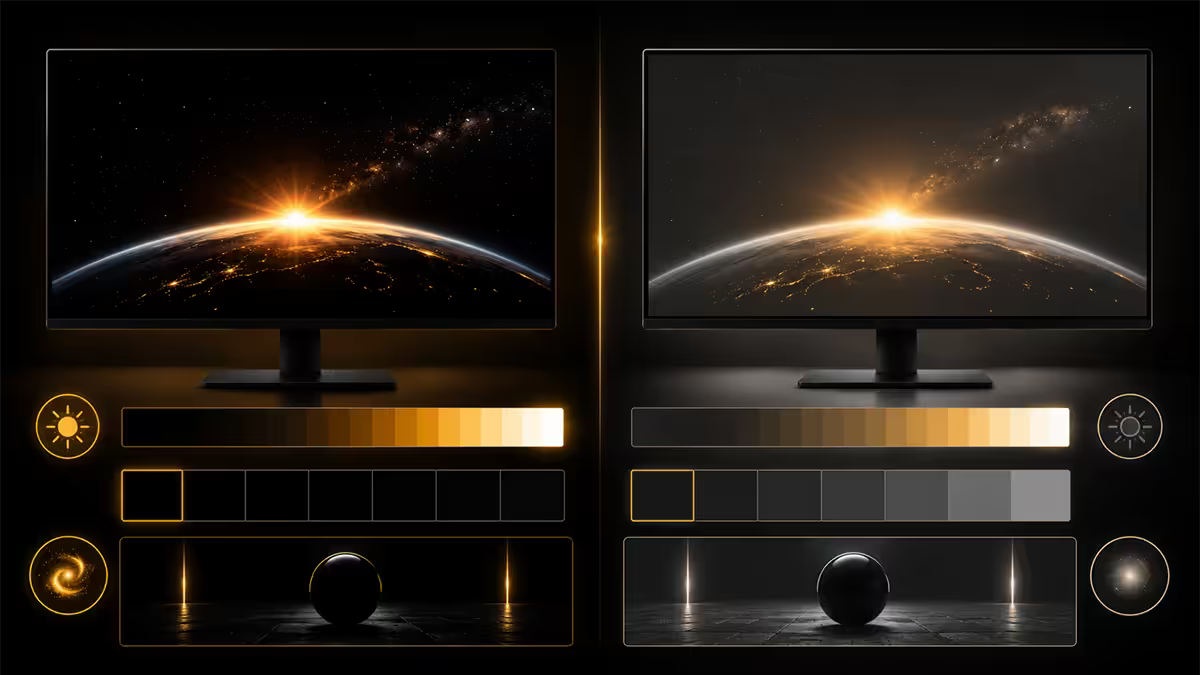
This is the headline difference, and it's the one nobody disputes. OLED pixels emit their own light. When the pixel is told to be black, it turns off entirely — no light, no glow, nothing. The result is what reviewers call "infinite contrast" (technically immeasurable, since you'd divide by zero).
IPS panels rely on a white LED backlight shining through a liquid crystal layer. Even at peak black, some backlight leaks through. The best 2026 "IPS Black" panels (LG, Dell UltraSharp) reach roughly 2,500:1 contrast — about double conventional IPS but still nowhere near OLED's true zero black.
What this looks like in practice: night scenes in Cyberpunk 2077, the void of space in Starfield, dark cinema films, even Windows dark mode — all look noticeably more dimensional on OLED. Stars on a black background actually pop. Shadow detail emerges from genuine darkness rather than a grey haze.
| Spec | OLED (2026) | IPS (2026) |
|---|---|---|
| Native contrast | Infinite (per-pixel off) | 1,300:1 standard / 2,500:1 IPS Black |
| Black uniformity | Perfect — no bleed | Some edge backlight bleed, IPS glow off-axis |
| Local dimming zones | N/A — per-pixel | None on standard IPS, mini-LED variants 1,000+ zones |
Response time and motion clarity
OLED's second permanent advantage is pixel response. Self-emissive pixels switch in roughly 0.03ms. The best IPS panels manage 1ms grey-to-grey at best settings, often with overshoot artefacts that introduce inverse ghosting.
For competitive shooters at 240-360Hz, this matters more than you'd expect. The way targets resolve during fast strafes, the cleanliness of muzzle flashes in dark scenes, the absence of trailing in inventory animations — all noticeably better on OLED. Apex Legends, Counter-Strike 2, Valorant and Marvel Rivals all benefit visibly.
The IPS catch: "1ms" is best-case. Worst-case grey-to-grey transitions on most IPS panels can hit 8-12ms, particularly in dark scenes. Overdrive settings can mask this but introduce inverse ghosting. OLED has no such tradeoff — every transition is fast and clean.
For sim racing (Assetto Corsa Competizione, iRacing) and flight sims (MSFS), the smoother motion on OLED is the biggest single visual upgrade. Cockpit instruments stay legible during head movement instead of smearing.
Brightness and HDR — split decision
This is where IPS still wins, but only in one specific use case: sustained full-screen brightness. A good IPS panel (LG 27GR75Q-B, ASUS XG27AQM) sustains 500-600 nits across the entire screen. A 2026 QD-OLED sustains 250-350 nits full-screen before ABL (auto-brightness limiter) kicks in.
For HDR highlight performance — small bright details in otherwise-dark scenes — OLED has the lead. Peak highlights on a 2% window hit 1,000-1,300 nits on a 2026 QD-OLED, while IPS HDR is functionally cosmetic (peak 400-600 nits with bad local dimming).
How to choose by room:
- Daylight-flooded desk, no curtains: IPS. The OLED will look fine but you'll feel like the brightness isn't quite enough at midday.
- Controllable lighting (curtains, blinds, evening sessions): OLED. The contrast and HDR difference is decisive.
- Mixed lighting throughout the day: Either works. Modern OLEDs handle a bright room better than 2022-era panels — they just don't lead in that condition.
Burn-in reality in 2026 — mostly solved
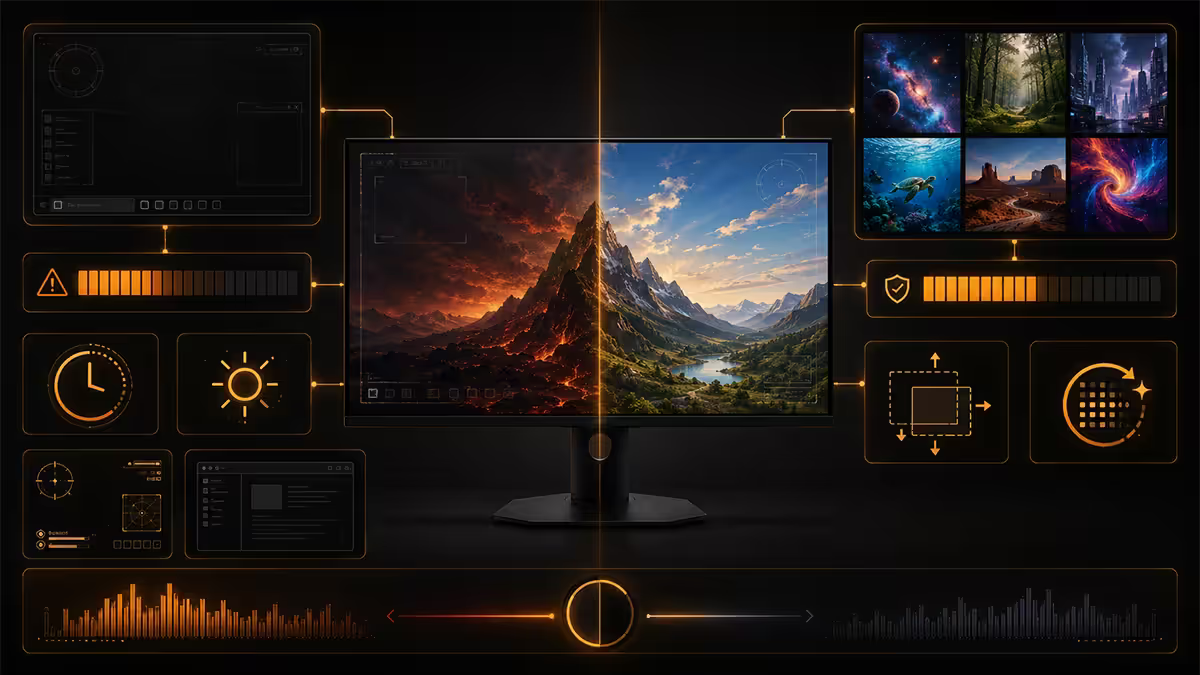
Burn-in is the OLED conversation that won't quite die, so let's settle the 2026 version of it. The risk is real but dramatically reduced from the 2018-2021 generation that built the reputation.
What changed: modern QD-OLED (Samsung) and W-OLED MLA (LG) panels include automatic pixel shifting, logo dimming, taskbar darkening, periodic refresh cycles, and ABL. Manufacturers also include 3-year burn-in warranties as standard — LG, Samsung, Dell and Alienware all do. If a panel showed burn-in within three years of typical use, you'd be covered.
What still kills OLED:
- Static logos at 100% brightness for 12+ hours per day (a news ticker, a stock screen, a security camera mosaic).
- The same productivity layout (taskbar at full opacity, same window borders) for 8+ hours every day for years on end at high brightness.
- Disabling the pixel-refresh routines because they're annoying.
For typical mixed use — gaming, browsing, watching, working at sensible brightness — the 2026 OLED should outlast its useful life. Real-world long-term tests by Monitors Unboxed at 18 months show no measurable burn-in on review samples used aggressively for media consumption.
Colour accuracy and gamut
Both panel types now hit 99% DCI-P3 and 100% sRGB on flagship models. The differences are smaller than panel-marketing wars suggest.
QD-OLED edges: wider P3 coverage (slightly higher saturation), better off-axis colour stability, no IPS glow.
IPS edges: better consistency at sustained brightness, more reliable colour over multi-year use without per-pixel uniformity drift, and a longer track record for factory calibration on professional models.
For Lightroom, Premiere Pro, DaVinci Resolve and other colour-critical work, a factory-calibrated professional IPS (BenQ SW272U, ASUS ProArt PA32UCG-K) remains the safer recommendation. For mixed creator + gamer use, a 32" 4K QD-OLED (Asus PG32UCDM, MSI MPG 321URX, Alienware AW3225QF) is the new sweet spot of "good enough for paid work, glorious for play".
Content creator vs gamer needs
Pure competitive gamer: 27" 1440p 240Hz QD-OLED. Motion clarity above all else. The 0.03ms response time and per-pixel contrast give you a real edge in dark games (and a beautiful one in everything else).
Single-player AAA gamer: 32" 4K QD-OLED. Cinematic immersion, HDR highlights, deep blacks. This is what the panel was made for.
Hybrid creator + gamer: 32" 4K QD-OLED, with the brightness sensibly capped at 65-70% for productivity, full HDR enabled for gaming. Modern panels handle this transition well.
Pure colour-critical pro work: Factory-calibrated IPS at 32" 4K. The OLED is gorgeous but the IPS is more consistent for paid output that needs to match other displays.
Pure productivity (spreadsheets, code, writing): IPS. You'll spend hours at sustained brightness, and the cost-per-pixel of an IPS is unbeatable. Save the OLED budget for a secondary entertainment monitor.
Across the <strong>200,000+ custom PCs</strong> we've shipped from Centurion, we've paired thousands of OLED and IPS monitors with build orders. The most common regret we hear from upgraders is from buyers who picked OLED for a <strong>north-facing daylight-flooded home office</strong> and missed the brightness — and from buyers who chose IPS for a dedicated <strong>curtain-controlled gaming room</strong> and wished they'd gone OLED. The panel doesn't make the choice — the room does. Step one is being honest about your light conditions.
Behind the Build · From our display lab
SA pricing, panel picks, and where the value lies
| Use case | 2026 SA pick | Price band |
|---|---|---|
| Competitive gamer — 27" 1440p | LG 27GS95QE / Alienware AW2725DF (QD-OLED) | R14,000-R18,000 |
| Budget competitive — 27" 1440p IPS | LG 27GR75Q-B / ASUS XG27AQM | R9,000-R12,500 |
| Single-player AAA — 32" 4K | ASUS PG32UCDM / MSI MPG 321URX (QD-OLED) | R22,000-R32,000 |
| Hybrid creator/gamer — 32" 4K | Alienware AW3225QF (QD-OLED curved) | R24,000-R28,000 |
| Colour-critical work — 32" 4K IPS | BenQ SW272U / ASUS ProArt PA32UCG-K | R28,000-R45,000 |
| Sun-flooded desk — 27" 1440p IPS | LG 27GP850-B / Gigabyte M27Q P | R8,500-R11,500 |
| Ultrawide cinema — 34" 1440p | LG 34GS95QE-B (WOLED ultrawide) | R20,000-R26,000 |
Longevity and total cost of ownership
IPS expected life: 7-10 years of daily use with minimal performance drift. Backlight LEDs eventually dim but the panel remains usable past a decade in most cases.
OLED expected life: 5-7 years of mixed use before any noticeable luminance fade. Worth noting the 2026 generation is the first to have meaningful long-term data — the conservative estimate is that OLED matches IPS in real-world useful life for most users. Aggressive 12-hour-static-content users will see degradation sooner.
Resale value: Premium 27" 1440p OLEDs hold value well at 18-24 months (typically retain 55-65% on Bid or Cash crusaders). IPS panels depreciate faster simply because they're more common.
Common mistakes when choosing between OLED and IPS
Buying OLED for an unrelenting daylight desk. The brightness is sufficient indoors with normal lighting — but if your monitor sits next to a sun-facing window with no curtains from 10am to 4pm, IPS is the more comfortable choice.
Buying IPS for a curated dark gaming setup. The contrast difference in dark scenes is genuinely transformative on OLED. If you've gone to the trouble of bias lighting, blackout curtains and ambient mood lighting, you're leaving the experience on the table with IPS.
Obsessing about burn-in. The 2026 panels have built-in mitigations that handle the vast majority of failure modes. Use the panel sensibly and you won't see burn-in within the warranty period.
Paying for HDR on an IPS without local dimming. "HDR400" on an edge-lit IPS is essentially marketing. Real HDR needs either OLED (per-pixel) or mini-LED with 500+ dimming zones.
Picking the wrong size for your desk. 32" 4K needs a desk depth of at least 70cm. 27" 1440p works on most desks. Get the size right before agonising over panel type.
Key takeaways
- OLED owns contrast and motion clarity permanently — these gaps are physics, not marketing.
- IPS still wins for sustained full-screen brightness in bright daylight rooms.
- Burn-in in 2026 is mostly solved — modern panels include pixel-shift, ABL and 3-year warranties.
- Sweet spot: 27" 1440p 240Hz QD-OLED at R14-R18k for competitive gaming.
- Pure colour-critical pro work still leans factory-calibrated IPS for long-term consistency.
Frequently asked questions
Is OLED better than IPS for gaming?
For competitive and AAA gaming, yes — OLED's 0.03ms response and per-pixel dimming win cleanly. For bright daylight rooms or 8+ hour static productivity, IPS is safer.Will my OLED monitor burn in?
2026 OLEDs include pixel-shift, ABL and 3-year burn-in warranties. For typical mixed use at sensible brightness, the panel should outlast its useful life. Static logos at 100% brightness for 12+ hours daily is still risky.What about brightness — is OLED bright enough?
Peak HDR highlights hit 1,000-1,300 nits. Sustained full-screen brightness tops at 250-350 nits vs 500-600 nits on a good IPS. If your desk lives in direct sun, IPS wins.Why is response time such a big deal on OLED?
OLED pixels switch in 0.03ms vs 1-3ms for IPS. No smearing, no inverse ghosting, no overdrive tuning needed. Fast-paced gaming and sim racing benefit visibly.OLED vs IPS for content creation — which is better?
Factory-calibrated pro IPS still wins for colour-critical paid work. QD-OLED is the new sweet spot for mixed creator + gamer use.How much more does OLED cost in South Africa?
27" 1440p 240Hz QD-OLED R14-18k vs IPS R9-12k. 32" 4K QD-OLED R22-32k vs IPS R14-20k. The premium has narrowed to R4-6k in 2026.Can I use an OLED monitor for office work?
Yes — reduce brightness to 60-70%, enable pixel-shift and auto-dim, use dark mode where possible. For pure 9-to-5 spreadsheet work in bright offices, IPS is the lower-eyestrain pick.Should I wait for MicroLED?
No. MicroLED desktop monitors remain prototype-only at R200k+. Realistic 2027-2028 for consumer pricing. Don't skip 5 years of excellent OLED hardware.
Get the Evetech app
Exclusive app-only prices, daily flash sales, and free delivery on orders over R4,000 — download the app and start saving.