Laptop Buying Guide
Laptop displays. IPS, OLED, TN. — What each panel does, what each one trades away.
On a desktop monitor you can swap the screen later. On a laptop, the panel is welded to your purchase for the next five years — so it's worth thirty minutes of homework before you click buy.
- SA indoor floor
- 400+ nits
- colour minimum
- 100% sRGB
- smoothness floor
- 120Hz
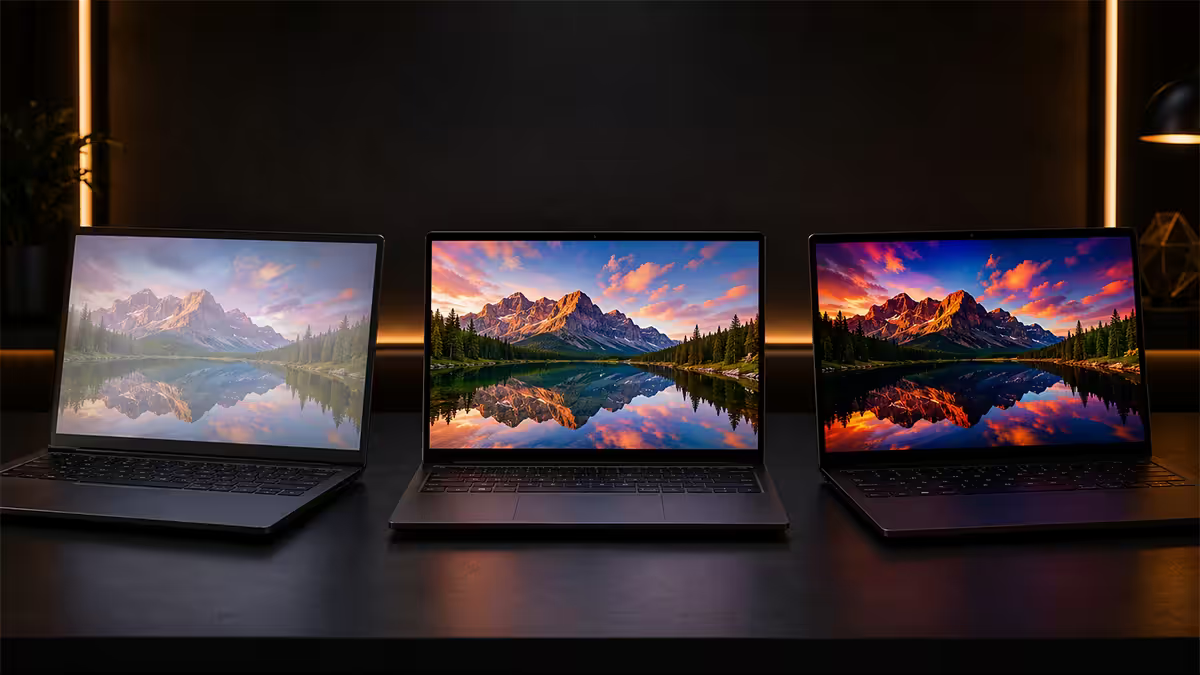
IPS, OLED, TN — the three you'll see on spec sheets
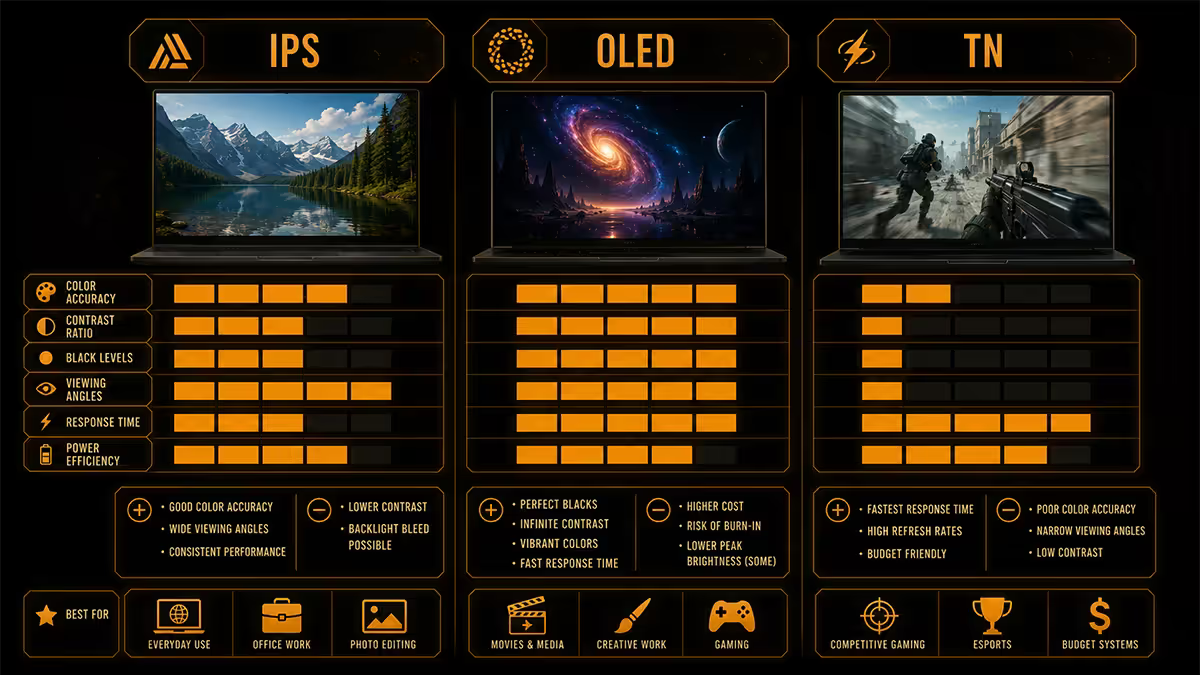
Laptop displays have consolidated around three panel technologies in 2026, with mini-LED emerging as a fourth (covered below). Each makes different trade-offs between speed, contrast, accuracy, brightness and durability.
IPS (In-Plane Switching) is the dominant laptop panel — present on 70-80% of laptops sold today. It uses LCD pixels backlit by an edge or array of LEDs. Strengths: wide viewing angles, accurate colour, no burn-in risk, mature manufacturing, refresh rates from 60Hz to 240Hz available. Weaknesses: imperfect blacks (some backlight bleed), lower contrast than OLED (~1000:1 typical), slower pixel response than OLED. The default for most reasons.
OLED (Organic LED) uses self-emissive pixels — each pixel produces its own light. When a pixel shows black, it's literally off. Strengths: perfect blacks, infinite contrast, 0.03ms pixel response (no smearing), wide colour gamut (DCI-P3 by default), thin panel construction. Weaknesses: burn-in risk on static UI, ~600 nits SDR peak (lower than mini-LED), some glossy-only options, more expensive.
TN (Twisted Nematic) is the oldest and fastest LCD technology. Strengths: cheap, fast (sub-1ms GtG), high refresh rates achievable on budget. Weaknesses: narrow viewing angles (colour shifts dramatically off-axis), washed colour reproduction (~60% sRGB typical), bad contrast. TN has largely been pushed out of mainstream laptops by Fast IPS — only ultra-budget gaming laptops and some 240Hz+ specialist esports machines still use TN in 2026.
| Spec | IPS | OLED | TN |
|---|---|---|---|
| Contrast | ~1000:1 | Infinite | ~600:1 |
| Response time (GtG) | 1-5ms | 0.03ms | 1-2ms |
| Peak SDR brightness | 400-700 nits | 400-600 nits | 250-400 nits |
| Colour gamut (DCI-P3) | 75-100% | 100% | 50-65% |
| Viewing angles | Wide | Wide | Narrow |
| Burn-in risk | None | Low-medium | None |
Brightness for SA sun-lit rooms
Display brightness on laptops is measured in nits (cd/m²). The marketed peak brightness rarely tells the full story — peak is usually transient HDR, while sustained SDR brightness is what you actually live with all day.
For SA living rooms with typical Highveld afternoon light streaming in, here's the practical floor:
- 300 nits and below: usable in shaded rooms; painful in any direct light. Skip unless budget forces it.
- 400 nits: the practical minimum for SA indoor use. Most modern IPS laptops hit this.
- 500-600 nits: comfortable in sun-lit rooms; usable on a balcony in shade.
- 800-1000 nits: outdoor-readable. Mini-LED IPS (Asus ProArt 16, MacBook Pro 14/16) lives here.
- 1000+ nits: direct sunlight viewing possible. Mini-LED and the brightest OLED panels.
Watch for the SDR vs HDR distinction. A laptop advertising "1000 nit HDR peak" might only sustain 400 nits in normal SDR use. The number that matters for daily comfort is sustained SDR brightness — usually buried in independent reviews rather than on the spec sheet. RTINGS, NotebookCheck and Hardware Canucks measure both.
Colour accuracy and gamut
Colour gamut is the range of colours a panel can display, measured against standard reference colour spaces. The two you'll see on laptop spec sheets:
sRGB is the web/computing standard since the 1990s. Most photos, videos and games target sRGB. A panel covering 100% sRGB displays standard content accurately.
DCI-P3 is the wider digital cinema gamut, also used by HDR content and modern phones. ~75% DCI-P3 ≈ 100% sRGB. 100% DCI-P3 is roughly 130% of sRGB.
Adobe RGB is a print-orientated wider gamut, mostly relevant to professional photo editing. Less common on consumer laptops.
Practical recommendations:
- Office, browsing, gaming, video: 100% sRGB / 75% DCI-P3 is plenty. Anything less looks faded next to a modern phone screen.
- Casual photo editing, occasional video work: 100% DCI-P3 panel — IPS or OLED both work.
- Professional creative work: 100% DCI-P3 with factory calibration (Delta E < 2). Look for "Pantone Validated" or factory-calibrated OLED / mini-LED panels.
- Print-graphic work: Adobe RGB coverage matters — usually only on prosumer machines (Asus ProArt, Dell XPS Creator, MacBook Pro).
The trap on cheap laptops (sub-R10k machines especially) is sub-65% sRGB panels. Colours look noticeably washed out next to any modern phone or external monitor. Always check the panel spec on independent reviews — the marketing material on entry-level laptops often hides this.
Refresh rate availability per panel tech
Higher refresh rates make the laptop feel smoother — not just in games but in everyday scrolling, dragging windows and reading text. Each panel tech has different refresh rate ceilings as of 2026.
- IPS: 60Hz to 240Hz. The mainstream covers 60Hz (productivity), 120Hz / 144Hz (premium ultrabook), 165Hz / 240Hz (gaming laptop). Most premium ultrabooks now ship 120Hz IPS as standard.
- OLED: 60Hz to 240Hz. Late-2025 saw 240Hz OLED panels arrive on premium gaming laptops (Razer Blade 16, Asus ROG Strix Scar OLED, Alienware m18 OLED). 120Hz OLED is the ultrabook standard.
- TN: 144Hz to 360Hz. The only place TN survives in 2026 — esports gaming laptops with 300Hz+ pushed at sub-R12k prices. Bad colour accepted in exchange for cheap high Hz.
- Mini-LED IPS: 120Hz to 165Hz typical. The miniLED zone-control overhead caps refresh — 240Hz mini-LED laptops are rare and expensive.
The 120Hz vs 60Hz jump on laptops is more noticeable than people expect. Even text scrolling and window dragging are visibly smoother at 120Hz. If you're choosing between a 60Hz higher-res panel and a 120Hz lower-res panel at the same price, 120Hz almost always wins for daily-use comfort.
OLED burn-in reality 2026
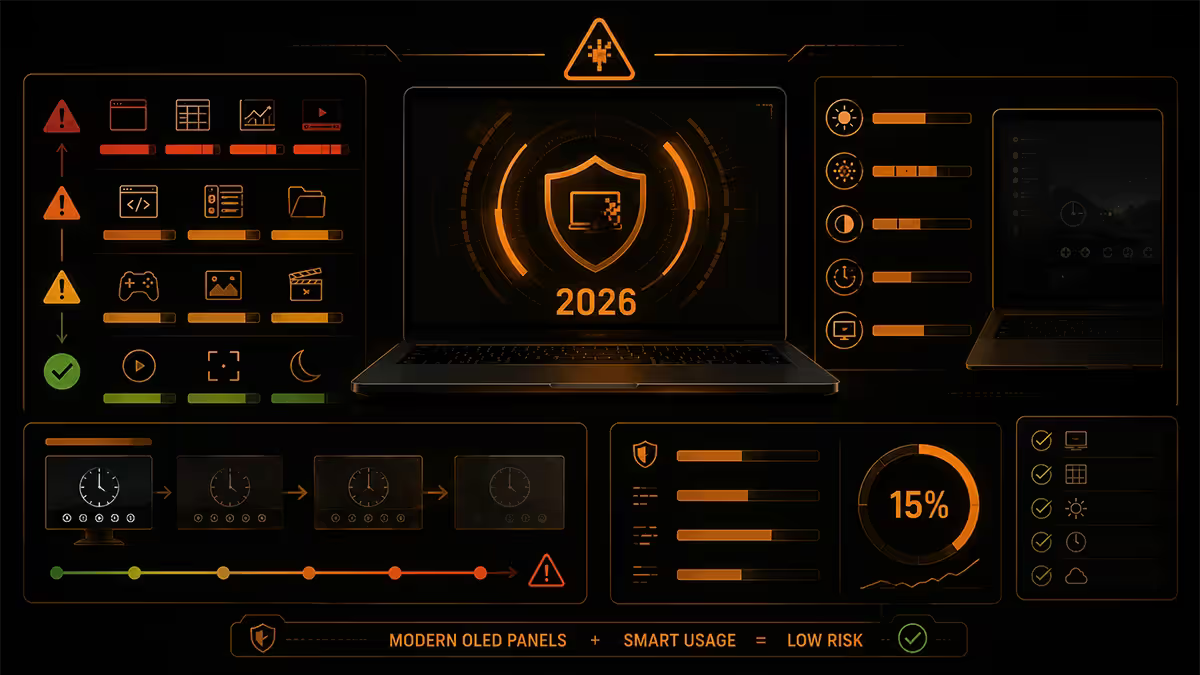
OLED burn-in (more accurately, image retention or pixel ageing) happens when individual pixels age faster than their neighbours because they've been displaying static elements at high brightness for long periods. On laptops the most common offenders are: Windows taskbar, Excel column headers, IDE menus, browser tab bar.
The 2026 situation is notably better than 2020-2023:
- LG WOLED and Samsung Display QD-OLED panels ship with pixel shifting (the entire image shifts by 1-2 pixels every few minutes — invisible to you, slows uneven wear).
- Per-pixel brightness limiters dim static bright elements (Windows taskbar gets quietly dimmed after extended periods).
- Compensation cycles run automatically (laptop refreshes the pixel state in the background when closed).
- Manufacturer warranties on OLED laptop panels now typically cover burn-in for 2-3 years (Samsung Galaxy Book, ASUS Zenbook OLED, Dell XPS OLED).
The honest verdict: with normal mixed-use (browser + video + gaming + productivity for 6-8 hours daily), burn-in won't show within the laptop's first 3-5 years of life. With extreme usage patterns (8+ hours daily of the same UI at max brightness — accountants in Excel, developers in the same IDE), faint burn-in can appear within 18-24 months.
Mini-LED — the third option that nobody talks about
Mini-LED is IPS with the backlight broken into thousands of small zones that can dim or brighten independently. The result is near-OLED contrast (the backlight zones behind dark areas actually turn off) without OLED's burn-in risk.
Mini-LED laptop strengths:
- Outstanding brightness — 1000+ nits sustained SDR, 1600 nits HDR peak on top models.
- Excellent contrast — typically 100,000:1 thanks to zone-level local dimming.
- No burn-in risk — same as standard IPS.
- Excellent HDR — VESA DisplayHDR 1000 / 1400 / 1600 ratings achievable.
- Mostly matt finish — well-suited to SA sun-lit rooms.
The trade-offs:
- Blooming around bright objects on dark backgrounds (a white cursor on a black screen shows a faint halo). Less noticeable with more zones — top models hit 2,000+ zones.
- Limited refresh rate — most mini-LED laptops cap at 165Hz; 240Hz is rare.
- Heavy panels — mini-LED arrays add weight (~50g vs OLED).
- Premium pricing — mini-LED laptops start around R28,000 and climb to R85,000.
Where mini-LED makes sense: bright-room workers, content creators (HDR video editing benefits enormously), SA outdoor users (1000+ nits is sun-readable), buyers who want OLED-class quality without burn-in worry. The Asus ProArt Studiobook 16, Apple MacBook Pro 14/16 (Liquid Retina XDR is mini-LED), and Razer Blade 18 mini-LED are the SA-stocked options.
Touchscreens, glossy vs matt finish
Touchscreens on traditional clamshell laptops have become a "tick the box" feature that most people use less than they expected. They make sense on convertible 2-in-1 form factors (Lenovo Yoga, ASUS ZenBook Flip, HP Spectre x360) where touch is the whole point. On a standard laptop, touch adds a glossy surface, a slight battery drain (~5%) and a small weight increase — for a feature you'll genuinely use maybe twice a week.
Glossy vs matt is one of the most underweighted laptop spec choices for SA buyers. Glossy panels look more vivid and saturated in controlled lighting — they're noticeably more vibrant on a showroom floor. But glossy panels reflect everything: ceiling lights, windows, your face, the lamp behind you. In a SA living room with afternoon sun streaming through the window, a glossy laptop screen can become genuinely unusable until you draw the curtains.
Matt (anti-glare) finishes scatter reflections into a soft haze instead of mirroring them. Colours are slightly less vivid, but the panel remains usable under any lighting. Almost every business laptop uses matt; many gaming laptops and most OLEDs default to glossy.
- Best for SA general use: matt IPS or matt mini-LED.
- Acceptable for controlled-light home use: glossy OLED with curtains drawn.
- Worst for SA conditions: glossy touchscreen on a 60Hz 250-nit panel.
Key takeaways
- IPS is the right default for most SA laptop buyers — 400+ nits, 100% sRGB, 120Hz.
- OLED is the creator and premium choice — perfect blacks, vivid colour, modest burn-in risk over 3-5 years.
- Mini-LED is the sleeper pick for bright rooms and static-UI users — OLED-class without burn-in worry.
- TN is dying — survives only on cheap esports gaming laptops where high Hz justifies bad colour.
- Matt finish for SA sun-lit rooms. Glossy only if you control your lighting completely.
Frequently asked questions
What's the difference between IPS, OLED and TN laptop displays?
IPS is the modern dominant panel — accurate colour, wide viewing angles, 60-240Hz refresh rates, lifespan-stable. OLED uses self-emissive pixels for perfect blacks, infinite contrast and 0.03ms response — at the cost of burn-in risk on static UI. TN is the fastest legacy tech but has bad viewing angles and washed colour; it's largely abandoned by 2026 except on cheap esports laptops. For most laptop buyers, IPS is the right default; OLED is the upgrade if you create content or want premium feel.Is OLED on laptops still a burn-in risk in 2026?
Less than it used to be, but the risk is real. Modern laptop OLEDs (LG, Samsung Display) include pixel-shifting, screen savers and automatic dimming of static elements. With normal mixed use — browser, video, gaming, productivity — burn-in won't show for 3-5 years. With 8+ hour daily use of the same UI (Excel, IDE with persistent toolbar) on max brightness, faint burn-in can appear within 18-24 months. If you stare at the same dashboard all day at max brightness, mini-LED IPS is a safer pick.How bright does a laptop screen need to be for SA sun-lit rooms?
For comfortable indoor use in a typical SA sunny living room, look for at least 400 nits SDR peak brightness. For outdoor or balcony work, 500+ nits is the minimum and 600 nits feels comfortable. Mini-LED laptop panels (Asus ProArt, Apple MacBook Pro 14/16) hit 1000+ nits peak SDR — they're the right choice if you actually work outside or in direct sunlight.Does my laptop need a 100% DCI-P3 colour gamut?
Only if you do colour-accurate work — photo editing, video editing, illustration, graphic design. For office, browsing, gaming and general use, ~75% DCI-P3 (the SDR standard) is plenty. The trap with cheap laptops is sub-65% sRGB panels — colours look noticeably washed compared to a phone screen. Aim for at least 100% sRGB or ~73% DCI-P3 minimum.Is a 120Hz or higher refresh rate worth it on a laptop?
Yes for almost all modern laptops. 120Hz IPS feels noticeably smoother than 60Hz even when scrolling documents and dragging windows. For gaming laptops, 144-165Hz is the sweet spot — fast IPS or OLED with G-Sync/FreeSync. 240Hz on a laptop is overkill for casual use and only meaningful if you actually game competitively at FPS counts that can sustain 240.Glossy vs matt laptop screen — which should I pick?
Matt (anti-glare) for general use in SA — handles indoor lighting, sunlit rooms and varied positions without distracting reflections. Glossy panels look more vivid in controlled lighting but become unusable in sunlit SA rooms. Touchscreen laptops are almost always glossy; non-touch can go either way. Most OLED laptop panels are glossy; mini-LED panels are mostly matt.What is mini-LED and is it better than OLED on laptops?
Mini-LED is IPS with thousands of tiny backlight zones that dim independently — close to OLED contrast without OLED's burn-in risk. Mini-LED laptop panels (Asus ProArt 16, Apple MacBook Pro 14/16) hit 1000+ nits peak, have excellent HDR and zero burn-in worry. They're the right pick for bright-room users, content creators who keep static UI on screen all day, and SA outdoor workers. OLED still wins on perfect blacks and motion response.Are touchscreen laptops worth it in 2026?
For convertible 2-in-1 form factors (Lenovo Yoga, Asus ZenBook Flip, HP Spectre x360), yes — the touchscreen is the entire point of the device. For traditional clamshell laptops, touchscreen is a 'nice but rarely used' feature for most people. The trade-off: touchscreen panels are universally glossy (more reflective in SA sun) and consume slightly more battery. If you're not specifically buying a 2-in-1, skip touch and put the money toward a better panel.
Get the Evetech app
Exclusive app-only prices, daily flash sales, and free delivery on orders over R4,000 — download the app and start saving.