ASUS Laptop Comparison
ASUS ROG vs TUF — what's the difference?
Same GPU on the spec sheet. R8000-R15000 gap on the till receipt. The difference is real but not where most reviews look — it lives in chassis material, thermal headroom and display tier, not framerates.
- typical SA gap
- R8-15k
- GPU TGP delta
- 130 vs 100W
- display ceiling
- 240 vs 144Hz

The two ASUS tiers — a quick orientation
ASUS runs two parallel gaming laptop lines that overlap on the spec sheet and diverge everywhere else. ROG (Republic of Gamers) is the premium tier: it's where the experimental display panels, exotic chassis materials and the headline thermal solutions land first. TUF (The Ultimate Force) is the durability-focused mid-tier — same chip generation, simpler everything else, priced where the value-conscious gamer actually buys.
| Sub-line | Tier | SA positioning |
|---|---|---|
| TUF Gaming A15 / F15 | Entry to mid | R18k-R25k — 1080p 144Hz, RTX 5060 |
| TUF Gaming A17 / F17 | Mid (17") | R22k-R28k — bigger screen, same chassis class |
| ROG Strix G16 | Upper-mid | R32k-R42k — 240Hz QHD, RTX 5070 |
| ROG Zephyrus G14 / G16 | Premium portable | R38k-R55k — 3K OLED, 1.5kg ultraportable |
| ROG Strix Scar 17 / 18 | Flagship | R55k-R80k+ — mini-LED, RTX 5080/5090 |
| ROG Flow Z13 | Convertible niche | 2-in-1 tablet form factor, ultraportable |
The simple framing: TUF is where you go when the spec-per-rand ratio matters most; ROG is where you go when how the machine feels in daily use matters more than the price tag. Most South African buyers between R20k and R35k end up genuinely cross-shopping these two lines, which is why the question gets asked weekly on our Centurion floor.
Chassis & build — where most of the money goes

This is the single biggest visible difference between the two tiers and it's where the price gap mostly lives. TUF uses a plastic + metal hybrid chassis — typically an aluminium-magnesium top deck (around the keyboard) paired with a polycarbonate base and lid. It feels solid but flexes under firm pressure, the lid has visible give around the centre when you push the back of the panel.
ROG Strix and Scar move to full magnesium alloy or CNC-machined aluminium on the lid and palm rest. The hinges are stiffer, the panel doesn't flex when you adjust the angle one-handed, and the keyboard deck doesn't bow under typing pressure. Zephyrus goes one step further with a CNC aluminium unibody and the Anniversary Edition treatment on the latest G14 takes that to a brushed milled finish that genuinely belongs in a R50k+ price bracket.
MIL-STD-810H matters here. ASUS markets the TUF line specifically around military-grade durability testing — drop, vibration, humidity and temperature. In practice this means the TUF chassis is engineered to tolerate the realities of being thrown into a backpack and carted between Centurion, Sandton and a varsity campus daily. It's not more rugged than ROG in the absolute — ROG flagships pass the same tests and aren't marketed on it — but it's where the durability story is loudest.
Thermals — the hidden performance lever
This is the area most spec-sheet comparisons miss entirely. ROG and TUF can ship the same RTX 50-series GPU silicon, but they don't run it at the same power. NVIDIA leaves a wide TGP (total graphics power) window — anywhere from 80W to 175W on the RTX 5070 mobile, for example — and the OEM decides where in that window the laptop lands based on its cooling solution.
TUF Gaming chassis use a dual-fan, dual-heatpipe or triple-heatpipe layout with copper plates over the CPU and GPU. The Liquid Metal upgrade rolled out across the latest TUF refresh helps, but the chassis volume simply doesn't allow the same heat dissipation as a thicker ROG body. The result is that TUF runs the RTX 5060 at around 100-115W — comfortably within spec, but well below the silicon's actual ceiling.
ROG Strix moves to ASUS Intelligent Cooling 2.0 — a vapor chamber on Scar models, larger Arc Flow fans, more aggressive fin density and (on the Scar 18) tri-fan cooling. The same RTX 5060 silicon in a Strix G16 runs at 130-140W. That extra 25-30W translates into measurably higher sustained clocks during long gaming sessions when the chassis is fully heat-soaked.
| Thermal spec | TUF Gaming A15 | ROG Strix G16 |
|---|---|---|
| Cooling solution | Dual fan + heat pipes | Intelligent Cooling 2.0 + vapor chamber (Scar) |
| RTX 5060 TGP | 100-115W | 130-140W |
| Sustained GPU clock under load | ~2050 MHz | ~2310 MHz |
| Fan noise at max | 52-54 dB | 48-50 dB (larger fans, lower RPM) |
| Surface temp (WASD) | 43-46°C | 38-41°C |
The thermal headroom is what you're really paying for in the price gap. Same GPU silicon, very different real-world sustained performance, very different surface temperatures on your hands during a 3-hour gaming session.
Display tier — TUF caps where ROG starts
If there's one area where the spec gap is wide and unambiguous, it's the display panel. TUF caps at 1080p 144Hz IPS across the whole line. Good panels — typically 100% sRGB, 300 nits, sensible response times — but firmly in the mid-tier bracket. The 1440p TUF SKUs that did show up in the F15 refresh stay at 165Hz, not the 240Hz tier.
ROG starts where TUF ends. The base Strix G16 ships with 1440p 240Hz IPS at 500 nits and 100% DCI-P3. The Strix Scar 18 jumps to mini-LED with 1100+ nits peak brightness, 1024 dimming zones and true HDR support. ROG Zephyrus G14 and G16 ship with a 3K (2880x1800) OLED panel at 120Hz — true blacks, 0.2ms pixel response, 500 nits sustained.
For creative work — photo editing, video colour grading, design — the OLED Zephyrus G14 panel is in a different league from anything TUF offers. For competitive gaming, the 240Hz QHD on Strix and mini-LED on Scar deliver real perceived smoothness over the 144Hz TUF cap. For casual gaming and general use, the TUF IPS panel is honestly fine — but you'll feel the difference if you've spent time on the ROG side.
Performance gap — smaller than the price gap suggests
Here's where the marketing hype and the real-world result diverge most. Yes, ROG Strix runs the same GPU silicon 25-40W harder than TUF — but that translates into roughly 6-12% real-world frame rate difference in GPU-bound titles at native resolution. Not nothing. But not the 50% performance gap the price gap might suggest.
A few representative numbers from comparable RTX 5060 SKUs we've benchmarked:
- Cyberpunk 2077 (1440p, High preset, no RT): TUF A15 ~62 FPS, Strix G16 ~70 FPS — 13% delta.
- Hogwarts Legacy (1080p Ultra): TUF A15 ~88 FPS, Strix G16 ~96 FPS — 9% delta.
- Counter-Strike 2 (1080p competitive settings): TUF A15 ~340 FPS, Strix G16 ~360 FPS — 6% delta (CPU-bound).
- Blender BMW render (CUDA): TUF A15 51s, Strix G16 47s — 8% faster.
The framerate gap is real but modest. Where the ROG side pulls ahead more visibly is in sustained performance over long sessions. The TUF chassis throttles harder when fully heat-soaked at 90+ minutes; the ROG Strix vapor chamber holds its sustained clock longer. For competitive matchmaking sessions or long render workloads, that consistency matters more than peak benchmark numbers.
Price in South Africa — what each rand actually buys
SA pricing for both lines comes through Rectron as the official ASUS distributor, with the warranty path identical across both tiers. Street pricing in mid-2026:
| Model | Typical SA price | Sweet-spot SKU |
|---|---|---|
| TUF Gaming A15 / F15 | R18,000-R25,000 | RTX 5060, 16GB, 512GB |
| TUF Gaming A17 / F17 | R22,000-R28,000 | RTX 5060, 17.3" 144Hz |
| ROG Strix G16 | R32,000-R42,000 | RTX 5060 Ti, 240Hz QHD |
| ROG Zephyrus G14 | R38,000-R48,000 | RTX 5070, 3K OLED, 1.5kg |
| ROG Zephyrus G16 | R42,000-R55,000 | RTX 5070, OLED, 16" |
| ROG Strix Scar 17 / 18 | R55,000-R80,000+ | RTX 5080/5090, mini-LED 240Hz |
| ROG Flow Z13 | R38,000-R52,000 | Convertible, niche pick |
Which makes sense for which buyer
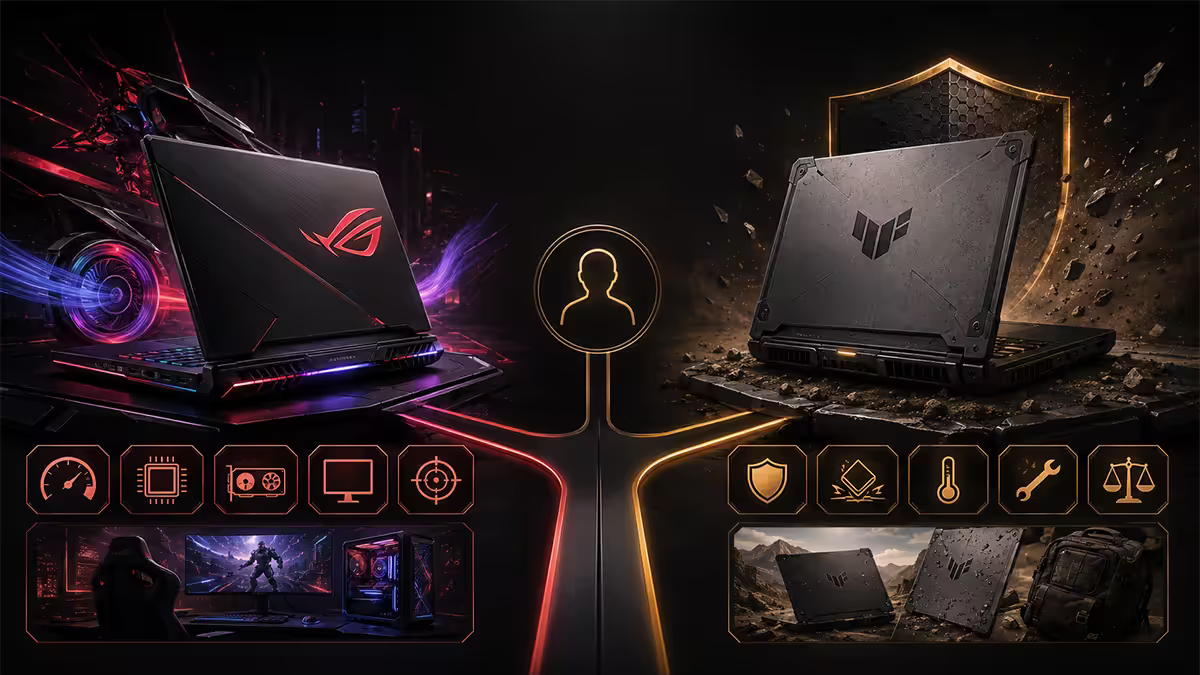
Buy TUF if you:
- Are upgrading from an aging budget laptop and want the best spec sheet under R28k.
- Care more about FPS-per-rand than chassis feel.
- Plan to use the laptop primarily docked at a desk with an external monitor.
- Will hammer the chassis with daily commute use (varsity, work-bag-shuffling).
- Plan to upgrade RAM and SSD yourself — TUF interiors are friendlier to opening.
Buy ROG Strix G16 if you:
- Want competitive-tier high-refresh QHD display on the built-in panel.
- Will do long gaming sessions where sustained thermals matter.
- Can stretch the budget to R32k-R42k without straining the rest of the build.
- Want a desktop-replacement gaming machine that lives at home most of the time.
Buy ROG Zephyrus G14 / G16 if you:
- Need true hybrid work-and-gaming portability at 1.5kg with 8+ hour battery.
- Do creative work (photo, video, design) and value the 3K OLED panel for accurate colour.
- Want the most polished single-laptop solution for both daily work and weekend gaming.
Buy ROG Strix Scar 17 / 18 if you:
- Want flagship-tier mobile gaming with no compromises.
- Need RTX 5080 / 5090 class GPU performance for ray tracing or AI workloads.
- Treat R55k-R80k as a reasonable laptop budget.
Key takeaways
- TUF for the spec, ROG for the polish — TUF wins on FPS-per-rand, ROG wins on every other dimension that matters in daily use.
- Typical SA price gap is R8k-R15k for similarly-specced units — that money buys chassis material, thermal headroom and display tier, not framerates.
- Same GPU silicon runs 25-30W harder on ROG Strix than TUF — 6-12% real-world FPS gain plus much better sustained performance under thermal load.
- TUF caps at 1080p/1440p 144-165Hz IPS. ROG starts at 240Hz QHD IPS and goes to 3K OLED or 240Hz mini-LED on Zephyrus and Scar.
- Warranty path is identical — Rectron-managed 2-year carry-in for both. You are not buying better support with ROG, you are buying better hardware.
Frequently asked questions
Is ASUS ROG better than ASUS TUF?
ROG is the higher-tier line — better chassis materials, vapor chamber cooling, premium displays up to 240Hz QHD mini-LED or 3K OLED, and configurations up to RTX 5080/5090. TUF is durability-focused mid-tier — MIL-STD-810H, plastic + metal hybrid chassis, capped at 144Hz IPS and RTX 5060/5070. ROG is "better" for polish; TUF is "better" for value-per-rand.What is the price difference between ROG and TUF in South Africa?
Typical gap is R8k-R15k for similarly-specced units. TUF A15 / F15 sits at R18k-R25k; equivalent ROG Strix G16 starts at R32k-R42k. ROG Zephyrus runs R38k-R55k; Strix Scar flagship R55k-R80k+.What does MIL-STD-810H actually mean for TUF laptops?
A US military environmental testing standard covering drop, vibration, humidity, temperature and altitude. ASUS submits TUF chassis to a subset. In practice it means the chassis tolerates rough handling better than a thin ultrabook — but it's not a ruggedised device. It survives daily backpack abuse, not deliberate destruction tests.Does TUF use the same GPUs as ROG?
Shared silicon, different TGP. TUF runs the RTX 5060 at 100-115W; ROG Strix runs the same chip at 130-140W. Translates to 6-12% real-world FPS gain plus better sustained performance.Is ROG Strix or ROG Zephyrus better for gaming in South Africa?
Strix for pure gaming — bigger cooler, higher GPU TGP, 240Hz QHD panel. Zephyrus for hybrid work/gaming portability — 1.5kg, 8+ hour battery, 3K OLED. Desktop-replacement at home: Strix. Carry-it-daily machine: Zephyrus.Do ROG and TUF laptops have the same warranty in SA?
Yes — both lines distribute through Rectron with identical 2-year carry-in warranty through ASUS South Africa's network. Some ROG flagships include optional accidental damage cover year one. Warranty path is not a differentiator between the tiers.Is the OLED display on ROG worth the price premium?
For creative work and HDR content, absolutely — Zephyrus 3K OLED hits 500+ nits, true blacks, DCI-P3 100%. For pure competitive gaming, the QHD mini-LED on Strix Scar is better (240Hz, 1100+ nits). TUF stays on IPS — solid but not in the same league.Which is more upgradeable — ROG or TUF?
TUF is generally friendlier to open — standard Phillips screws, two SODIMM slots, two M.2 NVMe slots. Strix is similar but tighter. Zephyrus ultraportables often solder one or both RAM modules to save space — verify before buying if upgradeability matters.