Hardware Explainer
ATX 3.1 PSU — the 12V-2x6 connector explained.
The original 12VHPWR connector melted RTX 4090s when partially seated. Two years and one quiet spec revision later, the 12V-2x6 fixes it — and it ships standard on every ATX 3.1 PSU.
- connector limit
- 600 W
- transient spec
- 200%
- recessed pins
- 1.5 mm
ATX 2.0, 3.0 and 3.1 — what actually changed
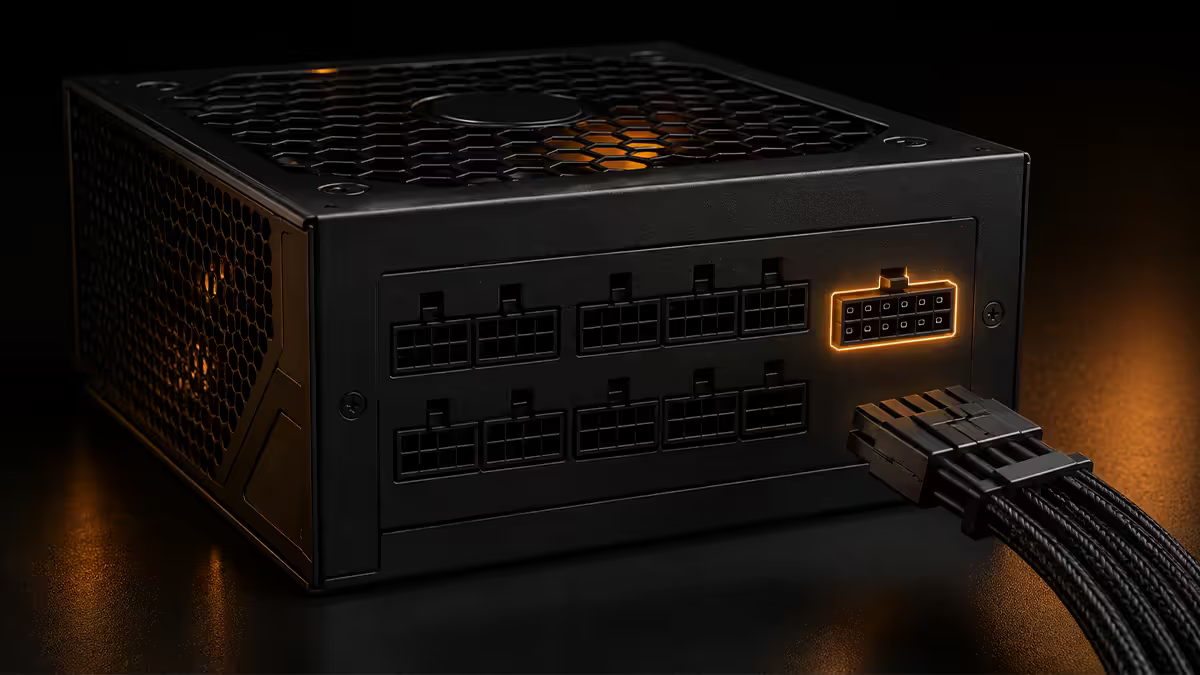
The ATX PSU specification is governed by Intel. For nearly two decades, ATX 2.x was the universal standard — multiple 8-pin PCIe cables feeding GPUs, a 24-pin motherboard connector, and a transient spec that assumed gradual load changes. Then RTX 30 series happened and the rules shifted.
| Standard | GPU connector | Transient spec | Era |
|---|---|---|---|
| ATX 2.0 / 2.4 | 2× / 3× 8-pin PCIe | 110% for short periods | 2003-2022 |
| ATX 3.0 | 12VHPWR (16-pin) | 200% for <100ms | 2022-2024 |
| ATX 3.1 | 12V-2x6 (16-pin) | 200% for <100ms tightened | 2024 onwards |
ATX 3.0 was the response to the RTX 3090 Ti and RTX 4090, both of which could spike from idle to 600W+ in milliseconds. The old multi-cable approach couldn't handle the rate of change cleanly, and triggered "power supply just shut off" complaints across the enthusiast world. The 12VHPWR connector consolidated power delivery into one cable rated for 600W continuous, with four sideband sense pins that allow the GPU to query the PSU's capability and adjust its power limit.
ATX 3.1 is a quiet refresh of ATX 3.0, primarily targeting connector safety. Specs for ripple, hold-up time and efficiency are essentially unchanged. The single significant change is the 12V-2x6 connector replacing 12VHPWR.
The RTX 4090 melting saga — what happened
In late 2022, RTX 4090 owners began posting photos of charred, melted 12VHPWR connectors. The pattern became distinctive — visible scorching on one or two pins, melted plastic housing, sometimes damage extending into the GPU's power connector PCB. Initial accusations targeted NVIDIA, the cable manufacturers, then case airflow, then user error.
After months of investigation by Gamers Nexus, Igor's Lab and others, the consensus emerged: partial seating. The 12VHPWR connector required full insertion for safe operation, but visually appeared "plugged in" even when 1-2mm short of full contact. With reduced contact area, all 50A of current was concentrated on fewer pins. Heat built up. Plastic melted. Sometimes the GPU survived; sometimes it didn't.
The original NVIDIA Founders Edition adapter — four 8-pin connectors dongling out the back of the card into the 12VHPWR — also contributed. Stiff cable bends near the connector created lateral force that prevented full seating in tight cases. Vertical GPU mounts with PCIe riser cables made it worse.
How 12V-2x6 fixes the meltdown problem
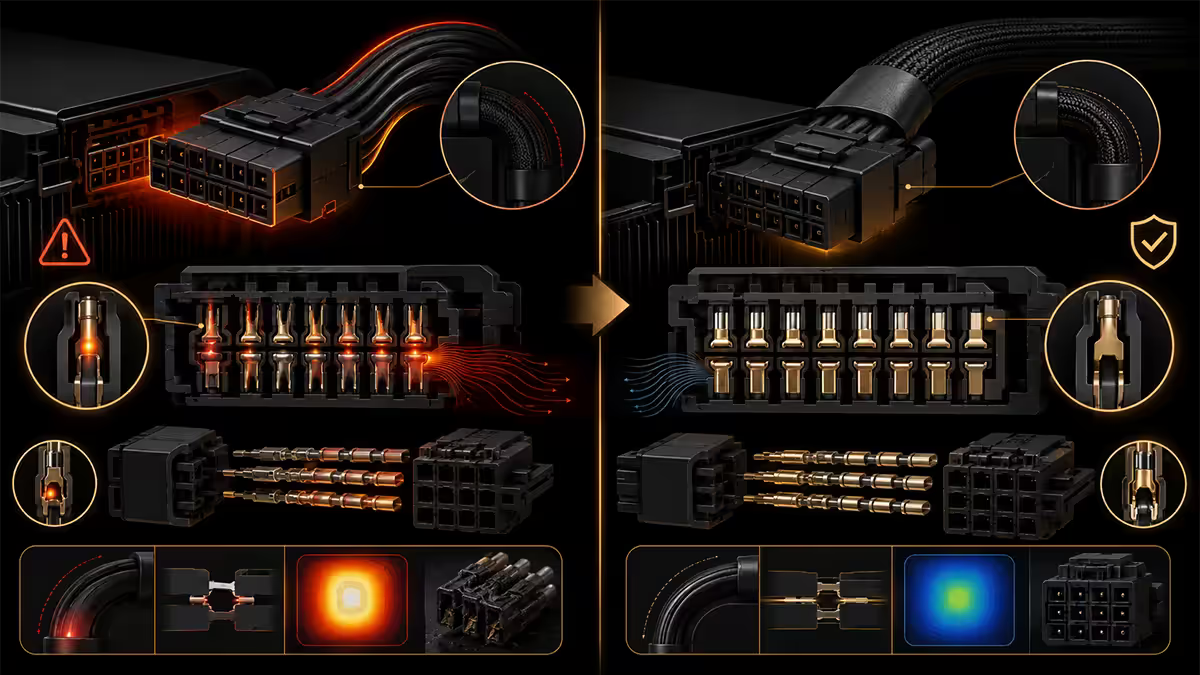
The 12V-2x6 connector is mechanically and electrically identical to 12VHPWR from the user's perspective. Same shape. Same 16 pins. Same 600W rating. You cannot tell them apart by looking at the cable end.
The change lives on the GPU side. The four sense pins (CARD_PWR_STABLE, CARD_CBL_PRES, SENSE0, SENSE1) are now recessed by 1.5mm relative to the twelve power pins. This means:
- If the connector is fully seated, all 16 pins make contact — GPU powers on normally.
- If the connector is even slightly under-seated, the sense pins disconnect first while the power pins might still touch — but the GPU detects the missing sense signal and refuses to draw power.
- The fault mode flips from "melts your card" to "doesn't power on" — exactly the safety logic you want.
The same principle is used elsewhere in electronics — earth pins on UK plugs are longer than live and neutral for similar safety reasoning. The 12V-2x6 just applies the inverse: the safety-critical pins are shorter on the receptacle side, so they only connect when seating is verified complete.
The 200% transient spec — why it matters
Modern GPUs swing power demand violently. An RTX 5090 sitting at idle pulls maybe 30W. The same card mid-frame can pull 575W sustained and spike to 1150W (200%) for microseconds as VRMs respond to compute spikes. This isn't a marketing number — it's measured behaviour visible on an oscilloscope.
An older ATX 2.x PSU asked to handle these spikes will typically protective-shutdown as Over Power Protection (OPP) trips. The system reboots. You see "the screen went black for a second" complaints. It's not a defect — it's the PSU correctly refusing to deliver 1150W from a 750W rated supply.
ATX 3.0 introduced the formal 200% transient allowance: a PSU rated 850W must reliably deliver 1700W for <100ms without tripping. ATX 3.1 tightens the durations slightly to better match measured RTX 40/50 series spike patterns. The practical effect: fewer mysterious reboots on high-end builds, even at the rated wattage.
Adapter cables — the dongle problem
Every RTX 40 and RTX 50 series GPU ships with an adapter — typically four PCIe 8-pin connectors converging to a single 12VHPWR plug. NVIDIA's official adapter is reasonably engineered, but it's still a stiff, bulky assembly that takes up case space and resists clean cable routing.
The risks compound:
- Stiff dongle creates lateral force. If the cable bend radius is tight (small cases, vertical GPU mounts), the dongle pulls the connector sideways. Even with 12V-2x6, you can introduce contact issues over time.
- Four 8-pin source means four PSU cables to wrangle. A single native 12V-2x6 cable from an ATX 3.1 PSU runs cleaner, looks better and creates less stress at the connector.
- Third-party adapters are a gamble. Cheap aftermarket adapters use thinner wire gauge, sometimes inadequate solder joints. Several reported melting events traced back to non-NVIDIA adapters.
The rule: if you're putting more than R25,000 into a GPU, spend the extra R2,000-R4,000 on a native ATX 3.1 PSU and skip the adapter entirely. The peace of mind alone is worth it.
When to actually buy an ATX 3.1 PSU
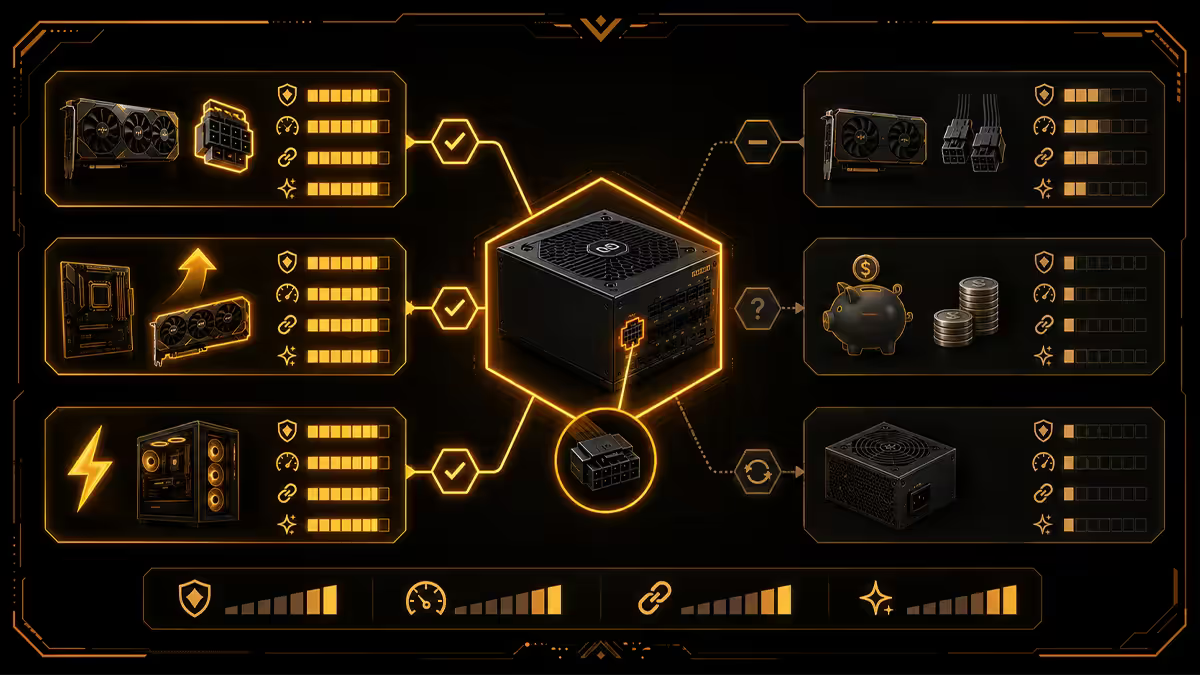
Not every build needs ATX 3.1. Here's how to read the decision:
| Build type | PSU recommendation | Why |
|---|---|---|
| RTX 5090 / 4090 | ATX 3.1, 1000-1200W native cable | Mandatory for safety + transients |
| RTX 5080 / 4080 | ATX 3.1, 850-1000W native cable | Strongly recommended |
| RTX 5070 Ti | ATX 3.0 or 3.1, 750-850W | Either works; 3.1 is forward-proof |
| RTX 5070 / 4070 | Quality ATX 2.4 / 3.0, 650-750W | Adapter included, no urgent upgrade |
| RTX 5060 / 4060 / RX 7600 | Any quality 80 Plus Gold 550-650W | Uses standard 8-pin PCIe; no 12V issue |
| Existing build, no GPU change | Keep current PSU | Don't replace working hardware preemptively |
Connector seating discipline — the 30 seconds that saves R30,000
Even with 12V-2x6, the seating procedure matters. The shortened sense pins protect against the meltdown failure mode, but a partially seated connector still won't run the card — and if you don't notice, you'll spend hours troubleshooting a "broken" GPU that's actually fine.
The procedure:
- Install the GPU into the PCIe slot first. Verify the slot latch clicks.
- Hold the GPU's connector area steady with one hand to prevent lateral PCB flex.
- Push the 12V-2x6 plug straight in with even pressure. Listen for the click.
- Push a little more after the click — the retention clip should engage flush with the PCB shroud.
- Look at the connector from the side. If any of the connector body is visible between the housing and GPU, re-seat.
- Route the cable so there is at least 35mm clearance before any bend — no tight 90° turns within the first 3cm of the connector.
Across the 200,000+ custom PCs we've shipped from our Centurion warehouse, every RTX 4080/4090 build since mid-2023 has shipped with native ATX 3.0 or 3.1 cabling — no adapter dongles, no exceptions. The melting reports we tracked in the public RMA data ran almost exclusively against adapter-based installs in tight Mini ITX cases. Native cable + 35mm clearance + a side-on visual check is the playbook that has produced zero melted connectors across the last 18 months of RTX 40/50 series builds. Whatever you buy from us or anyone else, do not skip the seating verification.
Behind the Build · From our test bench
SA-available ATX 3.1 PSUs worth buying
| Wattage / use case | Pick | SA price |
|---|---|---|
| Entry ATX 3.1 (RTX 5070 Ti) | Cooler Master MWE Gold 850 V2 ATX 3.1 | R2,199 - R2,499 |
| Mid ATX 3.1 (RTX 5080) | MSI MAG A1000GL PCIE5 / Corsair RM1000x Shift | R2,899 - R3,599 |
| High ATX 3.1 (RTX 5090) | Seasonic Vertex GX-1200 / be quiet Pure Power 12 M 1200W | R3,799 - R4,599 |
| Premium ATX 3.1 (overclocked 5090) | Corsair AX1600i / ASUS ROG Thor 1600W Platinum II | R6,499 - R9,499 |
| SFF ATX 3.1 (SFX form factor) | Corsair SF1000L / Lian Li SP850 | R3,499 - R4,299 |
Key takeaways
- ATX 3.1 swaps the 12VHPWR connector for 12V-2x6 — same shape, four sense pins recessed by 1.5mm on the GPU side.
- The recessed sense pins make partial seating impossible to power — fault mode flips from "melt" to "won't turn on".
- RTX 5080 and 5090 builds should buy native ATX 3.1, 1000-1200W. Adapter dongles are the biggest failure point.
- 200% transient spec eliminates the "PSU shut off randomly" failure mode on RTX 40/50 series.
- Always do a side-on visual seating check. If you can see connector body between housing and shroud, re-seat.
Frequently asked questions
What is the difference between ATX 3.0 and ATX 3.1?
ATX 3.1 replaces 12VHPWR with the 12V-2x6 connector — four sense pins recessed 1.5mm on the GPU side, forcing positive seating. Transient specs tightened slightly. Everything else (ripple, hold-up, efficiency) is unchanged.Do I need an ATX 3.1 PSU for an RTX 5080 or 5090?
Strongly recommended. NVIDIA officially backs 12V-2x6 for RTX 50 series and the 575W RTX 5090 sits at the connector's upper limit. Native ATX 3.1 with built-in 12V-2x6 cable beats adapter dongles for safety.Is 12V-2x6 backwards compatible with 12VHPWR GPUs?
Yes. A 12V-2x6 cable plugs straight into an RTX 4090 — the connector is electrically and mechanically identical. The safety improvements live on the GPU side of newer cards.Are adapter cables safe?
NVIDIA's included dongles work, but they're the biggest failure point in modern builds. Spend R2,500-R4,500 extra on native ATX 3.1 PSU — cheap insurance for a R30,000 GPU. Avoid unknown third-party adapters entirely.What caused the RTX 4090 melting connector issues?
Partial seating. 12VHPWR looked plugged in when 1-2mm short of contact. Reduced contact area concentrated current, generated heat, melted plastic. Fixed in 12V-2x6 with recessed sense pins that prevent power-on if not fully seated.How much does an ATX 3.1 PSU cost in SA?
Entry 850W from R2,200 (Cooler Master MWE Gold V2). Mid 1000W R2,800-R3,800 (Corsair RM1000x Shift, Seasonic Vertex GX-1000). High 1200-1600W R4,500-R9,000 (Corsair AX1600i, ASUS ROG Thor).What wattage ATX 3.1 PSU do I need for an RTX 5090?
1000W minimum, 1200W recommended. The 5090 draws 575W with spikes to 1150W. With a 9950X3D or 285K plus rest of system, sustained loads reach 750-850W. 1200W is the comfortable target for overclocked builds.How firmly should the 12V-2x6 connector be seated?
Push until positive click, then push a little more. Retention clip should engage flush with PCB shroud. Do a final side-on visual check — gap visible means re-seat. With 12V-2x6, partial seating won't power the card on at all.
Get the Evetech app
Exclusive app-only prices, daily flash sales, and free delivery on orders over R4,000 — download the app and start saving.