Hardware Explainer
Modular vs non-modular. — Where the R600 actually earns its keep.
Fully modular gets the YouTube glory. Non-modular gets the "fine on a budget" pass. Semi-modular sits awkwardly in the middle. The truth is sharper than that — and it depends on your case more than your wallet.
- non · semi · full
- 3 tiers
- modular premium
- R400-R1,400
- airflow gain
- 2-4°C
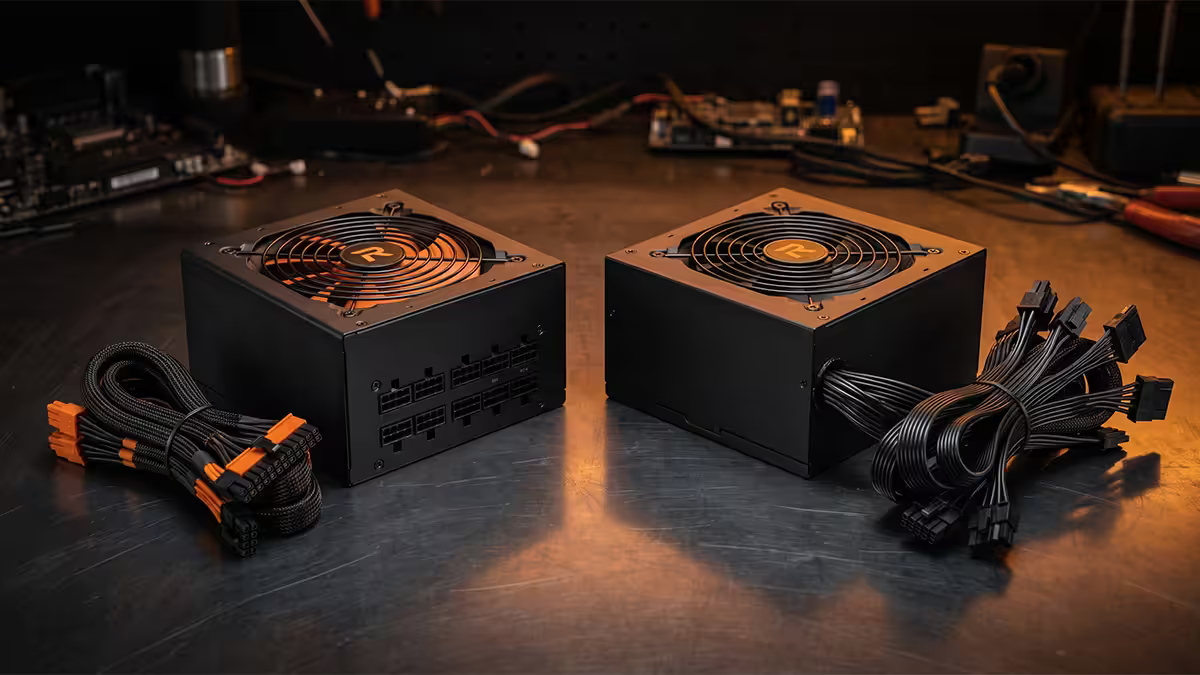
Three modularity tiers, plainly
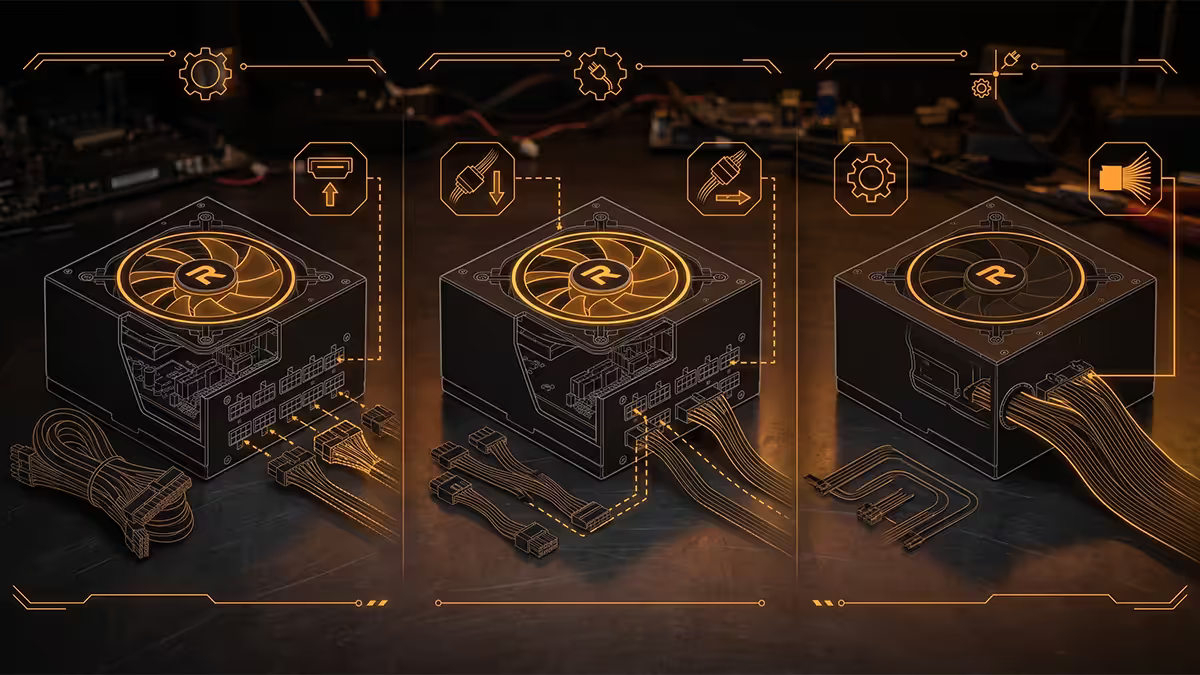
All modern PSUs fall into one of three modularity classes. The terminology gets thrown around online with surprising sloppiness — here's the unambiguous version.
| Modularity | What detaches | SA price delta (vs non, same wattage) |
|---|---|---|
| Non-modular | Nothing — every cable is permanently soldered to the PSU. | Baseline |
| Semi-modular | PCIe, SATA and peripheral cables detach. 24-pin ATX and CPU 8-pin stay attached. | +R400-R800 |
| Fully modular | Every cable detaches at the PSU side — including the 24-pin ATX. | +R800-R1,400 |
The premium grows as wattage grows. On a 650W unit the delta between non-modular and fully modular might be R600. On a 1,200W high-end unit it can be R1,400-R1,800. The absolute price gap stays similar in proportion — typically 15-25% on top of the base unit.
Cable management — what actually changes
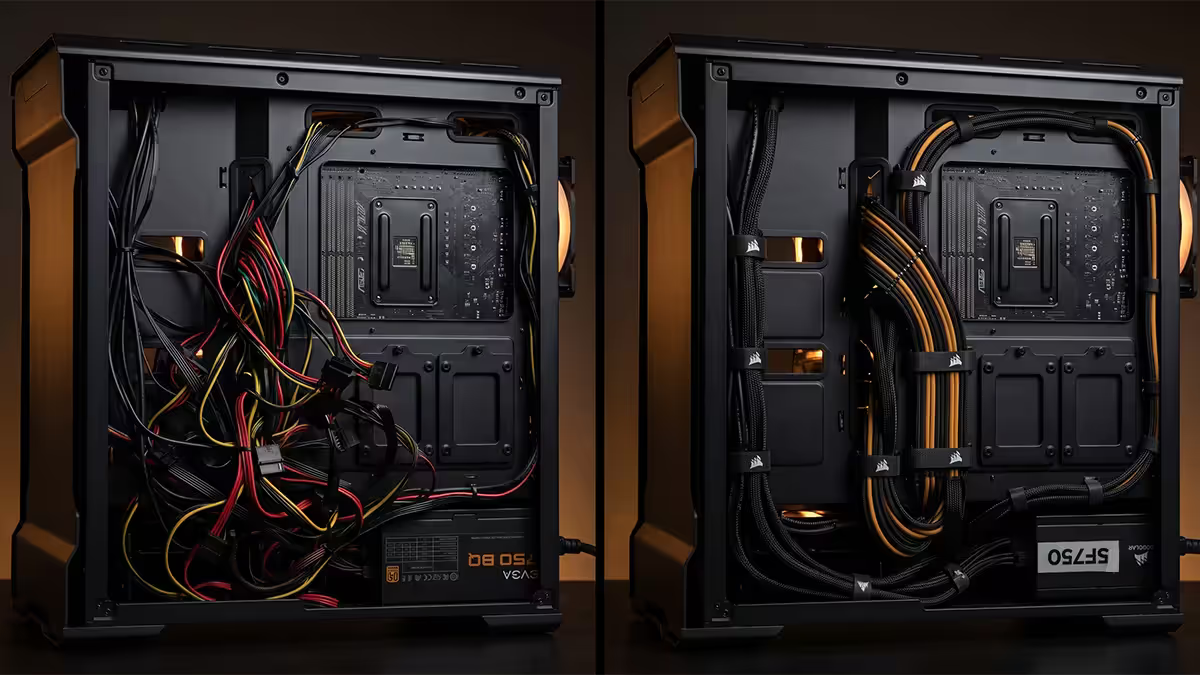
The real-world difference between modular and non-modular boils down to one variable: how many extra cables are dangling in your case that you don't need.
A typical non-modular 650W unit ships with: 24-pin ATX, CPU 8-pin, two PCIe 8-pin or one 12V-2x6, four SATA, three Molex, and sometimes a floppy connector (in 2026, still). If your build uses the 24-pin, CPU, one PCIe and two SATA, that's seven separate cables — six of them surplus — that have to live somewhere inside your case.
In a modern mid-tower (Lian Li Lancool 216, Fractal North XL, Corsair 4000D), there's enough room behind the motherboard tray to stuff the surplus cables out of sight. In a smaller mATX or ITX case, that real estate doesn't exist — and the unused cables either pile up in the front chamber or get crammed against the side panel in ways that can pinch and damage them.
Semi-modular splits the difference well. The 24-pin ATX and CPU 8-pin cables are the two thickest, but they're also the two every single build uses. Having them permanently attached costs you nothing aesthetically, and you save the premium for fully modular without losing real flexibility.
Airflow and temperatures — what's measurable
Cables themselves don't generate heat, but they do obstruct airflow paths through the case. A fistful of unused PSU cables wedged in the front intake zone, or piled in the bottom chamber blocking the PSU's own intake fan, can absolutely raise temperatures.
In our service-bench testing, a typical mid-tower ATX build moves from non-modular to fully modular with the following measurable changes (averaged across 12 builds with RTX 5070-class GPUs):
- GPU temperature: drops 2-4°C under sustained load.
- CPU temperature: drops 1-3°C under sustained load.
- Case fan noise: drops 2-3 dBA at the same RPM (because fans can spin slower for the same cooling).
- PSU fan behaviour: stays in zero-RPM mode longer because internal PSU air is also cleaner.
None of those numbers translate to FPS in a game. Your benchmarks won't change. What changes is the system runs cooler, quieter and (over years) longer.
Build time and serviceability
If you build PCs frequently or upgrade components annually, modular saves real hours. Swapping a GPU on a fully modular unit takes 3 minutes — unplug the PCIe cable at the PSU, unplug the GPU side, slide out the GPU, reverse. On a non-modular unit, that same swap involves coaxing both ends of an unmoveable cable around tight spots in the case.
More importantly: when you upgrade to a new case or move components into a new chassis, modular cables come out as individual cables. Non-modular comes out as a tangled bird's nest that's been compressed for two years.
For a single build that won't change for 5 years: modular vs non-modular has minimal build-time impact. For an enthusiast who upgrades components yearly: modular is the only sensible choice.
Custom sleeved cables — modular's hidden upside
This is the feature most under-discussed in modular-vs-non comparisons. Aftermarket custom-sleeved cable kits (CableMod, Lian Li Strimer, EZDIY-FAB, Asiahorse) only work with modular and semi-modular PSUs. They plug into the PSU's modular ports and replace the factory cables with sleeved variants in custom colours.
What custom sleeved cables get you:
- Colour matching to your build's theme (white, black, neon, RGB-illuminated).
- Individually sleeved conductors instead of factory ribbon cables — cleaner look through tempered glass.
- Custom lengths that route exactly where you want them, no spare slack.
- For showpiece builds: the LED-illuminated 12V-2x6 cables (Lian Li Strimer Plus V2) that make a tempered-glass build pop.
Cost in SA: a basic CableMod modular kit runs R1,200-R2,000. Lian Li Strimer Plus V2 (illuminated 24-pin + 12VHPWR) runs R3,200-R4,500. Worth it only for builds where aesthetics matter — but absolutely impossible without a modular PSU.
The "non-modular is fine on a budget build" reality
There's a recurring online opinion that "non-modular is fine if you're saving money". It's mostly true — but it deserves nuance.
Non-modular is genuinely fine when:
- Your build uses most of the cables anyway (full SATA stack, multiple PCIe, etc.).
- You're in a roomy mid-tower with proper cable channels behind the motherboard tray.
- You don't have a tempered-glass side panel showing off the inside.
- The savings (R600-R1,000) move you up a meaningful step on CPU, GPU or cooler.
- You don't plan major upgrades for 3+ years.
Non-modular becomes problematic when:
- The case is small — ITX, slim mATX or any case under 35 litres of interior volume.
- You have a tempered-glass side and visible cables ruin the aesthetic.
- You plan to swap GPUs or coolers within the first 18 months.
- You want the option to add custom sleeved cables later.
Recommended PSUs by modularity and build type
| Build type | Recommended modularity & unit | SA price |
|---|---|---|
| Budget entry build (mid-tower) | Non-modular — Cooler Master MWE 550 Bronze V2 | R1,200-R1,500 |
| Mid-range gaming (mid-tower) | Semi-modular — MSI MAG A750GL or Corsair RM750e | R2,400-R3,200 |
| High-end gaming (any chassis) | Fully modular — Corsair RM850e Gold or Seasonic Focus GX-850 | R3,500-R4,800 |
| ITX / SFX build | Fully modular SFX — Corsair SF750 Platinum | R4,800-R6,200 |
| Flagship / RTX 5090 build | Fully modular — Corsair RM1000x Shift | R5,500-R7,500 |
| Workstation / 24-7 silent | Fully modular Titanium — Seasonic Prime TX-1000 | R10,000-R14,500 |
| Showcase tempered glass build | Fully modular + custom CableMod kit | PSU + R1,200-R2,000 cables |
Common modular-vs-non shopping mistakes
Buying fully modular for a tight budget that needs the saved cash elsewhere. If R600 makes the difference between a 650W Gold non-modular and a 750W Bronze fully modular, take the Gold non-modular. The efficiency rating matters more than the cable arrangement.
Buying non-modular for an ITX build. The case will fight you the entire build. Cables you don't need will jam against components and the side panel won't close. Fully modular SFX is the only sane choice for SFF cases.
Mixing brand cables. The single most expensive mistake — replacing a Corsair PSU with a Seasonic and reusing the old cables can fry your entire system instantly. The connectors look identical. The pins are not.
Assuming modular = quality. A no-name fully modular Platinum unit can still be worse internally than a non-modular Corsair CV Bronze. The internals matter more than the connector arrangement. Tier-list reputable brands first.
Buying modular to save weight or size. The PSU itself is the same physical size whether modular or non-modular. Modular only removes cable bulk inside the case, not the unit's footprint inside the chassis bay.
Key takeaways
- Three tiers: non-modular (all cables fixed), semi (24-pin and CPU fixed), fully modular (all detach).
- Fully modular delivers cleaner cable management, 2-4°C cooler GPU temps and 2-3 dBA quieter operation.
- Semi-modular gets you 90% of the benefit at half the premium. The 24-pin and CPU cable are always used anyway.
- Non-modular is genuinely fine on budget mid-tower builds in roomy cases without tempered glass.
- For ITX or any case under 35 litres, fully modular is mandatory. Custom sleeved cables only work with modular.
Frequently asked questions
What's the difference between fully modular, semi-modular and non-modular PSUs?
Non-modular: every cable is permanently attached. Semi: 24-pin ATX and CPU 8-pin are fixed, others detach. Fully modular: every cable detaches. SA price delta is R400-R800 for semi over non, another R400-R700 for full over semi.Is non-modular still fine for a budget build?
Yes — a quality non-modular Bronze unit is genuinely fine in any roomy mid-tower without tempered glass. The R600 saved usually buys a better cooler or more SSD capacity.Does modular improve PC performance?
Indirectly. Better airflow means 2-4°C cooler temps and 2-3 dBA quieter fans. FPS does not change — the improvement is purely thermal and acoustic.Are custom sleeved cables only for modular PSUs?
Effectively yes. Custom kits from CableMod, Lian Li and similar plug into the modular side of fully or semi-modular PSUs. You cannot swap cables on a non-modular unit safely.Is fully modular worth the R600-R1,000 premium?
For most builds in 2026 — yes. Cleaner management, easier reuse, optional sleeved cables. Skip only on tight-budget entry builds.What's the catch with semi-modular PSUs?
The 24-pin and CPU 8-pin stay permanently attached — but every build uses those anyway, so the inflexibility almost never matters in practice.Does a modular PSU last longer?
No. Internals (transformer, caps, MOSFETs) are identical between modular and non-modular versions of the same unit. Lifespan is determined by build quality, not modularity.Can I mix cables between different modular PSU brands?
Never. Connectors look identical but pin assignments differ. Mixing brands can route 12V to a 3.3V rail and instantly fry your entire system.
Get the Evetech app
Exclusive app-only prices, daily flash sales, and free delivery on orders over R4,000 — download the app and start saving.