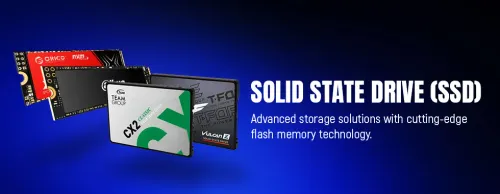
Solid State Drives (SSDs) 🚀
Internal SSDs — NVMe & SATA (68)


How to Choose an SSD
Pick the SSD on three things: the format your motherboard supports, the capacity you need, and how fast it has to be. A fast NVMe boot-and-games drive plus a larger drive for storage covers most builds well. The points below cover what changes real-world performance.
NVMe M.2 drives plug into the motherboard and are far faster, ideal for Windows, games and active work. SATA SSDs are slower (~550 MB/s) but cheaper and fit almost any PC, including older systems without an M.2 slot. Even a SATA SSD is a huge jump over a hard drive — use NVMe where your board supports it, SATA for value or older machines.
PCIe 4.0 NVMe (up to ~7,000 MB/s) is fast enough for almost everyone, including gaming. PCIe 5.0 (up to ~14,000 MB/s) is a marginal real-world gaming upgrade today and runs hotter, but helps heavy creator workloads with large file transfers. Make sure your motherboard has a PCIe 5.0 M.2 slot before paying for a 5.0 drive.
500GB is a tight minimum for Windows and a few games. 1TB is the comfortable mainstream size for most builds. 2TB or more suits large game libraries or creators working with video and big project files. Buying one larger drive is usually simpler than juggling several small ones.
TLC NAND is the mainstream choice — a good balance of speed, endurance and price. QLC drives are cheaper per gigabyte but have lower write endurance and can slow on sustained writes, which is fine for storage but less ideal as a heavily-written boot drive. For a main drive, TLC is the safer pick.
Fast NVMe drives can warm up under sustained load, so a heatsink (often included on the motherboard) helps avoid thermal throttling, especially with PCIe 5.0. On the games side, NVMe paired with DirectStorage on supported titles can speed up load times further. For most users, a mid-range PCIe 4.0 NVMe drive hits the best balance.