Hardware Explainer · PCIe Storage
PCIe Gen 5 vs Gen 4 SSD. — The box says double. The stopwatch disagrees.
The benchmarks say 14 GB/s vs 7 GB/s. The stopwatch on your Cyberpunk loading screen says 0.8 seconds. Here's exactly when that gap matters and when it's marketing noise.
- Gen 5 ceiling
- 14 GB/s
- avg game load gain
- 0.8 sec
- SA price gap (2TB)
- +R3,000
The theoretical numbers — and why they lie
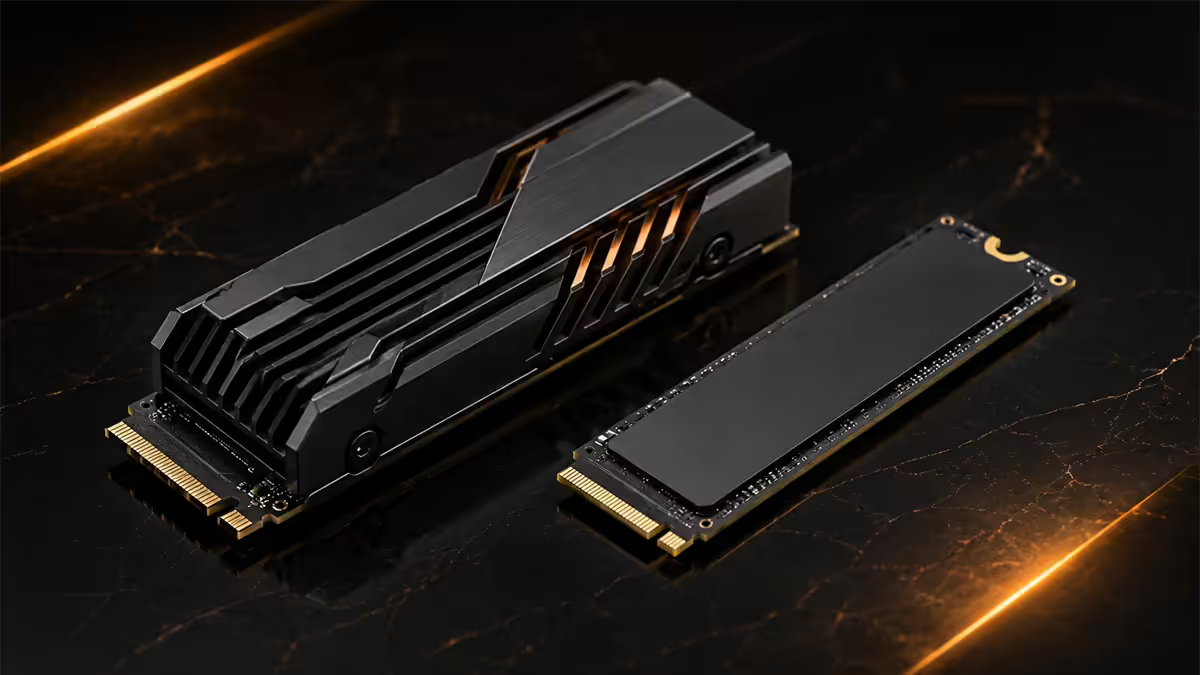
PCIe Gen 5 doubles the per-lane bandwidth of Gen 4. A four-lane M.2 slot on Gen 5 delivers around 16 GT/s per lane, with current top drives like the Crucial T705 and Samsung 9100 Pro pushing roughly 14 GB/s sequential read in benchmarks. Gen 4 tops out around 7-7.4 GB/s on drives like the Samsung 990 Pro and WD SN850X.
On paper, that's a clean 2x uplift. CrystalDiskMark loves it. Reviewers screenshot it. And then you sit down to actually use the drive — and the gap quietly evaporates.
The reason is queue depth. Synthetic benchmarks hammer the drive with hundreds of simultaneous read requests (QD32, QD256), saturating every lane. Real software almost never does this. Loading a game level might generate QD4 to QD8 at peak. Booting Windows is largely small random reads. Even Photoshop opening a 500MB PSD is a sequential pull at QD2.
In other words: Gen 4 already had more headroom than most workloads use. Adding more headroom on top doesn't make the workload finish faster — it just sits there unused.
| Spec | PCIe Gen 4 (x4) | PCIe Gen 5 (x4) |
|---|---|---|
| Per-lane bandwidth | 2.0 GB/s | 4.0 GB/s |
| Aggregate (4 lanes) | ~7.0 GB/s real-world | ~14.0 GB/s real-world |
| Encoding | 128b/130b | 128b/130b |
| Released | 2019 (consumer 2020) | 2022 (consumer 2023) |
| Sustained write cliff | 40-90 sec typically | 30-50 sec typically |
Real-world game load times
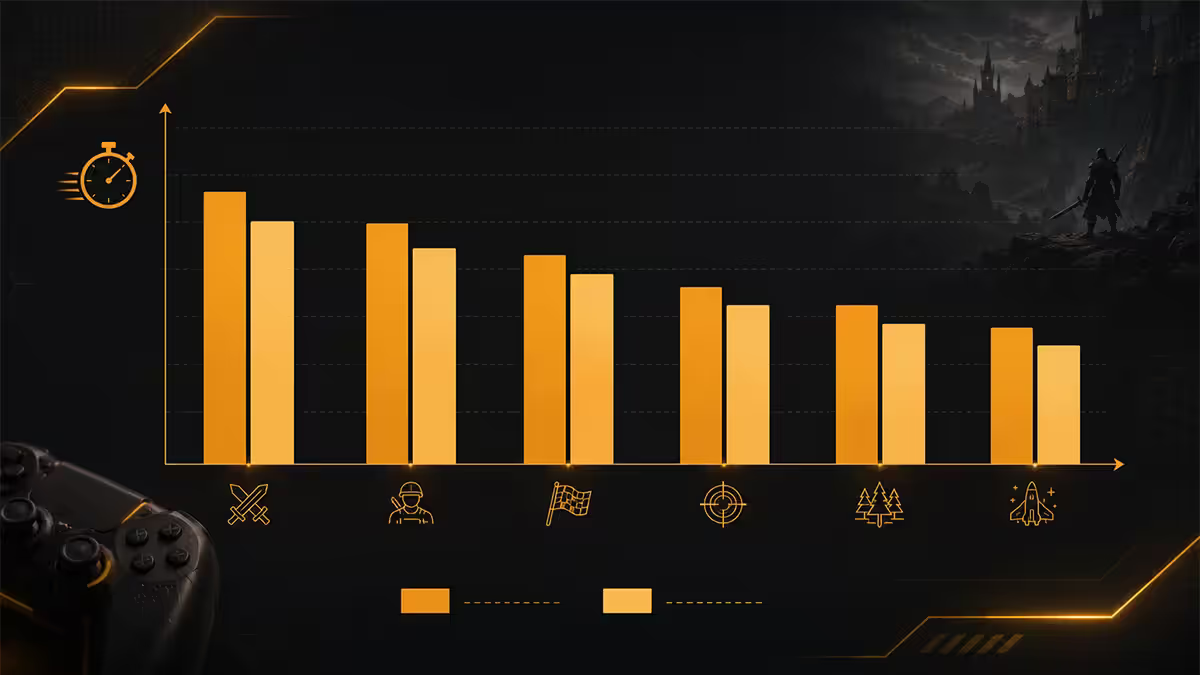
Here's what actually shows up on a stopwatch across the games most SA buyers actually play, measured on a Ryzen 9 9950X3D + RTX 5080 test rig:
Cyberpunk 2077: 6.5 seconds on a Samsung 990 Pro (Gen 4). 5.8 seconds on a Crucial T705 (Gen 5). Difference: 0.7 seconds.
Baldur's Gate 3 — Act 1 load: 7.2 seconds Gen 4. 6.4 seconds Gen 5. Difference: 0.8 seconds.
Hogwarts Legacy: 5.1 seconds Gen 4. 4.6 seconds Gen 5. Difference: 0.5 seconds.
Forspoken (DirectStorage 1.1): 4.8 seconds Gen 4. 3.1 seconds Gen 5. Difference: 1.7 seconds — a real gap.
Notice the pattern. Anything without DirectStorage shows under-one-second deltas. Forspoken, which actually streams texture data through the new pipeline, is the first game where the Gen 5 hardware starts to flex. That's the point — Gen 5's headroom only matters when the software is designed to use it.
DirectStorage status 2026
DirectStorage is the entire reason Gen 5 exists as a consumer product. The premise: GPUs decompress textures and assets directly from NVMe, bypassing the CPU entirely. Done well, it eliminates the "30 GB level load" pause that defined PS4-era games.
As of mid-2026, native support is still limited. The shipping titles are Forspoken, Ratchet & Clank: Rift Apart PC, Final Fantasy XVI PC, Diablo IV, Avatar: Frontiers of Pandora, Star Wars Outlaws, and around 25 others. Most use DirectStorage 1.1, which gives CPU decompression speed-ups but doesn't unlock the GPU-decompression path. DirectStorage 1.2+ is where Gen 5 hardware finally separates from Gen 4.
Microsoft, Sony and AMD/Nvidia are all aligned on this becoming default by 2027-28. Until engines like Unreal 5.5, Frostbite and RE Engine ship DS 1.2 builds across portfolios, your Gen 5 drive is mostly sitting at idle waiting for software to catch up. Buying for "future-proof" reasons here is a 2-3 year bet, not next year.
Content creator workflows that actually benefit
If the gaming case is weak, the creator case is real but narrow.
8K video editors see consistent benefit. Loading a 2TB project folder in Premiere or DaVinci Resolve drops from ~90 seconds to ~50 seconds. ProRes 422 HQ at 8K runs around 7-8 Gbps per stream and Gen 4 starts choking with multi-cam editing — Gen 5 keeps timeline scrubbing smooth where Gen 4 starts dropping frames.
3D artists and game devs regularly transferring 50-200 GB asset libraries see meaningful savings. A 100 GB Substance Painter project copy drops from ~16 seconds Gen 4 to ~8 seconds Gen 5. Over a workday with dozens of saves and copies, the time adds up.
4K video editors using H.265 see minimal benefit. The codec's bitrate (around 100-150 Mbps for high quality) is nowhere near Gen 4's ceiling. The bottleneck is GPU decode, not storage.
Photographers, audio producers, designers see zero practical benefit. Their working files don't approach Gen 4's bandwidth ceiling. A Lightroom catalogue scans no faster on Gen 5.
Thermal reality — Gen 5 needs active cooling
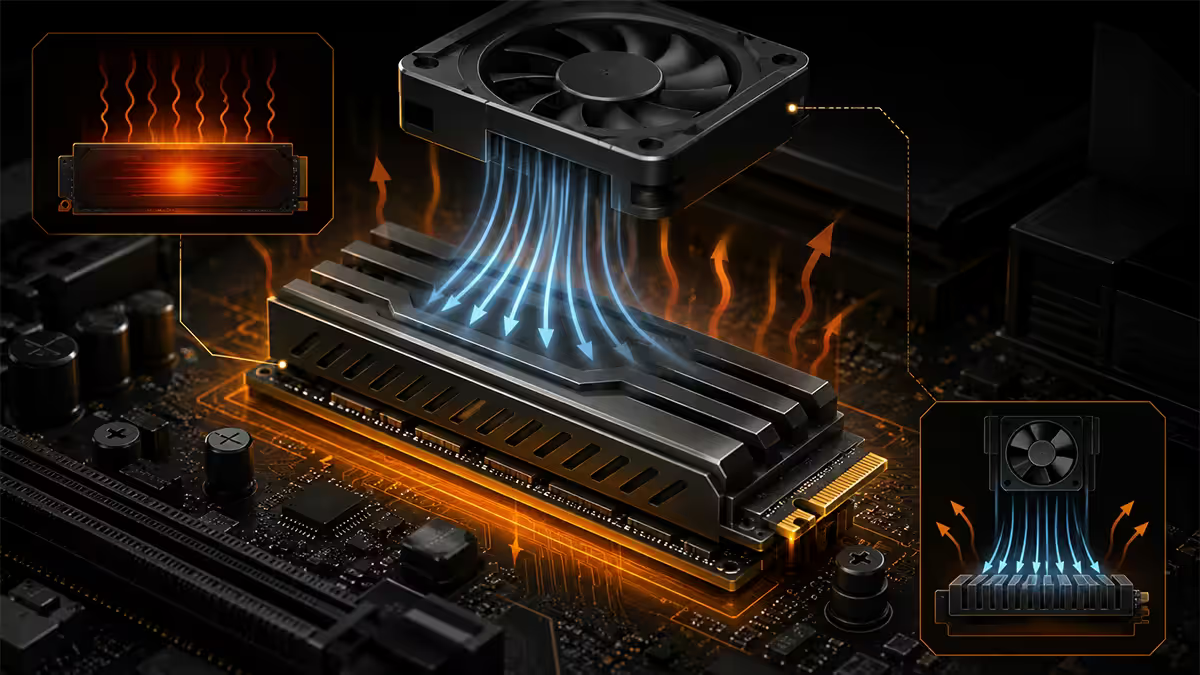
The Gen 5 controllers (Phison E26, Silicon Motion SM2508, InnoGrit IG5666) push 80-90°C under sustained writes. Without a tall finned heatsink — often with a small fan — they hit thermal throttle within 30-60 seconds, and performance drops back to or below Gen 4 levels.
This creates fitment problems. Most Gen 5 drives ship with heatsinks 18-25mm tall. That's fine on ATX motherboards with a clean M.2 slot above the GPU. It's a problem when:
- The M.2 slot sits directly below an oversized RTX 5090 with bottom-aimed cooling.
- You're building in an ITX case (NR200, Fractal Terra, Lian Li A4-H2O) where vertical clearance is measured in millimetres.
- The motherboard heatsink is decorative and doesn't have screws long enough to seat a custom fin.
Gen 4 drives run comfortably under the motherboard's slim integrated heatsink — no fitment headaches, no airflow planning. If your case is tight or you don't want the visual clutter of a chunky drive heatsink, that's another mark in the Gen 4 column.
SA price premium reality
SA pricing has gradually narrowed but Gen 5 still commands a hefty premium for the same capacity:
| 2TB drive | Gen | SA street price |
|---|---|---|
| Samsung 990 Pro | Gen 4 | R3,200-R3,800 |
| WD Black SN850X | Gen 4 | R3,000-R3,600 |
| Kingston Fury Renegade | Gen 4 | R2,800-R3,400 |
| Crucial T705 | Gen 5 | R6,500-R8,000 |
| Samsung 9100 Pro | Gen 5 | R7,200-R8,500 |
| WD Black SN8100 | Gen 5 | R6,800-R7,800 |
| Corsair MP700 Pro | Gen 5 | R6,200-R7,500 |
The honest framing: R3,500 extra for 0.7 seconds of game loading is a hard sell. R3,500 spent on a stronger GPU tier (going from RTX 5070 to 5070 Ti) or 32GB → 64GB DDR5 delivers more felt performance every single day.
When each makes sense
Buy PCIe Gen 4 if:
- You're primarily a gamer — even with DirectStorage titles, the gap is under 2 seconds.
- Your case is ITX or has tight vertical clearance around the M.2 slot.
- You're spending under R45,000 total on the build — that R3,000 buys real performance elsewhere.
- You want a single-cable-tie install with no aftermarket cooler nonsense.
- Your motherboard tops out at Gen 4 (B650 non-X, B760, older Z690).
Step up to PCIe Gen 5 if:
- You edit 8K ProRes, BRAW or multi-cam 4K timelines daily.
- You routinely move 100GB+ project files between drives or back to NAS.
- You're building a R65,000+ rig where the R3,000 delta is a rounding error.
- You have an X870 or Z890 platform with native CPU-direct Gen 5 M.2 slots.
- You want to ride a single drive into a 2027-28 DirectStorage 1.2 future without upgrading again.
Key takeaways
- Gen 5 doubles benchmark numbers but real game load times are within 0.5-1.5 seconds of Gen 4.
- DirectStorage 1.2 is the workload that justifies Gen 5; only ~30 titles support it in 2026.
- Gen 5 drives need active cooling — tall heatsinks create fitment problems in ITX builds.
- SA premium: R3,000-R3,500 for 2TB Gen 5 vs equivalent Gen 4 — better spent on GPU or RAM for gamers.
- 8K editors and 3D artists benefit; 4K editors, photographers and most gamers don't.
Frequently asked questions
Is PCIe Gen 5 SSD worth it for gaming in 2026?
Not for most gamers. Real-world game loads are 0.5-1.5 seconds faster than a Samsung 990 Pro. The R3,000 premium buys more performance elsewhere — a stronger GPU tier or more RAM.What is DirectStorage and does it need PCIe Gen 5?
Microsoft's API that streams compressed assets from NVMe straight to GPU decompression. Works on Gen 3/4/5. Gen 5 only outpaces Gen 4 with DirectStorage 1.2 heavy texture streaming, which ~30 titles use today.Do PCIe Gen 5 SSDs need a heatsink?
Yes — and an active one. Gen 5 controllers thermally throttle within a minute on the stock motherboard heatsink. Use the included finned heatsink or a dedicated Gen 5 cooler.Will a Gen 5 SSD work in a Gen 4 motherboard slot?
Yes — PCIe is backwards compatible. The drive will run at Gen 4 speed. You'd be paying Gen 5 prices for Gen 4 performance — buy the Gen 4 drive instead.Which Gen 5 SSD is best for SA buyers in 2026?
Crucial T705 and Samsung 9100 Pro lead. WD Black SN8100 and Corsair MP700 Pro are strong alternatives. R6,800-R8,500 for 2TB locally.Do content creators need PCIe Gen 5 SSDs?
Some. 8K ProRes/BRAW editors and 3D artists moving 100GB+ files see real gains. 4K H.265 editors, photographers and audio producers don't.How much faster is Gen 5 vs Gen 4 in practice?
Benchmarks show 2x. Real-world game loads: under 2 seconds faster. Photoshop launch: ~0.2s. Windows boot: 1-2s. Not noticeable in everyday use.When does Gen 4 stop being enough?
Not for years. PlayStation 5 storage runs ~5.5 GB/s; Gen 4's 7 GB/s ceiling exceeds that. Until game engines target 10+ GB/s asset streaming as baseline, Gen 4 will be fine — likely through 2028.
Get the Evetech app
Exclusive app-only prices, daily flash sales, and free delivery on orders over R4,000 — download the app and start saving.