GPU Head-to-Head
RTX 5060 vs RTX 5070. — Which one is the right Rand?
The R3,500 gap between these two cards is the most consequential buying decision in a R20,000-R30,000 build right now. Resolution intent decides it — not budget. Here's the honest breakdown.
- resolution split
- 1080p / 1440p
- VRAM gap
- 8GB / 12GB
- price difference
- ~R3,500
What's actually different between these two cards
On paper the RTX 5060 and RTX 5070 sit one rung apart in NVIDIA's Blackwell lineup. In practice they target different builders entirely. The 5060 is a 1080p-first card with respectable 1440p capability when DLSS is on. The 5070 is a 1440p-native card with comfortable 4K-with-DLSS reach. Same architecture, very different ambitions.
| Spec | RTX 5060 | RTX 5070 |
|---|---|---|
| CUDA cores | 3,840 | 6,144 |
| VRAM | 8 GB GDDR7 | 12 GB GDDR7 |
| Memory bus | 128-bit | 192-bit |
| Memory bandwidth | 448 GB/s | 672 GB/s |
| TDP | 150 W | 250 W |
| Recommended PSU | 650 W | 750 W |
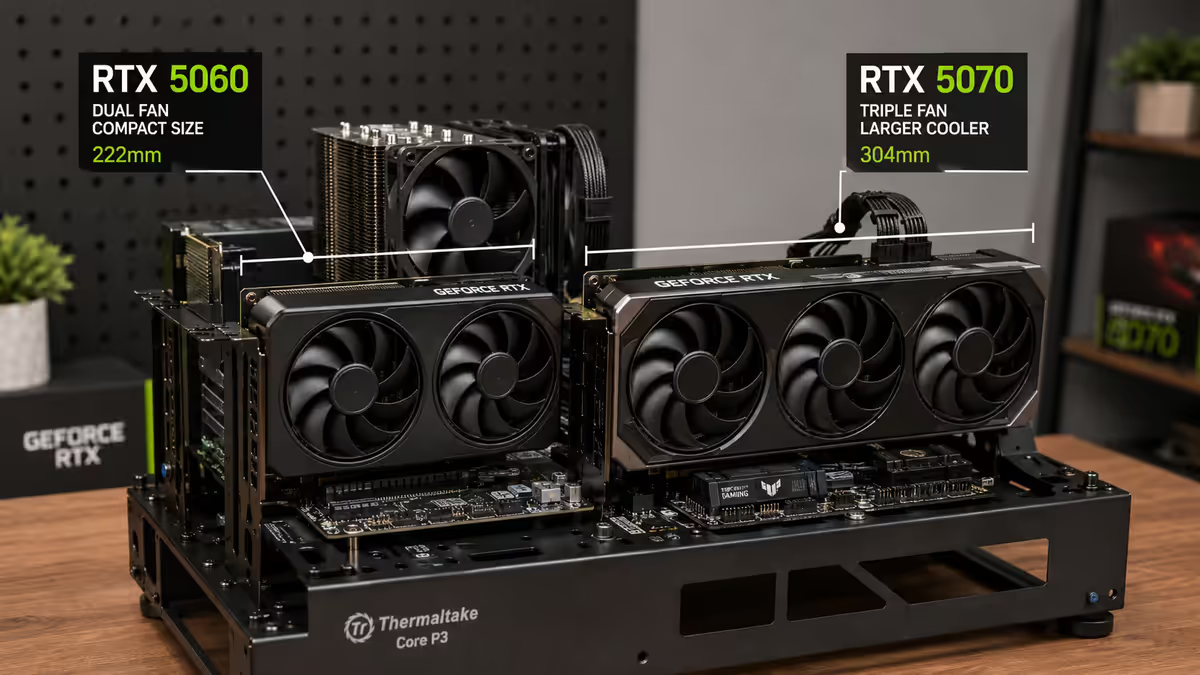
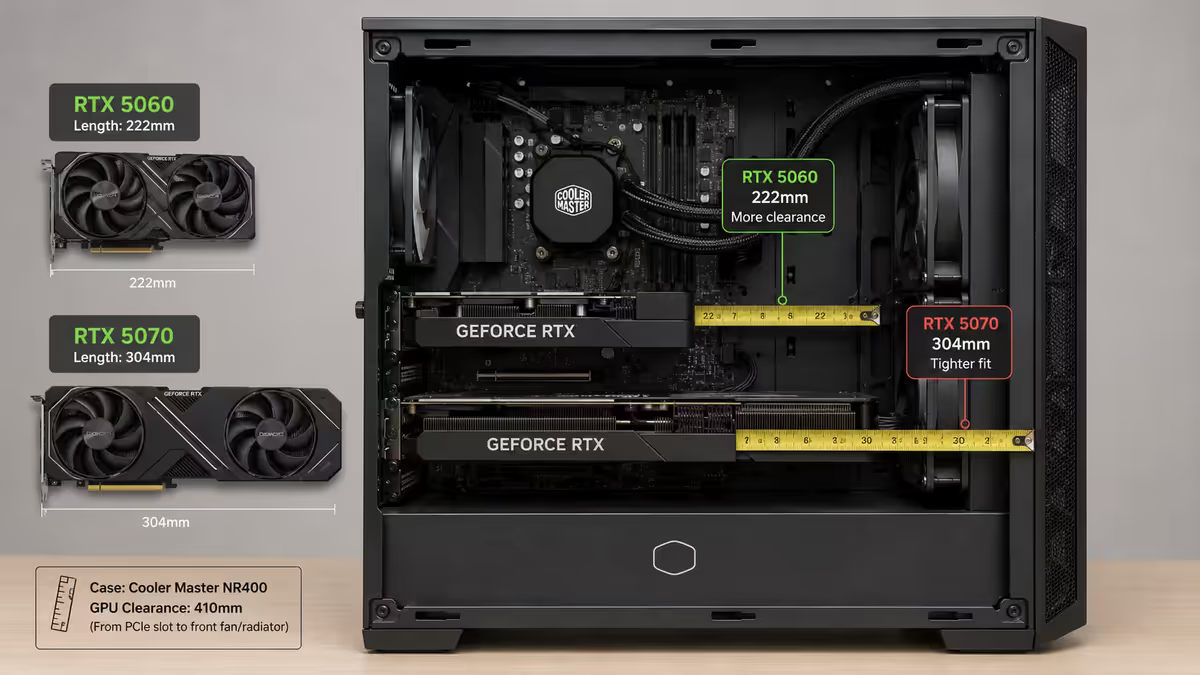
| Length | ~245 mm (2-fan) | ~305 mm (3-fan) |
| SA street price | R6,500 | R10,000 |
The 60% jump in CUDA cores and 50% bandwidth advantage translate into roughly 35-55% more frames in real-world testing depending on the title and resolution. Not a small gap. But also not the headline — VRAM is.
FPS head-to-head at 1080p
At 1080p both cards are perfectly playable in modern AAA titles — the question is just how much overhead each one has. Tested on our Centurion bench with a Ryzen 7 7800X3D, 32GB DDR5-6000, and the latest driver build at the time of writing (May 2026):
| Title (1080p Ultra, DLSS off) | RTX 5060 | RTX 5070 |
|---|---|---|
| Cyberpunk 2077 (RT Off) | 96 fps | 142 fps |
| Black Myth: Wukong | 71 fps | 108 fps |
| Hogwarts Legacy | 82 fps | 124 fps |
| Alan Wake 2 | 64 fps | 95 fps |
| Baldur's Gate 3 | 118 fps | 156 fps |
| Call of Duty MW3 | 167 fps | 214 fps |
| Valorant (competitive) | 510 fps | 540 fps |
| CS2 (competitive) | 388 fps | 425 fps |
Two takeaways. In AAA titles the 5070 is 35-50% ahead — a serious gap that maps directly to whether you can push 144Hz without DLSS. In esports titles the gap collapses because both cards are CPU-bound at 500+ fps. If you live in CS2 and Valorant, the 5060 leaves nothing on the table.
For 144Hz 1080p AAA gaming, the 5060 needs DLSS Quality enabled in heavier titles like Wukong and Alan Wake 2 to stay above 100 fps. The 5070 holds 144 fps native in everything except Wukong at ultra. If you've spent on a 1080p 240Hz panel and play AAA, the 5070 is the card that justifies the monitor.
FPS head-to-head at 1440p
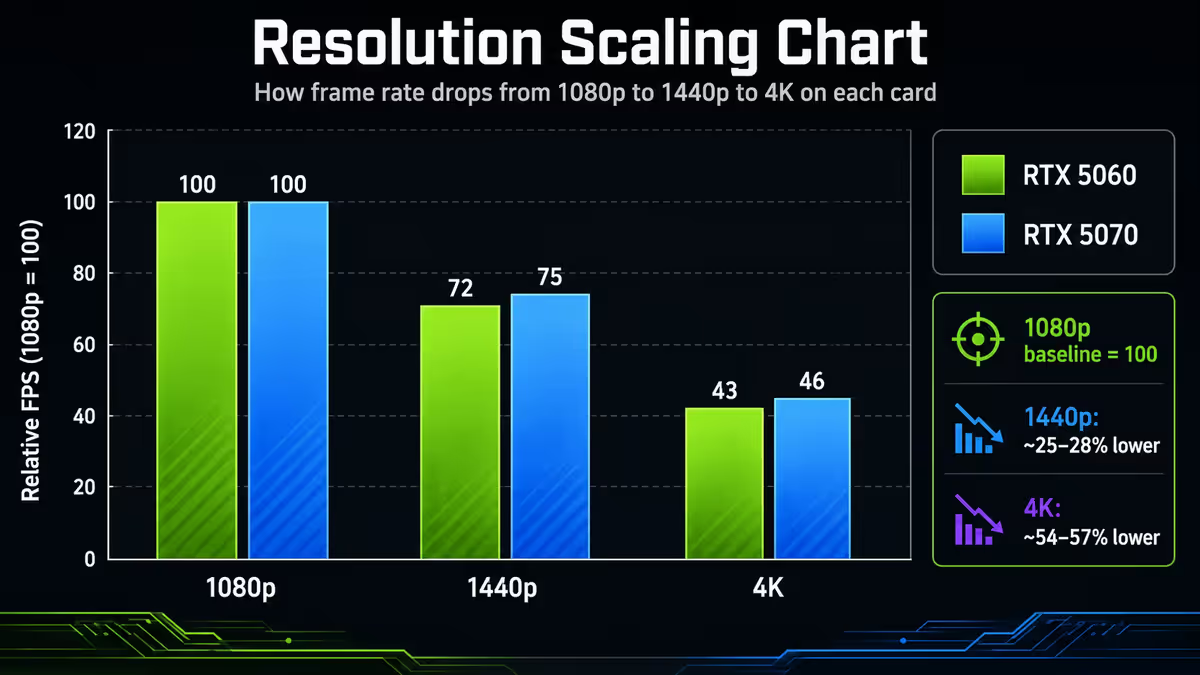
This is where the cards genuinely separate. 1440p has 78% more pixels than 1080p and the 5060's narrower memory bus starts to choke.
| Title (1440p Ultra, DLSS off) | RTX 5060 | RTX 5070 |
|---|---|---|
| Cyberpunk 2077 (RT Off) | 58 fps | 94 fps |
| Black Myth: Wukong | 42 fps | 71 fps |
| Hogwarts Legacy | 49 fps | 82 fps |
| Alan Wake 2 | 38 fps | 64 fps |
| Baldur's Gate 3 | 76 fps | 110 fps |
| Call of Duty MW3 | 108 fps | 148 fps |
The pattern is stark: the 5060 dips below 60 fps in three of the six AAA tested titles at 1440p. It's not unplayable — DLSS Quality lifts everything back above 60 — but you're using DLSS as a crutch rather than as bonus performance. The 5070 holds 60+ fps native everywhere and gives you DLSS as actual overhead.
This is the core argument for the 5070 if you've got a 1440p monitor: it's the card that doesn't make you compromise on settings to hit smooth frames. The 5060 at 1440p ultra feels like you're constantly negotiating with the engine.
The VRAM headroom story — 8GB vs 12GB in 2026
If you remember one thing from this guide, remember this: 8GB is no longer the safe floor it was in 2022. Modern AAA titles built on UE5, Snowdrop and proprietary engines have pushed texture and asset budgets to a place where 8GB allocation ceilings are routinely hit at 1080p ultra-textures.
Practical examples we see on the bench:
- Cyberpunk 2077 Phantom Liberty (1440p, ultra textures) — 8.4GB allocation. The 5060 starts paging from system RAM, producing micro-stutters.
- Black Myth: Wukong (1440p, ultra) — 9.1GB allocation. The 5060 forces a texture quality drop or accepts visible texture pop.
- Alan Wake 2 (1440p, high textures + RT off) — 7.8GB allocation. Right at the 5060's ceiling, occasional hitches.
- The Last of Us Part II (1440p, ultra) — 9.5GB allocation. Known VRAM-hungry port; 5060 cannot hit ultra texture preset.
The 5070's 12GB sits comfortably above all of these with 2-3GB of headroom. At 1080p, 8GB is still workable today but the trajectory is clear — by 2027 the 8GB cards will be increasingly forced down to "high" texture presets while 12GB stays at ultra.
Ray tracing and DLSS 4 — where Blackwell shines
Both cards are Blackwell architecture with 4th-generation RT cores and 5th-generation Tensor cores. Both support DLSS 4 with Multi-Frame Generation (up to 4x). The differences in ray tracing and AI performance scale roughly with raw rasterisation — the 5070 has about 50% more RT and Tensor cores than the 5060.
| Workload | RTX 5060 | RTX 5070 |
|---|---|---|
| Cyberpunk 1440p RT Overdrive (DLSS Performance + 2x FG) | 62 fps | 98 fps |
| Alan Wake 2 1440p RT High (DLSS Quality + 2x FG) | 74 fps | 112 fps |
| Path-tracing demo (Portal RTX) | 48 fps | 79 fps |
| DLSS 4 4x Multi-FG support | Yes | Yes |
| Ray Reconstruction | Yes | Yes |
DLSS 4 is a great equaliser for the 5060 — even path-traced workloads become approachable with Multi-Frame Generation enabled. But there's a catch: frame generation amplifies the base frame rate's input latency. The 5070 starts from a higher native frame rate, so the generated frames feel snappier. The 5060 with 4x FG can produce 200 reported fps that feel like 50fps inputs — fine for single-player, awful for competitive.
Power consumption and PSU requirements
The 5060's 150W TDP is genuinely modest — you can power it from a 650W 80+ Gold PSU paired with any modern CPU including a Ryzen 9. The 5070's 250W TDP is closer to the previous generation's xx80-class cards and demands a 750W minimum, 850W comfortable.
| Pairing | RTX 5060 PSU | RTX 5070 PSU |
|---|---|---|
| Ryzen 5 7600 / Core i5 | 650W 80+ Gold | 750W 80+ Gold |
| Ryzen 7 7800X3D / Core Ultra 7 | 650W 80+ Gold | 750W 80+ Gold |
| Ryzen 9 7950X / Core Ultra 9 | 750W 80+ Gold | 850W 80+ Gold |
| Connector | 12V-2x6 (or 8-pin via adapter) | 12V-2x6 |
| PCIe slot draw | Within 75W slot limit at idle | Within slot limit at idle |
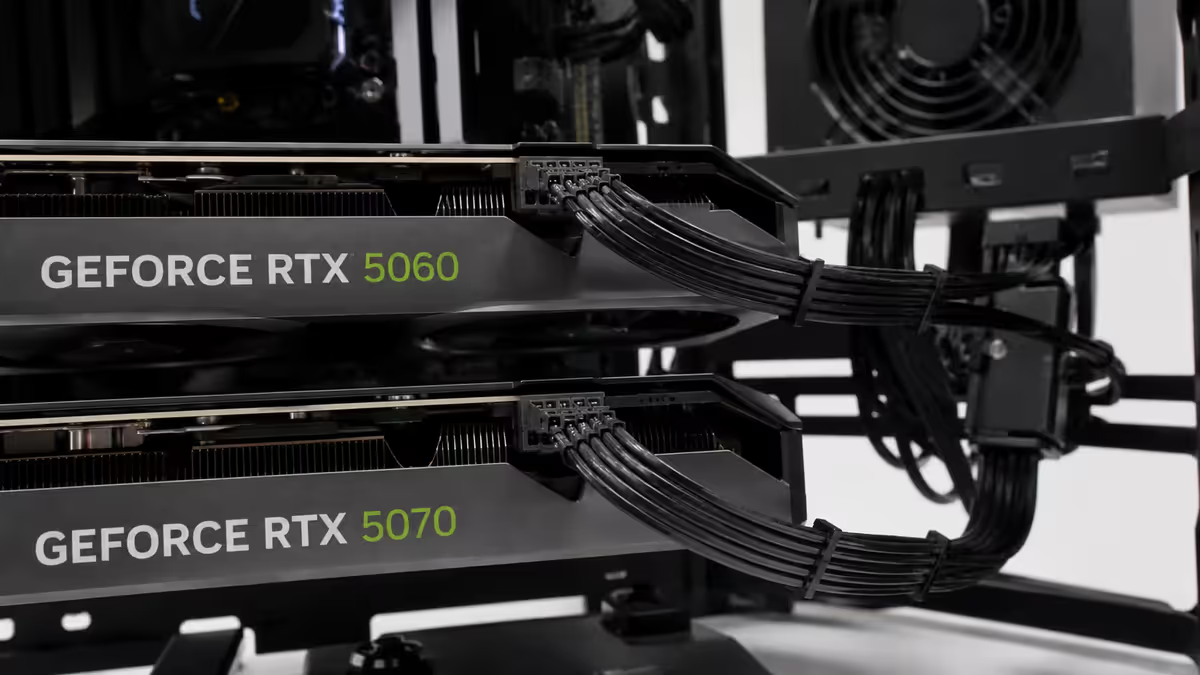
Both cards use the 12V-2x6 connector (revised 12VHPWR with shorter sense pins to prevent the partial-seating problems of the original). A PCIe 5.0-ready PSU avoids the adapter dongle entirely — worth budgeting for if you're building fresh.
CPU pairing and monitor match-up
Both cards can be bottlenecked by an underpowered CPU at 1080p, but the threshold is different.
RTX 5060 — Ryzen 5 territory
The 5060 pairs cleanly with a Ryzen 5 7600 / 7600X3D or Core i5-13400 / 14400. Going to a Ryzen 7 7800X3D will improve 1% lows in competitive titles by 5-8% but for AAA gaming at 1440p the GPU is the limiter and the Ryzen 5 is enough. Don't waste R2,500 on a CPU upgrade if you're sticking with the 5060.
RTX 5070 — Ryzen 7 minimum
The 5070 needs at least a Ryzen 7 7700 / 7800X3D or Core Ultra 7 265K to stretch its legs. A Ryzen 5 5600 (DDR4-era) will bottleneck the 5070 at 1080p by 15-25%. The 7800X3D remains the gold standard pairing — 3D V-Cache pushes 1% lows in CPU-heavy titles up by 12-18%.
Monitor pairing
| Monitor | Best card |
|---|---|
| 1080p 144Hz / 165Hz IPS | RTX 5060 (perfect match) |
| 1080p 240Hz IPS (AAA + esports) | RTX 5070 (5060 needs DLSS in AAA) |
| 1440p 144Hz IPS / OLED | RTX 5070 (5060 forced into DLSS) |
| 1440p 240Hz QD-OLED | RTX 5070 minimum (5070 Ti or 5080 ideal) |
| 3440x1440 ultrawide | RTX 5070 minimum |
| 4K 60Hz | Either with DLSS Quality (5070 preferred) |
When to pick each card
Pick the RTX 5060 when…
- Your monitor is 1080p (any refresh rate) and you have no plans to upgrade to 1440p in the next 18 months.
- You're CPU-limited to a Ryzen 5 / Core i5 and don't want to upgrade the CPU.
- Your PSU is 650W or you're working with a tight power budget.
- You play primarily esports titles (CS2, Valorant, Apex) where both cards saturate the panel.
- You'd rather put the R3,500 into RAM, storage, or a better monitor.
- Your case is small and 305mm card clearance is tight.
Pick the RTX 5070 when…
- Your monitor is 1440p (or you're buying one in the next 12 months).
- You play VRAM-hungry AAA titles at ultra settings (Wukong, Alan Wake 2, Cyberpunk with RT).
- You're pairing with a Ryzen 7 7800X3D / Core Ultra 7 or better.
- You want the card to last 3-4 years before the next upgrade.
- Your PSU is 750W+ and case clearance is 305mm+.
- You're targeting 144Hz 1440p AAA without leaning on DLSS for baseline performance.
Common mistakes when choosing between them
Buying the 5070 to "future-proof" on a 1080p monitor. Future-proofing rarely works in GPUs. By the time your 1080p monitor needs replacing, the 5070 will also be a generation old. Buy for what you have, then upgrade both together.
Buying the 5060 then "upgrading to 1440p later". If 1440p is in the plan, just buy the 5070 now. The cost of buying a 5060, selling it at 60% value, and buying a 5070 used or new typically exceeds buying the 5070 once by 30-40%.
Skimping on the PSU for the 5070. A 650W PSU will technically run a 5070 with a budget CPU, but transient spikes cause shutdowns and shorten PSU life. The R1,500 saved on a smaller PSU costs you the entire system stability.
Ignoring case length clearance. The 5070's 305mm length doesn't fit ITX cases and tight mATX builds. Measure before ordering — a returned GPU in SA is a 3-week round trip.
Pairing a 5070 with a Ryzen 5 5600. The DDR4-era Ryzen 5 5600 is a great budget chip but it bottlenecks the 5070 by 15-25% at 1080p in AAA titles. Either step up the CPU or step down the GPU — don't mismatch.
Key takeaways
- The decision tracks resolution intent — 1080p high-refresh = 5060, 1440p AAA = 5070.
- The 5070 is 35-55% faster in modern AAA titles, with the gap widening at 1440p and higher.
- 12GB VRAM on the 5070 is the new comfort floor — 8GB is already tight in 2026 ultra-texture AAA.
- Match the CPU to the GPU — Ryzen 5 with the 5060, Ryzen 7 7800X3D minimum with the 5070.
- From what buyers tell us afterwards, the R3,500 gap is worth it for most. The rest are 1080p-stayers.
Frequently asked questions
Is the RTX 5070 worth R3,500 more than the RTX 5060?
For 1440p gaming, yes — 40-55% more frames and 12GB vs 8GB VRAM. For pure 1080p, the 5060 is enough and R3,500 is better spent on a monitor or storage. Worth it for most buyers, going by what they tell us months later.Is 8GB of VRAM still enough in 2026?
At 1080p with high textures, yes — but the headroom is gone. At 1440p ultra textures, 8GB causes stutters in roughly half the 2026 AAA releases. 12GB is the new comfort floor for any card you want to keep three years.What CPU should I pair with an RTX 5070?
Ryzen 7 7700 / 7800X3D minimum, or Core Ultra 7 265K. A Ryzen 5 5600 will bottleneck the 5070 by 15-25% at 1080p. The 7800X3D remains the gold-standard pairing thanks to 3D V-Cache.What PSU do I need for an RTX 5060 or 5070?
650W 80+ Gold for the 5060. 750W 80+ Gold for the 5070 (850W if paired with Ryzen 9 / Core Ultra 9). Both use 12V-2x6 — a PCIe 5.0-ready PSU avoids the adapter dongle.Which card is better for 1080p 240Hz competitive gaming?
The 5060 — both cards easily exceed 240 fps in esports titles, so the 5070's extra horsepower is wasted. Save the R3,500 toward a better 240Hz panel.Does DLSS 4 Frame Generation work on both cards?
Yes — both are Blackwell with full DLSS 4 Multi-Frame Generation (up to 4x). The 5070 benefits more in practice because higher base frame rates produce cleaner generated frames with lower input latency.Can I upgrade from RTX 5060 to RTX 5070 later?
Yes but it rarely makes economic sense. The resale loss on the 5060 plus the higher price of the 5070 typically costs 30-40% more than buying the 5070 once. If you want 1440p, buy the 5070 from the start.What about the RTX 5060 Ti — does that change the decision?
The 5060 Ti 16GB (~R8,500 SA) sits between these two and is arguably the best-value of the three. If your budget is R8,000-R9,000, the 5060 Ti 16GB is often smarter than either the 5060 or 5070 — more VRAM than the 5070 with 70-80% of its performance.
Get the Evetech app
Exclusive app-only prices, daily flash sales, and free delivery on orders over R4,000 — download the app and start saving.