Hardware Explainer · BIOS
What is XMP / EXPO? The toggle you paid for. — Enable it once. Never think about it again.
Your DDR5-6000 kit ships boot-to-desktop at 4800 MT/s. Until you flip one switch in BIOS, you're running JEDEC fallback speeds and leaving 20-30% of the memory performance you paid for sitting in the kit's SPD chip.
- AM5 sweet spot
- 6000 / CL30
- Intel sweet spot
- 7200 / CL34
- vs JEDEC baseline
- +20-30%
SPD, XMP and EXPO — three profiles on every stick
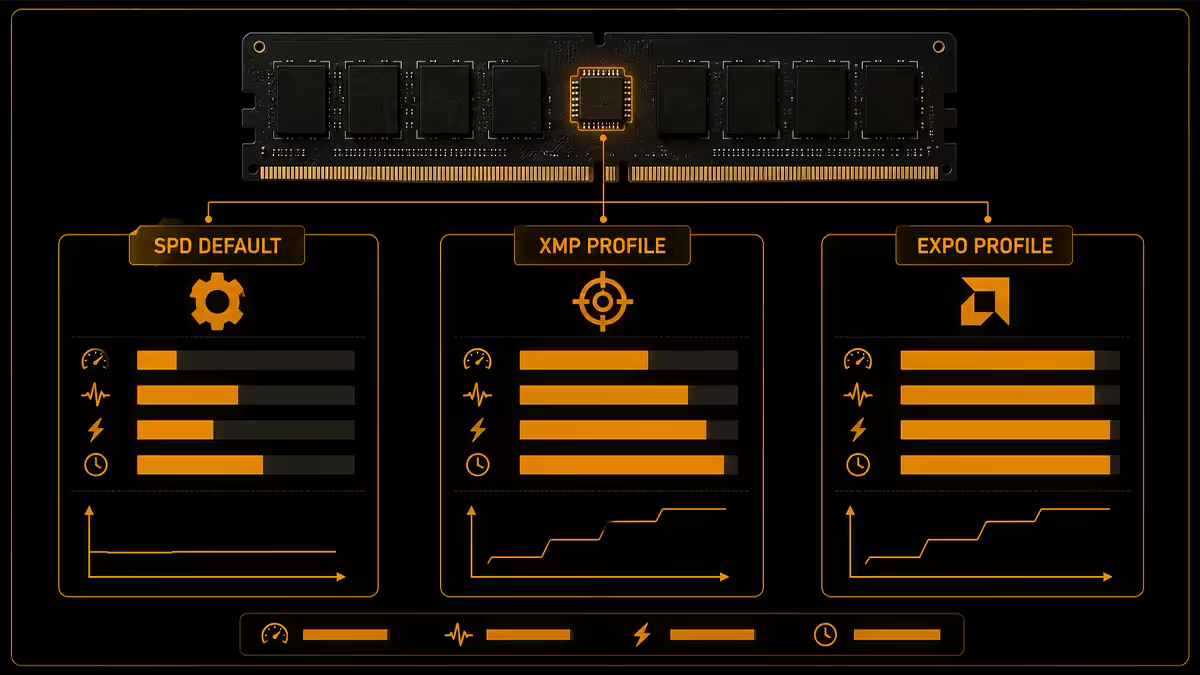
Every modern memory stick carries a tiny EEPROM chip called the SPD (Serial Presence Detect). The SPD holds multiple sets of configuration data — speed, timings, voltage — that the motherboard can read at boot to know how to drive the memory.
There are three profile tiers stored on the SPD:
- JEDEC. The industry-standard baseline. Every kit ships with at least one JEDEC profile guaranteed to work on every compatible board. For DDR5 in 2026 this is typically DDR5-4800 or DDR5-5600 at relaxed timings (CL40+) and 1.1V. Safe, slow, universal.
- XMP 3.0 (Intel-developed). Holds up to three custom profiles tuned by the kit manufacturer — speeds like DDR5-6000, 6400, 7200, 8000 with tighter timings and higher voltage (1.35-1.45V). Works on Intel platforms primarily, and most AMD AM5 boards can also load XMP profiles.
- EXPO (AMD). AMD's profile standard for DDR5, optimised for Ryzen IMC behaviour. Functionally identical to XMP but with sub-timings tuned for AM5. Most modern DDR5 kits ship with both XMP 3.0 and EXPO profiles in the same SPD.
When you power on a board with no XMP/EXPO enabled, it reads the JEDEC profile and runs at that speed. That's the "why is my 6000-CL30 kit running at 4800 CL40?" mystery solved in one paragraph.
How to enable XMP or EXPO — the universal steps
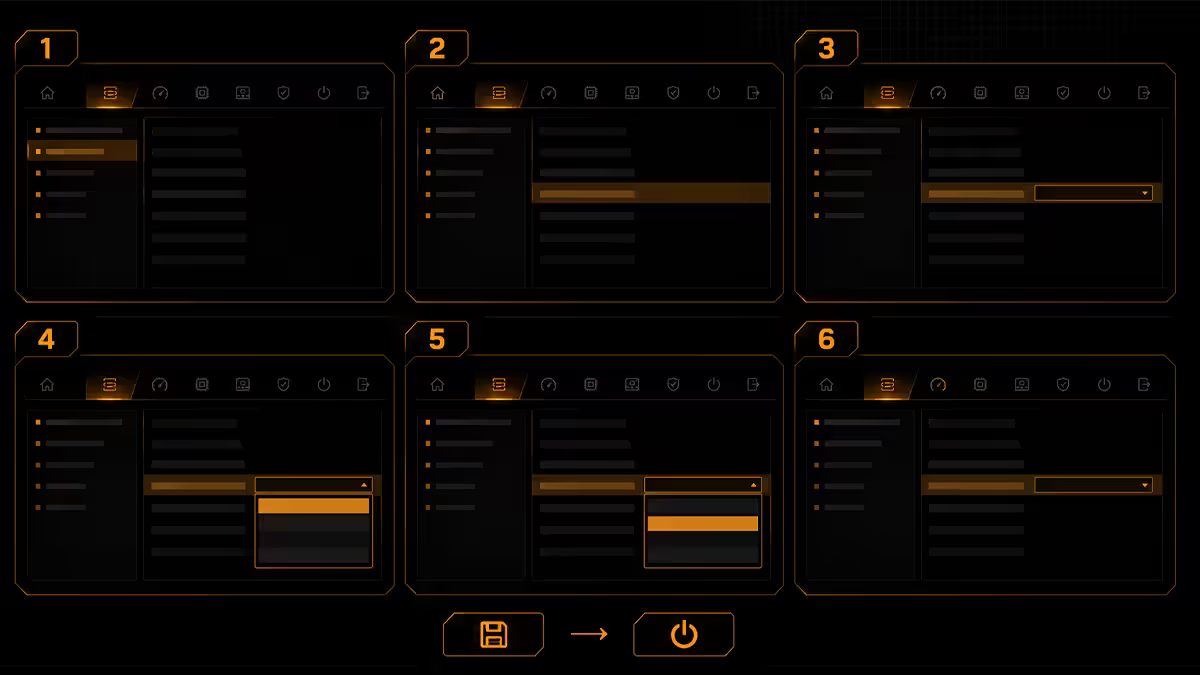
The vocabulary varies between vendors but the steps are the same on every board:
- Restart the system. During the POST splash, press the BIOS entry key — usually Delete, sometimes F2. If you miss the window, press the key repeatedly during the next boot.
- Switch from EZ Mode to Advanced. Most boards open in a simplified EZ Mode interface. Press F7 (or look for an Advanced Mode button) to access the full overclocking menus.
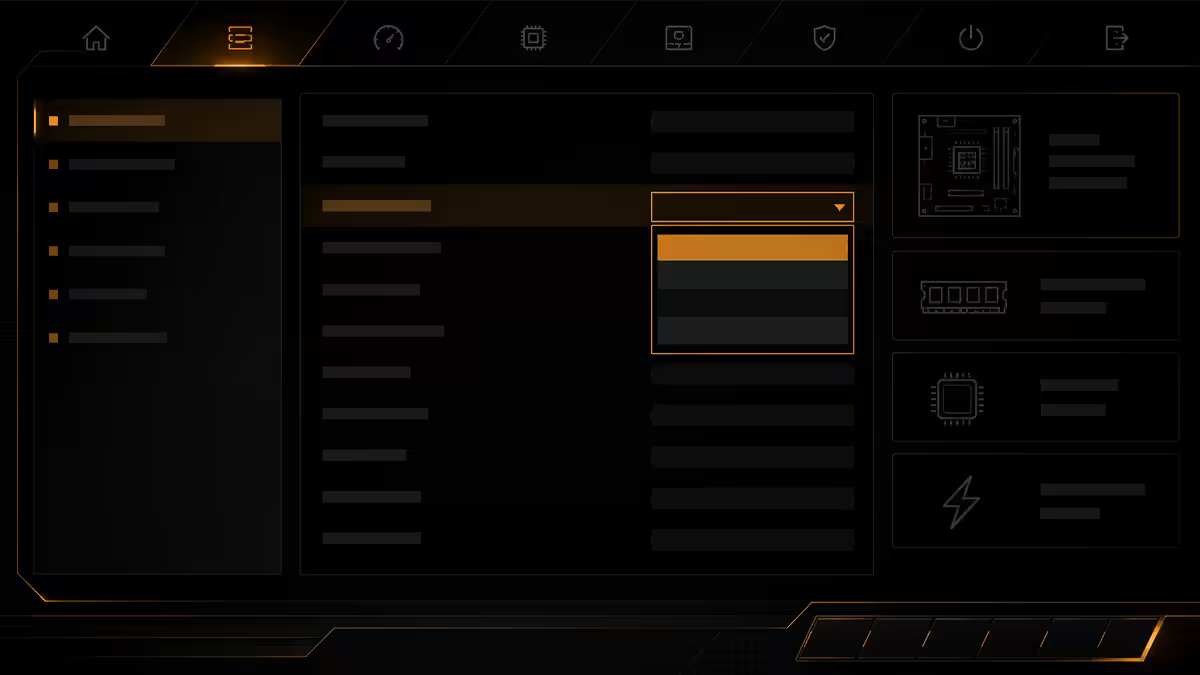
- Navigate to the memory profile setting. Look for "AI Overclock Tuner", "Extreme Memory Profile", "XMP", "EXPO" or "A-XMP" depending on vendor. The exact name varies — see the per-vendor section below.
- Select the profile. Usually "XMP I" or "Profile 1" on Intel; "EXPO I" on AMD. Some kits have multiple profiles — start with profile 1 (typically the manufacturer's tested config).
- Save and exit. Press F10, confirm, and the board will restart. The first boot after enabling may take 30-90 seconds while the memory controller trains the new profile. This is normal — don't power-cycle during training.
- Verify in Windows. Task Manager → Performance → Memory should now show the rated speed (e.g. "6000 MHz" or "Speed: 6000 MT/s").
By vendor — where to find the toggle
ASUS
Navigate to the Extreme Tweaker page (or Ai Tweaker on lower-tier boards). The first option is Ai Overclock Tuner — set this to "XMP I" on Intel or "EXPO I" on AMD. ASUS boards with both options will show "XMP/EXPO" with sub-options for which profile to use.
Gigabyte / Aorus
Navigate to the Tweaker page. The option is labelled Extreme Memory Profile (X.M.P.) on Intel or EXPO on AMD. Set to "Profile1" or "Profile2" as needed. Some Gigabyte AM5 boards add an "EXPO Tweaked" option which loads an EXPO profile with Gigabyte's optimised sub-timings.
MSI
On the OC page (Overclocking), look for XMP / EXPO toggle near the top. On older MSI boards it's labelled A-XMP on AMD platforms. Set to "Profile 1" or "Enabled". MSI's "Memory Try It!" submenu also offers preset memory profiles for popular kits if EXPO won't train cleanly.
ASRock
Navigate to the OC Tweaker page. The first option block is DRAM Configuration — within that, Load XMP Setting on Intel or Load EXPO Setting on AMD. Profile selection then proceeds as on other vendors.
AM5 vs Intel — the sweet spots that actually matter
Kit specs go absurdly high — DDR5-8000, 8400, 9000 are now retail products — but the speeds your actual CPU can run are dictated by the IMC, and the two platforms behave very differently.
| Platform | Sweet spot | Why |
|---|---|---|
| AMD AM5 (Ryzen 7000/9000) | DDR5-6000 CL30 EXPO | IMC runs 1:1 (UCLK = MCLK) up to ~6000-6200. Beyond that, drops to 2:1 and latency rises. |
| Intel LGA1700 (14th gen) | DDR5-7200 CL34 XMP | IMC operates in Gear 2 — decoupled from memory speed. Higher MT/s is genuinely faster. |
| Intel LGA1851 (Core Ultra) | DDR5-6400 to 7600 CL34 | CUDIMM kits unlock 8000+ but require board support. Standard UDIMM tops at ~7200-7600. |
| Intel/AMD 4-DIMM populated | DDR5-4800 to 5600 | Four sticks force speed reduction across all platforms — significant on AM5. |
For AM5 specifically, the 6000 CL30 sweet spot is not a recommendation — it's almost mandatory. Going above 6000 MT/s on AM5 forces the memory controller into 2:1 mode (UCLK at half MCLK), which adds enough latency to wipe out the bandwidth gain. A DDR5-7200 kit on AM5 typically performs slightly worse than DDR5-6000 CL30 in real games.
For Intel 14th gen and Core Ultra, the platform genuinely benefits from higher MT/s. DDR5-7200 CL34 is the practical retail ceiling for two-stick UDIMM kits; CUDIMM (Clocked DIMM) kits on Core Ultra unlock DDR5-8000-9000 but require a compatible board and a confident IMC.
The IMC silicon lottery
Here's the truth manufacturers don't print on the box: not every CPU sample can hit every rated kit speed. The memory controller is etched into the same silicon as the cores, and like every part of a chip, it varies between samples. Two identical-model Ryzen 9 9950X CPUs can have IMCs that hit DDR5-6400 vs DDR5-5800 respectively.
Practically, this means:
- Most AM5 chips run DDR5-6000 EXPO cleanly — this is why AMD aggressively recommends it. The hit rate for 6000 is high enough to be a safe default.
- DDR5-6400 EXPO is reachable on most chips but requires board and CPU lottery. About 70-80% of AM5 chips will train at 6400.
- DDR5-6600 EXPO on AM5 is the 1:1 ceiling for good IMC samples. Below 50% hit rate.
- Intel chips have more headroom in raw MT/s but the same lottery applies at high speeds — DDR5-8000 on Core Ultra is achievable but not universal.
If your CPU won't run the rated speed of your kit, you have three options: drop to a slower XMP profile, manually configure a slightly slower speed, or RMA the CPU only if you've confirmed memory and board are both QVL-listed at the speed you want.
When the board won't POST after enabling
Enabling XMP or EXPO and seeing a black screen, looping reboots or a stuck Q-code is a normal first-attempt outcome on some hardware combinations. The board hasn't bricked itself. The IMC failed to train at the requested speed and the BIOS is recovering.
What to do, in order:
- Wait. Especially on AM5. First-boot memory training after enabling EXPO can legitimately take 60-90 seconds with the screen blank. Don't power-cycle in the first 90 seconds.
- Cold boot. Power off fully, wait 10 seconds, power on. Sometimes the board needs a fresh start to train cleanly.
- Clear CMOS. If you're stuck in a reboot loop, locate the CLR_CMOS jumper or button on the board (most boards have a clearly labelled button on the rear I/O these days). With the system off, hit the button. This returns the board to JEDEC defaults so you can boot and reconfigure.
- Try the secondary XMP profile. Many kits ship with XMP 1 (flagship) and XMP 2 (conservative). XMP 2 will work where XMP 1 won't.
- Drop the speed manually. If XMP 6400 won't run, manually configure DDR5-6000 with the kit's secondary timings copied across. AM5 boards default to DDR5-6000 CL30 EXPO-like timings cleanly even when the kit is rated faster.
- Update BIOS. Major AGESA/BIOS revisions improve memory training compatibility. Check the board vendor's support page — a newer BIOS often resolves edge-case kits that refused to train on launch BIOS.
Memory Context Restore — the AM5 boot-time fix
If you've enabled EXPO on AM5 and noticed boot times jumped from 15 seconds to 60-90 seconds, you're not imagining it. AM5 boards re-train the memory on every cold boot by default. The training takes time. Memory Context Restore (MCR) saves the trained configuration to NVRAM and reuses it on subsequent boots, skipping the retrain.
To enable MCR: in BIOS, navigate to the DRAM Timing Configuration or Memory submenu (path varies per board). Find Memory Context Restore and set to Enabled. Pair with Power Down Enable (also in the same area) for fastest boots.
The trade-off: if MCR's stored config becomes corrupted (very rare, but possible after a CMOS reset or BIOS update), the first boot will fail and the board will fall back to a fresh training cycle. This is recoverable, not destructive. Most users enable MCR and never think about it again.
Some boards now ship with MCR enabled by default in newer AGESA (1.2.x and later). Check your motherboard's BIOS version — if MCR is already on, your boot times should already be acceptable.
Key takeaways
- XMP (Intel) and EXPO (AMD) are profiles stored on the RAM that unlock the rated speed.
- Restart, Delete to BIOS, find the XMP/EXPO toggle, enable, save and exit. First boot trains for 30-90 seconds.
- AM5 sweet spot: DDR5-6000 CL30. Intel sweet spot: DDR5-7200 CL34. Don't pay for kits the platform can't use.
- Silicon lottery is real — not every CPU sample hits every rated kit speed. Drop a profile or speed if needed.
- Failed POST? Clear CMOS, try secondary profile, or update BIOS. Don't panic.
- On AM5, enable Memory Context Restore to skip the cold-boot retrain cycle.
Frequently asked questions
What is XMP?
XMP (Extreme Memory Profile) is an Intel-developed memory standard storing a high-speed config on the RAM's SPD chip. When enabled in BIOS, the board applies the kit's rated speed, timings and voltage — far above JEDEC baseline. The RAM ships at JEDEC by default; XMP must be toggled on.What is EXPO?
EXPO (EXtended Profiles for Overclocking) is AMD's equivalent of XMP for DDR5 on AM5. Functionally identical — it stores rated speed and timing profiles on the SPD — but optimised for the Ryzen IMC. Most modern DDR5 kits ship with both XMP 3.0 and EXPO profiles.How do I enable XMP or EXPO in BIOS?
Restart, press Delete during boot. ASUS: Ai Overclock Tuner. Gigabyte: Tweaker → Extreme Memory Profile. MSI: OC page → XMP/EXPO. ASRock: OC Tweaker → Load XMP/EXPO Setting. Save with F10. First boot trains for 30-90 seconds.Why doesn't my RAM run at rated speed by default?
RAM ships at JEDEC speed (DDR5-4800 or 5600) to guarantee universal compatibility. The rated speed is an overclock relative to JEDEC. XMP/EXPO is opt-in because not every CPU sample's IMC hits every rated speed — the silicon lottery applies.What's the AM5 sweet spot for DDR5?
DDR5-6000 CL30 EXPO. The Ryzen 7000/9000 IMC runs 1:1 (FCLK matched to MCLK) up to ~6000-6200. Beyond that, drops to 2:1 mode and latency rises. Buy 2x16GB or 2x32GB at 6000 CL30 EXPO; faster is usually worse on AM5.What's the Intel sweet spot for DDR5?
Intel platforms handle higher speeds than AM5 — practical sweet spots sit around DDR5-7200-7600 CL34-36. The IMC operates in Gear 2 which decouples it from memory speed. For 14th gen, 2x16GB DDR5-7200 CL34 is the standard recommendation.What do I do if my PC won't POST after enabling XMP?
Wait 90 seconds — first-boot training can be slow. If looping, clear CMOS (jumper, button or pull battery for 60 seconds) to return to JEDEC. Then try a lower XMP profile, reduce speed manually, or accept that your CPU sample can't hit the rated speed.What is Memory Context Restore?
An AM5 BIOS option that saves the trained memory config between boots, dramatically reducing boot time after the first successful XMP/EXPO load. Without MCR, AM5 boards retrain every cold boot (30-60s). Pair with Power Down Enable for fastest boots.
Get the Evetech app
Exclusive app-only prices, daily flash sales, and free delivery on orders over R4,000 — download the app and start saving.