Hardware Explainer · DDR5, MT/s & CL
RAM speed, decoded. — MHz, MT/s, CL and the actual maths.
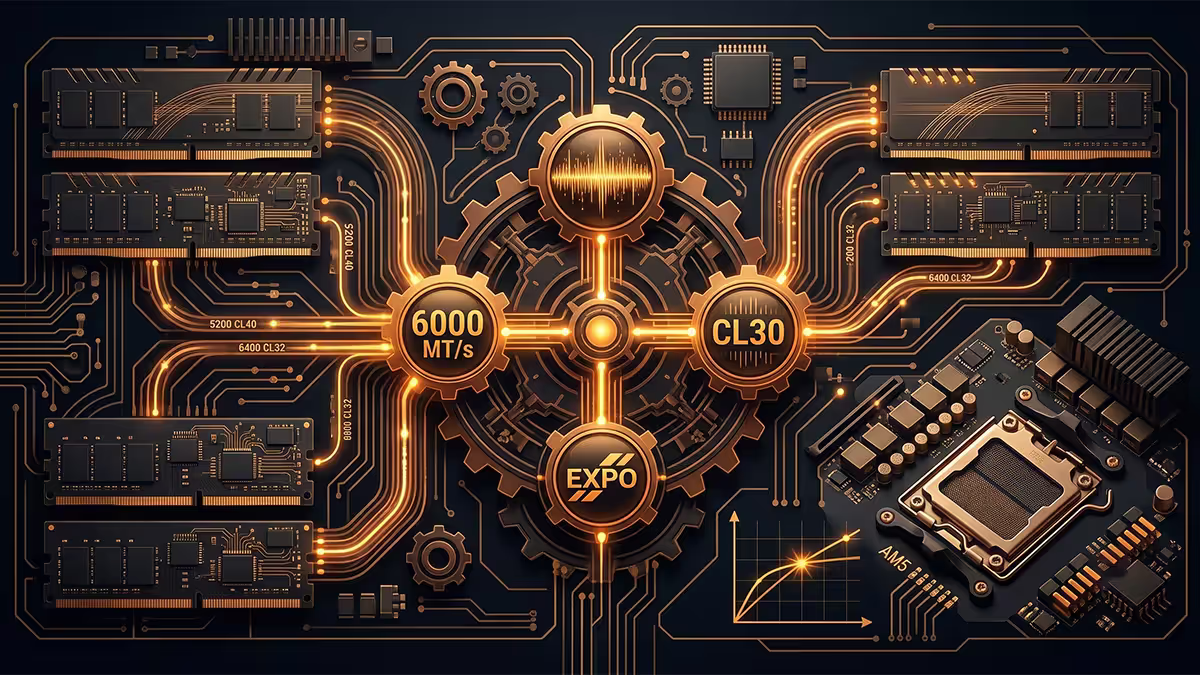
The "DDR5-6000" on the box and the "CL30" tucked beside it are two halves of one number that actually matters. Here's how to read it, calculate it, and pick the kit that books a perf gain without an EXPO meltdown.
- true latency · 6000 CL30
- 10.0 ns
- AM5 1:1 sweet spot
- 6000 MT/s
- right capacity 2026
- 32 GB
MHz vs MT/s — why the box lies a little
If you buy a "DDR5-6000 MHz" kit, the chip's actual clock is 3000 MHz. The number on the box is the megatransfers-per-second figure, not the clock rate. Both AMD, Intel, JEDEC and most retailers use "MHz" interchangeably with "MT/s" in marketing — which is technically wrong, but at this point everyone knows what's meant.
DDR stands for Double Data Rate. The trick that makes DDR fast is that data is transferred on both the rising edge and the falling edge of each clock cycle — two transfers per cycle. So a 3000 MHz clock yields 6000 MT/s of bandwidth. DDR5 added a second improvement: independent dual 32-bit sub-channels per DIMM that operate in parallel, which doubles effective throughput again versus DDR4.
The practical takeaway: read every spec as MT/s. When a kit is labelled "DDR5-6000 MHz CL30", read it as "DDR5-6000 MT/s, CL30". When you're in BIOS looking at the memory speed, the value will appear as MHz (e.g. "3000 MHz") because the BIOS shows the actual clock. They are the same kit, expressed at the two valid layers.
CAS latency — the headline timing number
CAS Latency (CL, sometimes written as tCL or CAS) is the count of clock cycles between the memory controller asking for data and the RAM delivering the first byte. It's the most visible of dozens of timings printed on the kit label (tCL, tRCD, tRP, tRAS, tRC, tCWL, tRFC, tREFI… and onward). The full timing string for a quality DDR5-6000 kit might look like 30-36-36-76.
Why does CL get headline billing? Because it's the dominant contributor to latency for typical access patterns. Tightening tCL from 36 to 30 at the same 6000 MT/s saves 6 clock cycles per memory request — and at 6000 MT/s, each cycle is 1/3000 ms or 0.333 ns. Six cycles is 2 ns saved per request. That's small in isolation but adds up across millions of requests per second.
The other timings matter too — particularly tRCD (RAS-to-CAS delay) and tRP (Row Precharge), which together with tCL form the canonical four-number timing string. But for buying decisions, CL is what to focus on. A kit's tRCD and tRP will be roughly proportional to its CL.
Calculating true latency in nanoseconds
The most useful formula in this entire guide:
Worked examples:
- DDR5-6000 CL30 → (30 / 6000) × 2000 = 10.0 ns
- DDR5-6000 CL36 → (36 / 6000) × 2000 = 12.0 ns
- DDR5-6400 CL32 → (32 / 6400) × 2000 = 10.0 ns
- DDR5-7200 CL34 → (34 / 7200) × 2000 = 9.44 ns
- DDR5-8000 CL38 → (38 / 8000) × 2000 = 9.5 ns
- DDR4-3600 CL16 → (16 / 3600) × 2000 = 8.89 ns
Two interesting observations. First, DDR5-6000 CL30 and DDR5-6400 CL32 have identical true latency at 10 ns — so the question becomes bandwidth (6400 wins) vs platform stability (6000 wins on AM5). Second, DDR4-3600 CL16 actually has lower latency than most DDR5 kits — the bandwidth gap is what makes DDR5 worthwhile on modern platforms, not the latency.
AM5 sweet spot — DDR5-6000 CL30 EXPO

Ryzen 7000 and Ryzen 9000 have two relevant clocks beyond the RAM speed: the Infinity Fabric clock (FCLK) and the memory controller clock (UCLK). For maximum performance, all three want to run in 1:1:1 sync. The chip's memory controller has a confidence ceiling around 3200 MHz UCLK — which corresponds to 6400 MT/s RAM in 1:1 mode, with 6000 MT/s being the safe and universal sweet spot.
Push past 6400 MT/s and the memory controller usually has to drop to a 2:1 ratio, which adds latency that outweighs the extra bandwidth gain in nearly every real workload. This is why every reviewer, every Ryzen Master engineer and every PC building guide ends up at the same recommendation: DDR5-6000 CL30 EXPO for a 32 GB kit, expandable to 64 GB with the same kit family if needed.
Specific kits we stock and ship daily that deliver this combination at a sensible SA price: G.Skill Flare X5 6000 CL30, Kingston Fury Beast 6000 CL30, Corsair Vengeance 6000 CL30, Crucial Pro 6000 CL30. All are EXPO-certified and boot cleanly on every Ryzen 7000/9000 build we've tested.
Intel scaling — raw MT/s wins more
Intel Core 13th gen, 14th gen and the Core Ultra series have a different memory controller architecture than AMD. Intel's controller scales reliably to higher MT/s without the 1:1 ratio drop-off — DDR5-7200 CL34 is a stable, common configuration on Z790 and Z890 boards.
The sensible Intel picks:
- Mid-range Intel build: DDR5-6400 CL32 — the value sweet spot, runs everywhere with XMP.
- High-end Intel build: DDR5-7200 CL34 — clear gaming/productivity wins on 14700K and Core Ultra 9 285K.
- Enthusiast tuning: DDR5-8000 CL38 with CUDIMM modules. Requires top-tier Z790/Z890 board and good silicon luck.
Note that Intel and AMD are often closer in real performance than the spec gap suggests. A Ryzen 7800X3D with DDR5-6000 CL30 beats most Intel chips with DDR5-7200 CL34 in gaming, because the 3D V-cache hides memory latency. RAM speed matters most when the CPU's cache is small or already saturated.
When EXPO or XMP won't boot
You buy the DDR5-6000 CL30 kit, you install it, you enable EXPO in BIOS, you save and reboot — and the board cycles through three POST attempts before booting at the JEDEC default of DDR5-4800. Or worse, won't POST at all and you have to clear CMOS. This happens, and it's almost always fixable.
The diagnostic ladder
1. Update the BIOS to the latest version. By far the most common cause of EXPO/XMP failure on AM5 is an old BIOS with poor memory training. Update via USB BIOS Flashback (no CPU needed on most boards). This fixes most cases on its own.
2. Try just two DIMMs first. If you bought four DIMMs to fill all four slots, AM5 boards almost universally struggle. Two DIMMs at full speed always beats four at reduced speed. If you genuinely need 64 GB, buy a 2×32 GB kit, not a 4×16 GB kit.
3. Drop the kit one speed bin. If 6400 won't boot, try 6000. If 6000 won't hold, try 5600 with the same timings. Once stable, run MemTest86 for at least 4 hours.
4. Loosen the primary timings. If 6000 CL30 won't pass MemTest, manually set CL to 32 or 34 in BIOS while keeping the same MT/s. Adds a fraction of a nanosecond latency, fixes most edge-case instability.
5. Bump SoC voltage slightly. On AM5, raising SoC voltage to 1.30-1.32 V (never higher — Asus learned this the hard way in 2023) can stabilise marginal kits. On Intel, raising VCCSA can help equivalent.
When fast RAM actually matters for gaming
The honest answer: fast RAM matters less than most reviewers imply, but more than YouTube budget guides admit. The variable is the game and the CPU.
- 1080p competitive titles (CS2, Valorant, Fortnite, Apex): RAM speed is the second-biggest variable after CPU. DDR5-6000 CL30 vs DDR5-4800 CL40 can yield 10-20% fps gains on a 14700K or 7700X.
- 1440p AAA games: RAM matters less. Typical gap is 3-7% between baseline DDR5-4800 and tuned DDR5-6000 CL30.
- 4K AAA games: Almost always GPU-bottlenecked. RAM gap is 1-3% in almost every case.
- X3D Ryzen parts (7800X3D, 9800X3D, 9950X3D): RAM speed contributes least here, because the 96 MB L3 cache services memory requests before they reach the DIMMs. The 6000 CL30 is still ideal, but going faster yields almost nothing.
For productivity it's similar — heavy multi-thread workloads (compilation, video encode, 3D render) gain 5-12% from tight RAM, and that adds up over weekly hours. Light productivity and office tasks see no measurable benefit beyond DDR5-4800.
RAM picks by platform and use case
| Build | Pick | SA price |
|---|---|---|
| AM5 mainstream (32 GB) | DDR5-6000 CL30 EXPO 2×16GB | R1,750-R2,400 |
| AM5 enthusiast (64 GB) | DDR5-6000 CL30 EXPO 2×32GB | R3,200-R4,200 |
| Intel mainstream (32 GB) | DDR5-6400 CL32 XMP 2×16GB | R1,900-R2,600 |
| Intel enthusiast (32 GB) | DDR5-7200 CL34 XMP 2×16GB | R2,800-R3,500 |
| Workstation (64 GB) | DDR5-6000 CL30 EXPO 2×32GB | R3,200-R4,200 |
| Content creator (96 GB) | DDR5-5600 CL40 2×48GB | R5,200-R6,500 |
| SFF / low profile | DDR5-6000 CL30 low-profile heatspreader | R1,900-R2,400 |
Key takeaways
- Read kits as MT/s, not MHz. DDR5-6000 is 6000 MT/s on a 3000 MHz clock.
- True latency = (CL ÷ MT/s) × 2000 ns. Use it to compare any two kits.
- AM5 sweet spot: DDR5-6000 CL30 EXPO. Don't push past 6400 — 2:1 mode kills the gain.
- Intel scales with raw MT/s. DDR5-6400 CL32 mid-range; DDR5-7200 CL34 enthusiast.
- EXPO won't boot? Update BIOS, use 2 DIMMs, drop a bin, loosen primaries. Stop at 1.32 V SoC.
Frequently asked questions
What is the difference between MHz and MT/s on RAM?
MT/s (megatransfers per second) is the correct way to spec DDR memory. MHz is technically the clock cycle rate, which is half of MT/s on DDR (Double Data Rate) memory. DDR5-6000 runs at 3000 MHz clock and transfers data twice per cycle for 6000 MT/s. Most marketing labels both "DDR5-6000 MHz" even though the chip's actual clock is 3000 MHz. Use MT/s — it's what your CPU sees.What does CL mean on a RAM kit?
CL (CAS Latency) is the number of clock cycles between the memory controller asking for data and the RAM delivering the first bit. Lower CL is faster at the same MT/s. A DDR5-6000 CL30 kit responds in 30 clock cycles; the same speed at CL36 takes 6 extra cycles per request. CL is only one of dozens of timings, but it's the headline number that captures real-world latency the best.How do I calculate true RAM latency?
True latency in nanoseconds = (CL / MT/s) × 2000. For DDR5-6000 CL30: (30 / 6000) × 2000 = 10 ns. For DDR5-7200 CL34: (34 / 7200) × 2000 = 9.44 ns. So a "slower" MT/s kit with tighter CL can be lower latency than a "faster" MT/s kit with loose timings. Use this formula to compare kits apples-to-apples.What is the best RAM speed for AMD Ryzen AM5?
DDR5-6000 CL30 is the AM5 sweet spot. It runs in 1:1 sync with the Infinity Fabric on Ryzen 7000 and 9000, delivering the best gaming and productivity performance per rand. DDR5-6400 CL32 works on most boards but pushes the memory controller. DDR5-7200+ requires running the Infinity Fabric in 2:1 mode, which loses the latency advantage. Stick with 6000 CL30 EXPO.What is the best RAM speed for Intel?
Intel Core 13th, 14th gen and Core Ultra scale better with raw MT/s than AMD does. DDR5-6400 CL32 is the sensible mid-range pick. DDR5-7200 CL34 is the enthusiast option and runs reliably on Z790 and Z890 boards. DDR5-8000 CL38 is possible but requires CUDIMM modules and a quality board. For most Intel builds DDR5-6400 CL32 hits the value sweet spot.Why does my RAM not boot at the advertised XMP or EXPO speed?
XMP (Intel) and EXPO (AMD) profiles are factory-validated by the RAM vendor but not guaranteed by your CPU's memory controller. Some chips can't sustain 6400+ MT/s reliably. Fixes: update your motherboard BIOS to the latest version, manually loosen the primary timings (e.g. CL30 to CL32), drop the kit one speed bin (6400 to 6000), or raise SoC voltage slightly. If all four 32 GB DIMMs won't run EXPO, try just two DIMMs first.When does fast RAM actually matter for gaming?
Fast RAM matters most for CPU-bottlenecked games at low resolutions (1080p, esports titles) and for chips with smaller L3 cache. The Ryzen 7800X3D and 9800X3D have enormous 3D V-cache and care less about RAM speed. Non-X3D chips and Intel parts see 10-20% fps gains from DDR5-6000 CL30 over DDR5-4800. At 4K with high settings, RAM speed difference is typically 1-3% — the GPU is the bottleneck.Is it better to buy faster RAM or more RAM?
For most builders in 2026: 32 GB DDR5-6000 CL30 is the right pick. More than 32 GB only helps content creators, heavy multitaskers and Chrome-tab-collectors. Faster than 6000 CL30 on AMD or 6400 CL32 on Intel hits diminishing returns. Don't buy 64 GB DDR5-5200 instead of 32 GB DDR5-6000 unless you genuinely need the capacity — the speed difference is more visible day-to-day.
Get the Evetech app
Exclusive app-only prices, daily flash sales, and free delivery on orders over R4,000 — download the app and start saving.