AIO Radiator Buying Guide
AIO radiator sizes. — 120, 240, 280, 360 or 420?
The radiator is the cooler. The pump just moves coolant. Size your radiator to your CPU's heat, your case, and your noise floor — not to what looks impressive in a YouTube thumbnail.
- sweet spot
- 360mm
- 360 vs 280 area
- ~6%
- SA price range
- R1.5k-R5k
What the radiator actually does
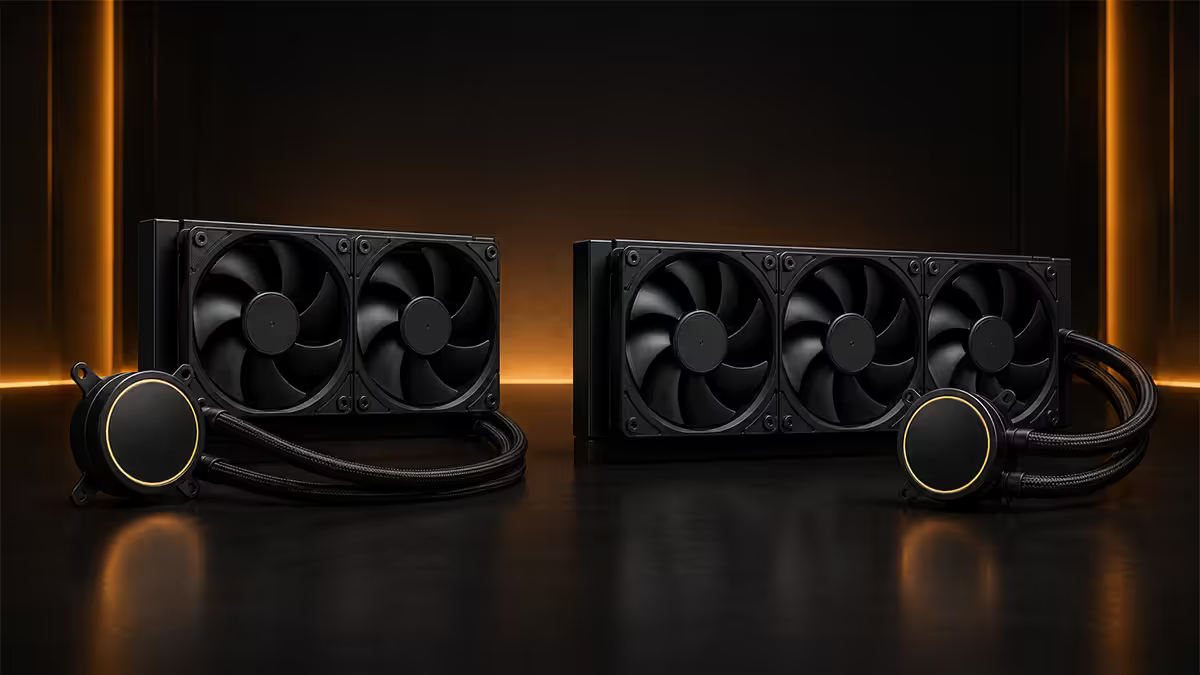
An AIO (all-in-one) liquid cooler is a closed loop. The pump sits on the CPU, pulls heat into coolant, then circulates that warm coolant through the radiator where the fans dump it into the air. The radiator is the cooler — the pump only moves heat around. Pump power matters for flow rate, but radiator surface area dictates how much heat the system can dissipate per unit time.
Three things determine radiator cooling capacity: surface area (more fins, more contact with passing air), airflow through the radiator (CFM of the fans at their operating RPM), and radiator thickness (a 38mm-thick radiator holds more coolant and exposes more internal surface than a 27mm-thick one). For most consumer AIOs, thickness sits at 27mm — the differences between sizes come down to fin area and fan size.
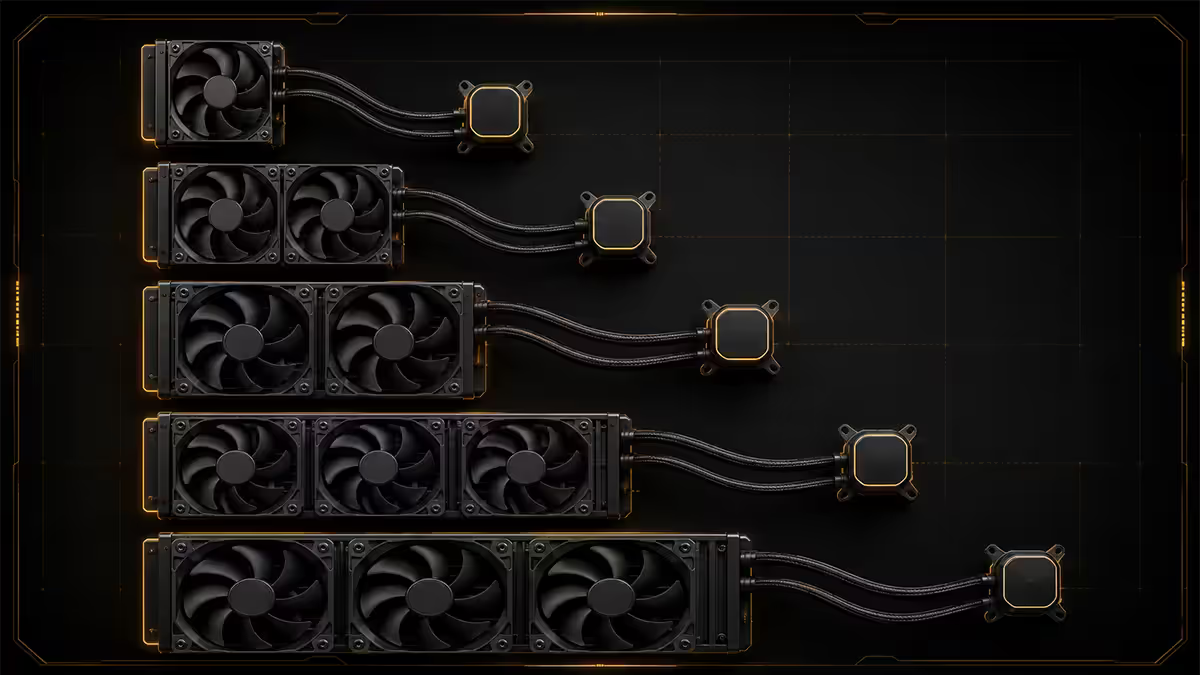
| Size | Fan layout | Approx surface area |
|---|---|---|
| 120mm | 1x 120mm fan | ~120 cm² |
| 240mm | 2x 120mm fans | ~240 cm² |
| 280mm | 2x 140mm fans | ~280 cm² |
| 360mm | 3x 120mm fans | ~360 cm² |
| 420mm | 3x 140mm fans | ~420 cm² |
Size-by-size breakdown
120mm — skip it
A 120mm AIO has one fan and roughly the surface area of a mid-range air cooler's heatsink, with a pump that adds noise and a small reservoir of coolant that will eventually permeate out. For the R900-R1,300 a 120mm AIO costs, a Deepcool AK500 air cooler (R600) beats it on cooling, noise, reliability and price. The only reason to buy a 120mm AIO is to fit in a Mini-ITX SFF case where a tower air cooler physically won't go.
240mm — the rational entry point
240mm AIOs handle every 65W chip easily and cope with 105W Ryzen 7 and Core i7 reasonably under load. The R1,400-R2,200 SA price range covers Corsair iCUE H100i, NZXT Kraken 240, DeepCool LS520 SE and ARCTIC Liquid Freezer III 240. Fits any standard mid-tower with a front or top 240mm radiator mount.
280mm — the quiet alternative
280mm uses two larger 140mm fans instead of two 120s. Same fan count, more surface area, larger fans that move similar air at lower RPM. The result is meaningfully quieter operation at the same thermal load. The catch: not every case supports 280mm — the radiator is wider and many ATX mid-towers spec front mounts at 240/360 only. Always verify the case manual before ordering.
360mm — the sweet spot
360mm is where AIO design hits its best price-to-performance ratio. Fits the vast majority of standard ATX mid-towers, cools every consumer CPU through Ryzen 9 7950X3D and Core i9-14900K at noise-controllable fan speeds, and the price step from 240 to 360 is usually only R400-R600. If your case supports it and your CPU is 105W or higher, default to 360.
420mm — for sustained heavy loads
420mm AIOs deliver 15-20% more surface area than 360mm and are quieter at the same thermal output, but they require a full-tower case (or a very specific mid-tower that explicitly supports 420mm) and add R1,500-R2,500 to the cost. Worth it for long Blender renders, Cinema 4D rigs and sustained 100% multi-thread workloads on overclocked HEDT chips. Not worth it for gaming.
Matching radiator size to your CPU's TDP
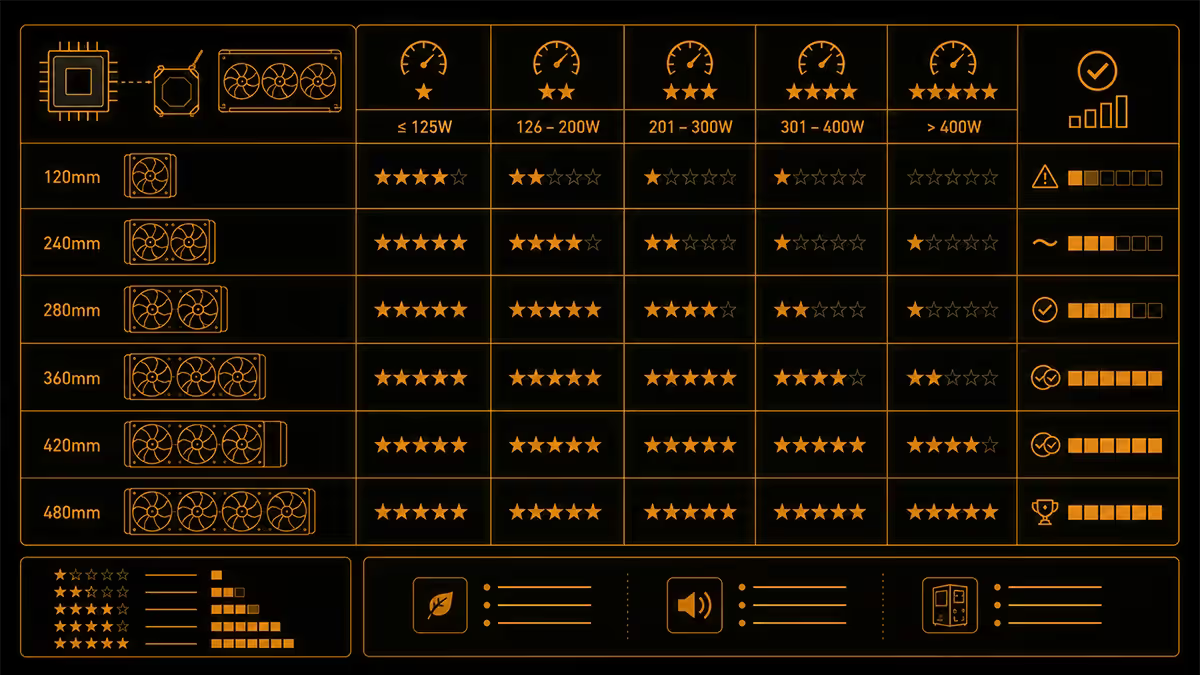
CPU TDP (Thermal Design Power) is the heat the cooler has to deal with at sustained load. Modern AMD and Intel chips boost well past their nominal TDP — a "65W" Ryzen 7 9700X can pull 88W under heavy load; a "125W" Core i7-14700K hits 253W peak. Size your radiator to peak power draw, not the marketing TDP.
| CPU class | Recommended size | Headroom |
|---|---|---|
| Ryzen 5 9600X / Core i5-14400 | 240mm | Comfortable |
| Ryzen 7 9700X / Core i5-14600K | 240mm or 280mm | Comfortable, 280 quieter |
| Ryzen 7 9800X3D / Core i7-14700K | 360mm | Comfortable |
| Ryzen 9 9900X / Core i7-14700K (OC) | 360mm | Good for gaming, marginal for render |
| Ryzen 9 9950X / Core i9-14900K | 360mm or 420mm | 360 thermally limits sustained MT; 420 doesn't |
| Threadripper 7000-series | 420mm + push-pull | Minimum for sustained ST |
Case compatibility — measure twice, order once
The single biggest AIO mistake is buying a radiator your case won't fit. Cases publish their radiator support in the spec sheet — read it before you order.
Things to check on the case spec page:
- Front-mount support — usually listed as "up to 360mm" or "up to 280mm".
- Top-mount support — many cases support smaller radiators on top than front (typically 240/280 only on top, with 360 reserved for front).
- Radiator + fan total clearance — a 360mm radiator is roughly 27mm thick; add 25mm for fans = 52mm of clearance needed. The case must specify this in the radiator section.
- RAM clearance — when top-mounting, the radiator + fan stack can collide with tall DDR5 sticks. Verify the case lists "RAM-clear top radiator".
- GPU clearance — when front-mounting, the radiator + fans can interfere with long GPUs. Check the case's "max GPU length with front radiator" spec.
Top-mount vs front-mount — what changes
There are two reasonable places to put an AIO in a tower case: at the top exhausting air upward, or in the front pulling in fresh air. Both work; they have different thermal trade-offs.
Front-mount (intake): the radiator gets ambient room-temperature air. CPU temps run 2-4°C lower. The downside is the warm air leaving the radiator now flows through the case toward the GPU and motherboard VRMs — those run 3-6°C hotter as a result.
Top-mount (exhaust): the radiator gets air that's already been warmed by the GPU and other components. CPU temps run 2-4°C higher than front-mount. The upside is the warm radiator exhaust leaves the case immediately, keeping the GPU and VRMs in cooler air.
Default choice: front-mount intake for CPU-bound workloads (gaming with a modest GPU, productivity), top-mount exhaust for GPU-heavy workloads (rendering with a high-end GPU, AI inference). For a balanced gaming build with a 4070-class card, either works within 2°C of the other.
Push, pull, push-pull — what actually matters
Push = fans on the intake side of the radiator, pushing air through. This is how every AIO ships by default. Works perfectly.
Pull = fans on the exhaust side, drawing air through. Functionally identical to push in cooling. Sometimes physically necessary if your case has front-panel mesh or filter restrictions that require the radiator to sit closer to the chassis.
Push-pull = fans on both sides. Adds 1-2°C of cooling at high RPM. The catch: now you have double the fans running at the same RPM, which means roughly +3 dB of noise. Only worth it for record-chasing or extreme overclocking. For a normal gaming or productivity build, push-pull is wasted money.
The biggest single acoustic factor in an AIO is fan RPM curve, not push/pull orientation. A 360mm radiator running fans at 800 RPM at idle and 1300 RPM under load is almost silent. The same radiator with fans pegged at 1800 RPM under load is irritating regardless of orientation.
SA picks per tier
| Size | Best SA pick | Price |
|---|---|---|
| 240mm budget | DeepCool LS520 SE / ARCTIC Liquid Freezer III 240 | R1,400-R1,900 |
| 240mm premium | Corsair iCUE H100i RGB Elite / NZXT Kraken 240 | R2,200-R2,800 |
| 280mm quiet pick | ARCTIC Liquid Freezer III 280 / Lian Li Galahad II Trinity 280 | R2,400-R3,000 |
| 360mm value | DeepCool LS720 / ARCTIC Liquid Freezer III 360 | R2,400-R3,200 |
| 360mm premium | NZXT Kraken Elite 360 RGB / Corsair iCUE H150i Elite LCD | R4,200-R5,500 |
| 420mm for sustained MT | ARCTIC Liquid Freezer III 420 / Lian Li Galahad II Trinity 420 | R3,400-R4,800 |
| SFF 120/240mm | NZXT Kraken 120 / ARCTIC Liquid Freezer III 240 | R1,200-R1,900 |
Key takeaways
- 360mm is the default sweet spot — cools every consumer CPU, fits most mid-towers, quiet at sane fan RPM.
- Skip 120mm AIOs. A R600 Deepcool AK500 air cooler beats every 120mm AIO ever made.
- 280mm trades 1-3°C of cooling for meaningfully lower noise vs 360mm. Quiet builds, consider it.
- Front-mount intake is 2-4°C cooler on the CPU; top-mount exhaust is 3-6°C cooler on the GPU.
- Verify case compatibility from the manual, not the marketing bullets. Account for fan thickness.
Frequently asked questions
What size AIO do I need for my CPU?
65W chips — 240mm is fine. 105W Ryzen 7/9 and Core i7 — 280 or 360mm. Ryzen 9 9950X / Core i9-14900K with sustained multi-thread — 360 or 420mm.Is 360mm always better than 280mm?
Slightly. 360 has ~6% more surface area but 280's larger 140mm fans move similar air at lower RPM (quieter). The real-world thermal delta is 1-3°C under load.Top-mount or front-mount AIO — which is better?
Front-mount intake cools the CPU 2-4°C better. Top-mount exhaust keeps the GPU and VRMs 3-6°C cooler. Default to front for CPU-bound work, top for GPU-bound.Do I need to buy extra fans for my AIO?
No. Every AIO ships with fans pre-mounted. Only buy extra fans if you specifically want push-pull (rare, niche, +3 dB noise).What case sizes fit each radiator size?
120mm — most cases including SFF. 240 — compact mid-tower up. 280 — needs explicit 140mm mount support. 360 — standard ATX mid-tower. 420 — full-tower territory.Push vs pull vs push-pull — does it matter?
For most builds, default push is perfect. Push-pull adds 1-2°C cooling but doubles fan noise. Niche use only.Single 120mm AIO vs a good air cooler — which wins?
Air wins. Deepcool AK500 (R600) beats every 120mm AIO on cooling, noise and reliability. The cheapest AIO worth considering is a 240mm.How long does an AIO last in South African conditions?
Pump life is rated 50,000+ hours — about 6 years 24/7. Coolant permeation is the long-term failure mode, typically 5-7 years. ARCTIC and NZXT designs tend to last longest.
Get the Evetech app
Exclusive app-only prices, daily flash sales, and free delivery on orders over R4,000 — download the app and start saving.