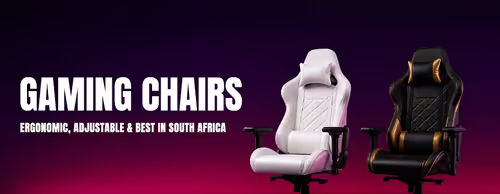
Gaming Chairs for Comfort & Support
Gaming Chairs — Racing & Ergonomic (107)
- Arozzi Zona Square Floor Pad - Black Gold
- open-box-gamdias-zelus-e2-black-orange-gaming-chair
- Gamdias ZELUS E5 Gaming Chair Black
- HHGears SM 115 Gaming Chair Black
- HHGears SM 115 Gaming Chair Black White
- gamdias-zelus-e2-gaming-chair-black-orange
- Gamdias Zelus E4 Weave Gaming Chair Black Grey
- Gamdias Zelus E2 Gaming Chair Black
- Gamdias Zelus E2 Gaming Chair Black Red
- Gamdias Zelus E3 Weave Gaming Chair Black Grey
- Gamdias Zelus M3 Gaming Chair Black Orange
- Enova BKJ Gaming Chair - Black-Blue
- enova-bkj-gaming-chair-black-green
- Gamdias Zelus M3 Weave Gaming Chair Black Grey
- Arozzi Avanti Soft Fabric Gaming Chair - Pure Black
- Arozzi Avanti Soft Fabric Gaming Chair - Ash
- Arozzi Avanti Soft Fabric Gaming Chair - Dark Grey
- Gamdias Zelus M2 Gaming Chair Black White
- Arozzi Avanti Soft Fabric Gaming Chair Green
- Arozzi Avanti Soft Fabric Gaming Chair - Light Grey
- Gamdias ZELUS M4 Weave Gaming Chair Grey Black
- Enova ESS Office Chair - Light Grey
- Gamdias Zelus M2 Gaming Chair Black
- arozzi-torretta-super-soft-fabric-gaming-chair
- arozzi-torretta-super-soft-fabric-gaming-chair
- autofull-c3-essential-gaming-chair-black
- arozzi-torretta-softpu-gaming-chair-black-and-red
- Arozzi Torretta Super Soft Fabric Gaming Chair Pure Black
- arozzi-torretta-super-soft-pink-gaming-chair
- Enova Bloodragon BLS Gaming Chair Gold
- Enova Bloodragon BLS Gaming Chair Green
- Vertagear SL1800 Office Gaming Chair White Blue
- Vertagear SL1800 Office Gaming Chair Black Red
- Vertagear SL1800 Office Gaming Chair White Black
- Gamdias Aphrodite MF1 Gaming Chair Black
- enova-ehj-005a-gaming-chair-footrest-black-nylon-frame
- autofull-g5-gaming-chair-silver
- autofull-c3-essential-gaming-chair-spirit-wind
- autofull-c3-essential-gaming-chair-graffiti-af111bssc
- autofull-c3-titan-gaming-chair-light-gray
- Vertagear SL1800 Office Gaming Chair Black
- enova-ezy-gaming-chair-black-rose
- Enova Bloodragon BLS Gaming Chair Silver
- arozzi-vernazza-softpu-gaming-chair-pure-black
- arozzi-vernazza-softpu-gaming-chair-black-red
- enova-bloodragon-bxz-gaming-chair-azure
- Enova Bloodragon BXZ Gaming Chair Red
- arozzi-vernazza-soft-fabric-office-and-gaming-chair-purple
- arozzi-vernazza-soft-pu-office-and-gaming-chair-white
- autofull-c3-pro-womens-gaming-chair-morandi
- autofull-g5-pink-gaming-chair
- enova-ezy-008a-1-office-chair-light-grey
- arozzi-vernazza-supersoft-gaming-chair-forest
- arozzi-vernazza-supersoft-gaming-chair-pure-black
- arozzi-vernazza-supersoft-gaming-chair-pink
- enova-ehj-006a-gaming-chair-gray-nylon -frame
- Enova Bloodragon BXZ Gaming Chair - Purple
- autofull-c3-pro-womens-gaming-chair-little-bear
- Vertagear SL3800 Gaming Chair Black White
- Vertagear SL3800 Gaming Chair Black Green
- Vertagear SL3800 Gaming Chair Black Red
- Arozzi Vernazza XL Supersoft Gaming Chair Light Grey
- Arozzi Vernazza XL Supersoft Gaming Chair Forest
- autofull-g5-gaming-chair-purple
- enova-ehj-007a-black-aluminium-frame-gaming-chair
- Vertagear SL5800 Gaming Chair Black White
- Vertagear SL5800 Gaming Chair Black Purple
- Vertagear SL5800 Gaming Chair Black Green
- Vertagear SL5800 Gaming Chair Black Blue
- Vertagear SL5800 Gaming Chair Black Red
- enova-ehj-008a-gaming-chair-gray-aluminium-frame-footrest
- noblechairs-icon-faux-leather-gaming-chair-black-platinum-white-4d-armrests
- noblechairs-hero-faux-leather-gaming-chair-black
- noblechairs-hero-gaming-chair-black-platinum-white-nbl-hro-pu-bpw
- noblechairs-hero-faux-leather-gaming-chair-black-red
- noblechairs-epic-faux-leather-gaming-chair-black-135-recline
- noblechairs-icon-faux-leather-gaming-chair-4d-armrests-black
- noblechairs-icon-series-faux-leather-gaming-chair-black-blue-4d-armrests-cold-foam-150kg
- noblechairs-icon-gaming-chair-black-breathable-cold-foam-4d
- noblechairs-icon-tx-fabric-anthracite-gaming-chair-nbl-icn-tx-atc
- Alienware S5800 Ergonomic Gaming Chair Black White
- noblechairs-epic-faux-leather-gaming-chair-black-blue
- noblechairs HERO Series Gaming Chair - White Edition
- noblechairs-legend-gaming-chair-white-4d-armrests
- noblechairs-legend-gaming-chair-tx-anthracite-fabric-nbl-lgd-tx-atc
- noblechairs-hero-nbl-hro-pu-bed-gaming-chair-black
- noblechairs HERO Series Gaming Chair DOOM Edition
- noblechairs HERO Gaming Chair Fallout Vault-Tec Edition
- noblechairs-aura-tx-anthracite-gaming-chair-nbl-aur-tx-atc
- noblechairs-hero-st-tx-anthracite-breathable-lumbar-recline-125
- noblechairs HERO ST Gaming Chair - Black Edition
- noblechairs The Elder Scrolls V Skyrim 10th Anniversary Gaming Chair
- noblechairs-legend-gaming-chair-starfield-edition-nbl-lgd-pu-sfe
- noblechairs-legend-shure-gaming-chair-nbl-lgd-pu-shu
- noblechairs-epic-mercedes-amg-f1-team-edition-chair
- noblechairs-epic-series-gaming-chair-black-nbl-pu-bla-004
- noblechairs-legend-gaming-chair-black-pu-leather-4d-armrests-135-recline
- Fractal Design Refine Gaming Chair Fabric Light
- autofull-g7-gaming-chair-rhythm-rgb
- noblechairs-aura-atmoshell-gaming-chair-black-nbl-aur-ger-bed
- Fractal Design Refine Mesh Light Gaming Chair
- noblechairs Dawn Gaming Chair TX Granite
- noblechairs Dawn Faux Leather Gaming Chair - Black
- autofull-g9-gaming-chair-black
- noblechairs-epic-real-leather-gaming-chair-4d-armrests-black-white-red
- autofull-m6-ultra-2-0-ergonomic-gaming-chair
- autofull-m6-pro-plus-2-0-gaming-chair-black
How to Choose a Gaming Chair
The best chair fits your body, supports your back and lasts. Use the guide below to choose.
Look for proper lumbar support — built-in adjustable lumbar or a quality pillow — plus a headrest. Good support through the lower back is what protects your posture over long sessions.
Check the seat width, backrest height and weight rating, especially if you're tall or larger. A chair sized to your body is far more comfortable than a one-size design.
PU (faux) leather is easy to clean and looks premium but can wear in heat and humidity; fabric breathes better in warm conditions. Pick the material that suits South Africa's climate and your use.
4D armrests and a wide recline range let you fine-tune the chair to your desk and posture, reducing shoulder and wrist strain. More adjustment means a better long-term fit.
Set the seat so your feet are flat and forearms are level with the desk. The right height and a gas-lift range that suits you are key to correct, comfortable ergonomics.