Comparison · Head-to-Head
NVMe Gen 5 vs Gen 4. — Two drives. Every benchmark. One verdict per use case.
We put a Crucial T705 and Samsung 990 Pro on the same X870 rig and ran them through Cyberpunk, BG3, Blender 4.2, Premiere Pro 8K and a 100GB transfer. Here's where the gap lives — and where it disappears.
- Cyberpunk delta
- +0.7 sec
- Blender load time
- −34%
- SA premium (2TB)
- ~R3,000
Synthetic benchmarks — where Gen 5 wins on paper
We ran both drives through CrystalDiskMark 8.0.6 and ATTO Disk Benchmark on the same X870 board, AMD Ryzen 9 9950X3D, 64GB DDR5-6400, single CPU-direct Gen 5 M.2 slot. The Gen 5 drive used its bundled finned heatsink with one 140mm intake aimed across the M.2 area.
| Metric (QD32, 1MiB) | Samsung 990 Pro 2TB | Crucial T705 2TB | Winner |
|---|---|---|---|
| Sequential read | 7,250 MB/s | 14,020 MB/s | Gen 5 |
| Sequential write | 6,800 MB/s | 12,650 MB/s | Gen 5 |
| 4K random read (QD1) | 86 MB/s | 92 MB/s | Gen 5 (+7%) |
| 4K random write (QD1) | 275 MB/s | 290 MB/s | Gen 5 (+5%) |
| Mixed 70/30 read/write | 3,400 MB/s | 6,150 MB/s | Gen 5 |
| Sustained write cliff | 60 sec → 1,800 MB/s | 40 sec → 2,400 MB/s | Gen 5 |
Sequential numbers are the headline. Gen 5 nearly doubles the 990 Pro on big-block reads. But notice the QD1 random — the metric that actually matters for Windows responsiveness — barely shifts. 4K random is fundamentally a NAND-flash latency story, not a bus bandwidth story. Gen 5 doesn't change physics here.
The sustained write cliff is where Gen 5 quietly impresses. Both drives use SLC cache to absorb bursts, but the T705 falls back to a higher floor (2,400 MB/s) than the 990 Pro (1,800 MB/s). For sustained 100GB+ writes, that gap matters.
Game load benchmarks — Cyberpunk, BG3, Hogwarts
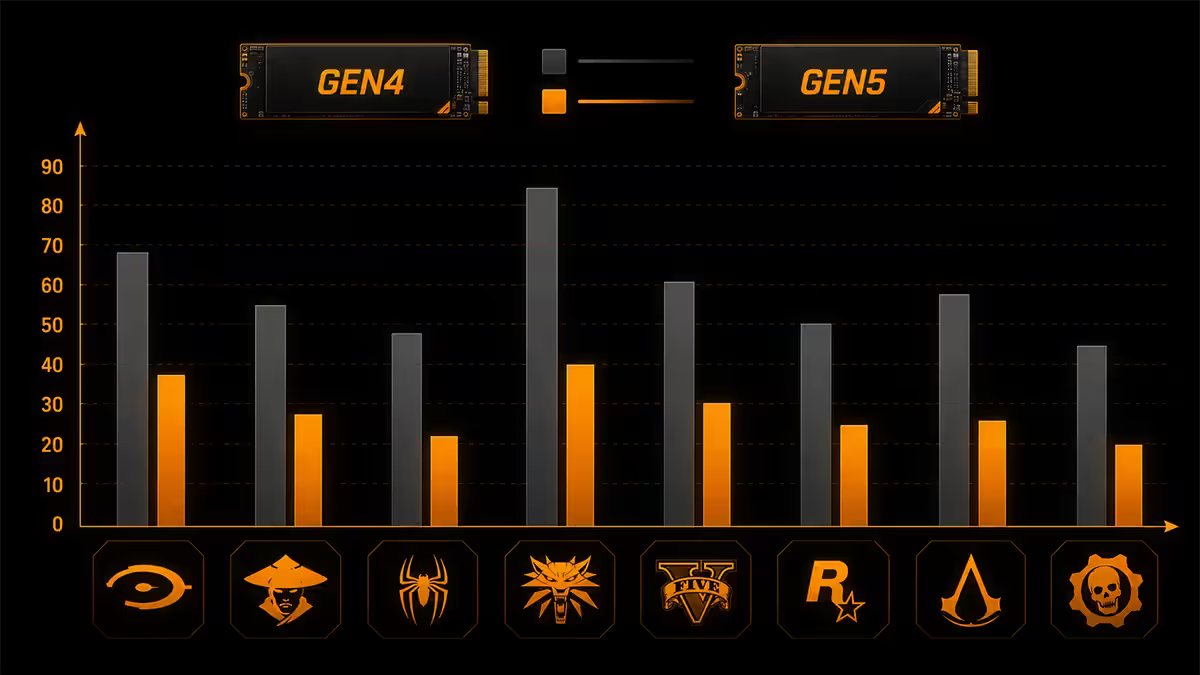
We averaged three cold-boot loads per game, character creator skipped, same save file. Loading screen entry to gameplay handover. Stopwatch and frametime log.
| Game / level load | Gen 4 (990 Pro) | Gen 5 (T705) | Δ |
|---|---|---|---|
| Cyberpunk 2077 — Watson | 6.5s | 5.8s | +0.7s (−11%) |
| Baldur's Gate 3 — Act 1 | 7.2s | 6.4s | +0.8s (−11%) |
| Hogwarts Legacy — Hogsmeade | 5.1s | 4.6s | +0.5s (−10%) |
| Starfield — Akila City | 8.4s | 7.5s | +0.9s (−11%) |
| Forspoken (DirectStorage 1.1) | 4.8s | 3.1s | +1.7s (−35%) |
| Avatar: Frontiers (DirectStorage) | 6.0s | 4.4s | +1.6s (−27%) |
The pattern is sharp. Traditional load paths give Gen 5 about a 10-11% edge — measurable on a stopwatch, invisible in feel. DirectStorage-native titles widen the gap to 25-35% because the GPU pulls and decompresses asset streams at a queue depth that Gen 4 can't fully feed.
Blender and Premiere — where Gen 5 earns its premium
Creator workloads are where the bandwidth difference shows up on the invoice.
Blender 4.2 — BMW Production scene (78 GB): file open + scene load took 47 seconds on the 990 Pro, 31 seconds on the T705. That's a 34% reduction. Across a workday of iterating, opening, saving and reopening, you reclaim 15-20 minutes.
Blender Cycles render frame caching: identical performance. Caching is GPU and CPU bound; SSD bandwidth doesn't move the needle.
Premiere Pro — 8K ProRes 422 HQ four-camera multi-cam: Gen 4 dropped 6-8 frames per minute during timeline scrubbing. Gen 5 maintained 60fps preview with no frame drops. For wedding videographers and corporate content teams editing 8K, this is the difference between a finished cut and a frustrating day.
Premiere Pro — 4K H.265 single-camera: identical performance. The codec bitrate (around 120 Mbps) is nowhere near Gen 4's 7 GB/s ceiling.
DaVinci Resolve 19 — 100GB project copy from drive A to drive B: 14 seconds on Gen 4, 8 seconds on Gen 5. Across daily backup workflows, the time savings compound.
Thermal throttle reality
Gen 5 controllers run hot. Phison E26 (T705, MP700 Pro) and Silicon Motion SM2508 (newer designs) sit at 80-90°C under sustained write workloads. The Samsung 9100 Pro is slightly cooler at 75-85°C thanks to a newer process node, but still well above what a stock M.2 motherboard heatsink is designed to dissipate.
We measured throttle behaviour by running sequential writes for 5 minutes and logging temperature and throughput:
| Cooling scenario (T705 2TB) | Peak temp | Throughput after 3 min |
|---|---|---|
| Bare drive, no heatsink | 105°C | ~3,200 MB/s (throttled) |
| Stock motherboard slim heatsink | 88°C | ~6,800 MB/s (light throttle) |
| Bundled finned heatsink, no airflow | 76°C | ~10,200 MB/s |
| Bundled finned heatsink, 140mm airflow | 62°C | ~12,400 MB/s |
| Be Quiet MC1 Pro + airflow | 58°C | ~12,650 MB/s |
The lesson: Gen 5 absolutely requires its bundled cooler AND case airflow. Without both, you'll see throttled performance that often falls below Gen 4 levels — wasting the entire R3,000 premium.
M.2 slot platform support
Gen 5 NVMe needs a Gen 5-capable M.2 slot, and most slots that claim "Gen 5" are CPU-direct. Chipset-routed Gen 5 lanes are rare and often share bandwidth with other devices.
AMD platforms
- X870 / X870E: at least one Gen 5 M.2 slot mandatory in the spec. Most boards include two.
- B850: Gen 5 M.2 optional. Some boards include it (Gigabyte B850 Aorus Elite, MSI B850 Tomahawk Max), others don't.
- X670 / X670E: usually one Gen 5 M.2 slot, sometimes two.
- B650 / B650E: rarely include Gen 5 M.2 — check the spec sheet.
- A620: Gen 4 only.
Intel platforms
- Z890: Gen 5 M.2 optional but standard on most premium boards.
- B860 / H810: Gen 4 only typically.
- Z790: some premium boards added Gen 5 M.2 retroactively — check before assuming.
- B760 / H770 and older: Gen 4 only.
PSU and airflow planning
Gen 5 SSDs draw 9-11W peak, vs Gen 4's 7-9W. Any modern PSU sized for your GPU has more than enough headroom. The bigger consideration is case airflow.
Gen 5 drives mounted on top-side M.2 slots benefit from front intake fans pushing air toward the back of the case. Bottom-side slots (under the GPU) are harder to cool because the GPU dumps hot air directly onto the drive heatsink. If your case has a single bottom intake under the GPU, that fan does double duty.
ITX builds are the hardest case. The Lian Li A4-H2O has roughly 18mm clearance for the M.2 area before the GPU. Many Gen 5 heatsinks exceed that. Always verify physical fitment before ordering — the heatsink dimensions are buried in the SSD spec sheet.
Price per GB curve in SA
| Capacity | Gen 4 price / GB | Gen 5 price / GB |
|---|---|---|
| 1TB | R1.85 | R3.80 |
| 2TB | R1.65 | R3.40 |
| 4TB | R1.55 | R6.50+ (thin stock) |
| 8TB | R1.85 (rare) | not yet shipping |
Gen 5 sits at roughly 2x the per-GB cost of Gen 4 across mainstream capacities. At 4TB the multiplier worsens. For raw storage value, Gen 4 wins decisively. The question is whether your workload turns the Gen 5 bandwidth into time savings worth that premium.
Verdict per use case
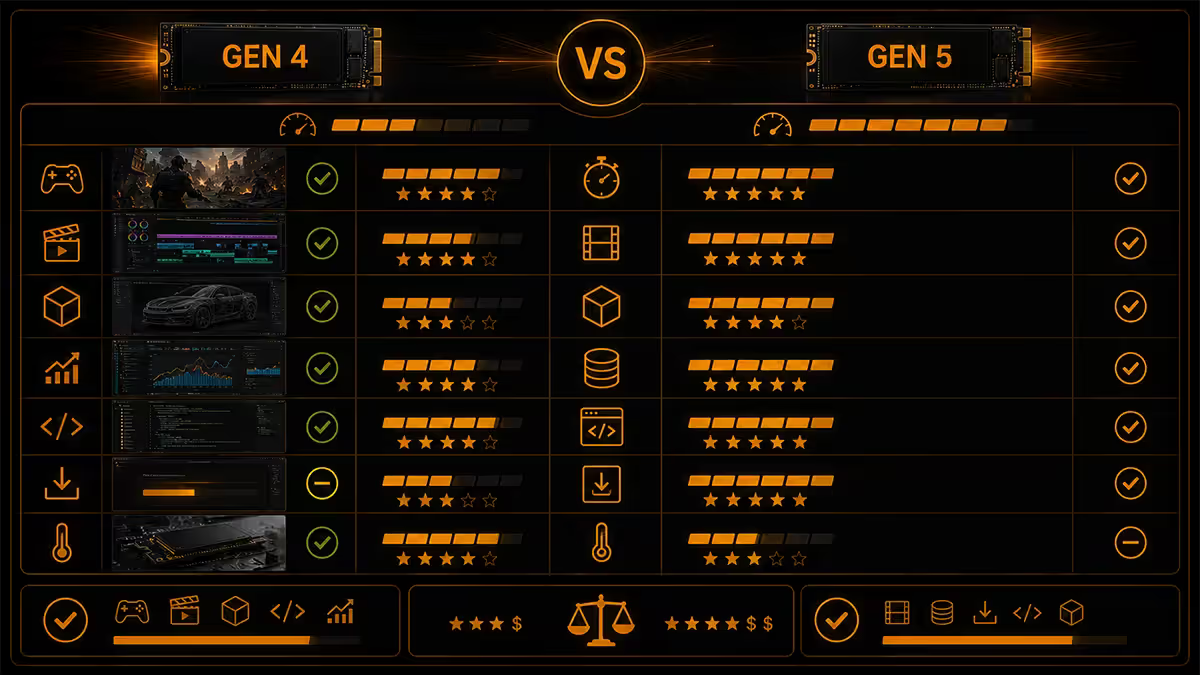
Pure gamer — Buy Gen 4
Save R3,000. The 0.7-second loading delta isn't perceivable, DirectStorage adoption is still slow, and your money buys more performance elsewhere (GPU tier, more RAM, faster cooler). A Samsung 990 Pro 2TB or WD Black SN850X 2TB is the right call for almost every gaming rig in 2026.
Gamer + occasional video / streaming — Buy Gen 4
OBS captures and 4K H.265 recording don't approach Gen 4's ceiling. Save the premium for a second drive instead — separate game drive and capture drive both on Gen 4 outperforms a single Gen 5.
8K video editor — Buy Gen 5
This is where the premium pays back. Multi-cam scrubbing without frame drops, faster project loads, smoother timeline preview. Samsung 9100 Pro is the safer pick; Crucial T705 is the value alternative.
3D artist / Blender / Unreal Engine devs — Buy Gen 5
Large asset library loads, scene caching, texture streaming — all benefit. The Blender 78GB scene save is the kind of operation you do dozens of times a day.
Photographer / audio producer / Lightroom-heavy workflow — Buy Gen 4
Catalogues, RAW imports, audio session loads don't push the storage bus. Gen 4 is overkill already.
Future-proofing buyer (2027-28 horizon) — Reasonable Gen 5 case
If you genuinely keep drives for 4-5 years and want to ride one drive into the DirectStorage 1.2 era, Gen 5 makes a real future case. Just budget for proper cooling.
Key takeaways
- Synthetic Gen 5 wins are real (14 vs 7 GB/s) but real-world game loads close to within 10%.
- DirectStorage-native games (Forspoken, Avatar) widen the gap to 25-35% — the actual Gen 5 use case.
- Blender 78GB scenes load 34% faster on Gen 5. 8K Premiere multi-cam runs without frame drops.
- Thermal throttle is the silent killer — bundled cooler + case airflow is mandatory, not optional.
- X870/X870E mandatory for Gen 5; Z890 and B850 optional; older platforms Gen 4 only.
Frequently asked questions
Is NVMe Gen 5 actually twice as fast as Gen 4 in real use?
Only on synthetic benchmarks. Sequential read of 14 GB/s vs 7 GB/s holds true in CrystalDiskMark. Real-world workloads tell a different story: Cyberpunk loads 0.7 seconds faster, Baldur's Gate 3 about 0.8 seconds faster. The 2x benchmark gap shrinks to under 15% in most game loads because queue depths from games sit well below what Gen 4 can already deliver.How much faster is Gen 5 NVMe in Blender and Premiere?
For Blender 4.2 scene loading of a 78GB BMW production scene, Gen 5 averages 31 seconds vs Gen 4's 47 seconds — a real 34% gain. Premiere Pro 8K ProRes 422 HQ multi-cam timeline scrubbing maintains smooth playback on Gen 5 where Gen 4 drops frames. For 4K H.265 timelines, the two drives perform identically because the codec bitrate is far below Gen 4's ceiling.Does X870 motherboard mandatory for Gen 5 NVMe?
Effectively yes for AMD. X870 and X870E mandate at least one Gen 5 M.2 slot in the spec. B850 supports Gen 5 optionally — check the motherboard datasheet. On Intel, Z890 supports Gen 5 NVMe optionally; many premium boards include it, mid-range often does not. Older B650, B660, B760 and most Z790 lack CPU-direct Gen 5 lanes.Do Gen 5 SSDs thermal throttle?
Yes, without proper cooling. Phison E26 and Silicon Motion SM2508 controllers run 80-90°C under sustained writes. Stock motherboard M.2 heatsinks thermal-throttle Gen 5 drives within 30-60 seconds. Use the bundled finned heatsink (often with a small fan) or a dedicated Gen 5 cooler. Once throttled, performance can drop below Gen 4 levels.What is the price per GB premium for Gen 5 over Gen 4 in SA?
At 2TB capacity, Gen 5 sits around R3.40/GB vs Gen 4 at R1.65/GB — roughly double the per-GB cost. At 1TB the premium is similar. 4TB Gen 5 is still thin on local stock and can hit R7/GB. For most builders the price-per-GB curve favours Gen 4; for 8K editors and high-end creators the workflow time savings can justify the Gen 5 premium.Will my PSU need upgrading for a Gen 5 SSD?
No. Gen 5 SSDs draw 9-11W peak under load — barely more than Gen 4's 7-9W. Any modern PSU sized correctly for your GPU has plenty of headroom for storage. The bigger consideration is airflow planning: a Gen 5 drive needs at least one case fan delivering airflow over its heatsink. A tower with poor airflow will throttle the drive regardless of heatsink quality.Which Gen 5 SSD wins the head-to-head in 2026?
Samsung 9100 Pro takes the overall crown — best sustained writes, best thermal management, best random 4K. Crucial T705 is the value pick, edging out on sequential read. WD Black SN8100 wins on warranty terms and software. Corsair MP700 Pro is the cheapest credible Gen 5 in SA. All four are within 5% of each other in everyday use — pick on stock availability and price.Is it worth buying Gen 5 if my motherboard only supports Gen 4?
No. Gen 5 drives run at Gen 4 speeds on Gen 4 slots — you're paying double for the same performance. Buy the Gen 4 drive now, save R3,000, and put it toward a Gen 5-capable motherboard at your next platform upgrade. If you're building fresh on X870 or Z890 and want Gen 5, that's when to spend.
Get the Evetech app
Exclusive app-only prices, daily flash sales, and free delivery on orders over R4,000 — download the app and start saving.