
2 Years Local Warranty
Model No : TP-LINK NET-ARCHER-C5400X
Price Inc. Vat
R 5,299
Save R 2,200
ListR 7,499
5299Free Delivery
Out of Stock
Price Inc. Vat
R 5,299
Save R 2,200
ListR 7,499
5299Free Delivery
Out of Stock
Trusted Partners
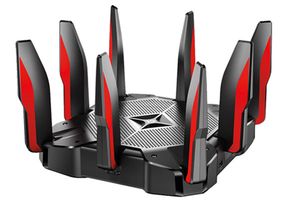
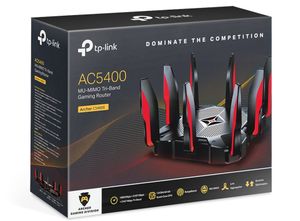
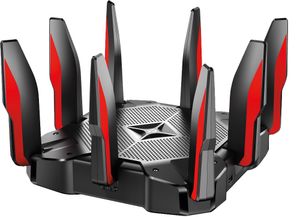
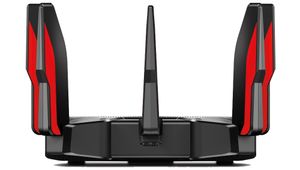
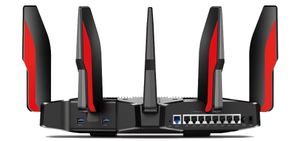
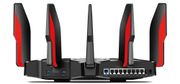
Please Note: Product images are for illustrative purposes only and may differ from the actual product.
Hand-pick every part with live stock, compatibility, and instant pricing.
Try the new builderTP-LINK AC5400 Tri-Band Gaming Router

DOMINATE THE COMPETITION
AC5400 MU-MIMO Tri-Band Gaming Router
You’ve spent hours picking the perfect parts for your gaming rig. Now get the most out of it with the Archer C5400X—the router designed to power the performance demanded from high-end gaming rigs.

BATTLE-TESTED
PROCESSING
When you game at the highest settings, it’s imperative you have impressive processing power. Quad-core means power. With a 1.8 GHz 64-bit quad-core CPU, three co-processors and 1 GB RAM, the Archer C5400X delivers the raw power required to perfectly execute every service, thread and application to eradicate latency and deliver smooth gameplay.
1.8
GHz
Quad
Core
64
bit
1GB
RAM

INTELLIGENT
TRAFFIC
PRIORITIZATION
The Archer C5400X conquers lag, immediately eradicating it from your gaming experience. Its dynamic optimization engine automatically identifies gaming traffic to give you the tactical advantage during heated raids, PvP encounters and ranked matches. When you aren’t gaming, fast-track streaming to watch immersive 4K movies.

BLISTERING
WI-FI SPEEDS
2.4 GHz
5 GHz
5 GHz
Get into the action with incredible AC5400 tri-band Wi-Fi speeds over the 2.4 GHz (1000 Mbps) and two 5 GHz bands (2167 Mbps). Three Wi-Fi bands make it easier to streamline your network and stay competitive in the heat of battle.
Dedicate one band to gaming traffic while the remaining two deliver high-speed Wi-Fi to the rest of your home. Or enable Smart Connect to have the router zero in on the best Wi-Fi band for every device, intelligently driving them to peak performance.

FULL-THROTTLE
WIRELESS
PERFORMANCE
The Archer C5400X employs MU-MIMO and Airtime Fairness to balance the requests of every device with speed and precision. Calibrated metrics and sophisticated algorithms determine how the router divides air time and distributes dedicated Wi-Fi streams to each device, leaving you to focus on taking down the opposition instead of fighting your allies for bandwidth.

FAR-REACHING
WI-FI RANGE
Game from the basement to the garage and even the backyard with RangeBoost, which strengthens reception quality to reinforce connections in your home and keep both older and newer devices connected at greater distances than other routers.

ACCELERATED
WIRED CONNECTIONS
With eight Gigabit Ethernet ports, you can connect PCs, smart TVs and game consoles to fast, wired connection without needing a switch.
Team two LAN ports using Link Aggregation to double connection speeds from 1 Gbps to 2 Gbps for Network Attached Storage (NAS) devices and PCs with LACP. Combine the WAN port with a LAN port to connect DOCSIS 3.1 modems for best-in-industry internet speeds.
|
|
|
|---|---|
| Processor | 1.8GHz quad-core CPU and three co-processors |
| Standards and Protocols | 802.11a/b/g/n/ac, 802.3ab |
| Ports | 1x GE WAN 8x GE LAN 2x USB3.0 |
| Button | 1x Power 1x Wi-Fi On/Off 1x WPS 1x Reset 1x LED On/Off |
| LED Panel | 1x LED with multiple state |
| Weight | 3.3lb(with antennas) 2.65lb(without antennas) 1.5kg(with antennas) 1.2kg(without antennas) |
| Dimensions ( W x D x H ) | 11.3 X 11.3X 7.2 in.(with antennas) 9.5X9.5X2.2 in.(without antennas) 288X288X184mm(with antennas) 240.6X240.6X55.4mm(without antennas) |
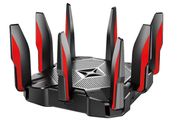
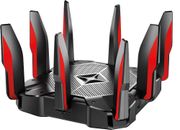
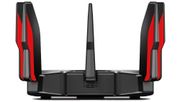
| Antenna | 8 external and detachable antennas |
| Chipset | MU-MIMO Beamforming Airtime Fairness RangeBoost NitroQAM |
| WIRELESS FEATURES | |
|---|---|
| Frequency | 1000Mbps @ 2.4GHz 2167Mbps @ 5GHz 2167Mbps @ 5GHz |
| SOFTWARE FEATURES | |
|---|---|
| Management | Tether App Andriod 4.1 or higher iOS 8 or higher |
| System Tools | Time Settings Diagnostics Fw OTA Upgrade Config backup/resotre Administration Syslog Statistics LED Control |
| Basic Function | Network Map(Internet Status/Client List/Speedtest) Internet Settings Wireless Settings USB Sharing Settings(USB Storage Sharing/FTP Server/Print Server/Media Server) HomeCare(Parental Control/Antivirus/QoS) Guest Network Settings TP-Link Cloud Settings Multiple Languages |
| Protocols | IPv4, IPv6 |
| Advanced Functions | Working Mode (Router Mode or AP Mode) Wireless Schedule Time Machine TP-Link DDNS Parental Controls/Antivirus/QoS IPv6 VPN Server (OpenVPN and PPTP Servers) NAT Forwarding(DMZ/UPnP...) Link aggregation(WAN/LAN) Airtime Fairness SmartConnect Portal Authentication for Guest Wi-Fi |
| Supported Operating Systems | Time Settings Diagnostics Fw OTA Upgrade Config backup/resotre Administration Syslog SNMP Statistics LED Control |
| SECURITY | |
|---|---|
| Antivirus | Malicious Content Filter Intrusion Prevention System Infected Device Quarantine |
| Access Control | Device-based whitelist/blacklist |
| Wi-Fi Security | Open WEP WPA-PSK |
| Firewall Features | Open WEP WPA-PSK |
| OTHERS | |
|---|---|
| Certification | FCC、CE、DFS、VCCI、JRF、JPA、RoHS |
| Environment | Operating Temperature: 0℃~40℃ (32℉ ~104℉) Storage Temperature: -40℃~70℃ (-40℉ ~158℉) Operating Humidity: 10%~90% non-condensing Storage Humidity: 5%~90% non-condensing |
| Power Supply | 100-240V 50/60Hz |
Hand-pick every part with live stock, compatibility, and instant pricing.
Try the new builder