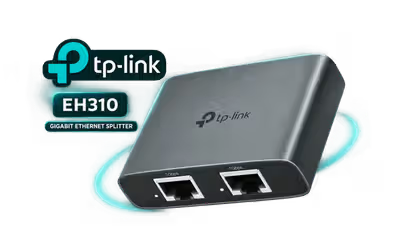
tp-link-eh310-1-to-3-gigabit-ethernet-splitter-grey
TP-Link EH310 1 to 3 Gigabit Ethernet Splitter - Grey / 4 Gigabit RJ45 Ports, Any Port As Input / Up To 1000Mbps / USB-C 5V Powered / Aluminium Alloy Case / USB-C Power And Cat 5e Cables Included / TL-EH310
2 Years Local Warranty
Model No : TP-LINK TL-EH310
Price Inc. Vat
R 299
Save R 100
ListR 399
299Change Quantity:
In Stock with Evetech
TP-Link EH310 1 to 3 Gigabit Ethernet Splitter
One Ethernet Cable, Three Wired Devices
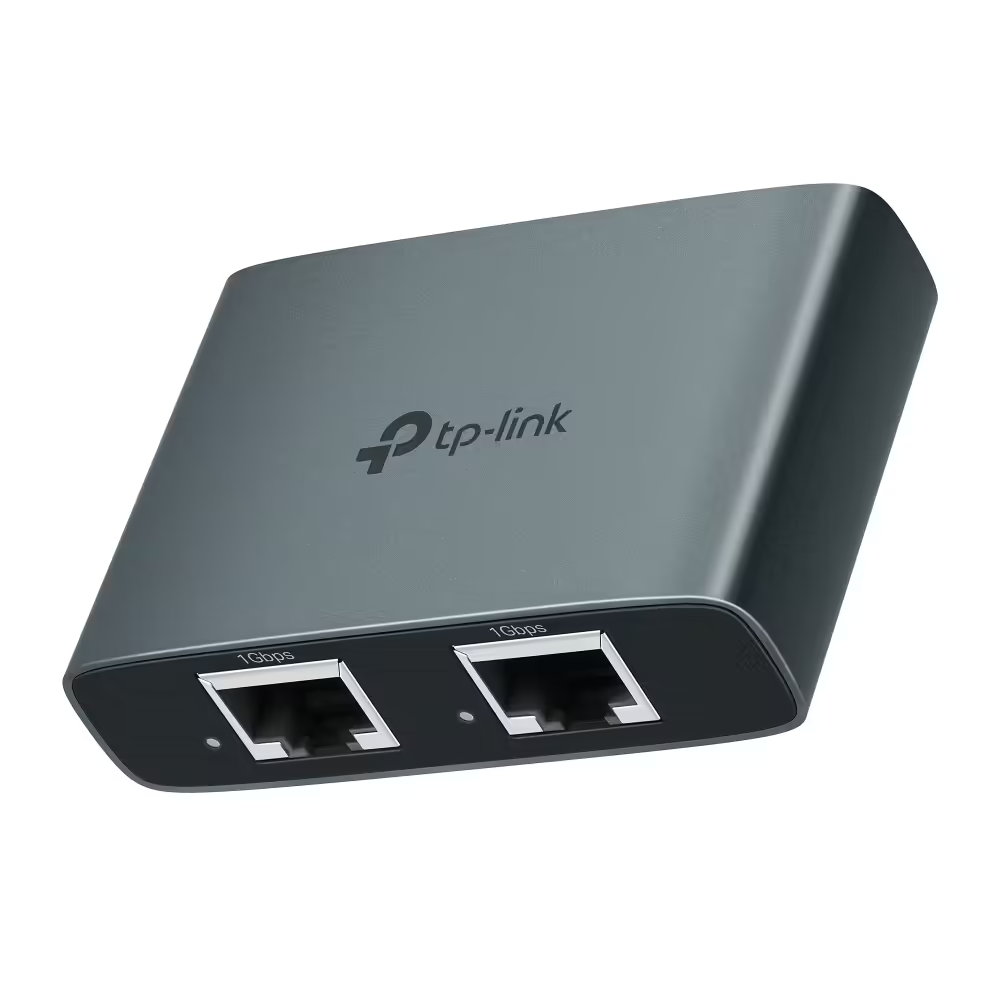
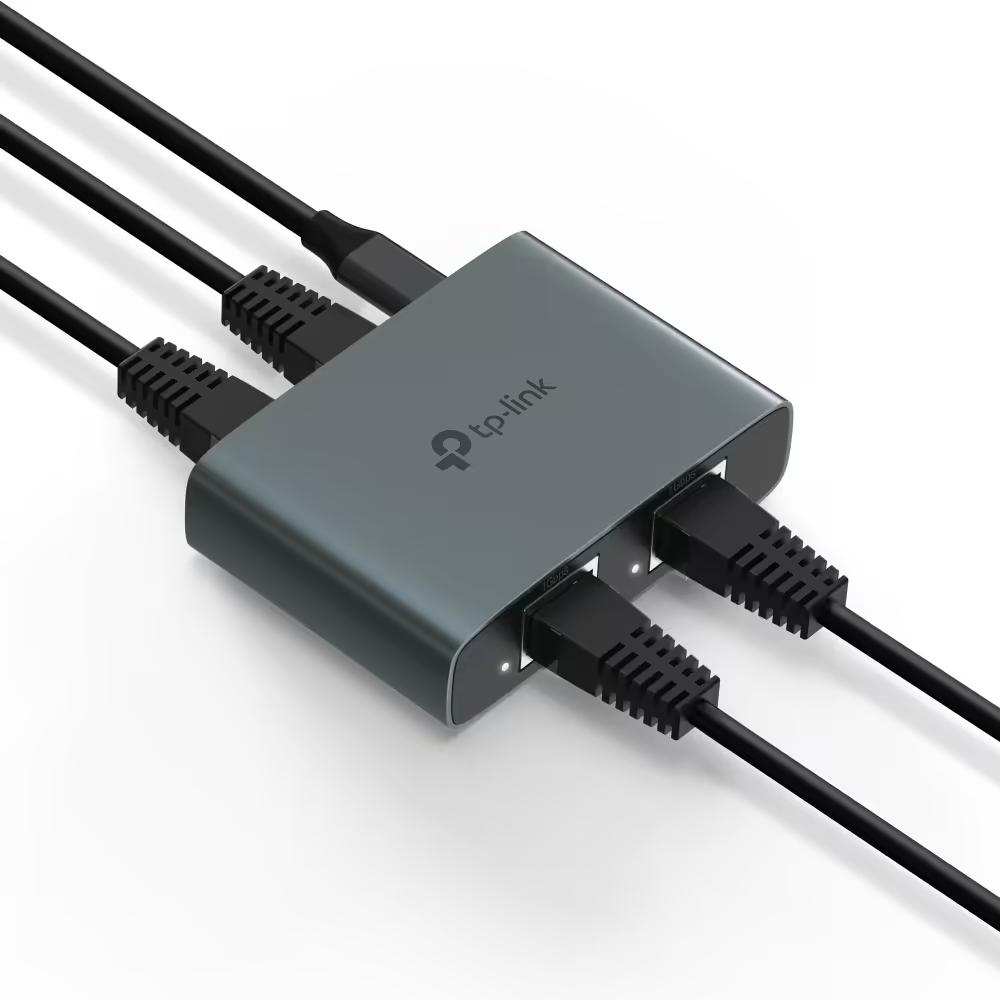
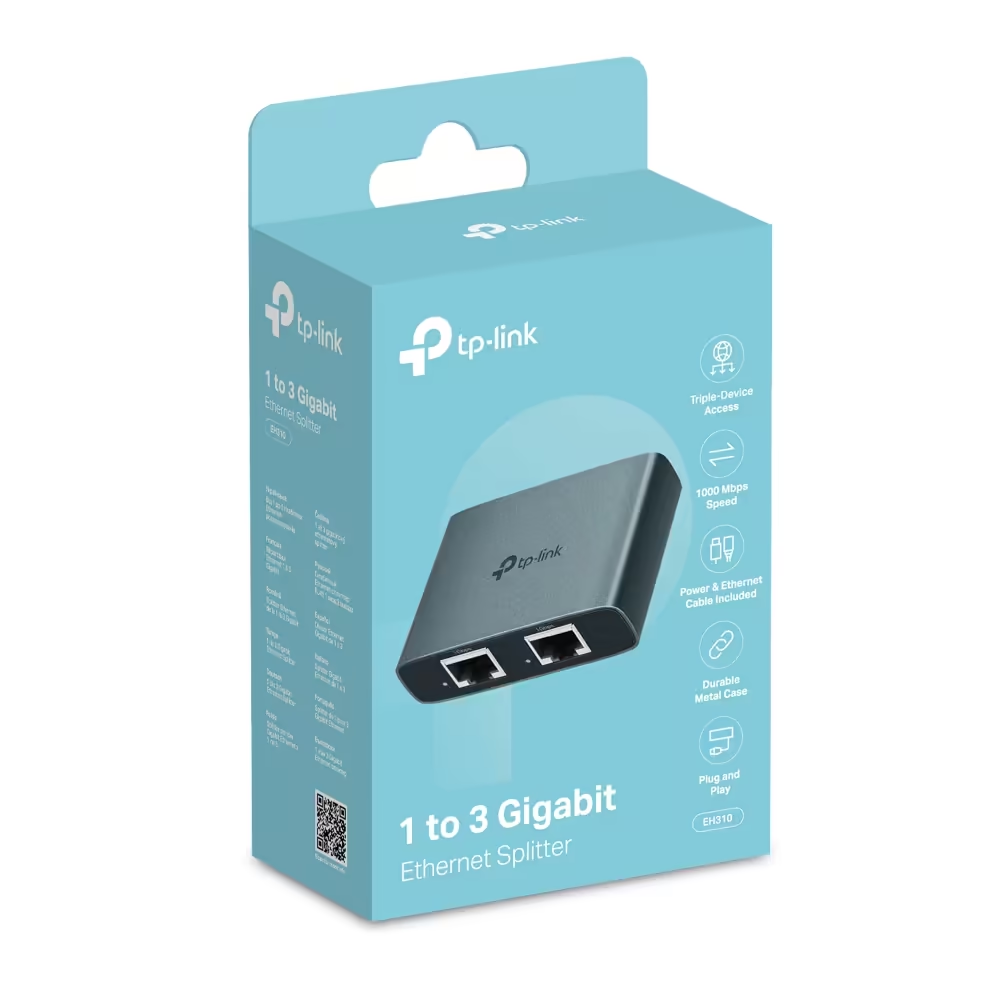
The TP-Link EH310 is a powered 1 to 3 Gigabit Ethernet splitter. One cable from your router, modem or network wall socket goes in, and three devices plug into the other ports. It has four Gigabit RJ45 ports, any of which can be the input, runs from USB-C 5V power, and the three devices share that one Gigabit connection.
One Ethernet Cable, Three Wired Devices
The TP-Link EH310 is a powered 1 to 3 Gigabit Ethernet splitter. One cable from your router, modem or network wall socket goes in, and three devices plug into the other ports. It has four Gigabit RJ45 ports, any of which can be the input, runs from USB-C 5V power, and the three devices share that one Gigabit connection.
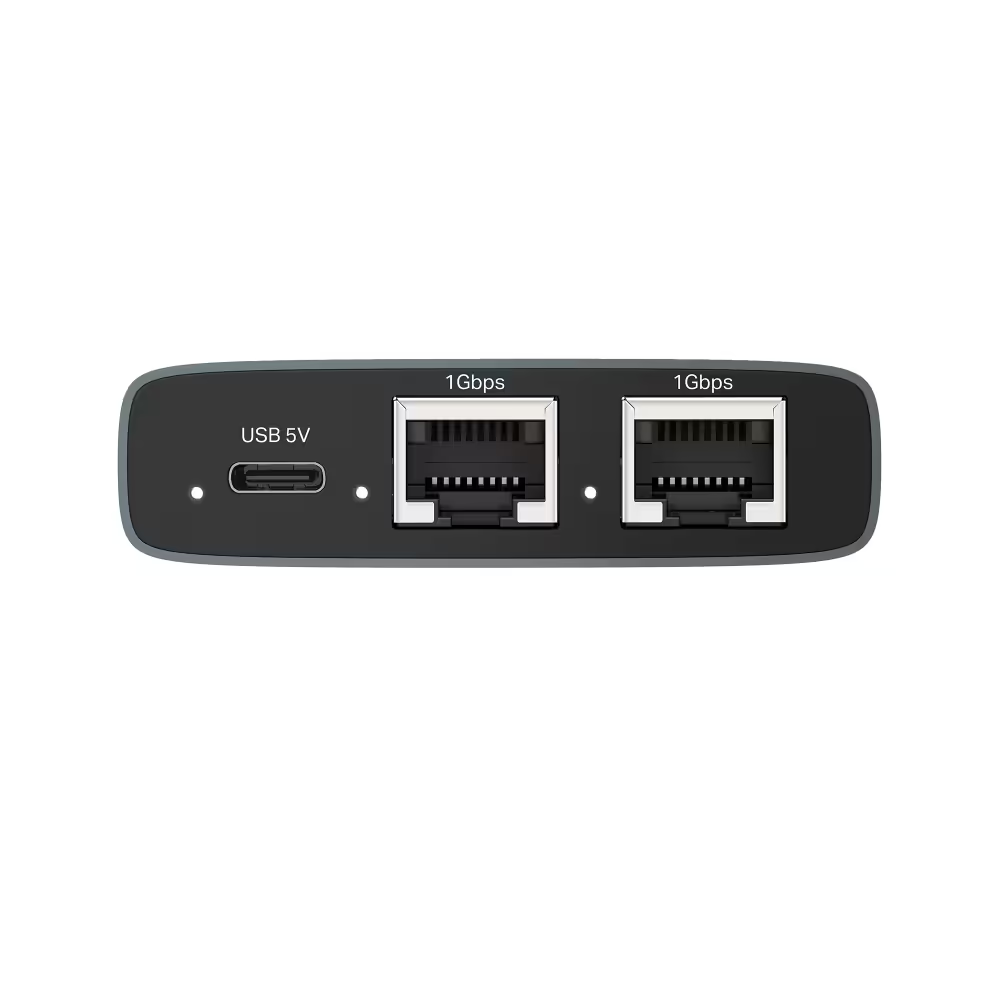
Four Gigabit Ports, Two On Each Side
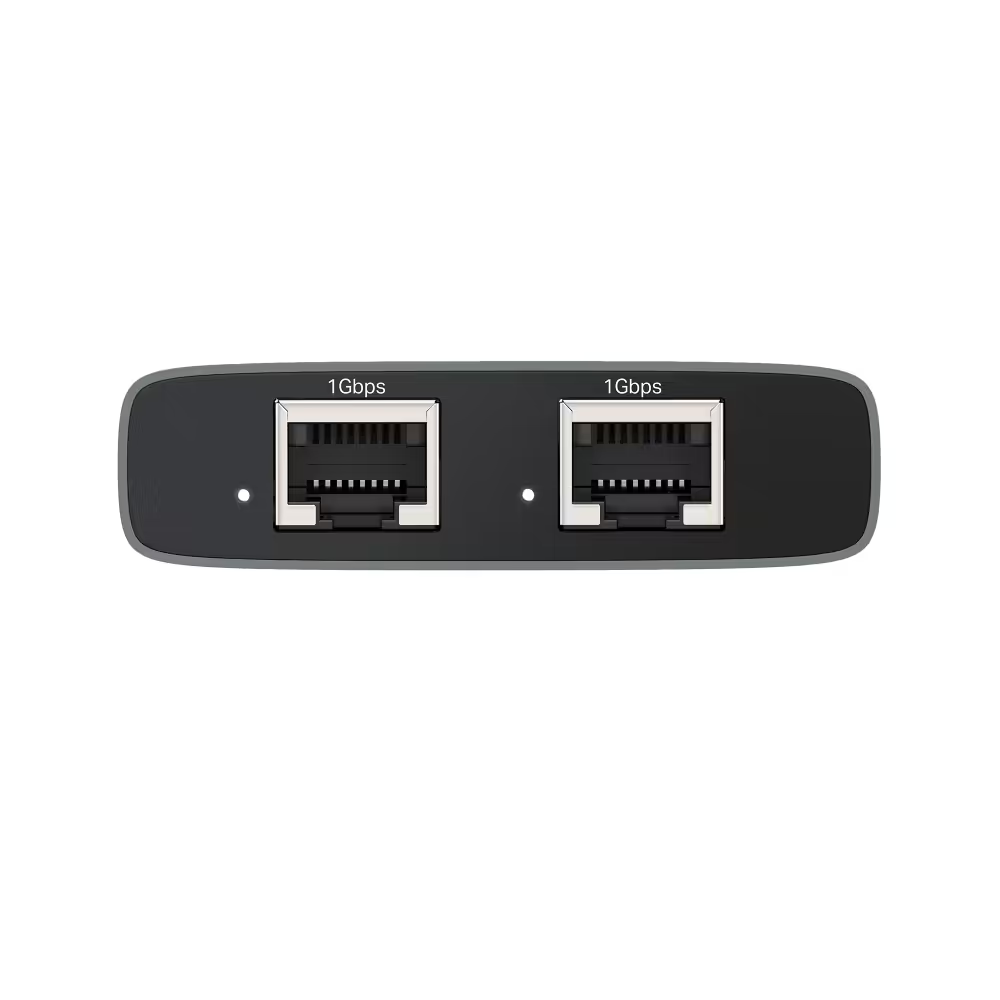
The four Gigabit RJ45 ports sit two on each side, with the USB-C power input beside one pair, which keeps the unit slim at 66.68 x 46.6 x 18.3 mm. The EH310 configures itself: any one port takes the incoming connection, and the other three work as outputs.
Four Gigabit Ports, Two On Each Side
The four Gigabit RJ45 ports sit two on each side, with the USB-C power input beside one pair, which keeps the unit slim at 66.68 x 46.6 x 18.3 mm. The EH310 configures itself: any one port takes the incoming connection, and the other three work as outputs.
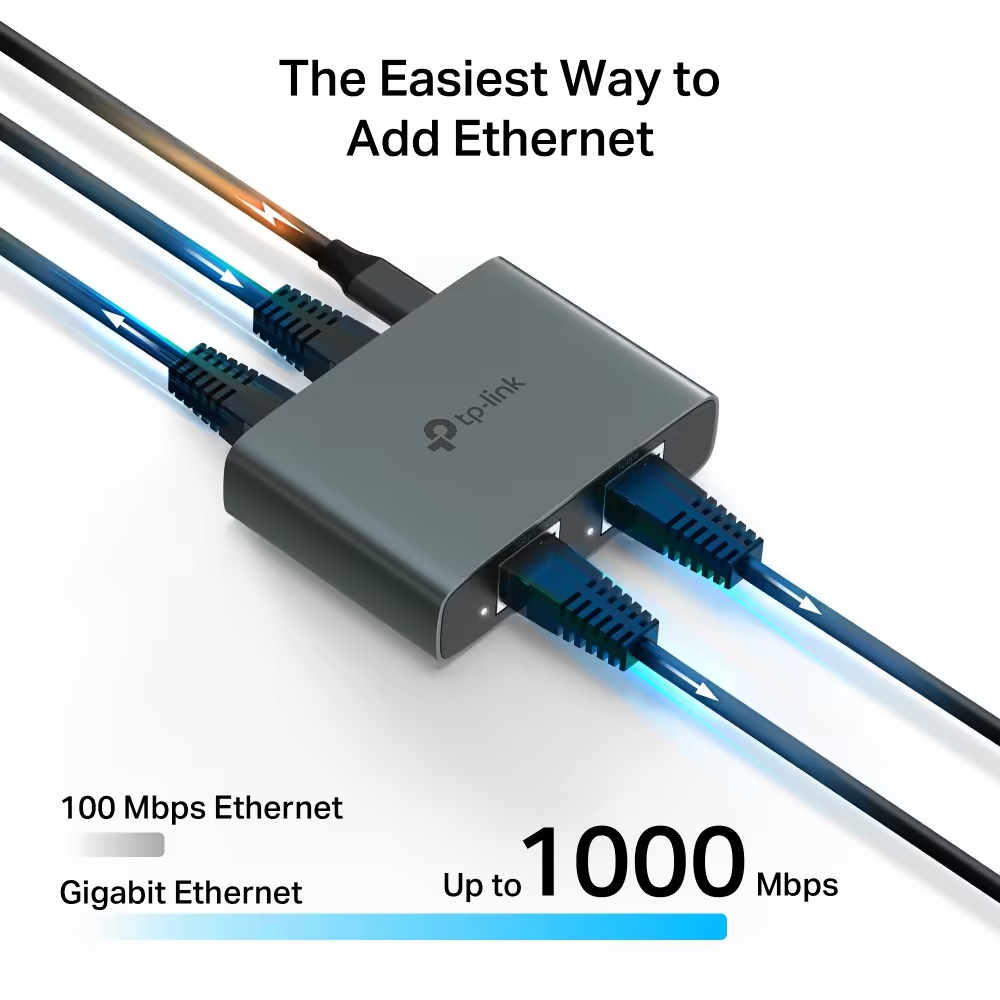
Up To 1000Mbps On Every Port
Each of the four ports links at up to 1000Mbps, with auto-negotiation and Auto MDI/MDIX, and is backward compatible with 100Mbps and 10Mbps devices. All three connected devices share the one Gigabit connection coming in, and it does not add extra internet lines.
Up To 1000Mbps On Every Port
Each of the four ports links at up to 1000Mbps, with auto-negotiation and Auto MDI/MDIX, and is backward compatible with 100Mbps and 10Mbps devices. All three connected devices share the one Gigabit connection coming in, and it does not add extra internet lines.
No Setup, Aluminium Case And Status LEDs
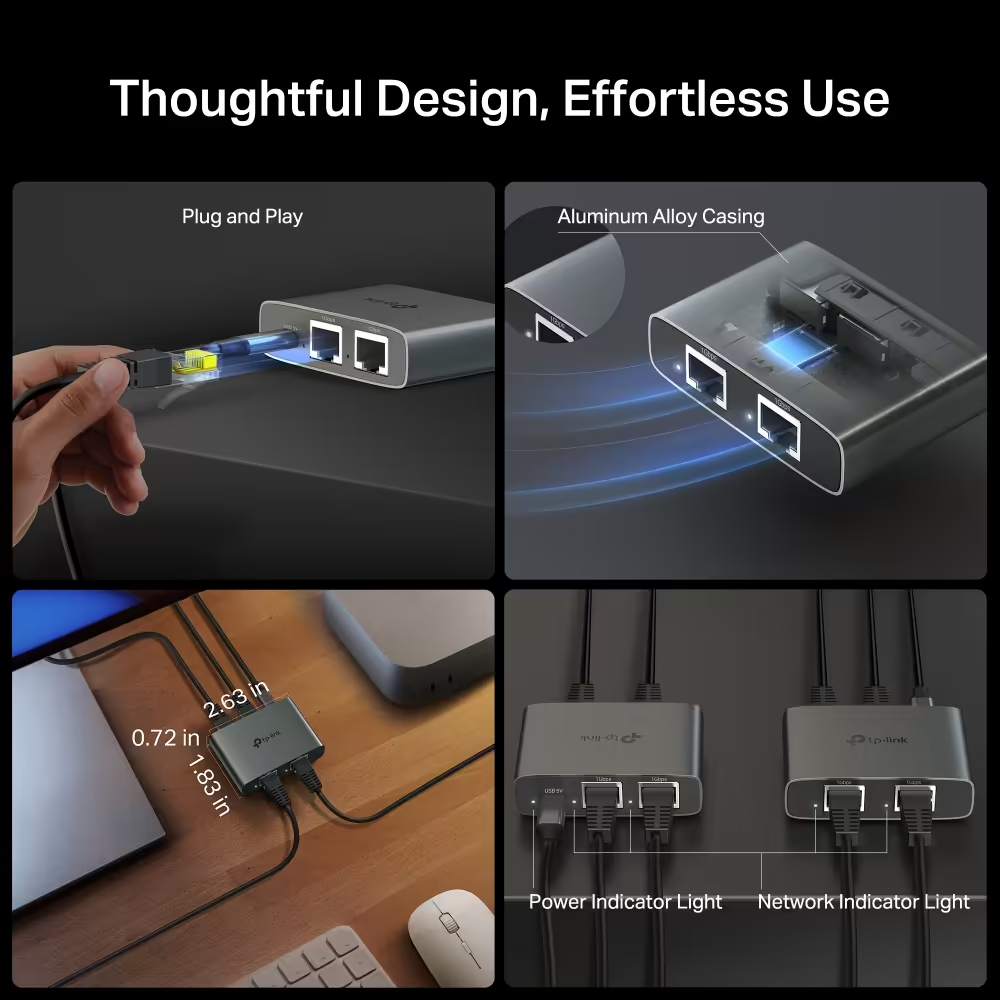
The EH310 needs no setup: connect the power and the cables and it starts working. The aluminium alloy case helps with heat dissipation, a power LED shows the unit is on, and warm white LEDs show active device connections.
No Setup, Aluminium Case And Status LEDs
The EH310 needs no setup: connect the power and the cables and it starts working. The aluminium alloy case helps with heat dissipation, a power LED shows the unit is on, and warm white LEDs show active device connections.
Works With Cat 5 To Cat 8 Cables
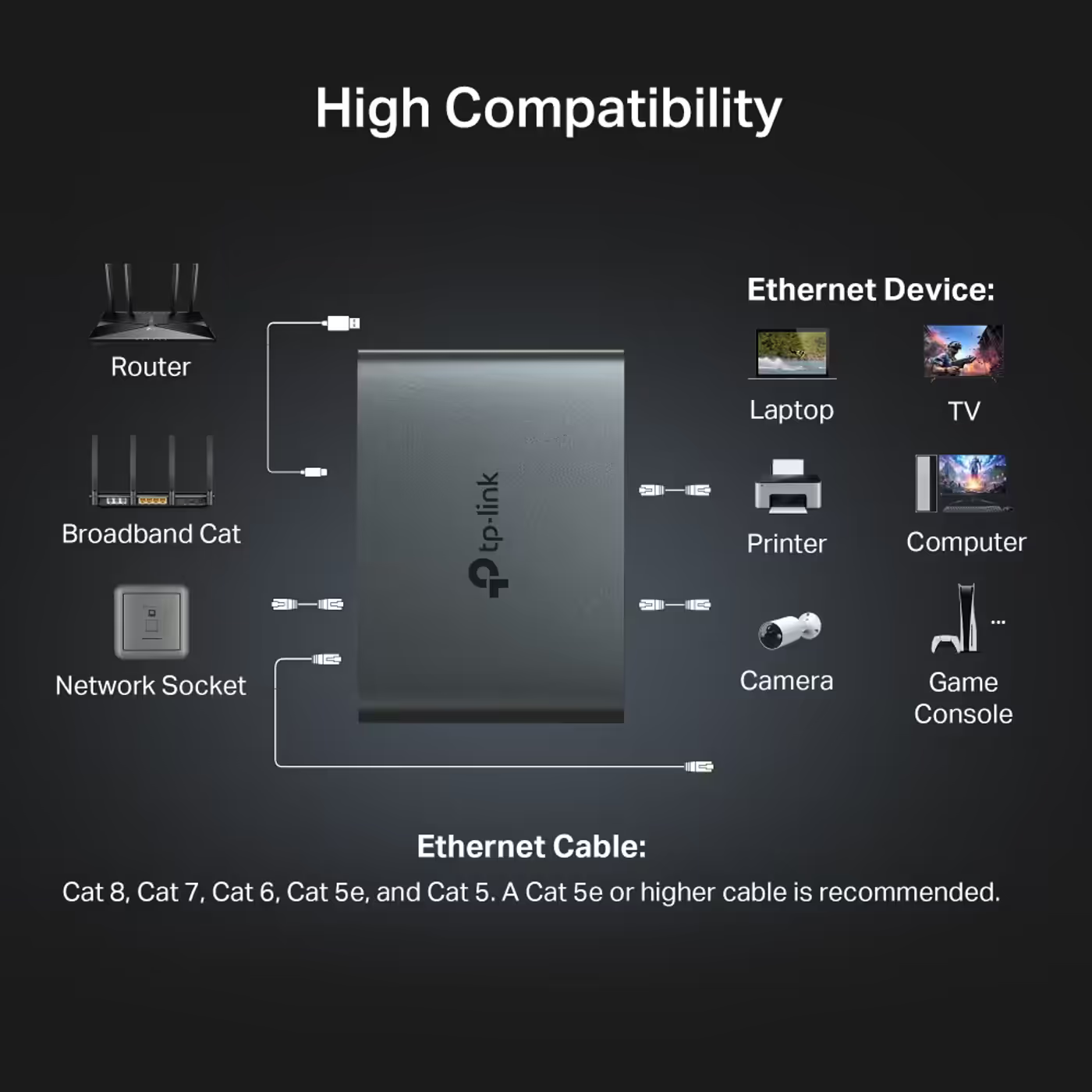
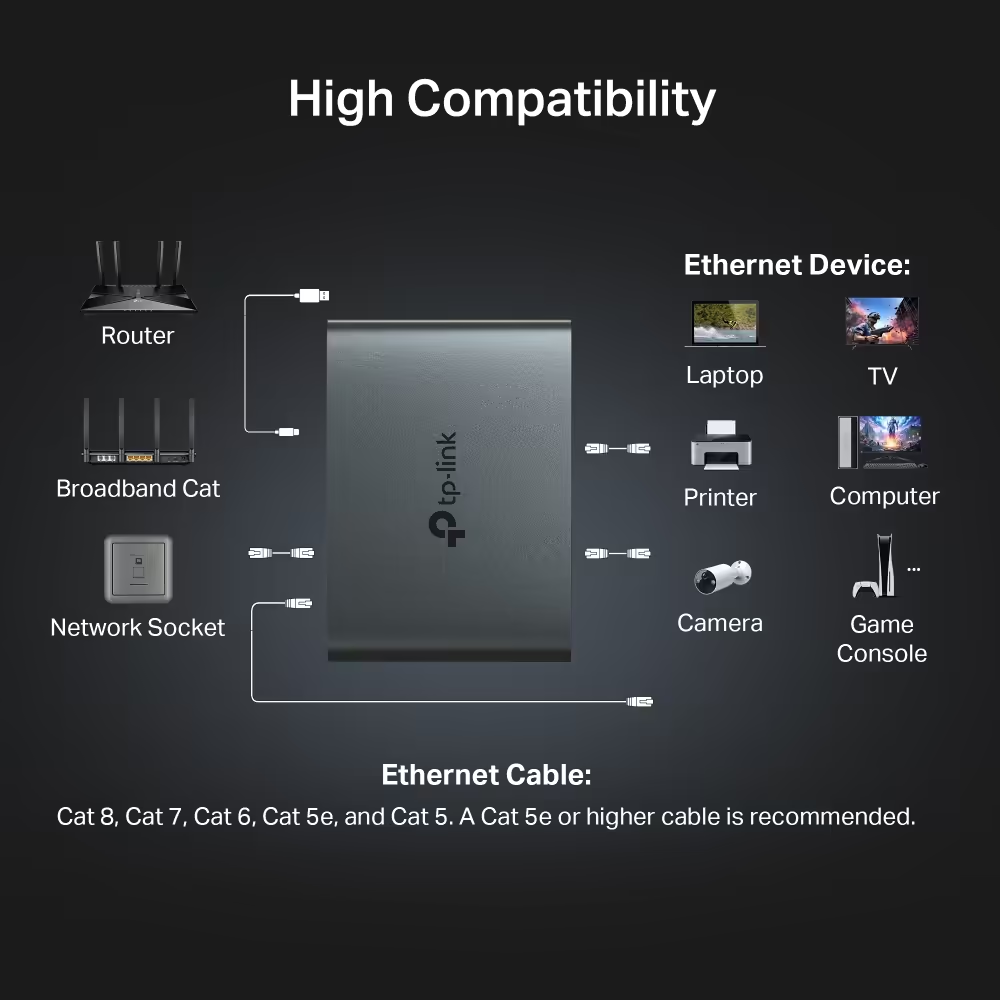
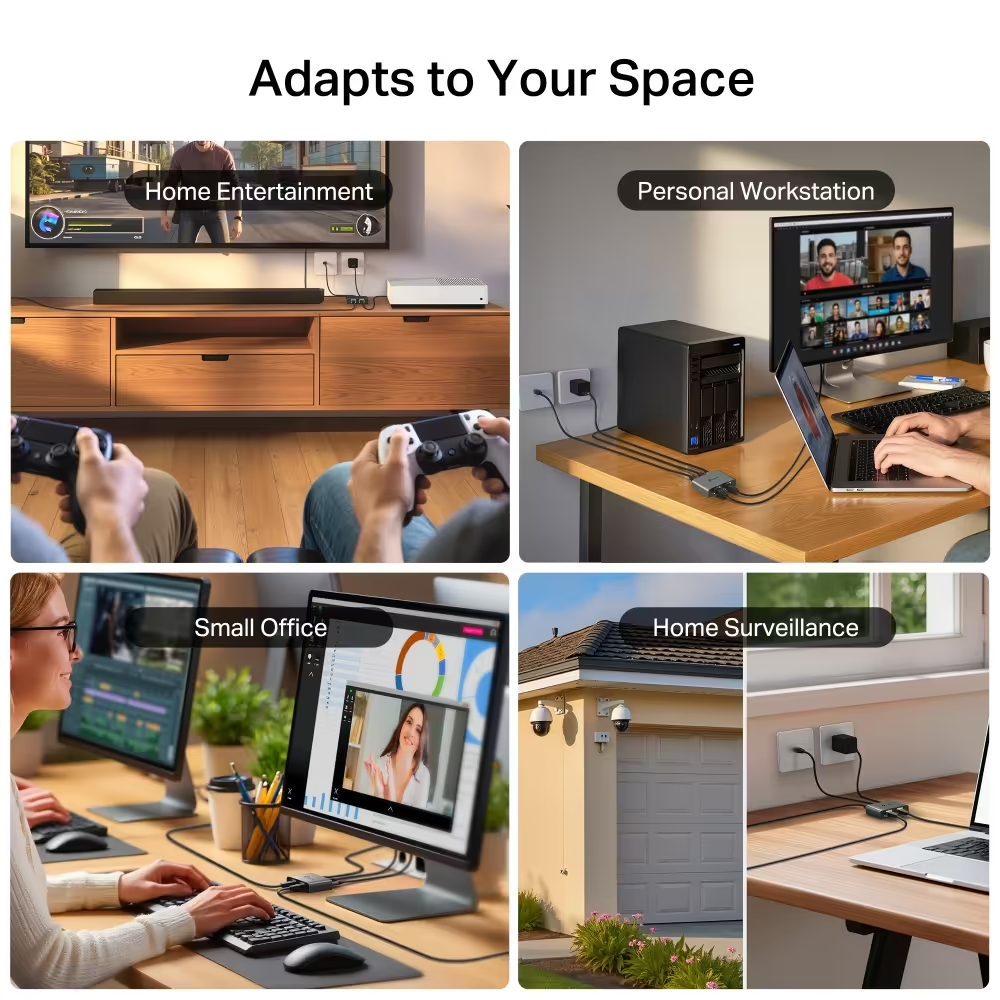
The EH310 works with Cat 5, Cat 5e, Cat 6, Cat 7 and Cat 8 Ethernet cables, with Cat 5e or higher recommended. TP-Link lists routers, switches, computers, TVs and game consoles, and shows printers and cameras too.
Works With Cat 5 To Cat 8 Cables
The EH310 works with Cat 5, Cat 5e, Cat 6, Cat 7 and Cat 8 Ethernet cables, with Cat 5e or higher recommended. TP-Link lists routers, switches, computers, TVs and game consoles, and shows printers and cameras too.
USB Power Cable And Cat 5e Cable Included
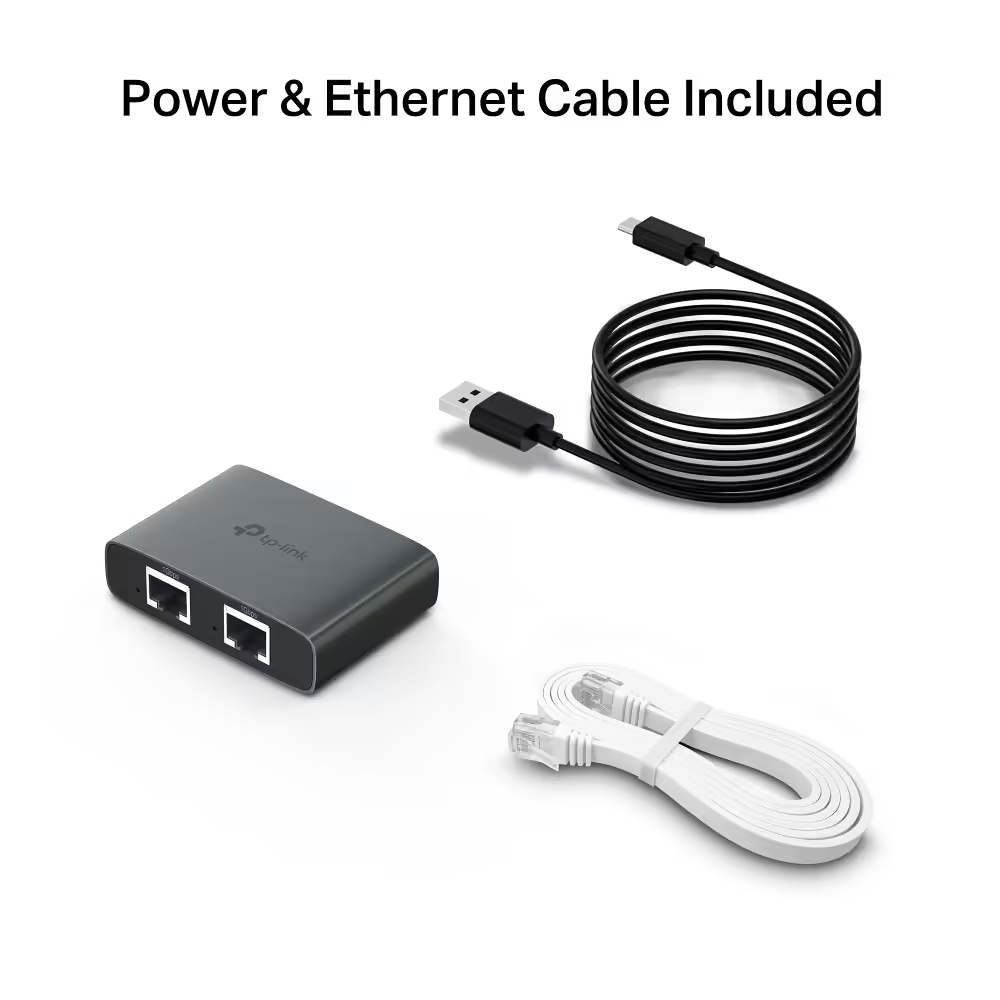
The box holds the EH310 splitter, a USB power cable, a Cat 5e Ethernet cable and a quick installation guide. It needs 5V 0.3A, taken from a USB port on your router, TV or PC, or from a USB wall charger, which is not in the box.
USB Power Cable And Cat 5e Cable Included
The box holds the EH310 splitter, a USB power cable, a Cat 5e Ethernet cable and a quick installation guide. It needs 5V 0.3A, taken from a USB port on your router, TV or PC, or from a USB wall charger, which is not in the box.
FAQ
Frequently Asked Questions
Everything you need to know about this product
It is a powered device that works like a small plug-and-play network switch. Any one of its four Gigabit ports takes the incoming connection and the other three work as outputs, with no setup. It is not a passive cable splitter.
No. One unit is enough: run the cable from your router, modem or network wall socket into the EH310 and plug up to three devices into the other ports. Passive splitters are the type usually sold in pairs, and they limit each line to 100Mbps.
Yes. TP-Link states it cannot be used without a power source. It takes 5V 0.3A through a USB-C port, and the box has a USB power cable for a USB port on your router, TV or PC, or a USB wall charger. A wall charger is not in the box.
Each port links at up to 1000Mbps, but all three devices share the one Gigabit connection coming in. When several are busy at the same time they split that bandwidth, and your internet speed is still capped by your line and router.
No. It shares the connection you already have. TP-Link notes that it needs an active internet connection from your router, modem or network socket to work.
One port takes the incoming cable and the other three connect your devices. TP-Link states any one of the four ports can be the input, and the remaining three become outputs automatically.
Cat 5, Cat 5e, Cat 6, Cat 7 and Cat 8 Ethernet cables, with Cat 5e or higher recommended. TP-Link lists routers, switches, computers, TVs and game consoles, and shows printers and cameras too.
The EH310 Ethernet splitter, a USB power cable, a Cat 5e Ethernet cable and a quick installation guide.


AI-Generated Content: These FAQs are generated by an automated AI system and may contain inaccuracies or omissions. Evetech makes no warranties, express or implied, regarding their completeness or reliability. For definitive information, please refer to the manufacturer's official specifications.
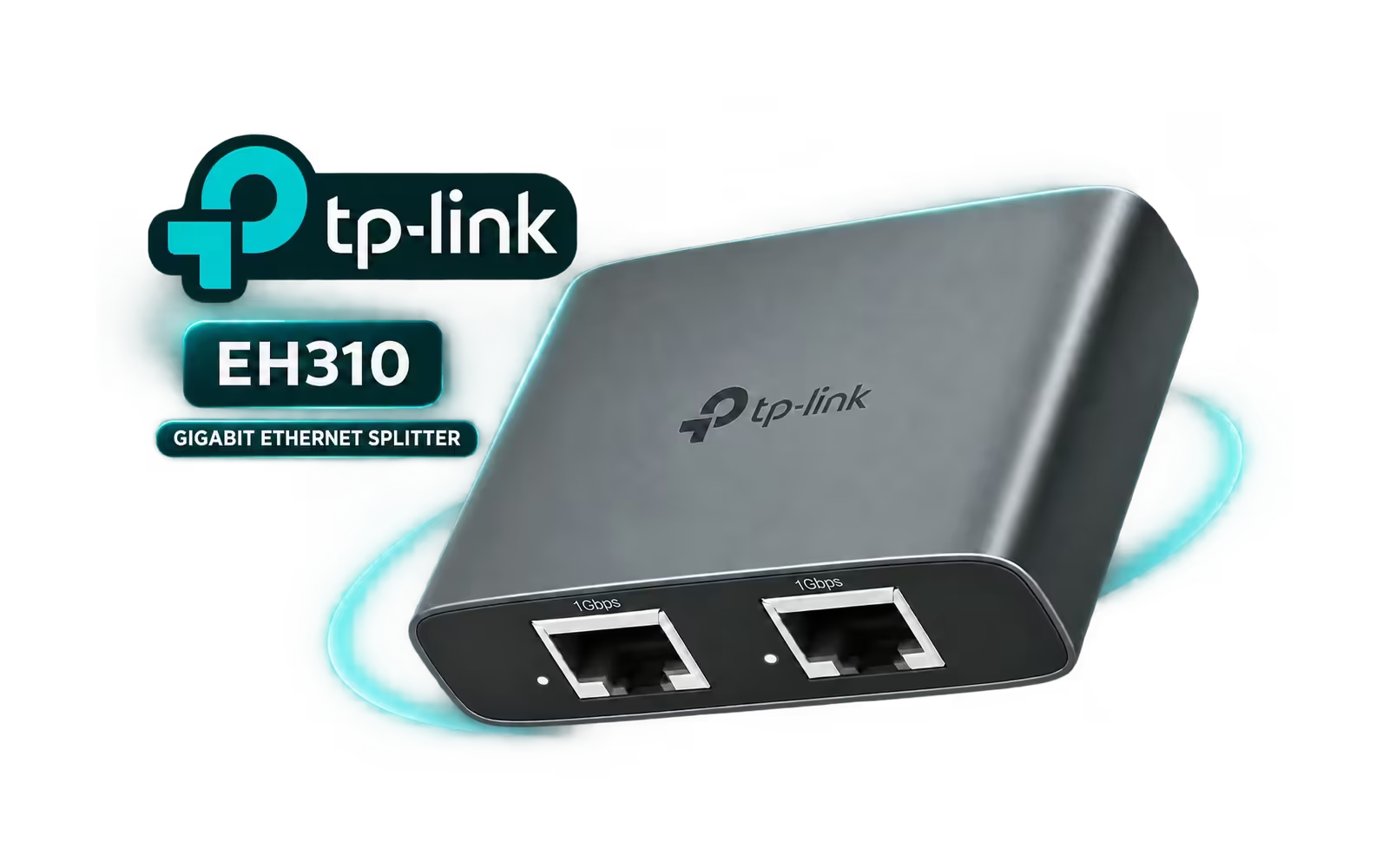
Please Note: Product images are for illustrative purposes only and may differ from the actual product.
Choose your
own PC
Hand-pick every part with live stock, compatibility, and instant pricing.
Try the new builderPrice Inc. Vat
R 299
Save R 100
ListR 399
299Change Quantity:
In Stock with Evetech
Choose your
own PC
Hand-pick every part with live stock, compatibility, and instant pricing.
Try the new builderTP-Link EH310 1 to 3 Gigabit Ethernet Splitter