Hardware Explainer · TDP, watts & reality
CPU TDP — and why it lies to you. — What the box says vs what the chip pulls.
The TDP number on the box is a thermal sizing hint, not a power figure. The actual wattage during boost is 30-100% higher. Here's the maths, the cooler match, and the SA-grid reality.
- avg PPT over TDP
- +35%
- i9 PL2 max
- 253 W
- typical undervolt
- -15°C
What TDP actually is (and isn't)
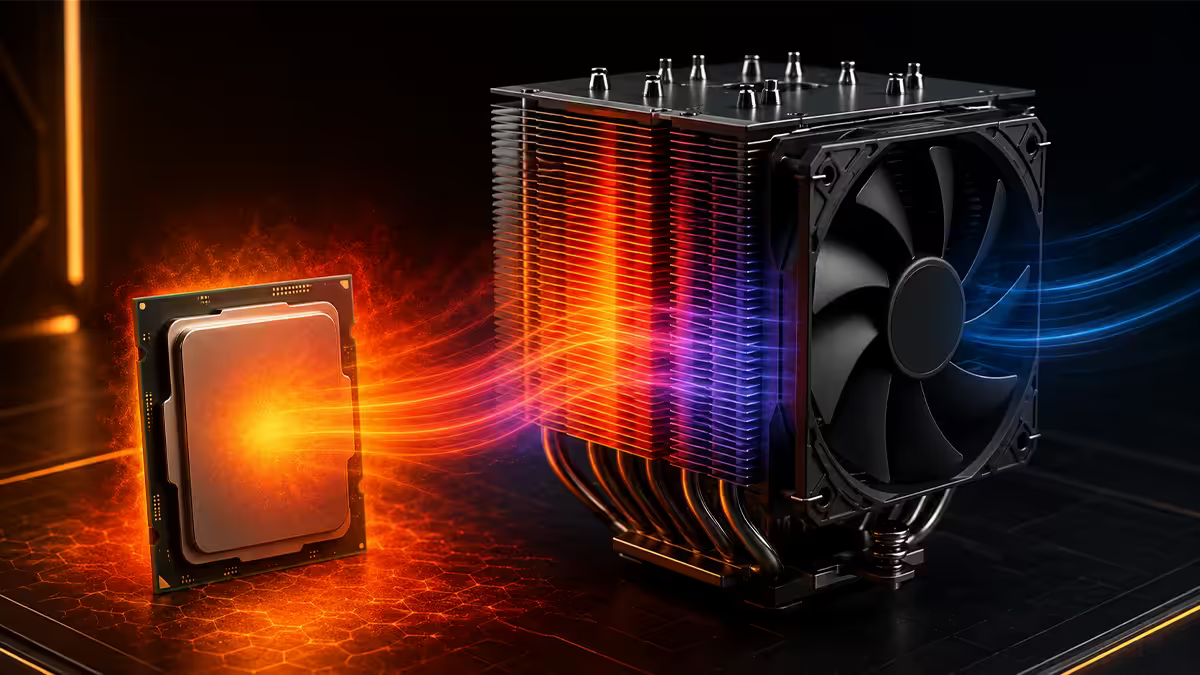
TDP stands for Thermal Design Power. It is the heat output (in watts) that a CPU is engineered to dissipate at base clocks during sustained typical workloads. That sentence has three weasel words doing all the work — base clocks, typical, sustained — and modern CPUs spend most of their interesting time outside all three.
The number is meant as a sizing aid for cooler manufacturers and system integrators. It is emphatically not the wattage your chip pulls in a heavy game or a Cinebench run. AMD and Intel both make this explicit in their technical documentation. The marketing materials, on the other hand, place the TDP value next to the clock speed and core count as if it's a peer spec. That misleads everyone who's ever bought a CPU on a budget.
A simple example. The Ryzen 7 7700 ships with a 65 W TDP on the box. Run Cinebench R23 on it and the chip pulls a sustained 88 W at the socket. Bench Prime95 small-FFTs and you'll see brief peaks toward 95 W. That's nominal +35%, and the chip is operating exactly as designed. The 65 W figure isn't wrong — it's just a different question to "how much heat must my cooler move?"
PPT, PL1, PL2 — the numbers that actually matter
AMD calls the real power limit PPT (Package Power Tracking). Intel calls it PL1 (long-duration) and PL2 (short-duration boost). These are the values that drive the cooler's job and the VRM's load. They are also the values you'll see vary the most between chips that share the same TDP.
| CPU | Box TDP | Sustained limit | Burst limit |
|---|---|---|---|
| Ryzen 7 7700 | 65 W | 88 W (PPT) | ~95 W brief |
| Ryzen 9 7900 | 65 W | 88 W (PPT) | ~110 W brief |
| Ryzen 9 7900X | 170 W | 230 W (PPT) | ~240 W brief |
| Ryzen 9 7950X | 170 W | 230 W (PPT) | ~250 W brief |
| Core i7-14700K | 125 W | 125 W (PL1) | 253 W (PL2) |
| Core i9-14900K | 125 W | 253 W (PL1 unlimited) | 253 W (PL2) |
| Core Ultra 9 285K | 125 W | 250 W (PL1) | 250 W (PL2) |
Two things jump out. First, on AMD, the relationship between TDP and PPT is roughly fixed (TDP × 1.35). Second, on Intel, the relationship between TDP and PL1/PL2 is a near-meme — the i9-14900K's "125 W TDP" reaches 253 W within milliseconds and stays there indefinitely with default board settings.
This isn't a defect. It's how the manufacturers wring maximum performance from each chip within the silicon's voltage-and-thermal envelope. The chip will throttle itself the instant it hits 95-100°C. The job of the cooler and VRM is to keep the chip below that ceiling.
Cooler sizing math — what you actually need
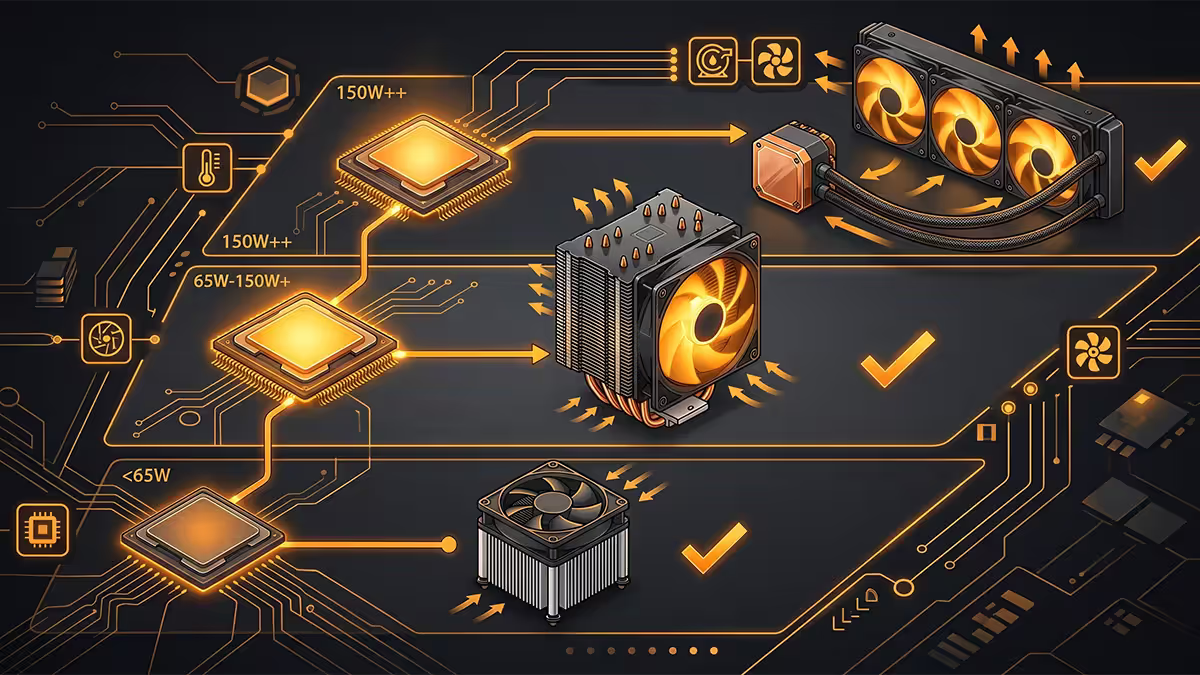
A cooler's job is to move heat from the CPU IHS into the air. Heatsink manufacturers publish a "TDP rating" — typically what the cooler can sustain at 25°C ambient with reference fan speed. The rule that works is simple: match the cooler's rated TDP to your CPU's sustained power limit (PPT for AMD, PL1 for Intel) plus 20% headroom.
Worked examples for SA ambient (often 26-30°C in summer, plus inside the chassis adds 5-10°C):
- Ryzen 7 7700 (88 W PPT) → cooler rated 120 W+. Deepcool AK400 or any 240 mm AIO over-delivers.
- Ryzen 9 7900X (230 W PPT) → cooler rated 280 W+. Deepcool AK620, Noctua NH-D15, 280/360 mm AIO.
- Core i7-14700K (253 W PL2) → cooler rated 300 W+. 280/360 mm AIO essential.
- Core i9-14900K (253 W PL1=PL2) → cooler rated 360 W+. 360 mm AIO or premium dual-tower air.
If your cooler can't keep up, the chip will throttle. You'll see no smoke, no blue screen — just slightly lower benchmark scores and slightly worse stuttering in long sessions. Most users never realise they're leaving 5-10% performance on the table because they bought a 120 W cooler for a 200 W chip.
VRM matching — the spec nobody checks
The motherboard's VRM (Voltage Regulator Module) converts 12 V from the PSU into the precise sub-1.5 V the CPU core needs. It does this through a set of "phases" — typically 6, 8, 10, 14 or 18+ — each consisting of a MOSFET, an inductor and a capacitor. More phases means lower load per phase, cooler operation and tighter voltage regulation.
A cheap entry-tier B650 or H610 board often ships with a 4+2 or 6+2 phase VRM and zero VRM heatsinks. Drop a 230 W PPT Ryzen 9 7900X onto it and the MOSFETs hit 110-120°C within minutes, throttling the CPU and shortening their own lifespan dramatically. The CPU is fine. The board is the bottleneck.
A rough pairing rule. For chips under 100 W PPT, any mainstream board works. For chips 100-180 W PPT, you want a B650 or B760 with 8+2 minimum phase count and proper VRM heatsinks. For chips 200 W+ PPT/PL2, step up to X670/X870 or Z790/Z890 with 14+ phase VRMs. The price delta is R1,000-R2,500 and worth every cent.
SA-relevant detail: stock for VRM-strong B650 boards (Gigabyte B650 Aorus Elite AX, MSI B650 Tomahawk WiFi, Asus TUF B650-Plus) is generally good. Avoid the cheapest no-brand or A620/H610 boards on anything but the lowest-TDP chips.
Thermal headroom — the under-discussed gain
Both AMD and Intel CPUs use thermal headroom as a boost lever. The cooler the chip runs, the longer it stays in boost, the higher it clocks at full load, and the higher single-thread peaks reach. A chip held at 70°C will sustain a higher average clock than the same chip held at 88°C, even at the same power limit.
This matters in two ways. First, a better cooler doesn't just lower temperatures — it delivers measurable extra performance. Second, the ambient and chassis airflow matter as much as the cooler. A 360 mm AIO inside a poorly ventilated SFF case in summer Pretoria will struggle in a way it never will inside a well-ventilated Lian Li mid-tower.
The practical rule: aim for sustained CPU temps in the 65-78°C band during your typical workload. Above 85°C means you're throttling boost; below 60°C means you've over-spent on cooling. SA summer ambient pushes everything 3-5°C warmer than EU reviewer figures.
Undervolting & ECO mode — free performance
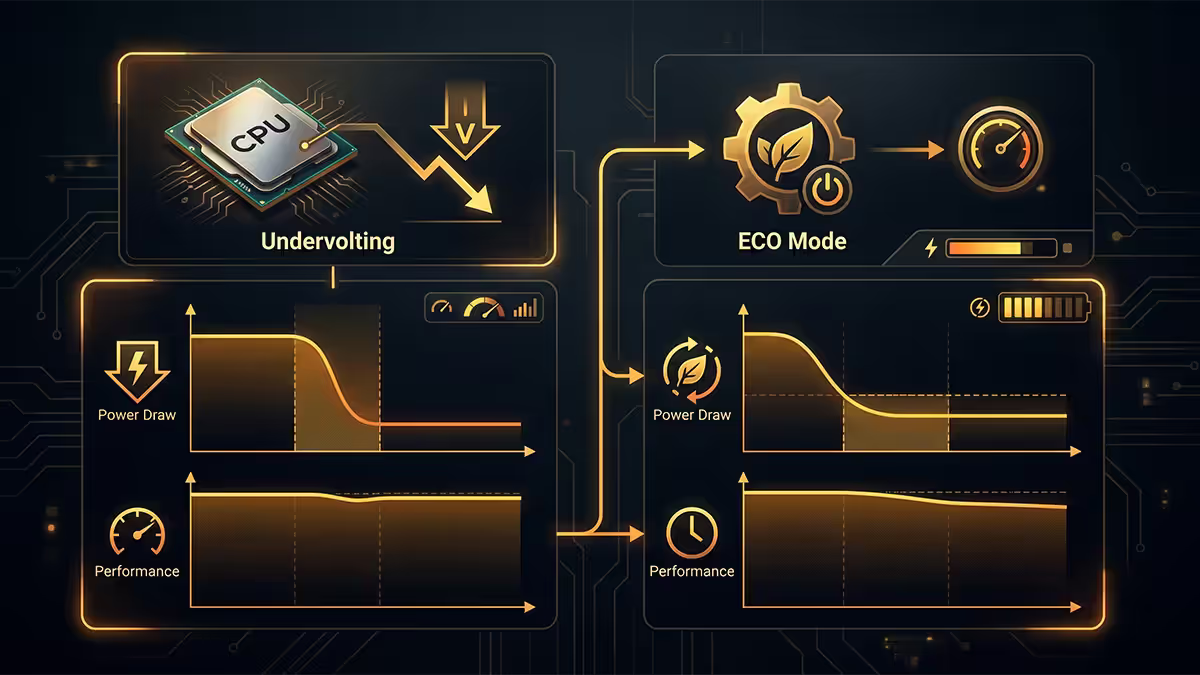
Once you understand that modern CPUs are voltage-and-thermal limited rather than silicon-limited, two tweaks become obvious wins.
AMD Curve Optimizer
Open BIOS, find the Curve Optimizer setting (under AMD Overclocking or Precision Boost Overdrive). Apply -20 to -30 across all cores. Boot Windows, run a 20-minute Cinebench loop. If stable, you've cut 5-10°C and gained 1-3% multi-thread performance. If unstable, dial back to -15. This works on every Ryzen 5000/7000/9000 chip — including the X3D parts, which respond especially well.
AMD ECO mode
For builds with mid-tier cooling, set the chip to 65 W or 105 W ECO mode in BIOS. A 7950X in 65 W ECO loses ~12% multi-thread for ~50% lower power draw and 15°C cooler temps. Gaming difference is 1-2 fps. Multi-thread productivity loss is real but minor. ECO mode is also a great fix for noisy small-form-factor builds.
Intel core offset
On Intel 13th/14th gen and Core Ultra, a -75 mV core voltage offset in BIOS gives similar gains — cuts 15-25 W sustained, drops peak temps 8-12°C. Test with Cinebench R23 for 30 minutes; if stable, leave it. If you crash, dial back to -50 mV. Intel has issued microcode updates that made this safer on 13th/14th gen; check your board's latest BIOS.
Real-world gaming wattage in SA
Here's the dirty secret marketing materials don't lead with: gaming workloads almost never max out CPU power. Most modern games load 6-10 threads at 50-80% utilisation. A 230 W PPT chip will sit at 65-95 W during a Counter-Strike 2 session, and 100-130 W during Cyberpunk 2077 with all the eye candy.
For SA gamers specifically, three things follow from this:
- Total system gaming draw is dominated by the GPU. A typical SA gaming build with a Ryzen 7 7700 and RTX 4070 pulls 280-340 W at the wall during a game session — CPU is 65-90 W of that.
- Load-shedding UPS sizing should target the gaming draw, not the rated TDP sum. A 600 VA UPS rated for 360 W will comfortably run a 7700/4070 mid-game build for 10-12 minutes during a Stage 2 cut.
- Heat in the room matters in summer. SA homes without aircon get noticeably warmer with a 400 W gaming build running through the afternoon. ECO mode + Curve Optimizer + a quieter fan curve drops your room temp 1-2°C in extended sessions.
CPU + cooler + board pairings by use case
| Use case | CPU pick | Cooler / board |
|---|---|---|
| Budget 1080p gaming | Ryzen 5 7500F / 7600 | Deepcool AK400 + B650 Aorus Elite |
| 1440p gaming + light work | Ryzen 7 7700 or 7700X | Deepcool AK620 + B650 Tomahawk |
| 1440p gaming sweet spot | Ryzen 7 7800X3D / 9800X3D | Noctua NH-D15 + B650E or X670 |
| Streamer / editor combo | Ryzen 9 7900X (ECO 105 W) | 360 mm AIO + X670E |
| Multi-thread productivity | Ryzen 9 7950X / 9950X | Arctic Liquid Freezer III 360 + X670E |
| Intel boost-first | Core i7-14700K | Arctic Freezer III 360 + Z790 Tomahawk |
| SFF / quiet build | Ryzen 7 7700 (ECO 65 W) | Noctua NH-U12A + B650I |
Key takeaways
- 01
TDP is a thermal hint
Real wattage is PPT (AMD) or PL1/PL2 (Intel) — typically 30-100% higher than box TDP. - 02
Size the cooler to PPT/PL2 plus 20% headroom
SA summer ambient adds another 3-5°C of margin needed. - 03
Match the motherboard VRM to the CPU
Cheap 4-phase boards throttle high-TDP chips. - 04
Undervolting is free performance
Curve Optimizer -25 (AMD) or Intel -75 mV gives lower noise and cooler temps. - 05
For gaming, sustained TDP barely matters
For multi-thread workloads, it determines build cost.
Frequently asked questions
What does CPU TDP actually mean?
TDP (Thermal Design Power) is the average sustained heat output the CPU is designed to dissipate at base clocks under typical workloads. It is not the maximum wattage the chip pulls. A 105 W TDP Ryzen routinely pulls 142 W (PPT), and a 125 W Intel Core can spike to 253 W (PL2) during boost. TDP is a thermal sizing guideline, not a power consumption figure.Why does my CPU pull more watts than the listed TDP?
Modern CPUs boost above their nominal TDP for short bursts (Intel PL2, AMD PPT) to maximise responsiveness. The board ships with these limits unlocked. A 65 W TDP Ryzen 7700 with PPT 88 W will sustain 88 W at full load. A 125 W Core i7 with PL2 of 253 W will briefly pull that during heavy boost. Real-world full-load wattage is almost always above the box figure.How do I size a CPU cooler to my TDP?
Match the cooler's rated dissipation to the chip's PPT or PL2 — not the nominal TDP. A 105 W TDP Ryzen 9 7900 pulls 142 W (PPT) and needs a cooler rated for 180 W+. A 125 W Intel Core i7 with PL2 253 W needs a 240 mm AIO or top-tier dual-tower air cooler (Noctua NH-D15, Deepcool AK620). Cheap stock coolers throttle anything above 100 W sustained.Does motherboard VRM matter for TDP?
Yes. Cheap B-series and entry H-series boards have VRMs sized for the CPU's nominal TDP. Drop a 142 W PPT Ryzen 9 onto a four-phase B650 board with no heatsinks and the VRM throttles, costing 10-15% multi-thread performance and shortening MOSFET life. Pair high-TDP CPUs with mid-tier boards (B650 with 8+2 phase VRM minimum, X670 / Z790 ideal).What is ECO mode and does it cut performance?
ECO mode (AMD) and PL1 lock (Intel) caps the CPU's sustained power. Ryzen 9 7950X in 65 W ECO mode loses about 12% multi-thread performance for 50% lower power draw and 15°C cooler temps. For gaming the difference is invisible (1-2 fps). For multi-thread productivity it is real but small. ECO mode is the single best tweak for builds with mid-tier cooling.How much does undervolting help with TDP?
A -30 mV Curve Optimizer offset on Ryzen 7000 / 9000 typically gives 5-10°C cooler temps with no performance loss. On Intel 14th gen a -75 mV core offset cuts 15-20 W sustained draw and 8-12°C peak temps. Undervolting is essentially free performance once you accept that boost behaviour is voltage-limited, not silicon-limited.Is high TDP better or worse for SA gaming?
For pure gaming, sustained TDP is largely irrelevant — most games load 6-8 threads at 60-80% utilisation, so a 142 W PPT chip uses 55-75 W mid-game. High TDP matters for productivity (video editing, compilation, simulation) where sustained multi-thread load is the workload. SA load-shedding and warmer ambient temps make undervolting more valuable here than in the EU.Will a higher TDP CPU run my electricity bill higher?
Marginally. A 142 W PPT chip versus a 65 W ECO chip differs by about 70 W under sustained gaming load. At Eskom 2026 rates of ~R3.50/kWh, 4 hours daily for a year is about R357 difference. Real total system difference is closer to R250-R450 per year between an efficient and a tuned-hard build. For most users, total system idle and partial-load draw matters more than peak TDP.
Get the Evetech app
Exclusive app-only prices, daily flash sales, and free delivery on orders over R4,000 — download the app and start saving.