Hardware Explainer · Motion Clarity
What is G-Sync Pulsar. — Variable strobing. Variable refresh. Finally together.
Backlight strobing has lived in a separate world from variable refresh for a decade — you picked one or the other. Pulsar is the first technology that genuinely runs both, turning every frame rate into a CRT-clean motion frame.
- effective persistence
- ~1 ms
- brightness trade-off
- 30-50%
- where it shines
- 240Hz+
What Pulsar actually is, in plain terms
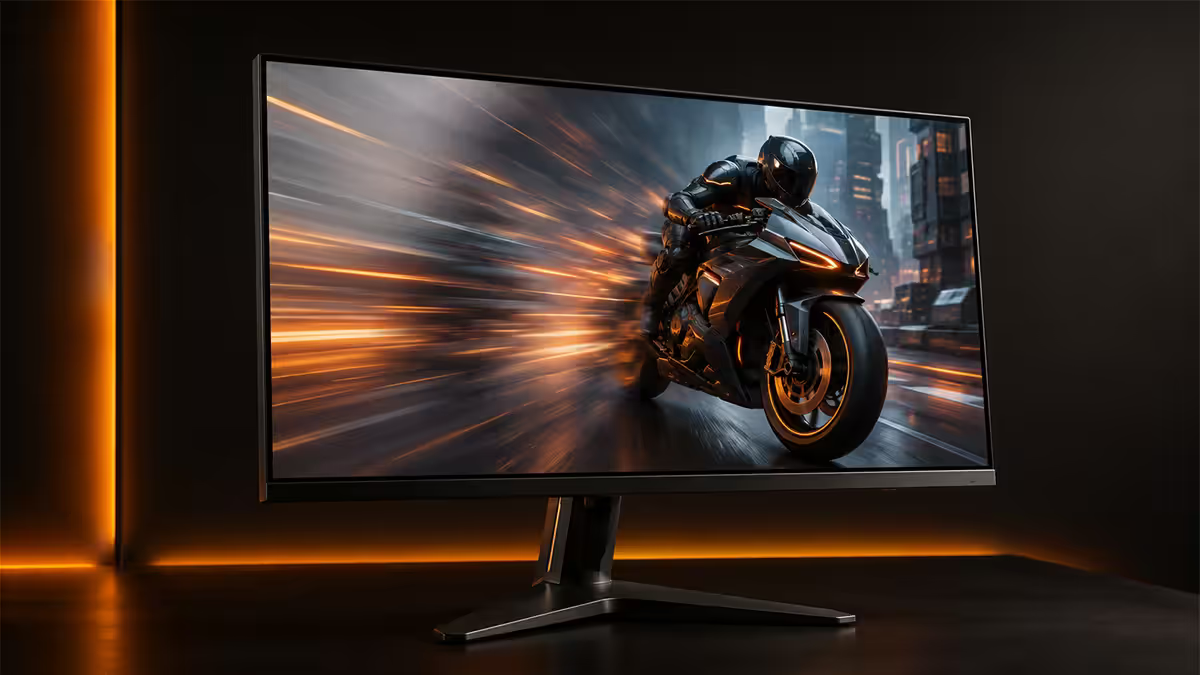
G-Sync Pulsar is NVIDIA's first display technology that runs variable refresh rate and variable backlight strobing at the same time. The monitor's G-Sync hardware module syncs the strobe pulse — the brief flash of the backlight (or, for OLED, the panel itself) — to whatever frame rate the GPU is delivering, frame by frame.
That two-word combination is the breakthrough. For a decade, backlight strobing technologies like ULMB and BenQ DyAc gave players incredible motion clarity, but only at a single locked refresh rate. Turn on G-Sync or FreeSync and the strobing turned off. Pulsar removes that "either/or" — the strobe rate now varies with the frame rate, frame by frame, and the result is consistent CRT-style motion at any Hz.
The visible result is the biggest motion-clarity uplift since the leap from 60Hz to 144Hz. Tracking a flicked crosshair, reading text while quickly panning a Valorant map, or following a strafing player at the edge of your peripheral vision — everything resolves sharper.
Why low Hz feels blurry — even on OLED
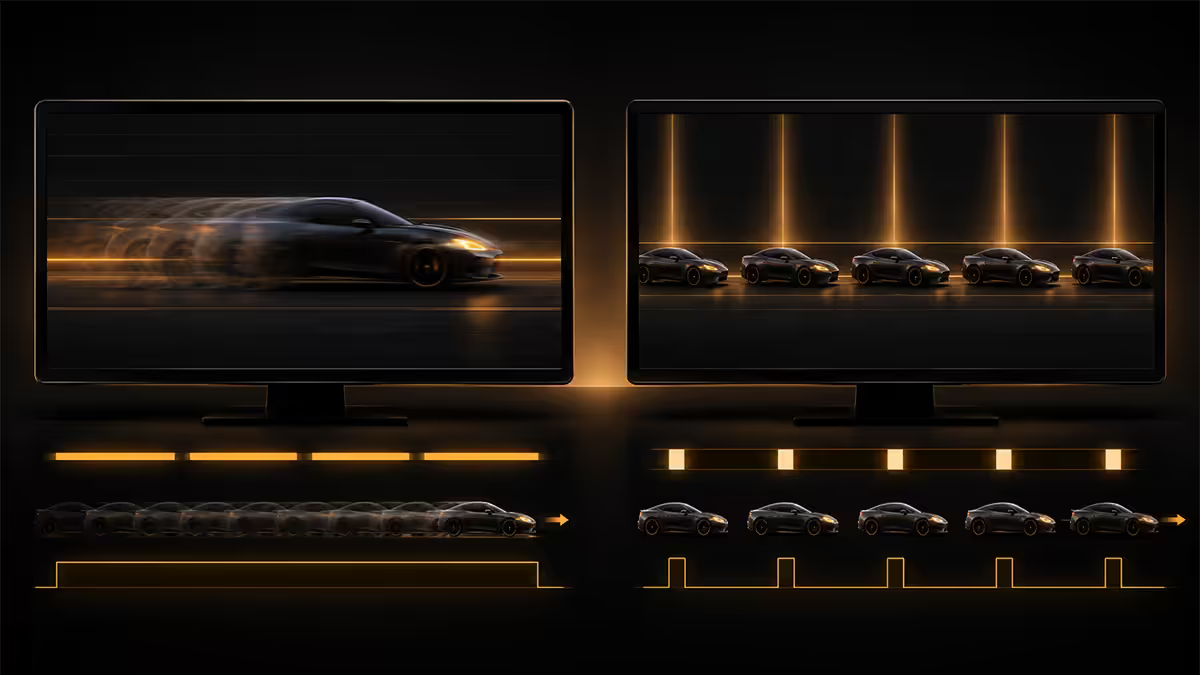
Here's a question OLED owners ask constantly: why does my 0.03 ms response time OLED still look blurry when I'm panning quickly? The pixels are instant. The answer is sample-and-hold persistence.
Modern displays — LCD or OLED — hold each frame on screen for the entire frame interval. At 60Hz, each frame is held for 16.7 ms. At 240Hz, 4.2 ms. While that frame is held, your eye is tracking a moving object across the panel surface. Your eye keeps moving smoothly; the panel keeps the pixel still until the next frame arrives. The result is a smear on your retina — not on the panel.
This is why motion looks blurry even when pixel response is perfect. The blur isn't a panel artefact; it's a biological consequence of how your eyes track moving things on a held image.
Strobing fixes it by killing persistence. Instead of holding each frame for the full interval, the backlight (or panel) flashes briefly and stays dark for most of the interval. Your eye sees a sharp pulse rather than a smeared track. Pulsar's innovation is doing this at a strobe rate that matches a constantly-changing frame rate, rather than at one locked frequency.
Pulsar vs ULMB, DyAc, BFI — what changed
Backlight strobing isn't new. NVIDIA's ULMB and ULMB 2, BenQ's DyAc and DyAc+, Black Frame Insertion on OLED TVs, and LG's Motion Pro have all delivered the same underlying technique for years. So what's different about Pulsar?
| Tech | VRR while strobing? | Strobe rate |
|---|---|---|
| ULMB 2 (NVIDIA) | No — disables G-Sync | Fixed (typically 240Hz) |
| DyAc+ (BenQ) | No — disables FreeSync | Fixed (typically 240Hz) |
| Black Frame Insertion (LG/Samsung TV) | Partial — limited compatibility | Fixed (60/120Hz) |
| G-Sync Pulsar | Yes — runs with G-Sync | Variable, frame-by-frame |
The other listed technologies all force a trade-off: you get motion clarity OR variable refresh, not both. If your frame rate dropped from 240 to 180 during a fight, ULMB couldn't follow — your strobe was still firing at 240Hz, creating mismatched flicker and visible doubling.
Pulsar resolves this by handling the variability in the G-Sync hardware module itself — the module signals the panel to strobe at whatever frame rate is being delivered, in real time. This is why Pulsar requires the dedicated G-Sync hardware module and isn't available on G-Sync Compatible (software-only) panels.
Which monitors support Pulsar
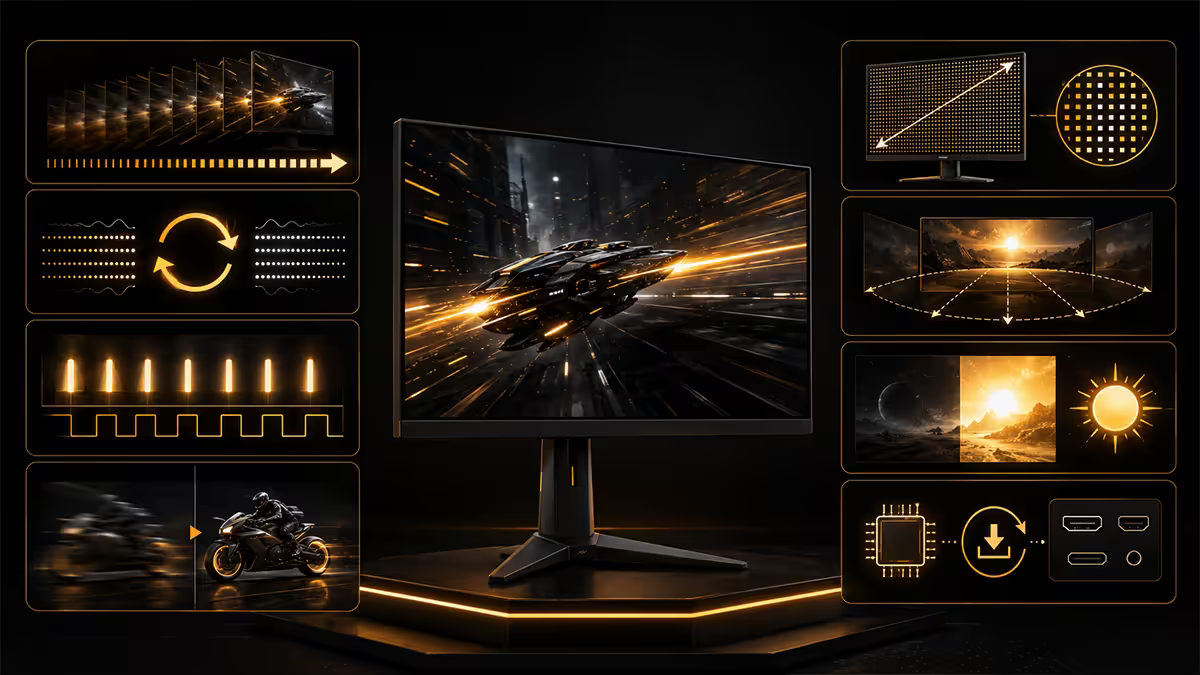
As of mid-2026 the supported list is small but growing. Pulsar launched on ASUS's ROG Swift PG27AQNR (360Hz QD-OLED, 27 inch) and the technology has rolled out to a handful of premium G-Sync hardware module panels since.
Currently shipping with Pulsar support:
- ASUS ROG Swift PG27AQNR — 27" 360Hz QD-OLED, the launch panel. R32,000-R38,000.
- ASUS ROG Swift PG32UQXR Pulsar Edition — 32" 4K Mini-LED 240Hz with Pulsar. Larger and brighter.
- Acer Predator X27U F2 — 27" 360Hz QD-OLED, slightly cheaper alternative to the ROG.
- AOC Agon Pro AG276QPL2 — 27" 360Hz QD-OLED, budget-focused Pulsar entry at R22,000-R26,000.
- Several upcoming 2026 Samsung Odyssey and LG UltraGear panels announced with Pulsar certification.
If a monitor advertises "G-Sync Compatible" only — without the dedicated hardware module — it cannot support Pulsar. The hardware module handles the timing signalling Pulsar requires.
Trade-offs and limitations
Pulsar isn't free. There are three real costs and one minor one worth understanding before you buy.
Brightness reduction. Strobing the panel off for most of each frame cuts average luminance by 30-50%. A 600-nit display in Pulsar mode performs more like a 300-nit display. Dim gaming rooms aren't affected, but bright daylight setups feel noticeably dimmer. HDR content in Pulsar mode is meaningfully compromised — most users disable Pulsar for cinematic single-player content.
Transition ghosting at frame rate spikes. When your frame rate jumps quickly (60 to 240 in a fraction of a second), Pulsar's strobe timing has to ramp. During that ramp, very small amounts of double-image ghosting can appear at the edges of moving objects. It's brief and most players don't notice — but pixel-peepers running side-by-side comparisons will.
NVIDIA-only. Pulsar requires the G-Sync hardware module's communication with the NVIDIA driver to function. AMD Radeon GPUs on a Pulsar monitor work fine — they just fall back to FreeSync without Pulsar. If you might switch between AMD and NVIDIA, this is worth noting.
Strobe sensitivity. A small percentage of users perceive backlight strobing as flicker, particularly in peripheral vision. If you're one of those, Pulsar will feel uncomfortable in the same way 60Hz fluorescent lighting does to migraine-prone people. Try before you commit if you can.
When Pulsar is worth the premium
Pulsar is a specialist feature. It's superb for one type of buyer and irrelevant for everyone else. Here's how to know which camp you fall in.
Pulsar is worth it if you:
- Play competitive FPS games (Valorant, CS2, Apex, Overwatch, Rainbow Six Siege) at 240Hz or above.
- Game predominantly in a controlled-light or dim room.
- Already own an NVIDIA GPU capable of pushing 240+ fps in those titles (RTX 4070 Super and up).
- Notice motion blur during fast tracking and find it distracting at current refresh rates.
- Are upgrading from a 144Hz or 240Hz LCD and want the next visible step.
Skip Pulsar if you:
- Primarily play single-player or open-world games where HDR matters more than motion clarity.
- Game in a bright room where dim panels become unusable.
- Use the monitor for productivity / content creation a meaningful share of the time.
- Run an AMD GPU and don't plan to switch.
- Find the existing motion clarity of a 240Hz OLED already "good enough" — for many players, it is.
The future of motion clarity tech
Pulsar is the start of a category, not the end. Several developments are already in motion that will reshape how this technology evolves through 2027-2028.
OLED self-emissive strobing. Pulsar on QD-OLED currently strobes the panel directly rather than a backlight — there is no backlight in OLED. Future OLED panel designs will deliver higher peak brightness specifically to compensate for the Pulsar-induced dimming, recovering most of the brightness deficit while keeping the clarity benefit.
VESA AdaptiveSync 2.0 with strobing. The open standard track is following NVIDIA — VESA has draft specifications for variable strobe rates that AMD FreeSync Premium Pro is expected to adopt. Expect Pulsar-equivalent technology on Radeon-friendly monitors within 12-18 months.
Higher native refresh rates. At 480Hz and 540Hz (already shipping on competitive esports panels), sample-and-hold persistence drops to ~2 ms even without strobing. Motion clarity reaches "good enough" territory and Pulsar's relative advantage shrinks. By 2027-2028, 480Hz native panels may make Pulsar feel like a niche solution to a smaller problem.
BFI on LG OLED TVs. LG's 2026 OLED TVs ship with variable Black Frame Insertion at up to 165Hz — essentially a Pulsar-adjacent technology for the living room. Console and HTPC gamers benefit too.
Key takeaways
- Pulsar combines variable refresh rate and variable backlight strobing — a first.
- Motion blur isn't a panel problem — it's a biological persistence problem. Strobing solves it.
- ULMB / DyAc / BFI strobe at fixed rates and disable VRR. Pulsar doesn't.
- Brightness drops 30-50% with Pulsar active — dim rooms only, no HDR.
- It's an esports feature, not a cinematic one. 240Hz+ competitive players win biggest.
Frequently asked questions
What is G-Sync Pulsar?
NVIDIA's combined VRR and variable-rate backlight strobing technology — gives you CRT-like motion clarity even when frame rates vary. Launched on the ROG Swift PG27AQNR and rolling out to more 2026 G-Sync hardware module panels.How is Pulsar different from ULMB, DyAc and BFI?
ULMB 2, DyAc and BFI strobe at fixed refresh rates and disable VRR. Pulsar strobes at the variable rate, matching your frame rate frame-by-frame — motion clarity and G-Sync work together.Which monitors support G-Sync Pulsar?
ASUS ROG Swift PG27AQNR, ROG Swift PG32UQXR Pulsar Edition, Acer Predator X27U F2, AOC Agon Pro AG276QPL2, and additional 2026 Samsung Odyssey and LG UltraGear panels. All require a G-Sync hardware module.Does G-Sync Pulsar reduce brightness?
Yes — 30-50% reduction in average luminance. A 600-nit monitor performs like 300 nits in Pulsar mode. Fine for dim gaming rooms, problematic for bright environments or HDR.Is G-Sync Pulsar worth the extra money?
For competitive players at 240Hz+ — yes. Biggest visible upgrade since 60Hz to 144Hz. For casual gaming, productivity or HDR — no, the brightness trade-off isn't worth it.Does G-Sync Pulsar work with AMD GPUs?
No. Pulsar requires NVIDIA's G-Sync hardware module signalling, which AMD's FreeSync uses a different path. AMD systems on these monitors fall back to standard FreeSync without Pulsar.Why does low Hz feel blurry on OLED?
Sample-and-hold persistence. Even with instant pixels, your eye tracks moving objects across each held frame, smearing on your retina. Pulsar fixes this by strobing each frame briefly so your eye sees a sharp pulse.What does G-Sync Pulsar cost in South Africa?
Pulsar adds roughly R3,000-R6,000 over equivalent non-Pulsar panels. ROG Swift PG27AQNR retails at R32,000-R38,000. AOC AG276QPL2 is the budget Pulsar entry at R22,000-R26,000.
Get the Evetech app
Exclusive app-only prices, daily flash sales, and free delivery on orders over R4,000 — download the app and start saving.