Glossary · Frame Rate
What is FPS — and why every game feels different at the same number.
Frames per second is the easiest gaming spec to brag about and the most misunderstood. Average FPS is half the story — consistency, refresh-rate sync and frame pacing decide whether the game actually <em>feels</em> smooth.
- most visible jump
- 60 → 120
- truth metric
- 1% low
- perceptual plateau
- ~240 fps
FPS, defined
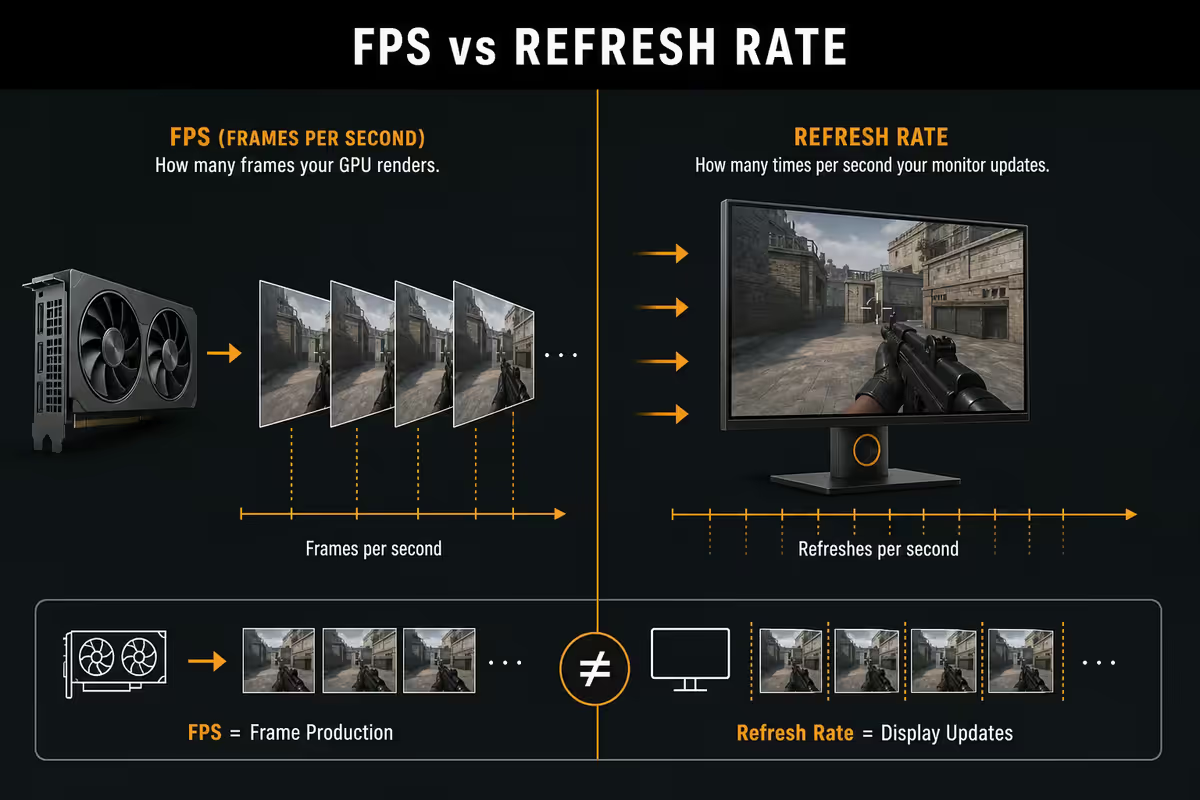
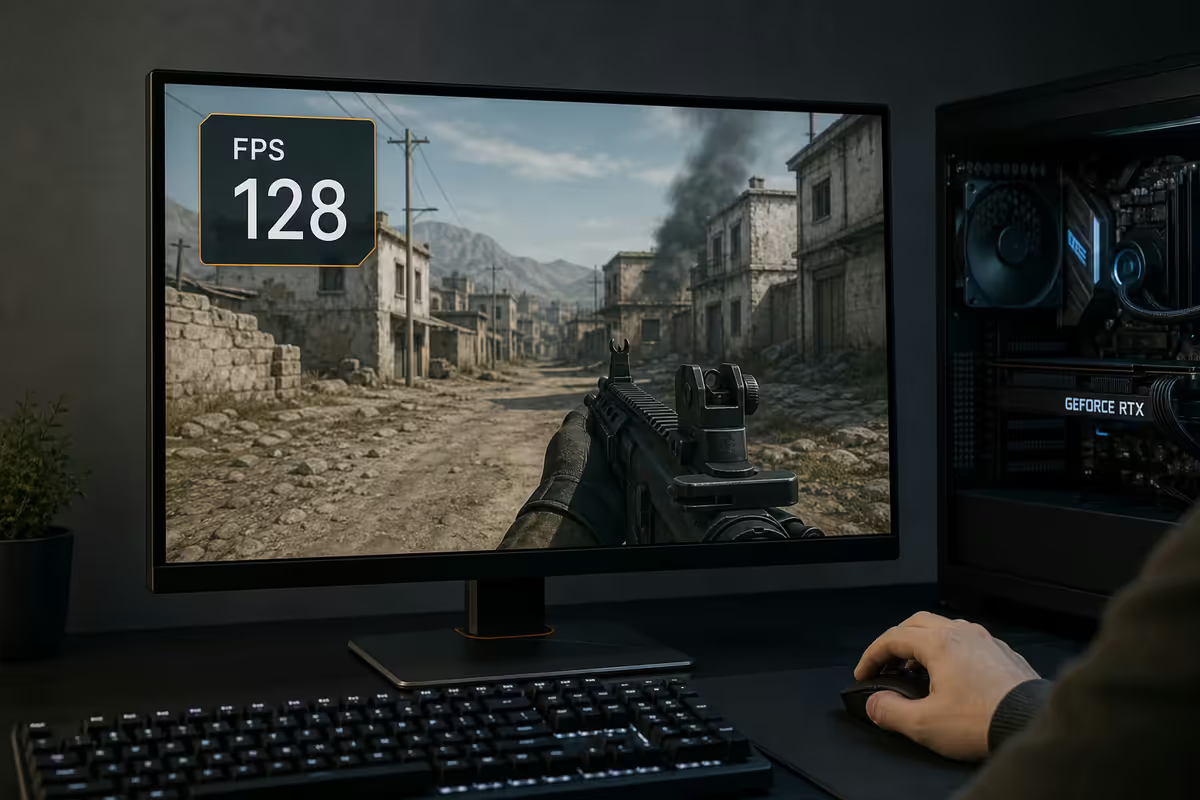
Frames per second is the count of distinct still images the GPU finishes rendering and sends to the monitor each second. A game running at 60 FPS produces 60 unique frames per second; the gap between consecutive frames averages 16.6 milliseconds. At 120 FPS, that gap shrinks to 8.3ms. At 240 FPS, 4.16ms.
The shorter the gap, the closer your eye gets to perceiving motion as continuous rather than as a sequence of stills — and the closer your character responds to your input. FPS measures both the smoothness of motion and the responsiveness of control, which is why it dominates gaming hardware conversation.
There's an unfortunate ambiguity: in gaming circles "FPS" also refers to the First-Person Shooter genre (CS2, Valorant, Apex, COD). When someone says "playing FPS at 240 FPS" they're using the acronym twice. In hardware context — the context of this article — FPS always means frames per second.
FPS vs refresh rate — the most common confusion
Newcomers often think a 144Hz monitor magically makes games smoother. It doesn't, unless the GPU is also delivering 144 FPS or more. The two numbers have to match up.
FPS is produced by the graphics card. It depends on the game, the resolution, the settings, the CPU, and how much GPU horsepower you have. Refresh rate is a property of the monitor — how many times per second the panel can physically update its image. A 144Hz monitor can show up to 144 unique frames per second. A 60Hz monitor caps at 60.
If your GPU produces 200 FPS but your monitor refreshes at 60Hz, you only see 60 of those frames. The other 140 are rendered and discarded. Conversely, if your monitor refreshes at 240Hz but your GPU only produces 70 FPS, the monitor shows the same frame multiple times until a new one arrives — you get the smoothness of 70 FPS, not 240.
| Concept | What it is | Controlled by |
|---|---|---|
| FPS | Frames the GPU produces per second | GPU + CPU + game settings |
| Refresh rate (Hz) | Frames the monitor displays per second | Monitor panel only |
| Effective smoothness | min(FPS, Hz) | The lower of the two |
30, 60, 120, 144, 240 FPS — what each tier feels like
Frame rate isn't linear in perception. The jump from 30 to 60 is enormous. From 60 to 120 is still very noticeable. From 120 to 240, real but subtle — and you need the right monitor and content to perceive it.
30 FPS — playable, not smooth
The 33.3ms gap between frames is long enough that motion blur appears as judder. Console games used to ship at 30 FPS as a target; many modern story games offer 30 FPS as a "quality" mode trading frame rate for visuals. Workable for slow story games. Painful for anything with mouse aim or fast input response.
60 FPS — the smoothness baseline
For most of the last 20 years, 60 FPS has been the standard "smooth gaming" target. At 16.6ms per frame, motion looks continuous, mouse aim feels responsive, and the eye doesn't fight to track movement. 60 FPS on a 60Hz monitor remains a perfectly fine experience for single-player and story games.
120 FPS — visibly more fluid
The jump from 60 to 120 is the easiest to perceive in a side-by-side comparison. Camera panning is dramatically smoother; small text on moving signage stays readable; mouse aim feels lighter and more direct. For most gamers, this is where "smooth" turns into "alive". 120-144Hz monitors are the modern enthusiast baseline.
144 / 165 / 240 FPS — competitive territory
Above 120, smoothness gains diminish but input latency continues to drop measurably. Every additional 60 FPS shaves roughly 4-8ms off click-to-pixel time. For competitive shooters where 30ms can decide a duel, this is real performance advantage. For story games and turn-based titles, the difference is mostly invisible.
| FPS | Frame gap | Feel |
|---|---|---|
| 30 FPS | 33.3 ms | Workable for slow games. Juddery for fast motion. |
| 60 FPS | 16.6 ms | The "smooth" baseline. Fine for nearly everything. |
| 120 FPS | 8.3 ms | The first big upgrade. Easy to see. |
| 144 FPS | 6.9 ms | Standard for modern gaming monitors. |
| 240 FPS | 4.2 ms | Esports advantage. Real latency reduction. |
| 360+ FPS | <2.8 ms | Pro tier. Diminishing perceptual return. |
Why average FPS lies — frame pacing and 1% lows
Here's the most underrated concept in performance: average FPS hides everything that goes wrong. A game that averages 120 FPS but stutters every 1.5 seconds will feel worse than a game that averages 90 FPS with perfectly consistent pacing.
The reason: your eye notices the slow frames, not the fast ones. If 99 of 100 frames render in 8ms but one renders in 28ms, the perceived experience is dominated by that 28ms stutter, not the 8ms average.
This is what 1% low FPS measures — the slowest 1% of frames over a benchmark run, expressed as the equivalent FPS. A scene with 120 average and 95 1% low is excellent. A scene with 140 average and 45 1% low has serious stutter problems despite the inflated headline number. The gap between average and 1% low is the truthful indicator of smoothness.
Frame pacing problems usually come from one of three sources: CPU bottlenecks (the CPU can't feed the GPU fast enough during heavy scenes), memory paging (asset streaming pauses to load from storage), or driver/engine bugs (a specific scene or effect causes a render spike). Modern NVMe SSDs and DDR5 systems with adequate RAM eliminate most of these. The remaining 1% lows almost always trace back to the CPU.
G-Sync, FreeSync, VRR — adaptive refresh
Old monitors refresh on a fixed schedule regardless of when the GPU finishes a frame. This causes two problems: tearing (a horizontal break in the image when the monitor refreshes mid-frame) and stuttering (when the GPU finishes early or late relative to the refresh schedule).
Adaptive sync (sold as NVIDIA G-Sync and AMD FreeSync, and as VRR for consoles) solves both. The monitor only refreshes when the GPU delivers a new frame, within the monitor's supported range (typically 48-144Hz or 48-240Hz). Frame pacing becomes perfect because the panel waits for the GPU instead of running on a fixed clock.
In 2026, the distinction between "G-Sync" and "FreeSync" panels has effectively disappeared. NVIDIA cards work fine with FreeSync monitors ("G-Sync Compatible" certification). AMD cards work fine with G-Sync panels via DisplayPort adaptive sync. If a monitor supports adaptive sync at all, your modern GPU will use it.
Why you should cap your FPS
Counterintuitive but true: capping your FPS slightly below your monitor's refresh rate delivers the smoothest experience, especially with adaptive sync enabled.
The reason: at the very top of the monitor's refresh range, adaptive sync can fall back to traditional VSync behaviour, which adds input lag. Capping at refresh rate minus 3-5 keeps the GPU always producing frames inside the adaptive range. On a 144Hz panel, cap to 141 FPS. On 240Hz, cap to 237. On 60Hz, cap to 58.
Secondary benefits of capping: the GPU runs cooler, fans spin slower, power draw drops (meaningful in load shedding / battery contexts), and coil whine reduces. The frames "saved" by the cap weren't doing anything for you anyway — the monitor couldn't show them.
Where to set the cap: in NVIDIA Control Panel ("Max Frame Rate"), AMD Adrenalin Software ("Frame Rate Target Control"), or in-game framerate cap if available. RTSS (RivaTuner Statistics Server) gives the most precise pacing if you're chasing the ideal feel.
"The human eye can only see 30 FPS"
This is wrong, and the wrongness has a specific origin. Hollywood film runs at 24 FPS and looks fine. NTSC broadcast TV ran at 30 FPS (actually 29.97 interlaced) and looked fine. From that, someone in the 1990s concluded that humans must not be able to perceive higher frame rates. They were comparing two completely different things.
Film and TV use motion blur — each frame contains a smear of motion captured during the camera's open shutter. The brain interprets this blur as continuous motion. Games render discrete sharp frames with no motion blur (unless artificially added). The brain perceives the gaps between frames much more clearly. 30 FPS in a game and 30 FPS in a film are fundamentally different experiences.
Laboratory studies show the human visual system can detect changes in single frames at exposures of 1/220 second — equivalent to 220+ FPS detection capability. Trained fighter pilots reliably identify aircraft silhouettes shown for 1/250 second. The "eye limit" for perceived smoothness benefit plateaus somewhere around 240 FPS for most people, but the eye itself is not the bottleneck below that.
Key takeaways
- FPS = frames per second produced by GPU. Refresh rate (Hz) = frames per second the monitor can display.
- The most perceptually obvious upgrade is 60 → 120 FPS. Beyond that, smoothness gains diminish but input latency keeps dropping.
- Average FPS lies. 1% low FPS and frame pacing are what your eye actually perceives.
- Cap FPS to 3-5 below monitor refresh rate and enable G-Sync/FreeSync for the smoothest experience.
- The eye-limit-30-FPS myth is wrong. Human perception of smoothness benefit plateaus near 240 FPS.
Frequently asked questions
What does FPS stand for in gaming?
FPS stands for Frames Per Second — the number of distinct still images the GPU renders and the display shows each second. Higher FPS makes motion appear smoother and reduces the perceived delay between input (mouse, controller) and visible reaction. The same acronym is also slang for First-Person Shooter games, which is a separate meaning. In hardware context, FPS always means frames per second.What is the difference between FPS and refresh rate?
FPS is what your GPU produces — frames per second of rendered output. Refresh rate is what your monitor displays — how many times the panel can update its image each second, measured in Hertz (Hz). A 144Hz monitor refreshes 144 times per second; if your GPU only produces 60 FPS, you only see 60 unique images regardless of monitor. To benefit from a high refresh rate, both GPU output and panel refresh need to match.Is 60 FPS still enough for gaming in 2026?
For single-player story games and casual play, 60 FPS remains perfectly smooth. For competitive shooters, fighting games, and fast platformers, 120 FPS or higher is now the practical standard. The jump from 60 to 120 FPS is more noticeable than the jump from 120 to 240 FPS — diminishing returns. If you play CS2, Valorant, Apex or similar, 144 FPS minimum is realistic.Why does the same game feel different at the same FPS on different systems?
Frame pacing — the consistency of the time gap between frames. An average of 100 FPS sounds smooth, but if the gaps between frames vary wildly (5ms, 20ms, 8ms, 18ms), the game feels juddery. A consistent 90 FPS often feels smoother than an inconsistent 110 FPS. This is why the '1% low' metric matters more than average FPS — it captures the slowest 1% of frames, which are what you actually perceive as stutter.What is the human eye limit for FPS?
There isn't one. The 'eyes can only see 30 FPS' myth is from 1990s film theory misapplied to interactive gaming. Trained pilots can identify aircraft shown for as little as 1/220th of a second — equivalent to detection at 220+ FPS. Most gamers can distinguish smoothness differences up to roughly 240 FPS; above that, the perceptual gain plateaus. The eye doesn't perceive in discrete frames at all — it integrates light continuously.Should I cap my FPS for smoother gaming?
Yes, in most cases. Capping FPS to slightly below your monitor's refresh rate (e.g., 141 FPS on a 144Hz panel) prevents tearing and reduces input lag versus running uncapped with VSync. With G-Sync or FreeSync enabled, this combination delivers near-perfect frame pacing. Uncapped FPS on a low-refresh monitor wastes GPU power producing frames you'll never see, generates more heat and noise, and can cause tearing.What are G-Sync and FreeSync and how do they relate to FPS?
Both are adaptive sync technologies — the monitor refreshes only when the GPU delivers a new frame, instead of on a fixed schedule. This eliminates tearing (visible horizontal break in the image) and stuttering at variable FPS. G-Sync is NVIDIA's implementation (now widely 'G-Sync Compatible' on FreeSync panels); FreeSync is AMD's open VESA-based standard. Both work the same in practice on supported displays.What FPS do esports professionals play at?
Professional CS2, Valorant and Apex players typically run on 240Hz to 360Hz monitors aiming for 240+ FPS sustained. At pro level, the perceptual benefit comes less from raw smoothness and more from reduced input-to-display latency — every additional 60 FPS shaves roughly 4-8ms off the time between mouse click and on-screen reaction. For 99% of competitive players, 144 FPS on a 165Hz monitor delivers most of the benefit at a fraction of the cost.