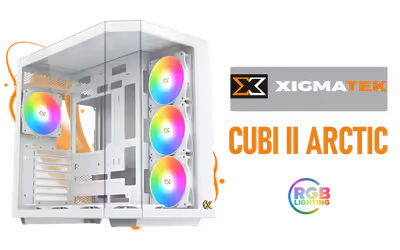
Xigmatek Cubi II Arctic Mid Tower Gaming Case White
Xigmatek Cubi II Arctic Gaming Case, with 7 ARGB, Supports Motherboards up to E-ATX, Lights,USB-C x1,USB 3.0 Ports x2, HDD/SSD Slots (White) / 7 x Pre-Installed ARGB Fans Included / EN45493 / EN45493 + FREE DELIVERY !
1 Year Local Warranty
Model No : Xigmatek EN45493
Price Inc. Vat
R 2,199
Save R 500.00
ListR 2,699
2199Free Delivery
Qty:
In Stock with Evetech
Xigmatek Cubi II Arctic Gaming Case – 7 ARGB, E-ATX Support
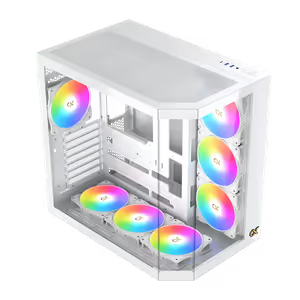
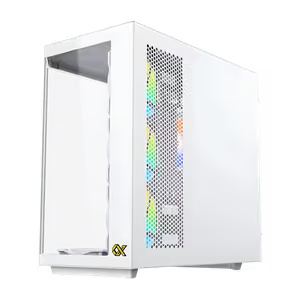
White Mid Tower With Seven ARGB Lights
The Xigmatek Cubi II Arctic is a white mid tower gaming case carrying 7 ARGB lights, USB-C and USB 3.0 ports and multiple HDD and SSD slots for storage expansion. Its roomy interior takes robust components while optimised airflow holds cooling conditions steady, and the cable management keeps a busy build tidy behind the glass.
White Mid Tower With Seven ARGB Lights
The Xigmatek Cubi II Arctic is a white mid tower gaming case carrying 7 ARGB lights, USB-C and USB 3.0 ports and multiple HDD and SSD slots for storage expansion. Its roomy interior takes robust components while optimised airflow holds cooling conditions steady, and the cable management keeps a busy build tidy behind the glass.
Three Tempered Glass Panels Around The Chassis
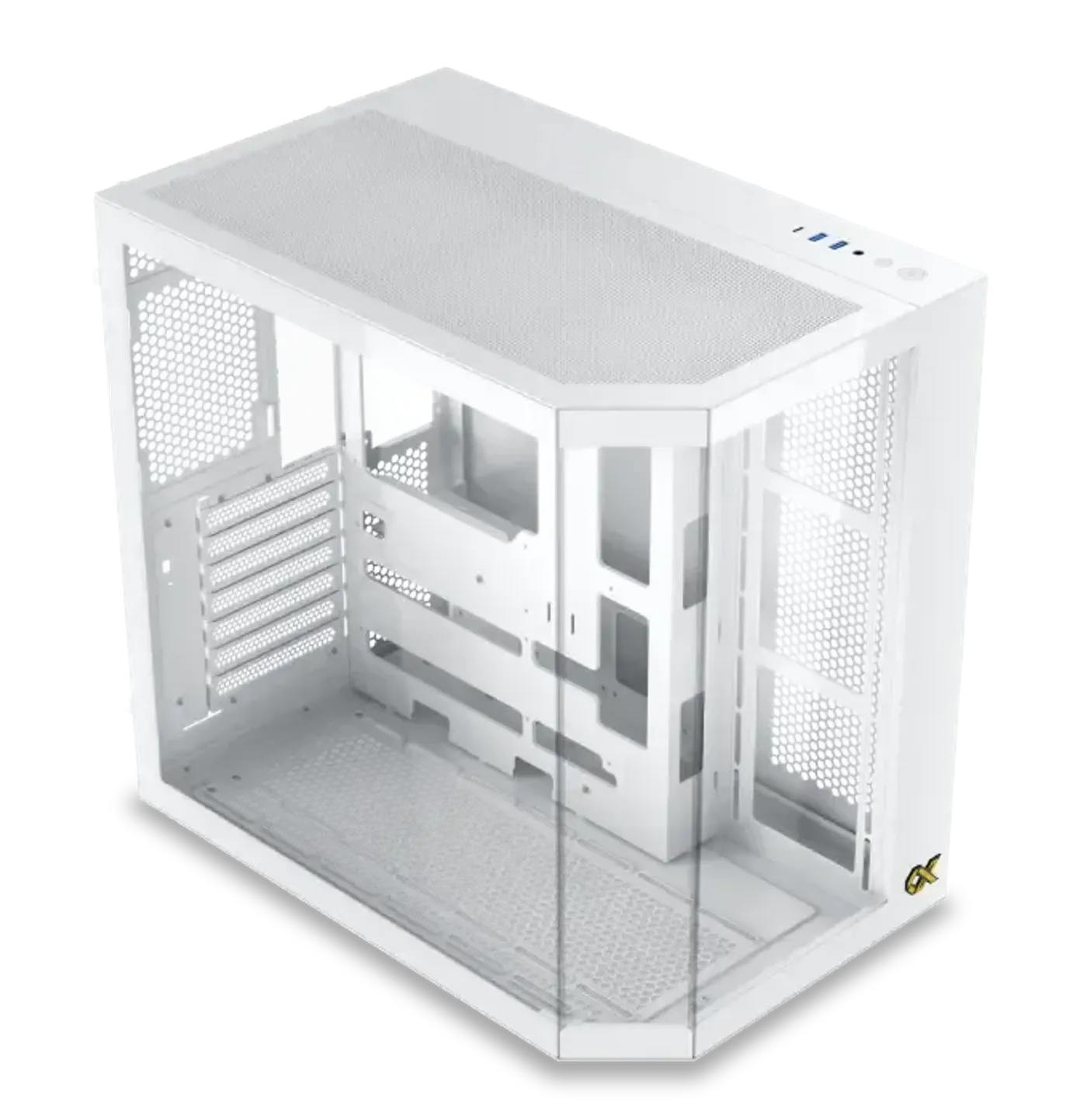
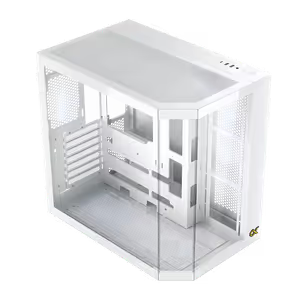
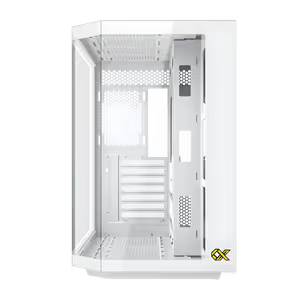
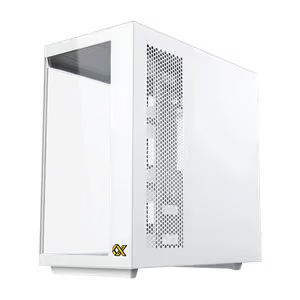
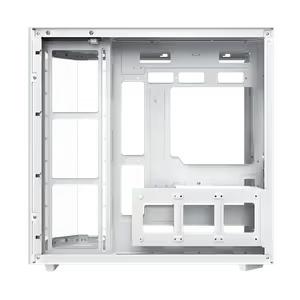
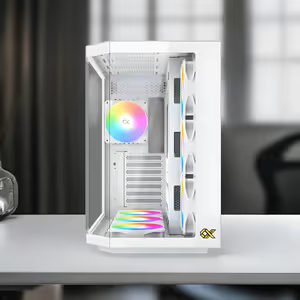
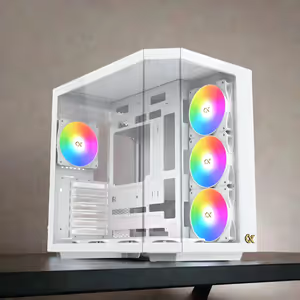
The Cubi II Arctic is built on a three tempered glass panel framework, showing the interior across three faces rather than one. Against a white chassis the contrast makes the components read clearly, and the 7 ARGB lights inside are visible from wherever the case sits instead of only from one side.
Three Tempered Glass Panels Around The Chassis
The Cubi II Arctic is built on a three tempered glass panel framework, showing the interior across three faces rather than one. Against a white chassis the contrast makes the components read clearly, and the 7 ARGB lights inside are visible from wherever the case sits instead of only from one side.
Optimised Airflow Maintains Cooling Conditions
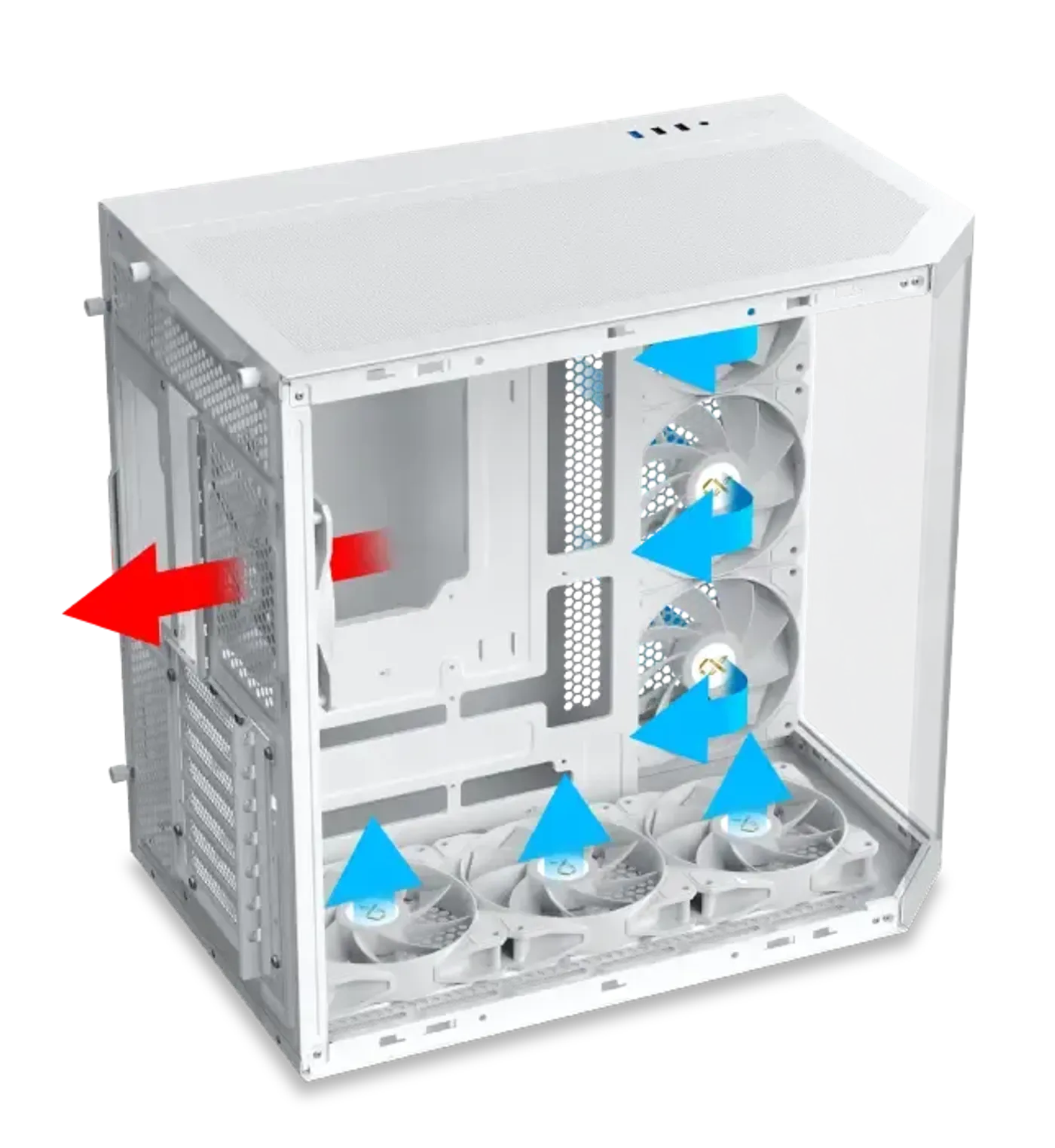
Airflow and ventilation are optimised to keep cooling conditions steady while robust components are under load. A roomy interior does as much work here as the fans do, since air needs an unobstructed route through the chassis before extra cooling hardware changes the temperatures the build actually reaches.
Optimised Airflow Maintains Cooling Conditions
Airflow and ventilation are optimised to keep cooling conditions steady while robust components are under load. A roomy interior does as much work here as the fans do, since air needs an unobstructed route through the chassis before extra cooling hardware changes the temperatures the build actually reaches.
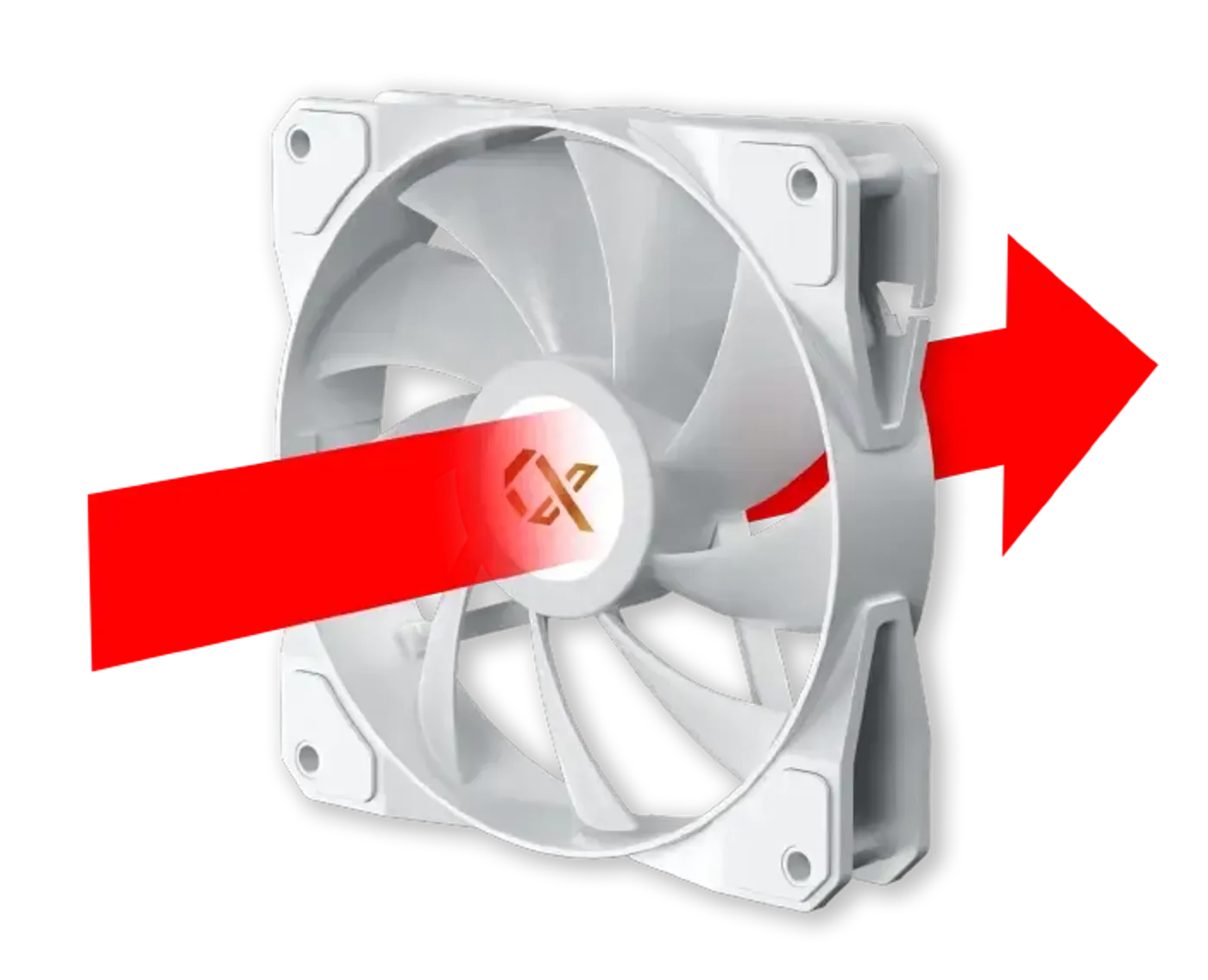
Traditional Blade Fan Sits At The Rear
A traditional fan blade configuration is pre-installed on the rear side, so the case has a working exhaust before you add a single component. The conventional blade shape suits that position, where the fan clears hot air out behind the motherboard tray and is not part of the view through the glass.
Traditional Blade Fan Sits At The Rear
A traditional fan blade configuration is pre-installed on the rear side, so the case has a working exhaust before you add a single component. The conventional blade shape suits that position, where the fan clears hot air out behind the motherboard tray and is not part of the view through the glass.
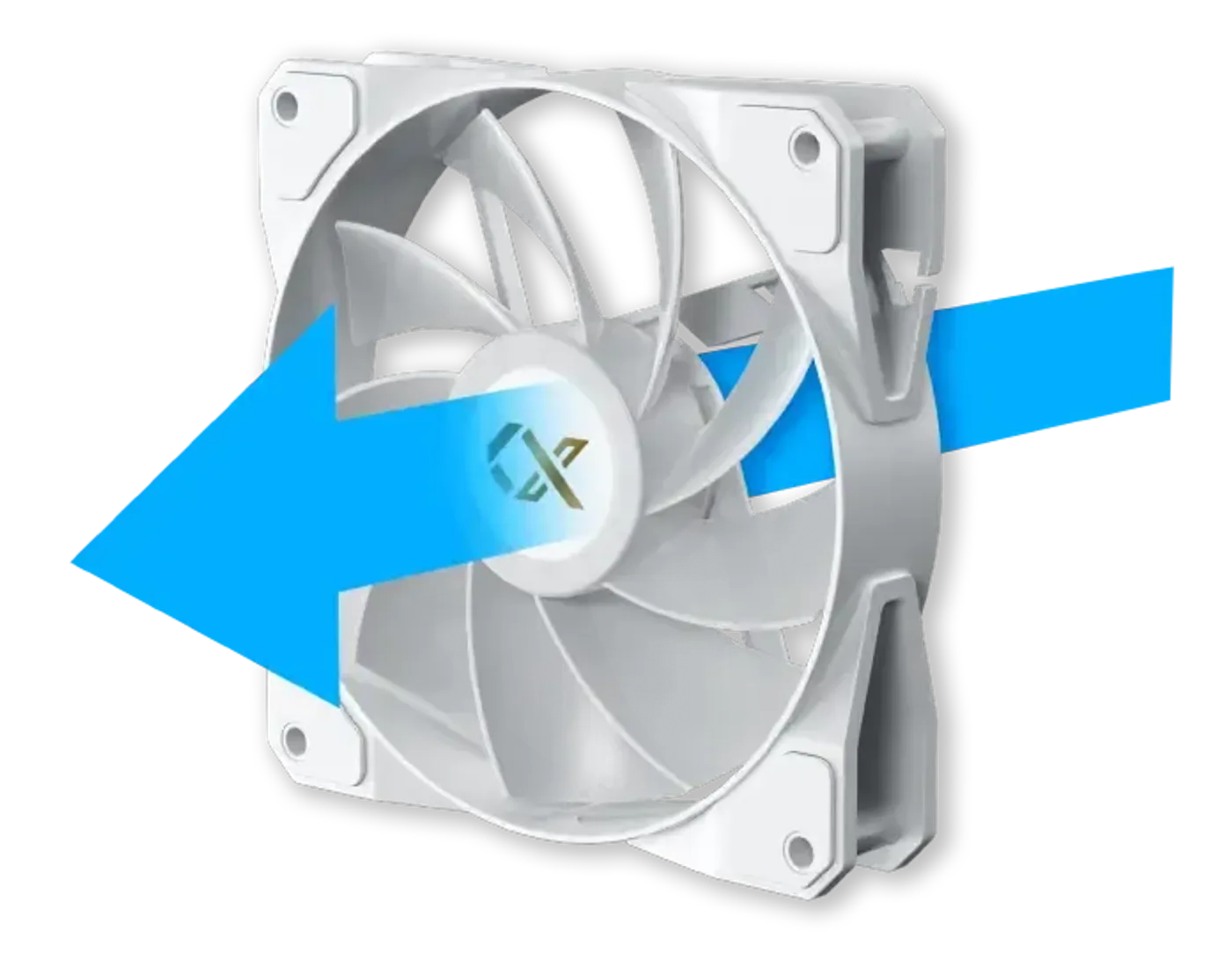
Reverse Blade Fans Feed Panel And Bottom
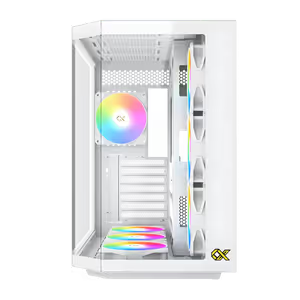
The reverse fan blade mechanism comes pre-installed on the motherboard panel and bottom side, the two intake banks. Reverse blades present their finished face to the viewer, which keeps the fans that sit in full view through the tempered glass looking deliberate rather than showing an exposed frame and hub.
Reverse Blade Fans Feed Panel And Bottom
The reverse fan blade mechanism comes pre-installed on the motherboard panel and bottom side, the two intake banks. Reverse blades present their finished face to the viewer, which keeps the fans that sit in full view through the tempered glass looking deliberate rather than showing an exposed frame and hub.
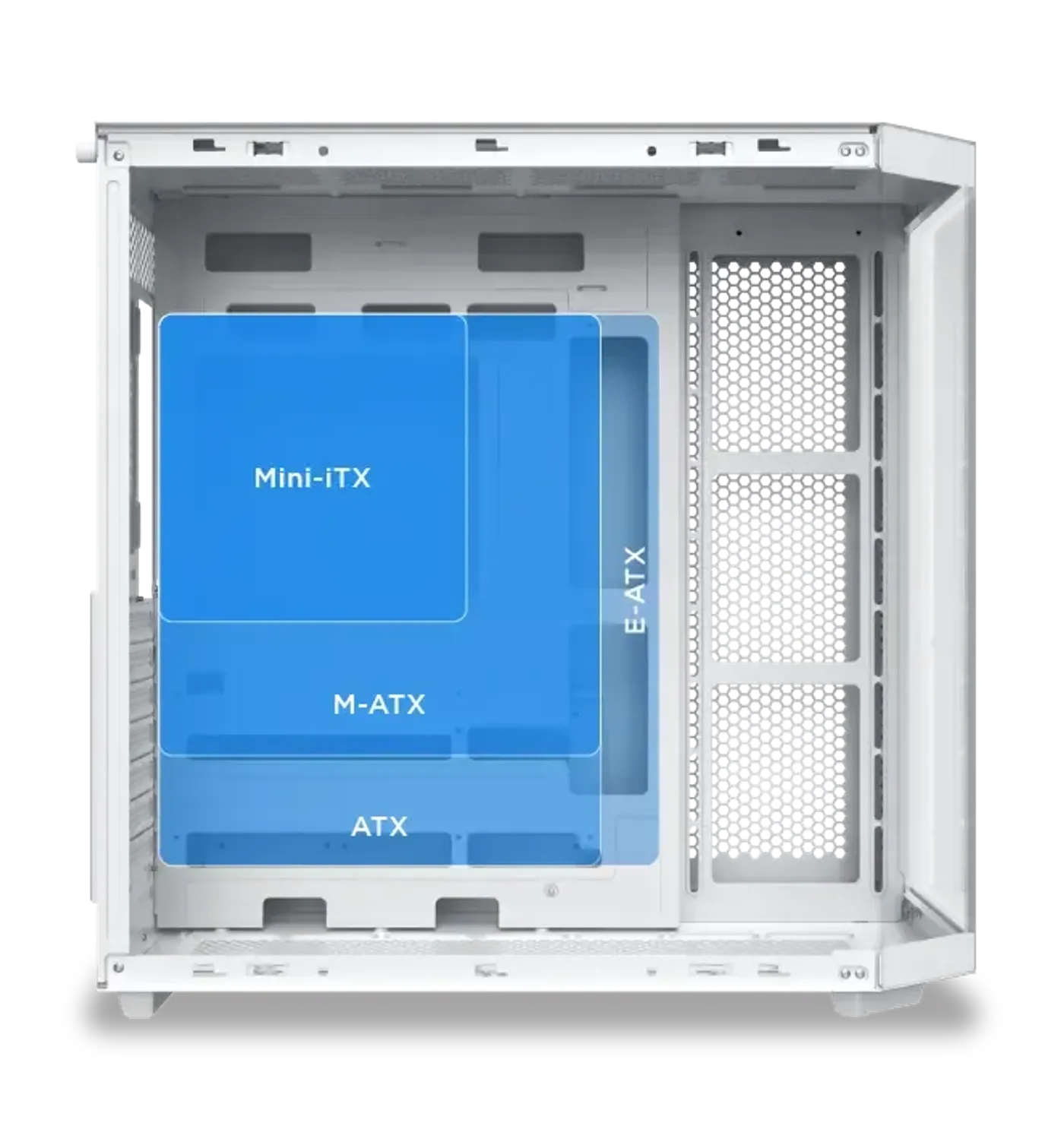
Compatible With E-ATX Motherboards
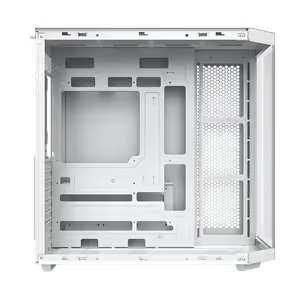
The chassis is compatible with E-ATX motherboards, so a wide enthusiast board with additional slots and heavier power delivery mounts directly. Smaller board standards use the same tray, meaning the case carries over to a future platform rather than being fixed to whatever size the first build happened to need.
Compatible With E-ATX Motherboards
The chassis is compatible with E-ATX motherboards, so a wide enthusiast board with additional slots and heavier power delivery mounts directly. Smaller board standards use the same tray, meaning the case carries over to a future platform rather than being fixed to whatever size the first build happened to need.
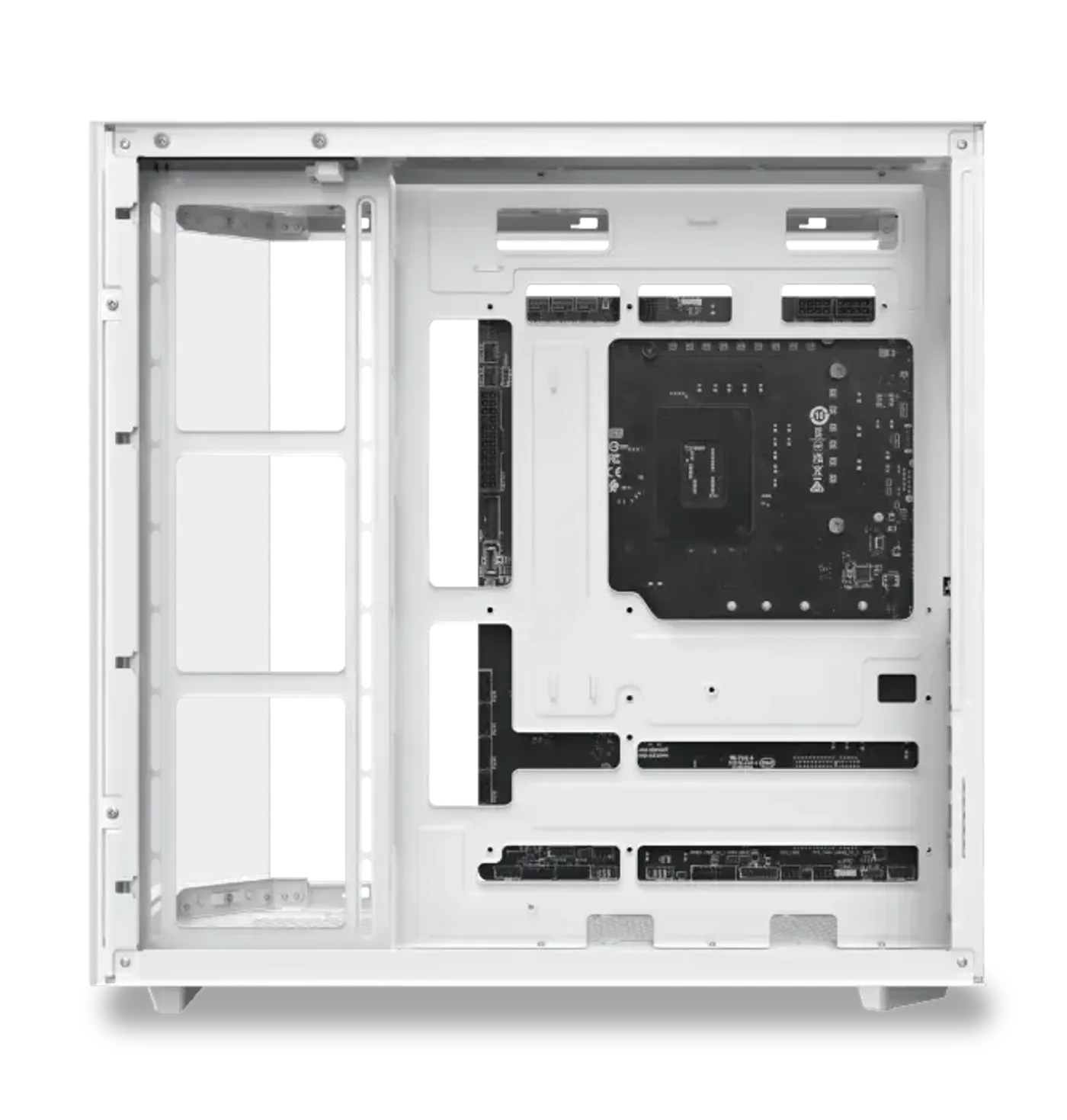
Takes ATX Back Plug Motherboards
The Cubi II Arctic is compatible with ATX back plug motherboards, which route their connectors out of the rear of the board so no cables cross the visible side of the build. That pairing does the most work on a white case, where dark cable runs stand out against the finish more than they would on black.
Takes ATX Back Plug Motherboards
The Cubi II Arctic is compatible with ATX back plug motherboards, which route their connectors out of the rear of the board so no cables cross the visible side of the build. That pairing does the most work on a white case, where dark cable runs stand out against the finish more than they would on black.
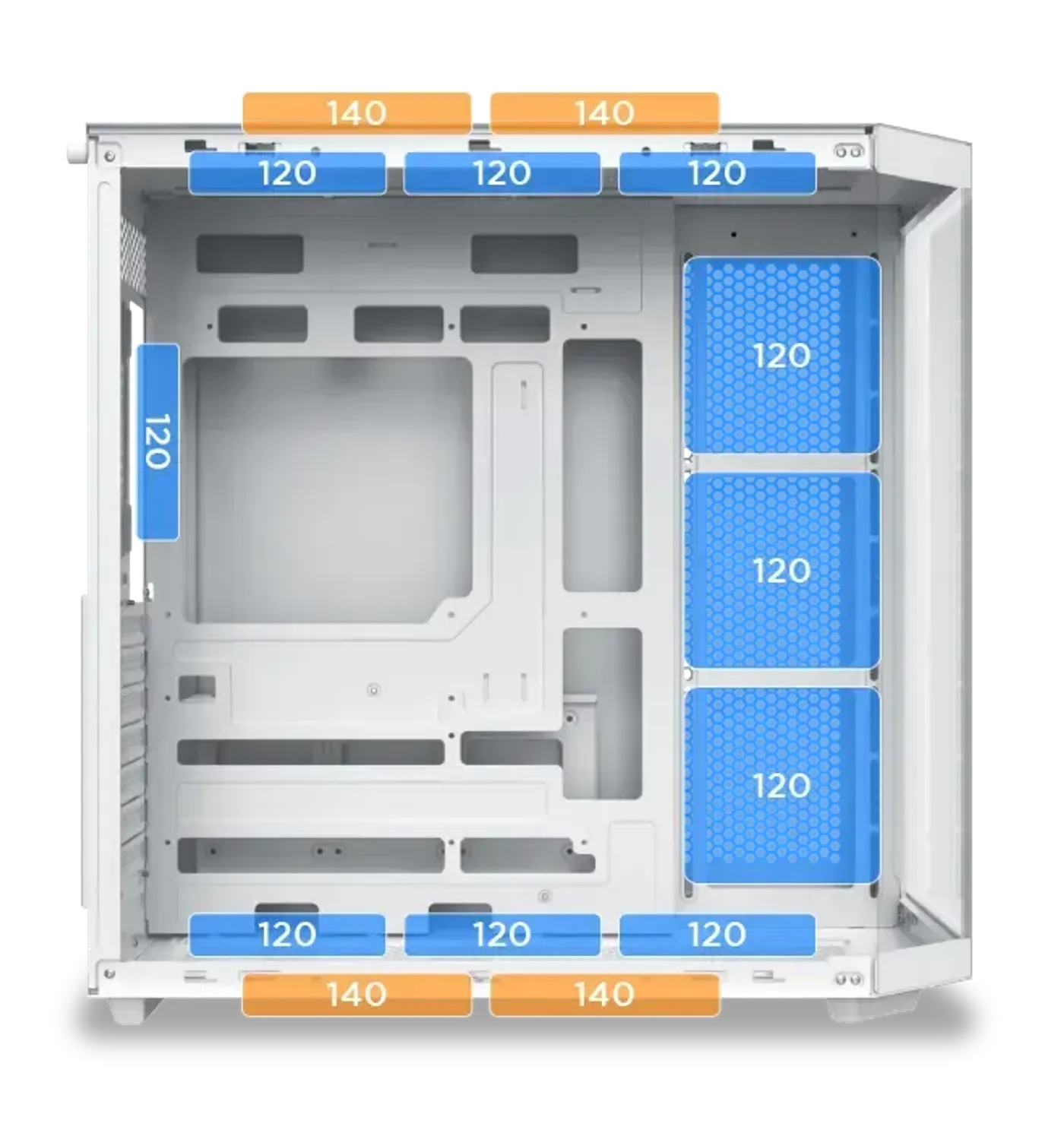
Fan Mounts On Top, Panel, Bottom And Rear
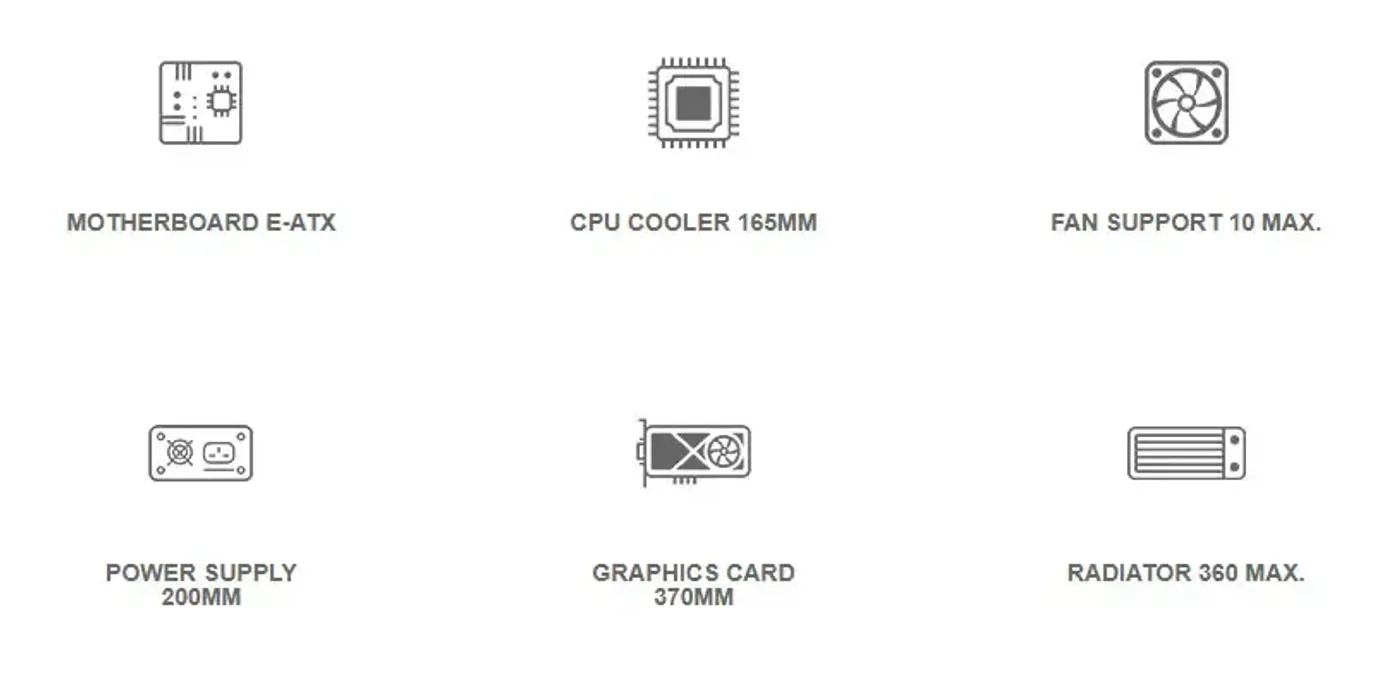
Fan support covers three 120 mm or two 140 mm fans on top, three 120 mm on the motherboard panel, three 120 mm or two 140 mm on the bottom and one 120 mm at the rear. Four banks let you set intake and exhaust deliberately instead of relying on a single row of fans.
Fan Mounts On Top, Panel, Bottom And Rear
Fan support covers three 120 mm or two 140 mm fans on top, three 120 mm on the motherboard panel, three 120 mm or two 140 mm on the bottom and one 120 mm at the rear. Four banks let you set intake and exhaust deliberately instead of relying on a single row of fans.
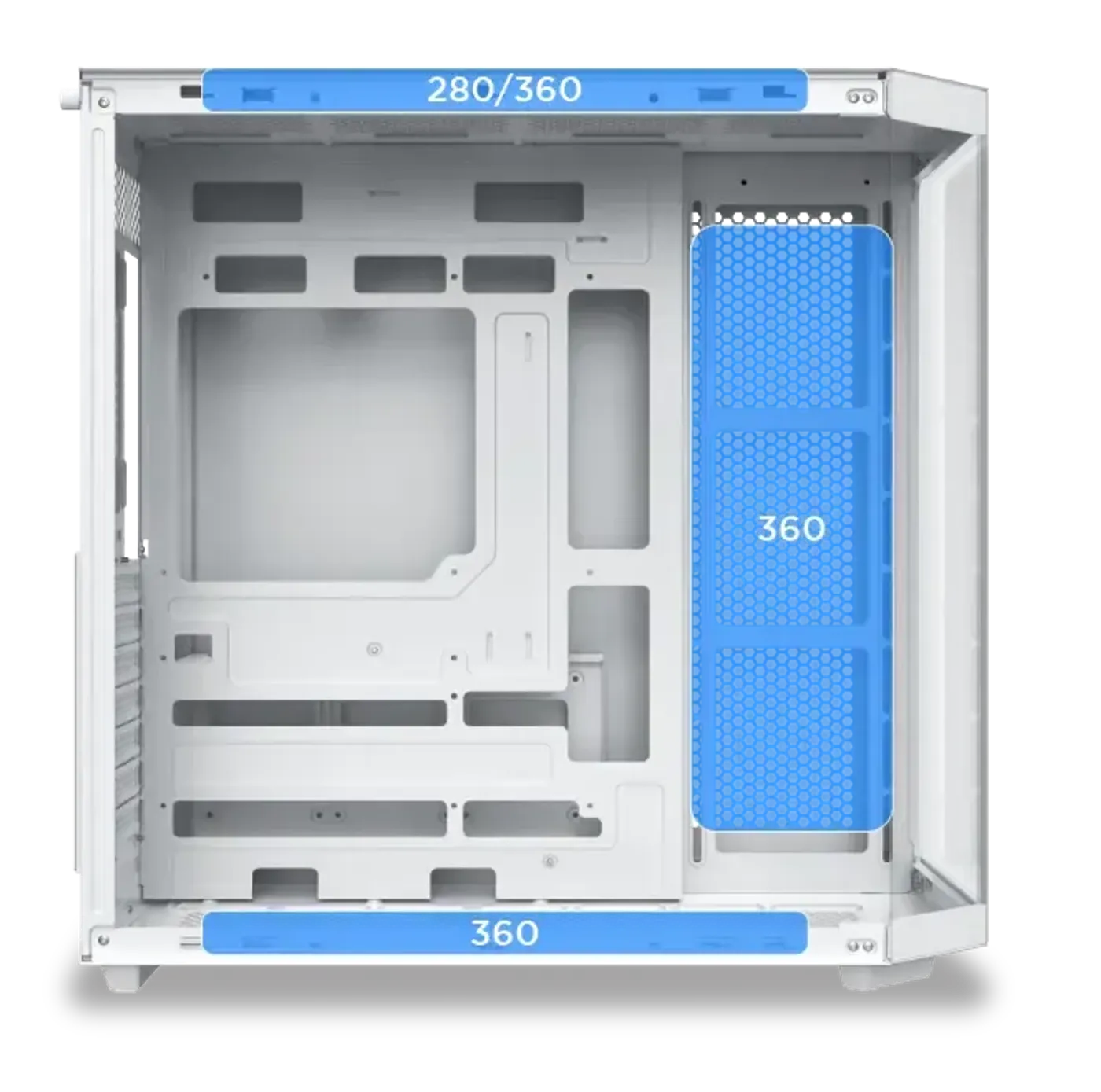
Three Radiator Positions Up To 360
Radiator support covers a 280 or 360 on top, a 360 on the motherboard panel and a 360 on the bottom for M-ATX motherboards only. Having three 360-capable mounting points is generous for a mid tower and means a large liquid cooler can be placed without giving up the case's main exhaust position.
Three Radiator Positions Up To 360
Radiator support covers a 280 or 360 on top, a 360 on the motherboard panel and a 360 on the bottom for M-ATX motherboards only. Having three 360-capable mounting points is generous for a mid tower and means a large liquid cooler can be placed without giving up the case's main exhaust position.
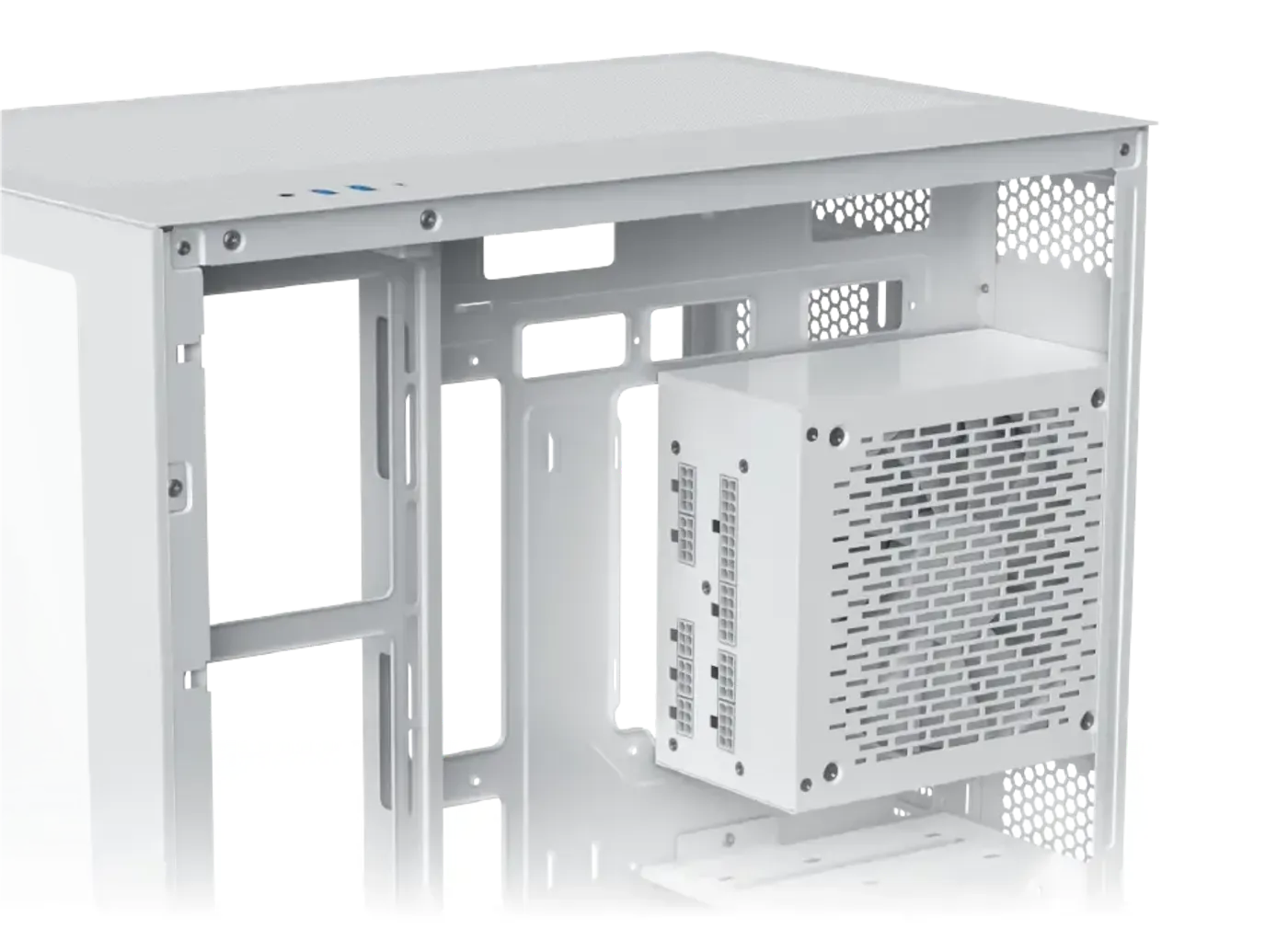
Power Supply Capacity Limited To 200 mm
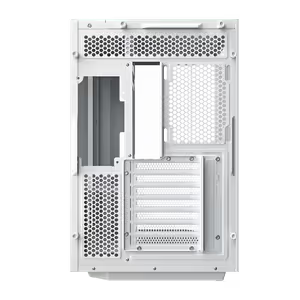
PSU capacity is limited to 200 mm, which accommodates full-size ATX supplies rather than short-body units only. Check the length on the power supply's spec sheet before ordering, since staying comfortably under that figure also leaves more room in the bay for routing the cable bundle out of sight.
Power Supply Capacity Limited To 200 mm
PSU capacity is limited to 200 mm, which accommodates full-size ATX supplies rather than short-body units only. Check the length on the power supply's spec sheet before ordering, since staying comfortably under that figure also leaves more room in the bay for routing the cable bundle out of sight.
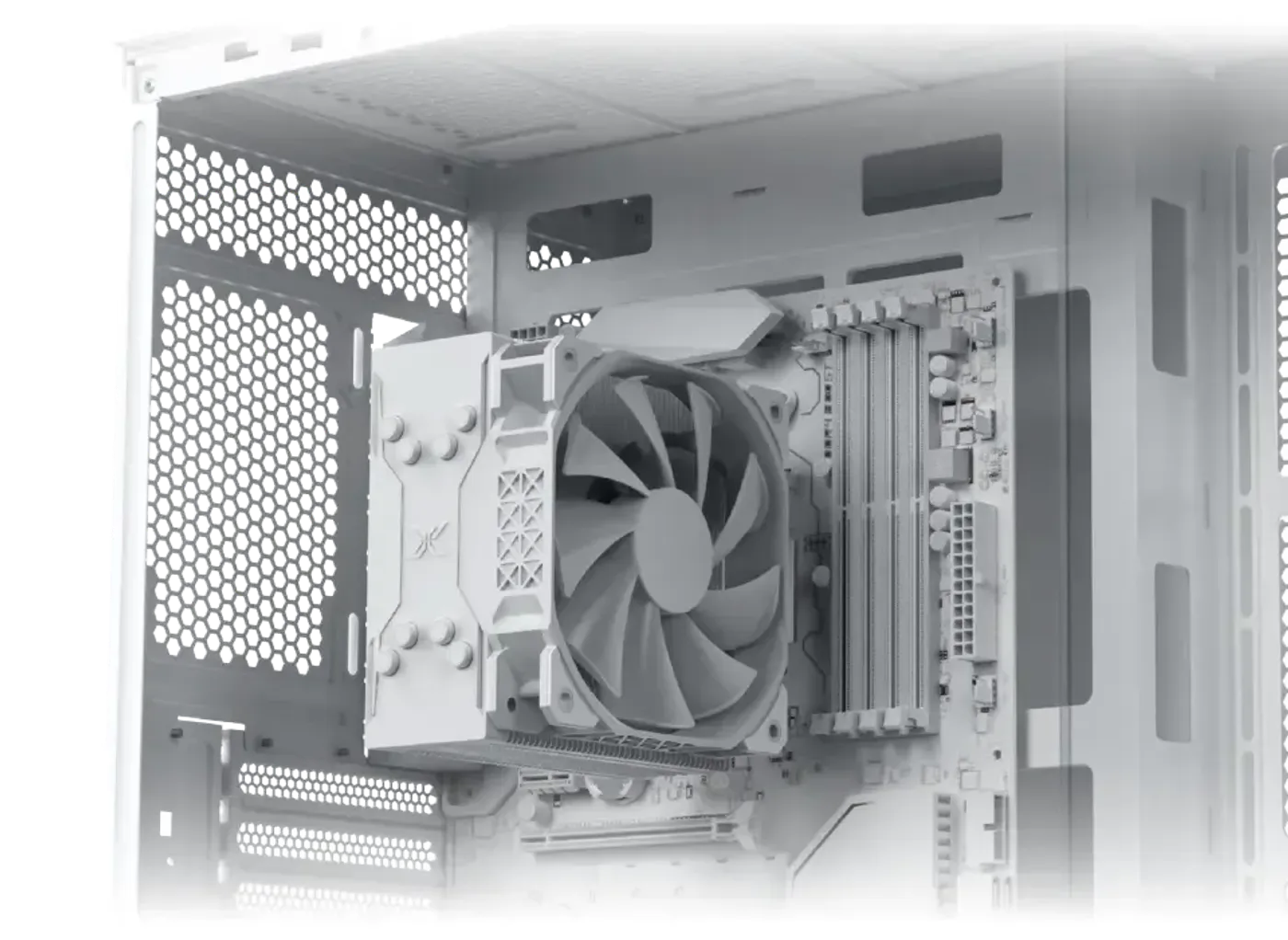
CPU Cooler Clearance Of Up To 165 mm
The case offers CPU cooler clearance of up to 165 mm, enough for a full-height tower air cooler rather than a low-profile heatsink only. Measure your cooler against that number before buying, because it is the specification that determines whether the glass side panel closes on the completed build.
CPU Cooler Clearance Of Up To 165 mm
The case offers CPU cooler clearance of up to 165 mm, enough for a full-height tower air cooler rather than a low-profile heatsink only. Measure your cooler against that number before buying, because it is the specification that determines whether the glass side panel closes on the completed build.
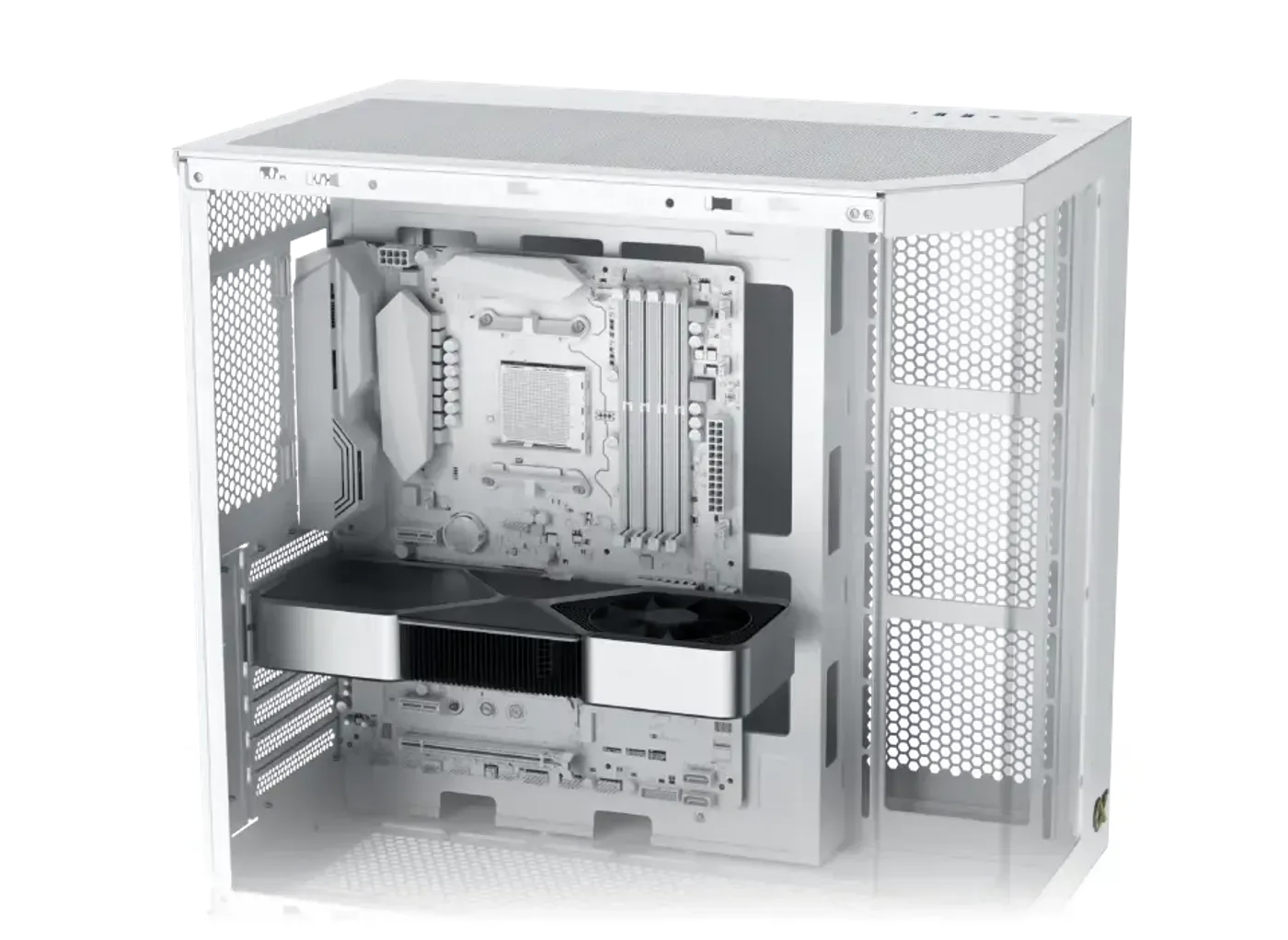
Graphics Card Length Limited To 370 mm
GPU length is limited to 370 mm, which takes in dual-fan cards and many triple-fan models. This is the number to check first when pairing a case with a graphics card, since length is a hard physical limit rather than something that can be solved by rearranging the rest of the build.
Graphics Card Length Limited To 370 mm
GPU length is limited to 370 mm, which takes in dual-fan cards and many triple-fan models. This is the number to check first when pairing a case with a graphics card, since length is a hard physical limit rather than something that can be solved by rearranging the rest of the build.
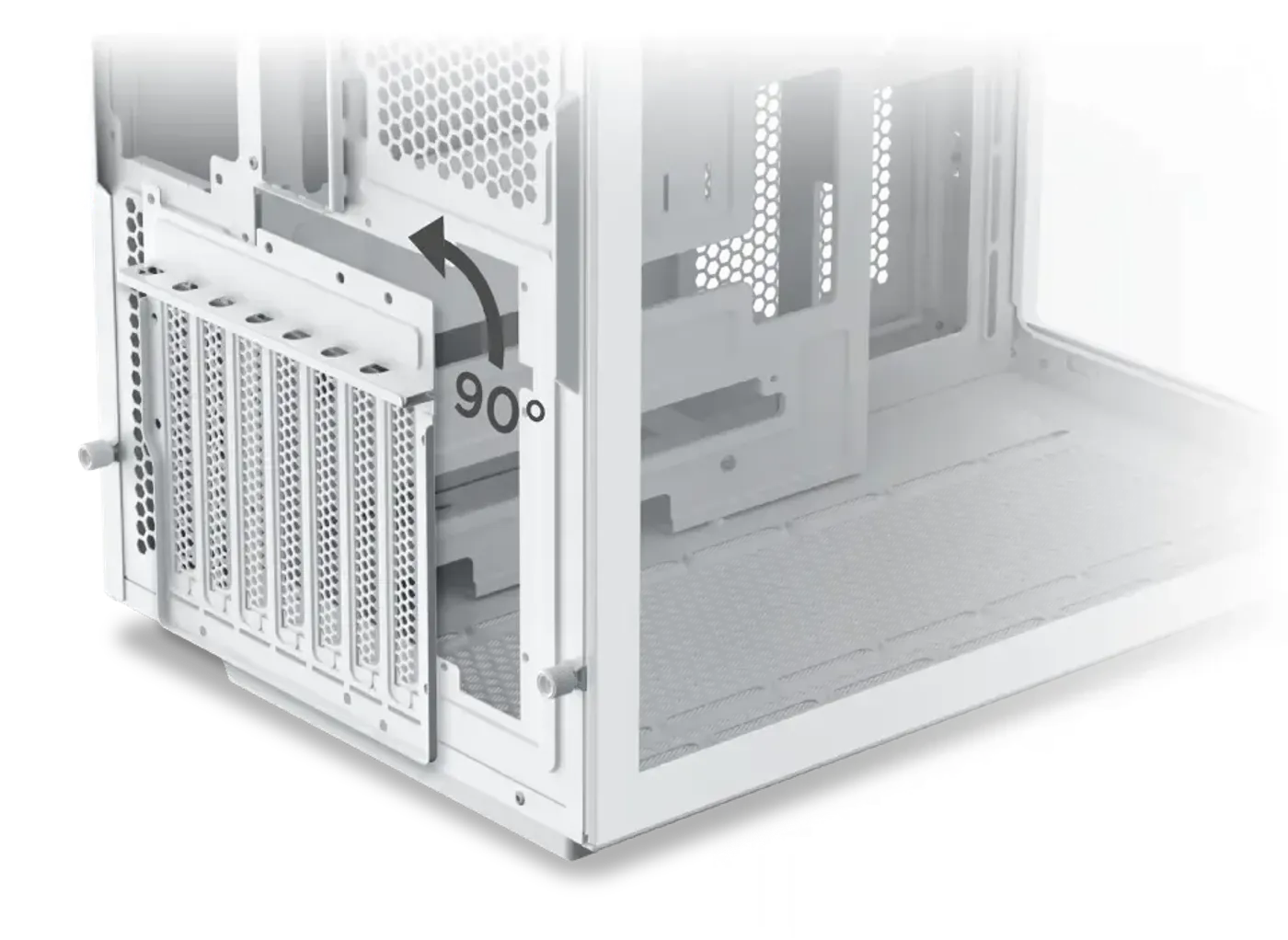
Vertical GPU Installation Is Supported
The case supports vertical GPU installation, rotating the graphics card to face the glass instead of sitting edge-on in the expansion slots. With three glass panels and 7 ARGB lights around it, a vertically mounted card becomes the centrepiece of the build rather than a thin edge seen from the side.
Vertical GPU Installation Is Supported
The case supports vertical GPU installation, rotating the graphics card to face the glass instead of sitting edge-on in the expansion slots. With three glass panels and 7 ARGB lights around it, a vertically mounted card becomes the centrepiece of the build rather than a thin edge seen from the side.
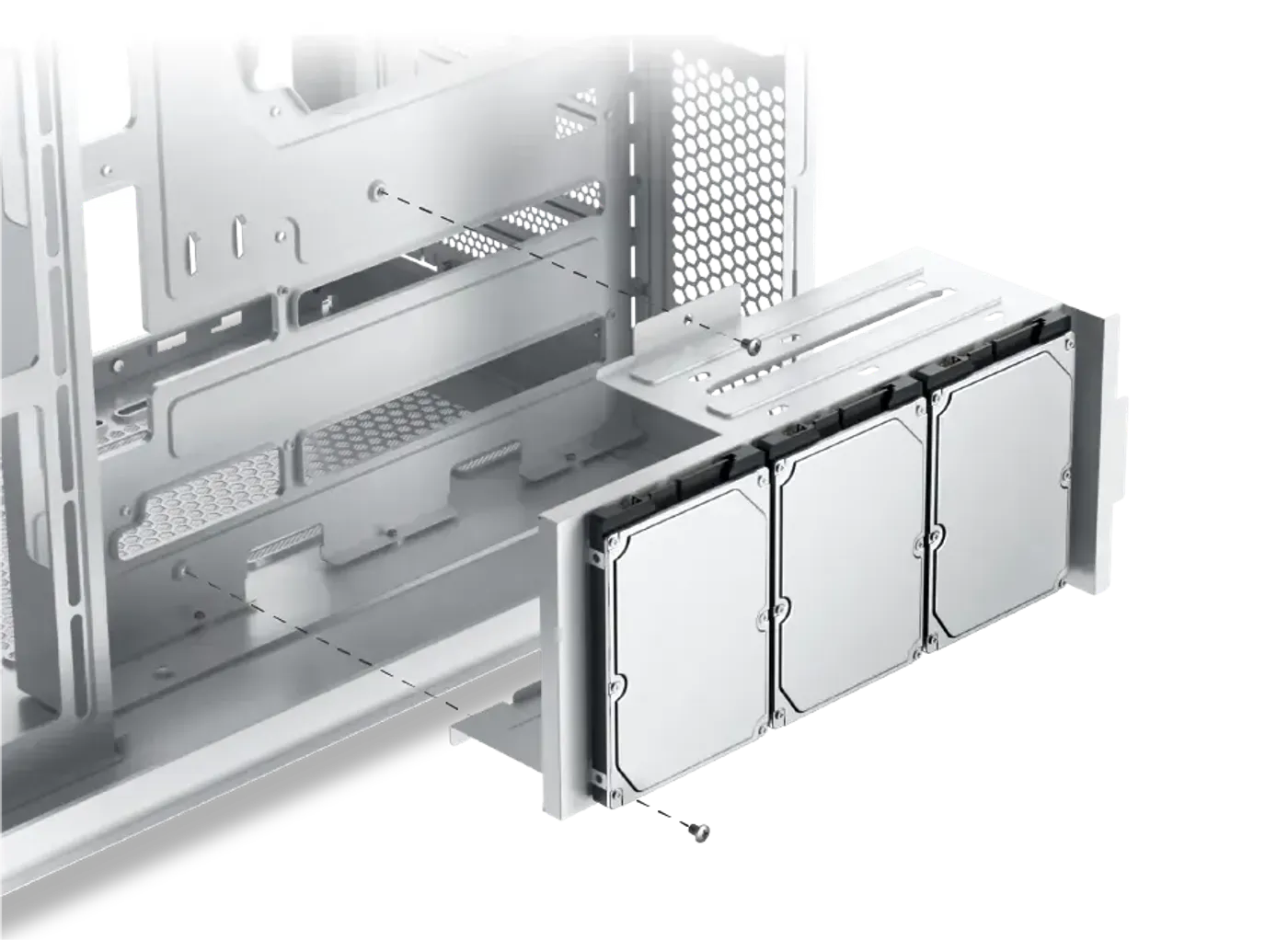
Three 2.5-Inch SSD Positions
Drive support includes three 2.5-inch SSD mounts, so a system drive and two more solid state drives fit without extra brackets. Three flash positions suit a build that keeps games and working files on SSDs, where access speed matters more than raw capacity per drive.
Three 2.5-Inch SSD Positions
Drive support includes three 2.5-inch SSD mounts, so a system drive and two more solid state drives fit without extra brackets. Three flash positions suit a build that keeps games and working files on SSDs, where access speed matters more than raw capacity per drive.
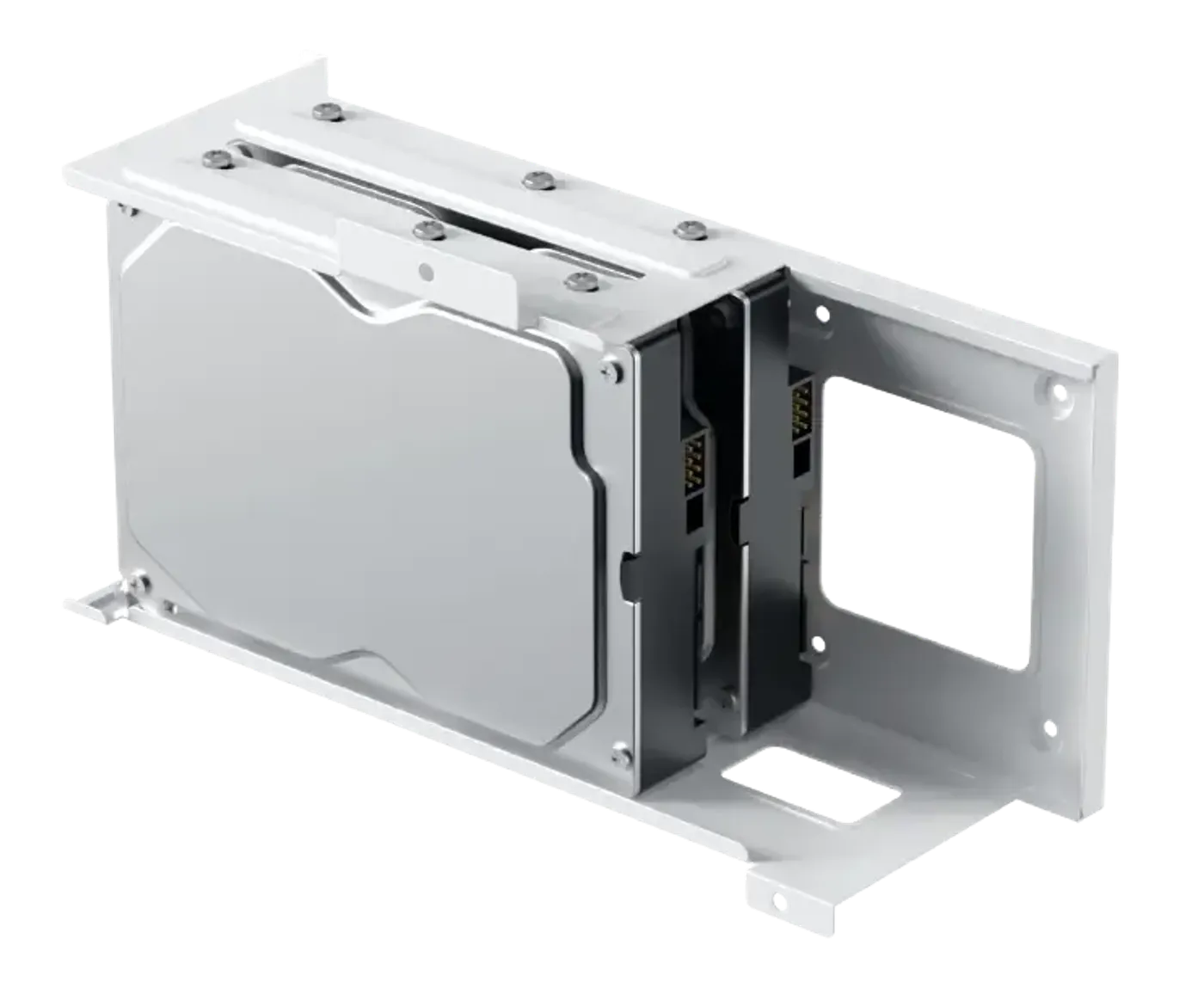
Two 3.5-Inch Hard Drive Positions
The chassis also supports two 3.5-inch hard drives for bulk storage such as game libraries, recordings and local backups. Added to the three SSD mounts, that gives five drive positions in total, which is enough headroom to expand storage over years without replacing the case.
Two 3.5-Inch Hard Drive Positions
The chassis also supports two 3.5-inch hard drives for bulk storage such as game libraries, recordings and local backups. Added to the three SSD mounts, that gives five drive positions in total, which is enough headroom to expand storage over years without replacing the case.
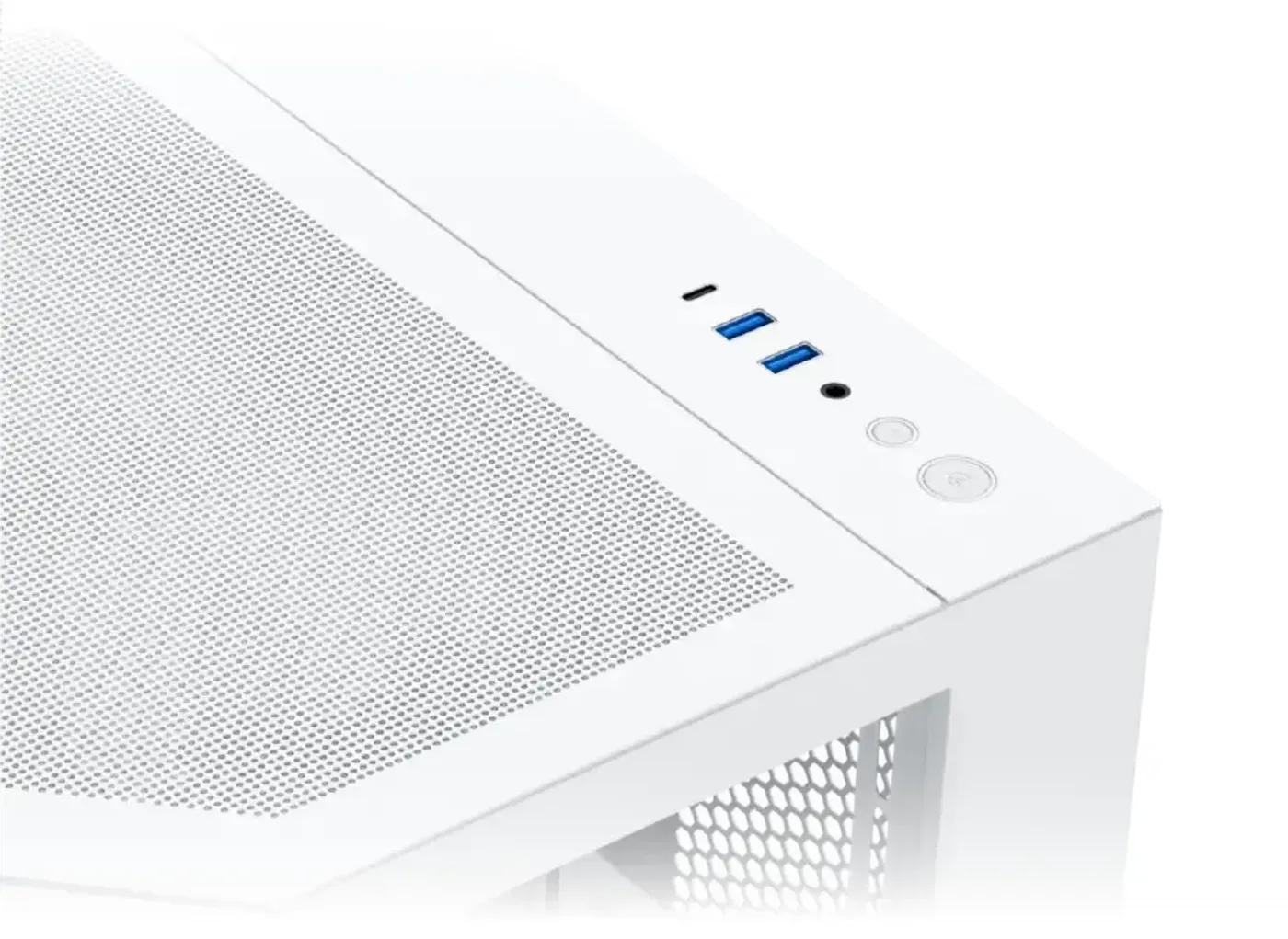
Top I/O Carries USB-C And Two USB 3.0
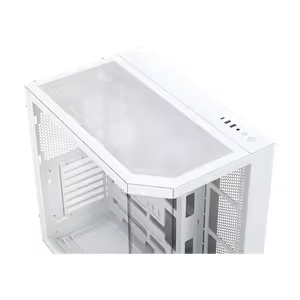
The top mount I/O panel has a power button, a reset button, an HD audio jack, two USB 3.0 ports and one USB-C port. Putting USB-C on the case itself saves reaching behind the machine for the rear panel every time a phone, a portable SSD or a headset needs plugging in.
Top I/O Carries USB-C And Two USB 3.0
The top mount I/O panel has a power button, a reset button, an HD audio jack, two USB 3.0 ports and one USB-C port. Putting USB-C on the case itself saves reaching behind the machine for the rear panel every time a phone, a portable SSD or a headset needs plugging in.
FAQ
Frequently Asked Questions
Everything you need to know about this product
It incorporates 7 ARGB lights.
It is compatible with E-ATX motherboards and also with ATX back plug motherboards.
The GPU length limitation is 370 mm.
Yes, the case supports vertical GPU installation.
CPU cooler clearance is up to 165 mm.
PSU capacity is limited to 200 mm.
280 or 360 on top, 360 on the motherboard panel and 360 on the bottom for M-ATX motherboards only.
Three 120 mm or two 140 mm on top, three 120 mm on the motherboard panel, three 120 mm or two 140 mm on the bottom and one 120 mm at the rear.
Three 2.5-inch SSDs and two 3.5-inch hard drives.
Yes, the top mount I/O includes one USB-C port and two USB 3.0 ports.
The Cubi II Arctic uses a three tempered glass panel framework.
A traditional blade fan on the rear side and reverse blade fans on the motherboard panel and bottom side.

AI-Generated Content:These FAQs are generated by an automated AI system and may contain inaccuracies or omissions. Evetech makes no warranties, express or implied, regarding their completeness or reliability. For definitive information, please refer to the manufacturer's official specifications.
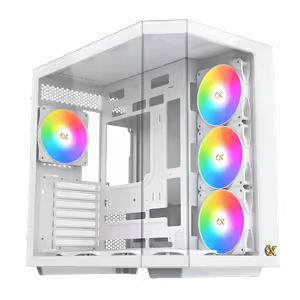
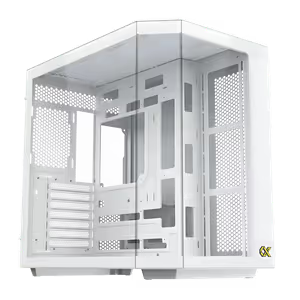
Please Note: Product images are for illustrative purposes only and may differ from the actual product.
Choose your
own PC
Hand-pick every part with live stock, compatibility, and instant pricing.
Try the new builderPrice Inc. Vat
R 2,199
Save R 500.00
ListR 2,699
2199Free Delivery
Qty:
In Stock with Evetech
Choose your
own PC
Hand-pick every part with live stock, compatibility, and instant pricing.
Try the new builderXigmatek Cubi II Arctic Mid Tower Gaming Case White