Hardware Explainer · Storage
SSD endurance — how long they really last. — 600 TBW. A century of gaming.
Online forums treat SSD wear like a ticking clock. The numbers say otherwise: a typical 1TB drive can absorb decades of gaming, browsing and Windows writes before the manufacturer even gets nervous.
- typical 1TB rating
- 600 TBW
- heavy gamer writes
- ~5 TB/yr
- health after 3 yrs
- 95%+
What TBW actually means
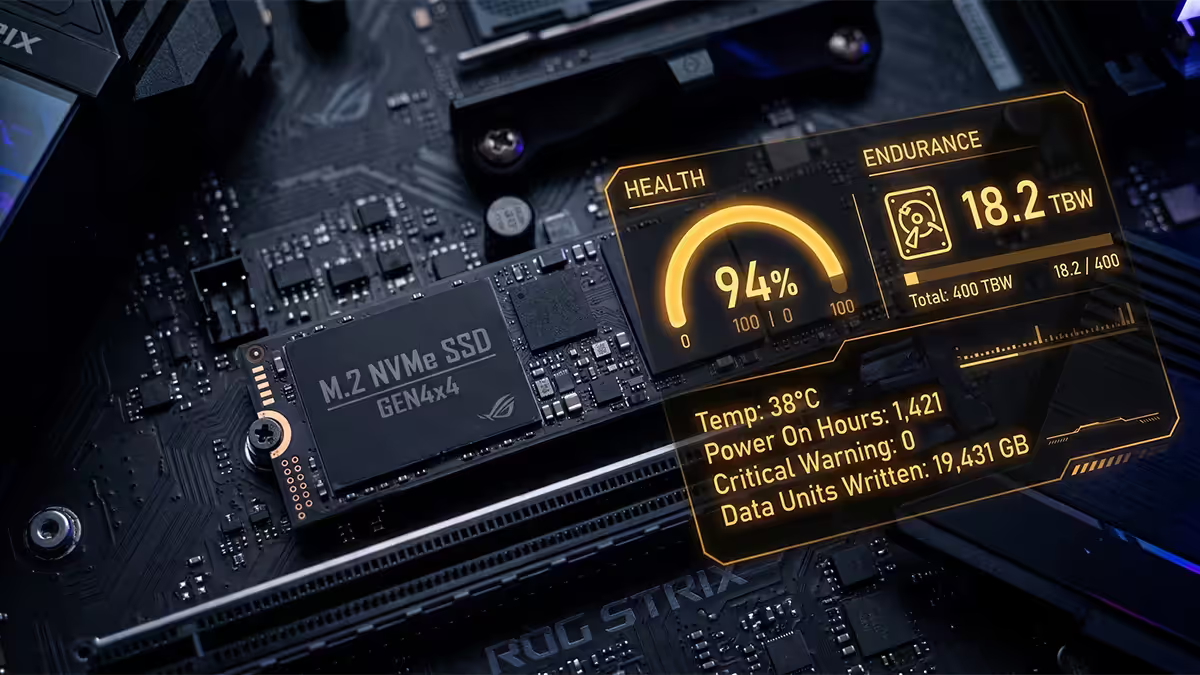
TBW stands for Terabytes Written. It's the total volume of data that the manufacturer guarantees you can write to the drive before any reliability claim becomes void. It is not a cliff — drives routinely keep working long after passing their rated TBW — but it's the number used to honour warranties and the headline endurance figure on every spec sheet.
A modern 1TB consumer NVMe like the Samsung 990 Pro is rated 600 TBW. The WD Black SN850X 1TB is the same. Crucial T705 1TB sits at 700 TBW. These ratings scale roughly linearly with capacity — a 2TB version is around 1,200 TBW, a 4TB version 2,400 TBW. The endurance ceiling for the same model effectively doubles each capacity tier.
To put 600 TBW in perspective: at 100 GB written per day — which would be considered a punishing workload outside of professional video editing or database work — you'd take 16 years to hit the rating. At a more realistic 20 GB per day for a heavy gamer browsing, downloading and patching games, it stretches to over 80 years. That number is so large because warranty-rated TBW is intentionally conservative; actual drives in field tests typically take 2-5x their rated TBW before any cell-level failure.
DWPD — the enterprise version
Enterprise and workstation SSDs quote endurance in DWPD (Drive Writes Per Day). A 1 DWPD drive can absorb its full capacity in writes every day for the entire warranty period. So a 1TB 1 DWPD drive rated over 5 years carries 5 × 365 × 1TB = roughly 1,825 TBW.
Workload tiers map roughly to:
- 0.3 DWPD — read-intensive enterprise (web servers, content delivery)
- 1 DWPD — mixed workload (typical database, virtualisation)
- 3-10 DWPD — write-intensive (transactional databases, caching tiers)
Consumer drives don't quote DWPD because nobody ever fills and rewrites their gaming SSD every day. If a consumer SKU's TBW is divided into the warranty years, almost every drive sits between 0.3 and 0.5 DWPD-equivalent — well above what desktop users generate.
SLC, MLC, TLC, QLC — what the tiers really mean
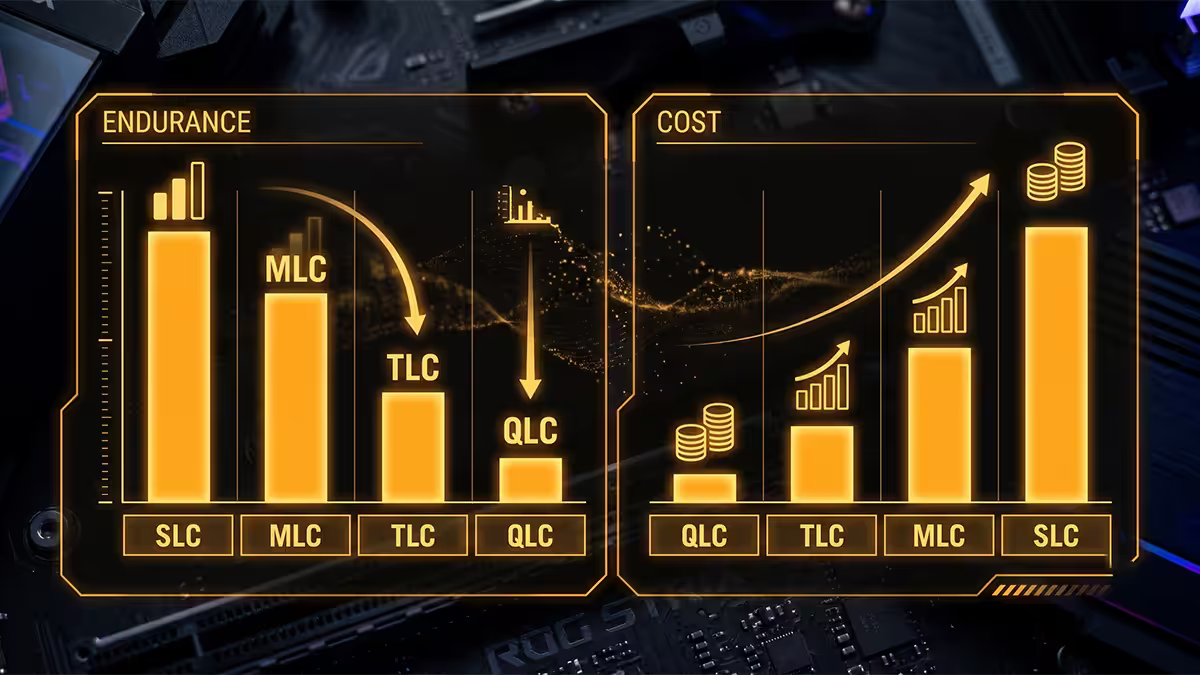
NAND flash stores bits by trapping electrons in cell wells. The more bits per cell, the cheaper the storage per gigabyte — but each tier reduces the endurance ceiling because the cell has to distinguish between more voltage levels and tolerate fewer rewrites before charge leakage degrades reliability.
| NAND type | Bits per cell | Approx. P/E cycles |
|---|---|---|
| SLC | 1 | ~100,000 |
| MLC | 2 | ~10,000 |
| TLC | 3 | ~3,000 |
| QLC | 4 | ~1,000 |
| PLC (emerging) | 5 | ~300 |
Forum panic about QLC is exaggerated. A 1,000 P/E cycle ceiling, distributed across the whole 1TB via wear-levelling and with modern controllers, still yields 200-400 TBW per terabyte on consumer QLC drives. That's still 20-40 years of typical desktop writes. The genuine drawback of QLC isn't endurance — it's sustained write performance. Once the SLC cache (a portion of the drive set aside as fast pseudo-SLC) fills up, sustained writes can drop to 100-300 MB/s, slower than SATA SSDs.
For a gaming, browsing, light video editing build in 2026, TLC NAND remains the right choice — Samsung 990 Pro, WD SN850X, Crucial T705, Kingston KC3000, Lexar NM790 are all TLC and all sit at the 500-700 TBW/TB range. QLC (Crucial P3 Plus, Samsung 870 QVO SATA) works fine for a bulk storage tier; just don't run a Steam Library on a QLC boot drive expecting sustained write performance during 100GB installs.
Write amplification — the hidden multiplier
Write amplification factor (WAF) is the ratio between how much data your OS writes and how much the SSD's controller actually writes to the underlying NAND. If Windows writes 1GB and the controller writes 2GB to NAND (because of garbage collection, page remapping, metadata overhead and SLC cache flushing), WAF is 2.0.
A WAF above 1.0 is unavoidable because NAND can only be erased in large blocks even when only a small page needs updating. But you can keep WAF close to ideal by:
- Leaving 10-20% of capacity free. Full drives force the controller to shuffle data more aggressively, blowing up WAF.
- Keeping TRIM enabled. Windows enables it by default on SSDs; on Linux ensure
fstrim.timerordiscardmount option is on. - Avoiding small-block sync workloads. Databases without write-back caching can push WAF over 5 — but this matters far more for servers than gaming PCs.
Real wear scenarios — what actually moves the dial
Not all desktop usage stresses an SSD equally. Here's what one terabyte of TBW gets consumed by, in the wild:
Gaming. A 100GB game install writes 100GB once. Playing it after is almost entirely read. Even installing 4 large games per month is roughly 400GB monthly, 4.8TB per year — under 1% of a 600 TBW budget. The TBW headline you hear panic about would take a hundred years to chew through.
Video editing scratch drive. Real wear. Premiere Pro and DaVinci Resolve write proxy media, renders and cache constantly. A serious 4K editor working 20 hours/week can push 200-500GB writes per day — 70-180TB per year. That's a meaningful slice of TBW and exactly the workload where a Pro NVMe (Samsung 990 Pro 2TB, WD SN850X 2TB or higher-endurance Kingston DC500M) makes sense.
Database server. Far more aggressive again. A small Postgres instance with steady transactional load can hit 1-2TB writes per day with default WAL settings. This is where DWPD-rated drives like Kingston DC600M or Samsung PM9A3 belong, not consumer NVMe.
Browser, Windows, Office. Surprisingly heavy in cumulative terms because of pagefile, Chrome session storage, Windows Update churn and SuperFetch caching. A typical office workstation writes 5-15GB per day just running. Over 5 years that's 9-27TB — still trivial against any modern drive's TBW.
Crypto wallet syncing or running a full Ethereum node. Extreme wear case. A full node can write 1-2TB per week — capable of consuming a 600 TBW drive in under a year. Use a dedicated enterprise drive if you go this route.
How to check SSD health — what to look at
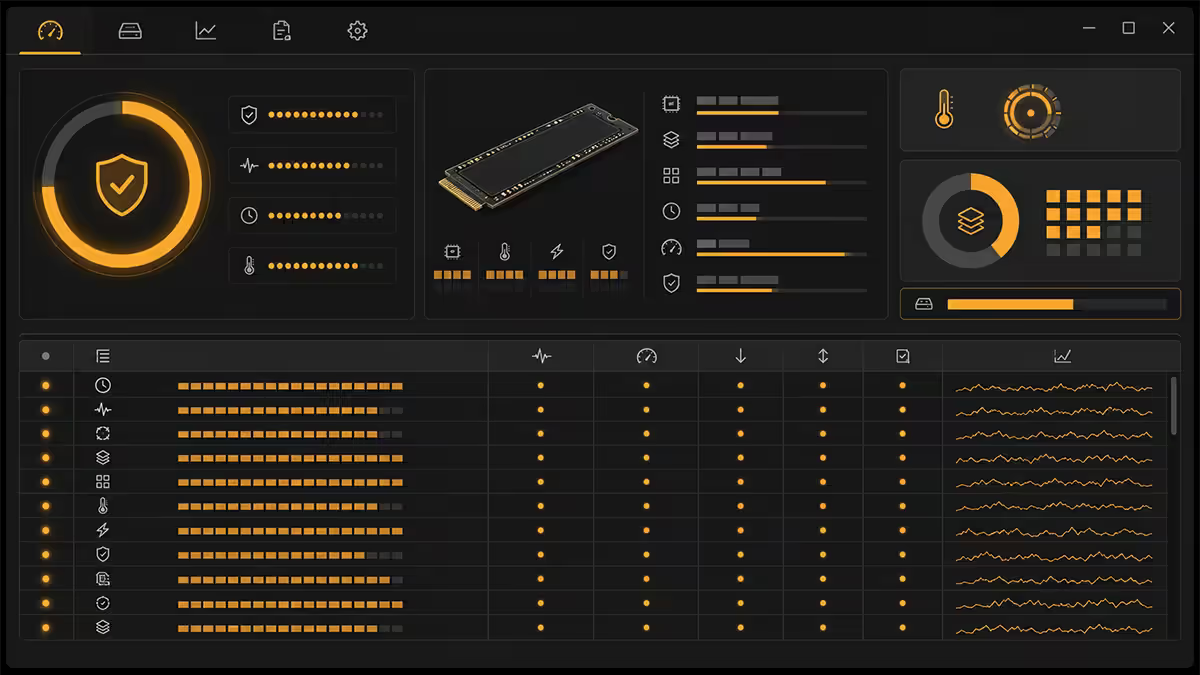
Every modern SSD reports a SMART (Self-Monitoring, Analysis and Reporting Technology) data stream that any utility can read. The free tools to know:
- CrystalDiskInfo — free, Windows, reads any SSD's SMART. Shows Health %, Power-On Hours, Total Host Writes, Reallocated Sectors. The standard.
- Samsung Magician — official tool for Samsung SSDs. Adds firmware updates and over-provisioning controls on top of SMART.
- WD Dashboard / Kingston SSD Manager / Crucial Storage Executive — vendor equivalents, all free.
- smartctl (Linux/macOS) — command-line SMART reader, works on every NVMe and SATA drive.
The three SMART attributes that matter most:
- Percentage Used / SSD Life Left. Starts at 100% and counts down. Below 10% means the drive will soon switch to read-only.
- Total Host Writes (TBW counter). Cumulative writes since manufacture. Compare against the drive's rated TBW to know how much endurance you've consumed.
- Reallocated Sector Count / Uncorrectable Errors. Should be zero. Any climbing number is an early warning sign of NAND degradation.
Run CrystalDiskInfo on a typical 3-year-old gaming drive and you'll usually see 95-98% health remaining and 30-80TB of host writes. That's normal, healthy, and projects to another 15-25 years of similar use.
Heat — the silent endurance killer
NAND endurance specs assume ambient operating temperatures. Sustained controller temps above 70°C accelerate cell degradation, and above 85°C the controller throttles writes aggressively — both to protect itself and the NAND.
A PCIe Gen 4 NVMe under sustained heavy write (game install, video render export) routinely hits 75-85°C without a heatsink. PCIe Gen 5 drives — Crucial T705, Samsung 9100 Pro, MSI Spatium M580 Frozr — pull enough power that they can hit 90°C+ unsheathed. The motherboard M.2 heatsinks included on most modern boards drop these temps 15-25°C, keeping the drive in its happy zone (40-65°C under load).
For Gen 5 drives, factory bundled heatsinks (often supplied with the drive itself) or aftermarket Thermalright/Be Quiet M.2 heatsinks are worth the R250-R400. Active-cooled M.2 heatsinks with tiny fans exist but are largely a gimmick — passive aluminium with thermal pad does 90% of the work, silently.
When to actually replace an SSD
Three concrete triggers warrant SSD replacement:
SMART health drops below 10%. The drive's wear-levelling has consumed almost all spare blocks. It will switch to read-only mode soon to preserve your data. Replace now while you can still write a backup off it.
Reallocated Sectors / Uncorrectable Errors climbing. Even if percentage-used is fine, climbing reallocation counts mean early cell failures are happening. Drives in this state often work for months more, but the trajectory is clear. Replace within weeks, not months.
The drive is 7+ years old and holds critical data. Even with perfect SMART, aged drives can suffer sudden controller failure or capacitor faults that no SMART metric warns about. For a daily-driver PC's boot drive, 7-8 years is a reasonable proactive replacement window. For secondary game-storage drives, keep them till they fail.
What is not a reason to replace:
- "It's been 3 years." Modern SSDs at 3 years typically have 95%+ health remaining.
- "Someone on a forum said QLC drives die quickly." Forum panic, not data.
- "My TBW counter is up to 80TB." That's 13% of a 600 TBW rating. Decades to go.
- "My drive is slowing down." Run TRIM and clear 20% free space — performance returns to factory levels.
Drive picks by endurance need
| Workload | Recommended drive | SA price (1TB) |
|---|---|---|
| Gaming / general use | WD Black SN850X, Samsung 990 Pro, Lexar NM790 | R1,400-R2,200 |
| Best value gaming | Kingston NV3, Crucial P5 Plus, Lexar NM710 | R900-R1,300 |
| PCIe Gen 5 enthusiast | Crucial T705, Samsung 9100 Pro | R3,200-R4,500 |
| Video editing scratch | Samsung 990 Pro 2TB, WD SN850X 2TB | R2,800-R3,800 |
| Bulk storage (cheaper) | Crucial P3 Plus, Samsung 870 QVO (SATA) | R700-R1,000 |
| Workstation / DWPD | Kingston DC600M, Samsung PM9A3 | R3,500-R5,500 |
Key takeaways
- 600 TBW on a typical 1TB consumer NVMe is decades of normal use — gaming barely touches it.
- QLC reduces endurance to ~250-400 TBW/TB but still gives 20+ years — the real drawback is sustained write speed.
- Check SMART every few months with CrystalDiskInfo. Replace below 10% health or when reallocations climb.
- Keep 15-20% free and TRIM enabled to keep write amplification low.
- Heat — not NAND wear — is the realistic SSD killer. Use the motherboard M.2 heatsink, especially on PCIe 4.0/5.0 drives.
Frequently asked questions
What does TBW mean for an SSD?
TBW stands for Terabytes Written — the total amount of data the drive can have written to it before the manufacturer no longer guarantees reliability. A typical 1TB consumer NVMe (Samsung 990 Pro, WD SN850X) is rated 600 TBW. For a typical gamer writing 10-30GB per day, that works out to 50-150 years before hitting the rating — long before the controller, capacitors or your motherboard die of old age.What is DWPD and how does it differ from TBW?
DWPD (Drive Writes Per Day) is the enterprise endurance metric — how many times you can overwrite the entire drive every day for the warranty period. A 1 DWPD 1TB drive can take 1TB of writes per day for 5 years (~1825 TBW). Consumer drives quote TBW; enterprise and workstation drives quote DWPD. Same concept, different scale.Do SLC, MLC, TLC and QLC really matter for lifespan?
Yes, but less than the marketing suggests. SLC (1 bit per cell) tolerates ~100,000 program/erase cycles; MLC (2 bits) ~10,000; TLC (3 bits) ~3,000; QLC (4 bits) ~1,000. Modern controllers, wear levelling and SLC caching mean a TLC drive in 2026 (Crucial T705, Samsung 990 Pro) outlives most builds. QLC drives (Crucial P3 Plus, Samsung 870 QVO) drop endurance to roughly 200-400 TBW per TB — still 20+ years of normal use, but a worse buy for heavy write workloads.How do I check my SSD's health and remaining endurance?
CrystalDiskInfo (free, Windows) reads the SMART attributes from any SSD and shows Health %, Power-On Hours, Total Host Writes (the running TBW counter), and warning flags. For Samsung drives, Samsung Magician adds a polished UI on top. For NVMe, Smartmontools (cross-platform) works too. Check once every few months — most consumer drives report 95-99% health for years.Does gaming wear out an SSD?
Barely. Installing games is a write operation — installing a 100GB title once writes 100GB. Playing it after that is almost entirely reads, which don't degrade NAND. A typical heavy gamer installing 3-4 large titles per month writes 300-500GB monthly, about 5TB per year. On a 600 TBW drive that's a 120-year service life from gaming alone. Other workloads (video editing scratch, browser caches, database servers) push wear far harder than gaming.What is write amplification and why does it matter?
Write amplification is the ratio of physical NAND writes to logical writes from the OS. If your OS writes 1GB and the SSD internally writes 2GB (because of garbage collection, page remapping, etc.), the write amplification factor (WAF) is 2.0. Older drives and full drives have WAFs of 3-5; modern drives kept under 80% full and with TRIM enabled keep WAF near 1.1-1.5. Leave 10-20% free space to keep write amplification low.Does an NVMe SSD's heat affect its lifespan?
Sustained temperatures above 70°C accelerate NAND wear and can cause controller throttling. PCIe 4.0 and 5.0 NVMe drives running heavy workloads without a heatsink hit 80-90°C easily. The controller throttles long before NAND damage, but chronic high temps measurably shorten endurance. Use the motherboard's M.2 heatsink (most B650 / B850 / Z890 boards include them) or a dedicated graphene/aluminium heatsink — drops temps 15-25°C and protects long-term health.When should I actually replace an SSD?
Three triggers: (1) SMART Health drops below 10% — the drive will switch to read-only mode soon. (2) Reallocated Sector Count or Uncorrectable Error Count starts climbing — early NAND failure. (3) The drive is 7+ years old and you're storing critical data — even healthy SMART can mask sudden controller failure on aged drives. Otherwise, an SSD from 2020-2024 with 95%+ health and under 100 TBW written has decades of life left. Replace for capacity or speed reasons, not preemptively for endurance.
Get the Evetech app
Exclusive app-only prices, daily flash sales, and free delivery on orders over R4,000 — download the app and start saving.