MacBook Lifespan Guide
How long does a MacBook last.
Apple Silicon changed the maths. A MacBook Air bought today still has macOS support, browser support and a working battery deep into the early 2030s — if you understand what actually wears out and what doesn't.
- typical lifespan
- 5-7 yrs
- battery cycles · 80%
- 1000
- macOS support
- 7-8 yrs
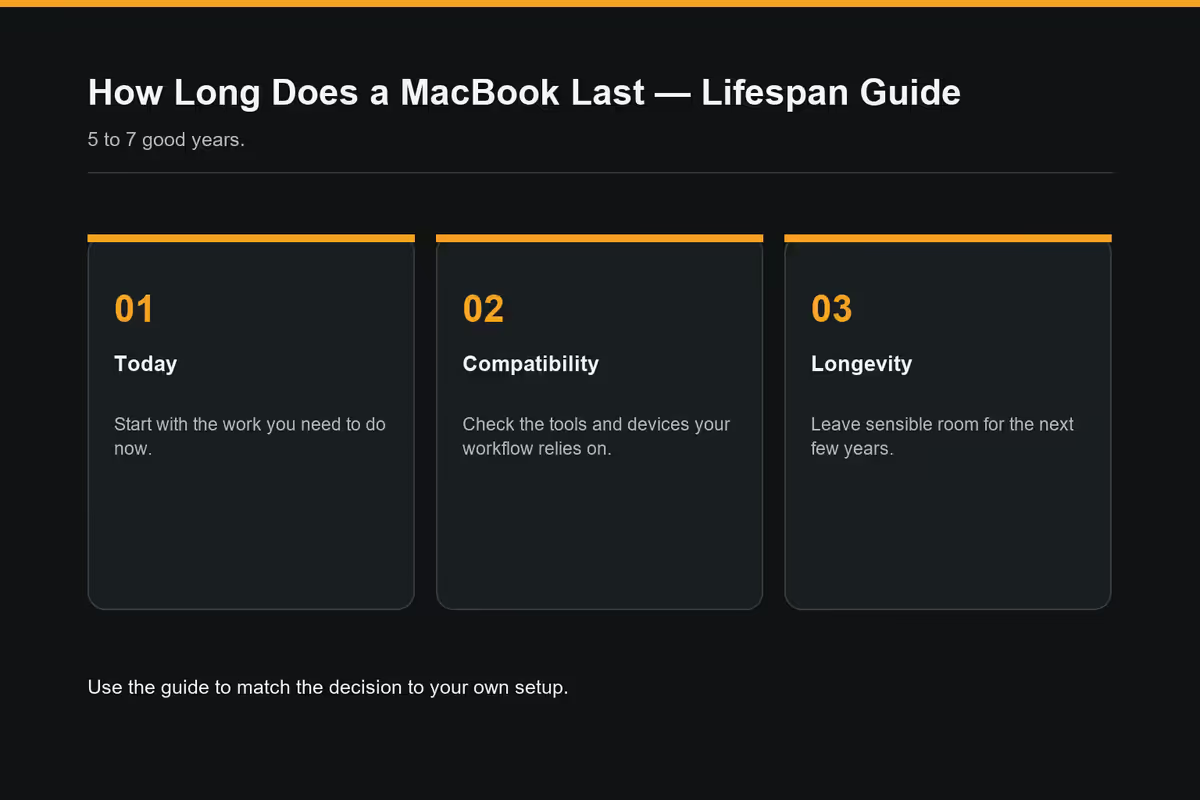
Real-world lifespan — 5 to 7 good years
The honest answer for a modern Apple Silicon MacBook (M1 onwards) is 5 to 7 years as a primary daily-driver machine, with another 2-3 years of useful life as a secondary or family device after that. This isn't marketing — it's the pattern we consistently see across Apple Silicon machines in the SA market.
The two MacBook lines age differently. A MacBook Air bought for browsing, email, university work and light Lightroom edits often hits year 7 still feeling fluid. A MacBook Pro bought for heavy creative work — 4K timelines in Final Cut, large Xcode projects, multi-track Logic Pro sessions — usually starts feeling sluggish around year 4-5 because the workload itself grows over time. Same hardware, different ceiling.
| Use case | Realistic daily-driver lifespan | Total useful life |
|---|---|---|
| MacBook Air · light use | 7-8 years | 9-10 years |
| MacBook Air · student / office | 6-7 years | 8-9 years |
| MacBook Pro · photo / light video | 5-6 years | 7-8 years |
| MacBook Pro · 4K video / dev | 4-5 years | 6-7 years |
| Any MacBook · 8GB base model | 4-5 years | 6-7 years |
That last row is the critical one. The base 8GB RAM configuration is where Apple shortened the lifespan for the buyer who took the budget option. macOS leans heavily on swap with 8GB once the OS, browser tabs and a couple of apps are open simultaneously, which means more SSD writes and more sluggishness over time. 16GB is the bare minimum if you plan to hold the machine for 7 years.
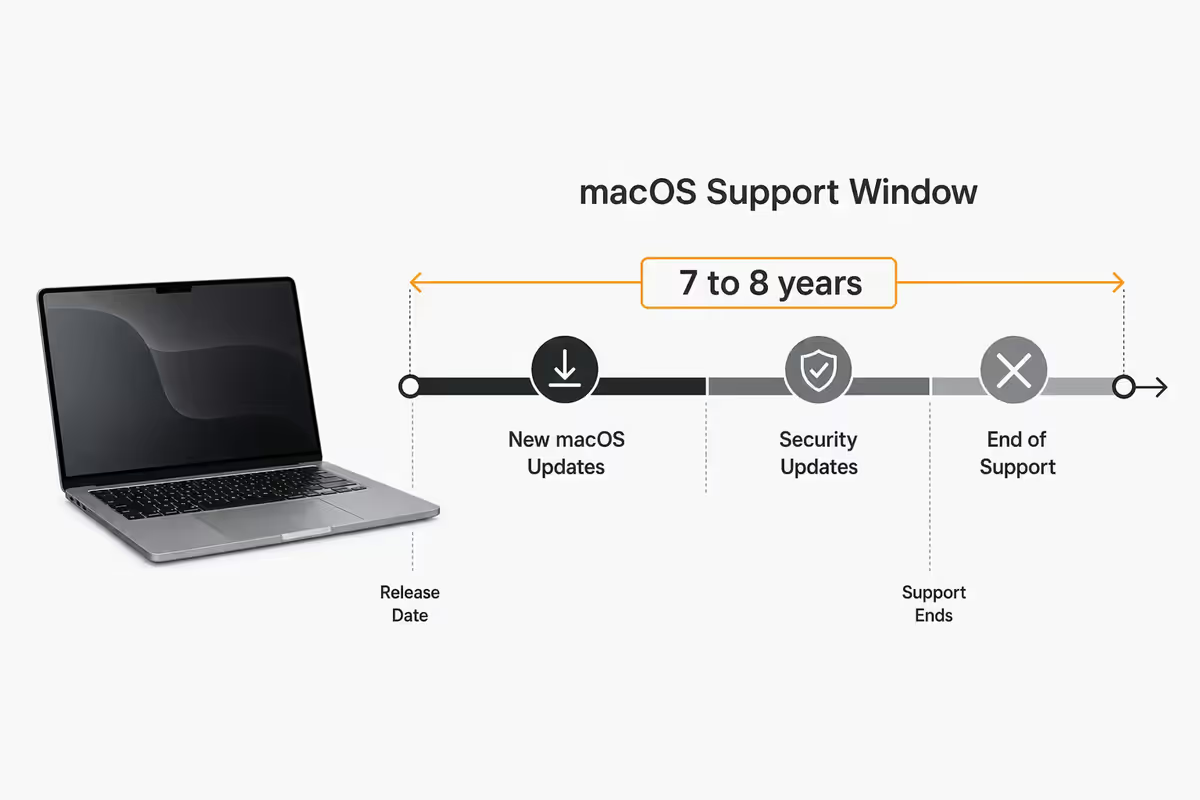
The macOS support window — 7 to 8 years
Apple supports each Mac chip family with new macOS releases for roughly 7-8 years from the chip's launch date. After the last supported macOS, the device usually receives 2 more years of Safari and critical security patches before everything finally stops.
Apple Silicon Macs (M1, M2, M3, M4 and onwards) are widely expected to see longer support windows than the old Intel Macs. Apple now controls the chip, the OS, the compilers and the kernel — the cross-vendor maintenance burden that capped Intel Mac support no longer applies. Industry watchers are projecting 9-10 years of full macOS support for M1 machines.
| Mac chip | Launch | Projected last macOS |
|---|---|---|
| M1 (2020) | Nov 2020 | ~2029-2030 |
| M2 (2022) | Jun 2022 | ~2031-2032 |
| M3 (2023) | Oct 2023 | ~2032-2033 |
| M4 (2024) | May 2024 | ~2033-2034 |
If you bought an M4 MacBook Air at launch, you're looking at a machine that will plausibly still be running the current macOS version in 2033 — and security-patched for a year or two beyond that. This is the longest-supported laptop category in consumer computing.
Battery cycle reality — the 1000-cycle rule
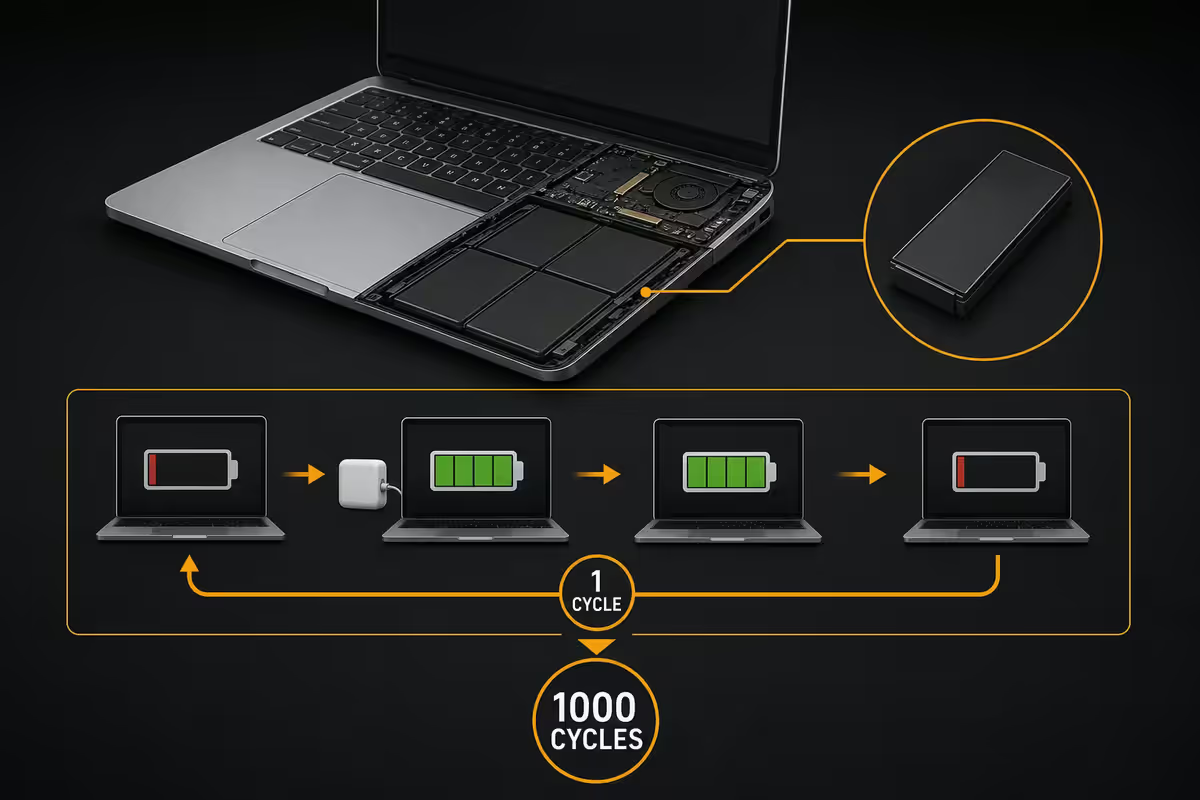
Every modern MacBook battery is rated for 1000 charge cycles to 80% of original capacity. One charge cycle equals one full discharge — so if you drain the battery from 100% to 50% and then back up to 100%, that's half a cycle. The macOS Battery Health screen (System Settings → Battery → Battery Health) shows you exactly how many cycles you've used.
For typical users — one full discharge every 2-3 days — that works out to roughly 5-7 years before the battery noticeably underperforms. Heavy users who fully drain the battery every day will hit 1000 cycles in about 3 years. A MacBook that lives plugged in at a desk most of the time can easily reach 8-10 years before crossing the threshold.
What kills batteries faster: extreme heat (a closed MacBook in a car in Joburg summer), permanent 100% charge (use macOS Optimised Battery Charging), and very-fast charging with high-wattage adaptors over long periods. The default macOS behaviour already protects against most of this — leave the defaults on.
SSD endurance and the soldered storage concern
The biggest valid concern about Apple Silicon MacBooks is that storage is soldered to the logic board — there is no SSD to swap when it wears out. So how worried should you actually be?
In practice, very little. The NAND chips Apple uses are rated for hundreds of TBW (terabytes written) over their life. A typical user writes 5-15 TB per year (browsers, email, photos, occasional video work), which means even the smallest 256GB SSD will take 30-50 years to wear out from writes alone. You'll have replaced the machine four times before storage fails.
There is, however, a documented edge case: base-model 8GB RAM MacBooks that do heavy swap can rack up SSD writes much faster — sometimes 100GB+ per day under heavy multitasking. Even in that worst case, the SSD lifespan is still 10+ years. The risk is real but smaller than the internet panic suggests.
Vintage and obsolete — what Apple's terms actually mean
Apple has two specific classifications that affect long-term ownership:
Vintage — declared 5 years after Apple stopped selling the model new. Apple and Authorised Service Providers may still repair the hardware, subject to parts availability. Service is no longer guaranteed but often still possible.
Obsolete — declared 7 years after Apple stopped selling the model new. At this point Apple no longer services the hardware at all, and parts are no longer distributed to service providers. You're on your own — usually third-party repair shops or salvage.
| Model bought new | Vintage date (approx) | Obsolete date (approx) |
|---|---|---|
| MacBook Air M1 (2020) | ~2029 | ~2031 |
| MacBook Pro 14" M1 (2021) | ~2029 | ~2031 |
| MacBook Air M2 (2022) | ~2030 | ~2032 |
| MacBook Pro M3 (2023) | ~2031 | ~2033 |
| MacBook Air M4 (2025) | ~2033 | ~2035 |
The key insight: vintage and obsolete dates are tied to when Apple stopped selling the model new — not when you bought it. Apple usually sells a model for 1-3 years after launch, so vintage is typically 6-8 years after your purchase, obsolete is 8-10 years after.
When does a MacBook become a compute paperweight?
A MacBook stops being a useful computer when three things converge:
- macOS security updates stop — typically 10 years after chip launch. Banking apps and corporate VPNs start refusing the OS version.
- Safari and Chrome drop support for the older macOS — within 1-2 years of security updates ending. Modern websites break, video streaming fails.
- Creative and productivity apps drop the OS — Adobe, Microsoft, Final Cut Pro all eventually require newer macOS. The app ecosystem moves on.
For Apple Silicon Macs this projects to roughly 10-12 years from purchase before the machine is effectively unusable for modern work — even though the hardware itself still powers on and runs. This is genuinely the longest software-supported window in mainstream consumer computing.
The "paperweight" point isn't a failure of the hardware. It's the moment the software ecosystem has moved past the OS version your machine can run. A 12-year-old MacBook can still type, do calculations and run offline apps — it just can't access modern web banking or run the current Photoshop.
As an <strong>Apple Authorised Reseller</strong> in South Africa, we see a great many MacBooks each year — from 7-year-old Intel MacBook Pros still functional but unsupported, to 18-month-old M2 Airs that look brand new. The pattern is consistent: <strong>Apple Silicon machines are aging dramatically better than the Intel generation</strong>. M1 Airs from 2020 routinely still show strong battery health, modest cycle counts, and current-macOS performance that still rivals new Windows laptops at twice the price. The aging curve has fundamentally flattened.
Evetech Mac Desk — Behind the Build
Resale value curve — the buy-once economics
MacBooks hold value remarkably well compared to Windows laptops, and the SA second-hand market mirrors the international pattern. This is the dimension most TCO comparisons miss.
| Years owned | MacBook Air M2 (R20k new) | % of new price |
|---|---|---|
| 1 year | R14,000-R15,000 | ~70% |
| 2 years | R12,000-R13,000 | ~62% |
| 3 years | R10,000-R12,000 | ~55% |
| 4 years | R8,000-R10,000 | ~45% |
| 5 years | R6,000-R8,000 | ~35% |
| 6-7 years | R4,500-R6,000 | ~25% |
A comparable Windows laptop at R12,000 new is typically worth R3,000-R4,000 at year 3 (~30%) and R1,000-R1,500 at year 5 (~10%). The depreciation slope is roughly twice as steep.
The "buy once, hold long" maths
A R17,000 MacBook Air M4 held for 6 years, then sold for R6,500, costs you R10,500 in real terms over 6 years — roughly R1,750 per year. A R12,000 Windows laptop replaced every 3-4 years and discarded for nothing costs you R3,000-R4,000 per year. The Mac is genuinely cheaper to own at the per-year level, but only if you hold it long enough.
Key takeaways
- Apple Silicon MacBooks last 5-7 years as a daily driver, plus 2-3 years of secondary use — Air longer, Pro under heavy load shorter.
- macOS support runs 7-8 years from chip launch, with 2 more years of security patches before the OS truly stops.
- Battery is rated for 1000 cycles to 80% health — ~5-7 years for typical users. Apple battery swap costs R3,500-R5,500 in SA.
- Spec 16GB RAM minimum if you plan to hold the machine 7+ years — soldered RAM means no upgrade path.
- "Buy once, hold long" works out to ~R1,750/year for a R17k Air M4 over 6 years with resale — half the per-year cost of a R12k Windows laptop replaced every 3 years.
Frequently asked questions
How many years does a MacBook last on average?
A modern Apple Silicon MacBook (M1 onwards) typically lasts 5-7 years as a primary daily-driver machine, with another 2-3 years as a secondary or family device. MacBook Air models last longer; MacBook Pros under heavy creative load feel sluggish 4-5 years in.How long does Apple support macOS updates on a MacBook?
Roughly 7-8 years from chip launch for full new macOS releases, plus 2 more years of Safari and security patches. Apple Silicon Macs are projected to receive longer support than the old Intel Macs.How long does a MacBook battery last before it needs replacement?
Modern MacBook batteries are rated 1000 cycles to 80% capacity — typically 5-7 years for the average user. Apple battery replacement in SA costs R3,500-R5,500.What is the difference between Apple's "vintage" and "obsolete" classifications?
Vintage = 5 years after Apple stopped selling the model new (limited service still possible). Obsolete = 7 years after retail end (no service, no parts).Does the soldered SSD on Apple Silicon MacBooks wear out?
Rarely within the useful life of the machine. SSDs are rated for hundreds of TBW; typical users write 5-15 TB per year, giving 30-50 years of theoretical write endurance. Heavy-swap 8GB models wear faster but still last 10+ years.When does a MacBook become a "compute paperweight"?
When macOS security updates stop, modern browsers drop the OS, and creative/productivity apps move on. Projected at 10-12 years from purchase for Apple Silicon Macs.How well do MacBooks hold their resale value in SA?
Very well. A R20k Air M2 typically resells for ~70% at 12 months, ~55% at 3 years, ~35% at 5 years. Roughly twice as good as comparable Windows laptops.Is buying a MacBook worth it for the long term in SA?
Yes for most users. R17k Air M4 held 6 years and resold ≈ R1,750/year net. Comparable Windows laptop replaced every 3-4 years ≈ R3,000-R4,000/year. The catch is affording the upfront cost.
Get the Evetech app
Exclusive app-only prices, daily flash sales, and free delivery on orders over R4,000 — download the app and start saving.