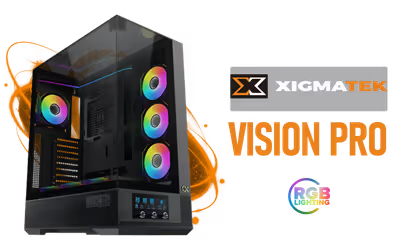
Xigmatek Vision Pro Mid Tower Gaming Case Black
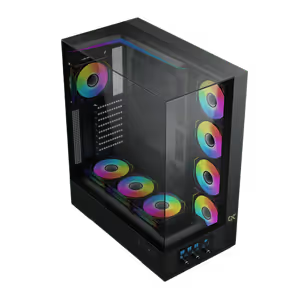
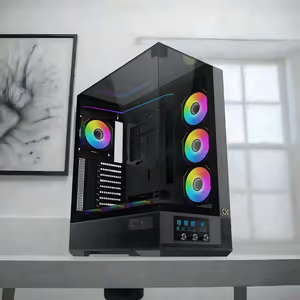
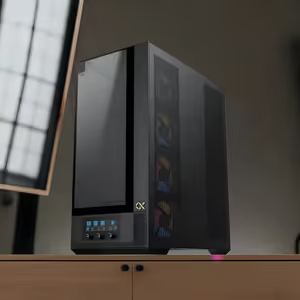
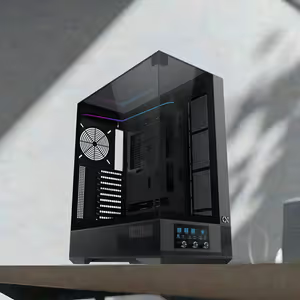
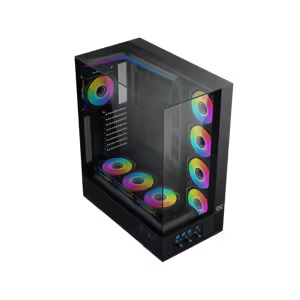
Xigmatek Vision Pro Mid Tower Gaming Case - Black / 3 Tempered Glass Panels / Smart Fan Control LCD Display for Fan & ARGB Management / ARGB & PWM Hub Integration / Supports GPU's Up to 420mm / Magnetic Bottom Dust Filter / Supports Motherboards up to E-ATX / 8 x Pre-Installed ARGB Fans Included / EN45158 / EN45158 + FREE DELIVERY !
1 Year Local Warranty
Model No : Xigmatek EN45158
Price Inc. Vat
R 3,099
Save R 500.00
ListR 3,599
3099Free Delivery
Qty:
In Stock with Evetech
Xigmatek Vision Pro Mid Tower Case — E-ATX Support, Black
Black Mid Tower With Smart Fan Control Built In
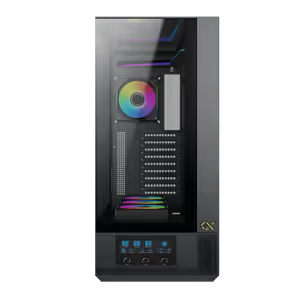
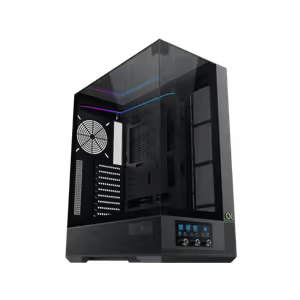
The Xigmatek Vision Pro is a mid tower gaming case in black, built with advanced airflow technology and room for both fan banks and liquid cooling. Efficient cable management keeps the interior organised as the hardware count grows, so a high-end build stays tidy and cool instead of turning into a tangle behind the glass.
Black Mid Tower With Smart Fan Control Built In
The Xigmatek Vision Pro is a mid tower gaming case in black, built with advanced airflow technology and room for both fan banks and liquid cooling. Efficient cable management keeps the interior organised as the hardware count grows, so a high-end build stays tidy and cool instead of turning into a tangle behind the glass.
Three Tempered Glass Panels Open Up The Build
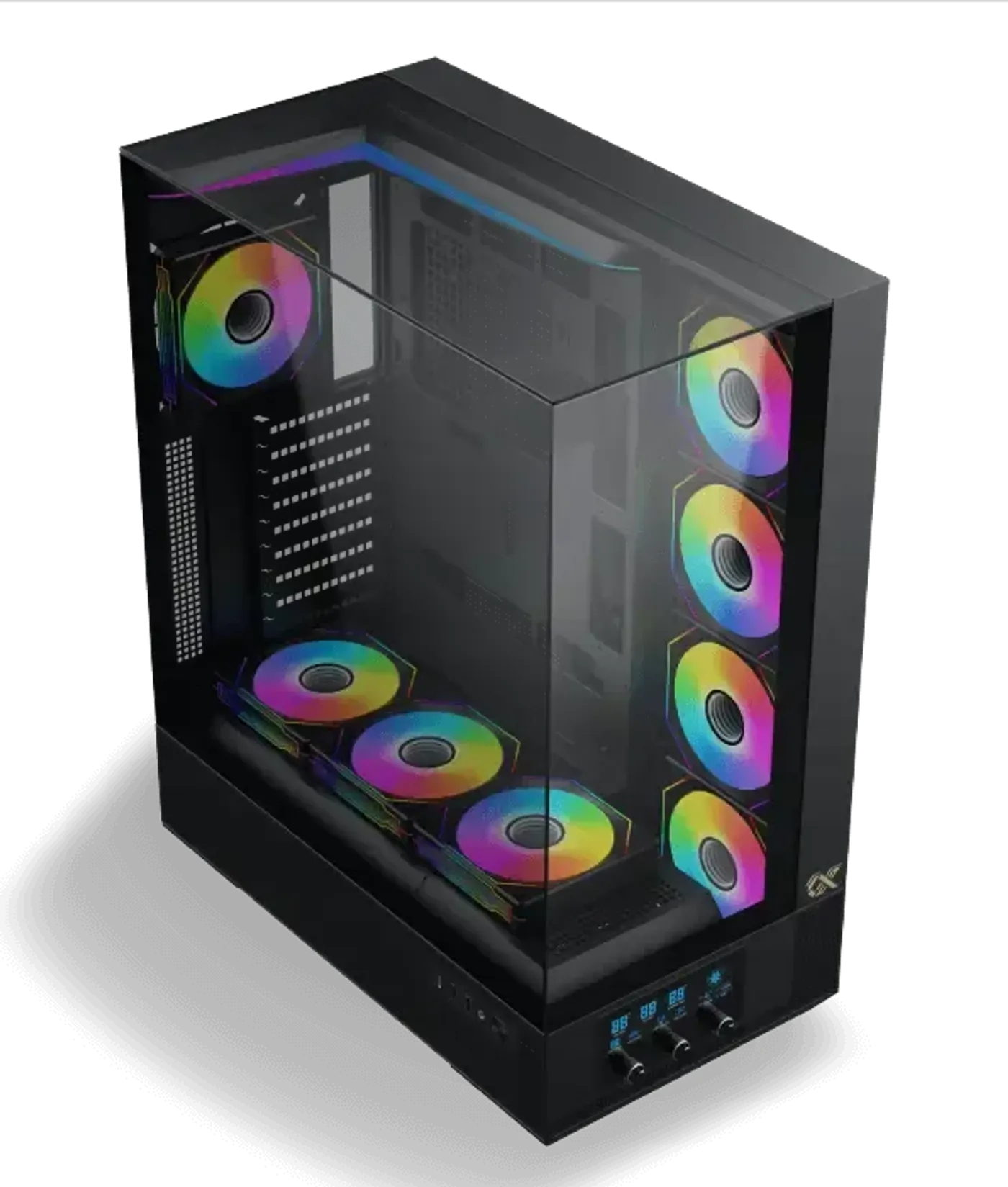
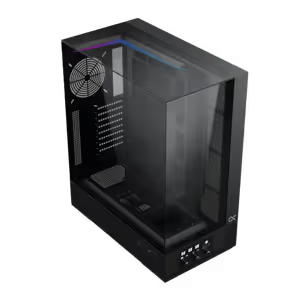
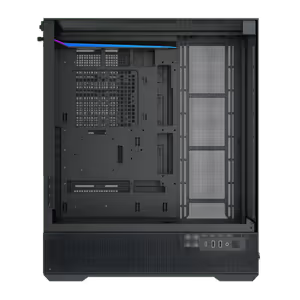
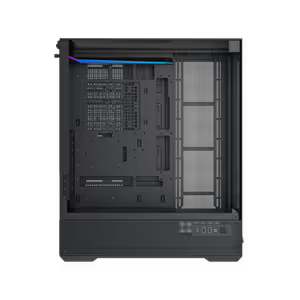
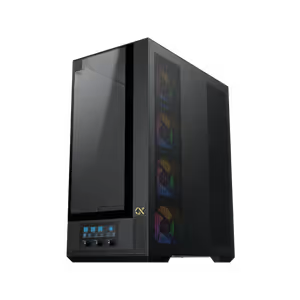
The Vision Pro uses a three tempered glass panel design, so the interior is visible across three faces rather than through a single side window. On a case built around fan lighting and a control display, that extra glass is what makes the effort put into the build visible from wherever the tower is placed.
Three Tempered Glass Panels Open Up The Build
The Vision Pro uses a three tempered glass panel design, so the interior is visible across three faces rather than through a single side window. On a case built around fan lighting and a control display, that extra glass is what makes the effort put into the build visible from wherever the tower is placed.
Airflow Technology Cools High-End Hardware
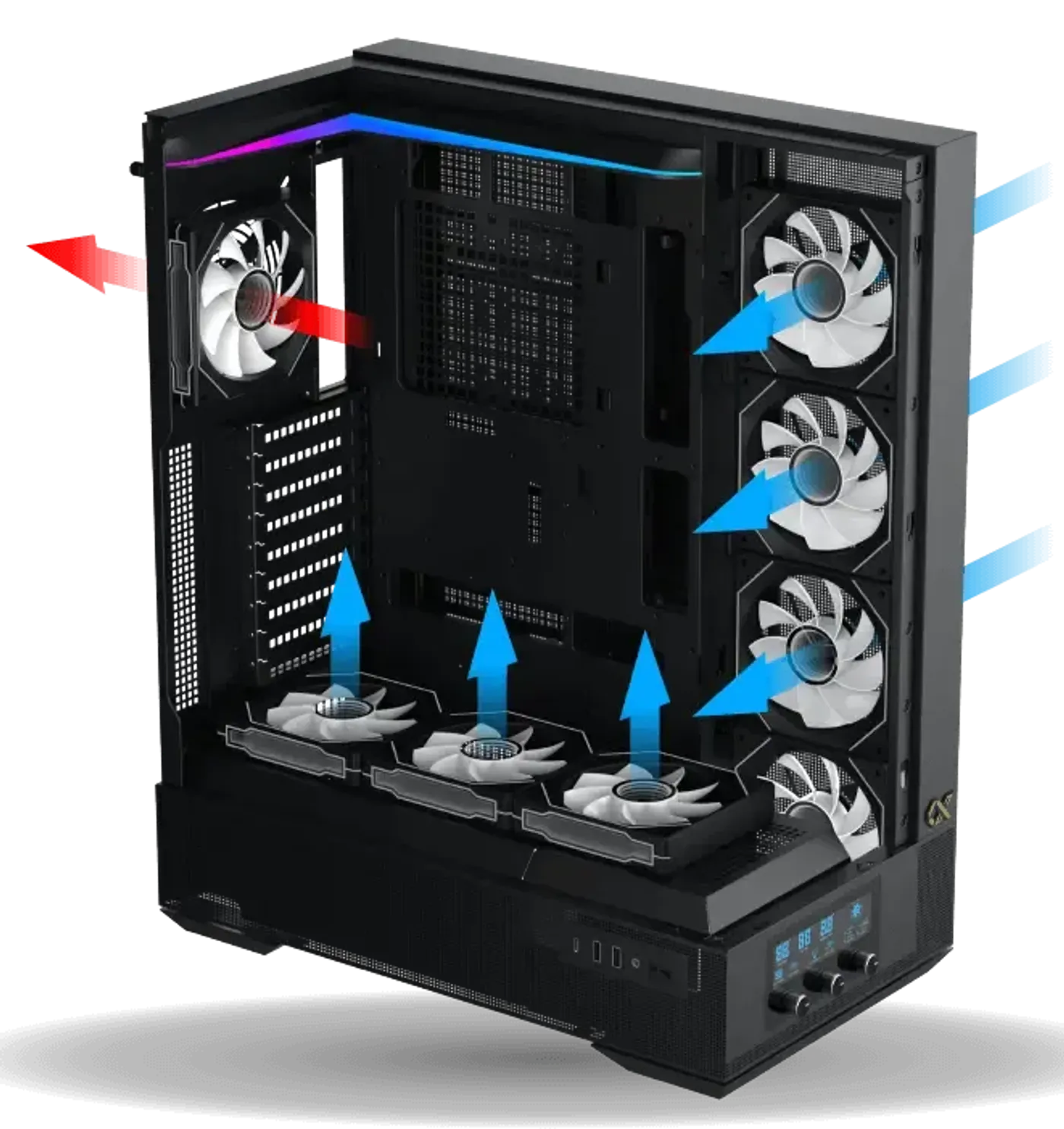
Advanced airflow technology carries cool air to the components and heat away from them during intense gaming sessions. The chassis leaves ample space for both fans and liquid cooling hardware, which means the cooling approach is a choice you make rather than one the case makes for you before the first component goes in.
Airflow Technology Cools High-End Hardware
Advanced airflow technology carries cool air to the components and heat away from them during intense gaming sessions. The chassis leaves ample space for both fans and liquid cooling hardware, which means the cooling approach is a choice you make rather than one the case makes for you before the first component goes in.
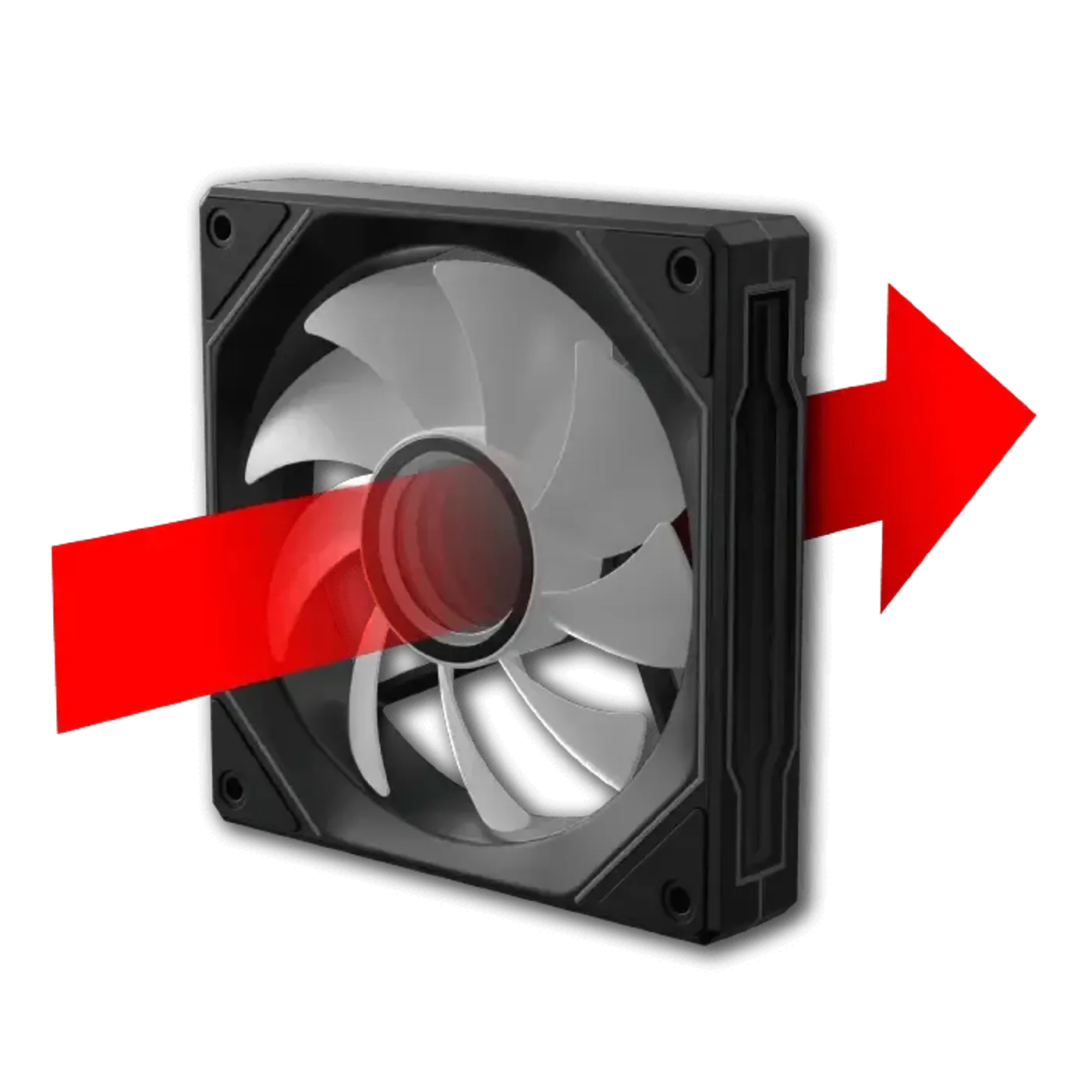
Rear PWM Fan Runs 800 To 2200 RPM
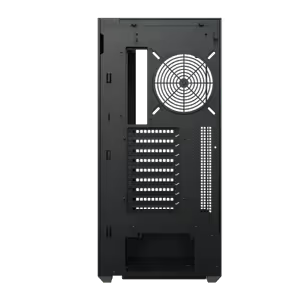
A traditional blade PWM fan rated 800 to 2200 RPM comes pre-installed at the rear. The wide PWM range is what makes the case quiet at a desktop and capable under load, since the fan can idle low while browsing and climb to 2200 RPM only when the hardware actually calls for the extra airflow.
Rear PWM Fan Runs 800 To 2200 RPM
A traditional blade PWM fan rated 800 to 2200 RPM comes pre-installed at the rear. The wide PWM range is what makes the case quiet at a desktop and capable under load, since the fan can idle low while browsing and climb to 2200 RPM only when the hardware actually calls for the extra airflow.
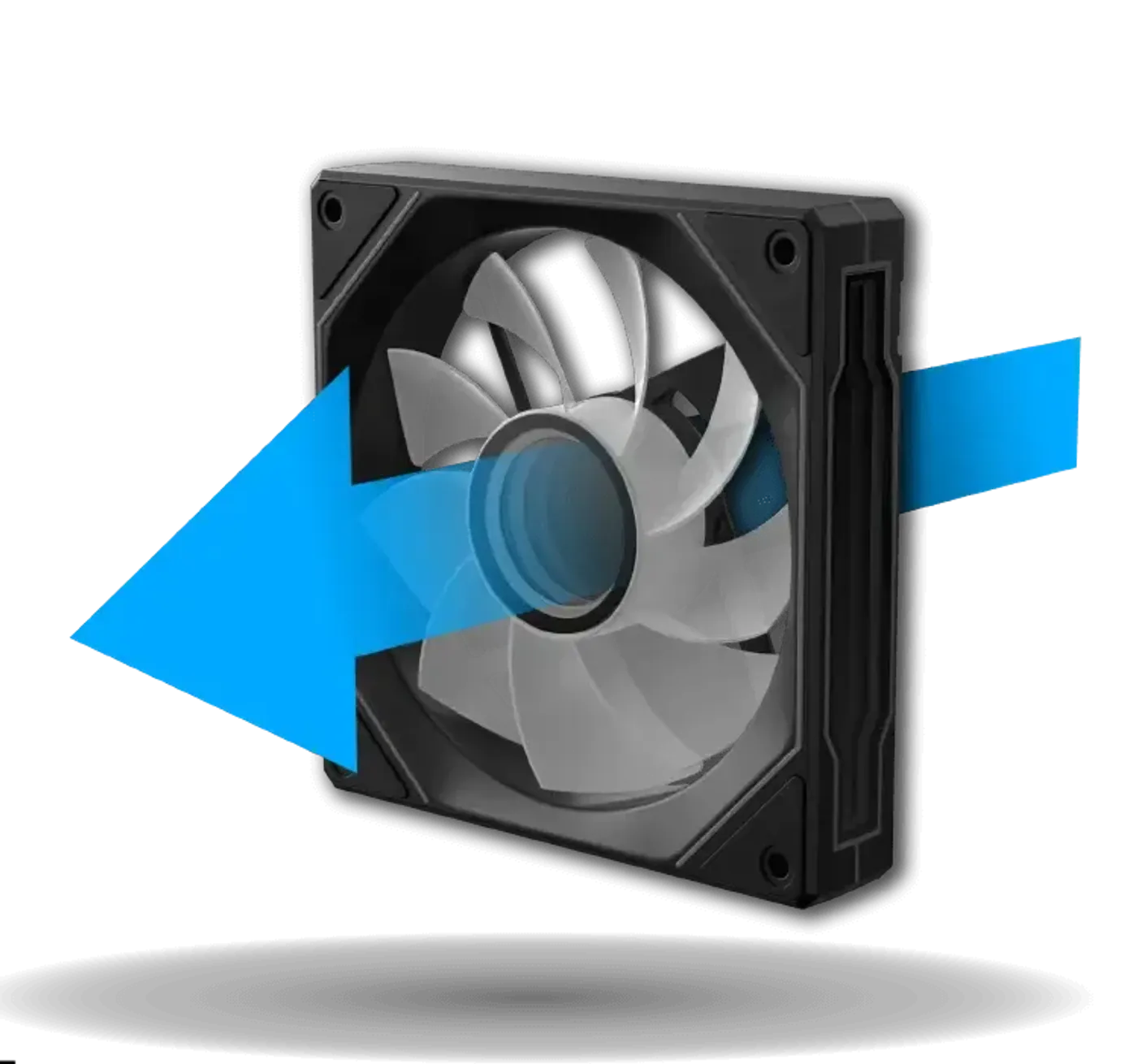
Reverse Blade PWM Fans On Panel And Shroud
Reverse fan blade PWM units, also rated 800 to 2200 RPM, come pre-installed on the motherboard panel and the PSU shroud panel side. Reverse blades face their finished side toward the glass, so the two banks of fans in full view look deliberate rather than showing the frame and hub of a conventional fan.
Reverse Blade PWM Fans On Panel And Shroud
Reverse fan blade PWM units, also rated 800 to 2200 RPM, come pre-installed on the motherboard panel and the PSU shroud panel side. Reverse blades face their finished side toward the glass, so the two banks of fans in full view look deliberate rather than showing the frame and hub of a conventional fan.
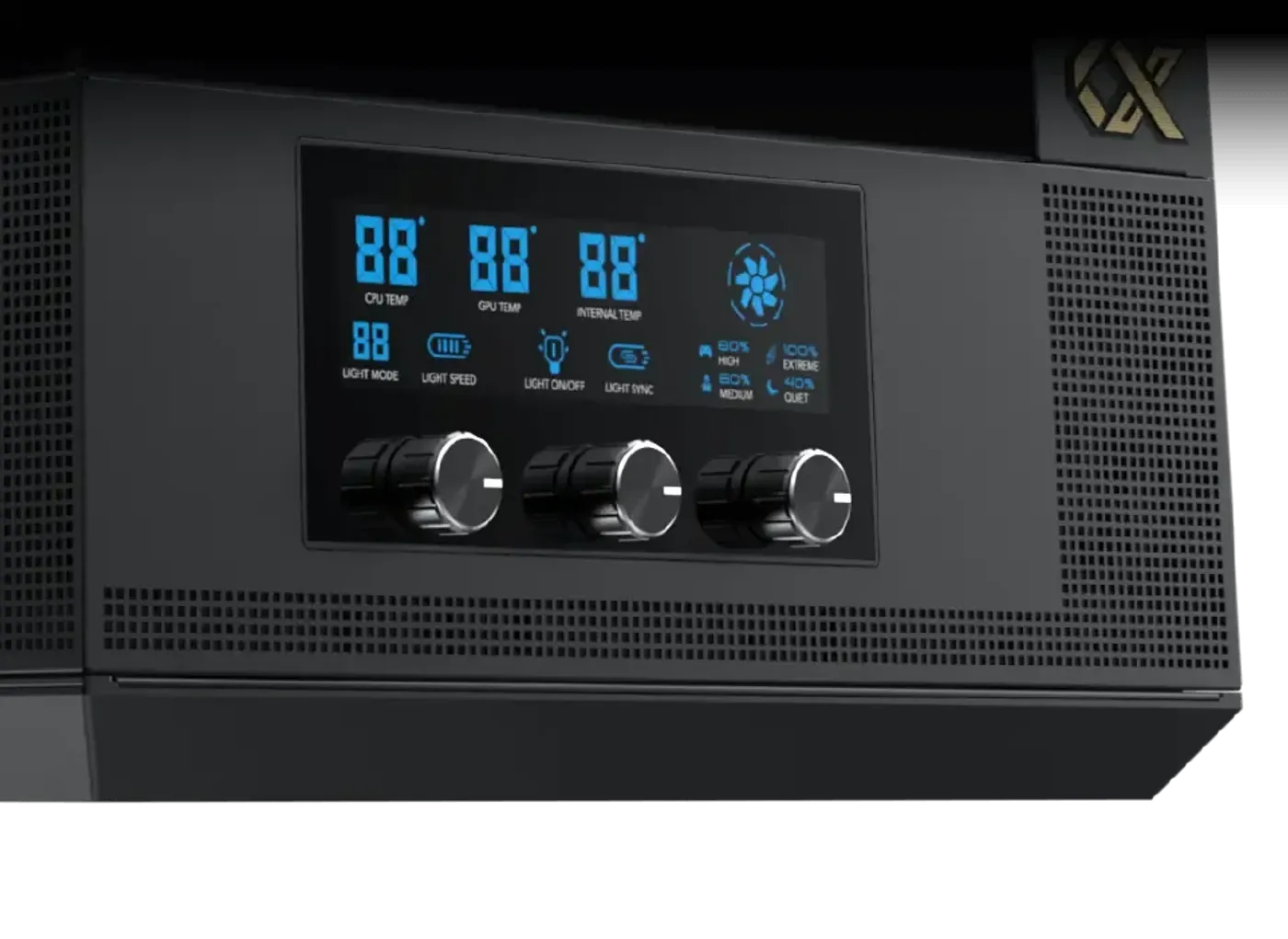
Smart Fan Control LCD Display On The Case
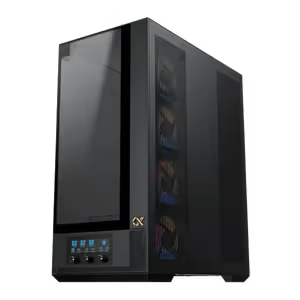
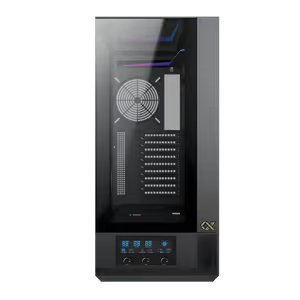
A smart fan control LCD display is built into the case itself, putting fan and lighting control on the chassis rather than only in software. That means the system can be adjusted without opening a control panel on the desktop, and the settings stay with the case regardless of what is installed on the machine.
Smart Fan Control LCD Display On The Case
A smart fan control LCD display is built into the case itself, putting fan and lighting control on the chassis rather than only in software. That means the system can be adjusted without opening a control panel on the desktop, and the settings stay with the case regardless of what is installed on the machine.
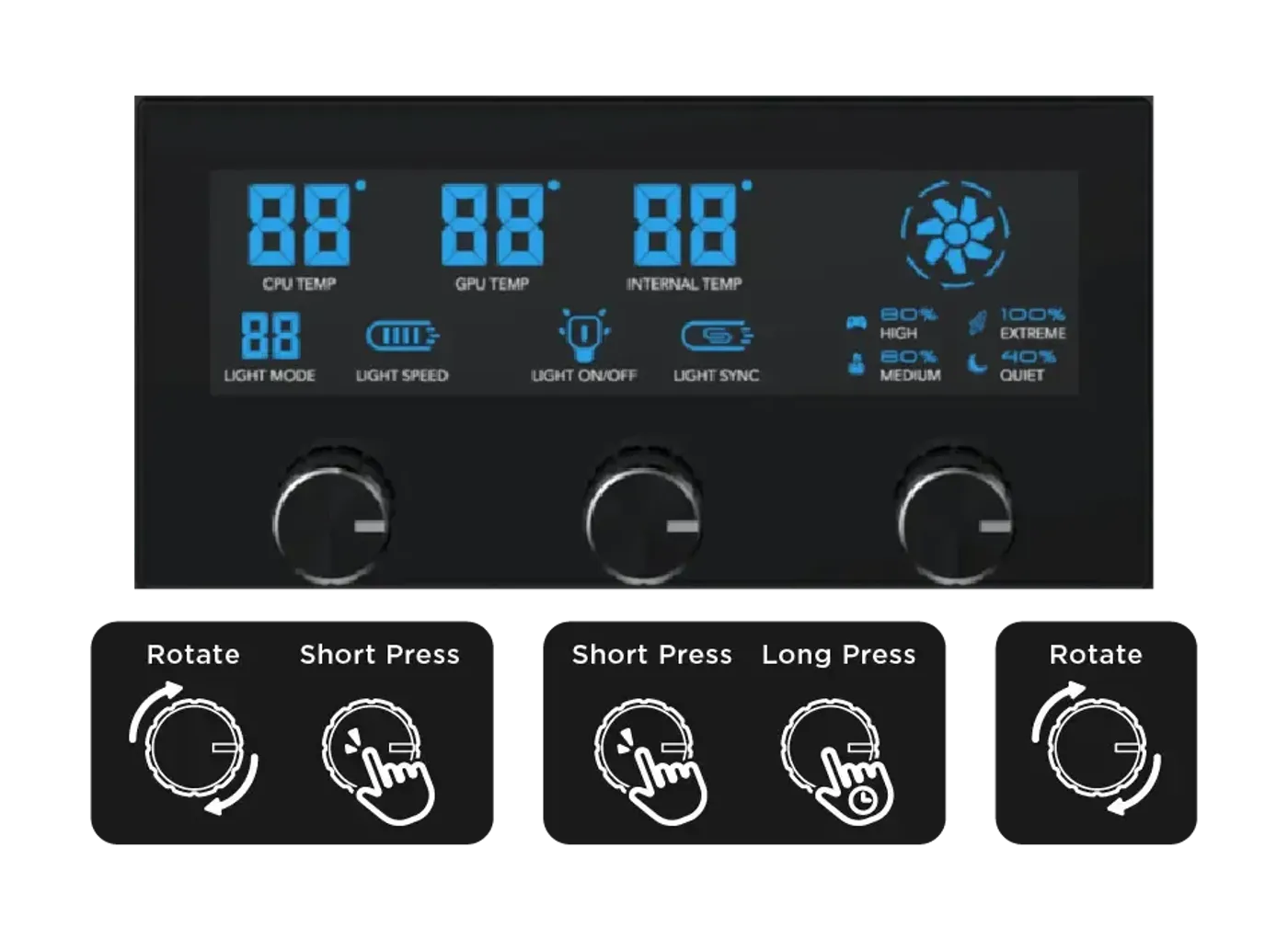
Three Control Knobs Run Lighting And Fan Speed
The left knob rotates to control the RGB light display and short-presses to adjust LED speed. The middle knob short-presses to toggle the RGB lighting on or off and long-presses to switch ARGB over to motherboard sync. The right knob rotates through four fan speed levels: 800, 1200, 1700 and 2200 RPM.
Three Control Knobs Run Lighting And Fan Speed
The left knob rotates to control the RGB light display and short-presses to adjust LED speed. The middle knob short-presses to toggle the RGB lighting on or off and long-presses to switch ARGB over to motherboard sync. The right knob rotates through four fan speed levels: 800, 1200, 1700 and 2200 RPM.
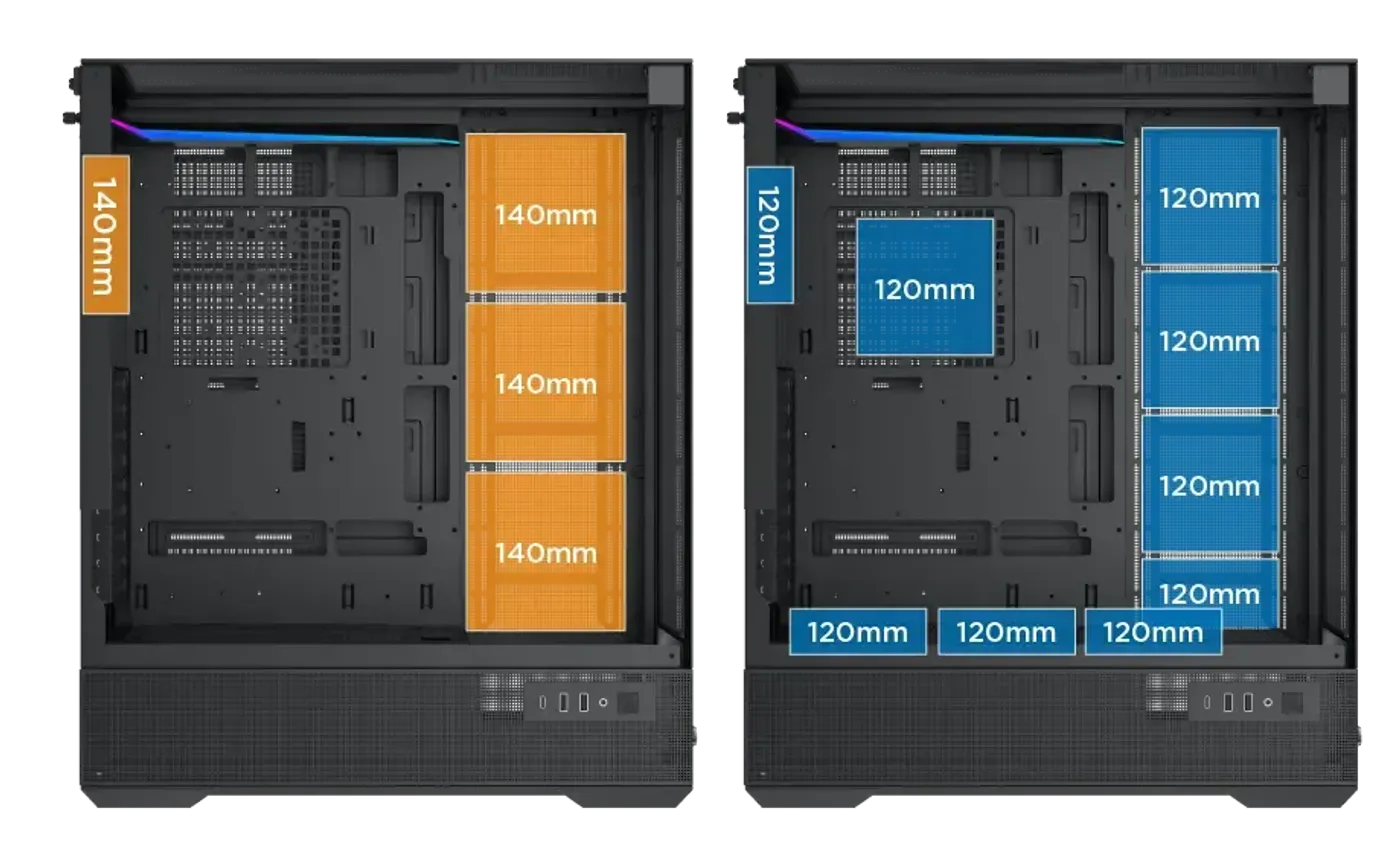
Up To Four Fans On The Motherboard Panel
The motherboard panel takes four 120 mm fans or three 140 mm fans, the PSU shroud takes three 120 mm fans, the rear takes one 120 mm or 140 mm fan, and the SSD and HDD mounting bracket takes one more 120 mm fan. Four separate positions is unusually generous for a mid tower chassis.
Up To Four Fans On The Motherboard Panel
The motherboard panel takes four 120 mm fans or three 140 mm fans, the PSU shroud takes three 120 mm fans, the rear takes one 120 mm or 140 mm fan, and the SSD and HDD mounting bracket takes one more 120 mm fan. Four separate positions is unusually generous for a mid tower chassis.
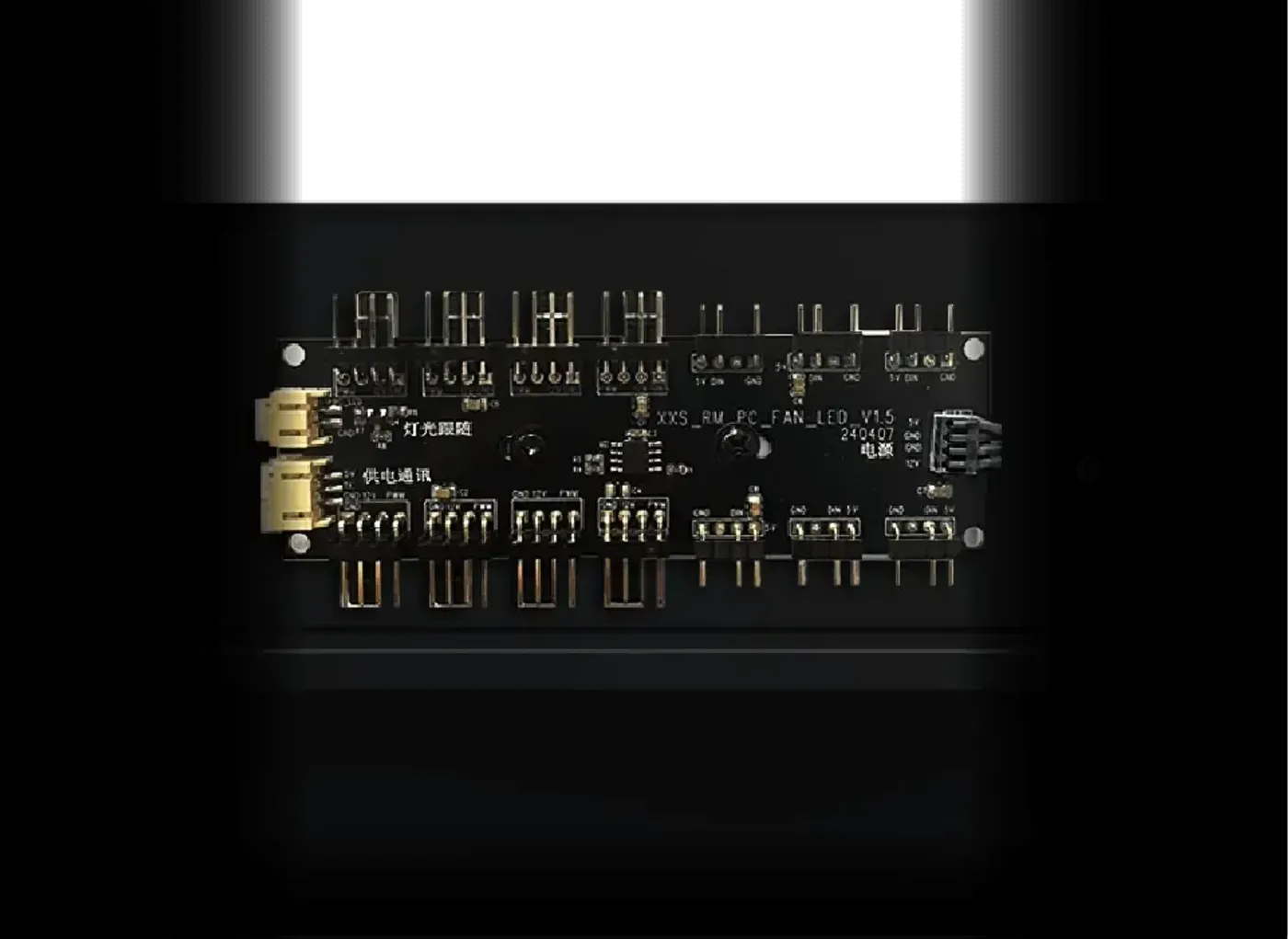
Integrated ARGB And PWM Hub Cuts Cable Clutter
An ARGB and PWM hub is integrated into the case, so the fans and lighting connect to one point instead of each needing its own motherboard header. That keeps the cable run behind the tray manageable, and it is what allows a build with this many fan positions to stay tidy once every position is populated.
Integrated ARGB And PWM Hub Cuts Cable Clutter
An ARGB and PWM hub is integrated into the case, so the fans and lighting connect to one point instead of each needing its own motherboard header. That keeps the cable run behind the tray manageable, and it is what allows a build with this many fan positions to stay tidy once every position is populated.
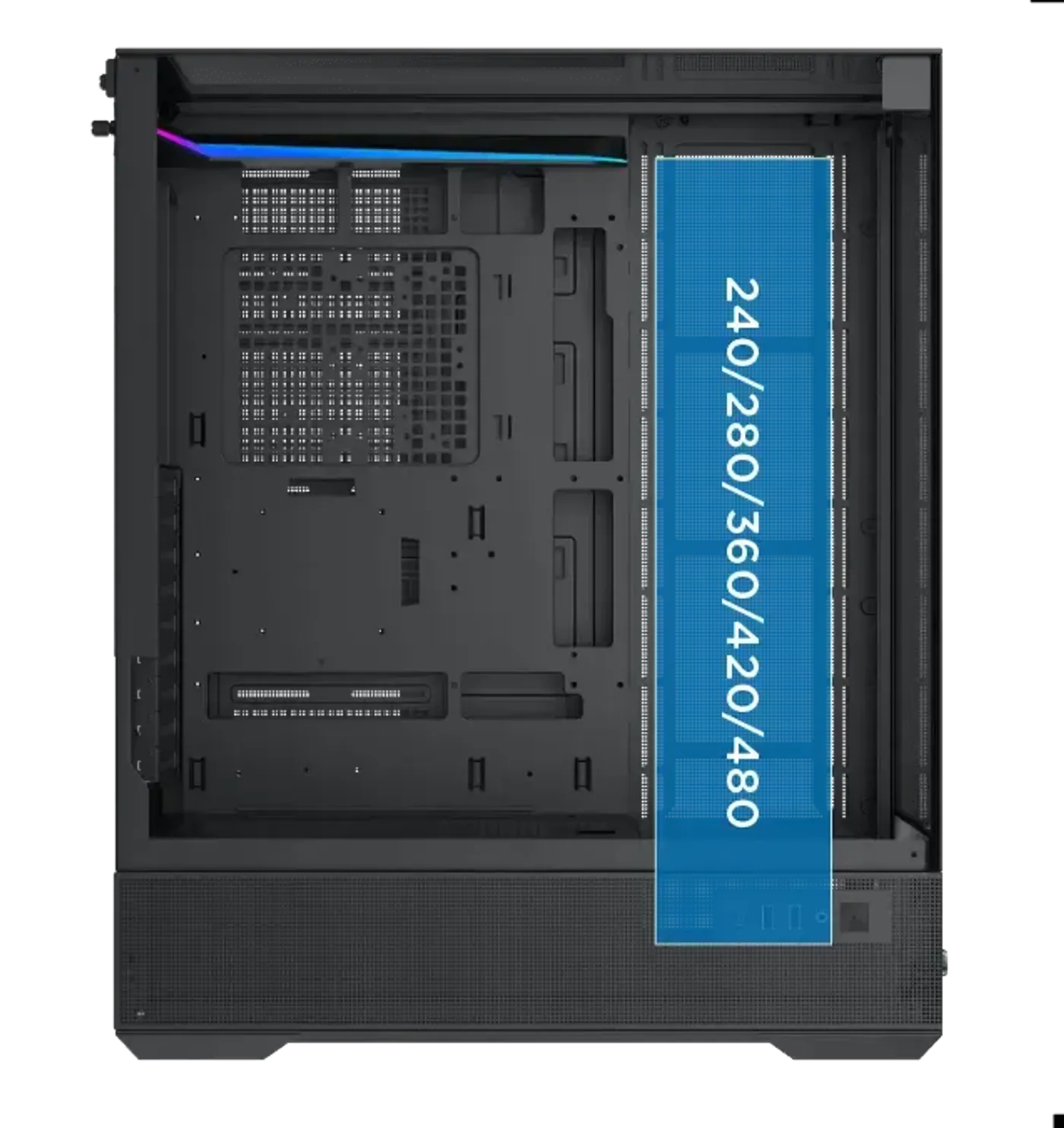
Radiators Up To 480 mm Are Supported
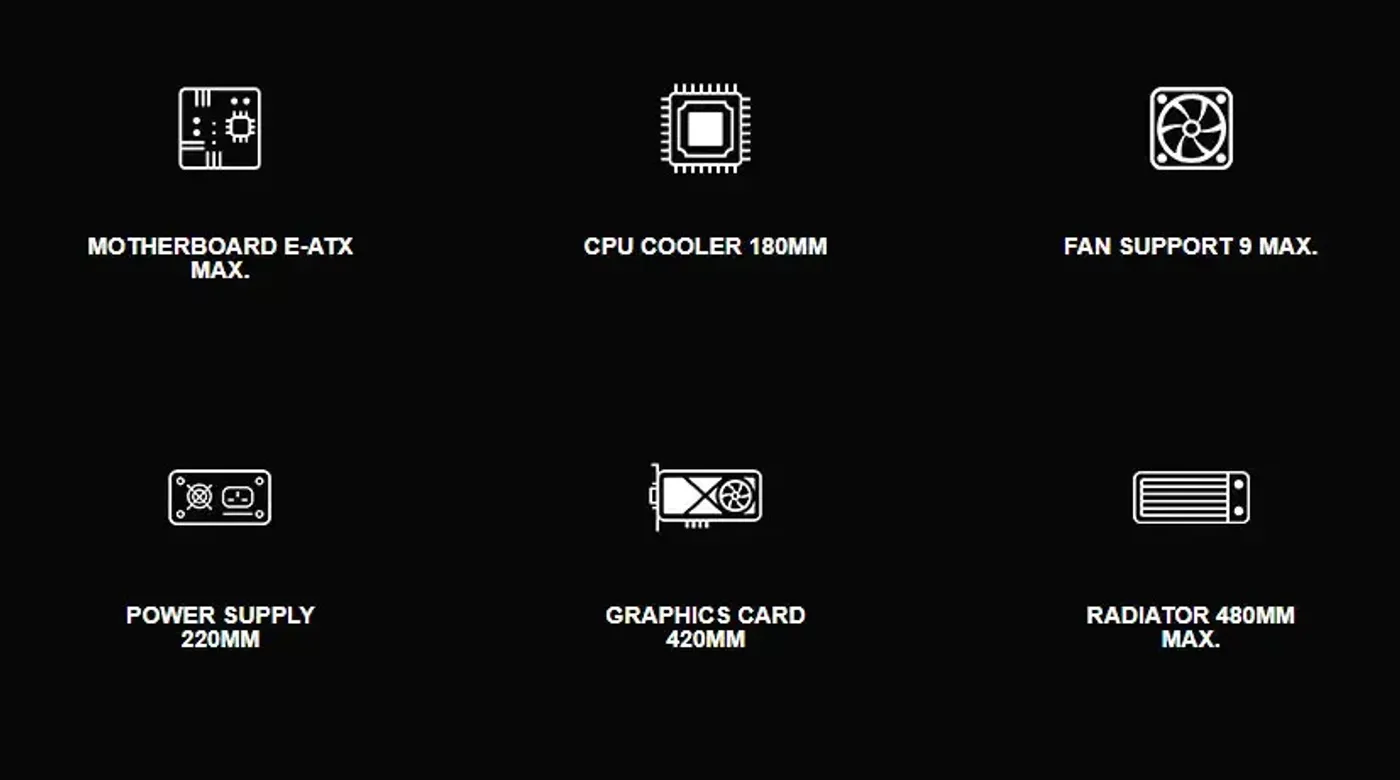
Radiator support covers 240, 280, 360, 420 and 480 mm sizes, with EATX motherboard width limited to 290 mm or less. A 480 mm radiator is at the top end of what any mid tower will take, so a custom loop or a large all-in-one cooler has somewhere to go rather than being ruled out by the chassis.
Radiators Up To 480 mm Are Supported
Radiator support covers 240, 280, 360, 420 and 480 mm sizes, with EATX motherboard width limited to 290 mm or less. A 480 mm radiator is at the top end of what any mid tower will take, so a custom loop or a large all-in-one cooler has somewhere to go rather than being ruled out by the chassis.
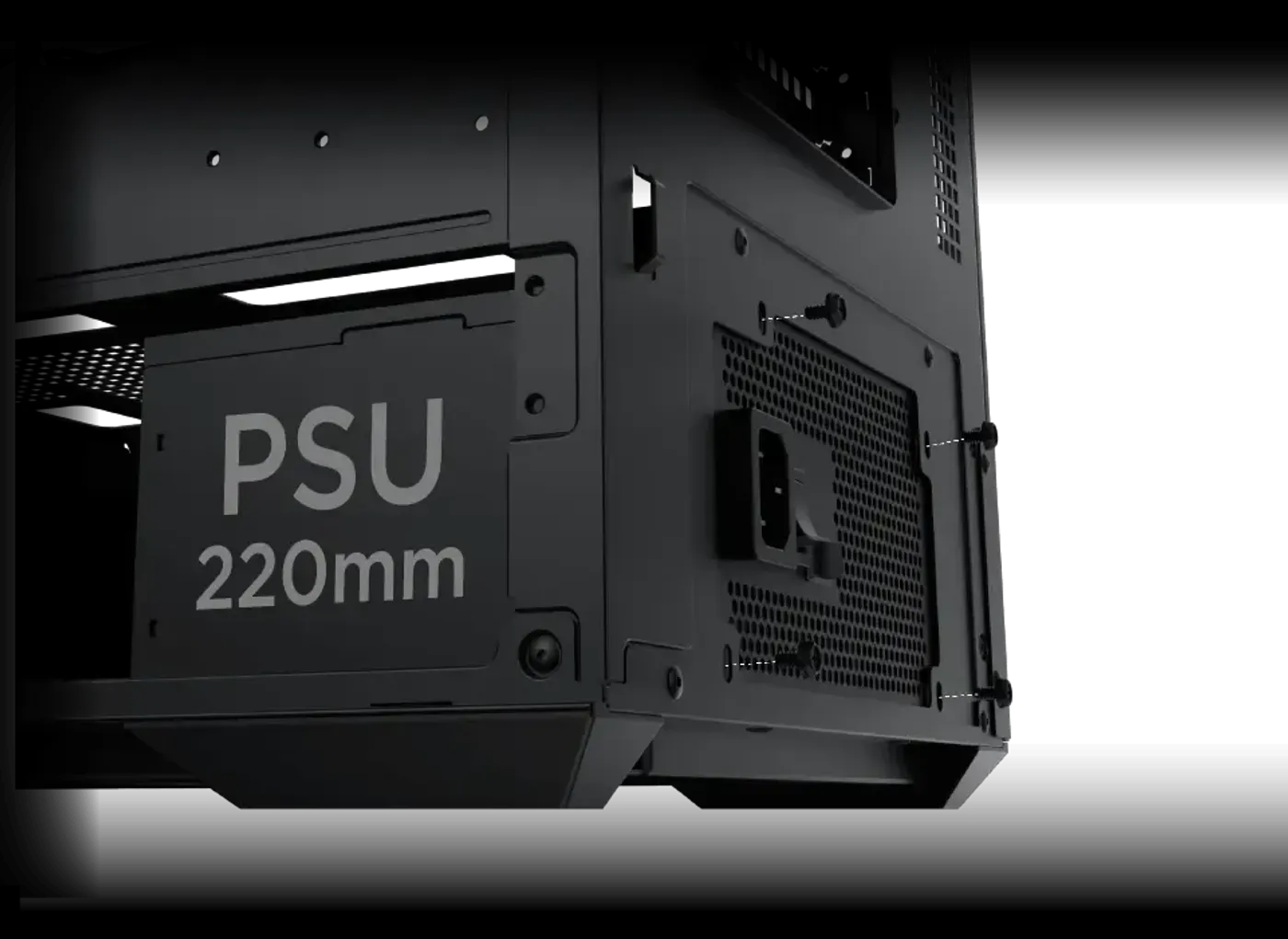
Power Supply Bay Clears 220 mm
The power supply limitation is 220 mm, covering full-size ATX units including longer high-wattage models likely to be paired with hardware of this class. The extra depth also gives the cable bundle somewhere to sit, which matters in a build where the shroud carries three fans and needs the leads kept clear of them.
Power Supply Bay Clears 220 mm
The power supply limitation is 220 mm, covering full-size ATX units including longer high-wattage models likely to be paired with hardware of this class. The extra depth also gives the cable bundle somewhere to sit, which matters in a build where the shroud carries three fans and needs the leads kept clear of them.
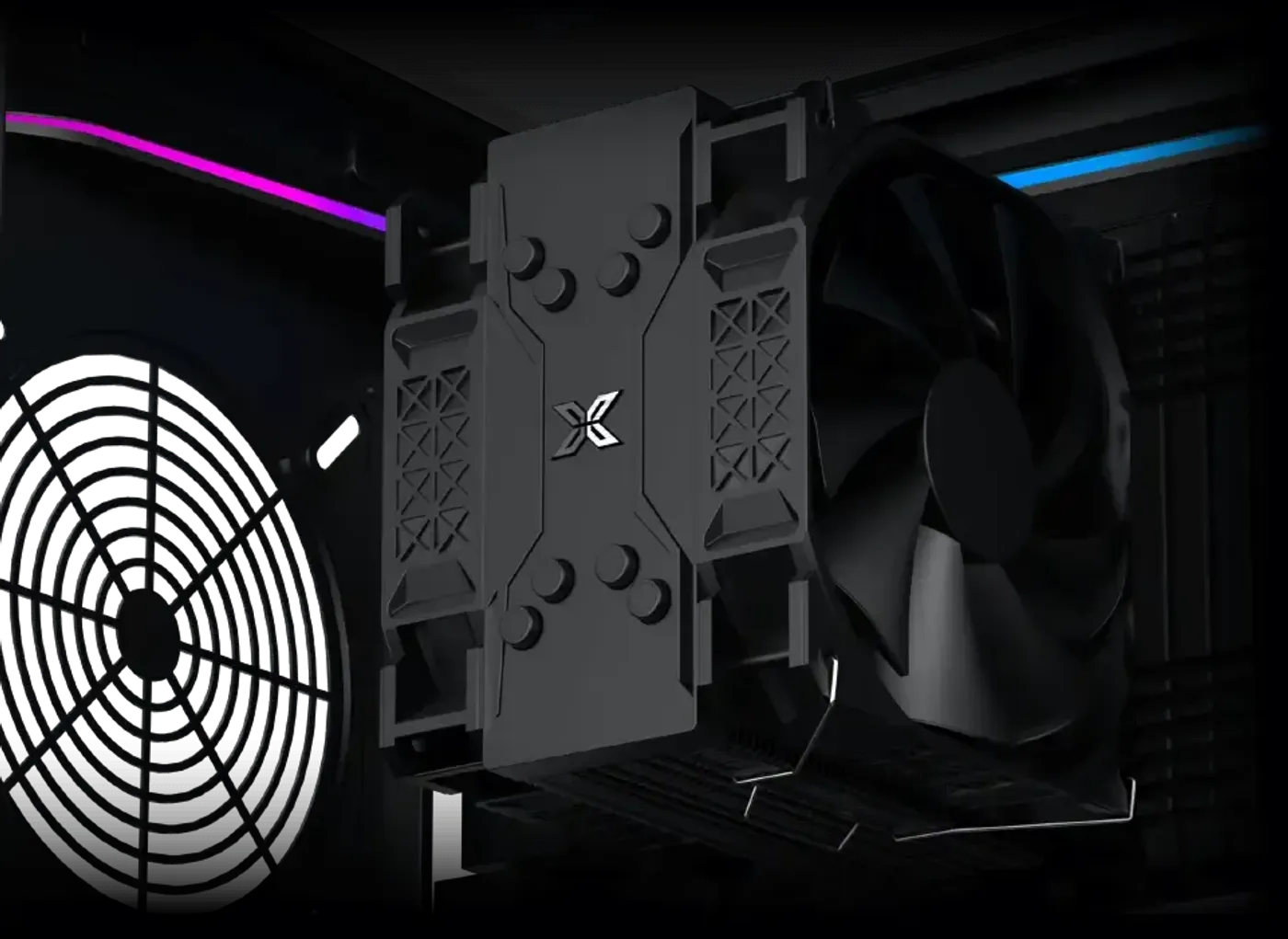
CPU Cooler Clearance Reaches 180 mm
CPU cooler clearance runs to 180 mm, which is enough for the largest dual-tower air coolers on the market rather than mid-height units only. With radiator support up to 480 mm on the other side, the Vision Pro genuinely leaves the air-versus-liquid decision open instead of pushing the build one way.
CPU Cooler Clearance Reaches 180 mm
CPU cooler clearance runs to 180 mm, which is enough for the largest dual-tower air coolers on the market rather than mid-height units only. With radiator support up to 480 mm on the other side, the Vision Pro genuinely leaves the air-versus-liquid decision open instead of pushing the build one way.
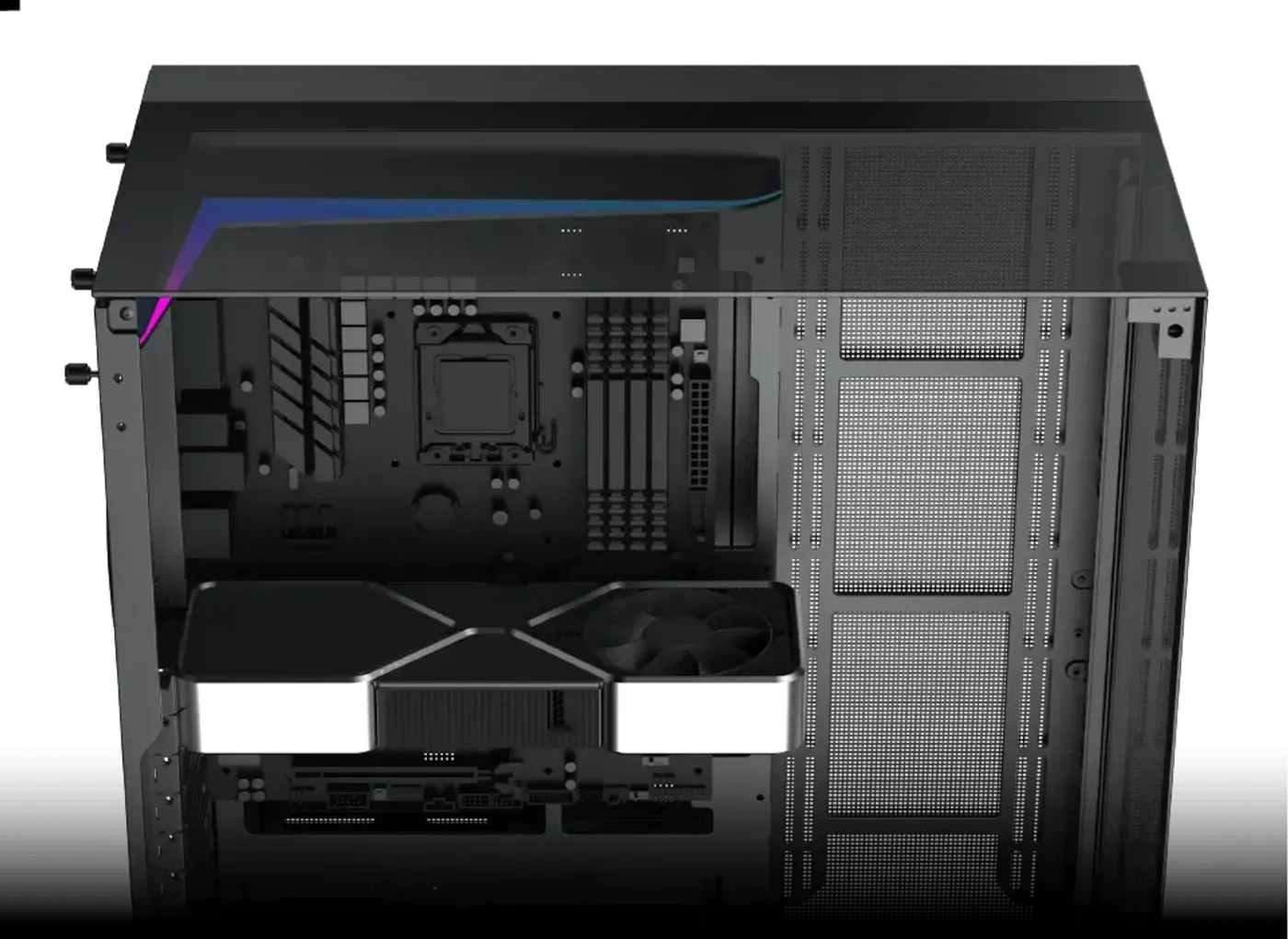
Graphics Cards Up To 420 mm Long
The graphics card length limitation is 420 mm, which clears the longest triple-fan flagship cards currently sold. Card length is the specification that most often stops a build, so this figure removes the usual physical ceiling on which GPU the system can carry now or take in a later upgrade.
Graphics Cards Up To 420 mm Long
The graphics card length limitation is 420 mm, which clears the longest triple-fan flagship cards currently sold. Card length is the specification that most often stops a build, so this figure removes the usual physical ceiling on which GPU the system can carry now or take in a later upgrade.
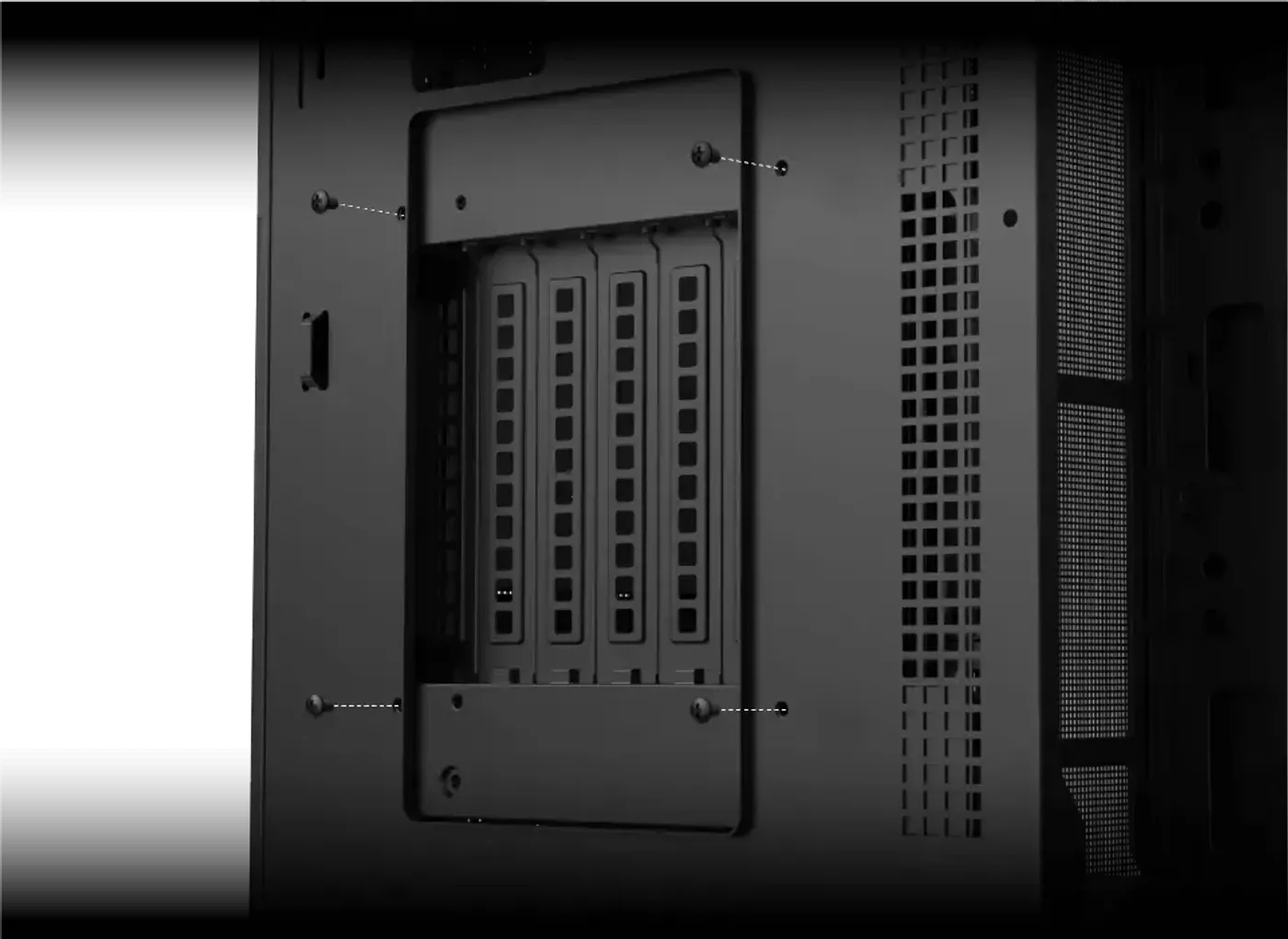
Vertical GPU Installation Is Supported
The Vision Pro supports vertical installation of graphics cards, turning the card to face the glass rather than sitting edge-on in the expansion slots. With three tempered glass panels around it, a vertically mounted card and its cooler shroud become the focal point of the build instead of a thin profile seen from the side.
Vertical GPU Installation Is Supported
The Vision Pro supports vertical installation of graphics cards, turning the card to face the glass rather than sitting edge-on in the expansion slots. With three tempered glass panels around it, a vertically mounted card and its cooler shroud become the focal point of the build instead of a thin profile seen from the side.
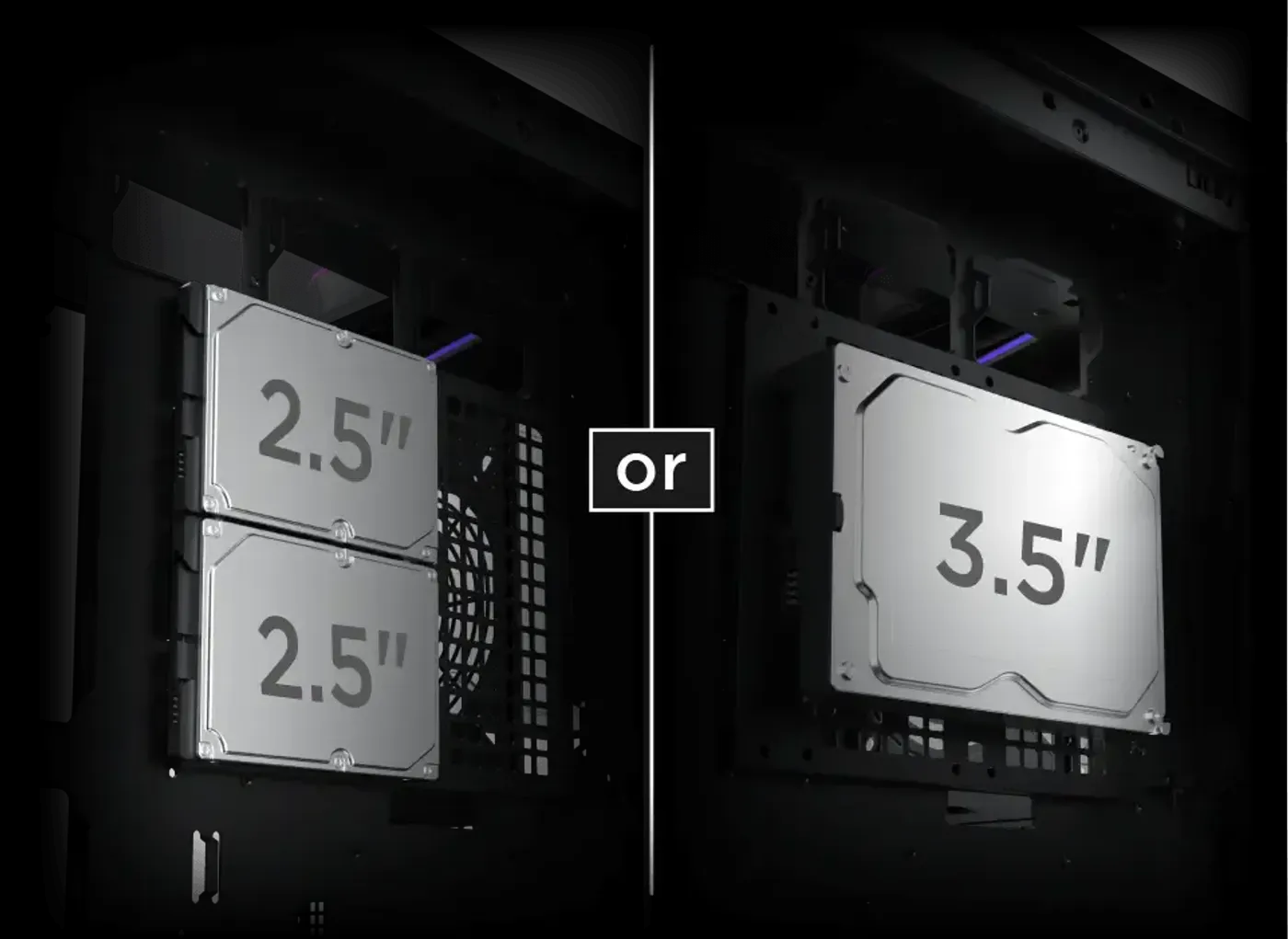
Drive Bracket Behind The Motherboard Panel
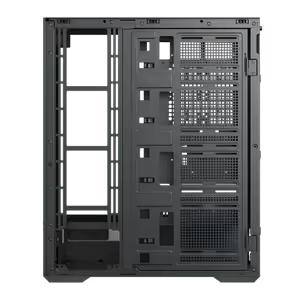
A drive mounting bracket sits at the rear of the motherboard panel and supports either one 3.5-inch drive or two 2.5-inch drives. Placing storage behind the tray keeps it out of sight and out of the airflow path through the main chamber, which is where the fans and radiator need the space.
Drive Bracket Behind The Motherboard Panel
A drive mounting bracket sits at the rear of the motherboard panel and supports either one 3.5-inch drive or two 2.5-inch drives. Placing storage behind the tray keeps it out of sight and out of the airflow path through the main chamber, which is where the fans and radiator need the space.
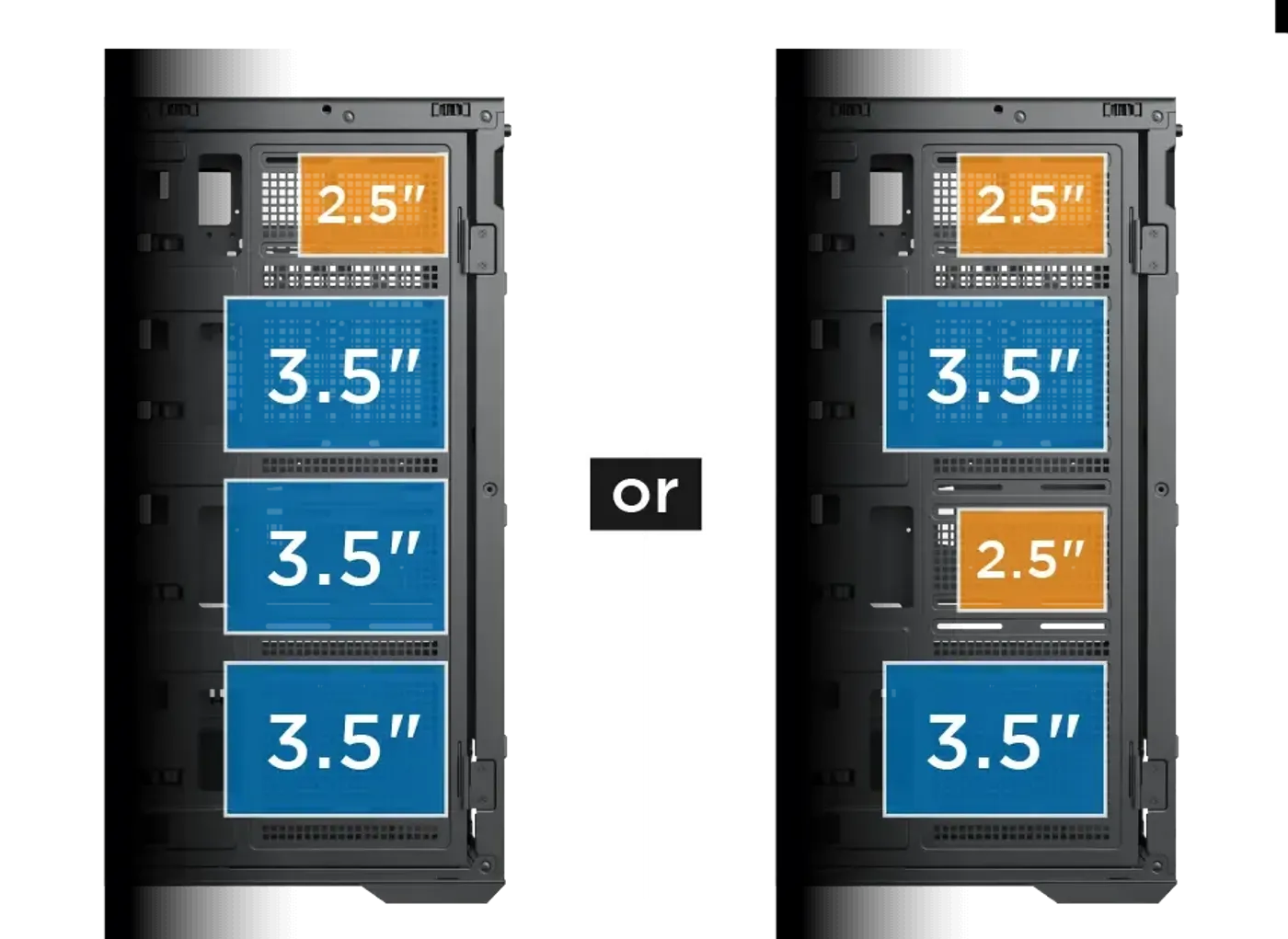
Flip Cover Option A Holds Three 3.5-Inch Drives
The first flip cover configuration takes three 3.5-inch drives, or a mix of 3.5-inch and 2.5-inch drives depending on how the mounting bracket is set up. That is the layout to choose when the build needs maximum mechanical capacity for game libraries, recorded footage or local backups.
Flip Cover Option A Holds Three 3.5-Inch Drives
The first flip cover configuration takes three 3.5-inch drives, or a mix of 3.5-inch and 2.5-inch drives depending on how the mounting bracket is set up. That is the layout to choose when the build needs maximum mechanical capacity for game libraries, recorded footage or local backups.
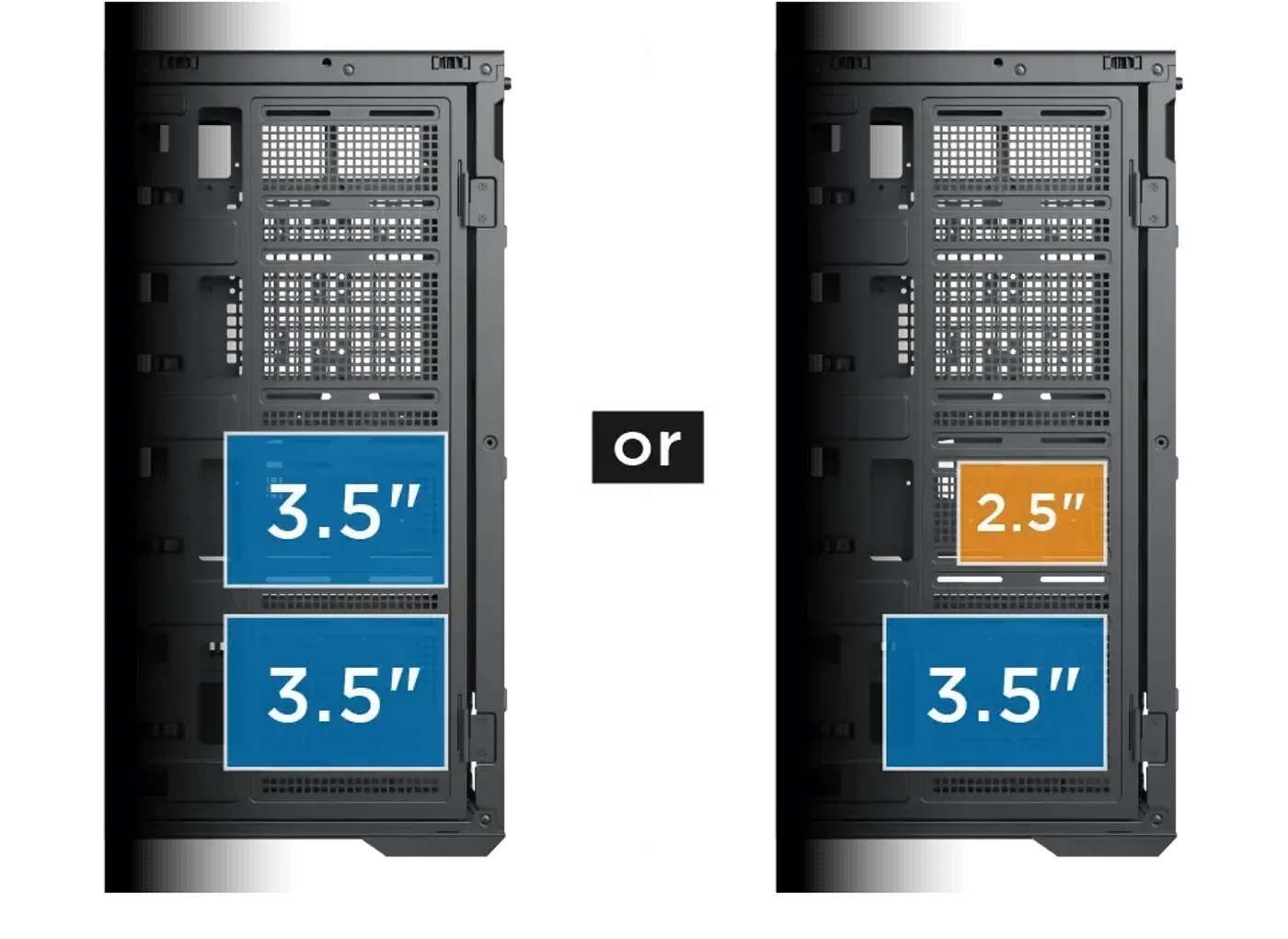
Flip Cover Option B Holds Two 3.5-Inch Drives
The second flip cover configuration takes two 3.5-inch drives, or arrangements combining 3.5-inch with 2.5-inch drives where applicable. Fewer mechanical disks in this layout frees the surrounding space, which suits a build that leans on solid state storage and wants the room for cooling hardware instead.
Flip Cover Option B Holds Two 3.5-Inch Drives
The second flip cover configuration takes two 3.5-inch drives, or arrangements combining 3.5-inch with 2.5-inch drives where applicable. Fewer mechanical disks in this layout frees the surrounding space, which suits a build that leans on solid state storage and wants the room for cooling hardware instead.
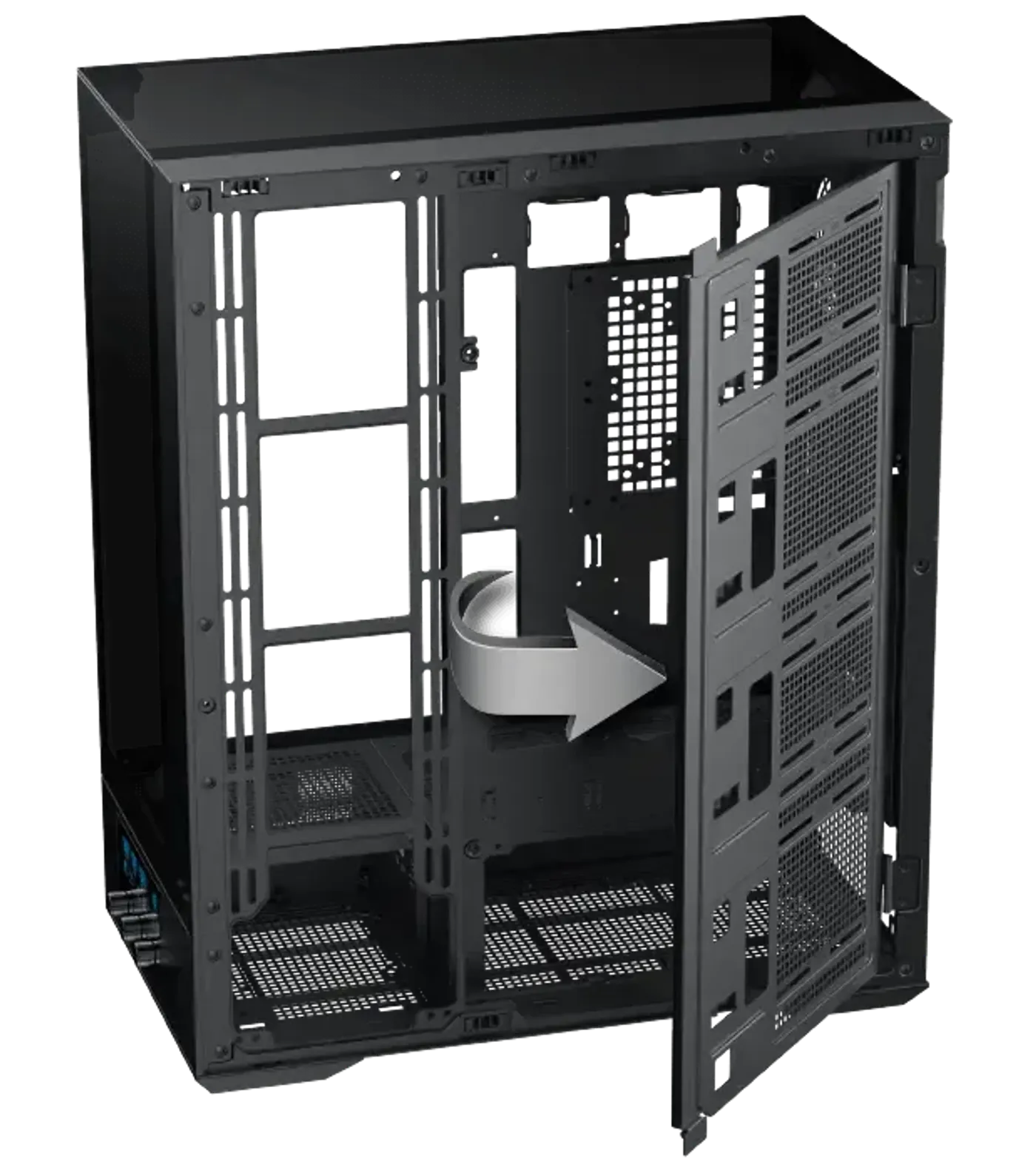
Flip Cover Expands As Storage Needs Grow
The SSD and HDD mounting flip cover is expandable, so drive capacity is added by reconfiguring what the case already has rather than buying brackets or changing chassis. The flip mechanism also means getting to a drive does not require dismantling the surrounding hardware, which keeps later storage upgrades to a short job.
Flip Cover Expands As Storage Needs Grow
The SSD and HDD mounting flip cover is expandable, so drive capacity is added by reconfiguring what the case already has rather than buying brackets or changing chassis. The flip mechanism also means getting to a drive does not require dismantling the surrounding hardware, which keeps later storage upgrades to a short job.
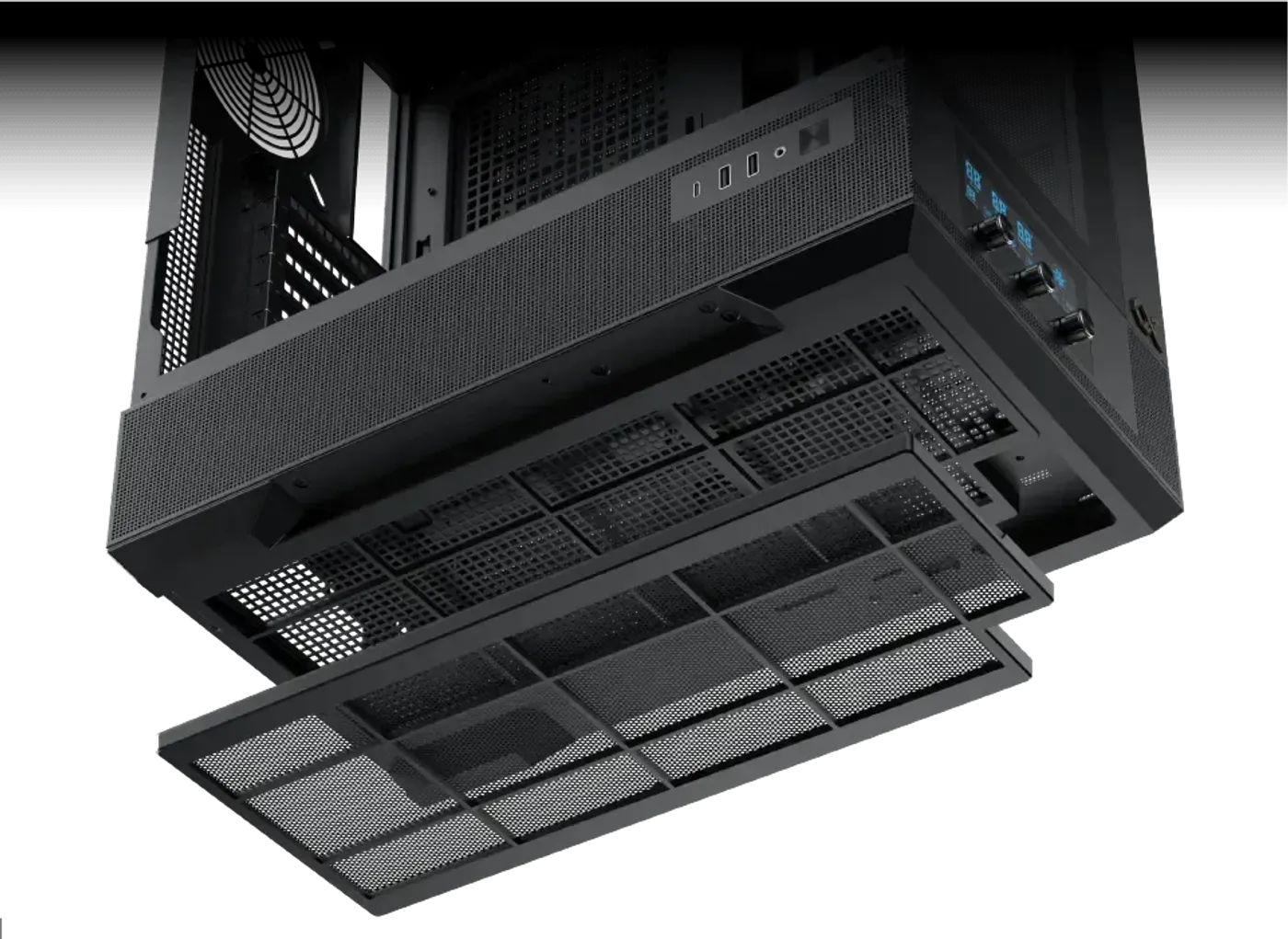
Magnetic Dust Filter Lifts Off The Bottom
A magnetic dust filter covers the bottom intake and pulls away by hand for cleaning, with no screws or clips to release. The bottom is the intake that collects the most dust in any tower, so a filter that comes off in seconds is the difference between a filter that gets cleaned and one that does not.
Magnetic Dust Filter Lifts Off The Bottom
A magnetic dust filter covers the bottom intake and pulls away by hand for cleaning, with no screws or clips to release. The bottom is the intake that collects the most dust in any tower, so a filter that comes off in seconds is the difference between a filter that gets cleaned and one that does not.
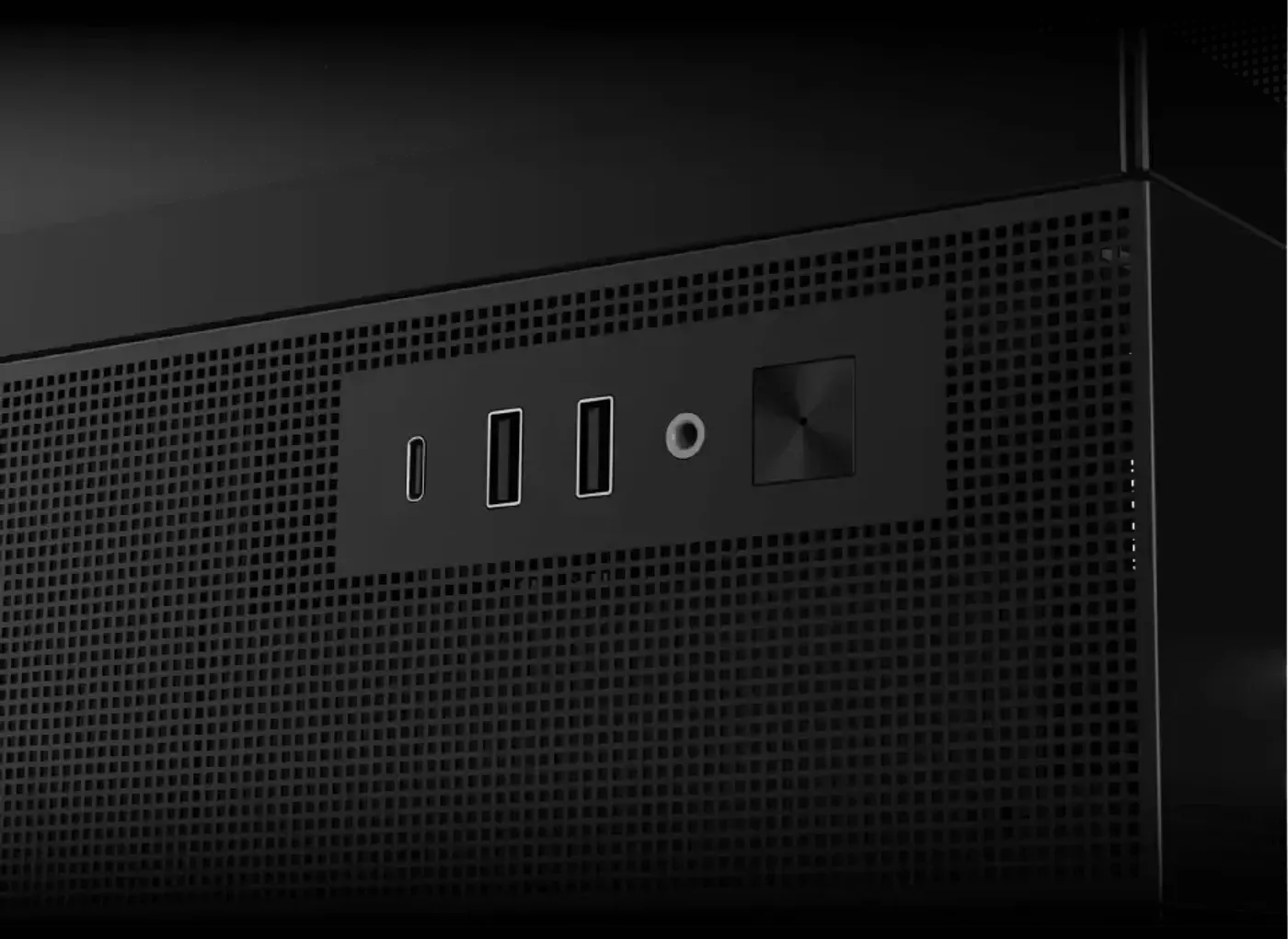
Side I/O With Type-C And Two USB 3.0 Ports
The I/O cluster sits on the side of the case and carries a power button, an HD audio jack, two USB 3.0 ports and a Type-C port. Mounting the ports on the side keeps them reachable when the tower is pushed back under a desk, where a top-mounted panel would be awkward to get at.
Side I/O With Type-C And Two USB 3.0 Ports
The I/O cluster sits on the side of the case and carries a power button, an HD audio jack, two USB 3.0 ports and a Type-C port. Mounting the ports on the side keeps them reachable when the tower is pushed back under a desk, where a top-mounted panel would be awkward to get at.
FAQ
Frequently Asked Questions
Everything you need to know about this product
The graphics card length limitation is up to 420 mm.
Yes, the case supports vertical installation of GPUs.
CPU cooler clearance is up to 180 mm.
Radiator sizes of 240, 280, 360, 420 and 480 mm are supported, with EATX motherboard width up to 290 mm.
The pre-installed PWM fans are rated 800 to 2200 RPM.
The right control knob rotates through four levels: 800, 1200, 1700 and 2200 RPM.
Yes, a long press on the middle control knob switches ARGB over to motherboard sync.
Rotating the left knob controls the RGB light display, and a short press adjusts the LED speed.
The motherboard panel takes four 120 mm fans or three 140 mm fans.
No, the case integrates an ARGB and PWM hub so the fans and lighting connect to a single point.
The rear bracket takes one 3.5-inch or two 2.5-inch drives, and the flip cover configurations take up to three 3.5-inch drives.
A power button, an HD audio jack, two USB 3.0 ports and a Type-C port.

AI-Generated Content:These FAQs are generated by an automated AI system and may contain inaccuracies or omissions. Evetech makes no warranties, express or implied, regarding their completeness or reliability. For definitive information, please refer to the manufacturer's official specifications.
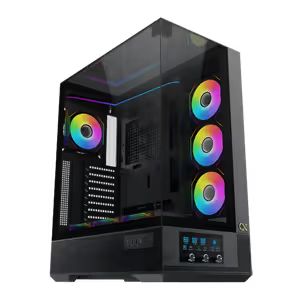
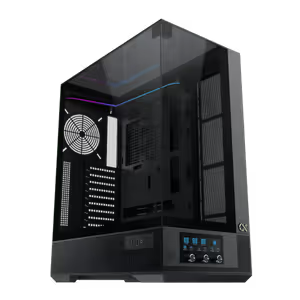
Please Note: Product images are for illustrative purposes only and may differ from the actual product.
Choose your
own PC
Hand-pick every part with live stock, compatibility, and instant pricing.
Try the new builderPrice Inc. Vat
R 3,099
Save R 500.00
ListR 3,599
3099Free Delivery
Qty:
In Stock with Evetech
Choose your
own PC
Hand-pick every part with live stock, compatibility, and instant pricing.
Try the new builderXigmatek Vision Pro Mid Tower Gaming Case Black