Troubleshooting · Thermal
How to fix a hot GPU. — Airflow first. Paste last.
Most "hot GPU" panics solve with R0 and ten minutes — clean the dust, check intake balance, tune the fan curve. Repasting a card that's just thirsty for airflow is solving the wrong problem.
- junction = alarm
- 95°C
- typical undervolt drop
- −12°C
- per °C ambient rise
- +1°C
What "high GPU temperature" actually means
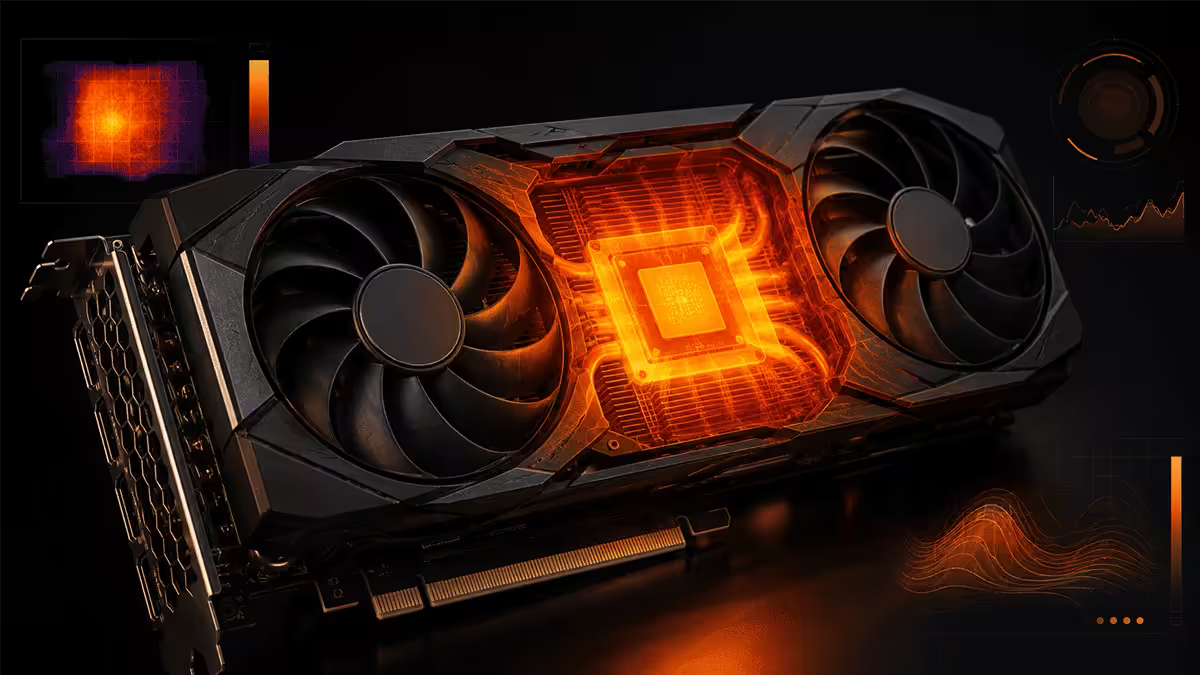
Before you do anything else, get the diagnosis right. The forum advice "my GPU hits 75°C, is that bad?" usually isn't bad at all. Modern cards are designed to run warm — Nvidia and AMD spec ranges quietly tolerate 83-87°C core under sustained load. The real concern isn't core; it's memory junction temperature.
There are three sensors that matter on every modern GPU:
| Sensor | Healthy range | Alarm threshold |
|---|---|---|
| GPU core (edge) | 65-80°C | Above 85°C sustained |
| Memory junction (GDDR6/X hotspot) | 75-90°C | Above 95°C — throttle at 105°C |
| Hotspot / Tjunction | 75-92°C | Above 100°C indicates uneven contact |
Install HWiNFO64 or GPU-Z (both free) and check all three sensors during a 20-minute Cyberpunk session. If the core reads 78°C but memory junction reads 102°C, the card has a thermal pad problem, not a paste or airflow problem. Most "my GPU runs hot" forum threads are looking at the wrong sensor.
Step 1 — Audit case airflow
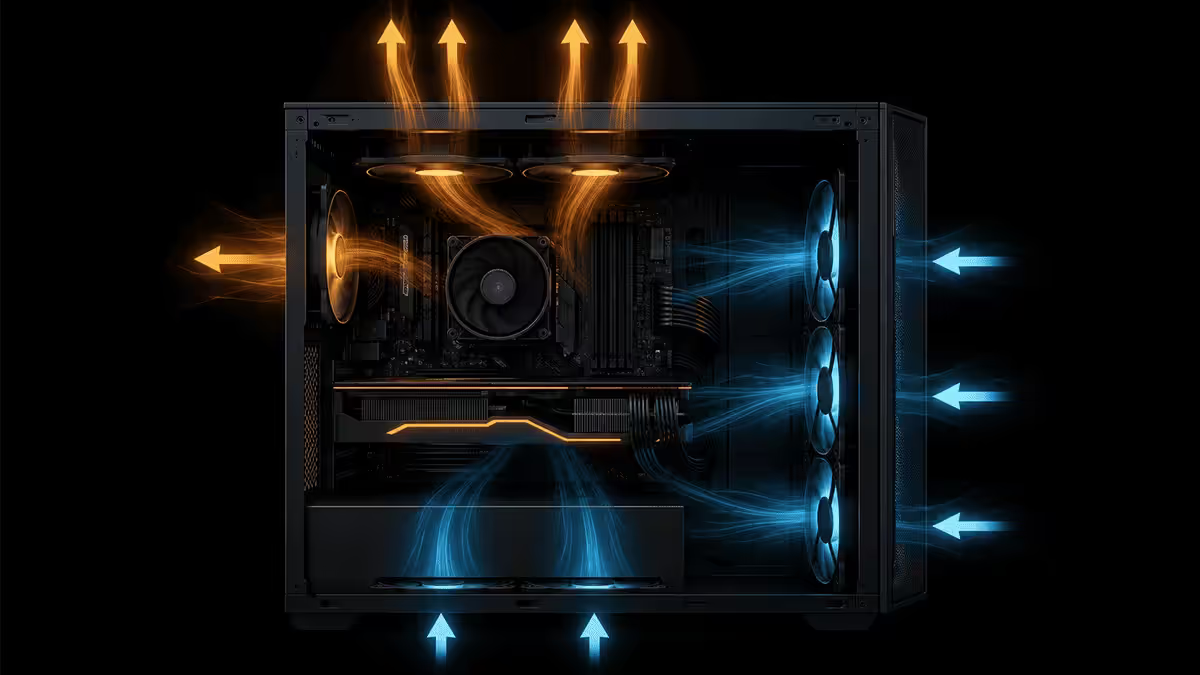
Before touching anything else, sanity-check that air is actually moving through the case. Open the side panel and run a game for two minutes. If GPU temps drop 5-8°C with the panel off, your case airflow is the bottleneck — not the GPU.
What good airflow looks like: intake fans at the front (and bottom if you have a mesh case), exhaust at the rear and top. A net positive pressure (slightly more intake than exhaust CFM) keeps dust out of every gap. A negative pressure setup sucks dust through every seam in the case.
Quick airflow tests:
- Tissue test. Hold a tissue near the rear exhaust fan — it should be pulled gently against the grille. At the front intake, it should flutter slightly outward when held just outside the mesh.
- Side panel test. Run a 15-minute Cyberpunk session with the side panel on, then again with it off. Delta over 6°C means your case is the problem.
- Underside check. Pull the case 50mm away from the wall. If the GPU drops 2-3°C, your tower was breathing its own exhaust.
Typical airflow fixes that work: add a second front intake fan, swap a quiet stock rear fan for a high-static-pressure Noctua/Arctic, move the case off carpet (no breathing room), pull the desk forward 100mm so the rear isn't pinned against a wall.
Step 2 — Dust check
Dust is the silent thermal killer. It doesn't all arrive in one moment — it accumulates over 6-12 months until the GPU is suddenly 10°C hotter than it was last summer. Pet hair, smoking, carpet, and SA red dust are the four worst culprits.
Open the case. Look at three places: the GPU fan blades (front of the card), the GPU heatsink fins (between the fans), and the intake filters (front of case). Dust on the leading edge of the fan blades destroys the fan's efficiency. Dust packed between heatsink fins acts as insulation — exactly what you don't want.
Clean process:
- Power off, unplug, hold the power button for 10 seconds to discharge.
- Use a can of compressed air (R150-R200 at Builders or Game) or an electric duster (R600-R900, reusable forever — better long-term).
- Hold fan blades still with a finger while blasting — spinning a fan past its rated RPM with compressed air can damage the bearing.
- Short bursts from 100mm away. Don't get the nozzle right up against the components.
- Clean the front-panel filter at the same time. Most are tool-less removal.
Step 3 — Tune the fan curve
Out of the box, most GPUs run a conservative quiet fan curve. That's why the card hits 75°C before fans really spool up. A custom curve can drop sustained temps 5-10°C at the cost of slightly more noise.
Download MSI Afterburner (free, works on any brand of GPU). Open it, click the fan curve icon, switch from "Auto" to "User defined." Drag the points to build an aggressive curve like this:
| GPU temperature | Fan speed | Effect |
|---|---|---|
| 40°C (idle) | 30% | Always spinning, removes heat soak |
| 55°C (light load) | 45% | Pre-empts thermal rise |
| 65°C (gaming) | 65% | Holds gaming load comfortably |
| 75°C (heavy gaming) | 85% | Catches up before throttle threshold |
| 80°C+ | 100% | Emergency cooling |
Save the profile as "Gaming" and tick the "Apply at Windows startup" box. The card will be slightly louder under load but 8-10°C cooler at sustained gaming. Most people don't notice the noise increase with a headset on.
Step 4 — Undervolt (the cheat code)

If you do nothing else from this guide, do this. Undervolting tells the GPU to deliver the same performance at lower voltage. It's free, reversible, and typically drops temps 8-15°C with zero performance loss (sometimes 1-2% gain because the card holds boost clocks longer instead of thermal-throttling).
Quick undervolt walkthrough (RTX cards):
- Open MSI Afterburner. Press Ctrl + F to open the voltage-frequency curve.
- Find your card's stock boost — usually 0.95-1.05 V at peak.
- Pick a target voltage 100-150 mV lower (try 0.875 V for a starting point on RTX 40-series).
- Drag the curve at that voltage up to your card's typical boost clock (e.g. 2700 MHz).
- Hold Shift and drag everything right of that point downward — flatten the curve.
- Apply, save profile. Test with 3DMark Time Spy stress test then a 30-minute Cyberpunk run.
- If stable, you've gained 8-15°C. If unstable, back off 25 mV per attempt.
For AMD Radeon cards, use the Adrenalin software's "Tuning" tab — built-in undervolt slider with auto-tune option, even simpler than Afterburner. Drop voltage 50-100 mV from stock and test for stability.
Step 5 — Repaste and pad replacement (last resort)
If you've audited airflow, cleaned the card, set a custom fan curve, and undervolted, and the card is still running hot — and the warranty has expired — then it's repaste time. Otherwise leave the card alone; opening it voids warranty on most brands (Sapphire, Gigabyte, Palit, MSI all explicitly note this).
What you're actually replacing:
- Die paste. The pea-sized blob between the GPU chip and the cooler cold plate. Use Arctic MX-6 or Thermal Grizzly Kryonaut.
- VRAM thermal pads. These usually fail before paste does on 30-series cards. Need to know the original pad thickness — Thermal Grizzly Minus Pad 8 in 1.5mm and 2mm covers most cards.
- VRM thermal pads. Same idea — pads connecting the voltage regulators to the cooler.
Look up your specific card's teardown on iFixit or a reputable YouTube tutorial before opening. Founders Edition cards are notoriously fiddly; AIB partner cards (ASUS Strix, MSI Trio, Gigabyte Aorus) are easier with more visible screws.
Vertical GPU mount — the thermal reality
Vertical GPU mounts look incredible through a tempered glass side panel. Builders love them. The thermal cost is usually 3-8°C and sometimes much worse — most ATX cases have only 25-40mm of clearance between a vertically-mounted card and the side panel. That's not enough for the fans to breathe.
Vertical mount viability checklist:
- 60mm+ clearance from card fans to side glass.
- Mesh or perforated side panel (not solid tempered glass) — Lian Li, Phanteks and Hyte have models built for this.
- PCIe 4.0 riser cable at minimum — older PCIe 3.0 risers will downgrade modern cards.
- Strong front intake to compensate for the choked fans.
If you can't meet those, accept the 5-8°C penalty as the cost of aesthetics, or run the card horizontally. There's no third option that gives you both.
SA summer ambient — the unavoidable variable
A truth most GPU temperature guides ignore: ambient temperature matters as much as everything else combined. GPU temps rise roughly 1°C for every 1°C of ambient rise. So a card that runs 72°C in a 22°C Pretoria winter will run 82°C in a 32°C November afternoon — same settings, same workload.
This is physics. There's no fan curve, undervolt, or paste change that escapes it. What you can do:
- Build with thermal headroom. If your winter temps are 70°C, summer will be ~80°C and that's fine. If winter is 80°C, summer will hit 90°C — that's a problem waiting.
- Game in cool hours. Long Cyberpunk sessions at 11pm during summer instead of 3pm.
- Air-conditioned room. Even a portable AC at 24°C transforms thermal behaviour.
- Apply an undervolt before December. Free 10°C of summer headroom.
Key takeaways
- Core temp above 85°C or memory junction above 95°C is the real alarm. Below that, you're probably fine.
- Fix in order: airflow audit, dust check, fan curve, undervolt. Repaste is last and only for out-of-warranty cards.
- Undervolting drops 8-15°C with zero performance loss — the highest-ROI cooling fix on the planet.
- Vertical mounts cost 3-8°C unless you have 60mm+ clearance and a mesh side panel.
- SA summer adds 8-10°C ambient. Build with thermal margin or apply an undervolt before December.
Frequently asked questions
What GPU temperature is too high?
Core temperature above 85°C under sustained load is the start of concern; above 90°C is reduced lifespan territory. Memory junction temperature is the more important metric — above 95°C is the alarm threshold (above 105°C the card will throttle hard). Modern cards safely run 70-80°C core / 80-90°C memory junction under heavy gaming load.How do I check my GPU memory junction temperature?
Use HWiNFO64 (free) or GPU-Z (free) — both expose "Memory Junction Temperature" or "GDDR6 Hotspot" as a sensor reading. MSI Afterburner with RivaTuner overlay shows it live during gameplay. Core temperature alone is misleading; the junction sensor catches problems the core temp hides.Will undervolting my GPU lower temperatures?
Yes — undervolting typically drops GPU temperatures 8-15°C with no performance loss (sometimes slight gain because the card sustains boost clocks longer). Use MSI Afterburner's curve editor: set a flat voltage-frequency line at a lower voltage that holds the same clock speed. Test stability in 3DMark Time Spy and 30-minute Cyberpunk run.How often should I clean dust from my GPU?
Every 3-6 months in normal SA dust conditions; every 2-3 months if you have pets or live in a high-dust area. Dust insulates heatsinks and clogs fan blades — temperatures climb gradually over months and most people don't notice until thermal throttling starts. A R200 air duster and 5 minutes catches it before it becomes a problem.Should I repaste my GPU?
Only if the card is out of warranty AND showing significantly elevated temperatures versus when new (5-10°C+ rise). Factory paste lasts 3-5 years on most cards. Repasting voids the warranty on most brands. If you do repaste, replace the VRAM and VRM thermal pads at the same time — pad degradation is often the bigger contributor to high junction temps on older cards.Does vertical GPU mounting increase temperatures?
Almost always yes — typically 3-8°C hotter unless the case is specifically designed for it with extra clearance from the side panel. Vertical mounts restrict the airflow gap between the GPU and the tempered glass to 25-40mm, choking the fans. Use a vertical mount only if your case has 60mm+ clearance and good side-panel ventilation, or accept the thermal penalty as the price of aesthetics.Why does my GPU get hotter during SA summer?
GPU temperatures rise roughly 1°C for every 1°C of ambient temperature rise. In Pretoria or Cape Town summer at 32°C ambient, expect 8-10°C higher GPU temps than winter. This is normal physics — there's no fix beyond air conditioning, better case airflow, or an undervolt to compensate. Summer is when marginal cooling setups become real problems.My GPU fans aren't spinning until 60°C — is this normal?
Yes, this is "zero RPM" or "passive mode" — most modern cards keep fans off below 50-60°C for noise. Above the threshold, fans spin up. If you'd rather keep fans always spinning (longevity, smoother thermal behaviour), use MSI Afterburner to set a custom fan curve starting at 30% from 40°C upward.
Get the Evetech app
Exclusive app-only prices, daily flash sales, and free delivery on orders over R4,000 — download the app and start saving.