Troubleshooting · Hardware Fix
How to fix GPU sag. — Cheap bracket. Long-term PCIe socket health.
Three-slot, 2 kg flagship GPUs hang off the PCIe x16 socket like a brick on a coat-hook. Left alone for years, the socket cracks. The fix costs R300 and takes 90 seconds — and you might already own the bracket without realising.
- RTX 5090 typical weight
- 2.2 kg
- SA bracket range
- R280-R600
- install time
- 90 sec
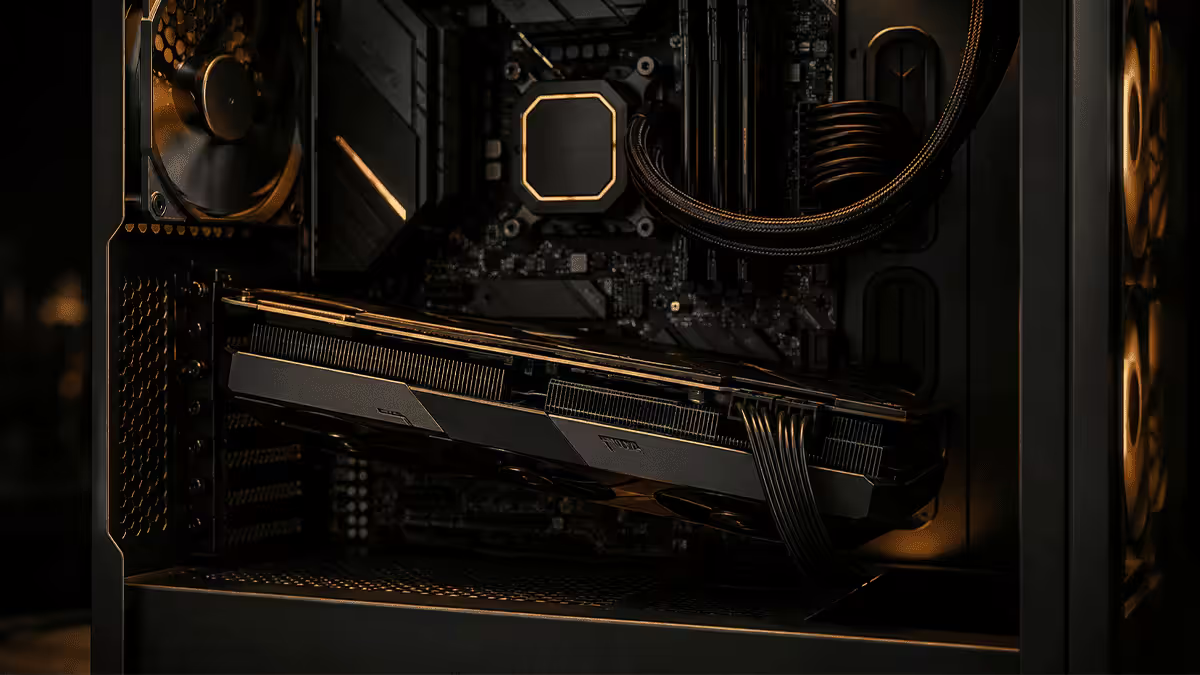
What GPU sag actually damages
A flagship 3.5-slot card hanging off a PCIe x16 socket exerts roughly 4-6 Newton-metres of torque on the socket and the I/O bracket. The socket is rated for tens of thousands of insertion cycles but isn't designed to bear a constant 2 kg moment-load for years on end.
What goes wrong, in order of likelihood:
- PCIe socket solder joints crack. The socket is surface-mount soldered to the motherboard. Constant pull-down on one end creates micro-fractures over 2-4 years. Result: intermittent GPU detection at boot, PCIe link dropping from x16 to x8 or x4, occasional BSoDs under load.
- Rear I/O bracket bends. The metal bracket where your HDMI and DisplayPort live takes the upward reactive force from being screwed to the case. Over time the case-screw end pulls upward as the card end drops — visible misalignment with the case rear panel.
- GPU PCB warps permanently. Modern PCBs are reasonably flexible, but lasting deformation can stress VRAM and core solder joints. Less common on cards with a metal backplate (most flagships) but real on cheaper models without one.
- Cooler shroud separates from the heatsink. On some heavily-shrouded cards, the cooler plastic flexes apart from the metal heatsink fins under chronic sag, eventually causing rattling fans.
How to diagnose GPU sag
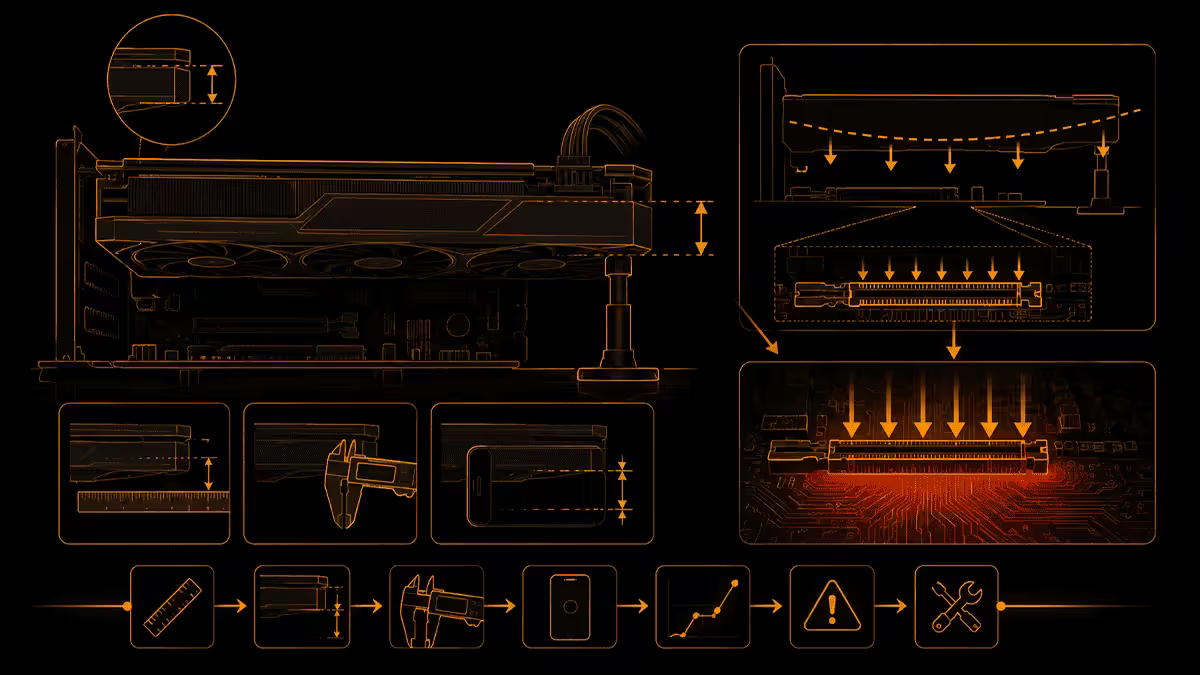
Three quick visual checks — takes 60 seconds and doesn't require opening anything beyond your side panel.
1. Lay a ruler or pen along the top edge of the GPU PCB or backplate, parallel to the motherboard. If the back end (away from the I/O bracket) drops more than 2-3 mm relative to the I/O bracket end, you have measurable sag.
2. Look at the gold PCIe contact fingers on the bottom edge of the card where it enters the slot. If they're visibly tilted in the socket (one end up, other end down) rather than perfectly horizontal, the socket is being stressed.
3. Compare the I/O bracket end against the case rear panel. The two should be flush. If there's an obvious gap at the bottom of the bracket where the card has pulled away from the case rear, that's confirmation.
Mild sag (1-2 mm of drop) on a mid-range card is mostly cosmetic. Visible sag of 4+ mm on a flagship is structural — fix it.
Support brackets — the main fix
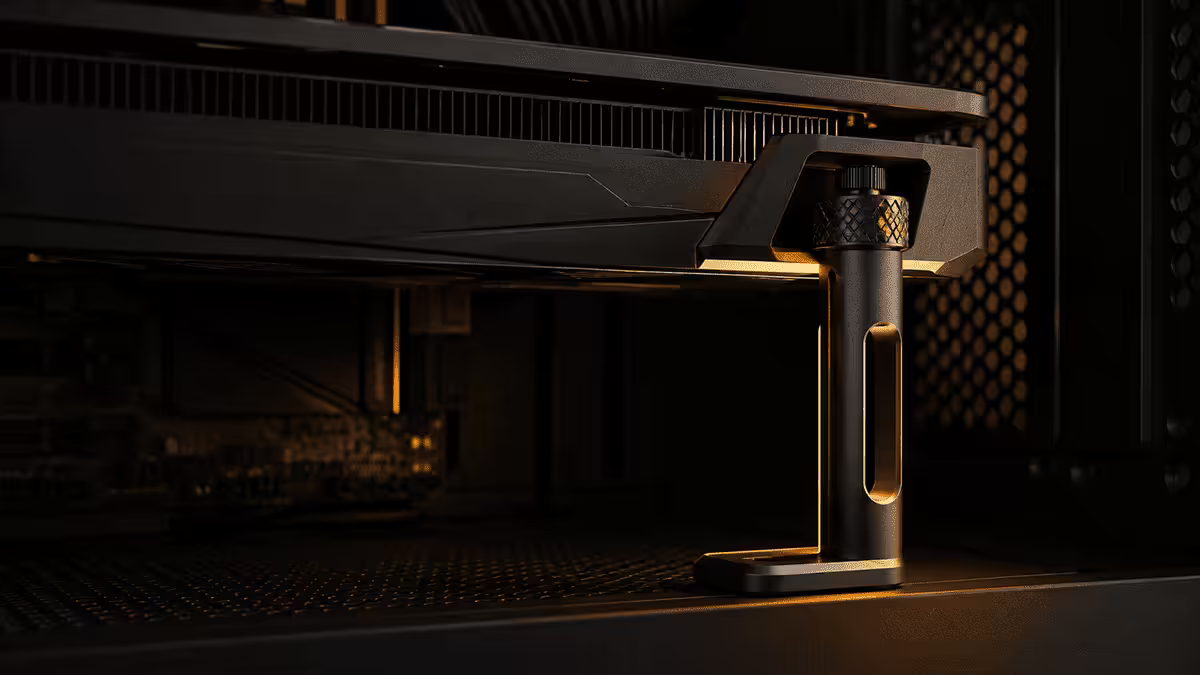
A GPU support bracket is a vertical telescoping post that sits on your case floor (usually the PSU shroud) and props up the underside of the GPU cooler. Most are height-adjustable to fit any case from 350 mm to 500 mm tall.
| Bracket | Best for | SA price |
|---|---|---|
| Cooler Master Universal V2 | Most builds, height-adjustable, easy install | R320-R400 |
| Lian Li Galahad GPU Anti-Sag | Lian Li cases, clean look, sturdier | R420-R520 |
| Cougar GSB | Budget pick, plastic but functional | R260-R320 |
| Asus ROG Wingwall | Premium aesthetics, RGB option | R550-R700 |
| Bundled with GPU (free) | Asus Astral, MSI Suprim X, Gigabyte Aorus Master, Asrock Taichi | In the box |
Installation: with the PC powered off and side panel removed, place the bracket on the case floor underneath the GPU cooler. Extend the telescoping post until the rubber pad just touches the underside of the cooler (not pushing the card upward — just supporting it level). Tighten the locking screw. Done.
Vertical GPU mount workaround
Vertical mounting rotates the GPU 90° so the cooler faces the side panel of the case. The PCIe contacts no longer support the card's weight — instead, the card hangs from screws on the side bracket. Sag becomes physically impossible.
What you need:
- A vertical-mount-compatible case (Lian Li O11 Dynamic, Fractal Torrent, Corsair iCUE 5000T, Hyte Y60/Y70, NZXT H7 Flow) or a vertical mount kit (~R600-R1,200).
- A PCIe 5.0 riser cable for RTX 50-series and RX 9000-series cards. PCIe 4.0 risers cause link instability on Gen 5 GPUs — verify the riser is rated PCIe 5.0 (~R800-R1,500 in SA from Lian Li, Cooler Master, ssupd).
- Side panel clearance of at least 30 mm between the cooler and the glass for adequate airflow.
Thermal penalty: 3-8°C on the GPU core, depending on case airflow and side-panel clearance. Cases with a generous airflow path (Lian Li O11D Evo, Hyte Y70 Touch) handle it well; tight cases (Cooler Master NR200, NZXT H1) struggle.
When vertical mount wins: glass side-panel cases where you want the GPU on display, large airflow-first cases with 30mm+ side clearance, and builds where the PCIe socket has already been weakened by years of sag.
3D-printed brackets and DIY fixes
A printed GPU bracket from PrintLab, Etsy SA or a local Makers Land print shop costs R80-R200 and is often custom-fitted to your specific GPU model. PLA and PETG both work for the load involved (1-3 kg static).
Designs that work:
- Case-floor pillar (mimics the Cooler Master Universal bracket form).
- Expansion-slot blanking plate with horizontal support arm (uses an unused PCIe slot for anchor).
- Vertical I/O bracket extender (replaces the metal bracket with a printed one that locks into the cooler shroud).
Avoid ABS prints inside a warm GPU environment — it can soften slightly over years. PETG (modest temperature tolerance and stronger than PLA) is the safest material if you have a choice.
DIY no-print options:
- The LEGO method. Stack of bricks under the cooler. Genuinely works, infinitely adjustable, hilarious. Acceptable for closed cases.
- Fishing line suspension. Eye-screw in the top of the case, thread fishing line down to the top of the GPU PCB, tie it level. Visually almost invisible. Used by sim-rig builders for decades.
- Aquarium-grade silicone block. A small block of high-density foam or silicone wedged between the cooler shroud and PSU shroud. Free, but not adjustable.
Which GPUs sag the most
| GPU | Typical weight | Support priority |
|---|---|---|
| RTX 5090 (Asus ROG Astral) | ~2.4 kg | Critical — use bracket |
| RTX 5090 Founders Edition | ~2.0 kg | Recommended |
| RTX 5080 (MSI Suprim X) | ~1.8 kg | Recommended |
| RTX 4090 (Gigabyte Aorus Master) | ~2.3 kg | Critical — use bracket |
| RX 9070 XT (most AIB) | ~1.3 kg | Optional |
| RTX 5070 / RTX 5070 Ti | ~1.0-1.2 kg | Usually not needed |
| RTX 5060 / RX 9060 | ~0.8 kg | Not needed |
Case fitment considerations
Not every case plays nicely with every bracket. A few common gotchas:
Bottom-mounted PSU with shroud: the bracket needs to sit on the PSU shroud surface. Most universal brackets handle 0-90 mm of telescoping height — measure the gap between your PSU shroud and the bottom of your GPU before buying.
Compact mATX or ITX cases: universal brackets often don't fit. Look for specific small-form-factor solutions (Lian Li A4-H2O has a specific bracket, ssupd Meshlicious has community 3D-printed designs).
Reverse-orientation cases (Asus ProArt PA602): the GPU is upside down, so it physically can't sag downward — you don't need a bracket. The PCIe slot is loaded in compression, not tension, which is what it's designed for.
Open-air test benches: a bracket is essential. The card has nothing else holding it up beyond the PCIe slot and the bracket-mounting screws.
Recommended support brackets in SA
| Use case | Pick | SA price |
|---|---|---|
| Best all-rounder | Cooler Master Universal V2 | R320-R400 |
| Premium look | Lian Li Galahad Anti-Sag | R420-R520 |
| Budget pick | Cougar GSB or generic Takealot import | R180-R280 |
| 3D-printed custom | Etsy SA / Makers Land | R80-R200 |
| Vertical mount kit | Cooler Master Vertical PCIe 5.0 kit | R900-R1,400 |
| Riser cable (Gen 5) | Lian Li PW-PCI-EX568 (PCIe 5.0 200mm) | R1,100-R1,500 |
| Free — check your box | Asus ROG Astral / MSI Suprim X / Gigabyte Aorus Master | Bundled |
Key takeaways
- GPU sag damages PCIe socket solder over 2-4 years — it's not purely cosmetic.
- Any GPU over 1.5 kg deserves a support bracket — flagship RTX 5090 / 4090 mandatory.
- Cooler Master Universal V2 (R350) is the right pick for most cases. Lian Li Galahad for premium.
- Vertical mount eliminates sag entirely but adds 3-8°C and requires a PCIe 5.0 riser.
- 3D-printed brackets from local SA print shops cost R80-R200 and work fine.
- Check the GPU box first — premium AIB models often ship a bracket free.
Frequently asked questions
Does GPU sag actually damage anything?
Yes, over time. The weight of a heavy GPU (RTX 5090 at 2.2 kg, RTX 4090 at 2.1 kg) puts constant downward stress on the PCIe x16 socket and the rear I/O bracket. Over 1-3 years this can crack solder joints around the socket, deform the PCB of the GPU itself, and bend the I/O bracket. It's not an instant failure, but it's not purely cosmetic either.What is the best GPU support bracket?
Cooler Master Universal V2 (~R350) is the most popular adjustable bracket — sits on the case floor, height-adjustable, works in most cases. Lian Li Galahad bracket (~R450) is sturdier and looks cleaner. Cougar GSB (~R280) is a budget pick. If your GPU shipped with a bracket (Asus ROG Astral, MSI Suprim X, Gigabyte Aorus Master), use that — it's perfectly fitted and free.Should I vertically mount my GPU instead?
Vertical mounting eliminates sag entirely and looks great through a glass side panel, but it has trade-offs. The GPU sits 20-40 mm from the side panel, which restricts airflow into the cooler — typical thermal penalty is 3-8°C. You also need a PCIe 5.0 riser cable (R600-R1,500 in SA) for an RTX 50-series card; older PCIe 4.0 risers cause stability issues. Worth it for aesthetics and for cases that have a wide enough side gap (30mm+) to keep airflow.Are 3D-printed GPU support brackets safe to use?
Yes, PLA or PETG prints from Etsy SA, Makers Land or local 3D-print stores work fine for the load involved (1-2 kg). The key is using a design that mounts to the case (floor or expansion bracket area), not just resting against the cooler shroud. Avoid ABS for anything inside a case (warmer environment can soften it slightly over years). Cost in SA is R80-R200 per print, often custom-fitted to your specific GPU model.Which GPUs sag the most?
The RTX 5090 (around 2.2 kg, 3.5-4 slot cards), RTX 4090 (2.1 kg), RTX 5080 (1.7 kg) and most top-tier RX 9070 XT AIB models. Cards from Asus ROG Astral, MSI Suprim X, Gigabyte Aorus Master and Asrock Taichi run heaviest. Reference Founders Edition cards are generally lighter and shorter so sag less, but RTX 5090 FE is still 2.0 kg. Mid-range cards (RTX 5070, RX 9070) rarely sag noticeably.Will GPU sag void my warranty?
GPU sag itself does not void the warranty — it's expected wear. However if visible sag causes PCB cracks, separated VRAM solder joints or bracket damage, the manufacturer may argue the damage was caused by improper installation. Using a support bracket protects both the card and your warranty claim. None of the major AIBs (Asus, MSI, Gigabyte, ZOTAC, Sapphire) refuse warranty for using a third-party support bracket — many actually ship one in the box.How do I know if my GPU is sagging too much?
Look at the rear of the GPU near the I/O bracket. If the back edge of the card is visibly lower than the I/O bracket end (more than 2-3mm of drop across the card length), you have sag worth addressing. Also check the PCIe slot — if the gold contact fingers on the bottom of the card are visibly tilted in the slot, the socket is stressed. A pen or ruler laid flat along the top of the card next to the PCB will quickly reveal any droop.Can I just use a piece of LEGO or fishing line for GPU sag?
The LEGO meme works — a stack of bricks under the GPU does support the weight. Fishing line tied to the top of the case to suspend the GPU is also a real fix. Both are popular DIY solutions. The downside is aesthetic; if you have a glass side panel, a proper bracket or vertical mount looks far better. For a closed case where nobody will see it, LEGO is genuinely fine engineering.
Get the Evetech app
Exclusive app-only prices, daily flash sales, and free delivery on orders over R4,000 — download the app and start saving.