PC Noise Troubleshooting
PC is loud. — Identify the source. Then fix the source.
Most PC noise isn't a broken component — it's an over-eager fan curve or a vibrating cable touching a blade. A handful of small fixes will drop your PC from a leaf blower to a whisper without spending a cent on hardware.
- to isolate
- 7 sources
- are fan curve
- 60%
- typical fix cost
- R0-R750
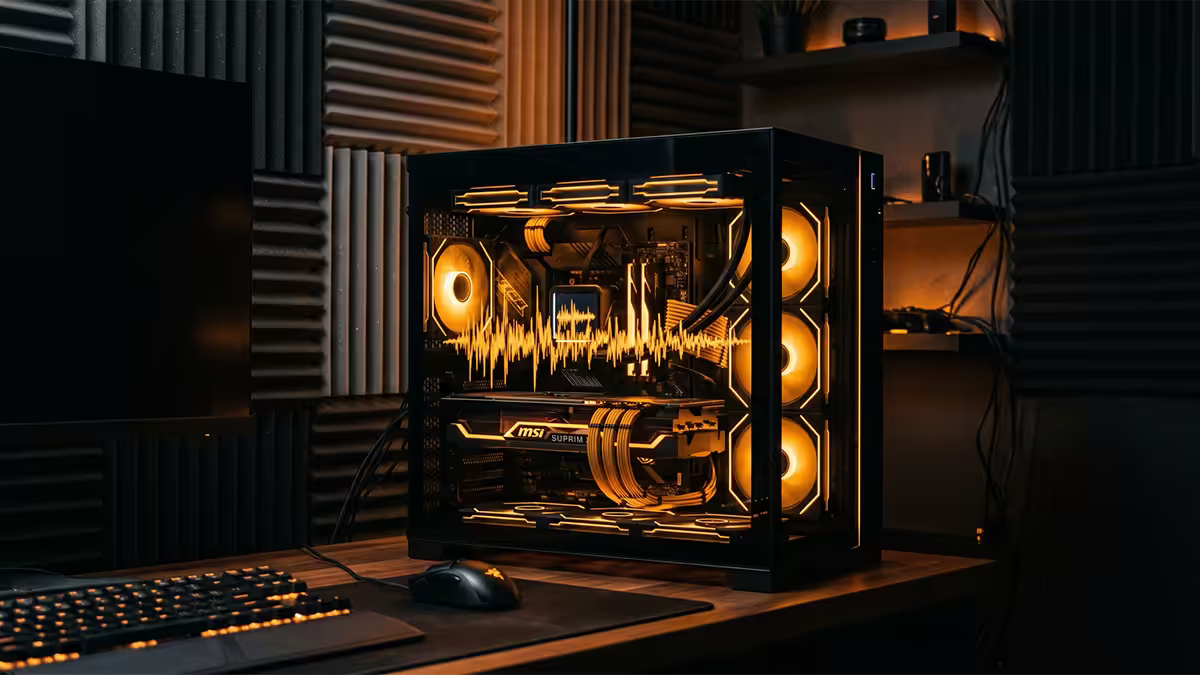
Identify the noise source first
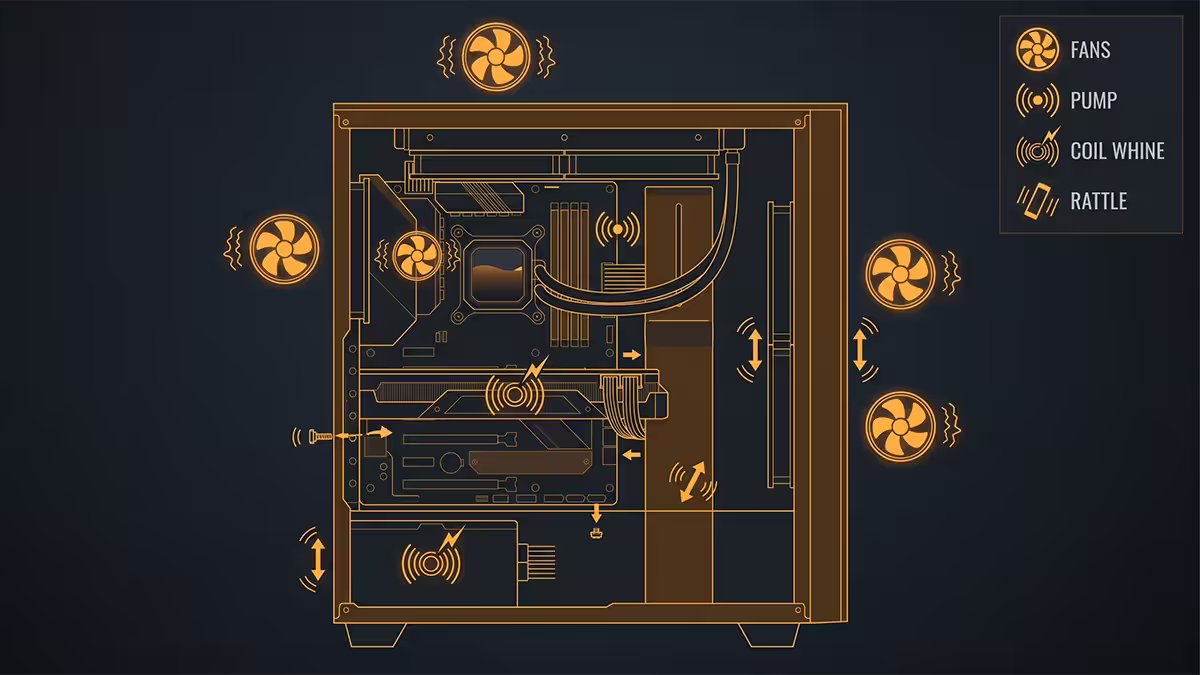
Every fix in this guide depends on knowing which component is actually making the noise. Diving in to tighten screws or buy new fans without isolating the source wastes time and money. Open the side panel, get an ear close, and learn the signatures.
| Noise signature | Likely source | Quick test |
|---|---|---|
| Whoosh / wind tunnel | Fans at high RPM | Check HWInfo64 fan RPM, drop fan curve in BIOS |
| High-pitched buzz / squeal | Coil whine (GPU or PSU) | Cap framerate to 60-144fps — does the buzz stop? |
| Ticking / repeated tap | AIO pump or fan blade clipping | Reorient PC, listen with side panel off |
| Click-click-click | HDD head fault | Unplug SATA — noise gone? Back up immediately |
| Low growling / grinding | Fan bearing failure | Stop each fan with a finger — find the silent culprit |
| Buzzing rattle | Panel / cable / drive vibration | Press on side panel or cable bundle — does it stop? |
| Hissing static | PSU fan or transformer hum | Listen at PSU exhaust grille — is it constant? |
The single best diagnostic trick: while the PC is running and making noise, use a rolled-up sheet of paper as a stethoscope. Put one end to your ear, point the other end at each component in turn. The noise gets dramatically louder when you point at the source. Free, instant, removes 90% of guesswork.
Fan curve tuning — the free fix
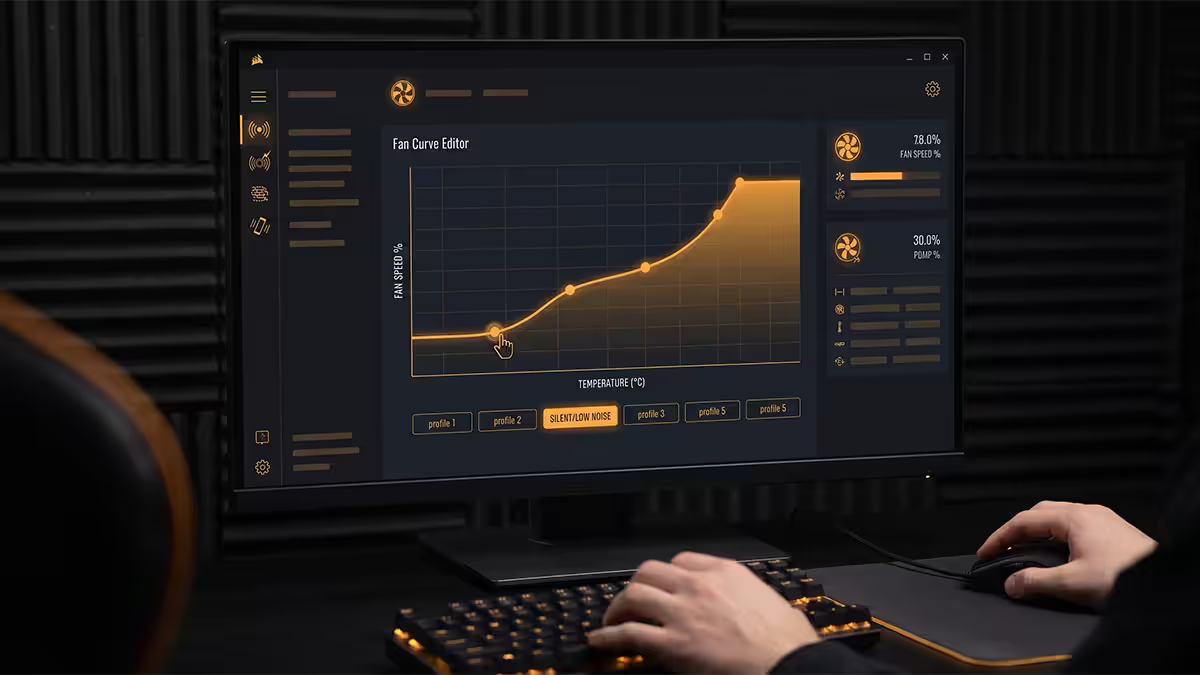
Most pre-built PCs and motherboard defaults ship with overly aggressive fan curves. Many systems run all chassis fans at 1000-1200 RPM at idle. Modern CPUs and GPUs sit at 35-50°C at idle and don't need that airflow.
Set the right curve in BIOS (or with software like Fan Control for Windows — free, fantastic, replaces every OEM fan utility) and you'll halve PC noise without any thermal penalty.
Recommended fan curve:
- Below 60°C: hold 400-600 RPM (silent territory)
- 60-70°C: ramp linearly to 800-1000 RPM
- 70-80°C: ramp to 1200-1500 RPM
- Above 80°C: ramp aggressively to 100% — this is your thermal emergency band
For GPU fan curves, use MSI Afterburner or your card's vendor tool (Gigabyte Aorus Engine, Asus GPU Tweak III, Sapphire TriXX). Hold zero RPM until 55°C if your card supports passive idle (most do), then mirror the curve above. The "stop spinning at idle" feature is one of the best quality-of-life additions modern GPUs have made.
PWM vs DC fans — why it matters
PWM (4-pin) fans are controlled by pulse-width-modulation signal, allowing fine RPM control from roughly 20% upward. DC (3-pin) fans are controlled by varying voltage, with a much narrower control range and minimum RPM closer to 600. PWM fans can quietly hold 400 RPM; DC fans usually can't go below 700-800.
If your build is loud at idle, check whether your case fans are 3-pin DC — if yes, upgrading them to 4-pin PWM (Arctic P12 PWM at R200, Be Quiet Silent Wings 4 at R450, Noctua NF-A12x25 at R650) gives you the headroom to tune properly.
Coil whine — physics, not failure
Coil whine is the high-pitched buzz you hear from your GPU or PSU when the system is under heavy load — particularly at very high framerates. It's caused by the inductors and MOSFETs in the power delivery vibrating at audible frequencies as they switch on and off thousands of times per second.
It's not a defect. Every GPU and PSU has some level of coil whine. Sample-to-sample variation can be substantial — two RTX 5070 Tis from the same batch can have noticeably different whine levels. AMD and Nvidia cards both whine; it's not a brand issue.
What actually works:
- Cap your framerate to your monitor's refresh rate (60, 144, 240Hz). Uncapped 800fps menu screens are the worst whine condition — capped framerate eliminates the transient load that drives the whine.
- Undervolt the GPU 5-10% in MSI Afterburner. Less power through the inductors = quieter operation. Often nets 30-50W less power for the same performance.
- Enable V-Sync or G-Sync / FreeSync — these cap the framerate at the monitor refresh and remove the loud states.
- RMA if extreme. If the whine is audible across the room with the PC closed during normal gaming, it's worth attempting an RMA. Vendor policies vary — Nvidia Founders Edition is usually lenient; AIB partners (Asus, MSI, Gigabyte, Sapphire) generally won't accept coil whine as a fault unless it's verifiably outside normal range.
AIO pump noise — usually trapped air
All-in-one liquid coolers ship with the loop primed, but trapped air bubbles can migrate during shipping and end up in the pump chamber. The result is a ticking, buzzing or gurgling sound from the pump — most noticeable on a new install.
Fix: with the PC powered, gently reorient the case so the radiator sits at the highest point (often laying the case on its side works). Run the PC for 10-15 minutes — the air bubble migrates to the radiator and out of the pump chamber. The noise should disappear or substantially reduce within 24-48 hours of normal use.
If the noise persists after 48 hours of normal use, the pump bearing or impeller may be failing. Most AIO coolers (Corsair iCUE H-series, NZXT Kraken, Arctic Liquid Freezer III, Lian Li Galahad II) ship with 3-5 year warranties. RMA before the warranty expires — pumps cannot be repaired in the field.
Pump speed control: some AIOs allow PWM control of the pump itself (separately from the radiator fans). Running the pump at 80-90% rather than 100% reduces noise audibly with negligible thermal impact. Set this in your motherboard's BIOS pump header or via the cooler's software (iCUE, CAM, Liquid Freezer III control).
Case rattle and vibration noise
A buzzing rattle that comes and goes with fan ramp is almost always a vibration sympathy — a cable, panel screw or unsupported component vibrating against the case at certain fan RPM.
The classic culprits:
- Loose side panel screws. Tempered glass panels especially — check the bottom-rear corner where most rattle starts.
- Cables touching a fan blade. A power cable that grazes a fan blade once per rotation creates a beautiful clicking buzz. Tuck and zip-tie cables clear of every fan.
- GPU sag against side panel. Heavy 3-fan GPUs sag over time. A GPU support bracket (R100-R300) or vertical mount eliminates this. Some cases (Corsair 7000D, Fractal Torrent) include integrated GPU support.
- HDD vibration in the drive cage. 3.5" mechanical drives vibrate at certain RPM. Rubber drive mounts isolate them — most cases include these, but they wear out.
- Drive cage not properly seated. Removable cages must be screwed down tightly. A semi-loose cage rattles audibly under fan vibration.
Soundproofing upgrades: Cases with dampening foam built in (Fractal Define 7, Be Quiet Silent Base 802, NZXT H7 Flow) absorb mid-frequency vibration. Adhesive acoustic foam panels (R200-R400) can be added to any case's side panels.
Bearing failure — diagnosis and replacement
Once a fan bearing starts making noise, it doesn't fix itself. The lubricant inside the bearing has either dried out (sleeve bearings) or the bearing surface has worn (ball bearings). Replacement is the answer.
| Bearing type | Typical lifespan | Failure mode |
|---|---|---|
| Sleeve bearing | 30,000-50,000 hrs | Whirring / squealing |
| Ball bearing | 50,000-80,000 hrs | Grinding / clicking |
| Hydraulic / fluid bearing | 60,000-90,000 hrs | Whirring |
| FDB (fluid dynamic) | 80,000-150,000 hrs | Slow whirring onset |
| Magnetic levitation | 150,000+ hrs | Rare — usually outlasts PC |
How to test: with the PC running and making noise, very briefly stop each fan blade with the eraser end of a pencil (don't touch a spinning blade with your finger). Whichever fan you stop that silences the noise is the culprit. Replace it.
Replacement picks (SA pricing):
- Budget: Cooler Master MasterFan MF120 — R150-R200 each
- Sweet spot: Arctic P12 PWM PST — R200-R280 each, excellent airflow per dB
- Premium quiet: Be Quiet Silent Wings 4 — R450-R600 each
- Premium high-airflow: Noctua NF-A12x25 — R650-R850 each, the reference standard
- Static pressure for radiators: Phanteks T30 or Noctua NF-A12x25 — R650-R900 each
Dust and airflow — silent killers
Dust accumulation makes fans work harder to push the same airflow, which means higher RPM, which means more noise. SA homes accumulate dust quickly — especially in summer when windows are open and during dry-season air. A six-month cleaning interval is realistic for most homes; three months in dusty environments.
Quick clean: shut down, unplug, take the PC outside or to a well-ventilated area. Use a can of compressed air (or a proper electric duster — R400-R800, reusable) to blow dust off fan blades, heatsinks and the GPU shroud. Hold fan blades stationary while blowing (a spinning fan acts as a generator and can damage motherboard fan headers). Pay particular attention to the GPU intake, CPU heatsink fins and case dust filters.
Dust filter maintenance: magnetic dust filters on case intakes need monthly rinsing under tap water (let dry fully before reinstalling). Letting them clog forces fans to work 20-30% harder for the same airflow.
SA pricing for noise fixes
| Fix | What it does | SA price |
|---|---|---|
| Fan curve tuning (Fan Control software) | Cuts idle noise 50-70% | R0 (free) |
| Anti-vibration fan grommets | Isolates fan vibration from case | R80-R150 / set |
| Adhesive acoustic foam panels | Damps panel vibration / mid frequencies | R200-R400 |
| Budget PWM case fan | Replaces failed bearing fan | R150-R280 |
| Premium quiet fan (Noctua / Be Quiet) | Better dB per CFM | R450-R900 ea |
| GPU support bracket | Eliminates GPU sag vibration | R100-R350 |
| Replacement AIO (Arctic Liquid Freezer III) | Replaces failed pump | R1,800-R3,500 |
| Compressed air can / electric duster | Dust removal | R80-R800 |
Key takeaways
- Isolate the source before changing anything — paper-tube stethoscope finds the noise in 30 seconds.
- 60% of "loud PC" cases are an aggressive fan curve. Set "silent below 60°C" in BIOS or Fan Control.
- Coil whine is physics, not failure. Cap framerate first, undervolt second, RMA last.
- Fan grinding / clicking = bearing failure. Replace the fan (R150-R750). It won't fix itself.
- HDD click = back up immediately. Drive failure is hours away, not weeks.
Frequently asked questions
Why is my PC suddenly so loud?
Most of the time it's fan ramp from rising temperature. Open the case, isolate which fan is loudest, check temperatures in HWInfo64, then either tune the fan curve or address whatever is causing the heat.What is coil whine and can I fix it?
High-pitched buzz from GPU/PSU inductors under load — physics, not failure. Cap framerate, undervolt GPU, use V-Sync / G-Sync. RMA only if extreme and inside warranty.My fan is clicking / grinding — what does that mean?
Bearing failure. Replace the fan — R150-R750 in SA depending on tier. Sleeve bearings fail soonest (~30-50k hours), magnetic levitation last longest (150k+).My AIO pump is ticking — is it broken?
Usually trapped air — reorient PC with radiator at the top for 15 minutes. If persistent after 48 hours, RMA the AIO inside its 3-5 year warranty.Should I replace fans with Noctua / Be Quiet?
Yes — premium fans deliver more airflow per dB. But fan curve tuning is free and gets you 60-70% of the way there. Tune first, then upgrade if you still want quieter.How do I tune fan curves to reduce noise?
Hold 400-600 RPM below 60°C, ramp linearly above. Use BIOS, MSI Afterburner, or the free Fan Control software for Windows.Why is my HDD clicking?
Imminent drive failure — back up data immediately. Then replace the drive. The 'click of death' means the read/write head can't seek properly.How can I dampen case vibration noise?
Anti-vibration fan grommets, adhesive acoustic foam, and tightening every panel screw. Check GPU sag and cables touching fan blades. Often a R200 fix for the whole problem.
Get the Evetech app
Exclusive app-only prices, daily flash sales, and free delivery on orders over R4,000 — download the app and start saving.