Razer Audio Mixer All in One Analog Mixer
Razer Audio Mixer All-in-One Analog Mixer / Digital Audio Mixer / 4-channel Interface with Mute Buttons / XLR Input with Preamp / RZ19-03860100-R3M1 / RZ19-03860100-R3M1 + FREE DELIVERY !
2 Years Local Warranty
Model No : Razer RZ19-03860100-R3M1
Price Inc. Vat
R 4,999
Save R 600
ListR 5,599
4999Free Delivery
Qty:
In Stock with Evetech
Razer RZ19-03860100-R3M1 4-Channel Audio Mixer
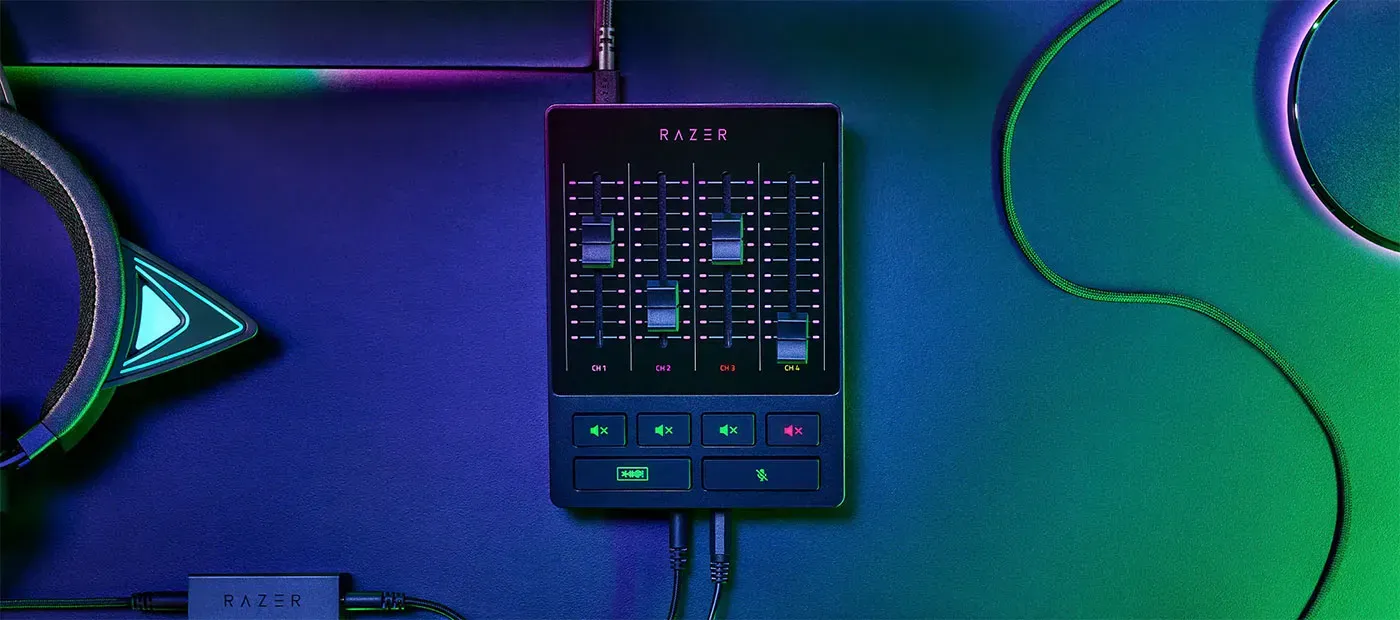
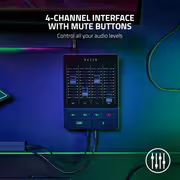
Razer Audio Mixer All-In-One 4-Channel Interface
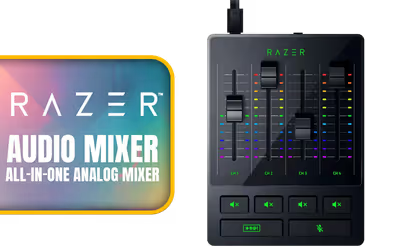
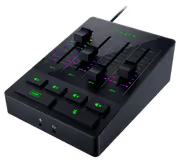
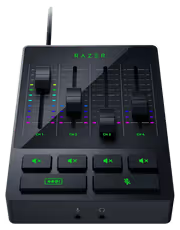
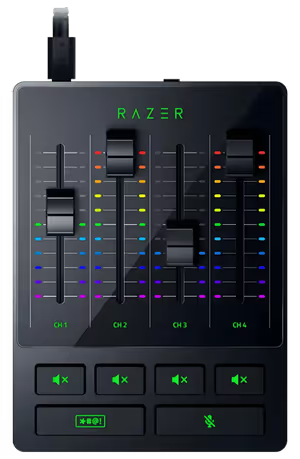
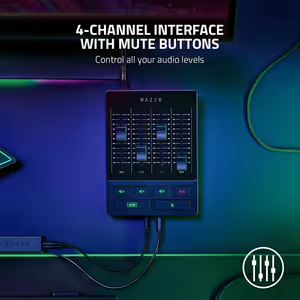
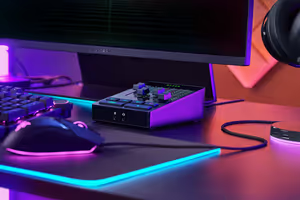
The Razer Audio Mixer combines an analog and a digital mixer in one desktop unit, giving a 4-channel interface with a dedicated mute button on every channel. An XLR input with a built-in preamp handles professional microphones directly. It is aimed at podcasting, streaming and live performance, and stays usable whether you are setting up a first microphone or running an established production.
Razer Audio Mixer All-In-One 4-Channel Interface
The Razer Audio Mixer combines an analog and a digital mixer in one desktop unit, giving a 4-channel interface with a dedicated mute button on every channel. An XLR input with a built-in preamp handles professional microphones directly. It is aimed at podcasting, streaming and live performance, and stays usable whether you are setting up a first microphone or running an established production.
Combined Audio Control For Broadcasting And Streaming
This video shows the Razer Audio Mixer working as the centre of a broadcast setup, with the faders, mute buttons and Chroma lighting responding as levels change. It demonstrates the point of an all-in-one digital mixer: total control over the mix from one device instead of a stack of separate hardware and software windows.
Combined Audio Control For Broadcasting And Streaming
This video shows the Razer Audio Mixer working as the centre of a broadcast setup, with the faders, mute buttons and Chroma lighting responding as levels change. It demonstrates the point of an all-in-one digital mixer: total control over the mix from one device instead of a stack of separate hardware and software windows.
Simpler Than A Traditional Audio Mixer
Mixing audio for a broadcast has traditionally meant a complex, cumbersome chain of equipment and settings. The Razer Audio Mixer collapses that into a single accessible unit, so the learning curve is measured in minutes rather than weeks. Nothing about the process changes for a professional, but the barrier for everyone else drops considerably.
Simpler Than A Traditional Audio Mixer
Mixing audio for a broadcast has traditionally meant a complex, cumbersome chain of equipment and settings. The Razer Audio Mixer collapses that into a single accessible unit, so the learning curve is measured in minutes rather than weeks. Nothing about the process changes for a professional, but the barrier for everyone else drops considerably.

One Unit For Single Or Dual PC Setups
Whether you stream from a single PC or a dual PC rig, the Razer Audio Mixer removes the additional cables and hardware those setups normally demand, which are both more expensive and more complicated to configure. Razer Synapse then handles the mixing and mapping in one place instead of several third-party programs running side by side.
One Unit For Single Or Dual PC Setups
Whether you stream from a single PC or a dual PC rig, the Razer Audio Mixer removes the additional cables and hardware those setups normally demand, which are both more expensive and more complicated to configure. Razer Synapse then handles the mixing and mapping in one place instead of several third-party programs running side by side.

Hardware Controls For On-The-Fly Adjustments
Once configured, the Razer Audio Mixer is controlled entirely in hardware. Levels change by moving a physical fader rather than finding a window, clicking through a menu and hoping the stream did not catch it. That matters most mid-broadcast, when a game gets loud or a guest gets quiet and the correction has to happen immediately.
Hardware Controls For On-The-Fly Adjustments
Once configured, the Razer Audio Mixer is controlled entirely in hardware. Levels change by moving a physical fader rather than finding a window, clicking through a menu and hoping the stream did not catch it. That matters most mid-broadcast, when a game gets loud or a guest gets quiet and the correction has to happen immediately.

Four Channels Balance Mic, Game And Chat
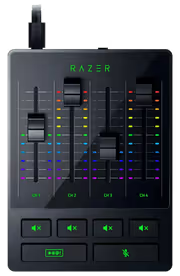
The 4-channel interface provides one direct line out for your microphone plus three further channels, which is enough to hold mic, game, music or chat, and system volume in separate lanes. Each source keeps its own fader, so pulling game audio down under a conversation is a single movement rather than a compromise across the whole mix.
Four Channels Balance Mic, Game And Chat
The 4-channel interface provides one direct line out for your microphone plus three further channels, which is enough to hold mic, game, music or chat, and system volume in separate lanes. Each source keeps its own fader, so pulling game audio down under a conversation is a single movement rather than a compromise across the whole mix.

Dedicated Mute Button On Every Channel
Every channel carries its own mute button, so a single source drops out without touching the rest of the mix. Holding the same button instead activates the built-in voice modification settings, which puts two functions on one control without adding buttons to the surface. Individual muting is what keeps a background noise problem from ending a take.
Dedicated Mute Button On Every Channel
Every channel carries its own mute button, so a single source drops out without touching the rest of the mix. Holding the same button instead activates the built-in voice modification settings, which puts two functions on one control without adding buttons to the surface. Individual muting is what keeps a background noise problem from ending a take.

Bleep Button Censors Audio Instantly
A dedicated bleep button mutes and censors you the moment it is pressed, which is the tool for the seconds after something slips out on a live stream. It acts immediately rather than through a software delay, so content stays clean without needing an editor afterwards or a moderator watching the feed.
Bleep Button Censors Audio Instantly
A dedicated bleep button mutes and censors you the moment it is pressed, which is the tool for the seconds after something slips out on a live stream. It acts immediately rather than through a software delay, so content stays clean without needing an editor afterwards or a moderator watching the feed.
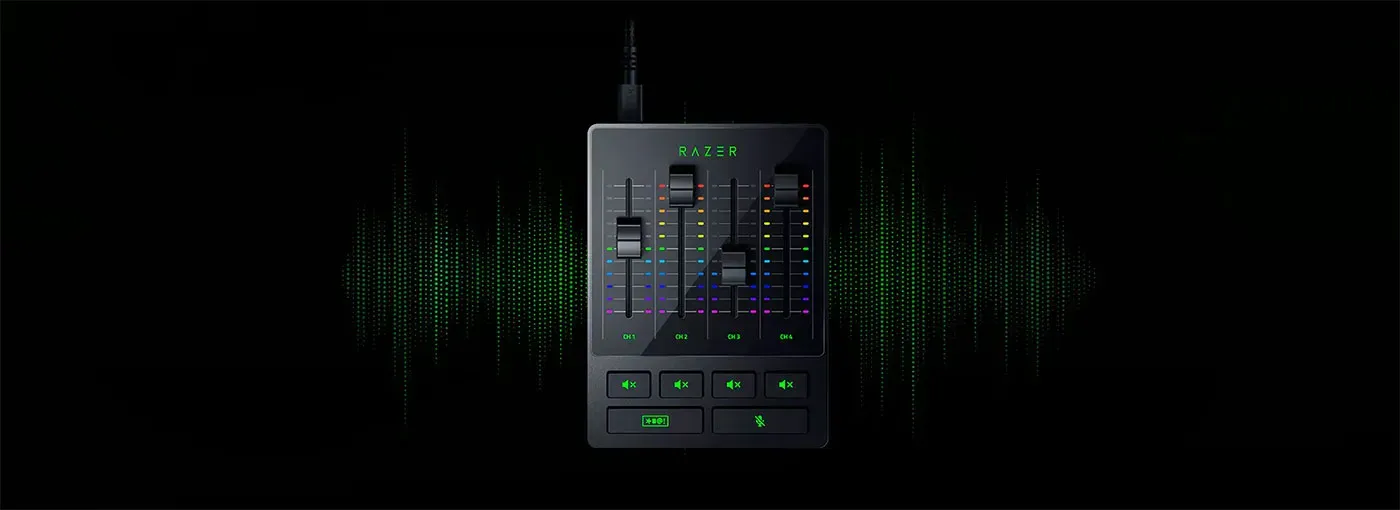
Built For Podcasting, Streaming And Performing
The Razer Audio Mixer is designed for podcasting, streaming and live performance, delivering clear sound with minimal noise across all three. Its all-in-one design and durable build mean newcomers get usable results without a complicated setup, while experienced producers still get the channel control and microphone handling they expect from dedicated equipment.
Built For Podcasting, Streaming And Performing
The Razer Audio Mixer is designed for podcasting, streaming and live performance, delivering clear sound with minimal noise across all three. Its all-in-one design and durable build mean newcomers get usable results without a complicated setup, while experienced producers still get the channel control and microphone handling they expect from dedicated equipment.
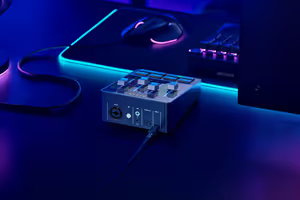
XLR Input With Low-Noise-Gain Preamp
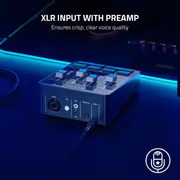
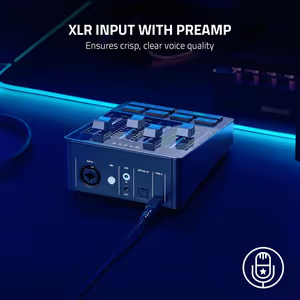
This video focuses on voice quality through the XLR input. The mixer accepts XLR microphones and boosts them with an ultra-clean low-noise-gain preamp offering adjustable gain from -12dB to 39.7dB in 0.75dB steps. That step size is fine enough to set a quiet dynamic microphone precisely rather than overshooting into clipping or noise.
XLR Input With Low-Noise-Gain Preamp
This video focuses on voice quality through the XLR input. The mixer accepts XLR microphones and boosts them with an ultra-clean low-noise-gain preamp offering adjustable gain from -12dB to 39.7dB in 0.75dB steps. That step size is fine enough to set a quiet dynamic microphone precisely rather than overshooting into clipping or noise.
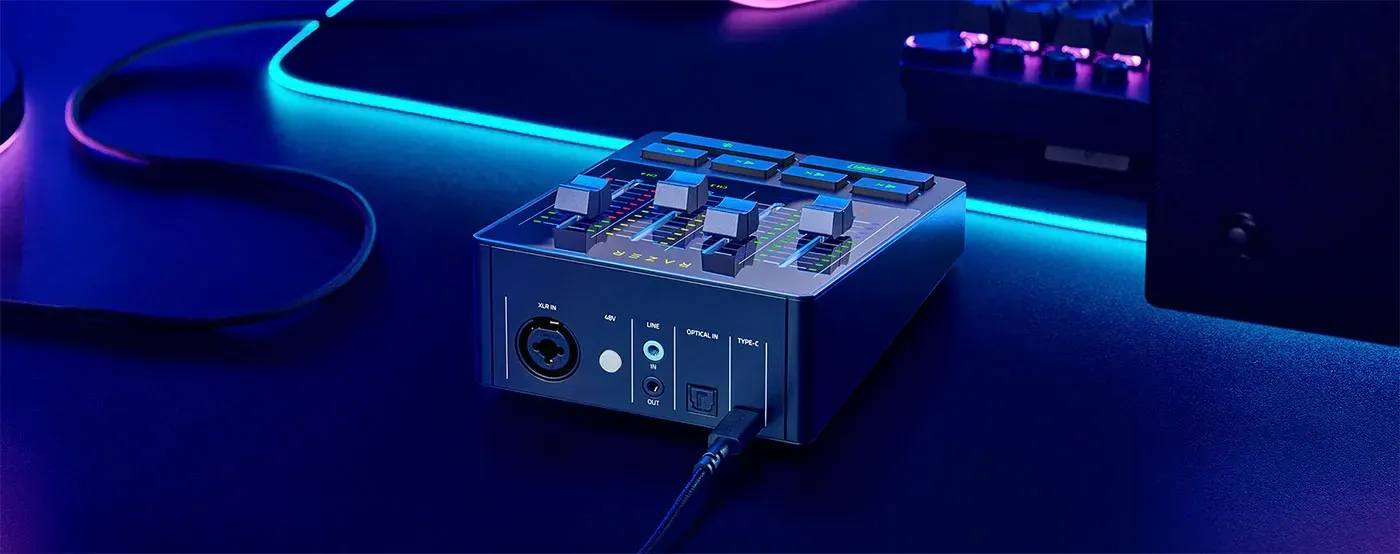
Plug And Play Setup In Minutes
Setting the mixer up takes three steps: plug in your microphone, connect the unit to your PC, and assign the programs you want to each channel in Razer Synapse. There is no driver chain to untangle and no external interface to add first, which is why the mixer is running in minutes rather than over an evening.
Plug And Play Setup In Minutes
Setting the mixer up takes three steps: plug in your microphone, connect the unit to your PC, and assign the programs you want to each channel in Razer Synapse. There is no driver chain to untangle and no external interface to add first, which is why the mixer is running in minutes rather than over an evening.
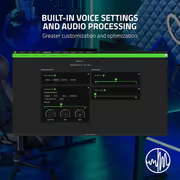
Razer Synapse Runs Your Whole Mix
This video walks through Razer Synapse, the platform that controls both streaming and microphone audio for the mixer. It shows channels being mapped to applications and settings applied from one interface, which is the difference between managing audio in a single place and chasing volume sliders across several unrelated programs.
Razer Synapse Runs Your Whole Mix
This video walks through Razer Synapse, the platform that controls both streaming and microphone audio for the mixer. It shows channels being mapped to applications and settings applied from one interface, which is the difference between managing audio in a single place and chasing volume sliders across several unrelated programs.
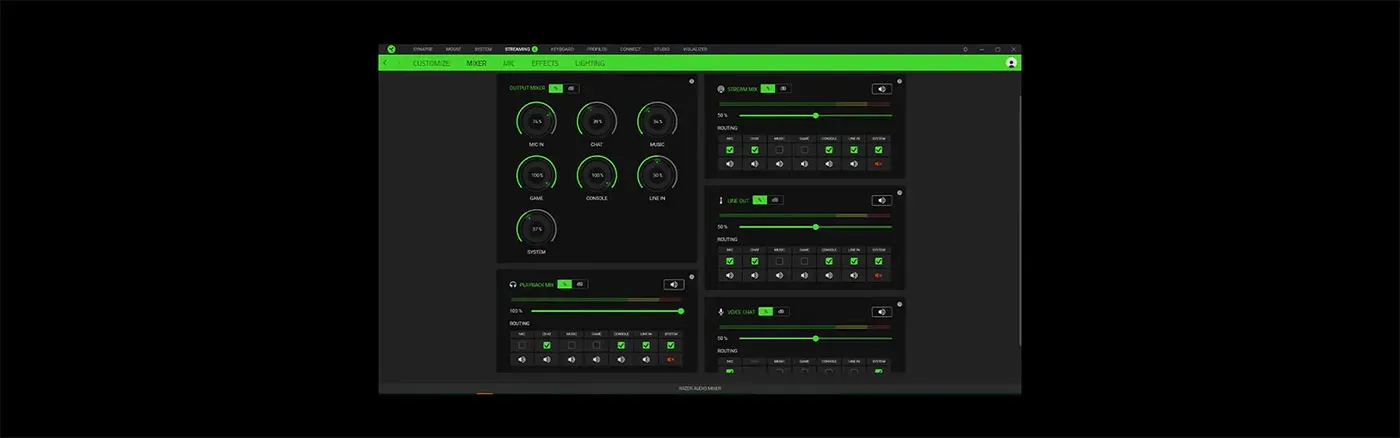
Stream Mix And Playback Mix Control
Razer Synapse goes beyond the mixer's four mappable faders, adding separate control over the stream mix and the playback mix. That split lets your audience hear one balance while you hear another, which is how a broadcaster keeps monitoring cues, alerts or a private chat channel without pushing them out to the stream.
Stream Mix And Playback Mix Control
Razer Synapse goes beyond the mixer's four mappable faders, adding separate control over the stream mix and the playback mix. That split lets your audience hear one balance while you hear another, which is how a broadcaster keeps monitoring cues, alerts or a private chat channel without pushing them out to the stream.
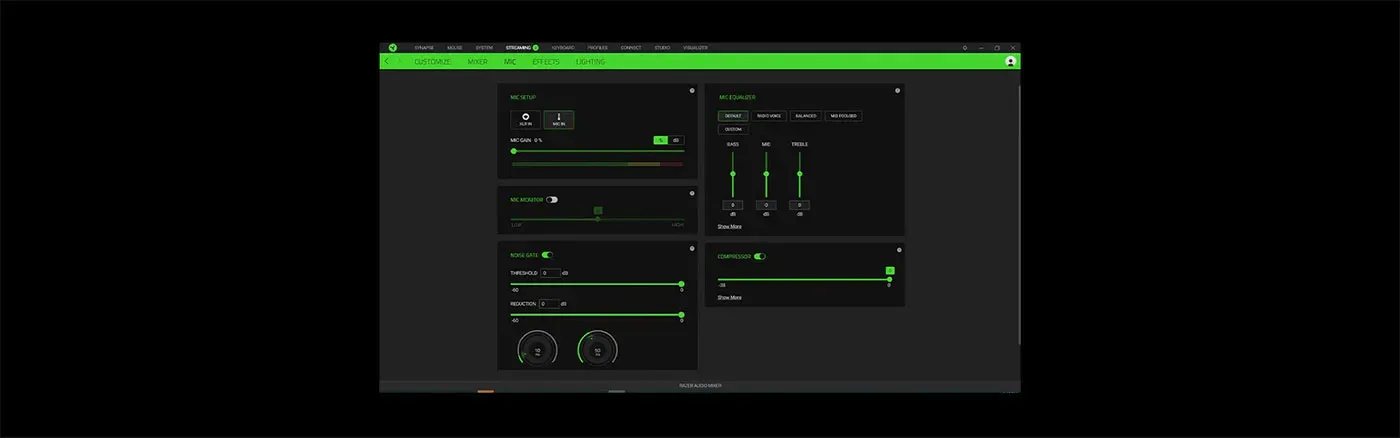
EQ, Compressor And Noise Gate Settings
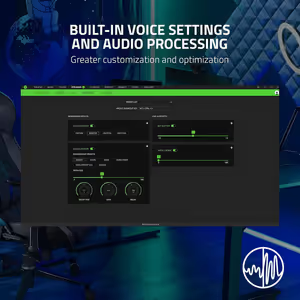
Microphone processing is handled in Razer Synapse with EQ, a compressor and a noise gate among the available settings. EQ shapes the tone of your voice, the compressor evens out level swings between loud and quiet delivery, and the noise gate cuts the room when you are not speaking. All three are adjusted from the same panel.
EQ, Compressor And Noise Gate Settings
Microphone processing is handled in Razer Synapse with EQ, a compressor and a noise gate among the available settings. EQ shapes the tone of your voice, the compressor evens out level swings between loud and quiet delivery, and the noise gate cuts the room when you are not speaking. All three are adjusted from the same panel.
Mixer Handles Audio, Freeing PC Resources
Because the Razer Audio Mixer processes your audio itself, that workload comes off the PC and leaves resources free for the game, the encoder and everything else running during a broadcast. Voice tuning happens on the mixer while the machine concentrates on frame rate, which is the practical argument for hardware over another background application.
Mixer Handles Audio, Freeing PC Resources
Because the Razer Audio Mixer processes your audio itself, that workload comes off the PC and leaves resources free for the game, the encoder and everything else running during a broadcast. Voice tuning happens on the mixer while the machine concentrates on frame rate, which is the practical argument for hardware over another background application.

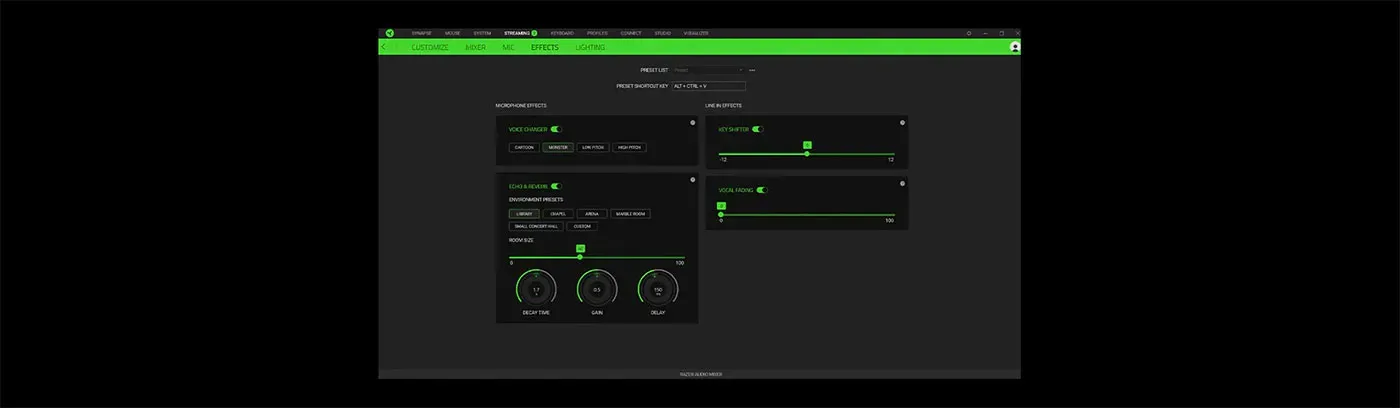
Voice Changer Presets Including Monster
Preset vocal effects are built in, with Monster and High Pitch named among them, so a voice can be transformed without any external plugin. Applying a preset is instant, which suits reaction moments and character segments where the effect has to land while the joke is still live rather than in the edit afterwards.
Voice Changer Presets Including Monster
Preset vocal effects are built in, with Monster and High Pitch named among them, so a voice can be transformed without any external plugin. Applying a preset is instant, which suits reaction moments and character segments where the effect has to land while the joke is still live rather than in the edit afterwards.

Echo And Reverb Environment Presets
Echo and reverb settings place your voice in a different space, using a preset such as Small Concert Hall or a custom environment you configure yourself. It is the difference between a voice recorded in a small room and one that sounds like it is somewhere much larger, and it applies live rather than in post-production.
Echo And Reverb Environment Presets
Echo and reverb settings place your voice in a different space, using a preset such as Small Concert Hall or a custom environment you configure yourself. It is the difference between a voice recorded in a small room and one that sounds like it is somewhere much larger, and it applies live rather than in post-production.

Key Shifter Adjusts Pitch And Tempo
The key shifter changes the pitch and tempo of any audio input running through the mixer, not only the microphone. That covers music beds and game audio as well as voice, so a track can be shifted to sit under a segment, or a voice can be moved up or down without altering the rest of the mix.
Key Shifter Adjusts Pitch And Tempo
The key shifter changes the pitch and tempo of any audio input running through the mixer, not only the microphone. That covers music beds and game audio as well as voice, so a track can be shifted to sit under a segment, or a voice can be moved up or down without altering the rest of the mix.

Vocal Fading Isolates Detected Voices
Vocal fading isolates or reduces the volume of any voice the mixer detects in an input. It is the tool for pulling vocals down out of a music bed so a track can play under speech, or for lifting a voice clear of the material around it. Detection happens automatically once the setting is applied.
Vocal Fading Isolates Detected Voices
Vocal fading isolates or reduces the volume of any voice the mixer detects in an input. It is the tool for pulling vocals down out of a music bed so a track can play under speech, or for lifting a voice clear of the material around it. Detection happens automatically once the setting is applied.
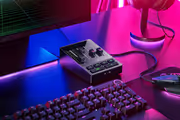
Razer Chroma RGB Shows Levels And Mutes
Razer Chroma RGB lighting on the mixer indicates volume levels and shows when a channel is muted, turning the lighting into a status readout rather than decoration. With over 16.8 million colours and a wide set of effects available, each channel can be given its own colour so you identify a fader at a glance instead of by label.
Razer Chroma RGB Shows Levels And Mutes
Razer Chroma RGB lighting on the mixer indicates volume levels and shows when a channel is muted, turning the lighting into a status readout rather than decoration. With over 16.8 million colours and a wide set of effects available, each channel can be given its own colour so you identify a fader at a glance instead of by label.
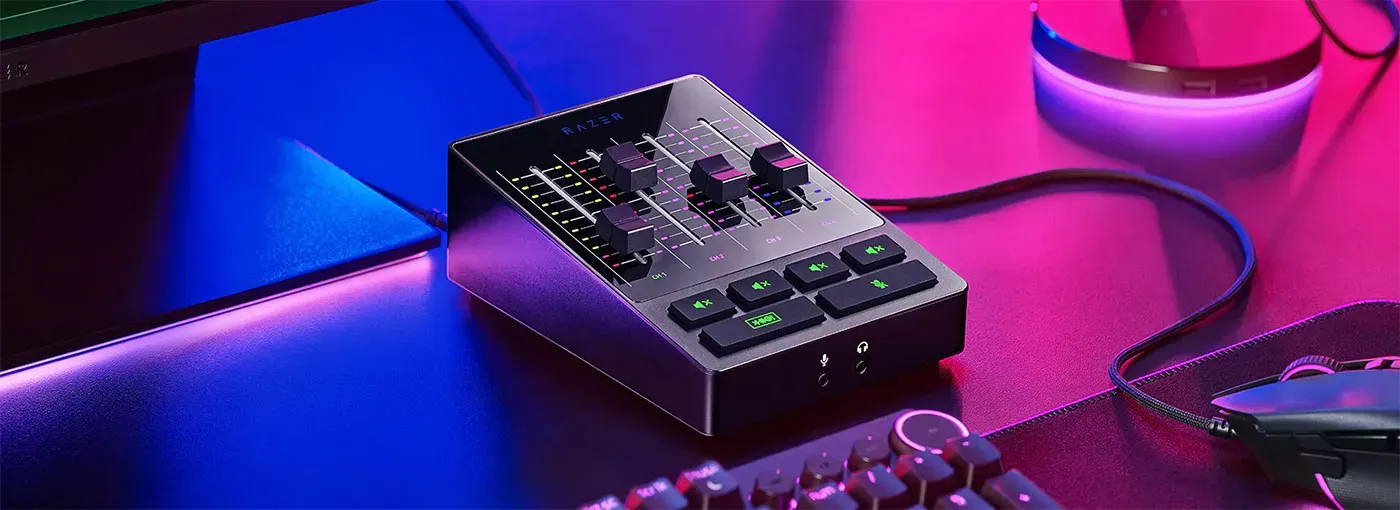
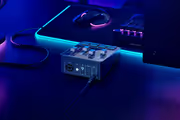
All-In-One Analog And Digital Mixer Build
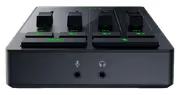
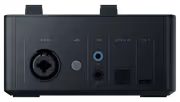
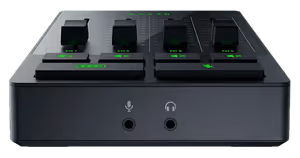
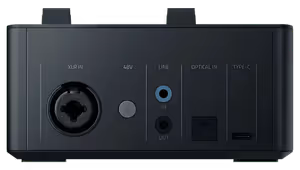
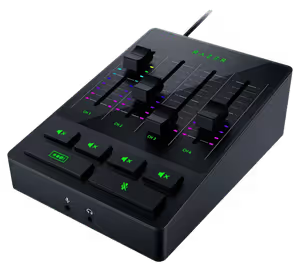
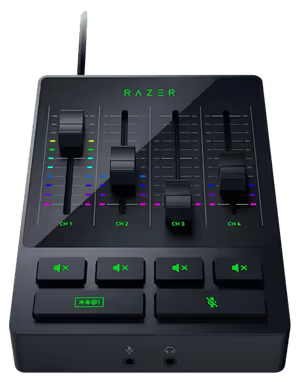
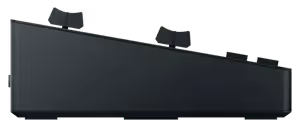
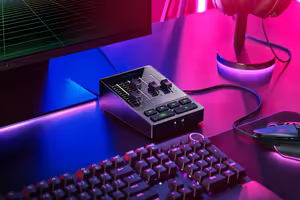
The Razer Audio Mixer, model RZ19-03860100-R3M1, brings the analog and digital sides of mixing into one durable desktop unit. Faders, mute buttons, the bleep control and Chroma lighting sit on the surface, while the XLR input and its preamp handle the microphone side. It is a complete audio front end rather than an accessory to one.
All-In-One Analog And Digital Mixer Build
The Razer Audio Mixer, model RZ19-03860100-R3M1, brings the analog and digital sides of mixing into one durable desktop unit. Faders, mute buttons, the bleep control and Chroma lighting sit on the surface, while the XLR input and its preamp handle the microphone side. It is a complete audio front end rather than an accessory to one.
FAQ
Frequently Asked Questions
Everything you need to know about this product
It is a 4-channel interface, with one direct line out for your microphone and three other channels.
Yes. It has an XLR input with a built-in ultra-clean low-noise-gain preamp.
Gain is adjustable from -12dB to 39.7dB in steps of 0.75dB.
Yes. Each channel has its own dedicated mute button on the mixer.
It immediately mutes and censors your audio so a live stream stays clean.
Yes. It works with single or dual PC setups and removes the extra cables and hardware they normally need.
Razer Synapse handles all audio mixing, channel mapping and microphone settings.
Yes. Preset vocal effects are built in, including Monster and High Pitch.
Yes. Echo and reverb presets such as Small Concert Hall are included, plus custom environment settings.
It adjusts the pitch and tempo of any audio input running through the mixer.
Razer Synapse provides EQ, compressor and noise gate settings among others.
Yes. Razer Chroma RGB indicates volume levels and mute status, with over 16.8 million colours available.

AI-Generated Content: These FAQs are generated by an automated AI system and may contain inaccuracies or omissions. Evetech makes no warranties, express or implied, regarding their completeness or reliability. For definitive information, please refer to the manufacturer's official specifications.





Please Note: Product images are for illustrative purposes only and may differ from the actual product.
Choose your
own PC
Hand-pick every part with live stock, compatibility, and instant pricing.
Try the new builderPrice Inc. Vat
R 4,999
Save R 600
ListR 5,599
4999Free Delivery
Qty:
In Stock with Evetech
Choose your
own PC
Hand-pick every part with live stock, compatibility, and instant pricing.
Try the new builderRazer Audio Mixer All in One Analog Mixer