ugreen-14-in-1-usb-c-dock-8k-triple-4k
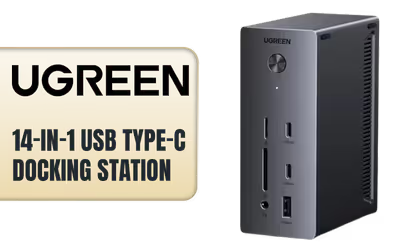
UGreen 14-in-1 USB Type-C Docking Station / Single 8K, Triple 4K Display Versatility / 14-Port USB-C Dock / True 100W Laptop Charging / 27W Max USBC / Supports USB-C, USB4, and Thunderbolt connections / CM843-85489
1 Year
Model No : UGREEN CM843-85489
Price Inc. Vat
R 2,649
Save R 550
ListR 3,199
2649Change Quantity:
In Stock with Evetech
UGreen 14-in-1 USB-C Dock, 8K, Triple 4K

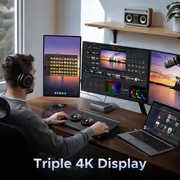
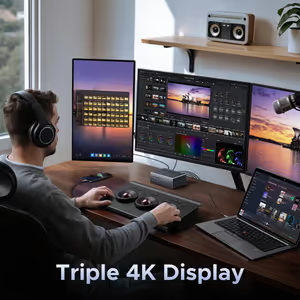
Triple 8K Display Support
The dock supports a triple 8K display setup.
Triple 8K Display Support
The dock supports a triple 8K display setup.

Single 8K or 4K@120Hz Output
A single display can run at 8K or 4K@120Hz.
Single 8K or 4K@120Hz Output
A single display can run at 8K or 4K@120Hz.
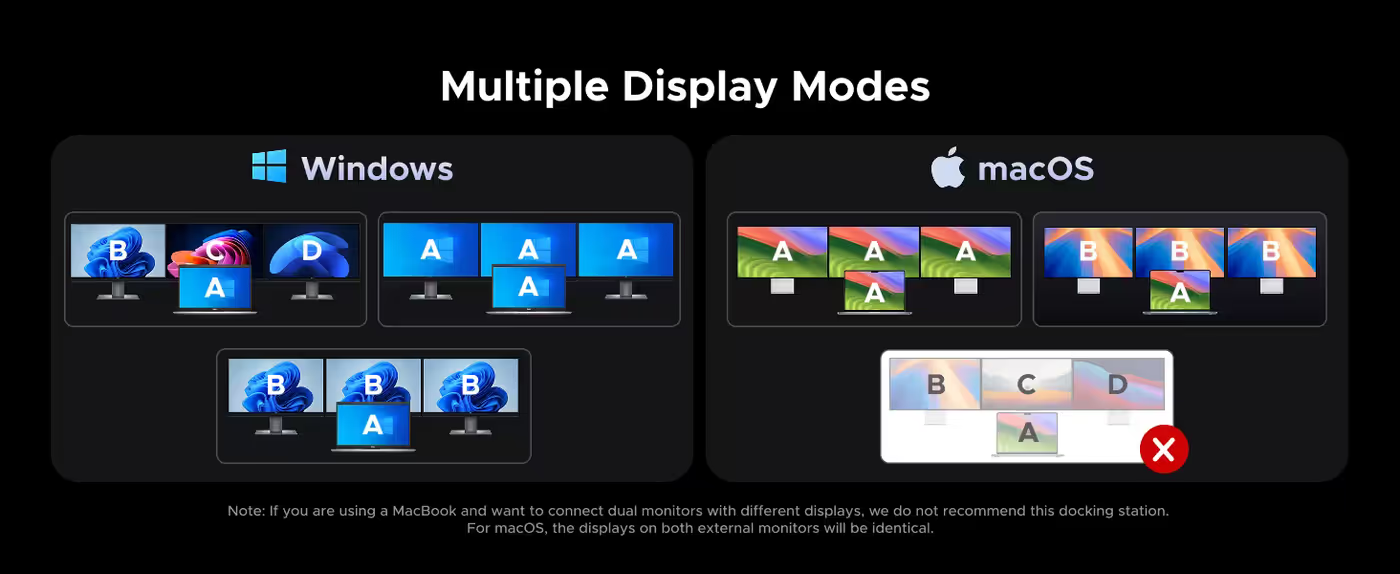
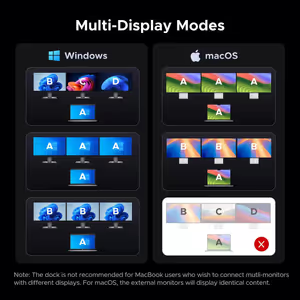
Flexible Multi-Display Modes
Multiple display modes are available for different monitor configurations.
Flexible Multi-Display Modes
Multiple display modes are available for different monitor configurations.
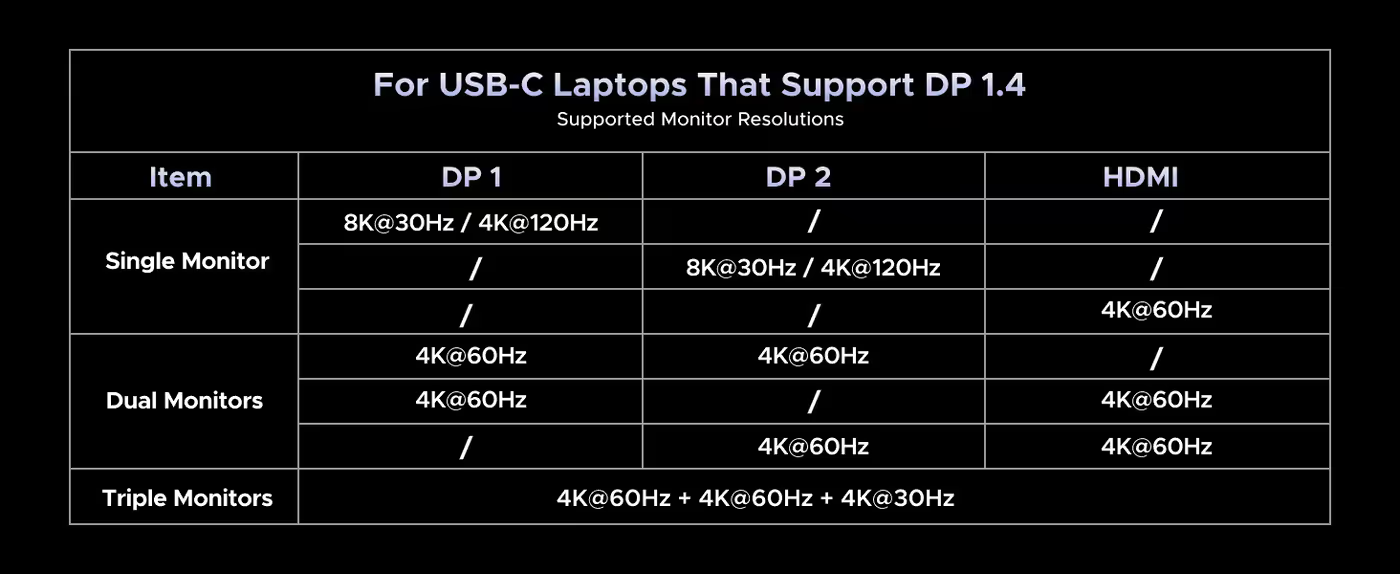
Resolution Compatibility Details
The dock provides resolution specifications for supported display configurations.
Resolution Compatibility Details
The dock provides resolution specifications for supported display configurations.
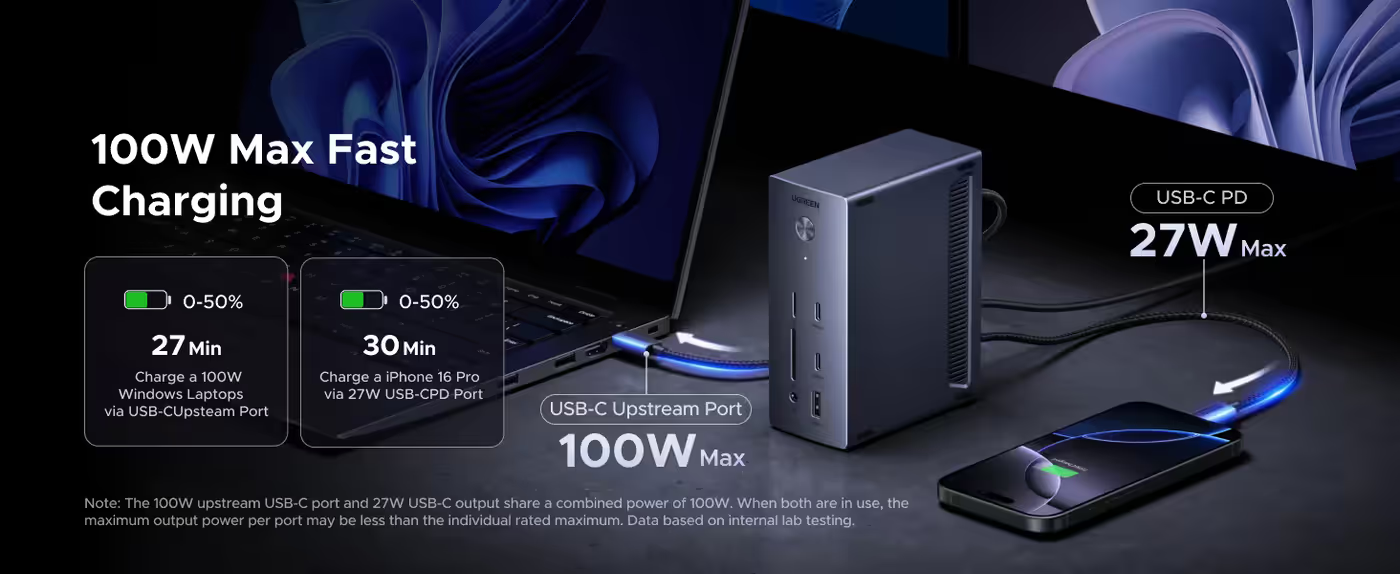
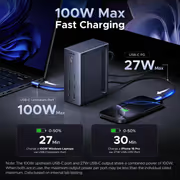
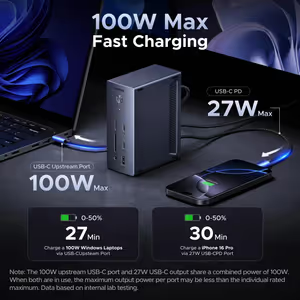
100W Total Power Output
The dock delivers 100W total power output.
100W Total Power Output
The dock delivers 100W total power output.
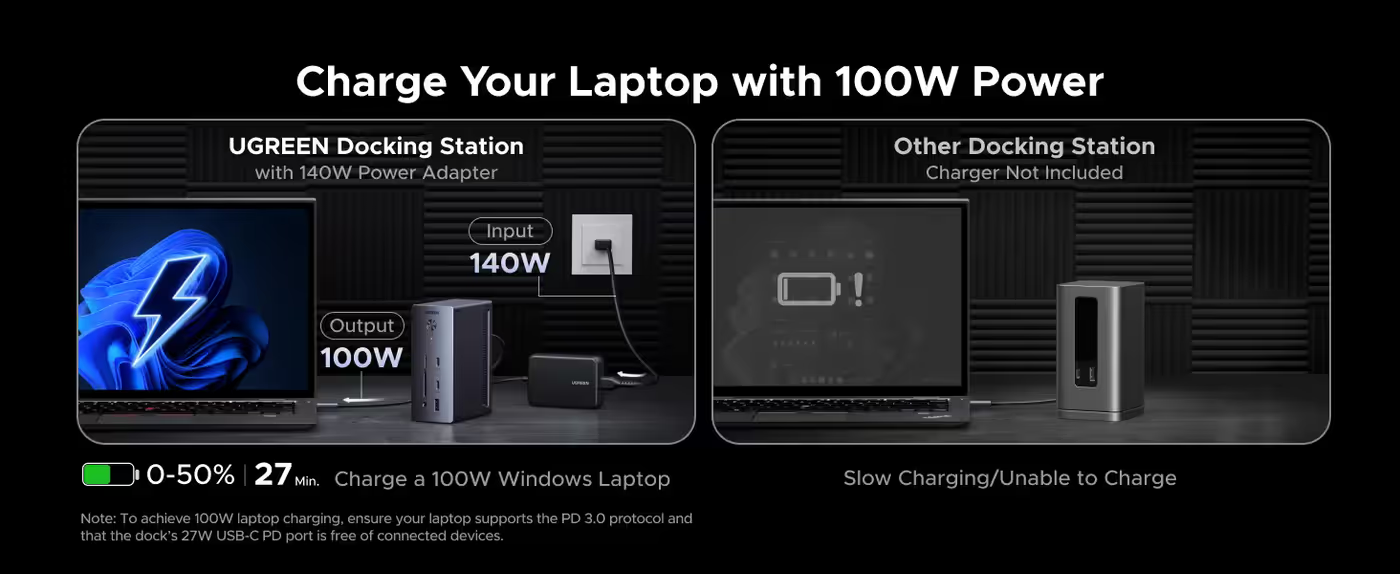
100W Laptop Charging
The dock supports charging a laptop with 100W power.
100W Laptop Charging
The dock supports charging a laptop with 100W power.
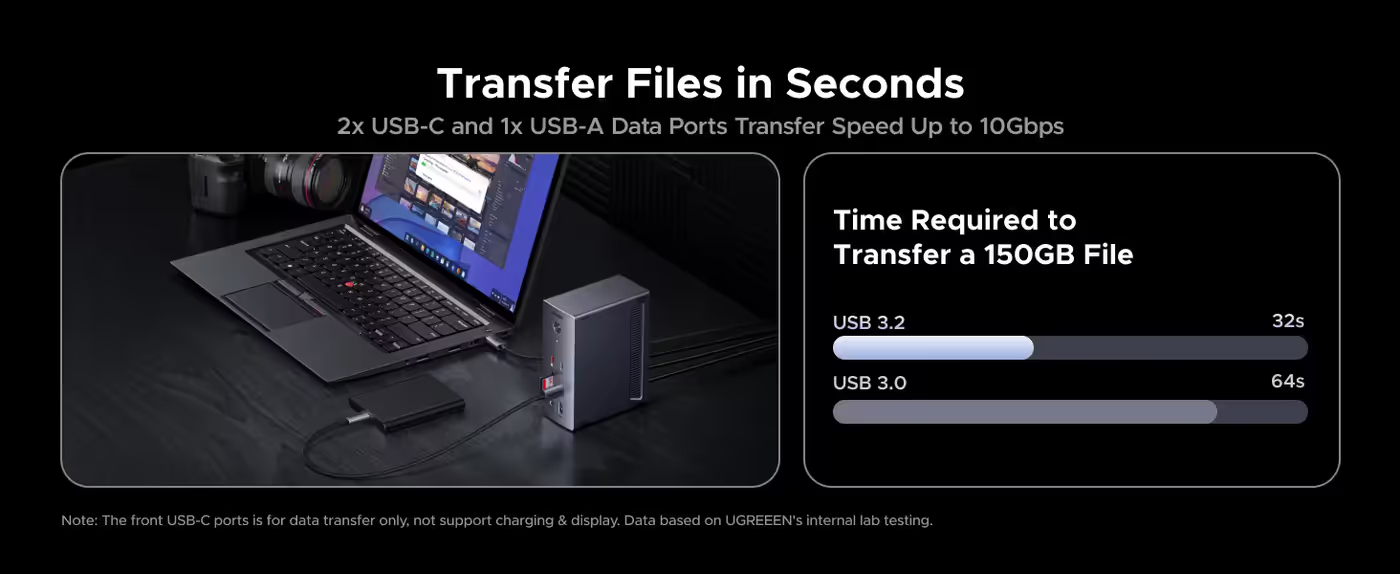
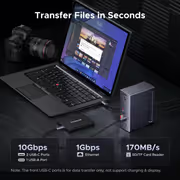
Rapid File Transfers
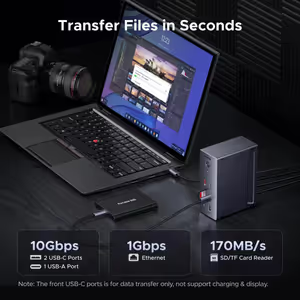
The dock is designed to transfer files in seconds.
Rapid File Transfers
The dock is designed to transfer files in seconds.
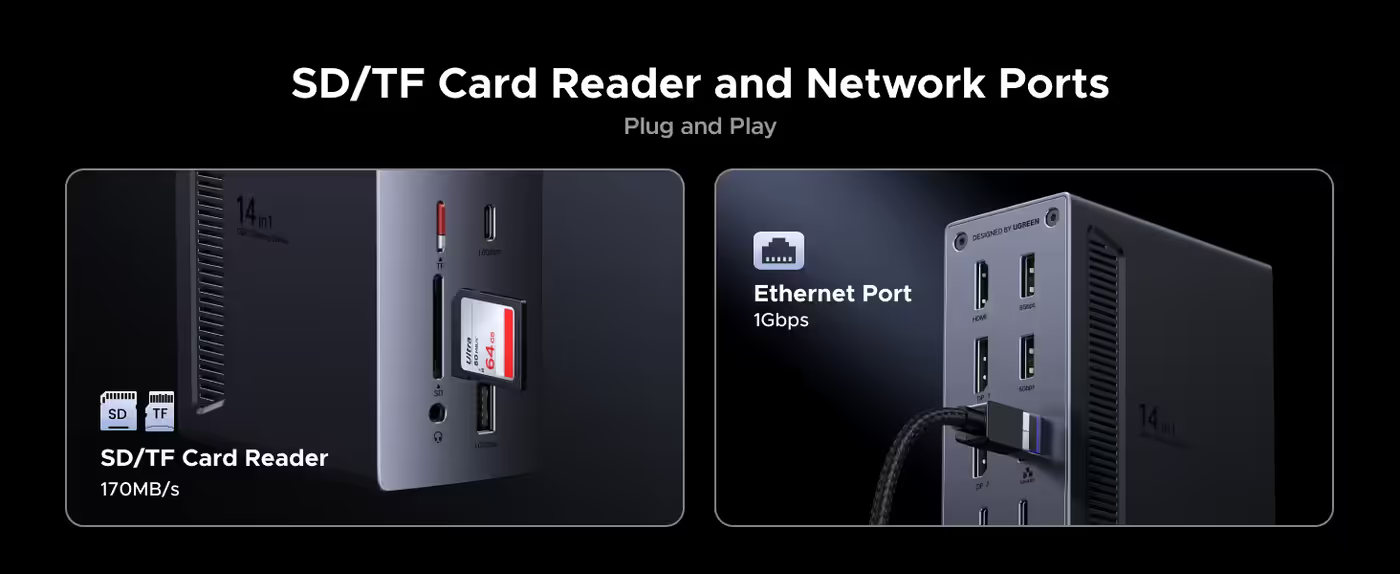
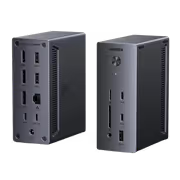
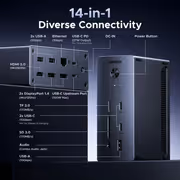
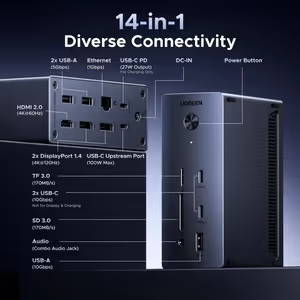
SD, TF, and Ethernet Connectivity
Connectivity includes SD/TF and Ethernet ports.
SD, TF, and Ethernet Connectivity
Connectivity includes SD/TF and Ethernet ports.
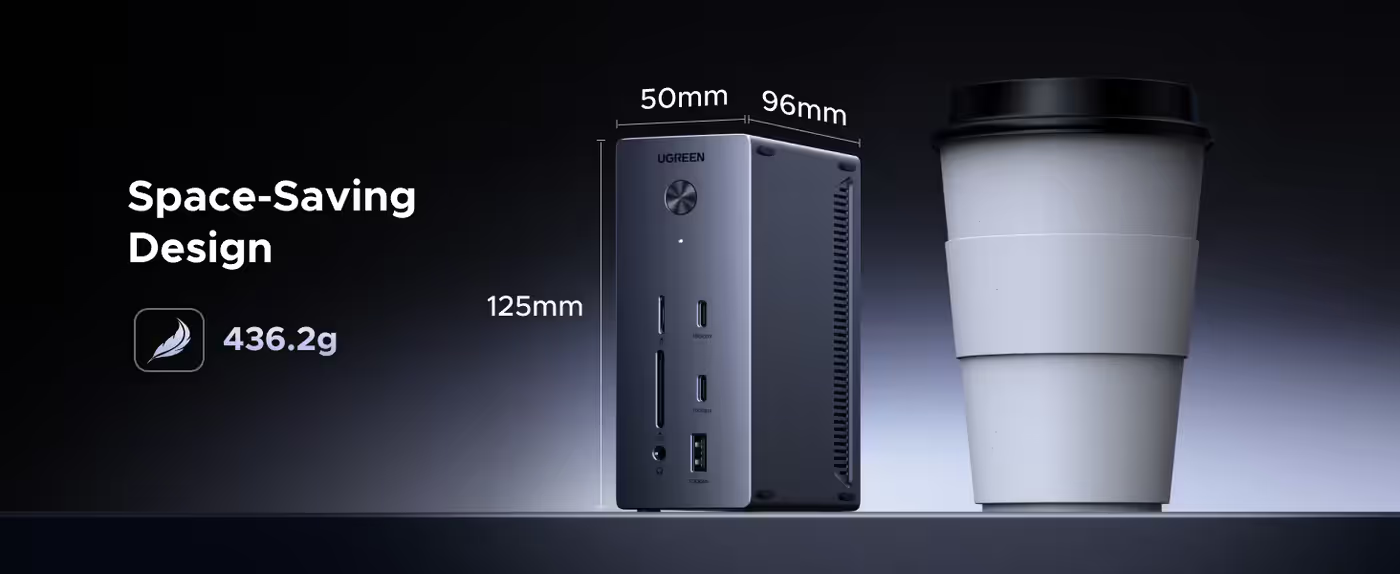
Space-Saving Desk Design
The dock is intended to create a clutter-free desk and save space. Its dimensions include 125mm and 50mm.
Space-Saving Desk Design
The dock is intended to create a clutter-free desk and save space. Its dimensions include 125mm and 50mm.
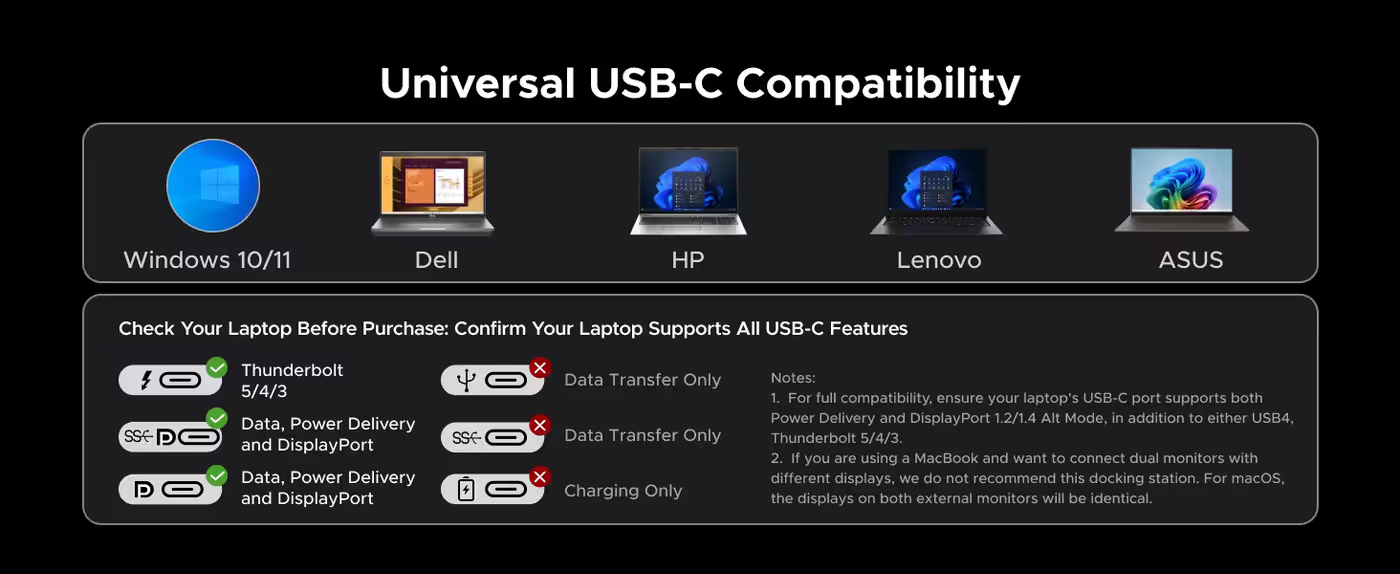
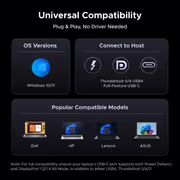
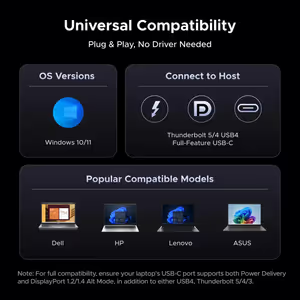
Universal USB-C Compatibility
The dock is designed for universal USB-C compatibility.
Universal USB-C Compatibility
The dock is designed for universal USB-C compatibility.
Compatibility and Usage Notes
The dock is not recommended for MacBook users who want to connect multiple monitors with different displays; on macOS, the external monitors will show identical content. For full compatibility, the laptop's USB-C port must support Power Delivery and DisplayPort 1.2/1.4 Alt Mode, as well as USB4, Thunderbolt 5/4/3. Only DisplayPort supports up to a single 8K@30Hz/ 4K@120Hz display, and achieving 8K@30Hz/ 4K@120Hz requires a laptop USB-C port with DP1.4 and DSC (Display Stream Compression). For 4K@120Hz, use a DisplayPort 1.4 cable no longer than 3 m (28AWG). The 100W upstream USB-C port and 27W USB-C output share a combined power of 100W, so the maximum power per port may be lower when both are in use. To obtain 100W laptop charging, the laptop must support PD 3.0 and the dock's 27W USB-C PD port must be unused. Laptops requiring more than 100W should use their original power adapter. The front USB-C ports support data transfer only, while the 27W USB-C PD output is for charging only. The included USB-C to USB-C cable is recommended because other cables may cause compatibility issues.
Compatibility and Usage Notes
The dock is not recommended for MacBook users who want to connect multiple monitors with different displays; on macOS, the external monitors will show identical content. For full compatibility, the laptop's USB-C port must support Power Delivery and DisplayPort 1.2/1.4 Alt Mode, as well as USB4, Thunderbolt 5/4/3. Only DisplayPort supports up to a single 8K@30Hz/ 4K@120Hz display, and achieving 8K@30Hz/ 4K@120Hz requires a laptop USB-C port with DP1.4 and DSC (Display Stream Compression). For 4K@120Hz, use a DisplayPort 1.4 cable no longer than 3 m (28AWG). The 100W upstream USB-C port and 27W USB-C output share a combined power of 100W, so the maximum power per port may be lower when both are in use. To obtain 100W laptop charging, the laptop must support PD 3.0 and the dock's 27W USB-C PD port must be unused. Laptops requiring more than 100W should use their original power adapter. The front USB-C ports support data transfer only, while the 27W USB-C PD output is for charging only. The included USB-C to USB-C cable is recommended because other cables may cause compatibility issues.
Expanded Workspace Connectivity
UGREEN docking stations help create a more efficient desk setup. UGREEN offers a thunderbolt 5 dock for advanced workflows, a thunderbolt 4 dock for dependable everyday performance, and options for MacBook or mixed-device use to simplify connectivity and expand the workspace.
Expanded Workspace Connectivity
UGREEN docking stations help create a more efficient desk setup. UGREEN offers a thunderbolt 5 dock for advanced workflows, a thunderbolt 4 dock for dependable everyday performance, and options for MacBook or mixed-device use to simplify connectivity and expand the workspace.
FAQ
Frequently Asked Questions
Everything you need to know about this product
The dock supports triple 8K display setups and a single 8K@30Hz/ 4K@120Hz display through DisplayPort.
It supports multiple-display configurations, including triple 8K display setups. MacBook users should note that external monitors on macOS will display identical content.
For full compatibility, the laptop's USB-C port must support Power Delivery, DisplayPort 1.2/1.4 Alt Mode, and either USB4 or Thunderbolt 5/4/3.
The laptop USB-C port must support DP1.4 with DSC (Display Stream Compression). A DisplayPort 1.4 cable no longer than 3 m (28AWG) is also required.
The dock provides 100W total power output and includes a 27W USB-C PD output.
The laptop must support the PD 3.0 protocol, and the dock's 27W USB-C PD port must have no connected devices.
If a laptop requires more than 100W, use the laptop's original power adapter.
The front USB-C ports are for data transfer only and do not support charging or display output.
The 27W USB-C PD output is intended for charging only.
UGREEN recommends using the included USB-C to USB-C cable because other cables may cause compatibility issues.
The extracted product content identifies SD/TF and Ethernet ports as available connectivity options.
The 100W upstream USB-C port and 27W USB-C output share a combined 100W. When both are active, the maximum output per port may be lower than its individual rated maximum.

AI-Generated Content:These FAQs are generated by an automated AI system and may contain inaccuracies or omissions. Evetech makes no warranties, express or implied, regarding their completeness or reliability. For definitive information, please refer to the manufacturer's official specifications.
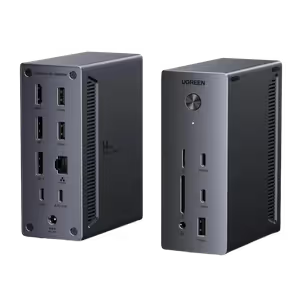

Please Note: Product images are for illustrative purposes only and may differ from the actual product.
Choose your
own PC
Hand-pick every part with live stock, compatibility, and instant pricing.
Try the new builderPrice Inc. Vat
R 2,649
Save R 550
ListR 3,199
2649Change Quantity:
In Stock with Evetech
Choose your
own PC
Hand-pick every part with live stock, compatibility, and instant pricing.
Try the new builderUGreen 14-in-1 USB Type-C Docking Station