The Apple Ecosystem · Honest Explainer
Why everything just works together. — The honest take on the quartet.
Apple's continuity features are either the deepest workflow joy in personal computing — or the most elegant lock-in ever shipped. Both are true. Here's exactly what works, what it costs in SA Rands, and what the switching cost actually looks like.
- quartet + AirPods buy-in
- R59k
- continuity features
- 12+
- same Apple ID, done
- 0 setup
What "the Apple ecosystem" actually means
The phrase gets used loosely — sometimes to mean "I own a MacBook and iPhone", sometimes to mean "Apple has captured my soul." Both miss the technical reality.
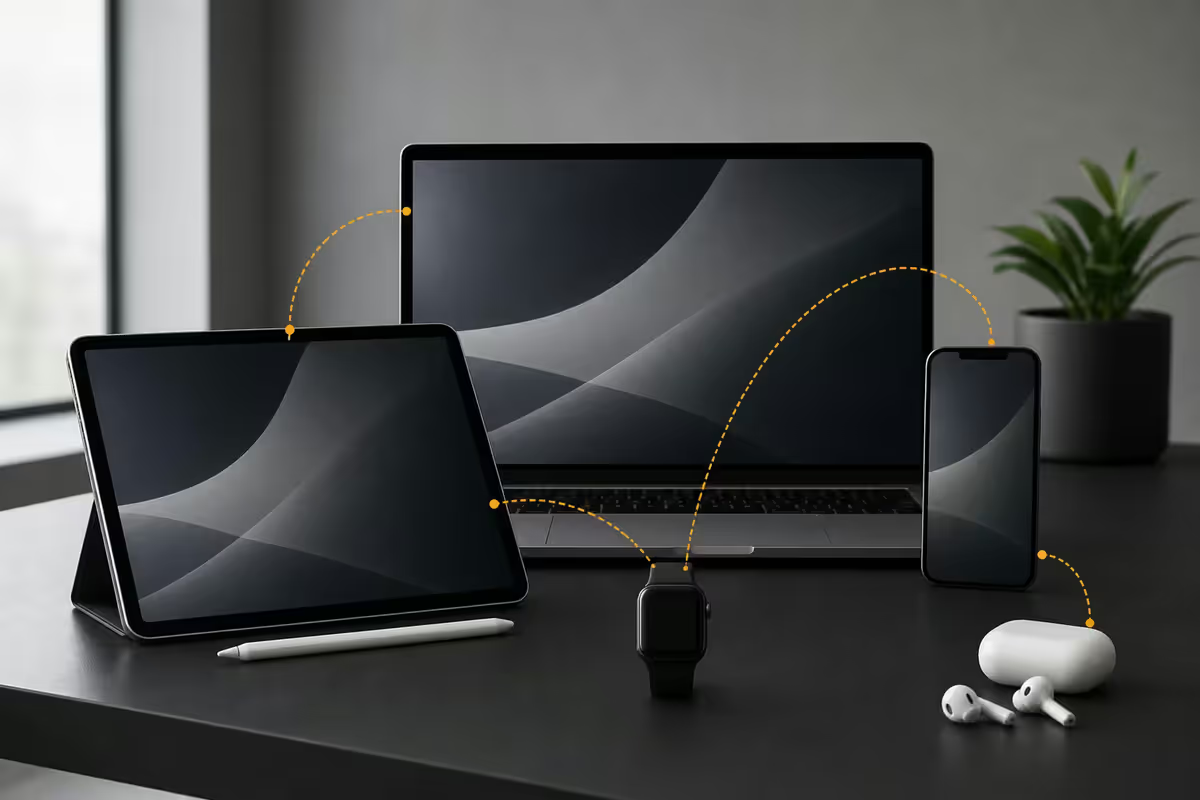
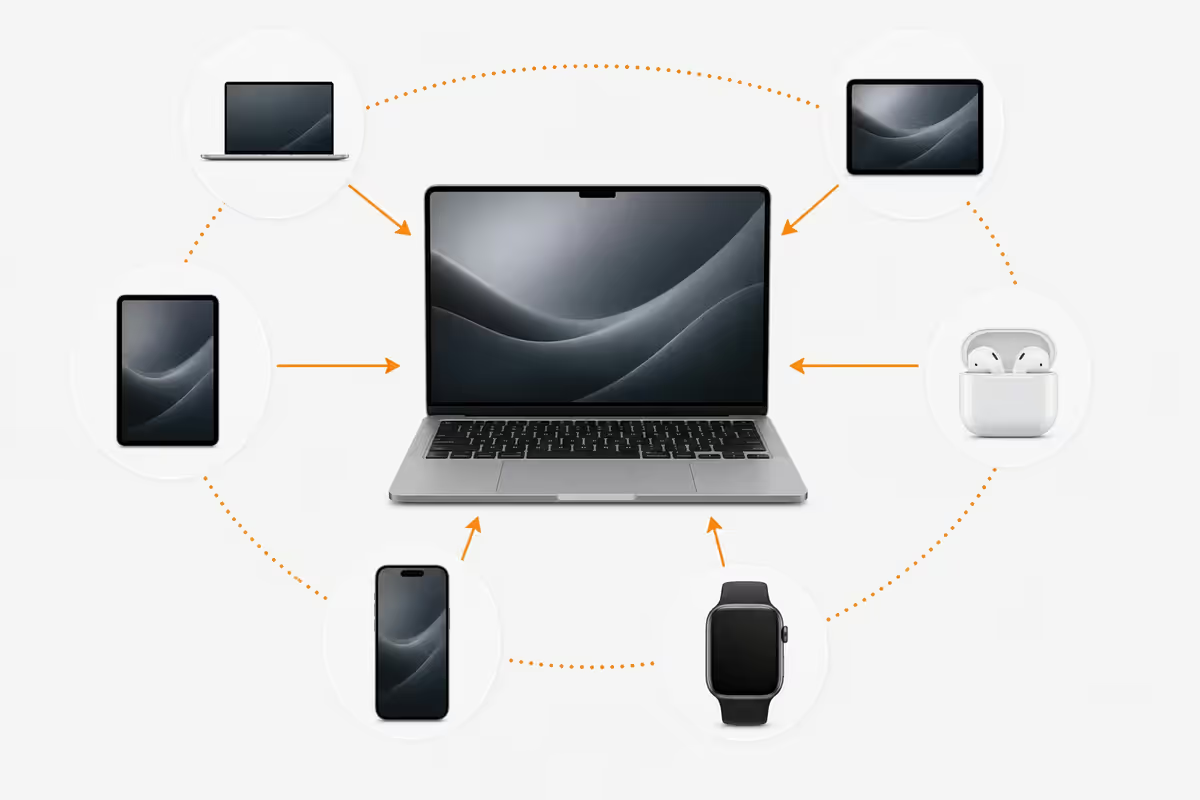
The Apple ecosystem is the layer of Continuity features that lets Mac, iPhone, iPad, Apple Watch, AirPods and HomePod behave as if they are facets of a single device. Sign in with the same Apple ID on each, leave Bluetooth and Wi-Fi on, and the system silently wires them together. No setup wizard. No transfer apps. No accounts to link.
The mechanism uses three layers:
- Bluetooth Low Energy for proximity detection and quick metadata handoff between devices.
- Wi-Fi peer-to-peer (no router required) for high-bandwidth data — AirDrop file transfers, AirPlay video, Sidecar display streams.
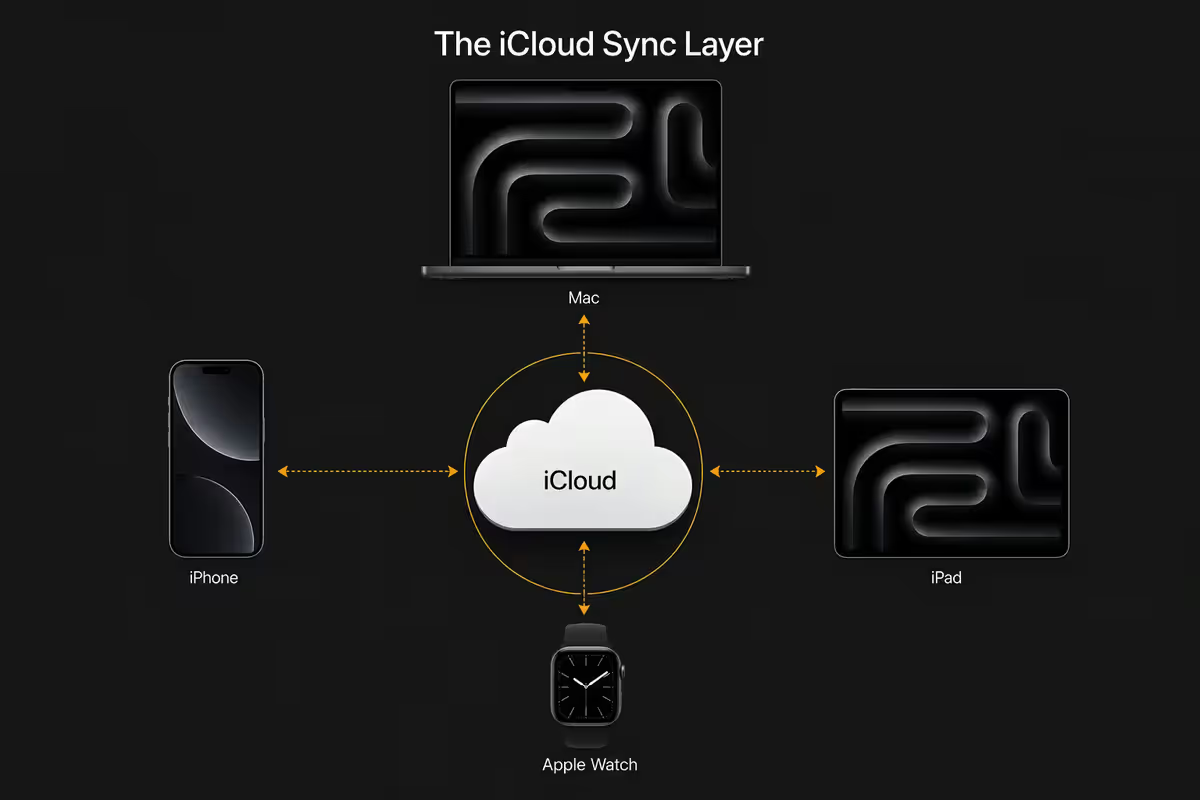
- iCloud for the persistent cloud layer — Photos, Notes, Messages, Reminders, Files, Health, Keychain, Tabs.
The result is a quiet kind of magic. Copy a paragraph on the iPhone, open the Mac, paste. Start an email at the kitchen table, open the iPad on the couch, finish it. Walk over to the speaker, the music follows you. None of this requires thought.
The Continuity features — every one, in plain English
Handoff
Start a task on one device, finish on another. Begin an email on the iPhone in the Pick n Pay queue; walk into the office; a small Mail icon appears at the bottom-left of the Dock; click it and you're in the same email at the same word. Works with Mail, Safari, Notes, Pages, Numbers, Keynote, Maps, Reminders, Messages, and an increasing number of third-party apps (Notion, Bear, Drafts).
Universal Clipboard
Copy on one device → paste on another, within 30 seconds. Text, image, file, link — anything you can copy. No setup. The clipboard syncs over BLE + Wi-Fi between any signed-in devices in the same iCloud account. Copy a recipe on the iPhone, paste it into Notes on the Mac. Copy a colour code on the Mac, paste it into Figma on the iPad. Quietly one of the most useful features in the entire ecosystem.
Sidecar
Turns an iPad into a second display for the Mac — wired (USB-C) or wireless. Use it as a desktop extension, or mirror what's on the Mac. Pair with the Apple Pencil and the iPad becomes a pressure-sensitive drawing tablet — a perfectly good Wacom replacement for Procreate, Photoshop, Affinity, Figma. The whole feature is free.
Universal Control
The next-level magic. Place the iPad next to the Mac; the Mac's cursor slides off the Mac screen onto the iPad. One trackpad, one keyboard, both devices. Drag a file from Finder on the Mac directly onto Files on the iPad. No configuration. Works with up to three devices side-by-side (Mac + iPad + iPad, or two iPads + a Mac).
iPhone Mirroring
Introduced in macOS Sequoia, refined to gorgeous in 2026. Open the iPhone Mirroring app on the Mac — your iPhone's home screen appears in a window. Click apps with the mouse. Type with the keyboard. Drag files between Mac and iPhone. The iPhone can stay locked in your pocket. Reply to WhatsApp without picking up your phone. Run an iOS-only app on the Mac. Plus: every macOS Accessibility feature now controls the iPhone too — Switch Control on the Mac drives the iPhone too.
Apple Watch Auto Unlock
Sit down at your Mac wearing an unlocked Apple Watch — the Mac unlocks without a password. The Watch also approves admin-password prompts with a double-tap on the side button — no typing for app installs or unlock-screen overrides. Around since 2016, still feels magical every day.
Continuity Camera
Use your iPhone as the Mac's webcam — properly. Centre Stage keeps you framed, Desk View shows what's on your desk for tutorials, Studio Light beautifies the lighting. iPhone clipped on top of the MacBook lid via a magnetic mount; the Mac sees it as a high-quality external camera in any video app.
Continuity Sketch / Markup
In any Mac document with an image, choose "Insert from iPhone → Sketch". The iPhone immediately opens a sketchpad; draw with your finger or Apple Pencil; the sketch appears in the Mac document live.
Instant Hotspot
Mac can't find Wi-Fi. Open the Wi-Fi menu — your iPhone appears in the list with a battery indicator. Click it. The iPhone's hotspot turns on automatically, the Mac connects, the iPhone hotspot turns itself off again when the Mac disconnects. Brilliant for SA load-shedding when the fibre goes down.
Messages cross-device
iMessage works on every Apple device signed into your Apple ID. SMS messages (the green ones) sync from iPhone to Mac and iPad via "SMS Forwarding". So you can reply to an SMS confirmation code on your Mac without picking up the phone.
AirDrop, AirPlay & Spatial Audio
AirDrop
Wirelessly send a file from any Apple device to any other Apple device in proximity. Open the share sheet, tap the recipient's name, the file lands. Photos, PDFs, videos, ZIPs, Pages documents — any file type, any size. Encrypted peer-to-peer over Wi-Fi (the router isn't involved). The cleanest file-sharing experience in computing.
AirPlay
Stream video or audio from a Mac, iPhone or iPad to a HomePod, Apple TV, or AirPlay-compatible smart TV. Tap the AirPlay button, choose the destination. Mirror your Mac screen onto the lounge TV for a movie. Send the music from Apple Music on the iPhone to a HomePod in the kitchen. Multi-room audio means the same song plays in three rooms in sync.
Spatial Audio + dynamic head tracking
With AirPods Pro 2 or AirPods Max, audio is placed in 3D space relative to your head. Move your head left, the dialogue stays on the screen — feels like you're in front of a real soundstage rather than wearing earbuds. Works with movies (Apple TV+), music (Apple Music's spatial library), and FaceTime calls (voices come from the position of each face on screen).
The iCloud sync layer underneath it all
Continuity features handle the moment-to-moment magic. iCloud handles the persistent layer — what stays in sync across all your devices, all the time.
- iCloud Photos: every photo and video on every device, every edit, every album — synced everywhere. Originals stay in iCloud; devices cache recent items.
- iCloud Drive: Desktop and Documents on the Mac sync to iCloud. Open your laptop, your iPad, your iPhone, your friend's iCloud-signed iPad — all your files are there.
- iCloud Keychain: passwords, passkeys, Wi-Fi networks, credit cards — synced across all devices, end-to-end encrypted. Apple themselves cannot see them.
- Messages in iCloud: entire iMessage history available on every device. Delete a message on iPhone, it's gone everywhere.
- Health data: the Watch sends data to iPhone; iPhone syncs Health to iCloud; Mac reads it back. Trends visible everywhere.
- Find My: every device shows the location of every other device on a single map. Lost AirPods? Map.
- Family Sharing: share a 200 GB or 2 TB iCloud plan with up to six people; share Apple Music, Apple TV+, Apple Arcade, app purchases.
SA Rand cost of buying into the quartet
Apple device prices in SA carry a 20–25% premium over US dollar list prices, after VAT, exchange margin and Apple SA's distribution layer. Here's what the full quartet (plus AirPods) costs in 2026:
| Device | Configuration | SA price (2026) |
|---|---|---|
| MacBook Air M4 13" | 16 GB / 256 GB | R17,000–R19,000 |
| iPhone 16 | 128 GB | R19,000–R21,000 |
| iPad Air M3 11" | 128 GB Wi-Fi | R12,000–R13,500 |
| Apple Watch SE 2 | 40 mm GPS | R5,500–R6,500 |
| AirPods Pro 2 | USB-C with hearing-aid mode | R4,800–R5,500 |
| QUARTET + AirPods total | The full Apple household | ~R59,000 |
| iCloud+ 200 GB | Family shared (optional but recommended) | R49/month · R588/yr |
| Apple Music Family | Up to 6 accounts | R109/month · R1,308/yr |
The honest comparison. A reasonable Windows + Android equivalent — Lenovo IdeaPad 5 (R12k) + Samsung Galaxy S24 (R13k) + Lenovo Tab P12 (R6k) + Galaxy Watch 7 (R5k) + Sony WF-1000XM5 (R5k) — comes to roughly R41,000. The Apple premium is approximately R18,000–R20,000 across five devices, or about 35–45% more for the equivalent device tier.
Whether that premium is worth it depends entirely on how much you use the Continuity features and how much you value the unified design language. We'll get to that question next.
The honest take — joy or trap?
This is the part where most ecosystem guides become Apple marketing. We'll be honest with you instead.
Workflow joy is real and measurable. If you use Handoff, Universal Clipboard, AirDrop, iPhone Mirroring and Sidecar in your daily workflow, the cumulative time saving runs to roughly 15–25 minutes per day compared to multi-vendor alternatives. Across a year that's a working week recovered. The intangible benefit — the calm of not fighting your devices — is real too.
The trap is real too, in three specific ways:
- Sticker shock compounds. Buying one MacBook is fine. Buying a MacBook, then upgrading the iPhone, then adding the iPad, then the Watch, then AirPods, then the HomePod — each individual decision feels reasonable; the cumulative R60k+ does not.
- iCloud subscription becomes mandatory. 50 GB is laughably small for a modern photo library. Once you're on 200 GB or 2 TB you'll never go off it without losing data flow.
- Vendor lock-in is genuine. Leaving the ecosystem means re-buying replacement hardware, migrating iMessage to SMS (with awkward green-bubble period in the middle), moving iCloud Photos to Google Photos, replacing HomeKit accessories with Matter/Google Home equivalents, and finding a new password manager for Keychain. It's doable. It's also painful.
The honest verdict. If you genuinely use the continuity features and value the design coherence, the ecosystem is the best premium-tier personal-computing experience available — full stop. If you bought into it for status and resent the prices, the lock-in becomes a slow-burning frustration. The question to ask yourself before the R59k buy-in: am I buying these because I'll use them, or because the box says Apple?
The switching cost — what leaving Apple looks like
If you've been in the ecosystem for three or more years and decide to leave, the migration takes weeks and a handful of awkward weeks of "green bubble" friction with iMessage friends. Here's the honest breakdown of what to expect:
| What to migrate | Best-fit destination | Difficulty |
|---|---|---|
| iCloud Photos | Google Photos or Synology Photos | Easy — Apple Data & Privacy export |
| iCloud Drive files | Google Drive, OneDrive, Dropbox | Easy — finder drag and drop |
| iMessage / Messages history | Signal or WhatsApp (no history transfer) | Painful — friends keep iMessaging you |
| iCloud Keychain passwords | Bitwarden, 1Password, Proton Pass | Easy — Safari export feature |
| Apple Music library | Spotify or YouTube Music | Easy — SongShift, FreeYourMusic apps |
| HomeKit accessories | Matter-compatible alternatives (Google Home, SmartThings) | Hard — some accessories Apple-only |
| Apple Watch fitness history | Health app export → Strava or Google Fit | Medium — formatting headaches |
| iCloud Contacts & Calendar | Google Workspace or Proton | Easy — VCF / ICS export |
Key takeaways
- The Apple ecosystem is the Continuity layer that makes Mac, iPhone, iPad, Watch, AirPods and HomePod behave as one device.
- Handoff, Universal Clipboard, Sidecar, Universal Control, iPhone Mirroring, AirDrop, AirPlay and Apple Watch auto-unlock are the daily-use highlights.
- iCloud handles the persistent sync layer — Photos, Files, Keychain, Messages, Health, Find My.
- The full quartet + AirPods costs about R59,000 in SA in 2026 — roughly R18,000–R20,000 more than the equivalent Windows + Android setup.
- Workflow joy is real (15–25 minutes saved per day) but only if you actually use the continuity features. Buying for status amplifies the lock-in pain.
- The switching cost is genuine — deregister iMessage first if you ever leave, and budget weeks for the migration.
Frequently asked questions
What is the Apple ecosystem?
The set of Continuity features that lets Mac, iPhone, iPad, Watch, AirPods and HomePod work together as one device. Sign in with the same Apple ID on each and everything turns on automatically.Is buying into the Apple ecosystem a trap?
Trade-off. Real workflow joy if you use the continuity features. Real lock-in once you've built iCloud Photos, iMessage history, HomeKit and Apple Music libraries. Worth it for the actual user, trap for the status-buyer.What does it cost to buy into the Apple ecosystem in SA?
MacBook Air M4 + iPhone 16 + iPad Air M3 + Watch SE 2 + AirPods Pro 2 ≈ R59,000 in 2026. Plus R49/mo iCloud+ 200 GB family. About R18–20k more than equivalent Windows + Android.What is Handoff and how does it work?
Start a task on one device, pick it up on another. Begin an email on iPhone, finish on Mac at the same word. Mail, Safari, Notes, Pages, Numbers, Keynote, Maps, Reminders, Messages.What is Universal Clipboard?
Copy on one Apple device, paste on another within 30 seconds. Text, image, file, link. No setup. Syncs over Bluetooth + Wi-Fi.What is Sidecar and Universal Control?
Sidecar turns iPad into a second Mac display + Apple Pencil drawing tablet. Universal Control = Mac cursor slides off Mac screen onto adjacent iPad. One trackpad, two devices.What is iPhone Mirroring on Mac?
Your iPhone's home screen in a window on the Mac. Click, type, drag files. Useful for WhatsApp without picking up the phone, and brilliant for accessibility — macOS Accessibility now controls the iPhone too.Does my Apple Watch unlock my Mac automatically?
Yes — enable in System Settings → Touch ID & Password. Watch unlocks Mac when you sit down. Double-tap side button approves admin passwords. Since 2016.
Get the Evetech app
Exclusive app-only prices, daily flash sales, and free delivery on orders over R4,000 — download the app and start saving.