msi-mag-pano-m100r-pz-case-black
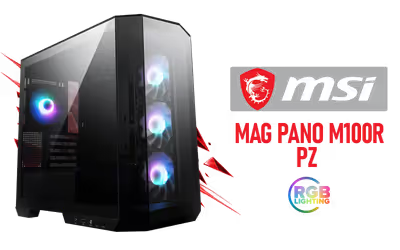
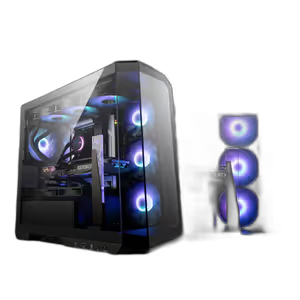
MSI MAG PANO M100R PZ CASE - Black / Supports Micro-ATX & ITX Motherboards / 270° Panoramic Display / 4x Pre-Installed Fans / 175mm Maximum CPU Cooler Height / 390mm Maximum GPU Length / 306-7G24R16-HH9 / 306-7G24R16-HH9
3 Years Local Warranty
Model No : MSI 306-7G24R16-HH9
Price Inc. Vat
R 1,999
Save R 1,500
ListR 3,499
1999Change Quantity:
In Stock with Evetech
MSI MAG PANO M100R PZ Case — 270° Panoramic Gaming Chassis
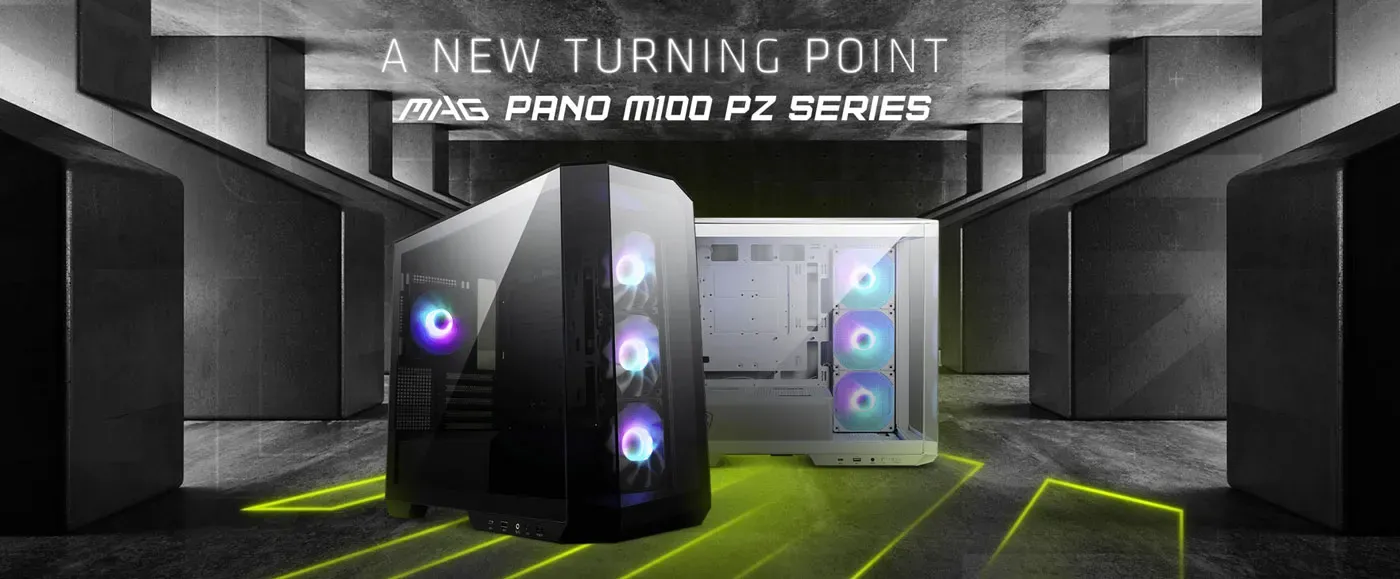
Black Micro-ATX Case Fitting 390mm Graphics Cards
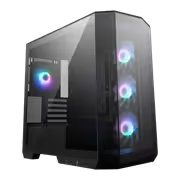
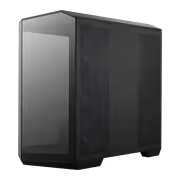
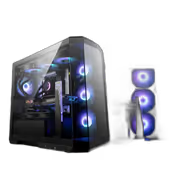
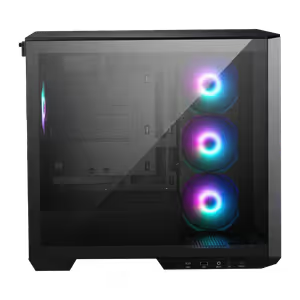
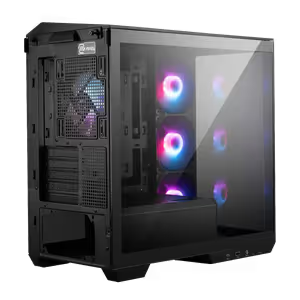
The MSI MAG PANO M100R PZ in black supports Micro-ATX and ITX motherboards, CPU coolers up to 175mm tall and graphics cards up to 390mm long, so full-size components go into a compact chassis. Its 270-degree panoramic tempered glass shows the internal components from almost any angle, and four high-performance fans come pre-installed for cooling from the first boot.
Black Micro-ATX Case Fitting 390mm Graphics Cards
The MSI MAG PANO M100R PZ in black supports Micro-ATX and ITX motherboards, CPU coolers up to 175mm tall and graphics cards up to 390mm long, so full-size components go into a compact chassis. Its 270-degree panoramic tempered glass shows the internal components from almost any angle, and four high-performance fans come pre-installed for cooling from the first boot.
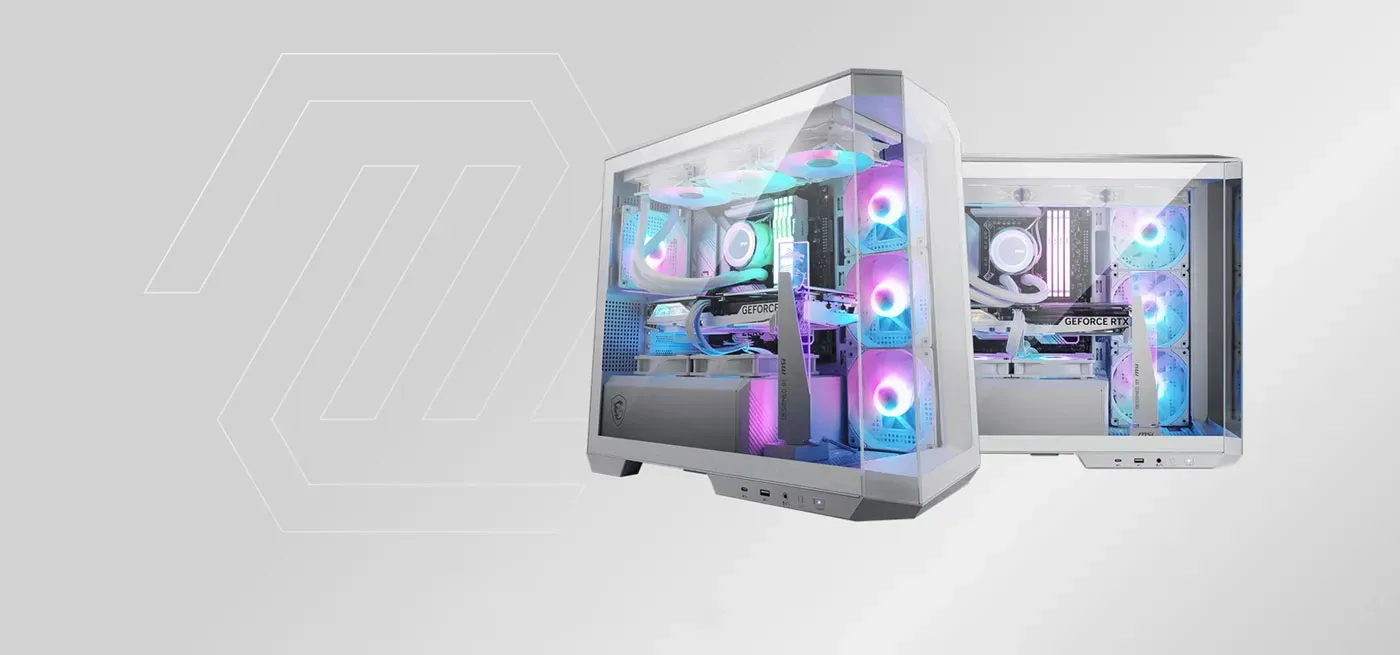
Designed Around The ARGB Build Showcase
The MAG PANO M100R Series is built to highlight an ARGB build, with a 270-degree panoramic tempered glass display that improves the look and keeps the interior clean. Back-connect motherboards are supported, a reverse-blade fan sits on the side, and a 1-to-4 ARGB-PWM control board takes care of cable organisation behind the scenes.
Designed Around The ARGB Build Showcase
The MAG PANO M100R Series is built to highlight an ARGB build, with a 270-degree panoramic tempered glass display that improves the look and keeps the interior clean. Back-connect motherboards are supported, a reverse-blade fan sits on the side, and a 1-to-4 ARGB-PWM control board takes care of cable organisation behind the scenes.
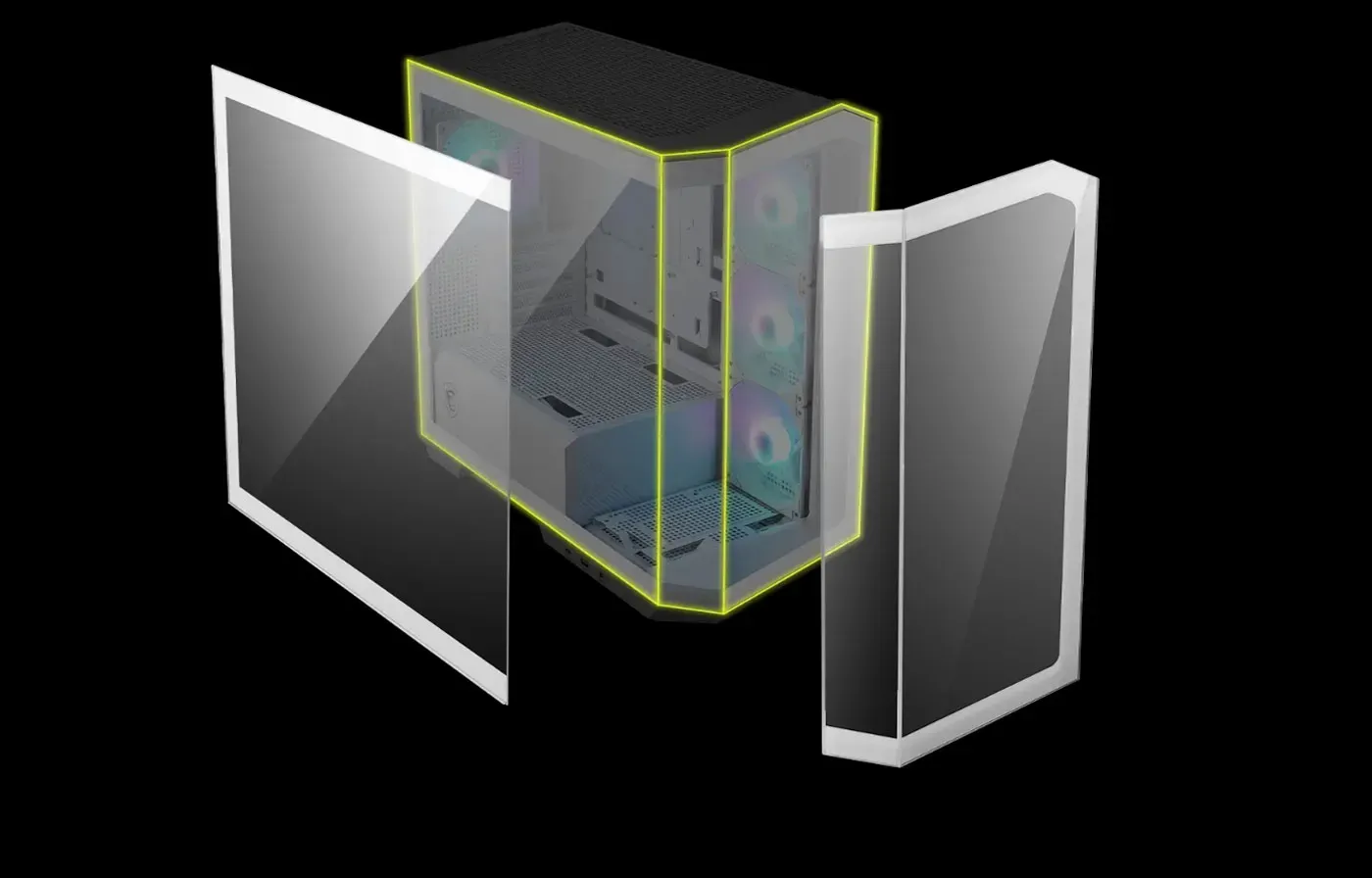
See Every Component Through The Glass
The 270-degree tempered glass panel gives an unobstructed view of the hardware inside, so ARGB lighting effects and components are both visible rather than partly hidden behind steel. In a black chassis that contrast works in your favour, since lit components stand out against the dark interior instead of washing into it.
See Every Component Through The Glass
The 270-degree tempered glass panel gives an unobstructed view of the hardware inside, so ARGB lighting effects and components are both visible rather than partly hidden behind steel. In a black chassis that contrast works in your favour, since lit components stand out against the dark interior instead of washing into it.
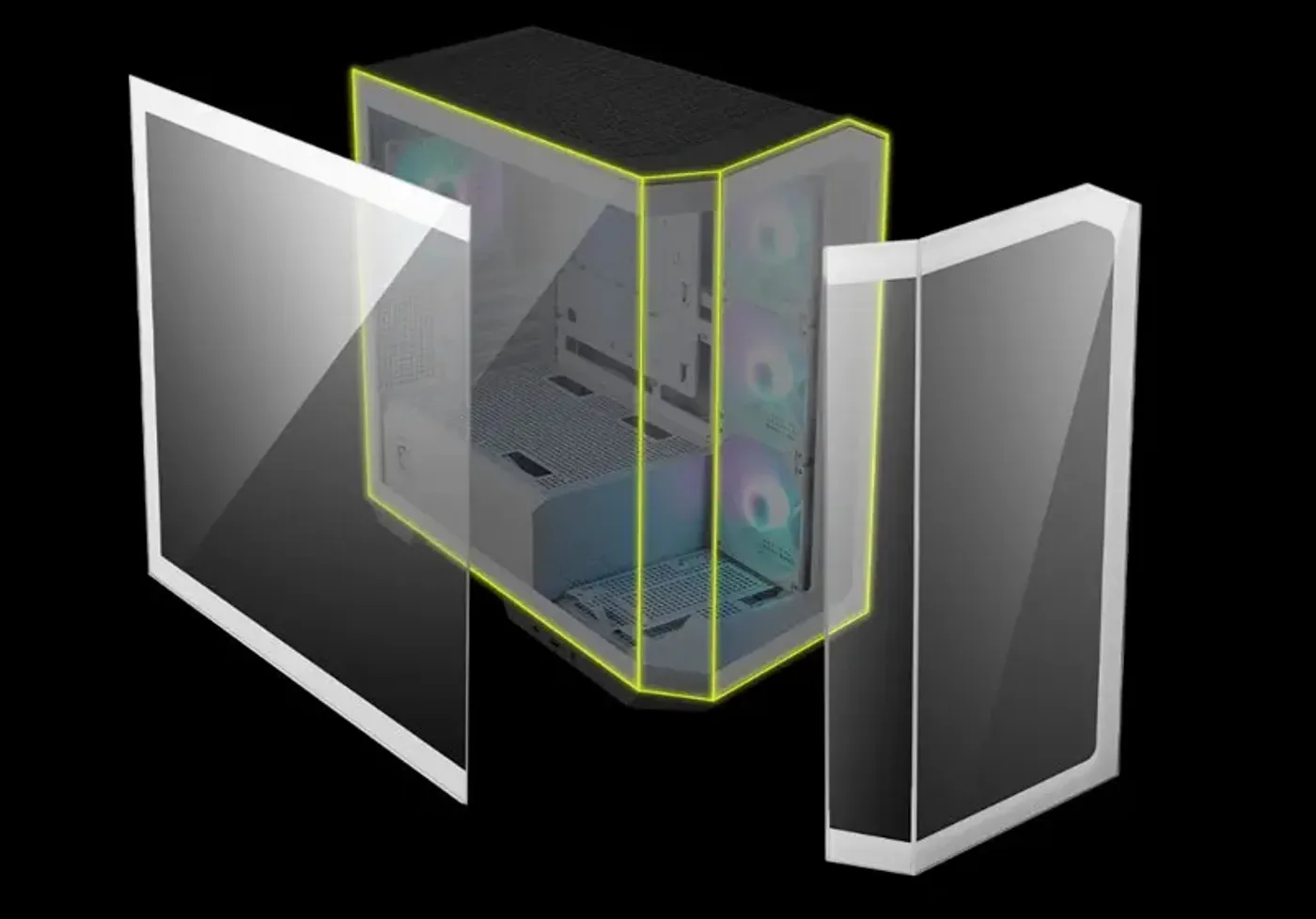
No Metal Bracket At The Glass Corner
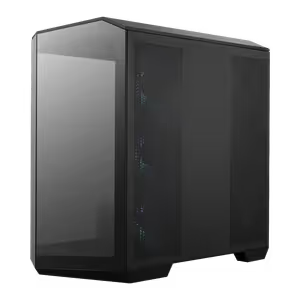
The panoramic effect depends on removing the metal that normally runs down the corner between the front and side panels. That pillar is what cuts most case windows in two, right where a graphics card sits, so taking it out is the structural decision behind the seamless showcase this chassis offers.
No Metal Bracket At The Glass Corner
The panoramic effect depends on removing the metal that normally runs down the corner between the front and side panels. That pillar is what cuts most case windows in two, right where a graphics card sits, so taking it out is the structural decision behind the seamless showcase this chassis offers.
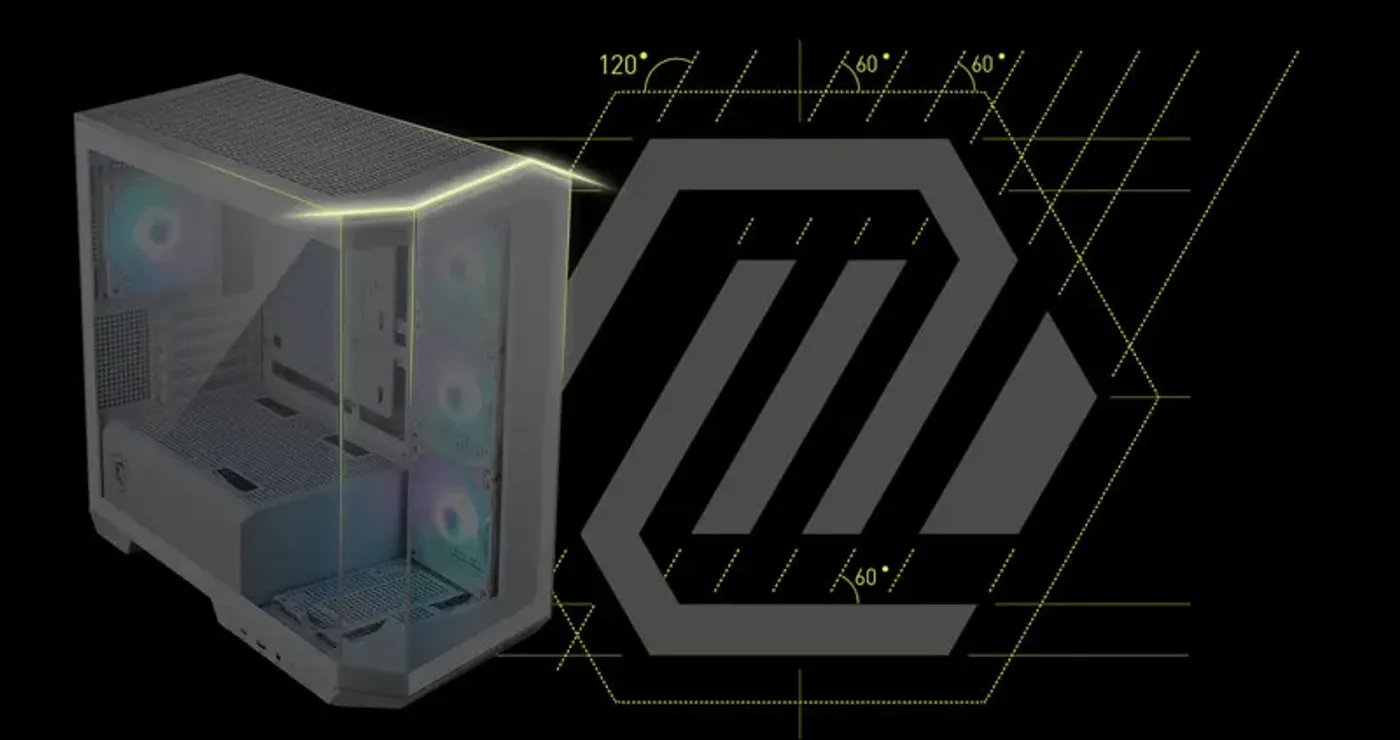
Chassis Inspired By The MSI MAG Logo
The case takes its distinctive chassis design from the MSI MAG logo, embodying the MAG series rather than following the plain rectangle most compact cases settle for. It gives the M100R PZ a shape that reads as deliberate on a desk, and ties it to the wider MSI MAG hardware range.
Chassis Inspired By The MSI MAG Logo
The case takes its distinctive chassis design from the MSI MAG logo, embodying the MAG series rather than following the plain rectangle most compact cases settle for. It gives the M100R PZ a shape that reads as deliberate on a desk, and ties it to the wider MSI MAG hardware range.
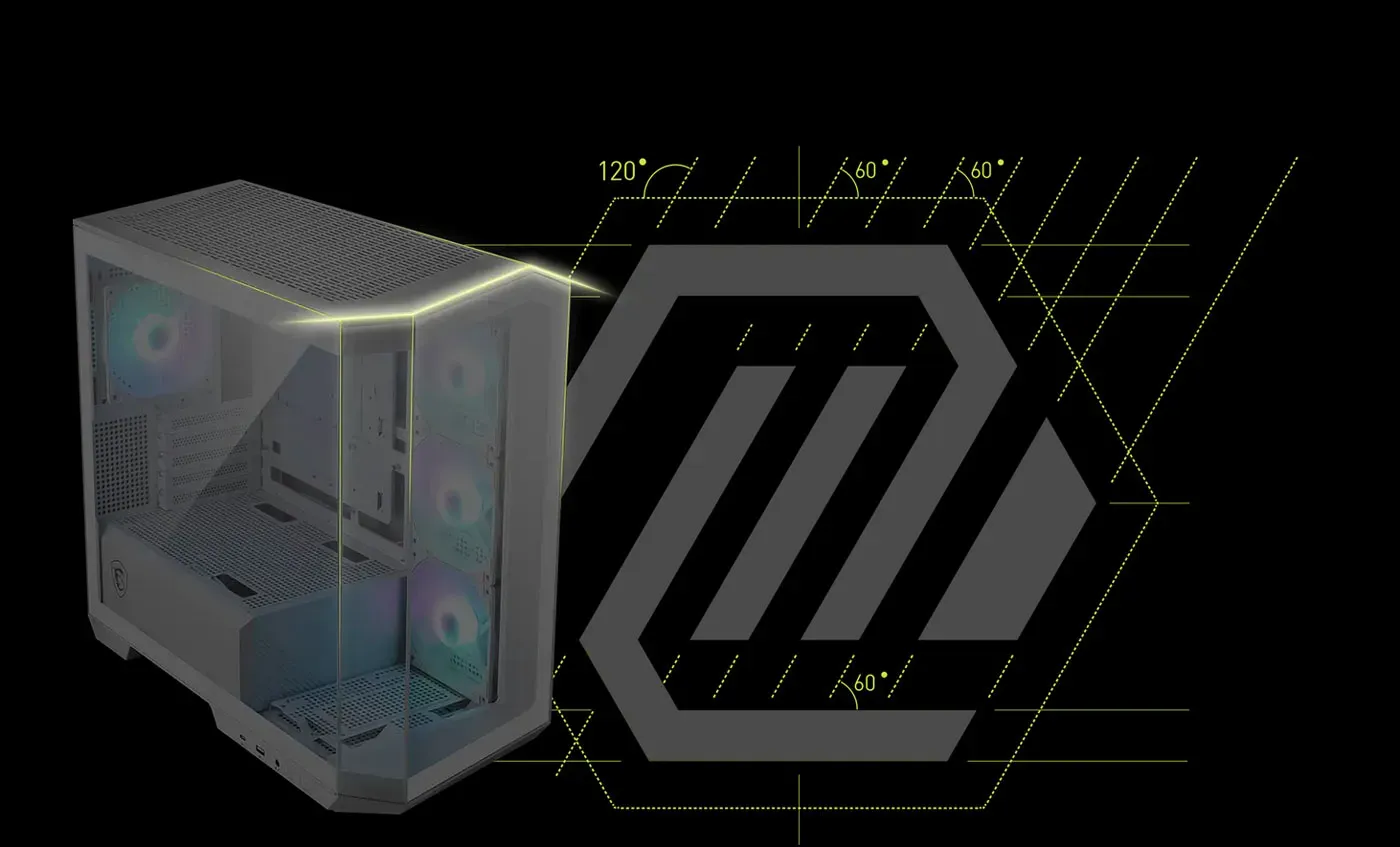
MAG Brand Symbol Lines On The Exterior
MAG brand symbol lines are worked into the visual appearance of the case, creating a unique and recognisable look for gaming and high-performance builds. They are also what makes a matched system possible, since the same design language runs through MSI MAG motherboards, coolers and graphics cards sitting inside.
MAG Brand Symbol Lines On The Exterior
MAG brand symbol lines are worked into the visual appearance of the case, creating a unique and recognisable look for gaming and high-performance builds. They are also what makes a matched system possible, since the same design language runs through MSI MAG motherboards, coolers and graphics cards sitting inside.
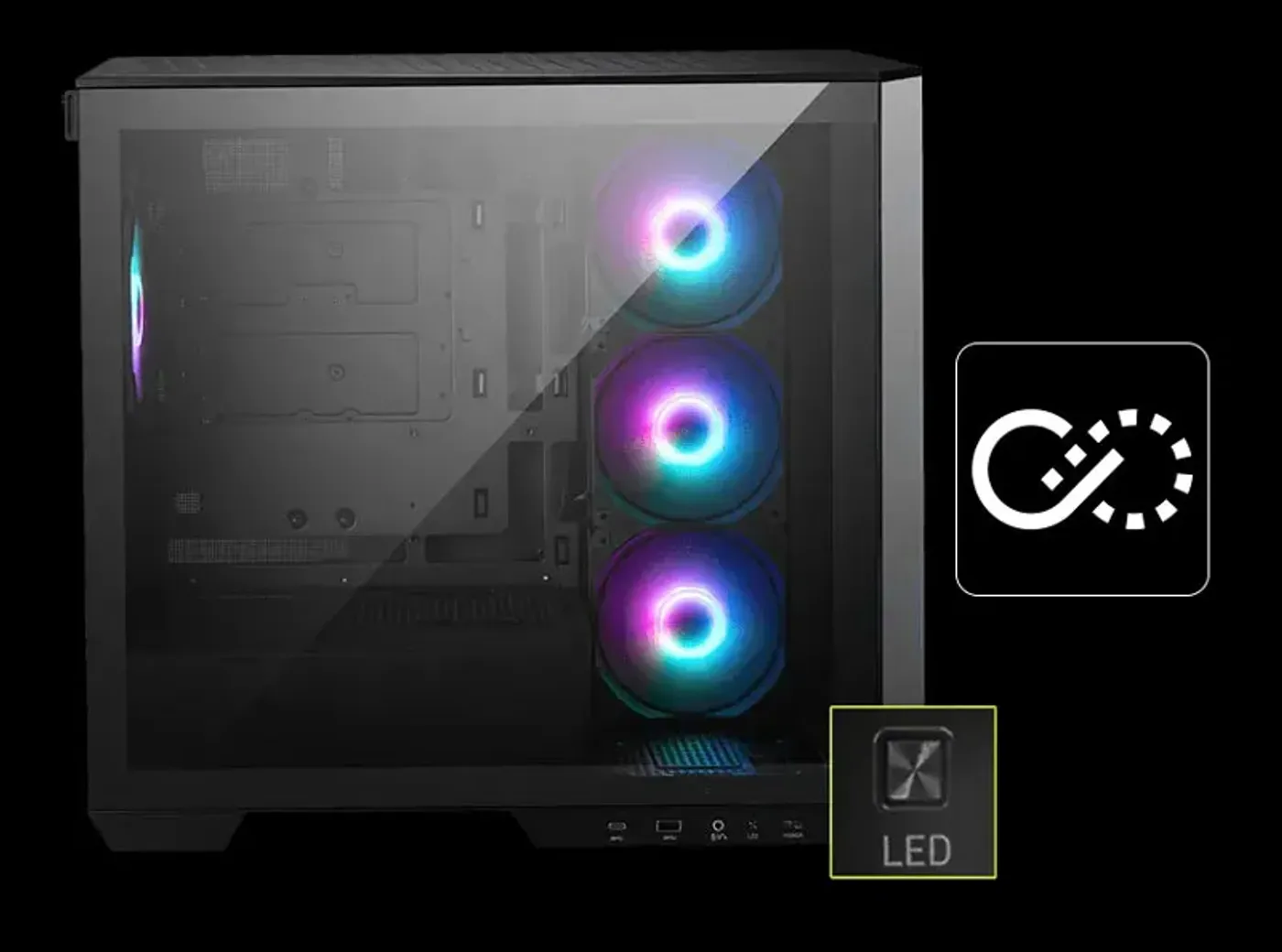
Insta-Light Loop Manages Lighting And Fan Speeds
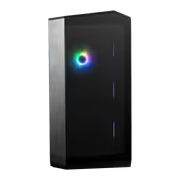
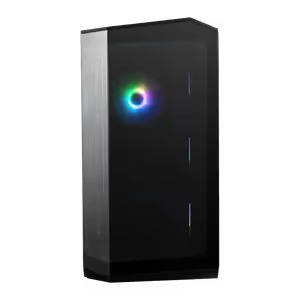
The Insta-Light Loop control button handles both lighting effects and fan speeds directly on the case, with no software needed. Putting the control on the chassis is what makes it usable during a session, so the fans can be turned down or the lighting changed without leaving whatever is running on screen.
Insta-Light Loop Manages Lighting And Fan Speeds
The Insta-Light Loop control button handles both lighting effects and fan speeds directly on the case, with no software needed. Putting the control on the chassis is what makes it usable during a session, so the fans can be turned down or the lighting changed without leaving whatever is running on screen.
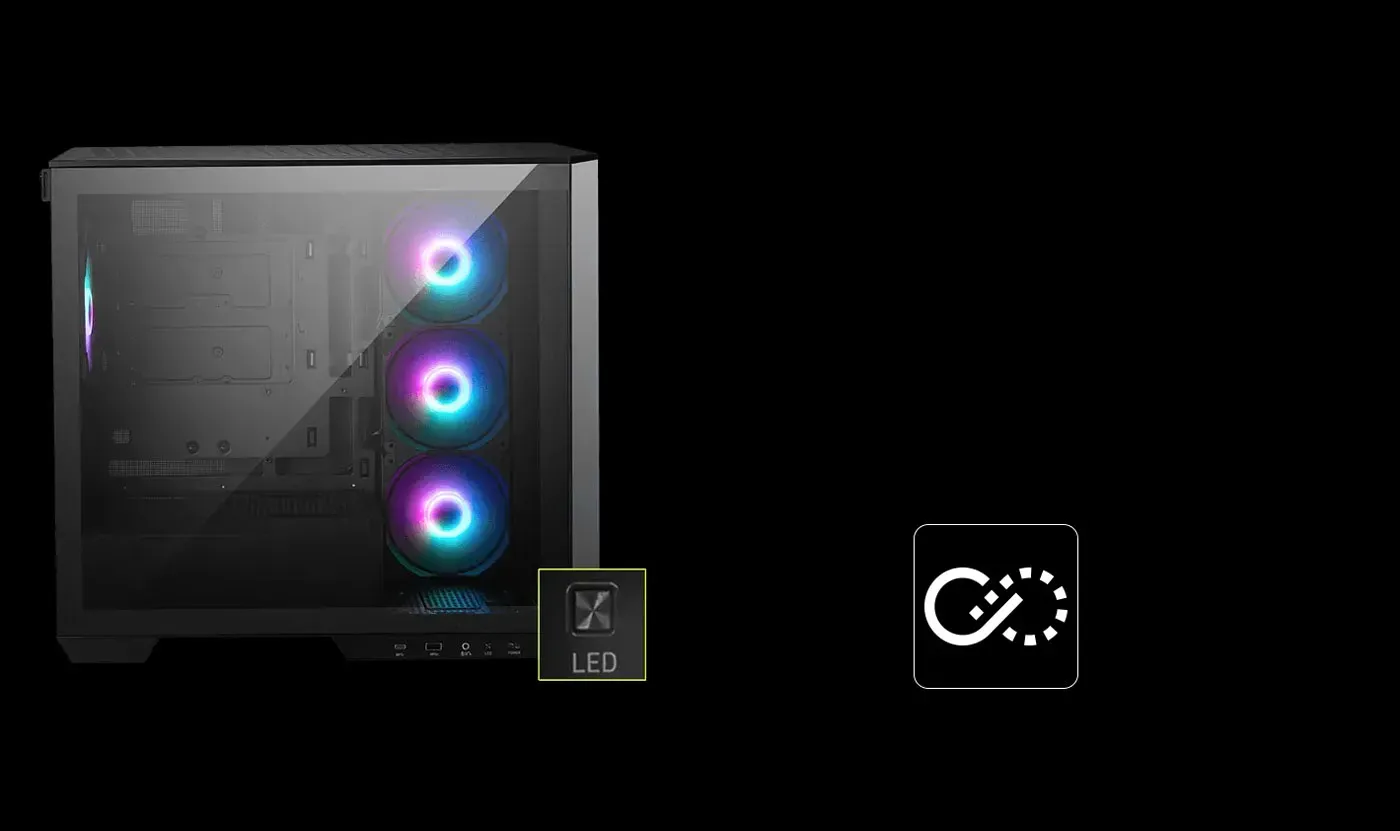
Switch Between RGB Profiles Effortlessly
Profiles change with a press, so a run of RGB lighting setups can be compared with the finished build sitting in front of you. Picking an effect while watching it play across the actual components gives a better result than choosing from a list of names in a control panel.
Switch Between RGB Profiles Effortlessly
Profiles change with a press, so a run of RGB lighting setups can be compared with the finished build sitting in front of you. Picking an effect while watching it play across the actual components gives a better result than choosing from a list of names in a control panel.
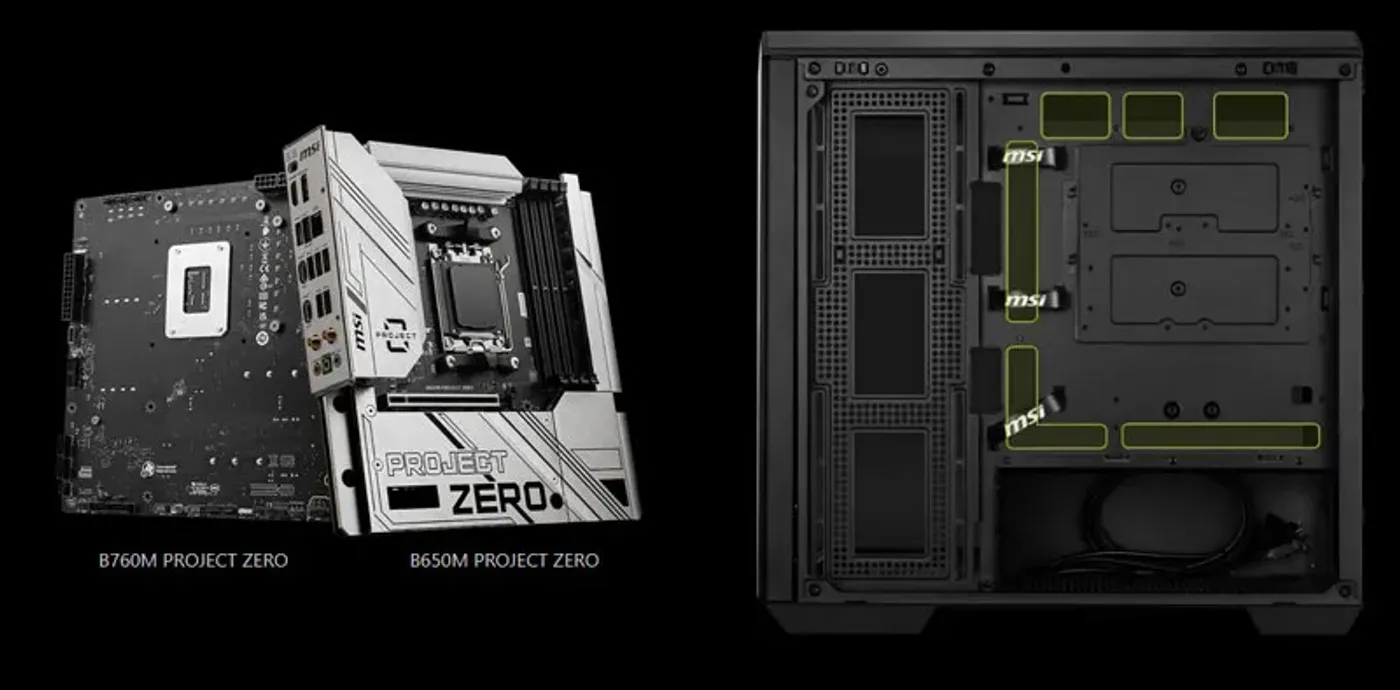
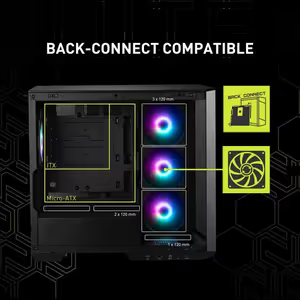
Back-Connect Micro-ATX Support Simplifies Installation
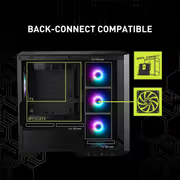
The M100R PZ supports Micro-ATX back-connect motherboards, which move the connectors to the rear of the board and simplify installation. Front panel headers and fan leads plug in behind the tray where there is space to work, which removes the most awkward stage of assembling a compact system.
Back-Connect Micro-ATX Support Simplifies Installation
The M100R PZ supports Micro-ATX back-connect motherboards, which move the connectors to the rear of the board and simplify installation. Front panel headers and fan leads plug in behind the tray where there is space to work, which removes the most awkward stage of assembling a compact system.
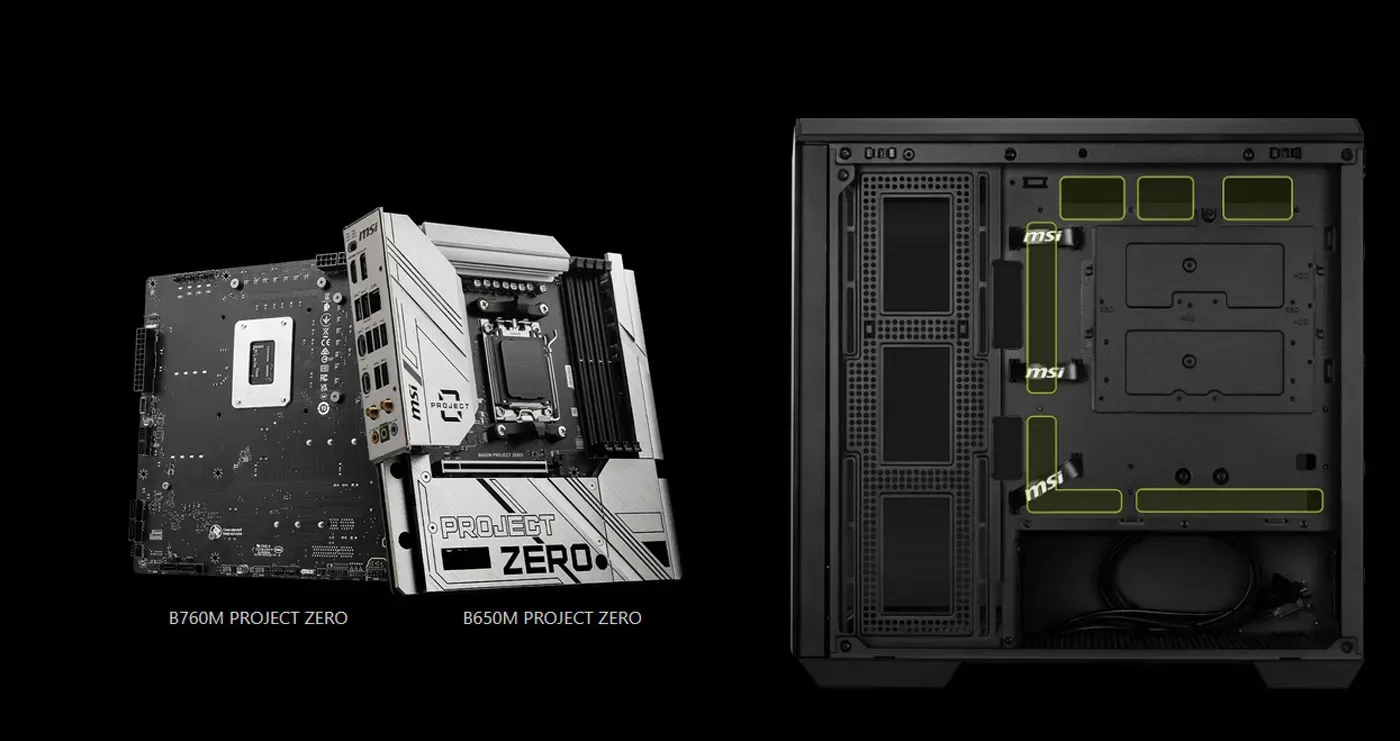
Clean Cable Management Behind The Board
With connectors moved out of sight, cable management becomes routing rather than concealment, and the panoramic glass shows components instead of wiring. That is the clean, manageable build this minimalist case design targets, and it holds up from every angle the wraparound glass exposes.
Clean Cable Management Behind The Board
With connectors moved out of sight, cable management becomes routing rather than concealment, and the panoramic glass shows components instead of wiring. That is the clean, manageable build this minimalist case design targets, and it holds up from every angle the wraparound glass exposes.
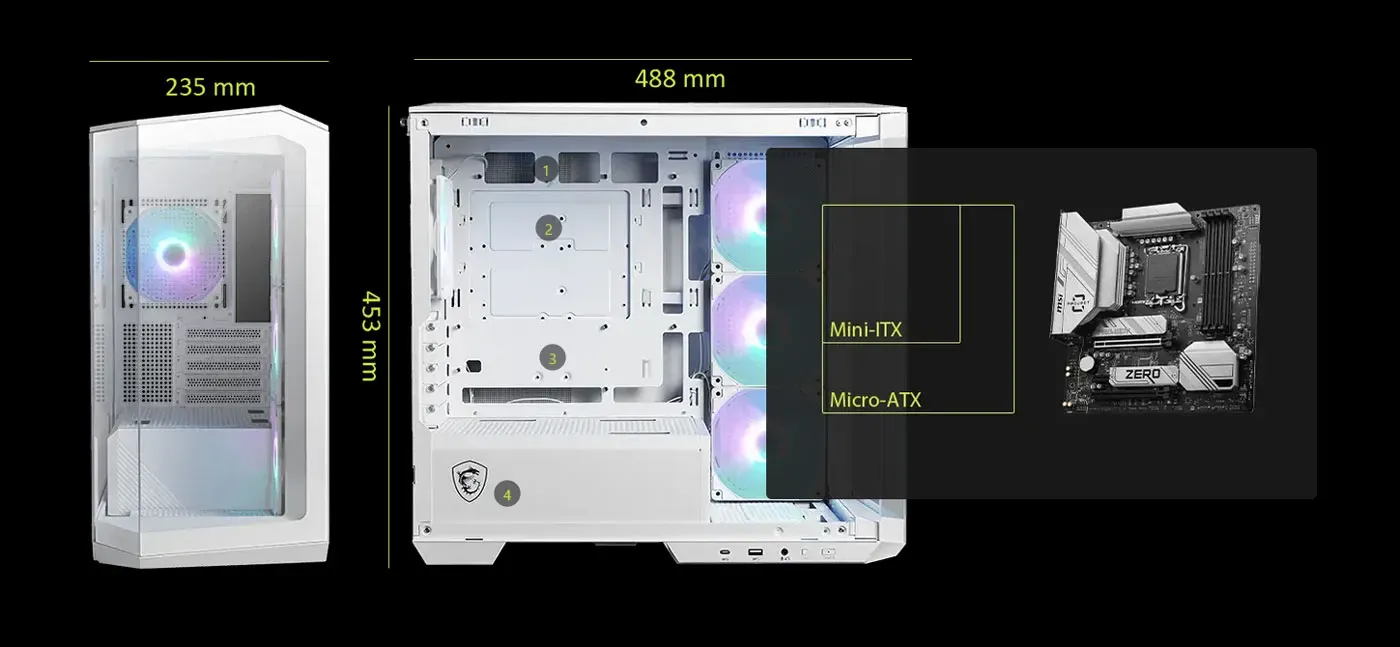
Four High-Performance Fans Fitted From The Factory
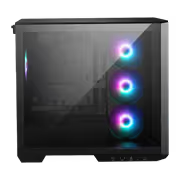
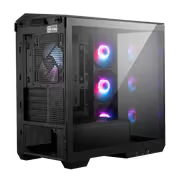
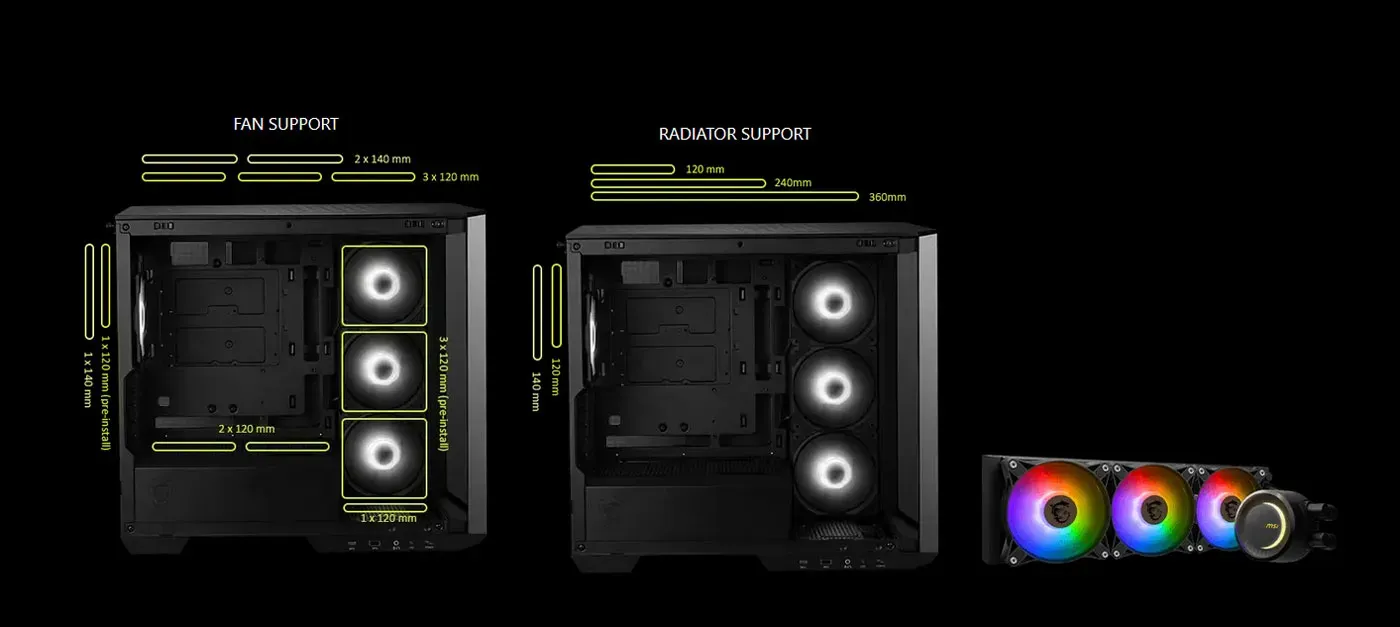
Four high-performance fans come pre-installed, one of them the reverse-blade fan on the side panel where airflow direction and the visible face of the fan both matter. Having them fitted at the factory means cooling and lighting are settled before the first component goes in, which counts in a compact chassis with limited fan positions.
Four High-Performance Fans Fitted From The Factory
Four high-performance fans come pre-installed, one of them the reverse-blade fan on the side panel where airflow direction and the visible face of the fan both matter. Having them fitted at the factory means cooling and lighting are settled before the first component goes in, which counts in a compact chassis with limited fan positions.
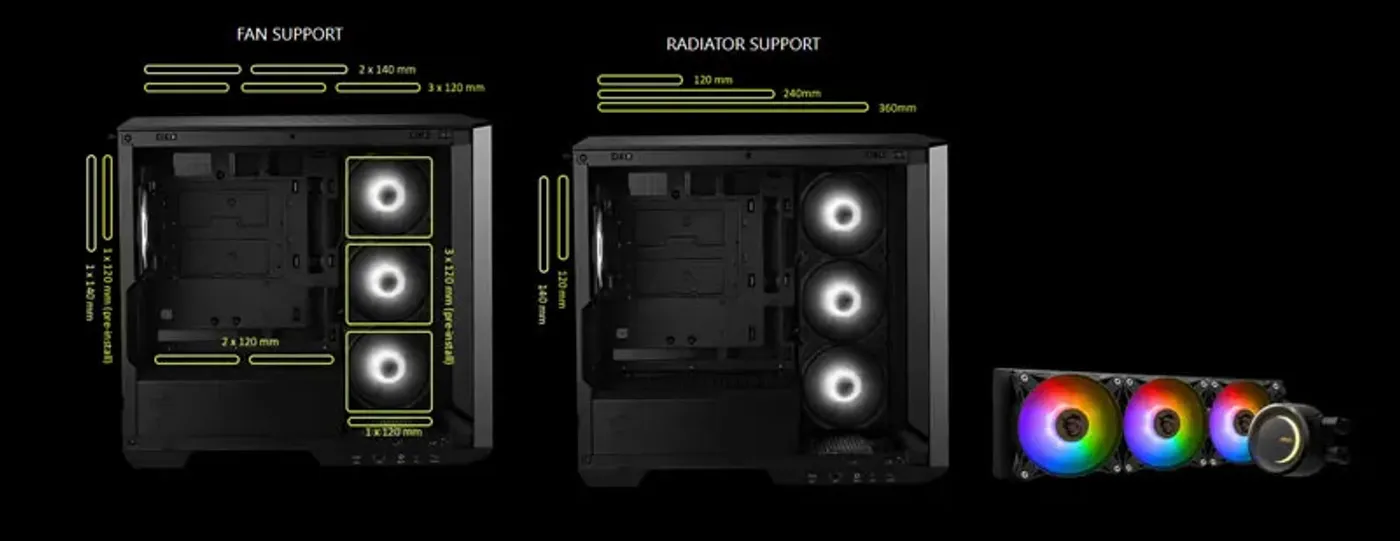
175mm CPU Coolers And 390mm Graphics Cards
Component clearance runs to CPU coolers up to 175mm tall and graphics cards up to 390mm long, which covers tower air coolers and full-length high-end GPUs. Those two numbers are what decide whether a compact case is genuinely usable, and they are the reason this chassis accommodates large components with ease.
175mm CPU Coolers And 390mm Graphics Cards
Component clearance runs to CPU coolers up to 175mm tall and graphics cards up to 390mm long, which covers tower air coolers and full-length high-end GPUs. Those two numbers are what decide whether a compact case is genuinely usable, and they are the reason this chassis accommodates large components with ease.
Micro-ATX And ITX Boards, Space-Saving Builds
On the motherboard side the case takes Micro-ATX and ITX boards, which is what keeps the footprint small enough for a desk while still leaving room for the fans and drives around it. Smart space utilisation is the point: a compact form factor that carries high-performance hardware rather than limiting it.
Micro-ATX And ITX Boards, Space-Saving Builds
On the motherboard side the case takes Micro-ATX and ITX boards, which is what keeps the footprint small enough for a desk while still leaving room for the fans and drives around it. Smart space utilisation is the point: a compact form factor that carries high-performance hardware rather than limiting it.
One 2.5-Inch SSD And A Combo Drive Bay
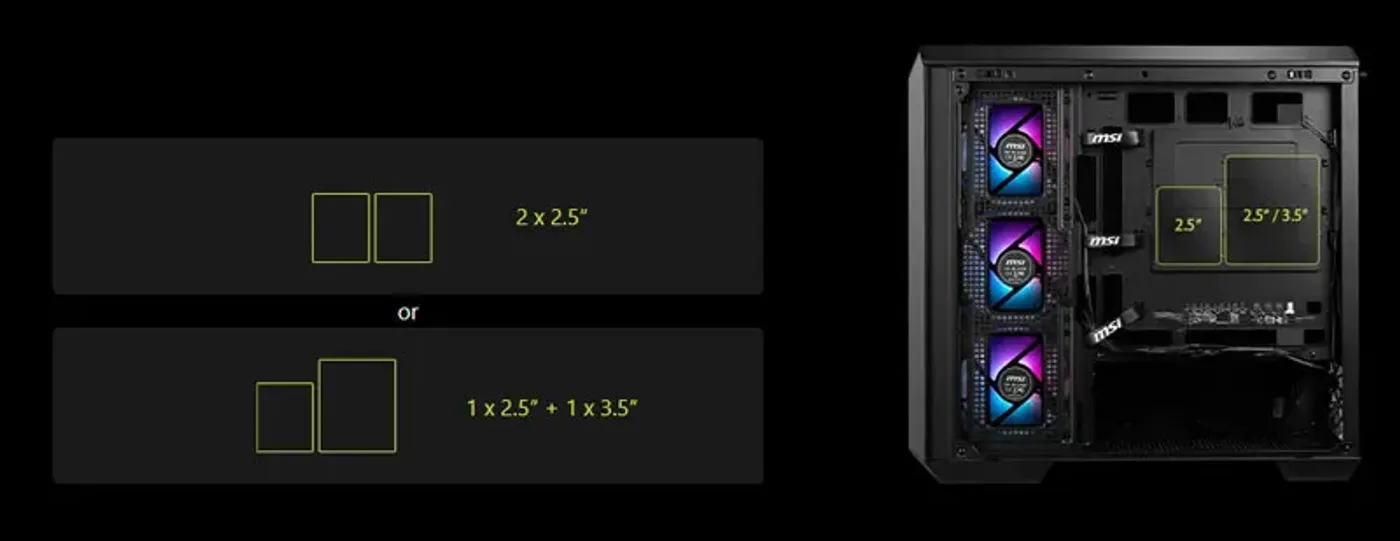
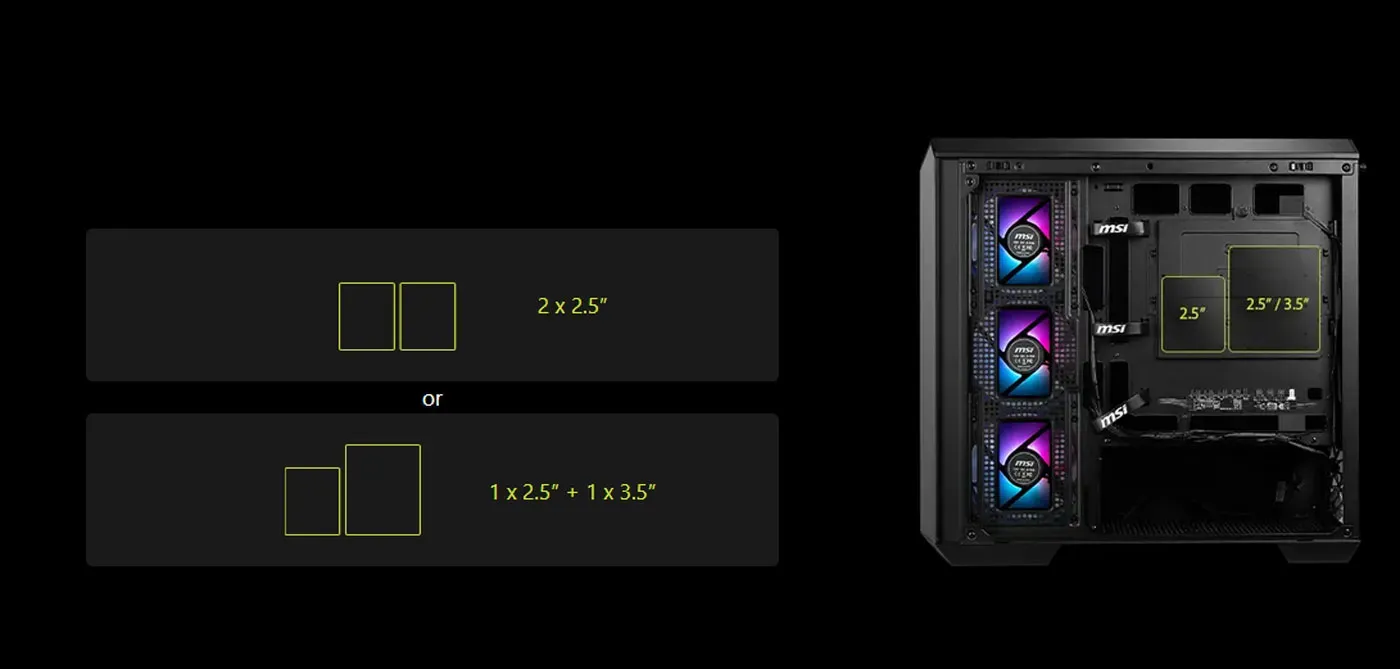
Storage covers 1 x 2.5-inch SSD and 1 x 2.5-inch or 3.5-inch combo drive, so a boot drive and a second larger drive both have somewhere to sit. The combo bay carries the flexibility, taking either another SSD or a mechanical drive depending on whether the build needs capacity or speed from its secondary storage.
One 2.5-Inch SSD And A Combo Drive Bay
Storage covers 1 x 2.5-inch SSD and 1 x 2.5-inch or 3.5-inch combo drive, so a boot drive and a second larger drive both have somewhere to sit. The combo bay carries the flexibility, taking either another SSD or a mechanical drive depending on whether the build needs capacity or speed from its secondary storage.
Customise Storage Around The Airflow Path
Being able to customise the storage setup matters more in a compact case than a tower, because every bracket sits close to a fan or a graphics card. Fitting only the drives a build actually needs keeps the intake path open in front of the side fans and leaves the view through the glass uncluttered.
Customise Storage Around The Airflow Path
Being able to customise the storage setup matters more in a compact case than a tower, because every bracket sits close to a fan or a graphics card. Fitting only the drives a build actually needs keeps the intake path open in front of the side fans and leaves the view through the glass uncluttered.
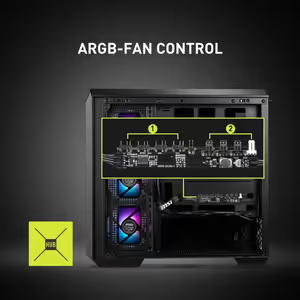
Integrated ARGB And Fan Control Board
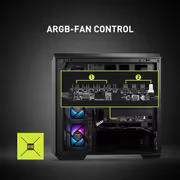
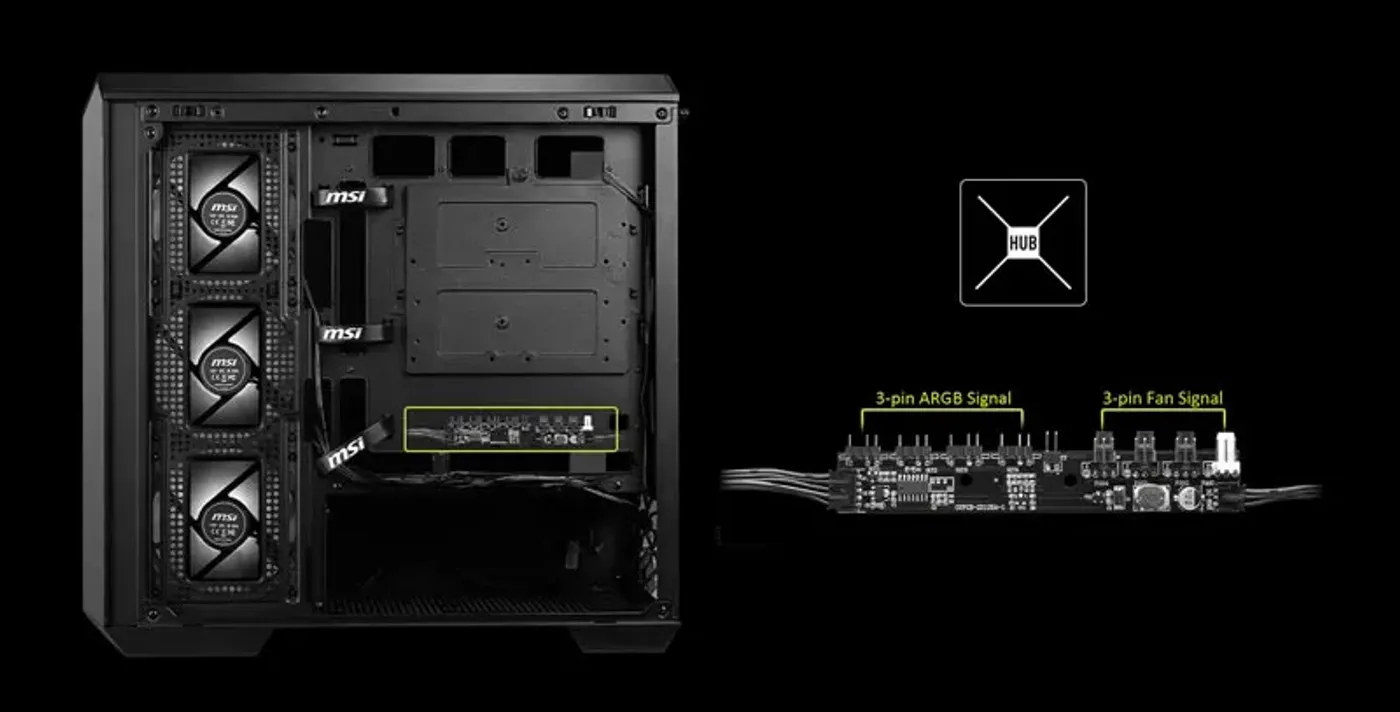
The integrated control board manages ARGB lighting effects and fan speeds together, so cooling and lighting are set from one place at the push of a button. It also gets around the header shortage on most Micro-ATX motherboards, which rarely carry enough ARGB and PWM connectors for a build with four fans in it.
Integrated ARGB And Fan Control Board
The integrated control board manages ARGB lighting effects and fan speeds together, so cooling and lighting are set from one place at the push of a button. It also gets around the header shortage on most Micro-ATX motherboards, which rarely carry enough ARGB and PWM connectors for a build with four fans in it.
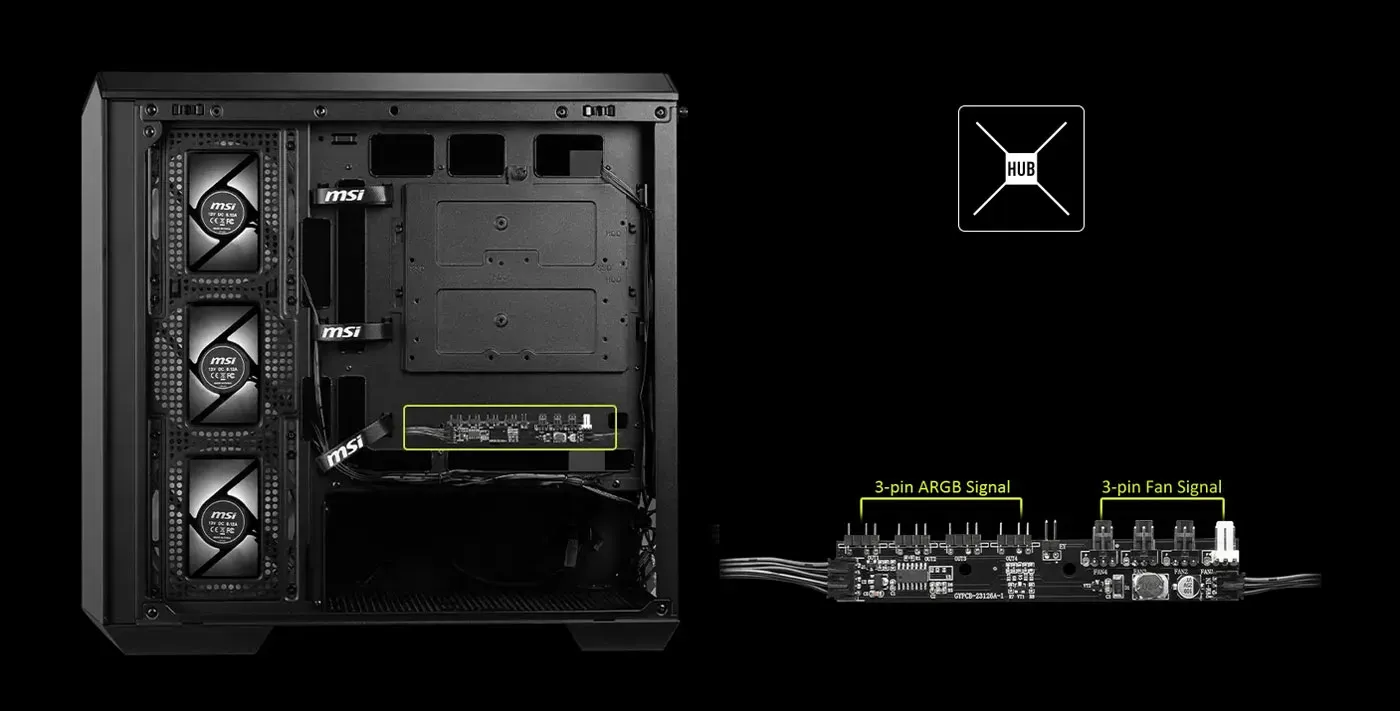
One To Four: Four Devices, One Control Point
The 1-to-4 layout does what its name says, running four ARGB devices from a single control point instead of four separate cables reaching the motherboard. Fewer leads crossing the chassis means less to route and less to conceal, which suits a case whose selling point is how much of the interior stays visible.
One To Four: Four Devices, One Control Point
The 1-to-4 layout does what its name says, running four ARGB devices from a single control point instead of four separate cables reaching the motherboard. Fewer leads crossing the chassis means less to route and less to conceal, which suits a case whose selling point is how much of the interior stays visible.
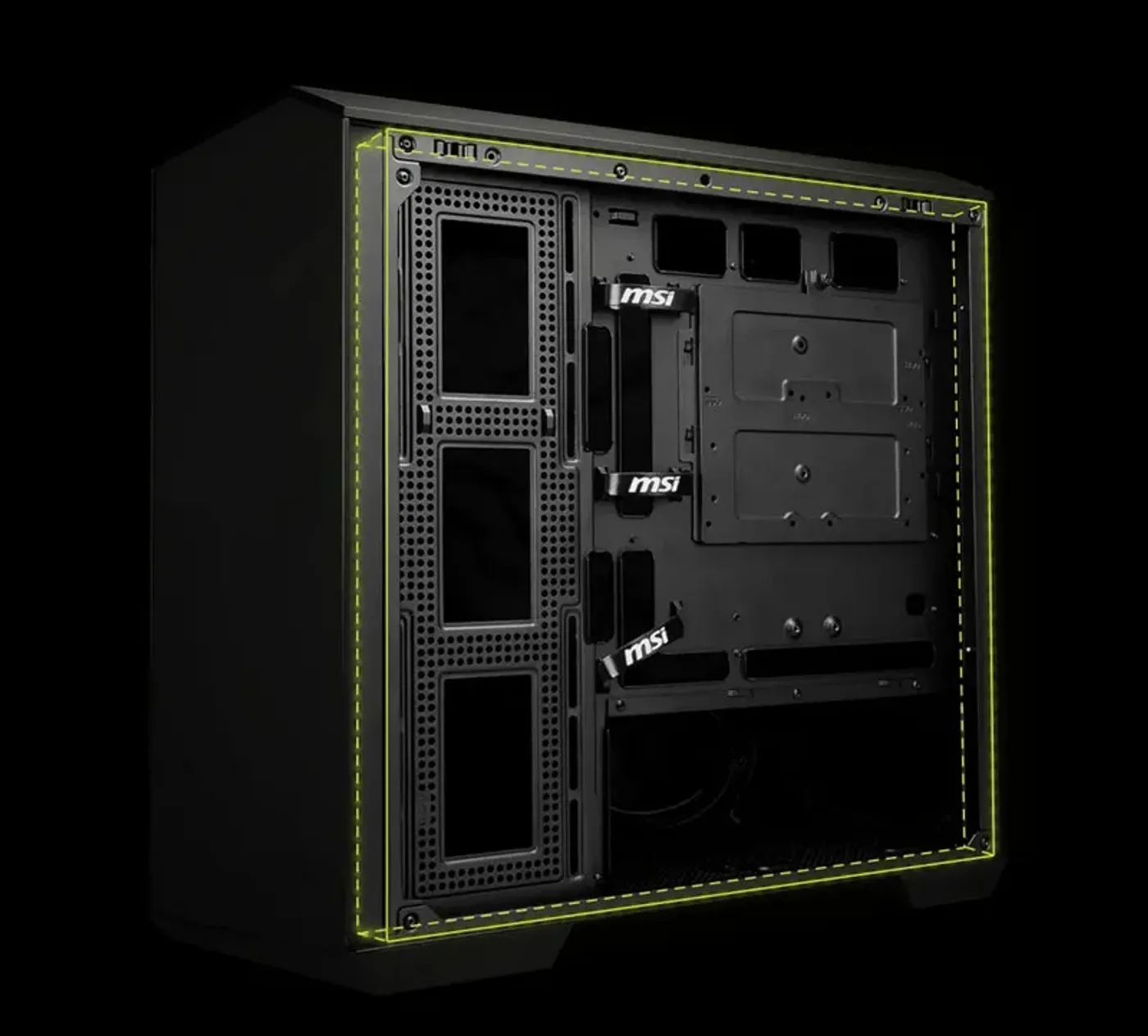
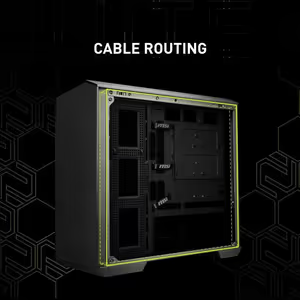
33mm Cable Routing Space Behind The Tray
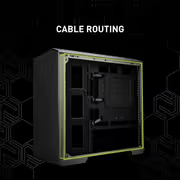
Behind the motherboard tray sits 33mm of cable routing space, the measurement that decides whether the side panel closes cleanly or needs persuading. That depth lets a 24-pin cable and a bundle of fan leads lie flat rather than stacking on top of each other, which is generous for a chassis this size.
33mm Cable Routing Space Behind The Tray
Behind the motherboard tray sits 33mm of cable routing space, the measurement that decides whether the side panel closes cleanly or needs persuading. That depth lets a 24-pin cable and a bundle of fan leads lie flat rather than stacking on top of each other, which is generous for a chassis this size.
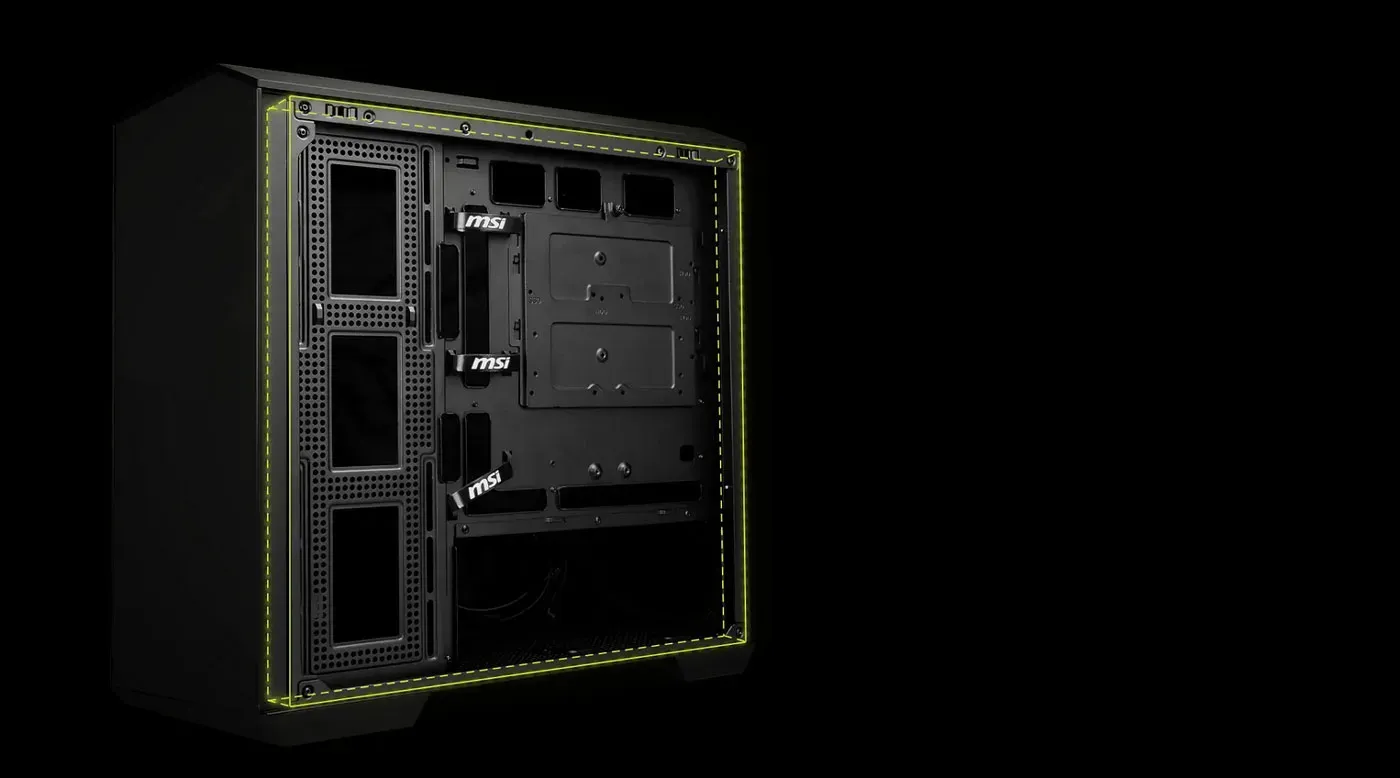
Cable Velcro Strips Already Installed
Cable Velcro strips are pre-installed along the routing channel, so bundles are strapped down as they are laid instead of needing ties sourced and threaded afterwards. It is a small detail that decides whether a build stays tidy and efficient or slowly comes undone every time the side panel is removed.
Cable Velcro Strips Already Installed
Cable Velcro strips are pre-installed along the routing channel, so bundles are strapped down as they are laid instead of needing ties sourced and threaded afterwards. It is a small detail that decides whether a build stays tidy and efficient or slowly comes undone every time the side panel is removed.
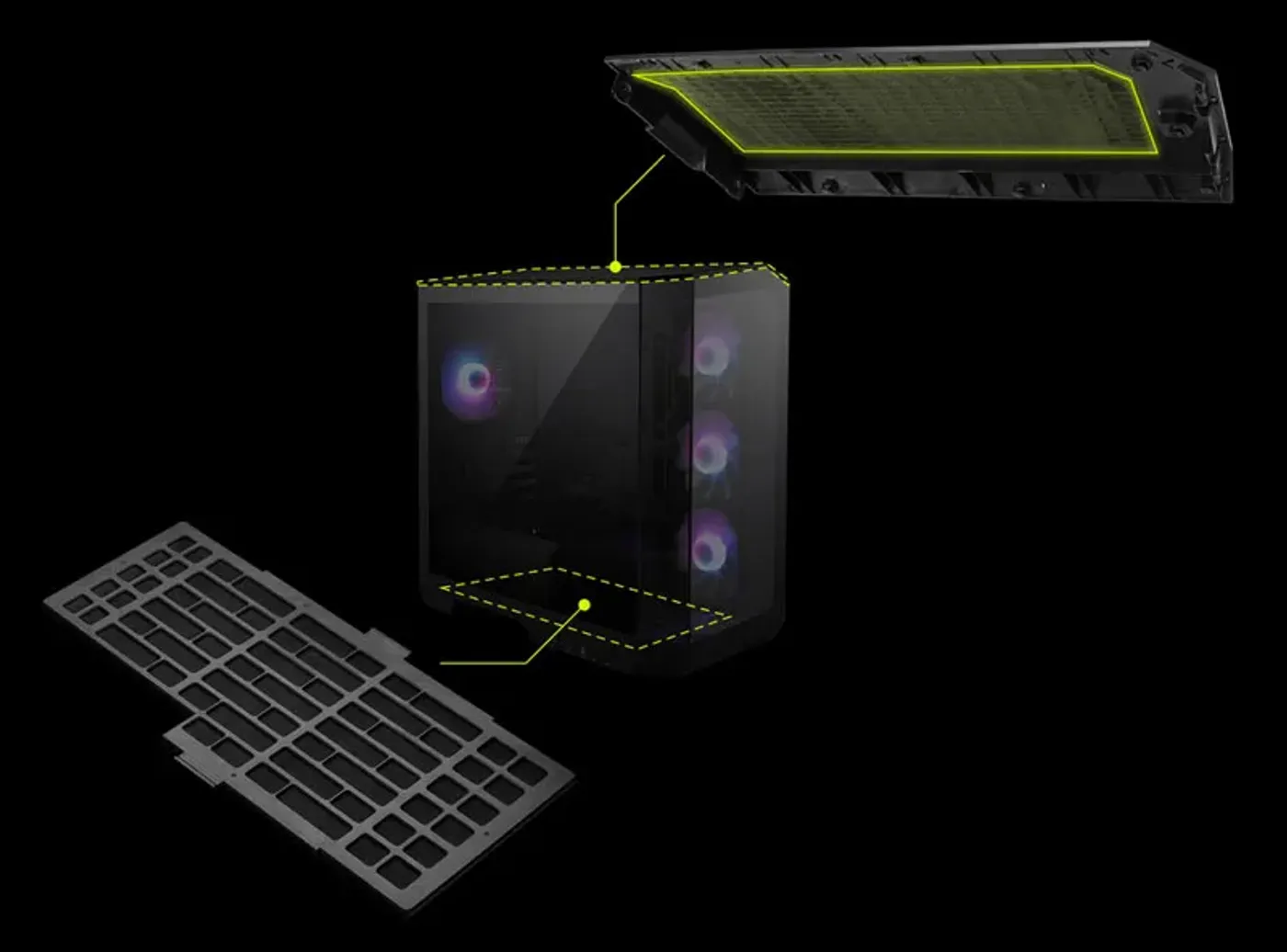
Removable Dust Filters Top And Bottom
Dust filters sit at the top and bottom of the case to prevent dust getting inside through the main openings. Those two faces move most of the air in a compact chassis, so filtering them is what keeps the fans, the components and the inside of the glass clean over months of running.
Removable Dust Filters Top And Bottom
Dust filters sit at the top and bottom of the case to prevent dust getting inside through the main openings. Those two faces move most of the air in a compact chassis, so filtering them is what keeps the fans, the components and the inside of the glass clean over months of running.
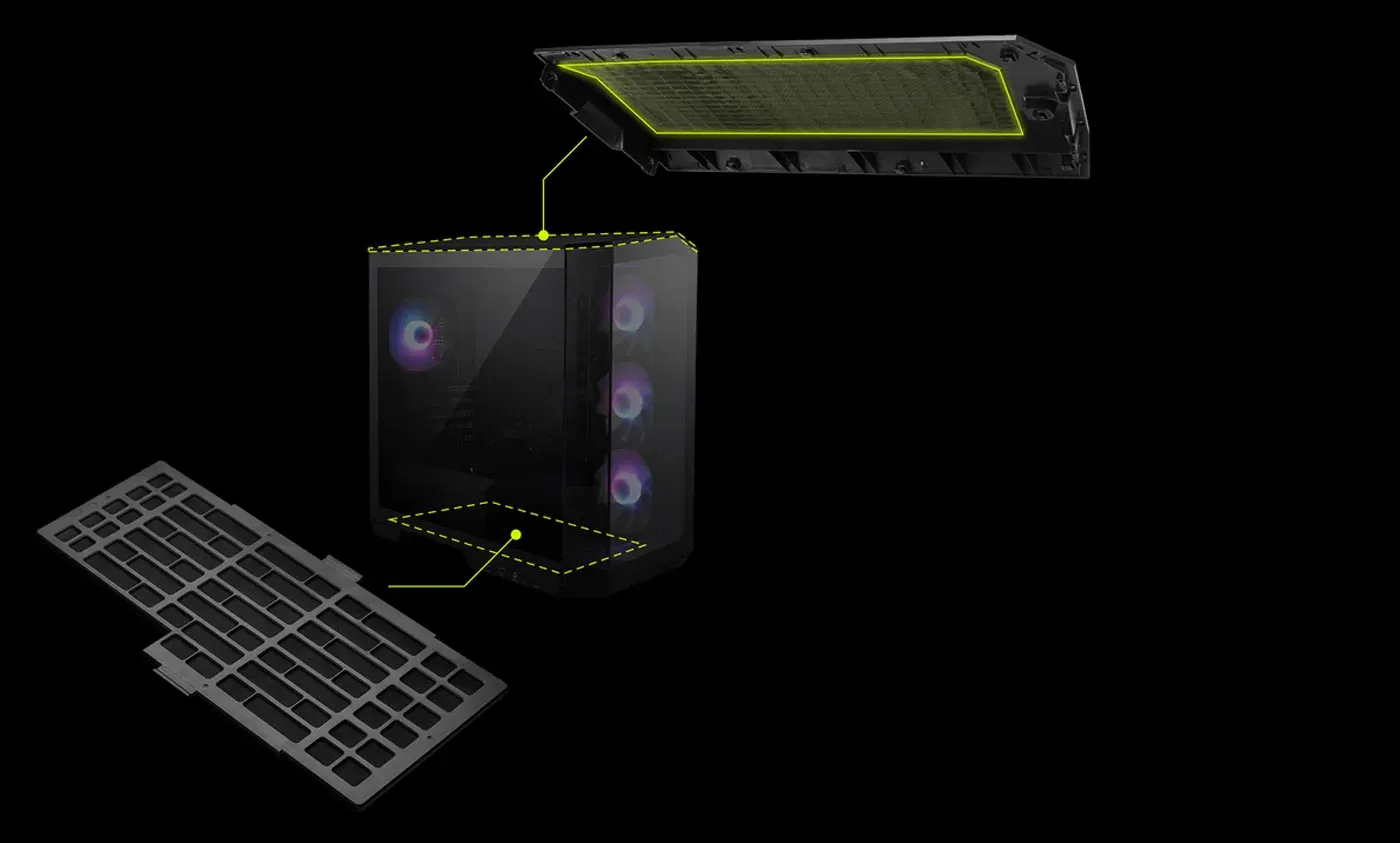
Filters Lift Out In Seconds For Cleaning
Both filters are easy to remove, which is the detail that decides whether they get maintained at all. A filter that requires the system pulled apart is left until airflow noticeably drops, while one that lifts out in seconds gets rinsed regularly and actually keeps the PC dust-free.
Filters Lift Out In Seconds For Cleaning
Both filters are easy to remove, which is the detail that decides whether they get maintained at all. A filter that requires the system pulled apart is left until airflow noticeably drops, while one that lifts out in seconds gets rinsed regularly and actually keeps the PC dust-free.
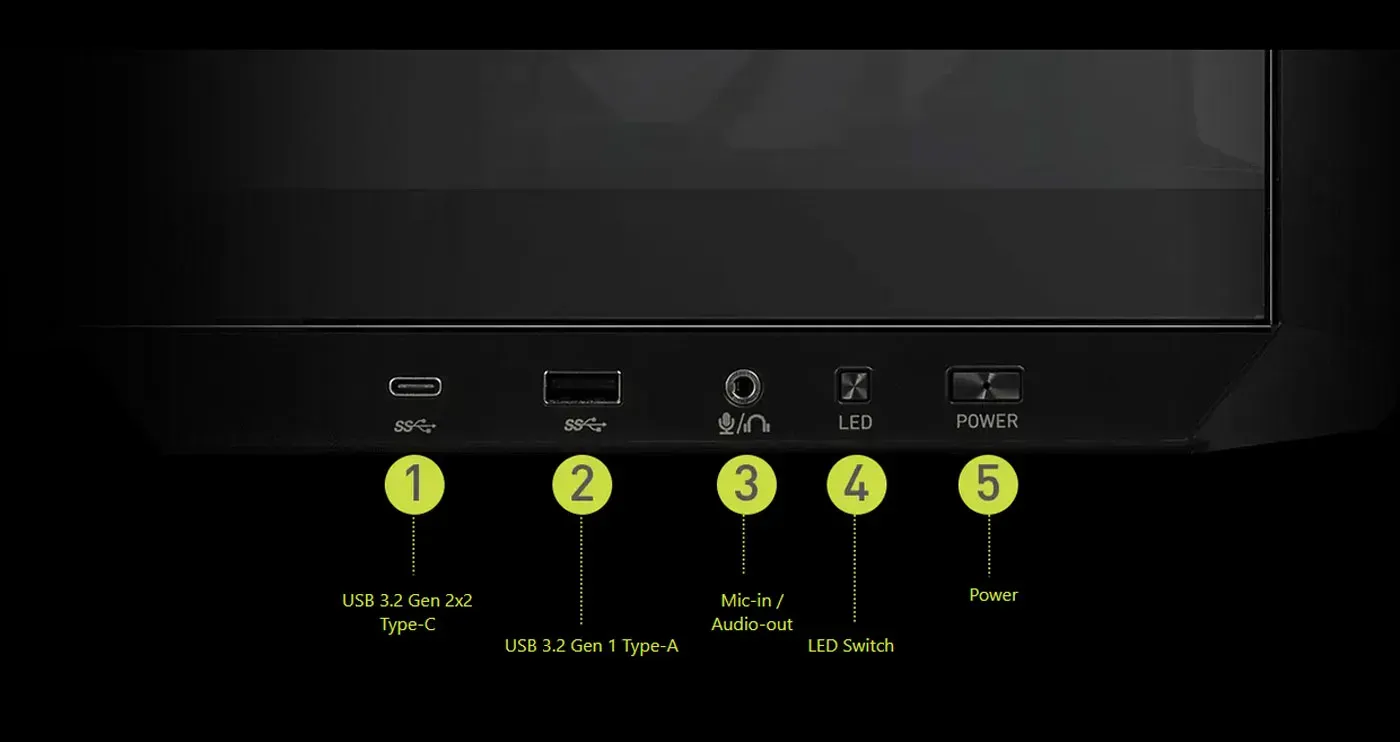
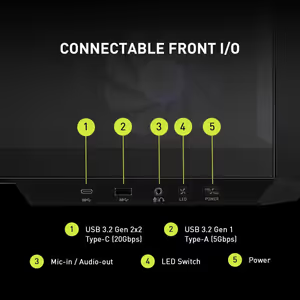
User-Friendly Front I/O For Quick Access
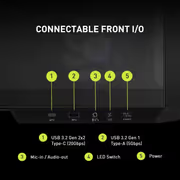
The front I/O is positioned for easy access, so connectors are reachable without turning the case around or feeling behind the desk. It follows the same practical thinking as the Insta-Light Loop button and the removable dust filters, all of which are placed to be used rather than admired.
User-Friendly Front I/O For Quick Access
The front I/O is positioned for easy access, so connectors are reachable without turning the case around or feeling behind the desk. It follows the same practical thinking as the Insta-Light Loop button and the removable dust filters, all of which are placed to be used rather than admired.
FAQ
Frequently Asked Questions
Everything you need to know about this product
It supports Micro-ATX and ITX motherboards, including Micro-ATX back-connect boards.
It fits CPU coolers up to 175mm tall.
Graphics cards up to 390mm in length are accommodated.
Four high-performance fans are pre-installed, including a reverse-blade fan on the side.
It displays your internal components from almost any angle, with no metal obstruction at the corners.
It takes 1 x 2.5-inch SSD and 1 x 2.5-inch or 3.5-inch combo drive.
There is 33mm of cable routing space, with cable Velcro strips already fitted.
Yes. Removable dust filters on the top and bottom are easy to take out for cleaning.
A 1-to-4 ARGB fan control board manages lighting and fan speeds, with an Insta-Light Loop button to switch profiles.
This is the black MAG PANO M100R PZ, listed under part number 306-7G24R16-HH9.
Yes. Despite the compact Micro-ATX footprint it takes 175mm coolers, 390mm graphics cards and four fans.
Yes. Micro-ATX back-connect boards are supported, simplifying installation and cable management.

AI-Generated Content: These FAQs are generated by an automated AI system and may contain inaccuracies or omissions. Evetech makes no warranties, express or implied, regarding their completeness or reliability. For definitive information, please refer to the manufacturer's official specifications.
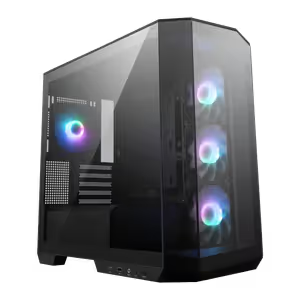
Please Note: Product images are for illustrative purposes only and may differ from the actual product.
Choose your
own PC
Hand-pick every part with live stock, compatibility, and instant pricing.
Try the new builderPrice Inc. Vat
R 1,999
Save R 1,500
ListR 3,499
1999Change Quantity:
In Stock with Evetech
Choose your
own PC
Hand-pick every part with live stock, compatibility, and instant pricing.
Try the new builderMSI MAG PANO M100R PZ CASE