Inside Centurion · 200,000+ builds
How we build your PC. — Order to unboxing, every test in between.
200,000+ builds shipped from our Centurion floor. Every PC follows the same five-stage process — component pick, assembly, BIOS, QA, burn-in. Nothing leaves on a shortcut.
- PCs shipped
- 200k+
- burn-in test
- 24-48 h
- CPA warranty
- 6 mo
Order to component pick
Once your order is confirmed and payment cleared, it lands in our build queue. Every order gets a unique build ticket — a printed sheet that follows the PC through every station, gets signed by every technician who touches it, and is kept on file with the system serial for the life of the warranty.
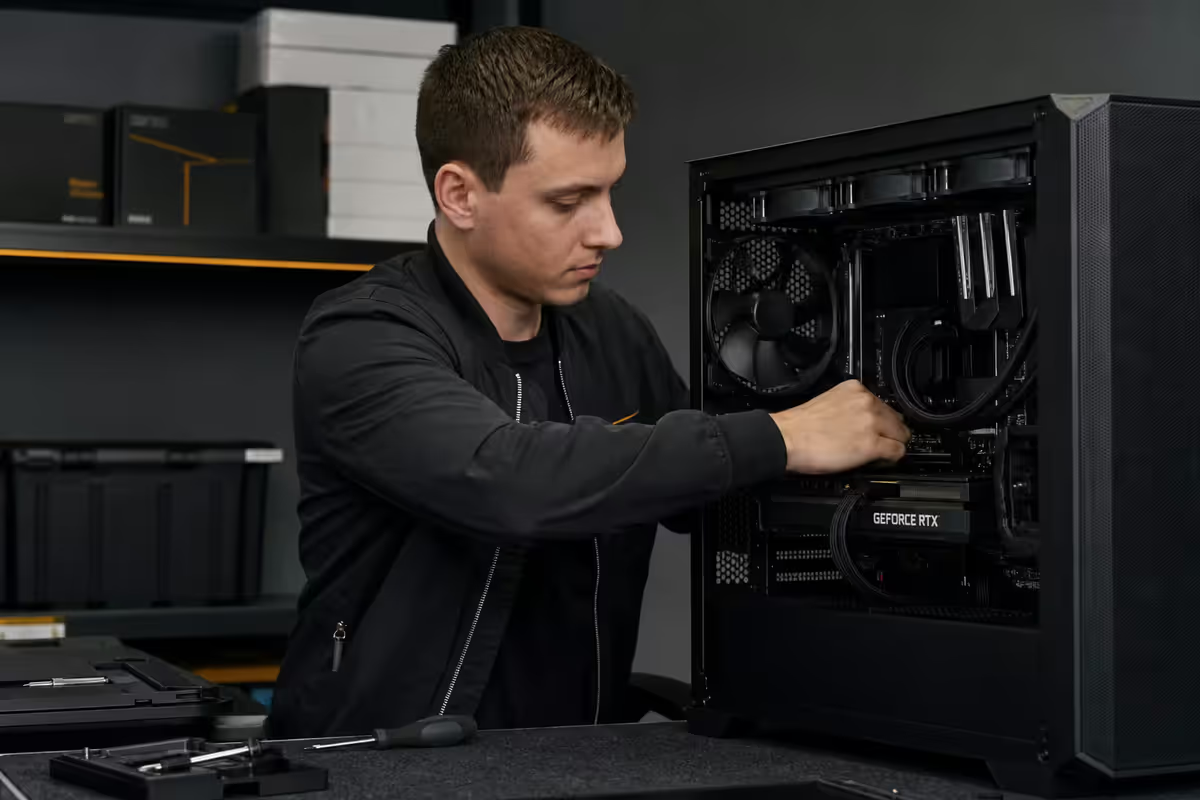
The first stop is the component bench. Our parts manager pulls every component listed on the build ticket from stock: CPU, motherboard, RAM, GPU, NVMe drives, PSU, cooler, case, fans. Each part is checked against the ticket SKU. Each is checked for visible damage. Each is photographed in the kit before assembly begins — we hold those photos in case of any later disputes about what shipped.
Components rarely sit in our warehouse longer than four weeks. We rotate stock aggressively to ensure batches are fresh — old PSU capacitors and aged thermal paste cause real-world failures. AMD, Intel, NVIDIA, Corsair, Samsung, Western Digital, ASUS, MSI, Gigabyte, Lian Li, Noctua and all our other named partners ship to us under authorised-reseller agreements with traceable serials.
Assembly & cable management
A senior build technician owns the PC from kit-pull to QA pass. One technician, one PC — no hand-offs mid-build. This matters: it means one mind tracks the build's state, catches torque-spec mistakes, and signs off on every choice.
Standard order of operations:
- Motherboard prep on a static-mat workbench. CPU socketed, RAM installed in the correct dual-channel slots (typically A2/B2 for AMD AM5 and Intel LGA1851).
- NVMe drives installed with heatsinks where the board supports them. M.2 slots screwed to torque spec, not over-tightened.
- Cooler mount with Arctic MX-6 thermal paste — pea-sized dot, centre of IHS, no spreading. AIO mounting follows manufacturer-specified pump orientation (tubes-down for top-mount in most cases to avoid air pocket in pump).
- Board into case with all standoffs installed and verified. We use a torque-limited driver to avoid stripping thread inserts.
- PSU installed with fan orientation per case ventilation design. Cables routed before final tightening.
- GPU installed last. Anti-sag bracket fitted if the GPU exceeds 1.2 kg or 3-slot width.
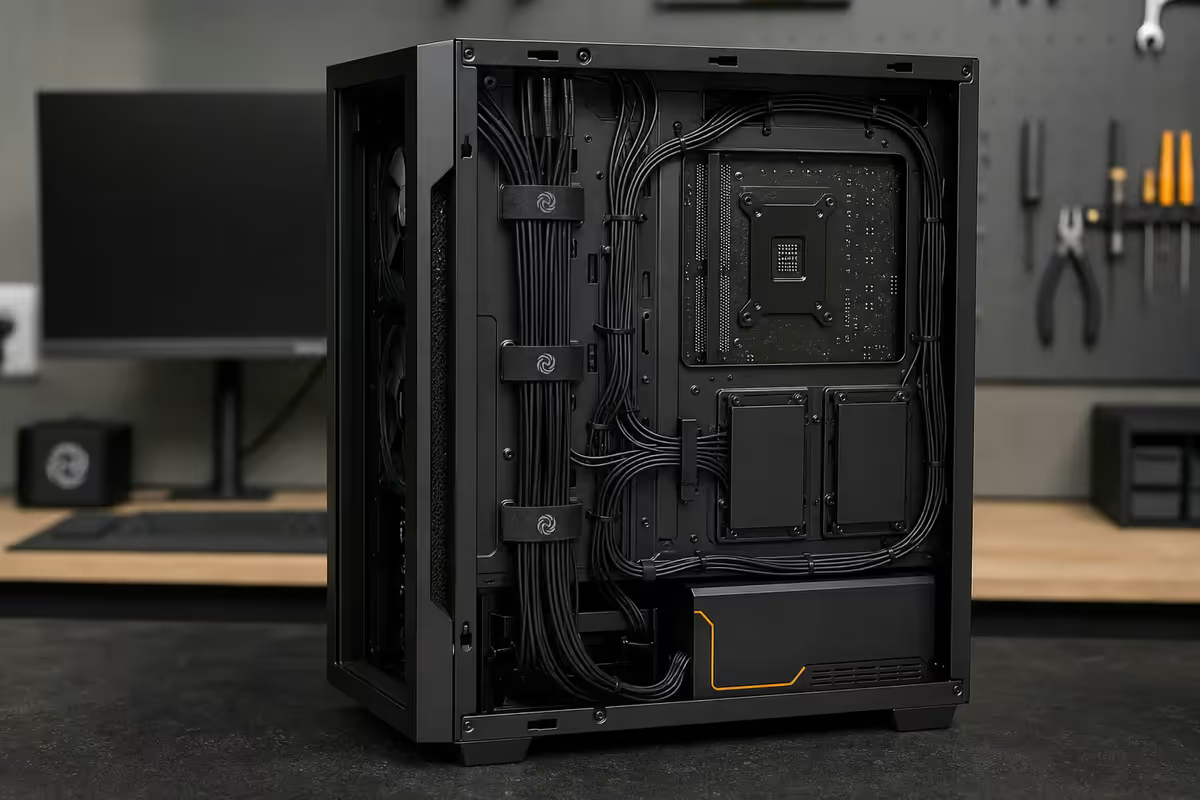
Cable management is documented. Every Evetech build has its rear-side cable run photographed before the side panel goes on. Tied with reusable Velcro (not zip-ties — Velcro lets future upgrades happen without cutting). Power and fan cables grouped, labelled at routing points, with strain relief on every connector.
BIOS update and first boot
Every build receives a BIOS update to the manufacturer's latest stable release before QA begins. This is critical on AM5 and LGA1851 boards where BIOS updates fix CPU memory training, AGESA stability, memory compatibility lists, and idle power behaviour. Shipping on out-of-date BIOS would shift those issues to the customer's desk to debug, which we refuse to do.
First boot is the moment-of-truth. The technician verifies:
- BIOS detects all RAM at correct capacity and rated speed (DDR5-6000 reading as 6000, not 4800 default).
- All NVMe drives enumerate. Boot drive is set correctly.
- EXPO (AMD) or XMP (Intel) memory profile is enabled and stable. Some boards default off — we explicitly enable.
- CPU temperatures sit in the expected idle range (typically 35-50 °C at desktop idle).
- RGB and fan control profiles configured per the case/cooler manufacturer (Lian Li L-Connect, Corsair iCue, NZXT CAM).
Windows 11 install is fresh from Microsoft media — not a recovery image with bloat baked in. No McAfee. No Lenovo Vantage. No Norton trial. Only Windows 11, your selected drivers (NVIDIA App, AMD Adrenalin, chipset, audio), and Microsoft Visual C++ Redistributables. If you ordered Office or specific software with the build, that's installed too. Otherwise, the desktop is clean.
QA test battery — five tests, no exceptions
Every PC runs through a fixed five-test QA battery before it can move to burn-in. The tests are non-optional.
| Test | What it verifies | Typical run time |
|---|---|---|
| MemTest86 | RAM module integrity, memory controller stability, EXPO/XMP profile reliability | 4-6 hours (one full pass) |
| CineBench R23 | CPU multi-thread stability under sustained load, thermal performance | 30 minutes |
| FurMark | GPU stress, cooler performance, fan curve response, power delivery | 30 minutes |
| OCCT | Combined CPU + GPU + memory under sustained synthetic load | 1 hour |
| CrystalDiskInfo + CrystalDiskMark | SSD/NVMe SMART health, sustained read/write speeds match spec | 15 minutes |
If any test reports an error, the PC routes back to the assembly bench for diagnosis. No PC moves to burn-in or packing with a failed test. We've found over the years that a small but steady share of builds catch a problem at QA — most commonly a single failing RAM module, occasionally a thermally marginal CPU cooler mount, very rarely an NVMe with early SMART warnings. Catching these at our bench rather than your desk is the entire point of doing this stage.
24-48 hour burn-in test
After QA passes, every PC enters burn-in — 24 to 48 hours of sustained operation under stress before packaging.
Why burn-in matters: electronics have a well-documented "bathtub curve" failure pattern. The probability of failure is high in the first 24-72 hours of operation (infant mortality — defects in manufacturing surface fast), low for years afterward, and rises again at end-of-life. By running every PC for 24-48 hours under load on our floor before shipping, we either confirm reliable operation or catch the infant-mortality failure in our workshop.
What runs during burn-in:
- OCCT looped at sustained 80%+ load across CPU, GPU and memory.
- Sleep/wake cycles every 4 hours to verify S3 sleep stability — a surprisingly common point of board+RAM+BIOS incompatibility that only surfaces under repeated transitions.
- Network stress via continuous Ethernet throughput tests where the build includes networking gear we care about (10 GbE NICs, Wi-Fi 7 cards).
- Power-on/power-off cycles — typically 5-10 cold boots over the burn-in window — to verify the PSU's startup behaviour and discover any soft-power-button issues.
Components that survive 24-48 hours of continuous OCCT plus thermal cycling are statistically very unlikely to fail in the first 6 months of normal use. That's the entire bet we're making with this stage, and it's a bet that's paid off across 200,000+ builds.
When QA or burn-in finds a fault
A failure during QA or burn-in returns the build to the assembly bench. The technician who owns the build runs diagnostics — usually a process of swap-and-eliminate. Failed RAM module is replaced. Failed PSU is replaced. Failed NVMe is replaced. The PC then re-enters QA from the start of the test battery, not from the failure point — because a component swap can introduce a different fault elsewhere, and we won't trust the assumption that "the rest is fine."
In rare cases (genuine motherboard fault, deep thermal issue with a specific case-cooler combination) the build is rebuilt from scratch into a different chassis. The customer is notified, the new ETA explained, the replacement parts identified.
We do not ship a build with a known fault under any circumstance. If a component is on backorder during fault replacement, we communicate honestly — "We caught a fault on your RAM at QA; replacement arrives Tuesday and your PC will ship Friday." Honesty in those moments is the foundation of long-term trust.
Packaging for SA courier reality
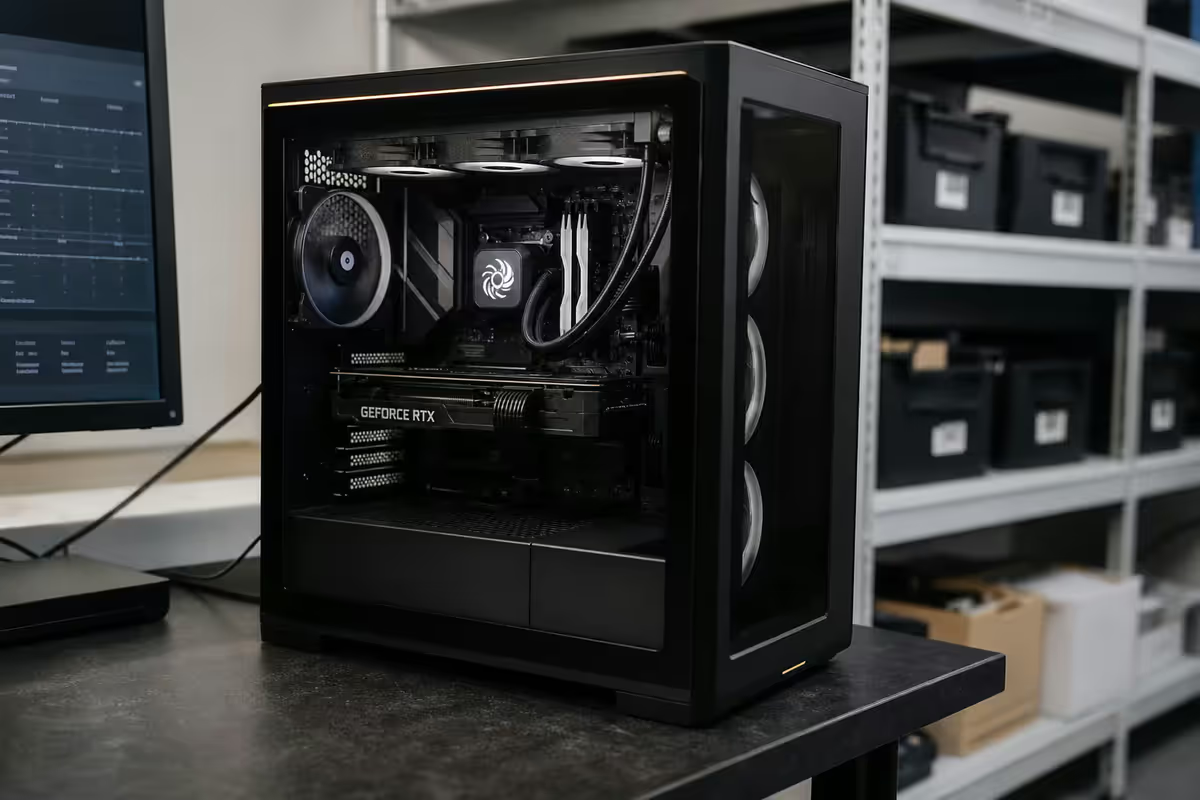
SA couriers are not gentle. We pack accordingly.
- GPU removed from the case for transit. Modern 3-slot GPUs weigh 1.5-2.5 kg. Their weight stresses the PCIe slot and mount during long courier journeys, especially on bumpy rural roads. The GPU is wrapped, secured in original box, and packed alongside the system.
- Air cooler removed for transit on top-mount, tall coolers. Same reason — leverage on the CPU socket from a 1+ kg vertical heatsink. Cooler is detached, paste pre-applied for quick re-fit, and packed separately.
- AIO coolers stay mounted. They're typically anchored to two points (CPU bracket plus radiator) so transit stress is well distributed.
- Case foam-supported, double-boxed. Inner box absorbs short-drop impact; outer box absorbs longer falls and stack-pressure.
- Printed re-assembly sheet in the box explaining GPU/cooler refit in 3 photographed steps. We include a 30-second video link too.
- Driver USB plus accessory bag with leftover screws, the original component boxes (collapsed), Wi-Fi antennae, and warranty paperwork.
Warranty and post-delivery support
The Evetech warranty has two layers.
Layer 1: 12-month Evetech build warranty. CPA-compliant and meeting South African Consumer Protection Act requirements. Covers assembly defects, cable management issues, BIOS configuration faults, any system-level issue that traces to our build process. We collect (courier or drop-off in Centurion), diagnose, repair or replace, and return at our cost during this window. The same hardware team that built the PC diagnoses any return.
Layer 2: per-component manufacturer warranty, which generally runs longer than our 12-month build cover:
| Component | Warranty term | Coverage |
|---|---|---|
| CPU (AMD / Intel) | 3 years | Manufacturer RMA |
| Motherboard | 3 years | Manufacturer RMA |
| RAM (Corsair, G.Skill, Kingston) | Lifetime | Manufacturer RMA |
| NVMe SSD (Samsung, WD, Crucial) | 5 years or TBW | Manufacturer RMA |
| GPU (NVIDIA, AMD) | 3 years | Manufacturer RMA |
| PSU (Corsair, Seasonic, Cooler Master) | 5-10 years | Manufacturer RMA |
| Case | Lifetime | Cosmetic/structural defects |
| Cooler (Noctua, Arctic, Lian Li) | 2-6 years | Manufacturer RMA |
Within the first 12 months we handle warranty claims on your behalf for any covered component — you don't deal with manufacturers directly. After 12 months, we still help you process manufacturer RMAs at no charge; we just route them through the supplier directly.
Post-delivery setup support
First-time builders sometimes need help re-fitting the GPU and cooler at home. We include the printed sheet plus video link, but if anything is unclear, our support team is available on WhatsApp during business hours. For a small fee, we offer on-site setup in Gauteng metro areas. For anywhere else in SA, our remote setup assistance via video call is free for any system we built.
Key takeaways
- Five fixed stages: component pick → assembly → BIOS update → 5-test QA battery → 24-48 hour burn-in → packing.
- One senior technician owns each build from kit-pull to QA pass. No mid-build hand-offs.
- Standard Arctic MX-6 thermal paste, clean Windows 11 install, latest stable BIOS, EXPO/XMP memory profile enabled.
- The QA test battery catches a small but steady share of builds. Burn-in catches infant-mortality failures (RAM/PSU/NVMe) before they reach you.
- 12-month Evetech build warranty (CPA-compliant) + per-component manufacturer warranty. We handle RMA on your behalf in the first 12 months.
Frequently asked questions
How long does an Evetech custom PC take to build and deliver?
5-10 working days typically. Standard component builds complete in 3-5 days plus 24-48 hour burn-in. Backordered parts can extend to 10-15 days. We communicate timing clearly at order.What QA tests does each PC go through?
MemTest86 (4-6 hours), CineBench R23 (30 min), FurMark (30 min), OCCT combined load (1 hour), CrystalDiskInfo + CrystalDiskMark (15 min). Any failure routes the build back to the bench.Why do you do a 24-48 hour burn-in test?
To catch infant-mortality failures — components that pass initial QA but fail within the first 24-72 hours of sustained operation. RAM, PSUs and NVMe are the most common early-failure parts. Burn-in moves those failures from your desk to our workshop.What thermal paste do you use?
Arctic MX-6 standard on all builds — non-conductive, 3-5 year lifespan. Pre-applied paste on AIO coolers is used as shipped. Premium pastes (Thermal Grizzly Kryonaut, Noctua NT-H2) on request.What warranty does an Evetech PC come with?
12-month CPA-compliant Evetech build warranty + per-component manufacturer warranty: CPU 3yr, board 3yr, RAM lifetime, NVMe 5yr, GPU 3yr, PSU 5-10yr, case lifetime. We handle RMA in the first 12 months.Do you update the BIOS on every build?
Yes, every build receives the latest stable BIOS as part of QA. Critical for AM5/LGA1851 boards where BIOS updates fix memory training, AGESA stability and compatibility.How is the PC packaged for courier?
GPU and tall air coolers removed for transit (weight stresses board mount). Foam-supported, double-boxed. Printed re-assembly sheet, accessory bag, driver USB included. 30-second setup video link.What if something fails after delivery?
Email or WhatsApp our support. 12-month Evetech build warranty covers any system fault — we collect, diagnose, repair/replace, return at our cost. Outside warranty we still help with paid workshop service. The hardware team that built it diagnoses any return.
Get the Evetech app
Exclusive app-only prices, daily flash sales, and free delivery on orders over R4,000 — download the app and start saving.