University Buying Guide · 2026
The complete university tech checklist. — South Africa edition. Built for load-shedding, NSFAS and orientation week.
Every January, thousands of first-years over-spend on tech they don't need and under-spend on the kit that actually saves their semester. Here's the checklist that works for UCT, Wits, Stellies, UJ, UP, UKZN and NWU — built around real SA conditions.
- realistic total
- R10k-R20k
- hold non-essentials
- Week 1
- min battery life
- 4 hrs

The essentials — the non-negotiable kit
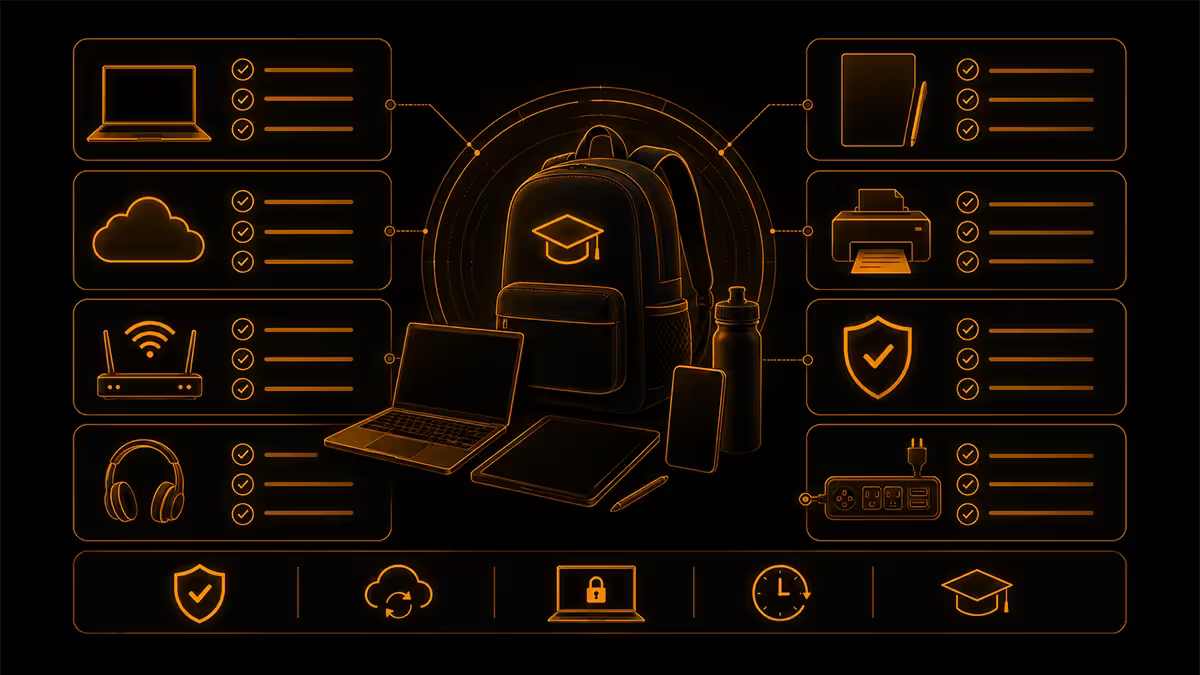
Strip away the marketing, the parent-anxiety upsells and the campus-bookshop bundles. What does a South African first-year actually need to walk through the gate on day one and not fall behind in week one? Seven items.
| Essential | What it's for | SA price range |
|---|---|---|
| Laptop (with charger) | Everything — assignments, lectures, exams, research | R8,000 - R15,000 |
| Headphones (wired or BT) | Online lectures, focus in res, group call etiquette | R400 - R1,500 |
| Backpack with padded sleeve | Daily carry, protects laptop on taxi / train / walk | R400 - R1,200 |
| Study lamp (LED) | Late-night work; residence overhead lights are awful | R250 - R600 |
| Surge-protected multi-plug | SABS-rated, saves charger when power flicks back on | R200 - R450 |
| Small UPS (600-1000VA) | Wifi router + laptop charger through load-shedding | R1,500 - R3,000 |
| microSD / USB drive (64-128GB) | Backup, file transfer when wifi falls over | R180 - R400 |
Adding these up at the lower end gets you to about R10,930. At the mid-range, you're around R17,150. That's the honest first-year tech bill — and it stays within range whether you're at UCT, Wits, Stellenbosch, UJ, UP, UKZN or NWU.
If you already own a working laptop, knock R8k-R15k off the top and you're sorted for R3,000-R6,000 in accessories. That's the realistic bare-minimum number for returning students.
Residence vs commuter — your situation drives the kit
The same "university student" label hides two very different daily lives. A Stellenbosch res student walking 800m to class has nothing in common with a UJ commuter spending two hours on the bus from Soweto. The kit follows the situation.
| Need | Residence student | Commuter student |
|---|---|---|
| Laptop priority | Performance over portability — 15.6" OK | Weight under 1.6kg, 8+ hr battery |
| Backup power | Small UPS for room (essential) | 20,000mAh power bank (often enough) |
| Study setup | Lamp, extension cord, second monitor (later) | Sleeve, foldable stand, decent earphones |
| Connectivity | Res wifi + 4G/LTE backup SIM | 4G/LTE primary, campus wifi at uni |
| Storage | External SSD for backup (256-500GB) | microSD or USB drive (lightweight) |
| Insurance | Cover for theft (res break-ins happen) | Cover for travel loss / drop damage |
Residence students have one big advantage: a fixed desk. You can run a heavier laptop, add a second monitor in semester two, plug in a proper keyboard and mouse, and treat your room as a permanent workstation. The trade-off is load-shedding — your wifi router goes down with the grid, and unless you have a UPS, you lose 2-4 hours of every shedded session.
Commuter students live by battery life and weight. Every gram and every hour matters when you're on a taxi for 90 minutes either side of the day. The wins are different too: you spend less on a load-shedding kit because campus is your primary work environment, but more on a sturdy bag and a reliable mobile data backup.
NSFAS & budget reality — what actually lands when
The NSFAS conversation gets muddied by Facebook misinformation every January. Here's the straightforward 2026 picture for first-time students:
- Tuition + accommodation are paid directly to the university — you never see this money.
- Learning material allowance (around R5,460/year, paid in tranches) is yours, intended for textbooks and stationery.
- Living allowance (varies by accommodation tier) lands monthly via the NSFAS Bank account or similar payment partner.
- Device allowance for first-years (around R5,000-R7,000 depending on year and updates) is processed through a preferred vendor scheme. The laptop ships to you, not the cash.
The timing problem: none of this money lands on day one. The first NSFAS tranche typically arrives 3-6 weeks into the academic year, and the device allowance can take longer because it routes through procurement. This is why so many NSFAS first-years borrow a laptop from a sibling or rely on campus computer labs in February while waiting for their funded device.
Self-funded budget realities for 2026 break down roughly like this:
| Tier | Total spend | What it buys |
|---|---|---|
| Bare minimum | R7,500 - R9,500 | Entry laptop (i3/8GB/256GB), basic accessories, no UPS |
| Realistic mid | R12,000 - R17,000 | Mid laptop (i5/16GB/512GB), full essentials, small UPS |
| Comfortable | R18,000 - R25,000 | Premium laptop (Ryzen 5/16GB/1TB), full kit, peripherals |
| Engineering / design | R25,000 - R40,000+ | Workstation laptop, graphics tablet, 2nd monitor, extras |
The laptop spec sheet — what you actually need
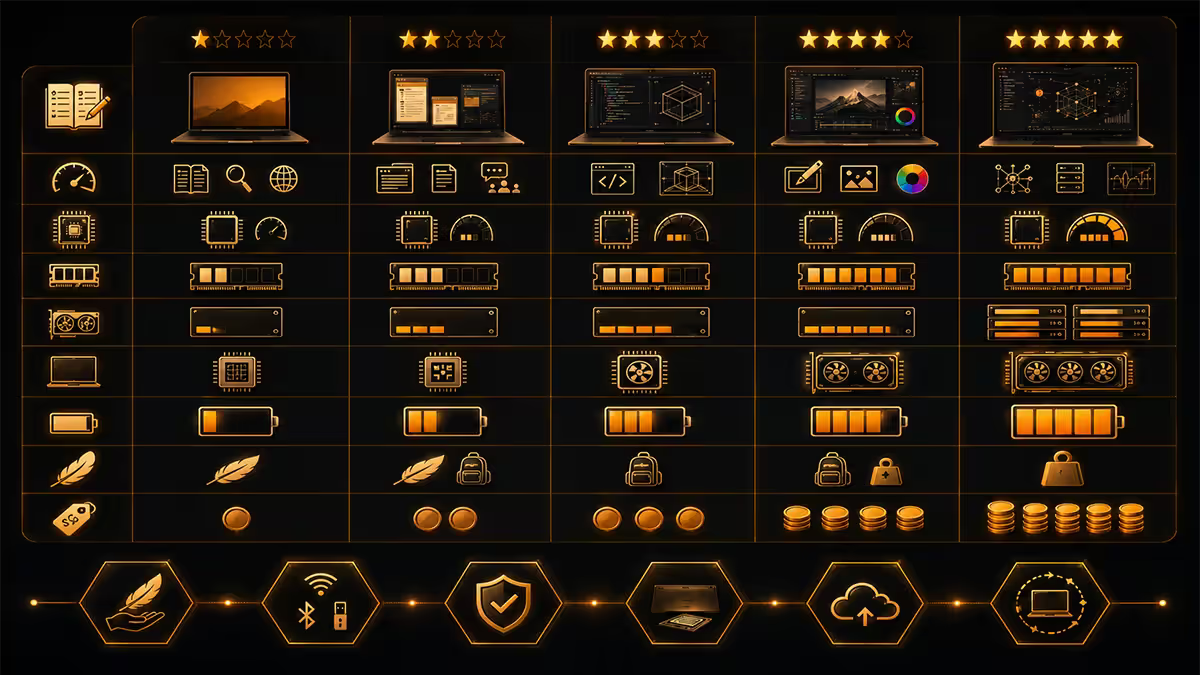
The single biggest waste of money at the start of every university year is over-spec'd laptops bought to match an IT-recommended list that was written in 2021 and never updated. Match the spec to your course, not the email.
Minimum spec for most courses (BA, BCom, LLB, BSc, BEd, Nursing)
- CPU: Intel Core i3-1215U / AMD Ryzen 3 7320U or better.
- RAM: 8GB (16GB is comfortable, not essential for these streams).
- Storage: 256GB SSD minimum, 512GB strongly preferred.
- Display: 14"-15.6", Full HD (1920x1080). Avoid HD (1366x768) — the resolution shows.
- Battery: Manufacturer-rated 8+ hours (real-world ~5-6 hours).
- Weight: Under 1.8kg if commuting; under 2.2kg if in res.
- Ports: USB-C with PD charging, USB-A, HDMI. Avoid USB-C-only.
Bumped spec for engineering, CS, data science, video editing
- CPU: Intel Core i7-13700H / AMD Ryzen 7 7840HS or better.
- RAM: 16GB minimum, 32GB if budget allows (especially for CAD or VMs).
- Storage: 512GB SSD minimum, 1TB preferred.
- GPU: Discrete (RTX 3050+ or equivalent integrated graphics like Radeon 780M) for CAD, 3D modelling, video.
- Display: 15.6"-16", Full HD or higher.
For architecture and design students, a graphics tablet (Wacom One, Huion Inspiroy) at R1,500-R3,000 is more useful than the extra RAM. Talk to second-years before committing.
The load-shedding kit — what works, what doesn't
Even with reduced load-shedding in 2025-26, Stage 2-4 sessions still happen and your residence will be hit. The difference between a productive semester and a frustrated one is often a R1,800 UPS bought before move-in.
What a small UPS (600-1000VA) actually runs:
- Your wifi router (5-10W) — the make-or-break item. Without internet, you can't study.
- Your laptop charger (45-90W) — gets you 1-2 hours of charge during a 2.5-hour shedding window.
- A small LED study lamp (5-12W).
- Phone charger and a single small device.
What it cannot run: kettles, microwaves, hair dryers, gaming desktops, anything with a heating element. Don't try.
Power bank vs UPS: a 20,000mAh power bank (R600-R1,200) charges your phone and adds half a laptop charge. It's not a wifi solution. If you're a commuter who works at campus, a power bank is enough. If you're in res, you need the UPS too.
Buy now vs buy later — the orientation-week rule
The most expensive January mistakes are made by parents and students buying everything in one Makro / Game / Builders trip the weekend before move-in. Roughly 40% of that haul will turn out to be unnecessary by week three.
Buy before move-in (essentials)
- Laptop, charger, sleeve.
- Headphones (you'll use these on day one).
- Surge multi-plug and basic extension cord.
- UPS if you're in residence.
- Backpack.
- microSD or USB drive.
Wait until after orientation (non-essentials)
- Textbooks. At least 60% of "required" textbooks aren't enforced. Wait for the first tutorial to confirm.
- Printer. Most universities have cheap student printing on campus. A home printer is rarely worth the toner cost.
- Second monitor. Until you know your desk space and study habits, you're guessing.
- Mechanical keyboard. Wait until you confirm typing is actually most of your workload.
- Specialist software. Many courses provide licences. Don't buy Office, Adobe, MATLAB or AutoCAD until you confirm what's bundled.
- Standing desk / fancy chair. If your res furniture is bad, sure — but assess first.
The rule of thumb: if you can't use it in week one, you don't need it before week one.
Across the 200,000+ custom builds and student kits we've shipped from our Centurion warehouse, the January pattern is identical every year: parents over-spend on specs in week one and students return for accessories in week three. The students who get it right do two simple things — they buy the laptop and load-shedding kit before move-in, then they wait seven days before buying anything else. The R3,000-R5,000 they save on returned-or-regretted purchases pays for next year's textbooks. The cheapest semester is the patient one.
Evetech Hardware Team — Behind the Build · From our shipping desk
Recommended picks for 2026 — by budget
| Category | Pick | SA price |
|---|---|---|
| Entry laptop (most courses) | HP 250 G10 / Lenovo IdeaPad 3 (i3/8GB/256GB) | R8,500 - R10,500 |
| Mid laptop (sweet spot) | Lenovo ThinkBook 15 / ASUS Vivobook (i5/16GB/512GB) | R12,000 - R15,500 |
| Engineering / CS | ASUS TUF / Lenovo IdeaPad Gaming (Ryzen 7/16GB/512GB + RTX 3050) | R18,000 - R23,000 |
| Headphones (wired) | Sony MDR-ZX110AP / JBL Tune 510BT | R350 - R900 |
| Headphones (active noise-cancel) | Edifier W830BT / JBL Tune 760NC | R1,200 - R2,400 |
| Backpack | Targus / Volkano / American Tourister laptop pack | R450 - R1,100 |
| UPS (essential for res) | Mecer 650VA / RCT 1000VA mini-tower | R1,500 - R2,800 |
| Surge multi-plug | Ellies 4-way surge / Lasonic SP4-USB | R220 - R420 |
| Study lamp (LED) | Eurolux LED desk lamp / Bright Star adjustable | R280 - R550 |
| microSD / USB drive | SanDisk Ultra 64-128GB / Kingston DataTraveler | R180 - R380 |
| 4G/LTE backup data SIM | Rain 5G Standard / Telkom 50GB once-off | R250 - R600/mo |
Common mistakes parents and students make
Buying everything from one big-box store the day before move-in. You overpay on at least three items and forget two essentials. Spread the shop over the December-January window.
Spec-chasing the IT recommendation list. i7/16GB/512GB is rarely the floor for a BCom or LLB student. Read the actual course outline before treating the IT email as gospel.
Skipping the load-shedding kit because "Stage 2 isn't that bad." Stage 2 still kills your wifi for 4-6 hours a day. Six R0 study days a semester pile up fast.
No external backup. Lost a USB key. Hard drive failed two days before the assignment. Cloud-only backup without offline copy. Get a R200 USB stick and use it.
Buying textbooks before the first lecture. Many lecturers don't enforce the prescribed list. Wait one week, ask the lecturer, then buy.
Cheaping out on the bag. A R150 bag with no padded laptop sleeve combined with a 4-month rainy Cape Town winter ends in a R12,000 repair bill. The bag is one of the few places to spend slightly more.
Forgetting insurance. If your laptop is the only one in the house, get it insured against theft and accidental damage. R80-R150/month on a R12,000 laptop is a no-brainer.
Key takeaways
- Budget R10,000-R20,000 total. The seven-item essentials kit fits inside that range for almost every SA first-year.
- Buy the laptop, headphones, bag, lamp, surge plug, UPS and microSD before move-in. Hold everything else until after orientation week.
- NSFAS funding lands in tranches and the device allowance can take 4-8 weeks. Plan for a borrowed laptop in February if needed.
- Match the laptop spec to your course, not the IT recommendation email. Most degrees run fine on an i3/8GB/256GB.
- A small UPS (600-1000VA, R1.5k-R3k) is the difference between a productive res semester and a load-shedding-frustrated one.
Frequently asked questions
What tech do I actually need for university in South Africa?
A laptop (R8k-R15k), headphones (R400-R1,500), study lamp, surge-protected multi-plug, small UPS or power bank, and backup 4G/LTE option. Total R10k-R20k. Everything else can wait until after orientation week.Does the NSFAS allowance cover a laptop?
Yes — a device allowance funds a laptop in the R5k-R8k range through a vendor scheme. Funds typically land 4-8 weeks into the semester, so many NSFAS first-years borrow a device for the first month.Should I buy a laptop before or after orientation week?
Laptop before. Everything else after — second monitor, printer, peripherals and most textbooks can wait until you confirm what your specific course actually requires.How much battery life do I need in a student laptop?
Four hours real-world minimum, six-to-eight is the sweet spot. Lecture hall plugs are unreliable and load-shedding still hits campus periodically.What's the difference between a laptop for a residence student vs a commuter?
Residence: performance over portability, 15.6" OK, add UPS. Commuter: under 1.6kg, 8+ hour battery, sturdy bag, big power bank instead of UPS.Do I need a UPS for load-shedding at university?
If you're in residence, yes — a 600-1000VA UPS for R1.5k-R3k keeps the wifi router and laptop charger alive. Commuters can usually get by with a 20,000mAh power bank.University IT recommended specs are way higher than what I can afford — should I worry?
No, for most courses. The recommendations are conservative and dated. An entry-level i3/8GB/256GB laptop is fine for BCom, BA, LLB, BSc (most streams), education and nursing. Engineering, CAD, design and data science need the bump.What's the realistic total budget for university tech in South Africa?
R10k-R20k for a first-year doing everything new. R7.5k-R9k if you already own a laptop. R20k-R30k+ for engineering, design and architecture.