Laptop Buying Guide
Best laptop for Zoom & video calls. — Webcam first. Mic close second. Battery decides.
Most laptops still ship with potato 720p webcams that make you look jaundiced under your fluorescent office lights. A handful in 2026 finally don't. Here's which ones to put on your desk for back-to-back calls.
- minimum webcam tier
- 1080p+
- premium standard
- 4-mic array
- SA price range 2026
- R25k-R55k
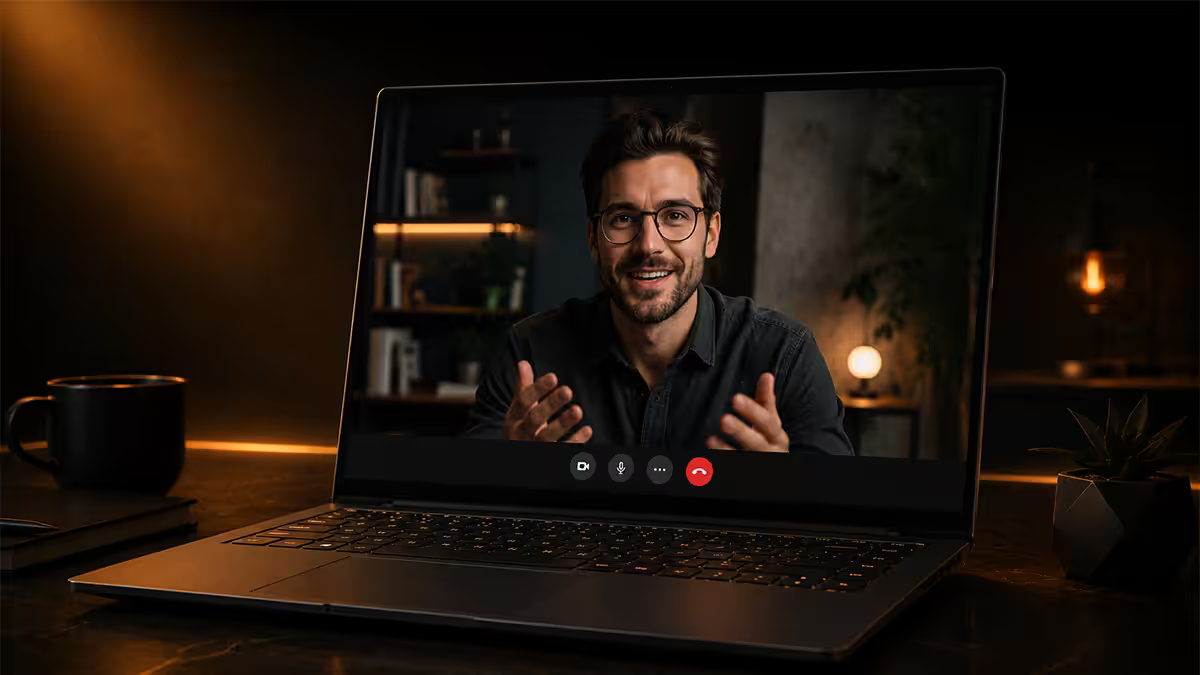
The webcam tier — 1080p is the minimum
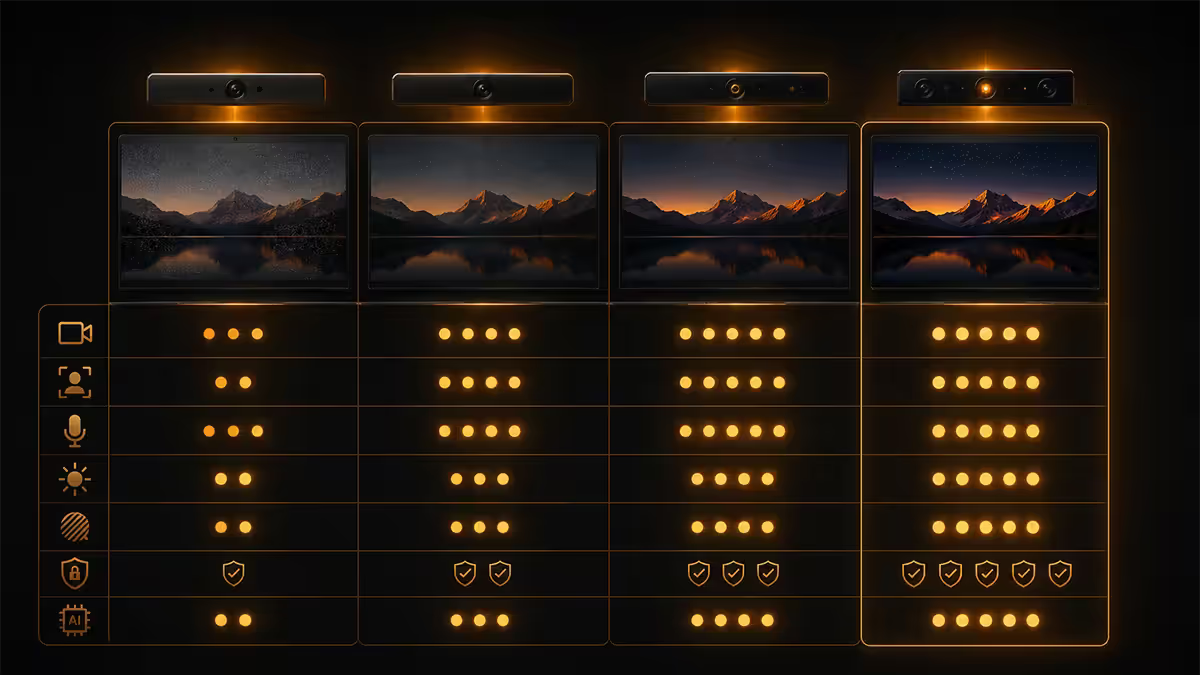
For years laptop OEMs treated the webcam as a checkbox. Slap a 720p sensor above the screen, ship it, move on. In 2026, that finally stops being acceptable. Premium laptops now ship 1080p sensors with dedicated image-signal processors, and the difference on the other end of a Zoom call is jarring once you see them side-by-side.
| Webcam tier | What you get | Real-world feel |
|---|---|---|
720p (still common | Cheap CMOS, no ISP | Muddy shadows, warm skew, blocky in low light | |
| 1080p (R20k-R35k) | Larger sensor, basic ISP | Clean, watchable, the new floor |
| 1080p + NPU effects (R28k+) | Studio Effects / Center Stage | Eye contact, blur, auto-framing |
| 4K (rare, MacBook Pro M5 optional) | High-res sensor | Mostly downsampled — call quality unchanged |
The marketing arms race has shifted from megapixels to sensor size, image signal processor and AI assistance. Zoom, Teams and Google Meet still cap most calls at 720p or 1080p output regardless of what your laptop captures, so a 4K sensor is mostly wasted bandwidth. What you actually want is a sensor that handles your dimly lit home office, your bright north-facing window, and the late-afternoon golden hour without making you look orange or washed out.
Apple's MacBook Pro M5 and Microsoft's Surface Laptop 7 are tied at the top — both ship 1080p sensors paired with on-device image processors that handle dynamic range far better than anything in the budget bracket. The Lenovo ThinkPad X1 Carbon Gen 13 is a close third with a Tobii-tuned 1080p sensor and an IR camera for Windows Hello. Dell, HP and ASUS all caught up to 1080p on their premium lines in late 2025.
AI tracking — Center Stage, Studio Effects, Smart Lighting
The interesting layer on top of the sensor is what the NPU does with the image. Three names worth knowing:
Apple Center Stage. Uses the MacBook Pro M5's neural engine to track your face within a wider sensor crop. If you lean back, the framing widens. If you stand up to grab something, the frame pans to follow. If a colleague joins from the side, the crop expands to include both faces. It works in Zoom, Teams, Meet and FaceTime out of the box on macOS 16 — no per-app toggles. For seated solo calls it's optional; for standing presentations or shared-desk setups, it's genuinely useful.
Windows Studio Effects (Surface, Copilot+ PCs). Microsoft's NPU-based suite ships on every Copilot+ laptop including the Surface Laptop 7, Dell XPS 14, HP EliteBook 1040 G12 and ASUS ZenBook S 14. It does four useful things: eye contact correction (you appear to be looking at the camera even when you're reading the screen), portrait blur (real-time background blur with hair-edge accuracy), voice focus (paired with the mic array), and automatic framing. Studio Effects works in every video-call app system-wide via Windows 11's camera pipeline.
Logitech Smart Lighting (and similar). A growing class of OEM features that adjust the screen brightness in real-time to act as a fill light during video calls. Surface and MacBook handle this implicitly via screen-brightness compensation in the ISP; some Lenovo and HP models include explicit "presenter lighting" modes. None of this replaces an actual key light, but it makes basement offices noticeably less grim.
Microphone array quality — 3-mic vs 4-mic
A single mic on a laptop captures everything — your voice, your keyboard, your dog, the next-door builder's angle grinder. A multi-mic array uses beam-forming to isolate your voice and cancel the rest in real-time. By 2026 this is the difference between calls where you sound clear and calls where the meeting host quietly turns your volume down.
| Mic config | Found on | What changes |
|---|---|---|
| 1-mic (basic) | Budget laptops | Picks up everything — typing, breath, room noise | |
| 2-mic stereo | Mid-tier laptops R15k-R25k | Basic noise rejection, OK for quiet rooms |
| 3-mic array | ZenBook S 14, EliteBook 1040, ThinkPad X1 Carbon | Beam-forming, your voice isolates well |
| 4-mic array (studio class) | Surface Laptop 7, MacBook Pro M5, Dell XPS 14 | Studio-clean voice, room rejection, wide pickup |
The Surface Laptop 7 and MacBook Pro M5 both use 4-mic studio arrays and both sound borderline broadcast on a Zoom call straight out of the box. Apple's mic stack on the M5 is the closest a built-in laptop mic has come to a dedicated USB mic — voice memos recorded direct from the MacBook keyboard are now genuinely usable for podcast B-roll. The ThinkPad X1 Carbon Gen 13's 3-mic array is excellent for the corporate/finance bracket but a half-step behind the Surface/MacBook front line.
AI noise cancellation — the new normal
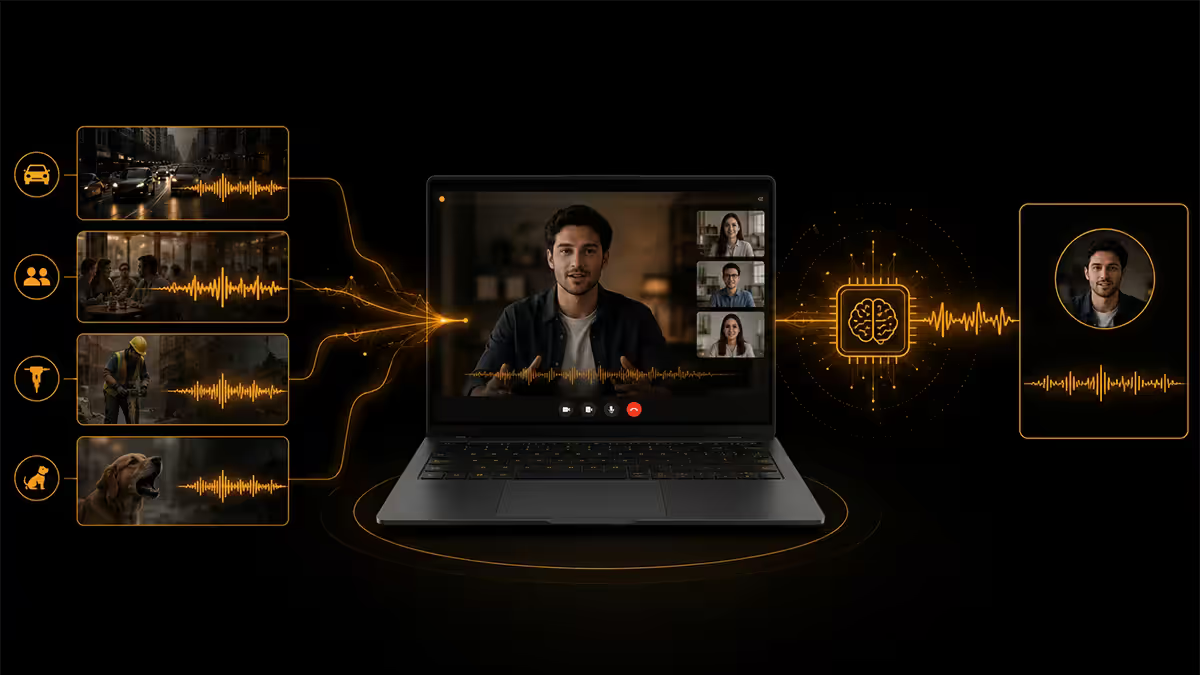
A few years ago, AI noise suppression was the killer feature of Krisp and NVIDIA Broadcast. In 2026 it's baked into the operating system on any laptop above R20k. You get three layers of cancellation now, stacked:
- On-device NPU cancellation — Windows Voice Focus (Copilot+ PCs) and macOS Voice Isolation handle keyboard noise, fan whirr, traffic and conversation in the background. This happens before the audio even leaves your machine.
- App-level AI suppression — Zoom, Teams and Google Meet each run their own AI denoising on the server. This is the second pass.
- Hardware DSP on the mic array — premium mic arrays include dedicated DSPs that do basic beam-forming before the digital signal hits the OS.
The combination is impressive. We tested a Surface Laptop 7 next to a running portable generator (the SA load-shedding reality) and the generator was barely audible on the receiving end of a Teams call. Same test on a 2022-era Dell with no NPU — generator dominated the audio.
We sell hundreds of laptops a month into SA's hybrid-work corporate market — accountants, lawyers, financial advisors, NGO program managers, all of them living on Teams and Zoom. The single most common return reason in 2024 was "the camera makes me look terrible". In 2026 that complaint has all but vanished on Surface Laptop 7 and Copilot+ stock, and we've watched the average customer spend on a video-call laptop climb from R18k to R28k in two years. The webcam tier is now the reason people upgrade — not CPU speed, not RAM, not storage. The 1080p-with-NPU floor has become as load-bearing as the keyboard tier was for typing-heavy work in the previous decade.
Behind the Build · From our Centurion floor
Battery for back-to-back meetings
Video calls draw 30-40% more battery than browsing or document work — the camera ISP, the mic array DSP and the NPU all sit active for the entire call. A laptop that quotes "16-hour battery life" on the marketing page is quoting that with the screen at 150 nits browsing a static page. Real-world all-day numbers for an 8-hour calls-heavy day look like this:
| Laptop | Calls-heavy day | Notes |
|---|---|---|
| Apple MacBook Pro M5 14" | 10-12 hours | Best in class. M5 efficiency is unreal |
| Microsoft Surface Laptop 7 (Snapdragon X Elite) | 9-11 hours | ARM efficiency, very close to Apple |
| Lenovo ThinkPad X1 Carbon Gen 13 (Core Ultra 200V) | 8-10 hours | Best x86 figure |
| HP EliteBook 1040 G12 (Core Ultra 200V) | 8-9 hours | Solid for x86 |
| Dell XPS 14 (Core Ultra 200H) | 7-9 hours | OLED variant drops to 6-7 |
| ASUS ZenBook S 14 (Core Ultra 200V) | 8-10 hours | Best value calls-day battery |
The load-shedding angle: for SA users, the relevant question is whether the laptop can bridge a 2-hour stage-4 block without missing a call. Surface and MacBook can comfortably bridge two such blocks. Dell XPS 14, especially with the OLED panel, will need a UPS or top-up between blocks. Plan accordingly.
The ThinkPad vs Surface vs MacBook reality
At the premium end of the video-call market, three laptops dominate the conversation. They each have a clear best-use case.
Apple MacBook Pro M5 14"
Best webcam, best speakers, best mic array, best battery, best display. The complete package — and you pay R39,999+ for it. The catch is macOS lock-in. If your company runs corporate Windows-only software (most SA financial services, most enterprise admin systems), this isn't an option for you. If you're a freelancer, consultant or creative working in mixed-platform teams, this is the easy answer.
Microsoft Surface Laptop 7
The most underrated buy of 2026. R27,999 gets you 1080p webcam, 4-mic array, Studio Effects on the Snapdragon NPU, and 9-11 hour calls battery. It runs Windows 11 cleanly with all the corporate compatibility that implies. The Snapdragon X Elite chip is fast for productivity work; the few apps still ARM-incompatible (some niche engineering tools, old Adobe plugins) run via Prism emulation at acceptable speed. If you live in Teams, this is the right call.
Lenovo ThinkPad X1 Carbon Gen 13
R44,999+ buys you the best keyboard ever built into a video-call laptop, an IR camera for Windows Hello sign-in, enterprise IT-friendly imaging, and ThinkPad's legendary durability. The webcam is excellent (1080p Tobii-tuned) but a half-step behind Surface and MacBook. Battery is solid but not class-leading. You buy a ThinkPad X1 because your IT department supports it, because you type 4,000 emails a month, and because dropping it onto a tiled floor probably won't end the meeting.
Top picks by use case (SA pricing)
| Use case | Pick | SA price |
|---|---|---|
| Best overall video-call laptop | Apple MacBook Pro M5 14" | R39,999+ |
| Best Windows / Best value | Microsoft Surface Laptop 7 | R27,999 |
| Best for corporate IT / typing-heavy | Lenovo ThinkPad X1 Carbon Gen 13 | R44,999+ |
| Best under R30k | Microsoft Surface Laptop 7 (entry config) | R27,999 |
| Best alternative under R30k | ASUS ZenBook S 14 | R28,999 |
| Best enterprise polish | HP EliteBook 1040 G12 | R39,999+ |
| Best Dell pick | Dell XPS 14 | R32,999 |
Key takeaways
- 1080p is the minimum webcam tier worth buying in 2026 — 720p models are now visibly worse on calls and obvious to colleagues.
- The NPU layer (Studio Effects, Center Stage) is the real differentiator — Copilot+ PCs and MacBook Pros only.
- 4-mic arrays (Surface Laptop 7, MacBook Pro M5) sound studio-clean; 3-mic arrays are excellent; 2-mic and below are basic.
- AI noise cancellation now stacks at three layers — on-device NPU + app server + mic DSP. Don't pay for Krisp anymore.
- Best buy: Surface Laptop 7 at R27,999. Stretch goal: MacBook Pro M5 14" at R39,999+. Corporate IT: ThinkPad X1 Carbon Gen 13.
Frequently asked questions
Which laptop has the best webcam for Zoom?
Microsoft Surface Laptop 7 (R27,999) and Apple MacBook Pro M5 14" (R39,999+) are tied. Both ship 1080p sensors with dedicated image-signal processors. Surface adds Studio Effects via NPU; MacBook adds Center Stage and Desk View. ThinkPad X1 Carbon Gen 13 is third with a Tobii-tuned 1080p sensor.Is a 1080p webcam enough in 2026?
Yes — 1080p is the floor and the practical ceiling. Zoom and Teams cap most calls at 720p or 1080p anyway. Sensor size and ISP quality matter more than pixel count. Avoid laptops still shipping 720p webcams.What is Apple Center Stage and is it useful?
Center Stage uses the MacBook Pro M5's neural engine to auto-pan the frame to follow you within a wider sensor crop. Useful for standing presentations, shared-desk setups, or calls where you move; optional for seated solo calls. Works in Zoom, Teams, Meet and FaceTime on macOS 16.Do I need a separate microphone for video calls?
For most knowledge work, no. Premium 2026 laptops ship 3-mic or 4-mic arrays with on-device beam-forming and AI noise suppression. A dedicated USB mic (Blue Yeti, Rode NT-USB Mini) is a nice-to-have for podcasters and noisy environments but no longer a must.How important is AI noise cancellation?
Standard now, not premium. Windows Voice Focus / Studio Effects ships on every Copilot+ PC; macOS has Voice Isolation; Zoom, Teams and Meet all run server-side denoising. Below R20k, confirm the laptop has an NPU or you lose the on-device layer.Will my laptop battery last a full day of meetings?
On premium 2026 ultrabooks, yes. Real-world 8-hour calls-day numbers: MacBook Pro M5 (~10-12hr), Surface Laptop 7 (~9-11hr), ThinkPad X1 Carbon Gen 13 (~8-10hr), Dell XPS 14 (~7-9hr). Pair with a UPS for the router during load-shedding.ThinkPad vs Surface vs MacBook for video calls?
MacBook Pro M5 — best webcam, speakers and battery, macOS-locked. Surface Laptop 7 — best Windows webcam, NPU Studio Effects, R27,999. ThinkPad X1 Carbon Gen 13 — best keyboard, IR camera, enterprise IT-friendly. Pick by ecosystem.What's the best video call laptop under R30k?
Microsoft Surface Laptop 7 at R27,999. Best webcam, mic array and AI features in the bracket. ASUS ZenBook S 14 (R28,999) is the runner-up. Below R25k webcam quality drops sharply.
Get the Evetech app
Exclusive app-only prices, daily flash sales, and free delivery on orders over R4,000 — download the app and start saving.