Evetech App · Download Guide
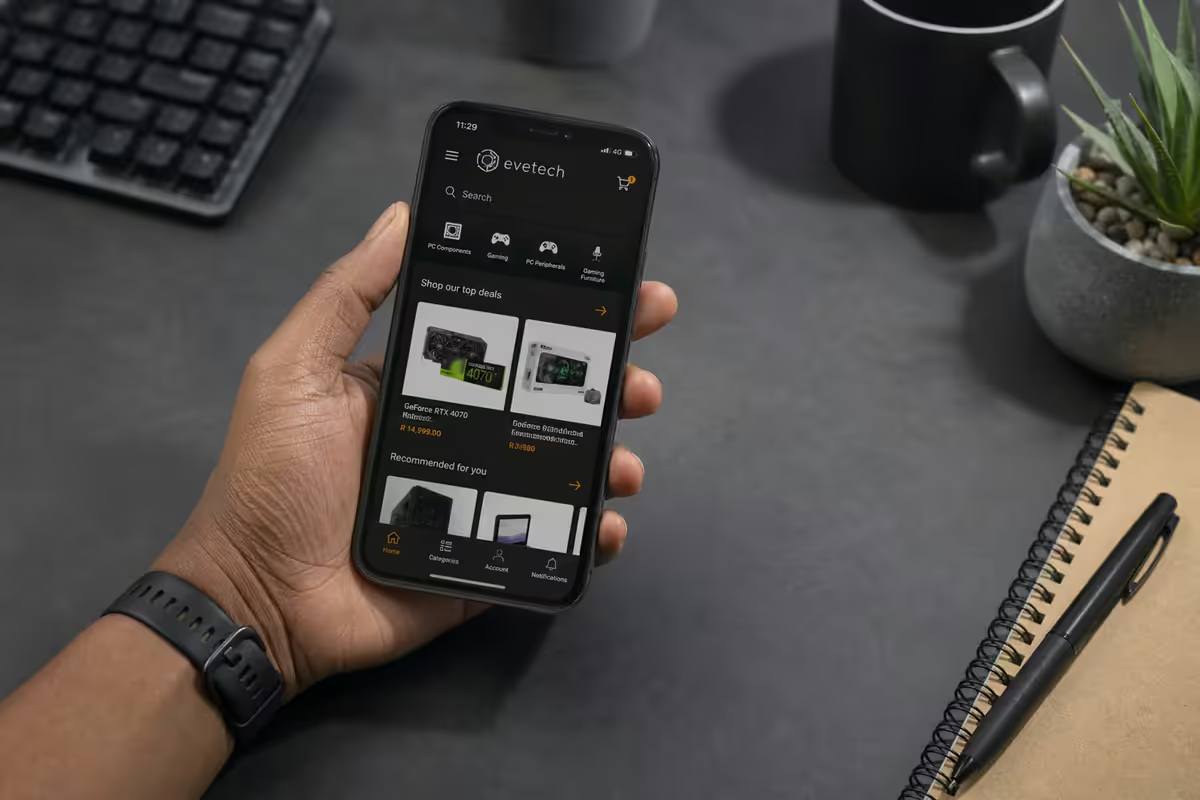
The Evetech mobile app. — Browse, build, alert. In your pocket.
Saved builds that sync to your desktop. Push alerts when an out-of-stock GPU hits the warehouse. App-exclusive deal drops every week. The whole Evetech catalogue, configurator and order history — on a phone you already own.
- android install
- 38 MB
- app-only deals
- 8-12 wk
- saved builds
- 90 days
Where to download the Evetech app
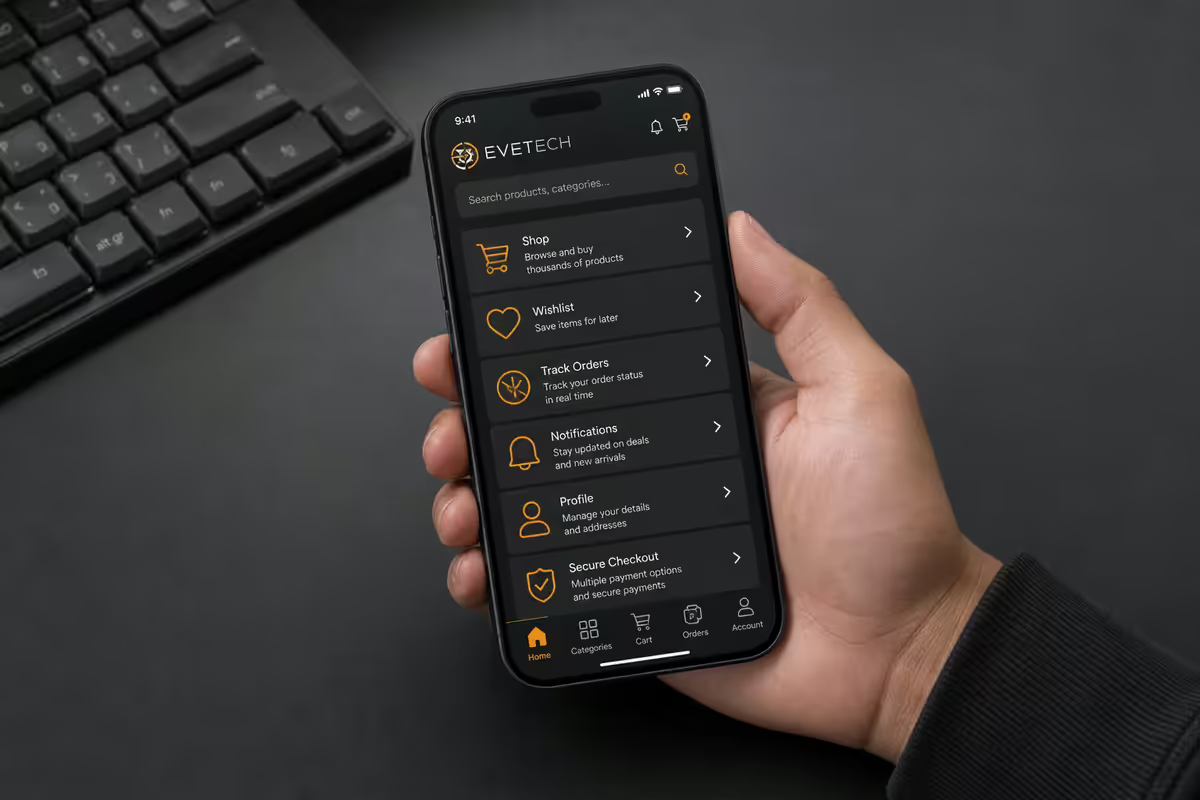
The Evetech mobile app is published on both major SA app stores. On Android open the Google Play Store, search for "Evetech" and look for the official listing by Evetech (Pty) Ltd. On iPhone or iPad open the Apple App Store, search "Evetech" and the same publisher badge confirms authenticity.
Direct store links are also at evetech.co.za/app — a single landing page detects your platform and routes you to the correct store. We never side-load APKs from third-party sites or "mirrors". If you see a download link for the Evetech app anywhere outside Play Store or App Store, it's not from us.
Minimum OS requirements: Android 9 (Pie) or newer covers roughly 96% of active Android devices in SA. iOS 15 covers iPhone 6s and newer. Older devices can still browse evetech.co.za in their mobile browser — the responsive site delivers most of the same functionality without the native-app speed.
What the app actually does
The Evetech app isn't a wrapper around the website. It's a purpose-built mobile experience with five core jobs:
- Browse the catalogue. 14,000+ SKUs across CPU, GPU, motherboard, RAM, storage, cases, cooling, peripherals, monitors, laptops, prebuilt PCs, networking and consoles.
- Build a custom PC. Full configurator with compatibility checks, real-time stock and warranty terms baked in.
- Track orders. Live shipping status, courier tracking, expected delivery window and a button to chat with our team if something stalls.
- Get restock and deal alerts. Push notifications when watched items come back into stock or drop in price.
- Scan-to-find any barcode. Point the camera at a barcode and pull up the Evetech listing.
Account features carry across — your wishlist, order history, addresses, payment methods, RMA tickets and saved configurations all sync between the app and the website. Sign in once on either platform and you're synced.
The build configurator on mobile
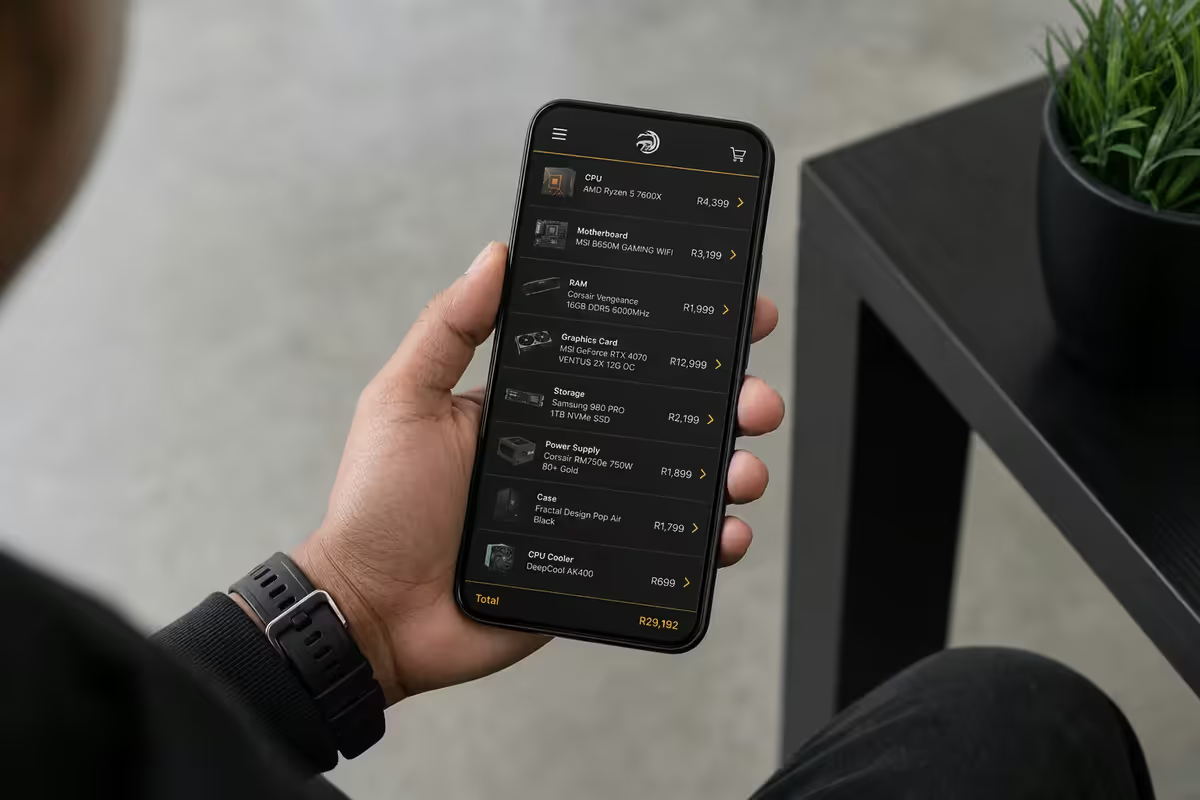
The configurator is the feature that surprised us most in user testing. On desktop it's a familiar grid layout — pick CPU, then motherboard, then RAM. On mobile we redesigned it for thumb-flow: each component step is a single full-screen card with stock indicators, price ladder and compatibility warnings already filtered to your selections.
What works well on mobile:
- Filtering by budget cap — slider at the top instantly reflows component options.
- Comparison view — long-press a part to add to a side-by-side comparison panel.
- Stock-aware suggestions — out-of-stock items dim immediately so you don't pick something that'll delay shipping.
- Auto-save — every selection is saved silently to your account; you can leave and return without losing progress.
What's better on desktop: large multi-tab spec sheet comparisons, detailed review reading, monitor/case spec deep-dives. We don't pretend mobile beats desktop for everything — finish your build wherever your eyes are happier.
Restock and deal push alerts
This is where the app earns its place. The web alert system relies on email; the app uses push notifications, which land on your lock screen within seconds of stock arriving in our warehouse system.
How to set up a restock alert: open the listing for any out-of-stock item, tap the bell icon, choose "Notify on restock". When the item is received and processed by our warehouse (typically within 60 minutes of dock arrival), you get a push.
App-only deals: we run 8-12 app-exclusive deals per week — typically end-of-line or excess-stock SKUs at 15-30% below web price. They appear in the in-app "Deals" tab and don't sync to the website pricing. Push opt-in for these is separate so you can mute them if you want only restocks.
Scan-to-find: the barcode search
Wherever you are - a competitor's shelf, a friend's desk, a box in your cupboard - the app's barcode scanner becomes a quiet superpower. Open the app, tap the scan icon (top right of the home tab), point the camera at any product barcode — yours, a competitor's, anything with an EAN/UPC — and the app searches our catalogue for the matching SKU.
If we stock it, you get the listing immediately: current price, stock at Centurion vs courier inventory, reviews, related accessories, warranty period. If we don't stock it, the app suggests the closest equivalent we do carry.
Common uses in practice: comparing a Game/Incredible Connection in-store price against Evetech, identifying a mystery cable or RAM stick from a salvaged build, checking whether the SSD a friend is recommending is still current generation.
App vs website — when to use which
| Task | Mobile app | Desktop site |
|---|---|---|
| Restock alerts | App wins | Email only, slower |
| App-only deals | App exclusive | Not available |
| Build configurator (quick) | App wins on thumb-flow | Slower on phone browser |
| Build configurator (deep) | OK | Site wins for multi-spec compare |
| Reading reviews / specs | OK | Site wins on screen real estate |
| Order tracking | Push notifications | Refresh required |
| Barcode scan-to-find | App exclusive | Not available |
| Bulk/business orders | OK | Site has B2B portal |
Over <strong>200,000+ orders shipped</strong> from our Centurion warehouse, the single biggest customer pain point we've heard is "I missed the restock". The app exists to solve exactly that. <strong>The bulk of GPU restocks since the app launched</strong> have been bought by users who tapped the push notification within minutes of it firing; email alerts take hours to produce the first sale. If you've ever missed a Black Friday drop or a new-gen launch, the app is the answer.
Evetech Customer Team
Permissions, storage and battery
We've been deliberate about asking only for what we use. Every permission is opt-in at the moment the feature needs it — not bundled into install.
- Camera — only for the barcode scanner. Permission requested the first time you tap the scan icon.
- Notifications — for order updates, restocks and deal alerts. Each category is toggleable independently.
- Location — only for delivery address auto-fill at checkout (saves you typing your suburb). Never tracked in the background.
- Storage / Photos — only if you upload a photo for an RMA or warranty claim.
What the app does not access: contacts, microphone, SMS, calendar, phone state, advertising ID for cross-app tracking. We don't sell your data and we don't run third-party SDK ad networks.
Storage footprint: 38MB install on Android, 62MB on iOS. Image cache grows to ~85MB Android / ~120MB iOS after a few weeks of browsing. The cache auto-trims when device storage drops below 1GB. Battery drain is minimal — typically less than 1% per day with push enabled and no active browsing.
Key takeaways
- Free on Play Store (Android 9+) and App Store (iOS 15+). 38-62MB installed.
- Restock push alerts are the killer feature — buy windows measured in minutes, not hours.
- 8-12 app-only deals per week at 15-30% below web price. Limited stock.
- Saved builds sync between app and site for 90 days. Switch devices freely.
- Permissions are opt-in, not bundled. We don't track contacts, location or ad ID.
Frequently asked questions
Is the Evetech app free to download?
Yes — the Evetech mobile app is free on both Google Play Store (Android 9+) and Apple App Store (iOS 15+). There's no in-app purchase paywall and no subscription. Sign in with your existing Evetech account or create one in-app in 30 seconds.How big is the Evetech app?
The Android APK is approximately 38MB at download and uses ~85MB once installed (including image cache after a few sessions). The iOS app is ~62MB at install and grows to ~120MB with cached product images. Both apps respect mobile data preferences — image quality drops on cellular to save bandwidth.Do app-only deals actually exist or is it marketing?
App-only deals are real. Roughly 8-12 SKUs per week are flagged app-exclusive in the deals tab — usually overstocked components (PSUs, cases, fan packs) or end-of-line peripherals at 15-30% below web price. Push notifications fire when an item on your watchlist goes app-exclusive. The catch: stock is often limited to single-digit units per drop.Can I build a custom PC in the app?
Yes — the full Evetech configurator works in-app with the same compatibility checking, real-time stock and warranty information as the website. Saved builds sync to your account so you can start on the app during your commute, finish on the desktop, and check out wherever's convenient. Build configurations stay saved for 90 days.What is the barcode scanner for?
The scan-to-find feature lets you point your phone camera at any product barcode (on a competitor's shelf, or on hardware you already own) and pull up the matching Evetech listing — current price, stock, specs and reviews. Useful for in-store comparison shopping and for quickly identifying a component you're holding in your hand.Does the app send too many push notifications?
Notification settings are granular. You can enable or disable: order status updates, restock alerts for items you've watched, weekly deal digests, lightning-deal alerts, and event notifications — independently. By default, only order status and explicit restock alerts are on. We don't push generic marketing pushes — that's a deliberate product decision.Is the app available on iPad and Android tablets?
Yes. The iPad app uses native split-view layouts for the configurator, and Android tablets scale to a two-pane catalogue/detail view in landscape. Both work well for serious build configuration sessions where you want more screen real estate than a phone.What permissions does the app request and why?
Camera (barcode scanner only — opt-in), Notifications (order updates and deal alerts, both opt-in), Location (only for delivery address auto-fill, opt-in), Storage/Photos (only if you upload a photo for warranty claims, opt-in). None of these are required to browse or buy. The app does not access contacts, microphone, calendar or SMS.
Get the Evetech app
Exclusive app-only prices, daily flash sales, and free delivery on orders over R4,000 — download the app and start saving.