Order Tracking · Trust Centre
Track your Evetech order. — Every checkpoint. Every code. Every step.
From the moment your payment clears in Centurion to the moment the courier rings your doorbell, your order passes through eight checkpoints. Knowing what each one means turns waiting into watching.
- order lifecycle
- 8 stages
- custom build avg
- 5-7 days
- silence = escalate
- 48 hrs
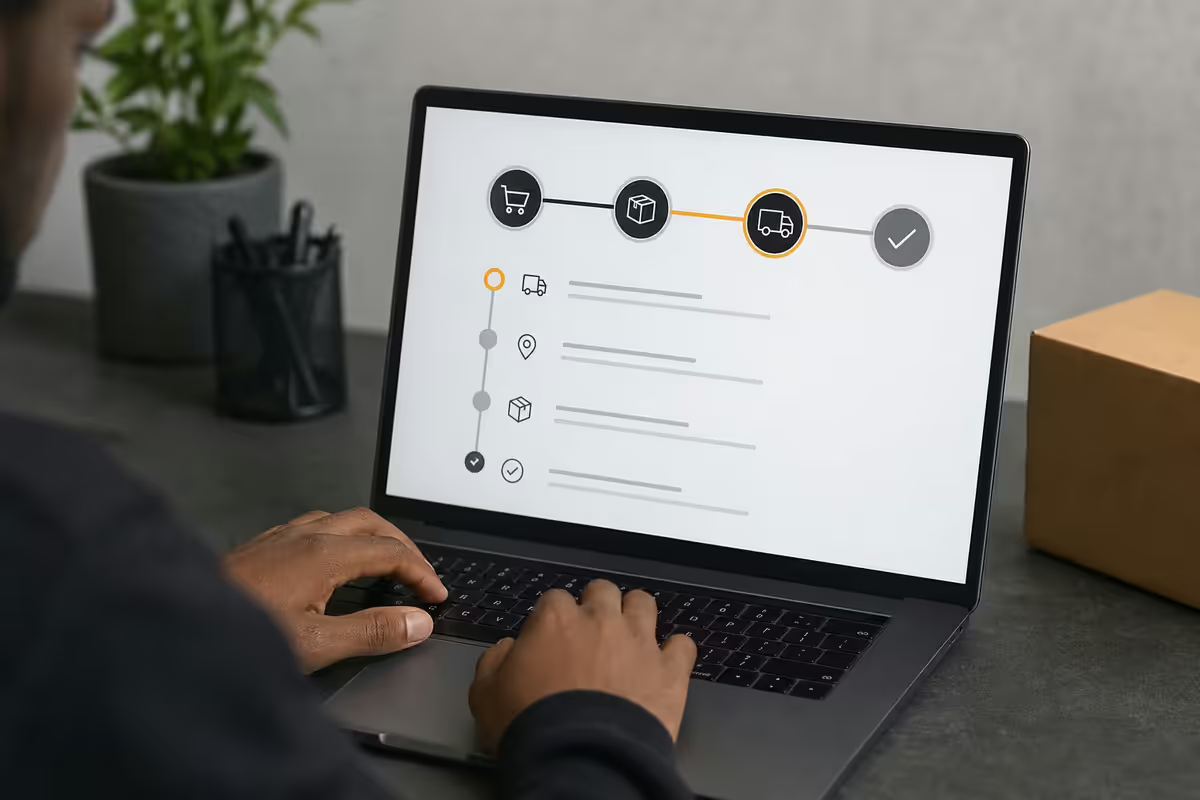
The eight stages of your order lifecycle
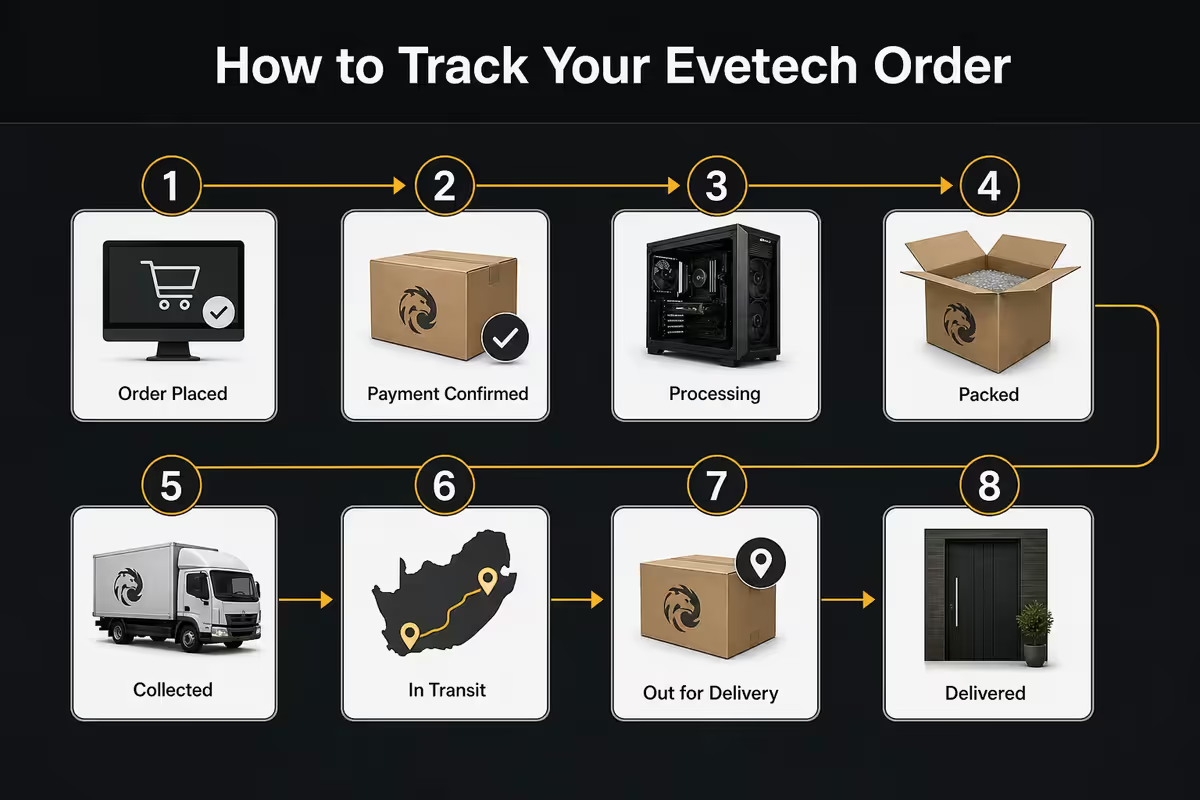
Every Evetech order — whether a single SSD or a R200,000 custom watercooled tower — passes through the same eight checkpoints. Knowing the sequence makes the wait predictable.
| Stage | What happens | Typical duration |
|---|---|---|
| 01 · Order Received | Payment confirmed, queued in system | Instant — 30 min |
| 02 · Build Queue | Custom PC waiting for assembly bench | 0-2 days (custom only) |
| 03 · In Assembly | Technician building & cable-managing | 4-8 hours |
| 04 · QA & Burn-in | 24hr stress test, temps, drivers, Windows | 24-48 hours |
| 05 · Packaged | Foam-cushioned, boxed, labelled | 1-2 hours |
| 06 · Dispatched | Handed to courier, tracking activated | Same day or next AM |
| 07 · In Transit / OFD | Courier moving / Out for delivery | 1-3 days (location) |
| 08 · Delivered | Signed for at your address | Done |
In-stock products (non-custom) skip stages 02-04 entirely — they move from Received → Packaged → Dispatched within 24-48 hours of payment clearing.
Where to find your order number
Your Evetech order number is a 6-7 digit code prefixed with #. There are three places to find it:
- Order confirmation email. Sent within 5 minutes of payment from
[email protected]with subject "Evetech Order #XXXXXX confirmed". Check spam if it's missing. - Account dashboard. Log in at evetech.co.za, click your name top-right, then "My Orders". All your orders are listed by date.
- Payment confirmation. The order number also appears on EFT/instant EFT receipts, PayFast confirmations.
If you ordered without creating an account, the confirmation email is the only record of your order number. Keep it. Support can recover the number using your ID number and email, but having the order number cuts resolution time in half.
How to log in and track
Tracking your order requires the same Evetech account you used at checkout. If you checked out as a guest, you can register the account afterward using the same email — it'll automatically attach prior orders.
- Visit evetech.co.za and click "Login" top-right.
- Enter the email used at checkout and your password. If you forgot the password, "Reset password" sends a link to that email within 60 seconds.
- Once logged in, click your name → "My Orders".
- Click the order number to expand it. Internal status, courier tracking number, courier link and estimated delivery window all appear here.
Mobile app users: the Evetech mobile app (iOS & Android) shows the same order page with push notifications enabled by default. The app is the fastest way to monitor an order in progress.
Courier tracking links
Once your order leaves our Centurion warehouse, the tracking number on your order page links directly to the courier's tracking system. Different couriers handle different routes and weights.
| Courier | Typical use | Tracking URL pattern |
|---|---|---|
| Courier Guy (Skynet) | Standard PC towers, monitors, large parcels | thecourierguy.co.za/track |
| Aramex | High-value, expedited, smaller parcels | aramex.co.za/track |
| Pargo | Pickup-point collection (PEP, Clicks, etc.) | pargo.co.za/track |
| Internal courier | Centurion & Pretoria same-day delivery | Direct SMS notifications |
The courier link gives you GPS-style real-time location once the package is on its delivery vehicle. Scans happen at every facility transfer:
- Origin scan — Centurion handover to courier.
- Hub scan — usually JHB main sort facility within 12-24 hours.
- Regional scan — receiving city's main facility (Cape Town, Durban, PE, East London, Bloemfontein).
- Depot scan — local suburb depot.
- Out for Delivery — loaded onto morning delivery route.
- Delivered — signature captured.
What each status code means in detail
Internal Evetech statuses are plain English. Courier statuses use codes that vary slightly between providers but follow a common pattern.
| Status code | Means |
|---|---|
| PEND / Pending | Payment received, awaiting allocation |
| QUEUE / In Build Queue | Custom PC waiting for bench slot |
| ASMB / In Assembly | Build in progress |
| QA / Burn-in | 24hr stress testing, drivers being installed |
| PKG / Packaged | Boxed and waiting for courier pickup |
| DISP / Dispatched | Handed to courier — tracking link active |
| IT / In Transit | Moving between courier facilities |
| AOD / At Origin Depot | Courier hub processing — normal stop |
| OFD / Out for Delivery | On the truck for today's route |
| DEL / Delivered | Signed for, completed |
| EXC / Exception | Address issue, missed delivery, returned to depot |
The status code most people misinterpret: EXC (Exception). It doesn't mean the package is lost — it means the courier hit a snag (wrong address, no-one home, gated complex, public holiday). It almost always resolves within 24 hours with no action needed, but contact the courier directly if you see EXC twice in a row.
Email, SMS & app push notifications
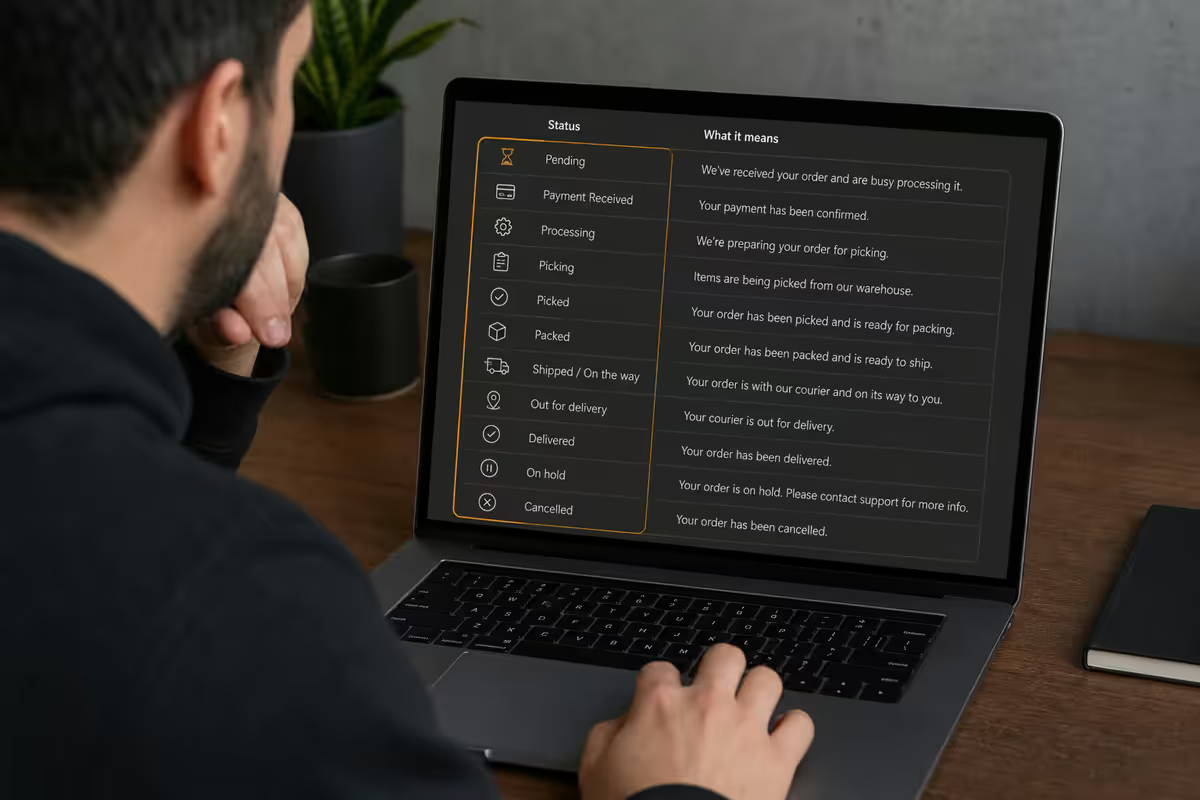
You can receive automatic updates at three major checkpoints. By default, all three are enabled if you have an Evetech account.
- Order received — email confirmation within 5 minutes.
- Dispatched — email + SMS with courier tracking number and link.
- Out for delivery — SMS the morning of delivery with estimated window.
- Delivered — confirmation email with signed PoD attached.
To enable additional checkpoints (QA complete, packaged, in-transit hub scans), log into your account → "Notification preferences" → tick the additional events. Heavy notification users prefer the mobile app's push notifications over SMS for granularity.
When & how to escalate to support
Most orders deliver without ever needing support contact. When they don't, here's the escalation ladder:
- 48 hours with no scan update (weekday) — email [email protected] with order number.
- 72 hours with no update across a weekend — same.
- "Delivered" status but you haven't received anything — call 010 005 7282 immediately. Don't wait. Courier PoD can be reviewed within 24 hours.
- Damaged package on arrival — photograph before opening, then photograph contents, email both with order number within 48 hours.
- EXC status for 24+ hours — contact the courier directly using the tracking number, then loop in support if unresolved.
Office hours: Mon-Fri 08:00-17:00 SAST. Out-of-hours email tickets are picked up first thing Monday. The Evetech WhatsApp business line (linked from the contact page) is monitored for after-hours emergencies and answers within 2-4 hours typically.
Key takeaways
- Eight lifecycle stages: Received → Build Queue → Assembly → QA → Packaged → Dispatched → In Transit → Delivered.
- Order number is in your confirmation email and account dashboard — 6-7 digits prefixed with #.
- Custom builds: 5-7 working days. In-stock: 1-2 working days. 24hr QA burn-in is non-negotiable.
- Courier links activate at dispatch (Courier Guy, Aramex, Pargo). Real-time GPS scans on the route.
- 48hr scan silence on weekday = email support. Weekend lag is normal. "Delivered" but no package = call immediately.
Frequently asked questions
Where do I find my Evetech order number?
In your order confirmation email from [email protected] (subject "Order #XXXXXX confirmed"), or in your account dashboard under "My Orders". Check spam if the email is missing.How do I track my Evetech order?
Log into evetech.co.za, click "My Orders", select your order. Internal status, dispatch tracking number and courier link all appear there.What do Evetech's order status codes mean?
Received = payment done, queued. Build Queue = waiting assembly. QA = 24hr burn-in. Dispatched = with courier. In Transit = moving. OFD = on truck today. Delivered = signed.How long do custom PC builds take to ship?
5-7 working days for standard custom builds. 10-14 days for complex watercooled or custom loop builds. In-stock products dispatch within 1-2 working days.When should I escalate to support if tracking stops?
48 hours of weekday silence, 72 hours across a weekend. Email [email protected] or call 010 005 7282 with your order number.Why is my courier tracking showing nothing?
Either the package hasn't been physically handed to the courier yet, or there's a 12-24 hour gap between facility scans. Tracking only activates at first courier scan.What if my package arrives damaged?
Photograph before opening, photograph contents after. Email both with order number to [email protected] within 48 hours. Keep all packaging until claim is resolved.Can I change my delivery address after ordering?
Yes, before dispatch — just email support. Once dispatched, redirection requires contacting the courier with a fee (R150-R350) and 1-2 day delay.
Get the Evetech app
Exclusive app-only prices, daily flash sales, and free delivery on orders over R4,000 — download the app and start saving.