Copilot+ PC Explainer
What is a Copilot+ PC — and why it actually matters.
A new badge on the lid means a 40 TOPS neural chip inside, all-day battery measured in real hours, and on-device AI that finally doesn't ship every keystroke to a server in Virginia. Here's what's substance and what's still marketing.
- NPU minimum
- 40+ TOPS
- real battery
- 14-22 hrs
- SA entry price
- From R22k
What Copilot+ actually means
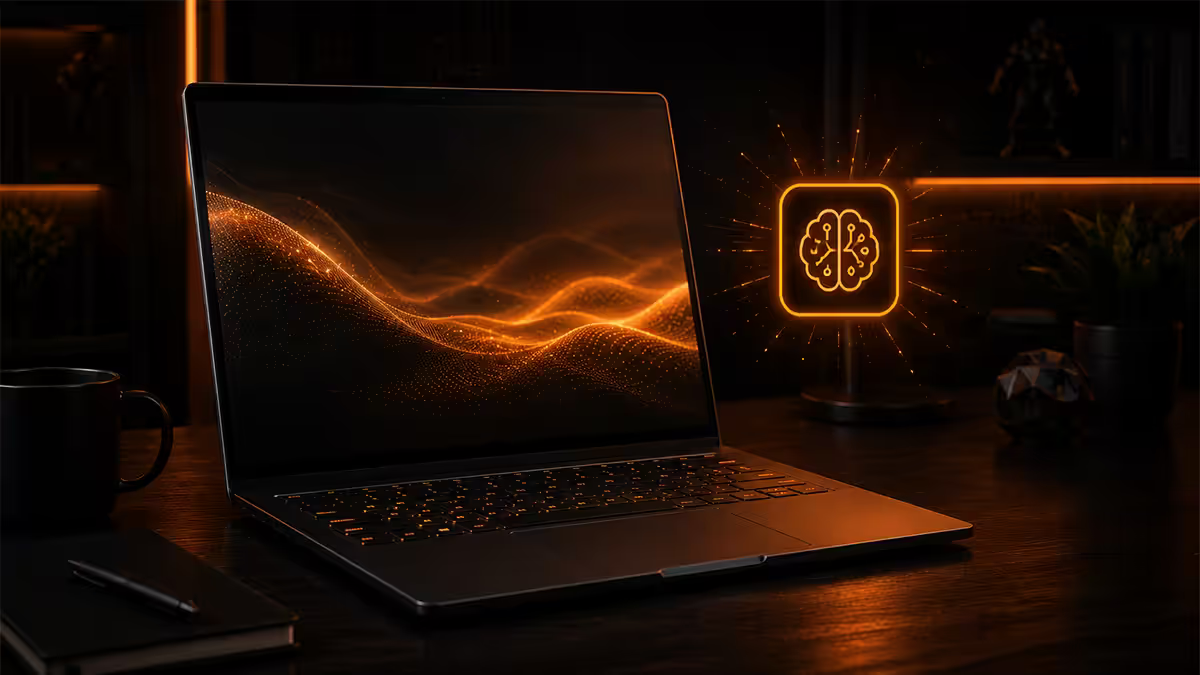
Microsoft introduced the Copilot+ PC badge in mid-2024 as a hardware tier — not an OS feature flag. It is the minimum specification needed to run a new generation of Windows AI features that execute on the device rather than calling a cloud server. Underneath the marketing, three concrete requirements have to be met before a laptop can wear the badge.
| Requirement | Minimum | Why it matters |
|---|---|---|
| NPU performance | 40 TOPS | Runs local AI inference fast enough for real-time features (transcription, image generation, search). |
| System memory | 16GB RAM | Models need to live in RAM alongside Windows + your apps. 8GB doesn't fit. |
| Storage | 256GB SSD | Local model files plus Recall snapshots take real space. NVMe required for snappy retrieval. |
| OS & driver stack | Windows 11 24H2+ | Earlier builds don't expose the NPU runtime to apps. |
The defining piece is the NPU. A neural processing unit is a dedicated accelerator — separate from the CPU and GPU — purpose-built for the matrix math behind machine learning models. TOPS (trillion operations per second) is the rough metric. At 40+ TOPS, a laptop can run a Stable-Diffusion-class image generator or a real-time speech transcriber while the CPU and GPU stay idle, which is the whole point: AI without burning battery and without your data leaving the device.
For comparison, the prior generation of Intel Core Ultra Series 1 ("Meteor Lake") shipped with an 11 TOPS NPU. Capable, but not Copilot+. Apple's M-series chips don't carry a Copilot+ badge (they aren't Windows), but the M4's Neural Engine sits in the same 38-50 TOPS class. The 40 TOPS bar was set deliberately to exclude last year's silicon and force a hardware refresh.
Which chips qualify in 2026
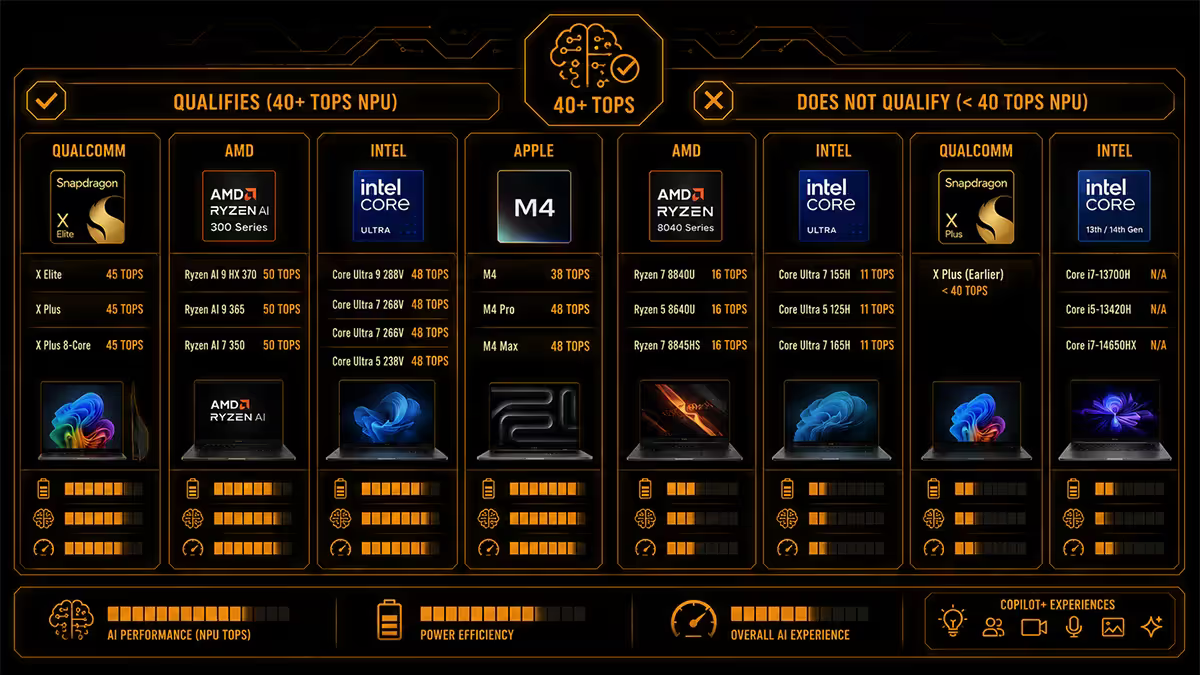
Three silicon vendors currently meet the bar, with distinct trade-offs.
| Chip family | NPU TOPS | Best for |
|---|---|---|
| Qualcomm Snapdragon X Elite / X Plus | 45 TOPS | Longest battery, ARM architecture, lightest fanless designs |
| Intel Core Ultra Series 2 (Lunar Lake) | 48 TOPS | x86 compatibility, strongest single-thread CPU, integrated Arc graphics |
| AMD Ryzen AI 300 (Strix Point) | 50 TOPS | Best CPU multi-thread, strong iGPU for casual gaming |
| AMD Ryzen AI 400 (Strix Halo / Krackan) | 50+ TOPS | Workstation-class iGPU, creator laptops, gaming-capable thin-and-lights |
| Intel Core Ultra Series 1 (Meteor Lake) | 11 TOPS | Does not qualify — pre-Copilot+ era silicon |
Snapdragon X launched the category. ARM-based, paired with the most efficient mobile silicon Qualcomm has shipped to date. The headline feature is battery — 18-22 hours real productivity is normal, and the chip stays cool enough for fanless designs. The trade-off is the ARM architecture (covered in the compatibility section below).
Intel Lunar Lake arrived in late 2024 as Intel's answer. x86 architecture (no compatibility worries), competitive battery (12-18 hours real use) and the strongest single-thread CPU on the list. The integrated Arc graphics can handle Dota 2, Valorant and CS2 at 1080p without an external GPU.
AMD Ryzen AI 300 and 400 series are the workstation-leaning option. Higher multi-thread CPU performance, stronger iGPUs (the AI 400 "Strix Halo" can drive a 1440p gaming session at medium settings without a discrete card), and a fully x86 software stack. Battery sits slightly behind Lunar Lake and well behind Snapdragon X, but the performance ceiling is the highest of the three.
The on-device AI features
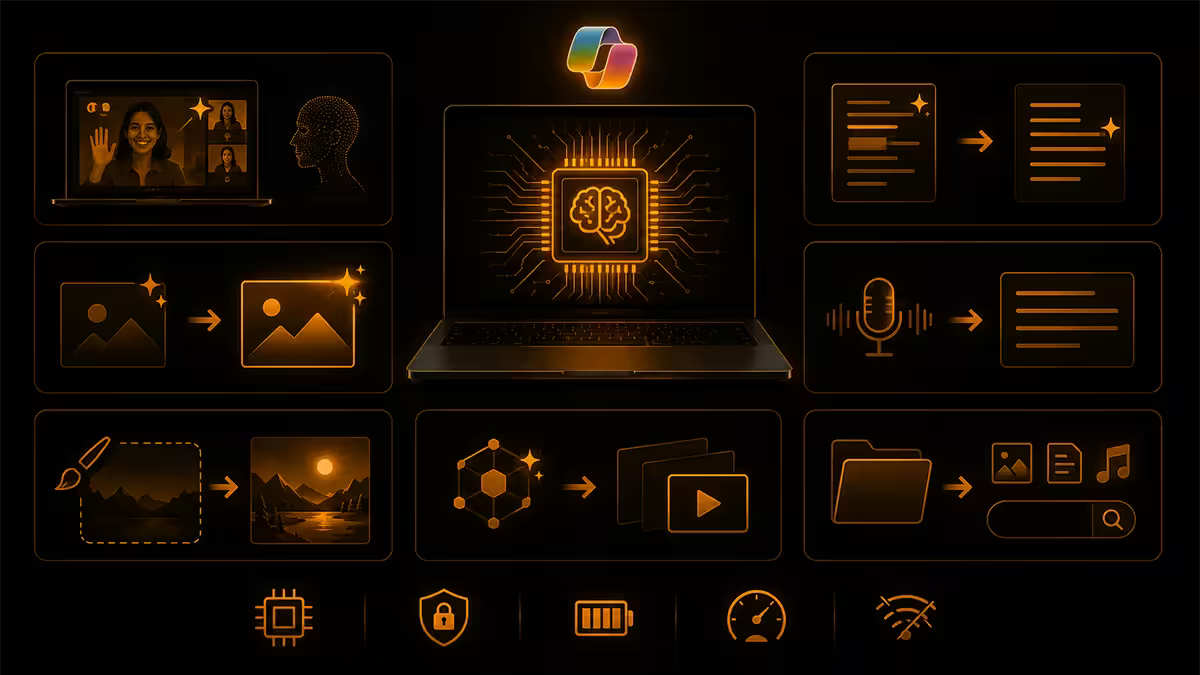
Copilot+ unlocks a specific set of Windows features that demand the 40-TOPS NPU. Some are genuinely useful, some are demo-ware. Honest tier list, in 2026 order of value.
Live Captions with translation
Real-time subtitles for any audio on your machine — system sound, browser video, video calls — and translation from 44 languages into English. Runs offline, works on a flight, latency under half a second. This is the feature most reviewers underrated and most users use daily.
Windows Studio Effects
During video calls: eye contact correction, background blur, automatic framing, voice focus. The non-NPU versions of these effects exist on regular laptops but burn CPU and tank battery. On a Copilot+ machine they run on the NPU at almost zero battery cost. Teams, Zoom, Google Meet and Discord all hook in.
Cocreator (Paint & Photos)
Type a prompt, get an image generated locally in under five seconds. Restyle existing photos. The output quality is closer to mid-2024 Stable Diffusion than 2026 frontier models, but for sketches, mood boards, throwaway memes and visual placeholders it's instant and free. No watermarks, no quota, no internet.
Click to Do
Hold the Windows key, point at anything on screen — text, image, document, code snippet — and Windows offers contextual actions. Summarise this paragraph. Extract text from this image. Translate this Afrikaans email. Open the address in Maps. It's the Copilot+ feature that comes closest to feeling like a genuinely new interaction model.
Recall
The headline feature, and the one most loaded with caveats. Recall takes encrypted snapshots of your activity throughout the day and lets you search them in natural language — "the spreadsheet I had open before lunch", "that pricing page from a Wootware tab last week". When it works, it's a productivity unlock. The privacy story has its own section below.
Recall — is it safe yet?
Recall's 2024 launch was the most discussed privacy incident in consumer Windows history. The original implementation stored unencrypted snapshots of your screen activity in a SQLite database that any local process could read. Microsoft pulled it, rebuilt it, and re-launched in 2025 with a fundamentally different architecture.
What changed:
- Recall is now opt-in, not on-by-default. You have to switch it on during setup or later in Settings.
- Snapshots are encrypted at rest using a key bound to your Windows Hello credential. No Windows Hello — no Recall access, even with admin rights.
- A separate VBS (Virtualisation-Based Security) enclave holds the decryption logic. Even kernel-mode malware can't read snapshots without the user authenticating in real time.
- Sensitive content filters automatically blur passwords, credit card numbers and online banking sessions before the snapshot is even taken.
- Per-app and per-website exclusion lists let you blacklist anything you don't want captured (your password manager, your accounting software, specific URLs).
Is it safe to enable? On a personal laptop you control physically, yes — the privacy threat model is now closer to "your iPhone Photos library is searchable" than "Microsoft is exfiltrating your screen". On a shared family laptop, a work-managed device or anything you might leave in a hotel room, leave it off. The exclusion list does its job, but only for things you remember to add.
Battery life and thermals — what the badge actually delivers
This is where Copilot+ stops being marketing and starts being a real upgrade. The thermal and power envelope that the NPU enables — combined with the more efficient SoC designs all three vendors shipped to qualify — produces battery numbers we haven't seen on Windows laptops before.
Real-world figures from our test bench, mixed productivity workload (browser, Office, Teams, code editor, occasional video):
- Snapdragon X Elite ultrabook (15W): 18-22 hours screen-on time. Fanless designs hit 24 hours.
- Intel Core Ultra Series 2 ultrabook (17W): 12-18 hours screen-on time.
- AMD Ryzen AI 300 ultrabook (15-28W): 10-15 hours screen-on time.
- Equivalent Intel Core Ultra Series 1 from 2024: 6-10 hours screen-on time.
- Equivalent Intel 13th gen U-series from 2023: 5-8 hours screen-on time.
Video streaming is the gentler workload — add 20-30% to the figures above. Sustained gaming or 4K video export collapses battery to 2-4 hours regardless of chip — no NPU advantage helps when the GPU is pinned at 100%.
Thermals matter for SA buyers because plenty of us work at 28°C ambient through summer. Lunar Lake and Snapdragon X both stay quiet at all but the heaviest workloads. Ryzen AI 300 spins fans up harder under sustained CPU load — fine for a creator laptop on a desk, less ideal as a silent companion in a coffee shop.
ARM compatibility — the 2026 reality
The Snapdragon X line is ARM-based. Intel Core Ultra and AMD Ryzen AI are x86. This matters less than it did in 2024 but it still matters.
Microsoft's Prism translation layer runs unmodified x86/x64 applications on ARM Windows at roughly 80-90% of native speed, transparent to the user. For most software you wouldn't know unless you checked Task Manager.
Native ARM versions exist in 2026 for: Chrome, Edge, Firefox, the full Microsoft 365 suite, Adobe Photoshop and Lightroom, Adobe Premiere, DaVinci Resolve, Spotify, Zoom, Teams, Discord, Slack, VLC, Steam (native ARM client; games still use Prism), Affinity suite, Blender, Visual Studio, VS Code, JetBrains IDEs and the entire Windows Subsystem for Linux.
The remaining gaps:
- Anti-cheat-protected multiplayer games (Valorant, Fortnite, the Call of Duty Warzone Easy Anti-Cheat path) — most don't run at all on ARM in 2026.
- Some VPN clients (mostly enterprise-managed; consumer VPNs like Mullvad, ExpressVPN, NordVPN have native ARM builds).
- Older Adobe plugins not yet recompiled.
- Some accountancy and trade-specific industrial software (SARS eFiling works fine, but some niche desktop tax and ERP packages do not).
- 32-bit-only legacy applications occasionally choke through Prism.
If you're unsure, the safe play is x86 (Intel Lunar Lake or AMD Ryzen AI). If battery is the priority and you've checked your daily software list against the native ARM catalogue, Snapdragon X is the better laptop.
SA pricing reality, June 2026
South African Copilot+ pricing has settled into a predictable band. The Rand-dollar exchange rate, Microsoft's regional pricing and the standard 15% VAT produce these tiers at retail:
| Tier | Typical chip | SA price band |
|---|---|---|
| Entry Copilot+ | Snapdragon X Plus, 16GB / 256GB | R22,000 - R28,000 |
| Mainstream ultrabook | Snapdragon X Elite or Core Ultra 7 258V, 16GB / 512GB | R28,000 - R38,000 |
| Premium thin & light | Core Ultra 7 268V or Ryzen AI 9 365, 32GB / 1TB | R38,000 - R48,000 |
| Creator / workstation Copilot+ | Ryzen AI 9 HX 370 / AI Max, 32-64GB | R48,000 - R65,000 |
When Copilot+ is worth it — and when it isn't
Buy a Copilot+ PC if:
- You work remotely, in coffee shops, on flights, or anywhere you can't reliably plug in.
- Your current laptop battery is under 6 hours of real use and you find yourself rationing screen time.
- You value privacy and want AI features that don't ship your screen contents to a cloud server.
- You're already on Windows and not contemplating a switch to Mac.
- You're in the market for a new laptop anyway and the chip generation is essentially free at current prices.
Skip Copilot+ if:
- You're primarily a gamer — Copilot+ thin-and-lights aren't gaming laptops. Pair an Intel HX or Ryzen HX with an RTX 5060/5070 for gaming. The NPU isn't there yet, and won't be for another generation.
- Your daily workflow depends on one piece of software that doesn't have a native ARM or x86 Copilot+ build — verify before buying.
- Your existing laptop is 18 months old and still does the job well. The upgrade is incremental, not revolutionary.
- You're a heavy desktop user and the laptop is occasional. A Copilot+ desktop doesn't exist as a category yet — desktop NPUs are in the early stages and not worth waiting for if you build PCs.
Key takeaways
- Copilot+ requires a 40+ TOPS NPU, 16GB RAM and 256GB SSD — Microsoft set the bar high to force a real hardware refresh.
- Three qualifying chip families in 2026: Snapdragon X (best battery), Core Ultra Series 2 (best x86 single-thread), Ryzen AI 300/400 (best multi-thread + iGPU).
- Live Captions, Studio Effects, Click to Do and third-party NPU acceleration are the wins that survive past the demo phase.
- Recall is reasonable to enable on a personal laptop after the 2025 rebuild. Leave it off on shared or work-managed machines.
- SA entry pricing is R22k for Snapdragon X Plus; mainstream ultrabooks sit at R28k-R38k. Worth it if you value battery and privacy, skip it if you're a gamer.
Frequently asked questions
What makes a laptop a Copilot+ PC?
A 40+ TOPS NPU, 16GB RAM minimum, 256GB SSD minimum and Windows 11 24H2 or later. The NPU is the gatekeeper that excludes last year's silicon.Which chips qualify as Copilot+ in 2026?
Qualcomm Snapdragon X Elite and X Plus (45 TOPS), Intel Core Ultra Series 2 Lunar Lake (48 TOPS), AMD Ryzen AI 300 Strix Point (50 TOPS) and Ryzen AI 400 Strix Halo / Krackan Point (50+ TOPS). Core Ultra Series 1 Meteor Lake does not qualify.What is Microsoft Recall and is it safe?
Recall takes encrypted snapshots of your screen so you can search your past by natural language. After the 2024 backlash it was rebuilt: opt-in only, Windows Hello required, sensitive content filtered. Reasonable on personal laptops, leave it off on shared or work machines.Do Copilot+ PCs run all Windows software?
x86 Copilot+ (Intel and AMD) runs everything Windows runs. Snapdragon X runs native ARM apps at full speed and x86 apps through Prism translation at 80-90% of native speed. Almost all major productivity and creative apps now have native ARM builds. Anti-cheat games and some niche software remain the gaps.How much battery life does a Copilot+ PC actually deliver?
Real-world productivity use: 14-22 hours on Snapdragon X, 12-18 hours on Lunar Lake, 10-15 hours on Ryzen AI 300. Video streaming runs 20-30% longer. Gaming or video editing collapses any laptop to 2-4 hours.Is a Copilot+ PC worth buying in South Africa?
Yes if you value battery, mobility and on-device AI privacy. SA entry is R22,000. Skip it if you're primarily a gamer or rely on specific legacy x86 software with no ARM build.What on-device AI features come with Copilot+?
Recall, Cocreator in Paint and Photos, Live Captions with real-time translation (44 languages), Windows Studio Effects, Click to Do, and a growing list of NPU-accelerated third-party apps from Adobe, DaVinci, CapCut and others.Copilot+ PC vs MacBook Air M-series — which is better?
Both deliver excellent battery and quiet operation. MacBook Air wins on ecosystem polish. Copilot+ wins on price (R8,000-R15,000 cheaper for similar specs in SA) and Windows software compatibility. Pick the OS your existing apps live on.