AI Gaming · 2026 Build Implications
AI in gaming — how it changes your build.
Two years after DLSS 4 launched, AI is woven into every modern game engine. The build-budget priorities shifted with it. Here's what to spend on, what to skip, and why the GPU still rules.
- new VRAM floor
- 12 GB
- fps with frame-gen
- +80%
- 2026 AI gaming build
- R32-48k
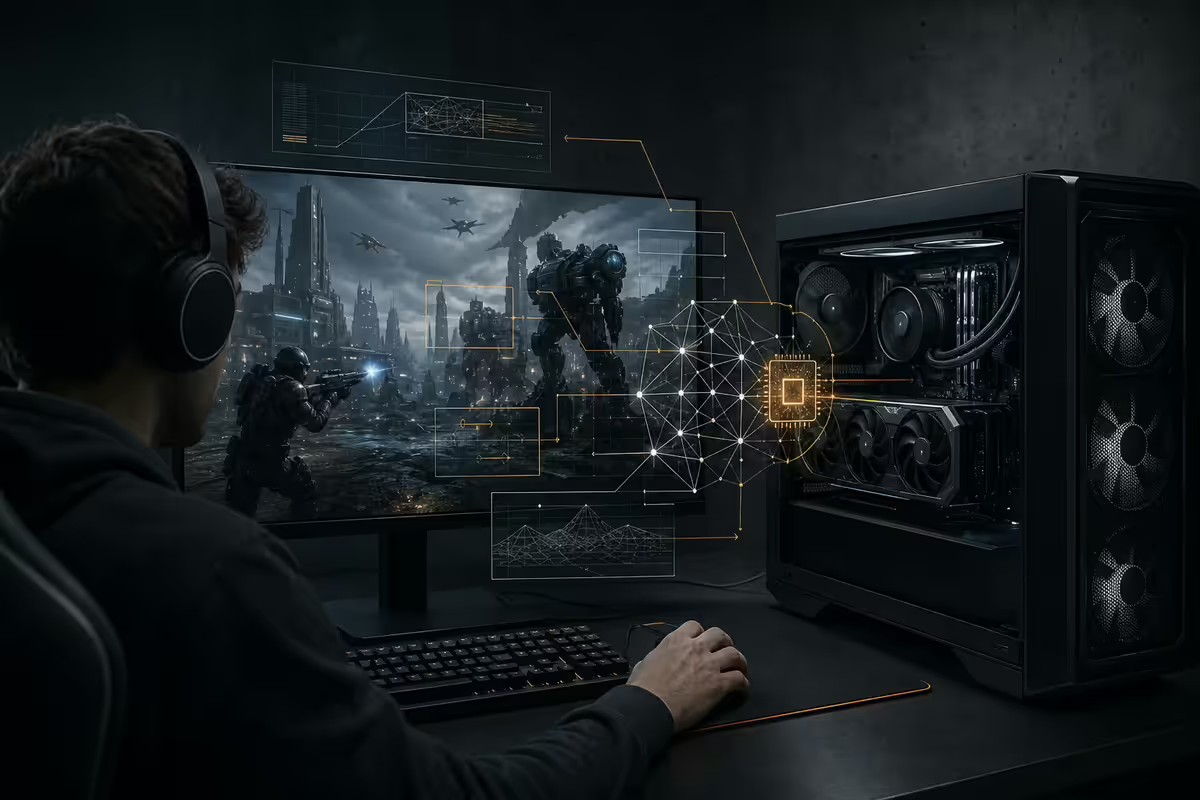
DLSS 4, FSR 4 and XeSS 2 — frame-gen as standard
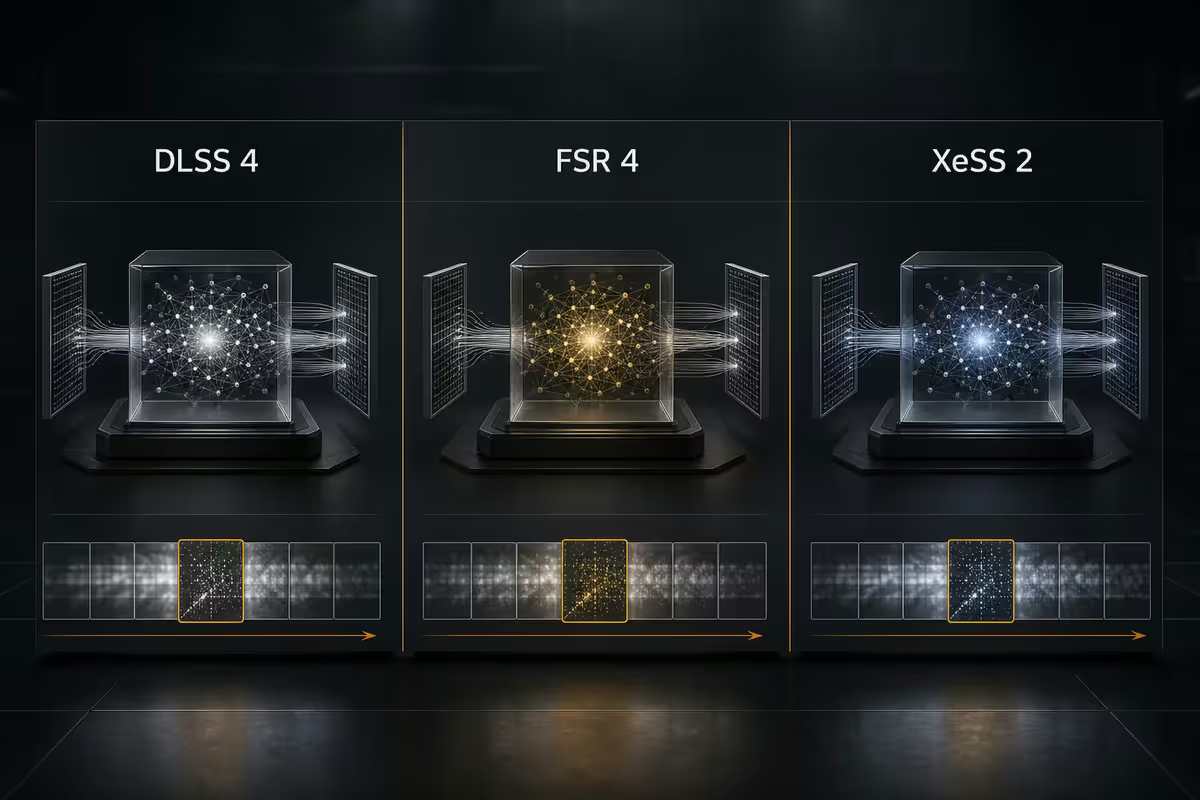
AI upscaling started as a feature you enabled in graphics options. In 2026, it's the default. Most new triple-A games launch with DLSS 4, FSR 4 and XeSS 2 enabled at the recommended-spec tier — native rendering is now the "Ultra" preset for benchmark screenshots, not the assumed default.
| Tech | Vendor | What it does |
|---|---|---|
| DLSS 4 Super Resolution | NVIDIA RTX | AI upscale 1080p → 4K via transformer model |
| DLSS 4 Multi-Frame Gen | NVIDIA RTX 50 | Generate 1-3 frames between rendered frames |
| FSR 4 (AI) | AMD RDNA 4+ | AI-accelerated upscale + frame-gen, cross-vendor |
| XeSS 2 | Intel Arc | AI upscale + AI frame-gen on Arc B-series and later |
| Microsoft Auto SR | Windows 11/12 | OS-level AI upscale for games without native support |
The practical effect: a GPU that natively renders 70 fps at 1440p can output 180 fps with DLSS 4 multi-frame gen. The visual cost is usually invisible above 1440p — input latency increases by 8-15 ms with frame-gen, which competitive players notice but most enthusiasts don't.
AI NPCs — when they need more hardware
NVIDIA ACE and Inworld drove the first wave of AI-powered NPCs in 2024-2025. By 2026, AI NPCs ship in Starfield 2, Cyberpunk: Phantom Liberty 2, Stalker 2 Ascension and a growing list of RPG titles.
Two implementation modes matter for builders:
- On-device. A small language model (1-3B parameters) runs locally for character dialogue. Needs ~3-5 GB VRAM and ~8-12% sustained GPU utilisation while NPCs are active. Works offline.
- Cloud-streamed. Larger models (7-70B parameters) run on the publisher's servers. NPC dialogue quality is higher but needs a stable 25-50 Mbps internet connection and adds 50-150 ms response latency.
Recommended spec for games with AI NPCs enabled is shifting up — typically RTX 4070 or RX 9070 minimum for on-device mode at 1440p. If you're on RTX 4060 or RX 7600, you can play these games but you'll be picking between AI NPCs and frame-gen, not both at high settings.
AI mod generation — enthusiast hobby, not default
Tools like NVIDIA RTX Remix and AI texture upscalers let players regenerate textures, swap voice lines or modify game assets via on-device AI. RTX Remix specifically targets older DirectX 9 games — Skyrim, Half-Life 2, GTA San Andreas — and rebuilds them with ray tracing and AI-upscaled assets.
The 2026 reality: AI mod generation runs offline, takes 2-30 minutes per asset on consumer hardware, and needs roughly 12-16 GB VRAM for stable diffusion XL-class image generation. AI voice cloning needs another 4-8 GB VRAM for the local model.
Most players don't do this. The audience is enthusiasts who already mod heavily — Bethesda RPG fans, retro-FPS revival communities. If you're not in that audience already, AI mod generation doesn't change your build requirements.
NPU vs GPU — which AI hardware matters
NPU (Neural Processing Unit) is a dedicated AI accelerator block on modern CPUs — Intel Core Ultra 200V (Lunar Lake), AMD Ryzen AI Max+ and Snapdragon X. For desktop gaming in 2026, NPUs are largely irrelevant: the GPU handles game AI via tensor / matrix cores, and the NPU is too small (40-50 TOPS) for game-scale workloads.
Where NPUs matter:
- Gaming laptops — NPU offloads background AI (system upscaling, voice noise cancellation, recording transcription) from the GPU, freeing GPU TOPS for game rendering. Notable battery-life improvements.
- Streaming / content creation — Auto-frame-and-zoom, background blur, AI voice cleanup, all run on NPU during gameplay without taxing the GPU.
- AI-assisted Windows features — Copilot+, Windows Studio Effects and similar OS-level AI use the NPU exclusively on supported CPUs.
For a desktop gaming build: don't pay a premium for NPU. Ryzen 5 9600X (no NPU) and Core Ultra 5 245K (small NPU, idle during gaming) deliver identical gaming performance to NPU-heavy CPUs.
How AI shifts your build budget
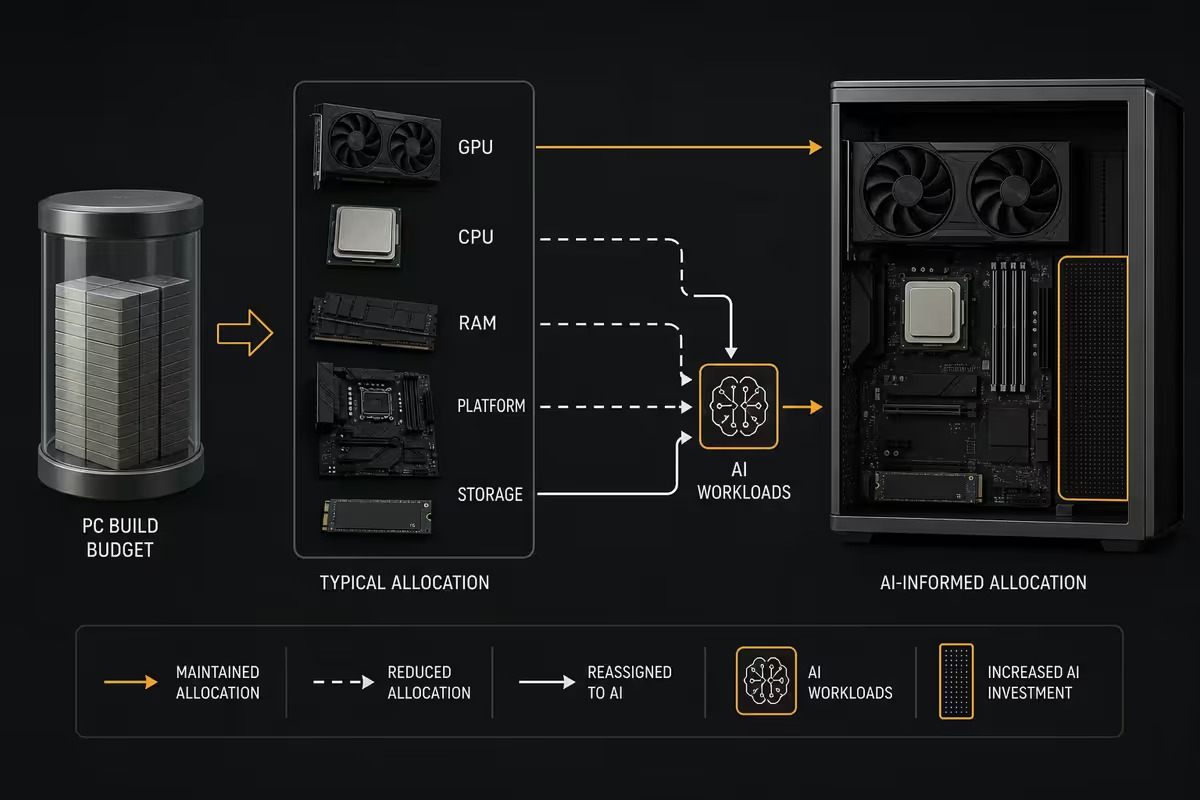
Three concrete shifts compared to a pre-AI gaming build:
1. VRAM matters more than ever. AI upscaling models, frame-gen buffers and on-device NPCs all consume VRAM. The 8 GB GPUs that were fine in 2022 now ship at low-tier; 12 GB is the 1440p baseline; 16 GB is recommended for 4K AI gaming.
2. The mid-range GPU is more capable than it should be. An RTX 5070 with DLSS 4 multi-frame gen feeds a 1440p 240Hz panel at high settings — that was flagship-tier output in 2023. The price-to-performance value sits squarely in the R12k-R18k GPU bracket.
3. CPU requirements have plateaued. Even modern AAA games rarely max more than 8 CPU cores. Ryzen 5 9600X (6 cores) handles 99% of gaming workloads with headroom. Stepping up to Ryzen 7 9700X or Core Ultra 7 265K helps only if you're streaming or doing serious productivity alongside gaming.
| Component | Pre-AI (2022) priority | AI gaming (2026) priority |
|---|---|---|
| GPU (raw raster) | High | Medium |
| GPU (VRAM tier) | Low | Very high |
| GPU (AI / tensor cores) | Low | High |
| CPU (cores) | Medium | Low |
| RAM capacity | Medium (16 GB) | High (32 GB) |
| NVMe (Gen 4 NVMe scratch) | Medium | High (DirectStorage) |
| Internet (for cloud features) | Low | Medium |
SA build tiers for 2026 AI gaming
| Tier | Build | SA total |
|---|---|---|
| Entry AI 1080p | R5 9600X · RTX 5060 8GB · 32GB DDR5 · 1TB Gen 4 | R22k-R26k |
| Sweet spot AI 1440p | R5 9600X · RTX 5070 12GB · 32GB DDR5 · 1TB Gen 4 | R32k-R38k |
| Premium AI 1440p | R7 9700X · RTX 5070 Ti 16GB · 32GB DDR5 · 2TB Gen 4 | R42k-R48k |
| AI 4K gaming | R7 9700X · RTX 5080 16GB · 32GB DDR5 · 2TB Gen 4 | R55k-R65k |
| Top-tier AI 4K + creator | R9 9950X · RTX 5090 32GB · 64GB DDR5 · 4TB Gen 5 | R95k-R120k |
| AMD alt (1440p) | R5 9600X · RX 9070 16GB · 32GB DDR5 · 1TB Gen 4 | R30k-R36k |
| AMD alt (4K) | R7 9700X · RX 9070 XT 16GB · 32GB DDR5 · 2TB Gen 4 | R45k-R52k |
Common 2026 AI-gaming build mistakes
Buying an 8 GB VRAM GPU in 2026. The new VRAM floor is 12 GB. RTX 5060 8 GB is fine for 1080p, but anyone targeting 1440p with AI features should jump to RTX 5070 12 GB or wait for the 16 GB variant.
Over-spending on the CPU. Ryzen 5 9600X or Core Ultra 5 245K handles gaming; the R3k-R6k saved by not jumping to Ryzen 9 / Core Ultra 9 goes much further on more VRAM or faster storage.
Skimping on RAM. 32 GB DDR5-6000 is the 2026 baseline. AI features, browser tabs, Discord, streaming overlays — modern gaming uses more RAM than a pre-AI build.
Frame-gen for competitive shooters. The 8-15 ms input latency tax matters in CS2 / Valorant / Apex. DLSS Quality without frame-gen is the competitive setting.
Assuming AI is a fad and ignoring it. AI features are now baked into every major engine (Unreal 5.5+, Unity 6.1+, Snowdrop, REDengine, Frostbite). Building for "no AI gaming" in 2026 means giving up free performance.
Key takeaways
- GPU still rules — AI upscaling reduces native render burden but the GPU does the AI work too.
- 12 GB VRAM is the new 1440p AI gaming floor — 16 GB recommended for 4K.
- CPU plateau — Ryzen 5 9600X / Core Ultra 5 245K is enough for any gaming workload.
- NPUs matter for laptops, not desktops — don't pay extra for desktop NPU.
- SA sweet spot: R5 9600X + RTX 5070 12 GB + 32 GB DDR5-6000, R32k-R38k total.
Frequently asked questions
Does AI mean I need a less powerful GPU now?
No — the GPU still rules. DLSS 4, FSR 4 and XeSS 2 reduce native render burden by upscaling from a lower internal resolution, but the GPU still has to render that lower resolution and handle the AI upscaling itself via the tensor / matrix cores. AI helpers shift the price-to-performance curve, but the GPU is still the largest line item in any 2026 gaming build.What is DLSS 4 and FSR 4 frame-gen actually doing?
Both render the game at a lower internal resolution (typically 67% or 50% of output), then use AI upscaling to reconstruct the full output frame. DLSS 4 adds multi-frame generation — synthesising 1-3 intermediate frames between rendered frames. FSR 4 (now AI-accelerated on RDNA 4 and later) achieves similar with cross-vendor support. End result: a 1440p panel can be fed 100-180 fps from a GPU that natively renders 50-70 fps.Do AI NPCs require a more powerful PC?
Yes, slightly. NVIDIA ACE NPCs and Inworld-powered characters run small language models (1-3B parameters) on-device or stream from cloud. On-device adds 3-5 GB VRAM overhead and 8-12% sustained GPU utilisation while NPCs are active. Cloud-streamed NPCs need a stable internet connection (SA fibre 25-50 Mbps minimum). Games are now starting to ship with 'AI NPC tier' as a recommended-spec line — typically RTX 4070 or RX 9070 minimum.Will AI mod generation become standard?
Slowly. Tools like NVIDIA RTX Remix and AI texture upscalers let players regenerate textures, swap voice lines or modify game assets via AI on-device. The 2026 reality: mod generation runs offline, takes 2-30 minutes per asset on consumer hardware, and needs roughly 12-16 GB VRAM for stable diffusion XL-class image generation. It's an enthusiast hobby, not a default workflow yet.What is an NPU and does my gaming PC need one?
NPU (Neural Processing Unit) is a dedicated AI accelerator on modern CPUs — Intel Core Ultra 200V, AMD Ryzen AI Max+ and Snapdragon X. For desktop gaming in 2026, NPUs are largely irrelevant: the GPU handles game AI workloads via tensor / AI cores. NPUs matter for laptop gaming where they offload simple AI tasks from the GPU, extending battery life. Don't pay a premium for NPU on a desktop gaming CPU — the value is in laptops.How do AI features change my PC build budget?
Three shifts: First, VRAM matters more than ever — 12 GB is the new minimum for 1440p with AI features enabled, 16 GB recommended. Second, the mid-range GPU (RTX 5070, RX 9070) becomes more capable thanks to AI upscaling, narrowing the gap to flagship cards. Third, CPU requirements have plateaued — Ryzen 5 9600X / Core Ultra 5 245K handles 99% of gaming workloads. Result: spend more on GPU VRAM tier, less on CPU and motherboard.Does on-device AI replace cloud gaming AI features?
For most features — yes, in 2026. NVIDIA ACE, AMD's AI companion features and Microsoft's Auto SR all run on-device. Cloud-only AI features (large NPCs running 70B+ language models) require monthly subscriptions and stable internet. In SA, on-device AI is the more reliable bet given fibre variability and load shedding — 2026 fibre uptime averages 96-98% but data caps and outages still affect cloud streaming features.What's the minimum 2026 build to enjoy AI gaming features?
Ryzen 5 9600X or Core Ultra 5 245K, 32 GB DDR5-6000, RTX 5070 12 GB or RX 9070 16 GB, 1 TB NVMe Gen 4. SA build cost roughly R32k-R38k. This handles DLSS 4 / FSR 4 frame-gen at 1440p, on-device AI NPCs and AI texture upscaling. Step up to RTX 5070 Ti or RX 9070 XT (R42k-R48k build) for 4K AI gaming.