Free Software · Gamer's Kit
Best free software every PC gamer should have
You spent R30,000 on hardware. The thing that turns it from a beige box into a proper gaming machine is the software you install on day one — and almost all of it is free.
- total cost
- R0
- shortlisted
- 18 apps
- must-haves
- 6
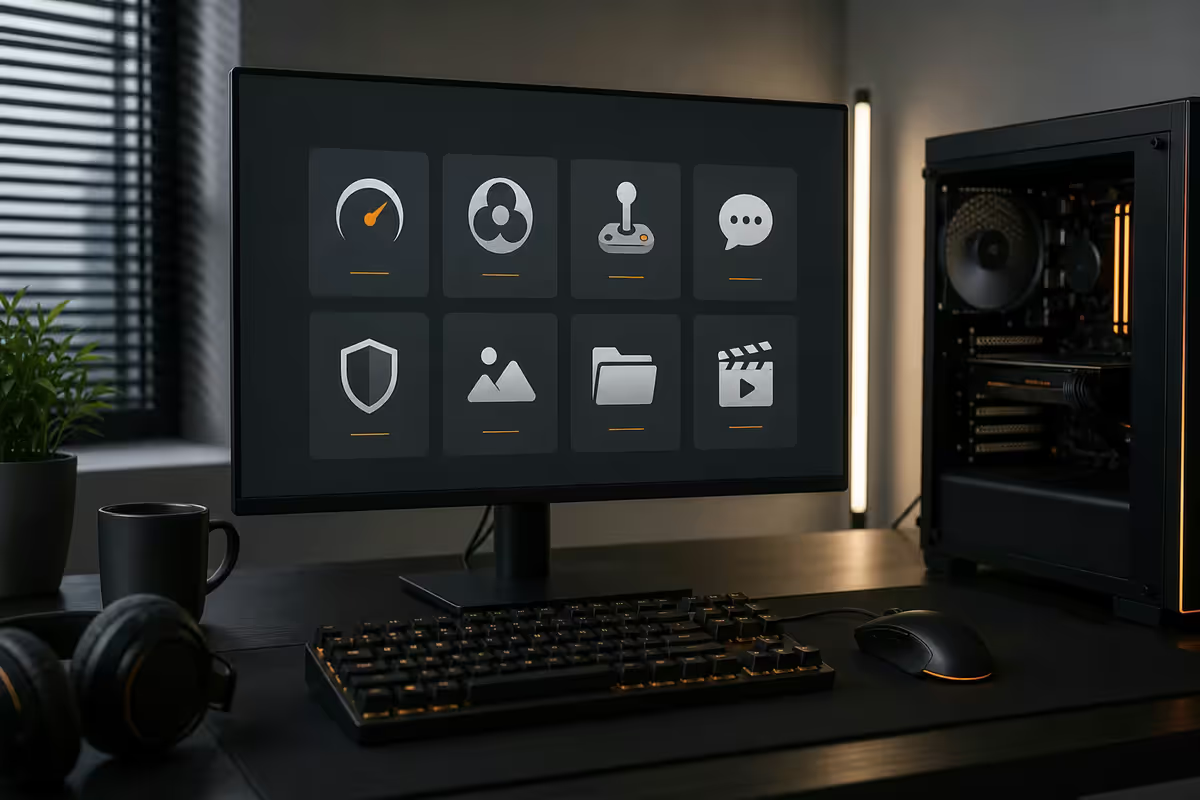
Monitoring & diagnostics — see what your PC is actually doing
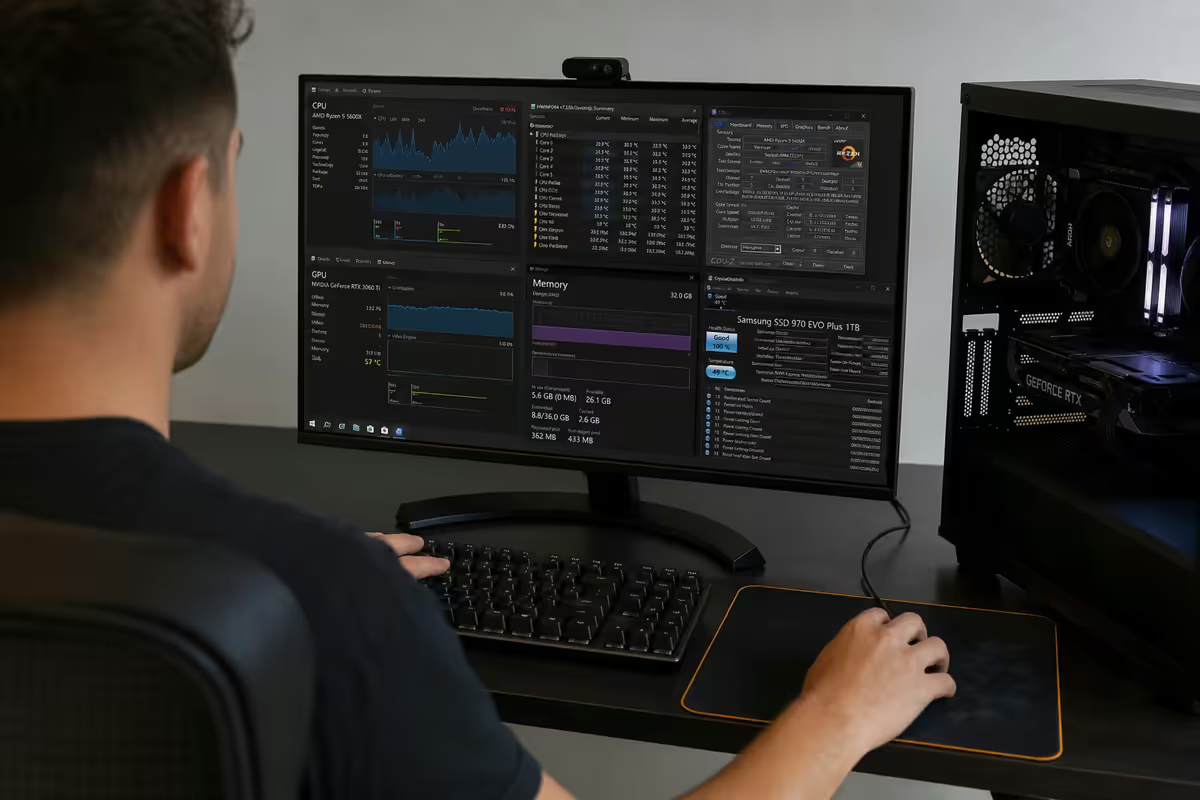
The single biggest jump from "I own a gaming PC" to "I understand my gaming PC" is installing a monitoring tool. The moment you can see your CPU temperatures, GPU power draw, RAM speeds and frame-time consistency, every other tuning decision gets easier. There are five free tools worth knowing about, and the first one does about 80% of the job.
HWiNFO64 (hwinfo.com) is the most respected hardware monitor in the PC space. Every credible reviewer uses it, every workshop technician trusts its numbers, and it reads more sensors than the rest of the field combined. Run it in Sensors-only mode, set it to log a CSV during a 30-minute gaming session, and you'll see exactly when your CPU hit thermal limits or your GPU dropped clocks because the power limit kicked in. Free for personal use.
MSI Afterburner is the GPU overclocking and fan-curve standard. Despite the name, it works on every NVIDIA and AMD card regardless of brand — ASUS Strix, Gigabyte Aorus, Sapphire Nitro, Zotac Trinity, all of them. The other reason it's essential is that it bundles Rivatuner Statistics Server (RTSS) — the on-screen overlay that displays FPS, frametimes, GPU temp, CPU usage and VRAM consumption in the corner of every game you play. Set it up once and you'll never wonder "is this game running well?" again.
| Tool | What it's for | When to reach for it |
|---|---|---|
| HWiNFO64 | Deep sensor reading & CSV logging | Troubleshooting, benchmarking, post-game analysis |
| MSI Afterburner | Fan curves, undervolting, RTSS overlay | Always-on. In-game FPS and temps overlay |
| CapFrameX | Frame-time benchmarking & comparisons | Comparing a setting change before and after |
| GPU-Z | Quick GPU spec sheet, BIOS info | Verifying a card matches its advertised spec |
| CPU-Z | Quick CPU/RAM spec sheet | Confirming RAM is running at rated XMP/EXPO speed |
CapFrameX is the modern frame-time benchmarking tool that replaced the old MSI Afterburner benchmark feature. Run a session, change a graphics setting, run another session, and CapFrameX shows you whether the 1% lows actually improved or whether you just shifted the average around. GPU-Z and CPU-Z are the two-second spec readouts you reach for when you want to confirm a card or chip matches what was advertised — they're tiny, free and have been around forever.
Launchers & libraries — one client too many is the default
PC gaming in 2026 is fragmented across roughly seven launchers, and there's no way to avoid all of them — every publisher wants their own storefront. The trick is knowing which ones are worth installing and which ones can be consolidated.
Steam (steampowered.com) is the non-negotiable. Largest catalogue, best sale calendar, cloud saves that actually work, community workshop, family sharing, controller support that handles every gamepad on Earth, and a Linux/Steam Deck ecosystem if you ever venture that way. It's also the launcher you'll spend the most time in, so set it as the default.
Battle.net for World of Warcraft, Diablo, Overwatch and Call of Duty. EA App (formerly Origin) for FIFA, Battlefield, Need for Speed and the EA Play subscription. Ubisoft Connect for Assassin's Creed, Far Cry and the Ubisoft+ subscription. Epic Games Store for the weekly free game (which is the only reason most people keep it installed) plus Fortnite and the occasional exclusive.
The two that genuinely matter beyond Steam are GOG Galaxy and the open-source Heroic Games Launcher. GOG Galaxy is the DRM-free storefront — the place to buy Witcher 3, Cyberpunk 2077, classic Bethesda games and the entire CD Projekt catalogue without any always-online check. Heroic Launcher (heroicgameslauncher.com) is the open-source client that consolidates Epic, GOG and Amazon Prime Gaming into a single window — it runs on Windows, Mac and Linux, and is the cleanest way to manage all three without three separate background processes.
| Launcher | Catalogue strength | Cloud saves | Controller |
|---|---|---|---|
| Steam | Massive — almost everything | Excellent | Best in class |
| Epic Games Store | Fortnite + free weekly + exclusives | Mixed | Basic |
| Battle.net | Blizzard + Activision titles | Built into Blizzard games | Game-dependent |
| GOG Galaxy | DRM-free classics & CDPR | Per-game | Game-dependent |
| Heroic Launcher | Epic + GOG + Prime in one client | Inherits source | Inherits source |
| EA App | EA Sports & Battlefield | Per-game | Game-dependent |
| Ubisoft Connect | Ubisoft catalogue + Ubisoft+ | Excellent | Game-dependent |
Comms — Discord is the only answer
Discord (discord.com) has functionally replaced TeamSpeak, Mumble and every other gaming voice client. It's free, the voice quality is excellent, screen sharing works, the mobile app keeps you in touch with your party while you're away from your PC, and almost every game community has an active server you can join.
A few setup notes that save you grief later: turn off Krisp noise suppression if you have an above-average mic — it muffles voice quality. Set Input Sensitivity manually rather than automatic so background noise doesn't open your mic mid-game. Use push-to-talk with a side mouse button if you live in a noisy household. And in Settings > Game Activity, choose which games show up as your status — the default of "everything" reveals more than you might want.
Maintenance & cleanup — keep the machine honest
A gaming PC doesn't need much maintenance, but three free apps will save you the cost of a callout to a workshop. None of them run in the background. You install them, use them when needed, and forget they exist until the next time.
Display Driver Uninstaller (DDU) from Wagnardsoft (wagnardsoft.com) is the cleanest way to remove GPU drivers. Use it when you're switching between NVIDIA and AMD, when you're troubleshooting persistent driver crashes, or when you've upgraded to a new card and want a fresh slate. Boot into Safe Mode, run DDU, choose your GPU brand, click Clean and Restart, then install the latest driver on a clean Windows install. It's the one tool every workshop tech reaches for first.
CrystalDiskInfo (crystalmark.info) reads SMART data from every drive in your system and tells you whether they're healthy, cautioned or failing. Run it once a month. If the status drops from Good to Caution, that drive is dying and you need to back it up before it goes. This is the cheapest insurance in computing — five minutes of attention beats losing a 2 TB Steam library because the drive failed silently.
BleachBit (bleachbit.org) is the open-source replacement for CCleaner. CCleaner had a malware incident in 2017, was bought by Avast, and has since shipped with bundled software, telemetry and aggressive upsells — we don't install it on customer builds anymore. BleachBit does the same disk-cleanup job with no nags, no telemetry and no bundled extras. It's a once-a-month tool, not a daily one.
Media & utilities — the small apps that pay rent
A handful of utilities that aren't strictly gaming but live on every PC we ship from Centurion. None of them costs anything, none of them is fancy, and every one of them earns its place.
7-Zip (7-zip.org) is the only archive tool you need — handles ZIP, RAR, 7z, TAR and every other format you'll encounter, ships with no upsells, and works as a right-click context menu. The Windows built-in archiver still struggles with large RAR files; 7-Zip doesn't.
VLC Media Player (videolan.org) is the universal video player. It plays whatever you throw at it — MKV with weird subtitle tracks, obscure codecs, half-corrupted captures, streams from a URL. Set it as your default for video files and stop worrying about format support.
Windhawk (windhawk.net) is the modern tweaker for Windows 11 — small mods that fix Microsoft's worse decisions. Restore the Windows 10 taskbar context menu, move the Start button back to the left corner, hide the search bar, restore classic File Explorer behaviour. Each mod is open source and toggleable. Quick Look for Windows (Microsoft Store, free) gives you Mac-style spacebar-to-preview for any file — preview an image, a PDF, a video, a Markdown file without opening an app. And Tablacus Explorer is the lightweight tabbed file manager that Windows still doesn't ship properly. Replace File Explorer for power-user workflows; keep File Explorer for everything else.
Capture & streaming — OBS and the underrated Game Bar
OBS Studio (obsproject.com) is what nearly every Twitch and YouTube streamer uses. It's free, open source, handles streaming and recording, supports scenes and transitions, has a virtual camera mode for Discord and Zoom, and uses NVIDIA NVENC or AMD AMF hardware encoding so it costs you almost no performance in-game. Paid streaming apps you've heard of are usually OBS forks with a friendlier UI — and the friendlier UI is generally not worth the money.
OBS has a learning curve. Plan for an evening to set up scenes (Gameplay, Just Chatting, BRB), wire up your webcam, configure your microphone properly, and set the right bitrate for your upload speed. Twitch's recommended ceiling is 6,000 kbps for 1080p60; pushing higher tends to make your stream less stable, not more.
The honest counter-position: the Windows Game Bar is genuinely good now. Press Win+G in any game and the built-in capture handles 1080p60 or 1440p60 recording with surprisingly small files. The 2024-era "record the last 30 seconds" feature is brilliant for save-the-clip moments — a perfect snipe, a funny mishap, a rare boss kill — without any setup. Use Game Bar for highlight clips; use OBS Studio when you need scenes, overlays, multi-source streaming or longer recordings.
Handhelds & the loadshedding-survival pick
Two final picks that sit outside the main kit but earn their place. The first is for the handheld crowd: SteamOS beta for handhelds (steampowered.com/steamos) — Valve's Linux-based gaming OS, originally for Steam Deck, now runs on most x86 handhelds including the ROG Ally, Lenovo Legion Go and MSI Claw. It's faster than Windows for handheld gaming, better at sleep/resume, and the Steam-first UI is built for a thumb-driven device. It's a separate-install operating system rather than a download-and-run app, but it's free.
The second is the most underrated app in the whole list: CrystalDiskInfo, again. The loadshedding-survival pick. SA gaming PCs take more drive damage than most because rolling power cuts hammer SSD and HDD firmware in ways the manufacturer never tested for. A monthly CrystalDiskInfo glance catches a failing drive a week before it dies — long enough to back up the Steam library, the saves and the documents. That five minutes of attention has saved more customer data than every cloud backup service combined.
A few honourable mentions we install case-by-case: RAM-Z for memory profile inspection, JoyToKey for binding controllers to non-controller games, HWMonitor as a lighter alternative to HWiNFO64, NVCleanstall for stripped-down NVIDIA driver installs (no GeForce Experience, no telemetry), and ProcessLasso for advanced CPU priority management if you do anything CPU-heavy outside games.
Key takeaways
- Install HWiNFO64 and MSI Afterburner + RTSS day one. You can't tune what you can't measure.
- Steam + Discord + Heroic Launcher covers 90% of PC gaming with three taskbar icons.
- DDU is the only correct way to swap GPU drivers. Use it in Safe Mode, not from desktop.
- Run CrystalDiskInfo monthly. Catching a failing drive a week early is cheaper than any backup service.
- OBS Studio for serious capture, Windows Game Bar for highlight clips. Both are free; both are good.
Frequently asked questions
What's the single most important free app for a PC gamer?
HWiNFO64. It's the most accurate hardware monitor available, free for personal use, and tells you within ten minutes of running it whether your CPU is thermal-throttling, your GPU is power-limited or your RAM is running below rated speed.Is MSI Afterburner safe to use on a non-MSI GPU?
Yes. Despite the name, Afterburner works on every NVIDIA and AMD GPU regardless of brand. It's the de-facto standard for fan curves, undervolting and the RTSS in-game overlay.Why do I need DDU if Windows already uninstalls drivers?
DDU wipes every trace of GPU drivers — registry entries, leftover services, cached files — that the Windows uninstaller leaves behind. Essential when switching GPU brands or troubleshooting persistent driver crashes. Run in Safe Mode.Steam, Epic, Battle.net, GOG — do I really need all of them?
Steam is non-negotiable. Heroic Launcher consolidates Epic, GOG and Amazon Prime Gaming into one open-source client. Publisher-specific launchers install themselves only when a specific game requires them.Is OBS Studio actually as good as paid streaming software?
Better, in most cases. Nearly every Twitch and YouTube streamer uses OBS. Paid alternatives are usually OBS forks with a friendlier UI — and the friendlier UI generally isn't worth the money.Is the Windows Game Bar capture good enough?
For highlight clips, yes. Win+G captures 1080p60 or 1440p60 with small file sizes, and the "record the last 30 seconds" feature is brilliant for save-the-clip moments. Use OBS Studio for streaming and longer recordings.Is CCleaner still safe to use?
We don't install it on customer builds anymore. BleachBit is the open-source replacement — same disk-cleanup job, no telemetry, no nags, no bundled extras.Will any of this slow my PC down?
No. The full kit running idles around 600-800 MB of RAM. None of the monitoring apps consume measurable CPU or GPU time in-game; RTSS overlay adds a fraction of a percent.