Welcome · First-PC Guide
Your first gaming PC. — Day one to year one, honestly.
The internet is full of advice for people who already know what they don't know. This guide is the opposite — written for the unboxing-day beginner who's just bought (or is about to buy) their first proper gaming machine.
- first PC route
- Prebuilt
- core peripherals
- 5 things
- upgrade plan
- Year 1
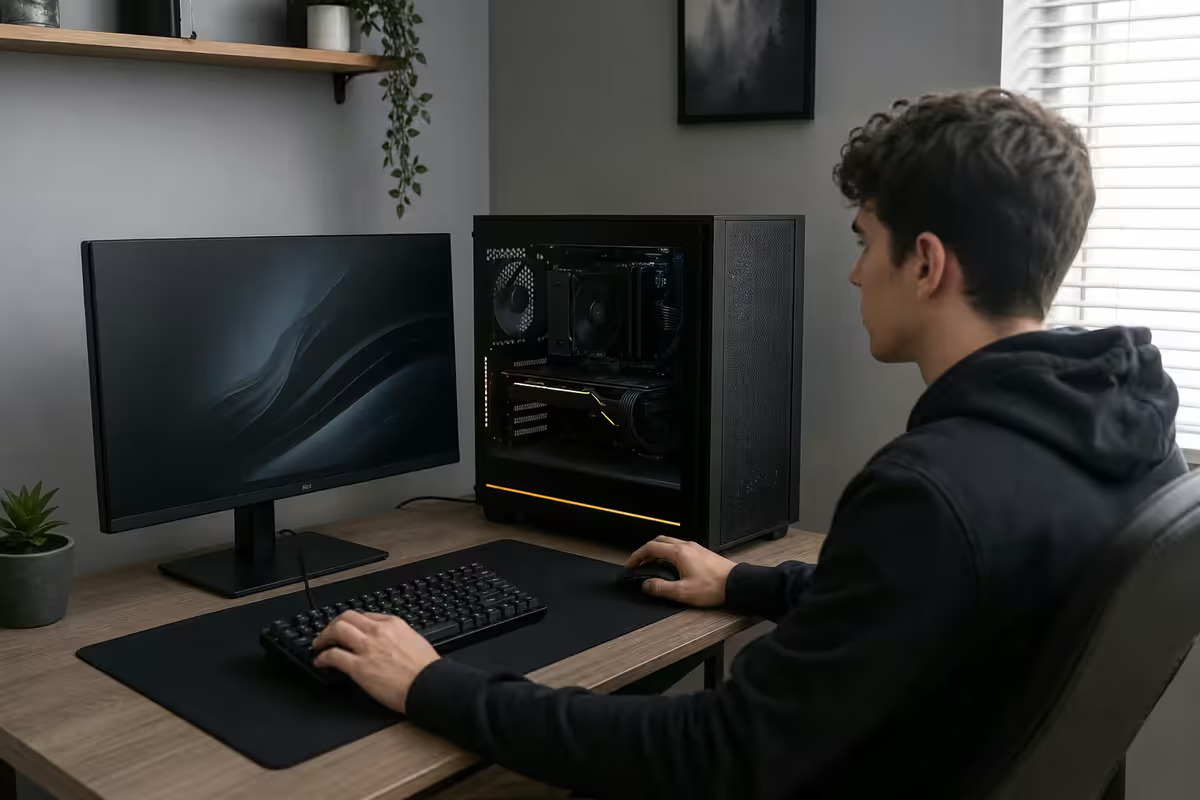
Prebuilt vs build-yourself — the honest first-time answer
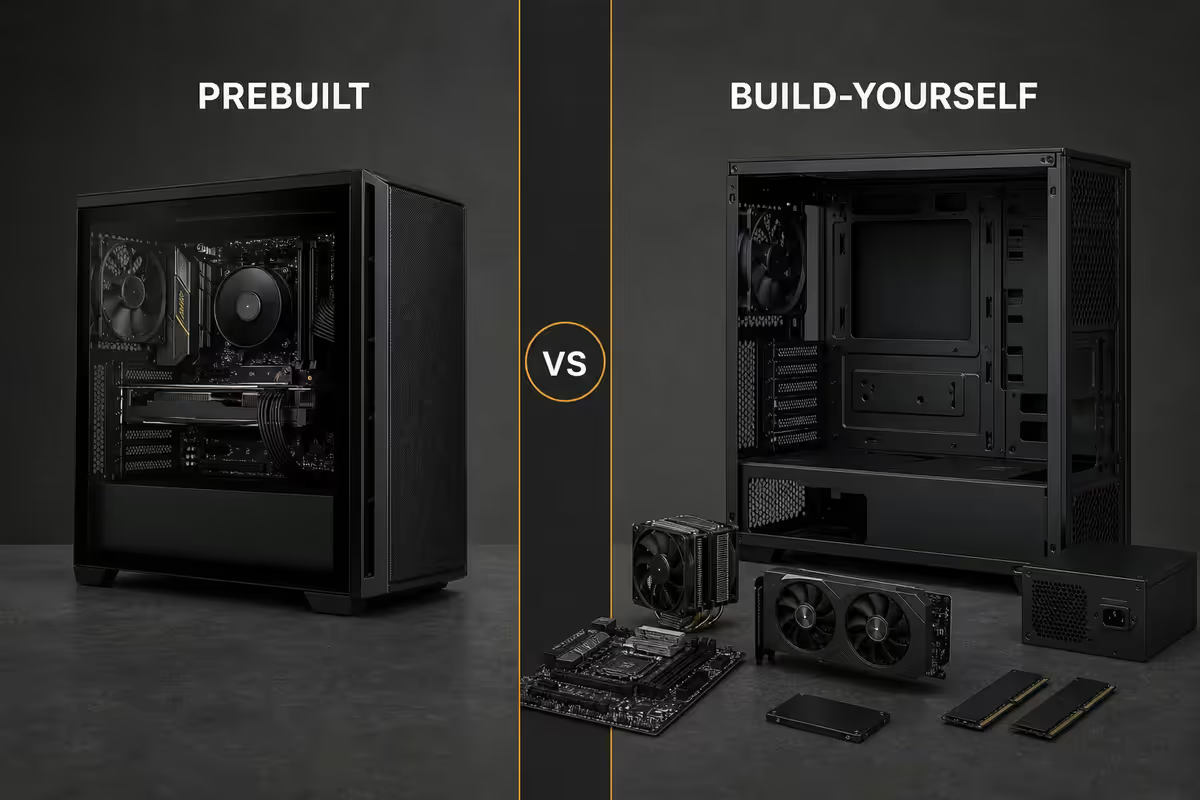
The internet's loudest voice on this question is "always build yourself, you'll save money and learn so much". That's true if you're on your second or third PC. For your first, it's mostly wrong.
The real cost saving from building yourself is R1,500-R3,500 on a typical R20,000-R30,000 build. Not nothing — but compare it to the risk you're carrying: bent CPU socket pins (a R2,500-R6,500 repair), an incorrectly-mounted cooler (CPU damaged from overheating), a power supply plugged into the wrong header (motherboard fried), or a mishandled GPU (cracked PCB). Any one of those mistakes wipes out the saving and then some.
More important than money: when something goes wrong on a prebuilt, one company answers the phone. The whole machine is under one warranty. If you built it yourself and something fails, you're triaging between motherboard, RAM, CPU and PSU warranties separately, often shipping to different suppliers, and waiting weeks while you have no working PC.
Build yourself when: you've owned a gaming PC for a year, you've upgraded a component or two, you know the difference between an air cooler and an AIO, and you're choosing parts because you want specific aesthetic or feature combinations the off-the-shelf market doesn't offer. That's a great moment for your second PC.
Buy prebuilt when: this is your first gaming PC, you want to play games today not next weekend, you want the entire machine covered under one warranty, and you don't have a parts collection from a previous build to start from.
Peripheral basics — the five that matter
A R30,000 gaming PC plugged into a R600 office mouse, a junk keyboard and a sub-R2,000 office chair is a R30,000 frustration. Peripherals aren't accessories — they're the parts you actually touch all day.
Mouse
A decent gaming mouse runs R400-R1,500. Look for: a sensor of 12,000 DPI or higher (most modern gaming mice are 18,000+), at least 5 programmable buttons, a comfortable grip for your hand size, and a polling rate of 1,000 Hz or higher. Recommended starters: Logitech G203 (R500), Razer Cobra (R800), SteelSeries Aerox 3 (R1,200), or the slightly higher-end Logitech G502 X (R1,800) if you want serious DPI tuning.
Keyboard
Membrane keyboards work fine but mechanical keyboards last longer and feel better. Entry mechanical keyboards start around R900 from brands like Redragon and Aukey; mid-tier sits at R1,500-R2,500 (Logitech G413, Corsair K55, Razer Cynosa); flagship runs R3,000-R6,500. Don't worry about switch type — try a few in store. Brown switches are a safe all-rounder (tactile bump, moderate sound). Red switches are linear and quiet, good for fast-paced gaming. Blue switches are loud and clicky — fun but flatmate-hostile.
Monitor
If you can't afford 144 Hz, you can't afford gaming. A 144 Hz refresh rate is the floor for proper gaming smoothness. Entry 144 Hz 1080p monitors start around R3,500 in SA. Stepping up to 1440p 144-180 Hz puts you in the R6,500-R9,500 range. Resist the urge to go 4K on a first build unless your GPU is RTX 4080 or higher — high refresh 1440p delivers a better experience than 4K 60 Hz on a mid-tier GPU.
Headset
A R600-R2,000 headset is excellent for the first year of gaming. Look for closed-back design (better positional audio for gaming), a flexible mic boom, and either USB or 3.5mm connection. Skip wireless on a first headset — wired is cheaper, lighter, lower latency, and you never deal with battery anxiety. Recommended starters: HyperX Cloud II (R1,500), Logitech G432 (R900), SteelSeries Arctis Nova 3 (R1,800), Razer Kraken X (R650).
Chair
The most under-rated peripheral. You'll spend 4-12 hours a day in this chair if gaming becomes your hobby. An office chair from R2,000-R3,500 is fine. A proper gaming chair (Cougar, DXRacer, Secretlab) starts R3,500 and climbs past R12,000. Spend R3,500 minimum on a chair with adjustable lumbar support, real armrests, and a five-point base. Your back will thank you in five years.
Windows setup and first boot
An Evetech prebuilt arrives with Windows 11 pre-installed and activated. On first boot you'll go through the standard Microsoft Out-of-Box Experience: regional settings, keyboard layout, Wi-Fi connection, Microsoft account sign-in (or local account — there's an option), privacy settings, and a couple of optional Office and Xbox prompts you can skip.
Immediately after first boot, install three things in this order:
- GPU drivers. The latest NVIDIA GeForce or AMD Adrenalin software from the GPU maker's website. Even though Windows has basic drivers, the dedicated software is mandatory for proper gaming performance.
- Steam. Download from store.steampowered.com. Sign in or create an account. The Steam client downloads in 2-3 minutes.
- Discord. From discord.com/download. The voice chat platform every gaming friend group uses.
Optional but useful early installs: Epic Games Store (free game weekly), GOG Galaxy (DRM-free game store), Microsoft Store (Xbox Game Pass), Battle.net (Blizzard games), EA App (FIFA, Apex Legends), Ubisoft Connect (Assassin's Creed, Far Cry), Rockstar Launcher (GTA Online).
Windows tweaks worth doing in the first week: Settings → Gaming → Game Mode → ON. Settings → System → Display → set your refresh rate to your monitor's max (often Windows defaults to 60 Hz even on a 144 Hz monitor). NVIDIA Control Panel or AMD Adrenalin → set GPU to "Prefer maximum performance" for gaming. Optional: install ShareX or NVIDIA's overlay for easy screenshot and clip recording.
Steam and the launcher landscape
Steam is the dominant PC gaming platform globally and in SA. You'll buy most of your paid games here. Set up payment in Steam → Account Details → Wallet. SA banks all work fine with Steam — Visa and Mastercard debit / credit, plus newer instant EFT options. Prices on Steam show in rands; the SA store is well-priced relative to the global one.
Steam library tips for beginners: Use the wishlist generously (you'll get email notifications when wishlisted games go on sale, and the major Steam sales — Summer, Autumn, Winter, Spring — discount games 30-90%). Add friends by Steam username; they appear in your friends list and can join you in multiplayer games. Set your profile to "Friends only" if you want privacy.
Other launchers worth installing:
| Launcher | Why install | Notable games |
|---|---|---|
| Epic Games Store | Free game every week | Fortnite, Rocket League, free claims |
| Battle.net | Blizzard exclusive ecosystem | Overwatch, Diablo IV, WoW, Hearthstone |
| EA App | EA Sports + Apex | FIFA / EA FC, Apex Legends, Mass Effect |
| Riot Client | Riot's tactical / MOBA games | Valorant, League of Legends, TFT |
| Ubisoft Connect | Assassin's Creed + Tom Clancy | AC, Far Cry, Rainbow Six Siege |
| Xbox / Game Pass | Subscription library | Halo, Forza, indie variety |
Five free games to install first
Don't drop R800 on a paid game on day one. The free-to-play scene has the strongest social communities and is where you'll find people to play with. Install these five, try each for an hour or two, and see what grips you.
- Fortnite (Epic). Battle royale plus creative mode. Huge SA player base, easy to learn, hard to master, free skins constantly. Great social entry point.
- Valorant (Riot). Tactical 5v5 shooter with abilities. Excellent matchmaking, low system requirements, addictive ranked ladder. Most-played FPS in SA in 2026.
- League of Legends (Riot). The world's biggest MOBA. Steep learning curve but huge community and the most-watched esport. Set aside time to learn the basics.
- Apex Legends (EA). Battle royale shooter with movement mechanics that reward skill expression. Strong SA player base on EU/Middle East servers.
- Counter-Strike 2 (Steam). The genre-defining tactical shooter. Free to play. Steep skill curve but unmatched depth. The competitive cornerstone of PC gaming.
Optional add-ons depending on taste: Rocket League (cars + soccer, surprisingly tactical), Marvel Rivals (hero shooter, accessible and fun), Path of Exile 2 (deep ARPG, free), Genshin Impact (open-world gacha RPG).
Anti-cheat reality — what's actually happening
Modern competitive games install anti-cheat software to detect aimbots, wallhacks and other cheating tools. This is a hot topic because some anti-cheats are kernel-level — they load before Windows boots and have deep system access.
The kernel-level anti-cheats you'll encounter: Valorant's Vanguard, Faceit AC (used in CS pug services), Riot's Tactical Anti-Cheat. These are effective at catching cheaters but require trusting the developer with system-level access. Riot's track record so far has been clean, but the privacy concern is legitimate.
Less invasive (user-mode) anti-cheats: Easy Anti-Cheat (Fortnite, Apex, Rust), BattlEye (PUBG, R6 Siege), VAC (Counter-Strike). These run only while the game is open and have limited system access.
Practical implications:
- Some anti-cheats break overlays (Discord overlay, NVIDIA overlay, MSI Afterburner) — usually fixable by allowlisting in settings.
- Screen recording software (OBS) usually works fine, but some require capture-card-style external capture instead.
- Virtual machines and emulators (LDPlayer, BlueStacks) can trigger false positives — keep them off your main gaming PC.
- Some peripherals trigger warnings (older Razer Synapse, certain RGB software) — keep firmware updated.
- VPN use can flag your account in some games — generally fine for casual play, riskier for ranked.
Online safety basics
PC gaming brings you into contact with strangers in lobbies, voice chats and forums. A few simple habits keep your accounts and finances safe.
Account security: Enable two-factor authentication (2FA) on every gaming account — Steam, Riot, Battle.net, Epic, Discord. Use an authenticator app (Microsoft Authenticator, Google Authenticator) rather than SMS. A compromised Steam account with R10k+ of games is a real and common loss for SA gamers — 2FA prevents almost all of it.
Phishing scams: Anyone offering "free Steam keys", "trade your inventory", "vote for my team", "click this link to claim" is trying to phish your account. Real Steam, Riot or Discord never asks for your password outside the official login page. Real moderators don't DM unsolicited.
Voice chat: Don't reveal your real address, school, workplace or banking details on game voice chat. Use a handle (gamertag) that isn't your real full name. Mute and block aggressive players quickly — the report systems work but slowly.
Personal safety: Toxic voice chat is real and common in competitive games. Don't engage; mute and move on. If you're a younger gamer, parental controls are available on every platform — Steam Family View, Riot Parental Controls, Microsoft Family Safety — and worth setting up.
Finding the SA gaming community
The single biggest unlock from PC gaming isn't the games — it's the community. PC gamers in SA have built a strong, friendly scene over two decades, and there are several entry points.
Discord: The dominant voice and text chat platform. Search "South Africa gaming Discord" on Google for general SA servers. For specific games, the official Discord server is usually the best community — Riot has SA regional servers for Valorant and League, Fortnite has the official Discord, Apex has multiple SA-focused servers.
ACGL (African Cyber Gaming League): The biggest SA gaming league. Runs monthly tournaments and ladders for Valorant, CS2, Apex, Rocket League, FIFA / EA FC, Call of Duty and more. ACGL discord servers (one per game) are genuinely friendly and full of SA gamers looking to play together. Worth joining even if you're not tournament-bound — the casual scene is strong.
Twitch and YouTube streamers: SA streamers (Magnaboy, JLR, Killerfish, NeefoxGames, FashGaming, plenty more) often run friendly Discord communities tied to their channels. Watching SA streams is a low-pressure way to learn games and find people to play with.
In-person events: rAge (annual gaming expo in Joburg), Comic Con Africa (Sandton, broader pop culture but big gaming presence), local LAN events at gaming cafés. Going to one event a year transforms your sense of community.
What to splurge on, what to save on
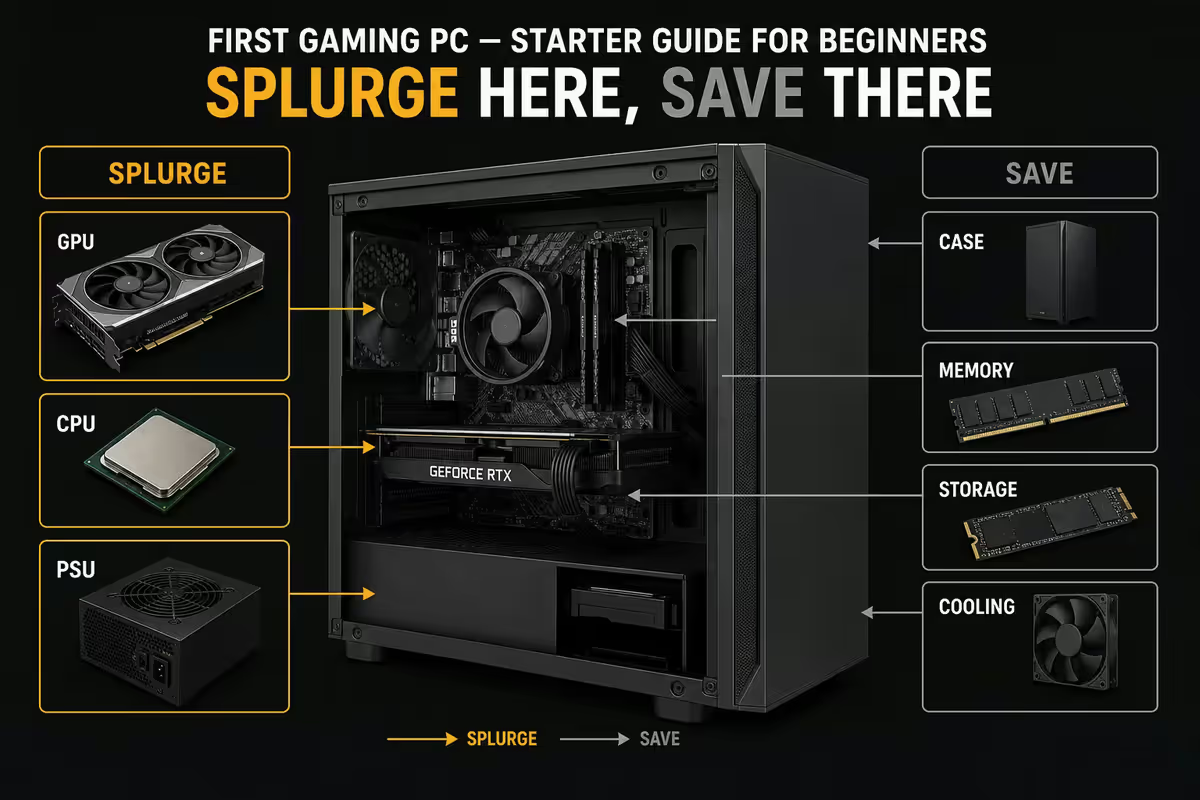
A first-time builder's budget has limits. Knowing where every R1,000 has its biggest impact prevents regret.
| Component | Verdict | Why |
|---|---|---|
| GPU | SPLURGE | The single biggest gaming performance factor. R5,000 more here doubles framerates. |
| Monitor | SPLURGE | It's the thing you stare at every minute. 144 Hz minimum, IPS panel ideal. |
| Chair | SPLURGE | Your spine matters. R5,000 chair lasts 5+ years; R1,500 chair lasts 18 months. |
| CPU | MIDDLE | Mid-tier (Ryzen 5 / Core Ultra 5) is fine. Don't overpay for top SKUs unless workstation tasks. |
| RAM | MIDDLE | 32 GB DDR5-6000 is the modern sweet spot. Don't go cheaper to 16 GB on new build. |
| SSD | MIDDLE | 1 TB NVMe minimum. 2 TB if budget allows. Add 2nd SSD later if needed. |
| Case | SAVE | R900-R1,800 quality airflow case beats R3,000 RGB-loaded show pony for gaming use. |
| RGB lighting | SAVE | Zero performance impact. Skip on a first build, add later if you want. |
| Premium audio (DAC, soundcard) | SAVE | Onboard motherboard audio is fine for the first year. Upgrade once you know what you want. |
| Liquid cooling AIO | SAVE (mostly) | Good air cooler is fine for stock CPUs. AIO only if heavy overclocking or aesthetic priority. |
Across the 200,000+ custom PCs we've shipped from Centurion, the single most common "I wish I'd spent differently" feedback from first-time buyers is the same every year: "I should have bought the better monitor". Customers who go entry GPU + flagship monitor are consistently happier 12 months in than customers who stretched the GPU budget but paired it with a 75 Hz panel. The screen is the experience.
Behind the Build · From our build floor
The sensible year-one upgrade path
One year after buying your first PC you'll have a clearer sense of which components are bottlenecking your specific use. The textbook upgrade order, based on what most first-time buyers actually need:
Months 6-9: more RAM if you started at 16 GB. Going from 16 GB to 32 GB costs R800-R1,500 and meaningfully helps modern games, browser tabs and Discord overlay simultaneously. The single cheapest meaningful upgrade.
Months 9-12: second SSD. Your Steam library will overflow 1 TB faster than you expect. A 2 TB or 4 TB NVMe SSD (Crucial T500, WD SN850X, Samsung 990 Pro) for game storage frees the OS drive and speeds up everything.
Year 1-2: GPU bump. If you started with an RTX 4060 or RX 7600 and you're now playing demanding 1440p, a step up to RTX 4070 Super / RX 7800 XT (or current-gen equivalents) restores headroom. GPUs depreciate fastest of any component — used GPUs from gaming PC upgrades are common in the SA second-hand market.
Year 2: monitor upgrade. By now you know whether you want bigger size, higher refresh, OLED panel, or ultrawide. The choice you make at year 2 is much better-informed than the choice you'd make at month 1.
CPUs rarely come up in year 1. A modern Ryzen 5 / Core Ultra 5 stays competitive for 4-5 years easily. Don't upgrade the CPU until you've genuinely outgrown it — which is usually around year 4-5.
Key takeaways
- For your first PC, buy prebuilt. Build-yourself is a year-two move.
- The five peripherals that matter: mouse, keyboard, 144 Hz monitor, headset, chair. Don't cheap on the chair.
- Day-one Windows: GPU drivers, Steam, Discord. Enable Game Mode and set monitor refresh rate properly.
- Start with five free games: Fortnite, Valorant, League, Apex, CS2. Then commit to what grips you.
- Enable 2FA on every account. Beware "free skin" phishing scams. Don't share personal details in voice chat.
- Join ACGL Discord for SA community. Go to rAge or Comic Con Africa at least once a year.
- Year-one upgrades: more RAM, second SSD, then GPU. CPU stays fast for 4-5 years.
Frequently asked questions
Should I buy a prebuilt or build my own first gaming PC?
Prebuilt for your first. The build-yourself saving is R1,500-R3,500 on a R20k-R30k build — small compared to the risk of bent pins or fried boards. Prebuilt also gives you one warranty and same-day playable hardware.What peripherals do I need for my first gaming PC?
Mouse (R400-R1,500), mechanical or membrane keyboard (R500-R2,500), 144 Hz+ monitor (R3,500-R8,000), headset with mic (R600-R2,000), proper chair (R2,500-R6,000+). Skip cheap "gaming" chairs under R2k.How do I install Windows on my new gaming PC?
Evetech prebuilts ship with Windows 11 already installed and activated. First boot goes through Microsoft setup, then install GPU drivers, Steam, Discord. If you built yourself, use Microsoft's Media Creation Tool to make a Windows installation USB.What free games should I install first?
Fortnite, Valorant, League of Legends, Apex Legends, Counter-Strike 2. Strong SA player base on all five. Try each before committing.What is anti-cheat and which games use it?
Software games install to detect cheating. Kernel-level (Valorant Vanguard, Faceit AC) loads before Windows with deep system access — controversial but effective. User-mode (Easy Anti-Cheat, BattlEye, VAC) has lower access. Occasionally breaks overlays — usually fixable in settings.How do I find SA gaming communities and friends to play with?
Discord is the main hub — search "South African gaming Discord". ACGL (African Cyber Gaming League) runs SA tournaments with per-game Discord servers. SA Twitch streamers have friendly communities. rAge and Comic Con Africa are the big in-person events.What should I splurge on vs save on for my first PC?
Splurge: GPU, monitor, chair. Save: case, RGB, excessive storage, audio gear. CPU and RAM are middle — solid mid-tier is the sweet spot.What's a sensible upgrade path one year after buying?
More RAM (16 → 32 GB), second SSD for game storage (2-4 TB NVMe), then GPU bump if needed. Monitor upgrade in year 2 once you know what you want. CPU rarely needs upgrading in year 1.
Get the Evetech app
Exclusive app-only prices, daily flash sales, and free delivery on orders over R4,000 — download the app and start saving.