PS5 Monitor Buying Guide
Best monitor for PS5. — 4K 120Hz. HDMI 2.1. No compromises.
PS5 owners get burned on monitors twice: panels that advertise 4K but cap at 60Hz, or “120Hz” panels that only hit it at 1440p. The fix is one spec line: HDMI 2.1 at 48Gbps. Here’s what actually delivers in SA.
- target spec
- 4K 120Hz
- non-negotiable
- HDMI 2.1
- smooth & instant
- VRR + ALLM
The specs that actually matter for PS5
The PS5 has a fixed output ceiling and a specific feature set. The monitor you pick either supports all of it or it doesn’t — there’s no halfway. The four specs below are the floor. Anything missing is a hard no.
| Spec | PS5 needs | Why it matters |
|---|---|---|
| Resolution | 3840 × 2160 (4K) | PS5 outputs 1080p or 4K natively. 1440p is upscaled. |
| Refresh rate | 120Hz at 4K | Performance modes in Spider-Man 2, COD, Fortnite target 120fps. |
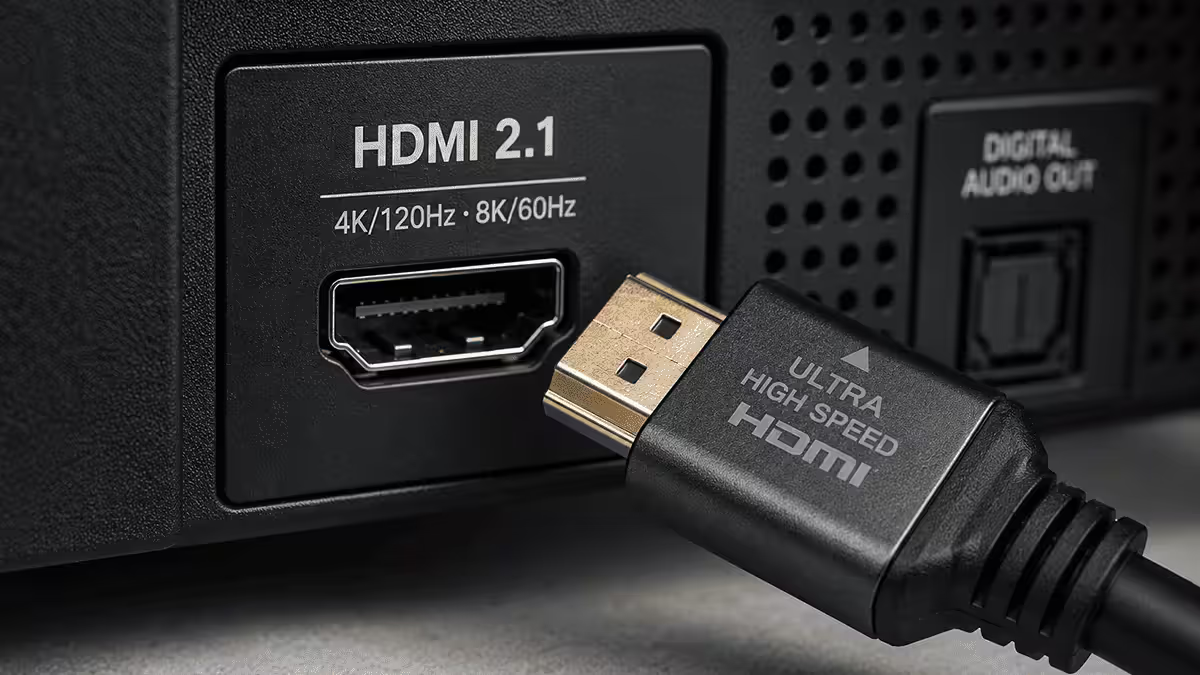
| Port | HDMI 2.1 (48Gbps) | Only way to push 4K 120Hz uncompressed. PS5 has no DisplayPort. |
| VRR + ALLM | Both supported | Smooth frame pacing + auto Game Mode. Free with HDMI 2.1. |
| HDR | HDR10, ideally HDR1000 | HDR400 is barely above SDR. HDR600 entry-level. HDR1000+ is real. |
| Size | 27" or 32" | 27" 4K is razor-sharp at desk distance. 32" suits couch use. |
The trap most buyers fall into: a monitor advertised as “4K 120Hz” that only hits 120Hz over DisplayPort. The PS5 has no DisplayPort — it’s HDMI only. If the spec sheet doesn’t say “HDMI 2.1 (48Gbps)” explicitly, you’ll get stuck at 4K 60Hz on PS5 and never know why.
HDMI 2.1 — why it’s the only spec that matters
HDMI 2.1 at 48Gbps is what unlocks 4K 120Hz, VRR, ALLM and full HDR on PS5. The older HDMI 2.0 standard tops out at 4K 60Hz — fine for most TV use, fatal for next-gen console gaming. Manufacturers know this, which is why some pull marketing tricks like “HDMI 2.1” with reduced bandwidth (24Gbps or 32Gbps), which technically passes the spec name but can’t deliver 4K 120Hz uncompressed.
What to verify on the spec sheet:
- HDMI 2.1 with 48Gbps bandwidth — not “HDMI 2.1 compatible” or “HDMI 2.1 supported.”
- 4K at 120Hz over HDMI — explicitly stated, not just listed for DisplayPort.
- VRR (Variable Refresh Rate) over HDMI — sometimes labelled “HDMI Forum VRR” or “AMD FreeSync Premium over HDMI.”
- ALLM (Auto Low Latency Mode) — auto-switches the monitor to Game Mode when PS5 is detected.
Cheap “HDMI 2.1” panels with chroma subsampling. Some panels advertise 4K 120Hz HDMI 2.1 but only deliver it with 4:2:0 chroma subsampling — which softens text and detail in HDR. The good monitors handle 4K 120Hz with full 4:4:4 chroma. The spec sheet for any monitor on our recommended list does 4:4:4 — others do not.
Setting up your PS5 with a new monitor
Once the monitor arrives, the PS5 needs a few settings flipped to take advantage of it. Out of the box the PS5 detects 4K but doesn’t enable 120Hz or VRR unless you confirm.
Plug into HDMI Port 1. On multi-input monitors, HDMI 1 is usually the full 48Gbps port. Other inputs may be HDMI 2.0 only. Read the panel back-label to confirm.
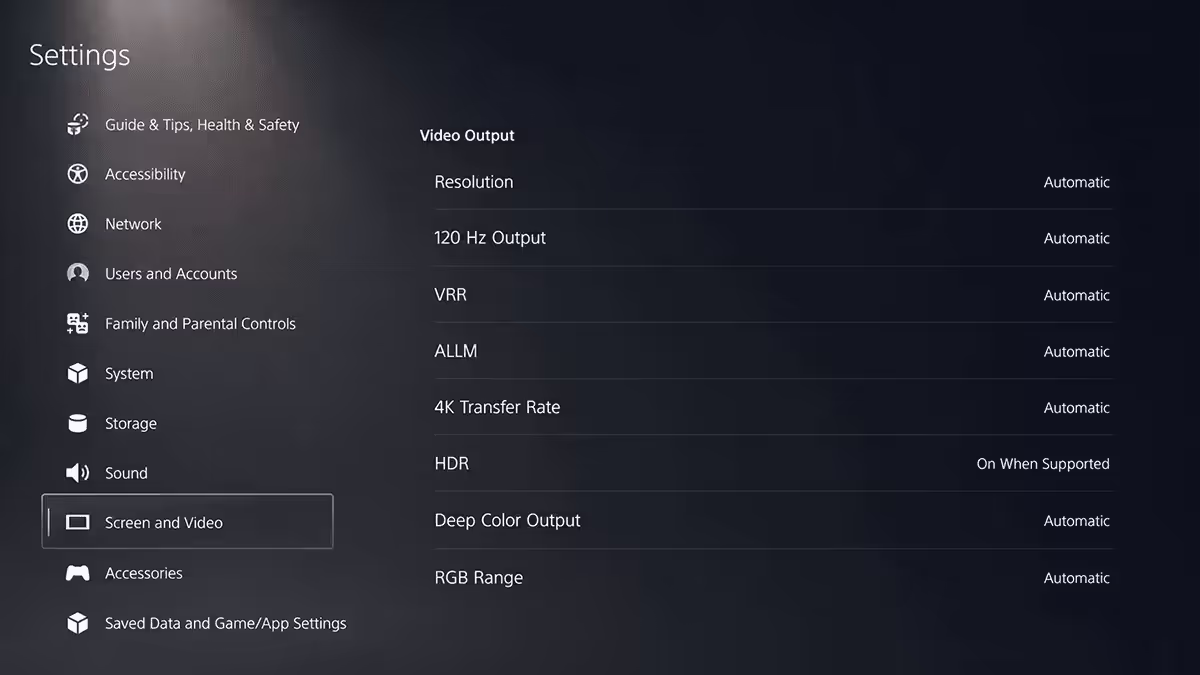
PS5 Settings → Screen and Video → Video Output:
- Resolution: 2160p (4K), let PS5 auto-detect.
- Enable 120Hz Output: Automatic.
- VRR: Automatic.
- 4K Video Transfer Rate: -2 (which is highest bandwidth; PS5 menu uses an odd scale).
- HDR: Always On (if monitor is HDR1000 or OLED). On Automatic for HDR600 panels.
Run the HDR adjustment wizard (Screen and Video → HDR → Adjust). The defaults are wrong for most monitors. Step through the three brightness slider tests with the monitor on its HDR1000 / HDR Game / HGiG preset (depends on panel; see manual). HGiG is the format Sony designed for.
HDR tiers — what’s real and what’s marketing
HDR on monitors is a layered scam. Three numbers tell you most of what you need to know — VESA DisplayHDR ratings define peak brightness in nits and roughly correlate to actual HDR quality.
| HDR rating | Peak brightness | Real-world experience |
|---|---|---|
| HDR400 | 400 nits | Marketing HDR. SDR with extra contrast. Avoid. |
| HDR600 | 600 nits | Entry-level real HDR. Local dimming usually basic. |
| HDR1000 | 1000 nits | Proper HDR. Mini-LED zones or OLED required. |
| HDR True Black 400 | OLED, 400 nits | OLED’s “low” HDR — still excellent thanks to true blacks. |
| HDR True Black 600 | OLED, 600+ nits | QD-OLED at its best — Alienware AW2725Q, Samsung G80SD. |
The HDR400 problem. A monitor labelled “HDR ready” or “HDR400” delivers maybe 400 nits in highlights with no local dimming — barely above the 350-nit SDR baseline. PS5 HDR titles like Horizon Forbidden West or Demon’s Souls fall flat. The 1000-nit specular highlights the developers mastered for never materialise.
HDR1000 is the floor for “actually HDR”. At 1000 nits peak with full-array local dimming or OLED’s per-pixel emission, sunsets, explosions and metallic surfaces in PS5 games pop the way they’re meant to. The visual gap from HDR400 to HDR1000 on a PS5 game is bigger than the gap from 1080p to 4K.
OLED vs IPS vs Mini-LED for PS5
Three panel technologies dominate the PS5 monitor market in 2026. Each has trade-offs.
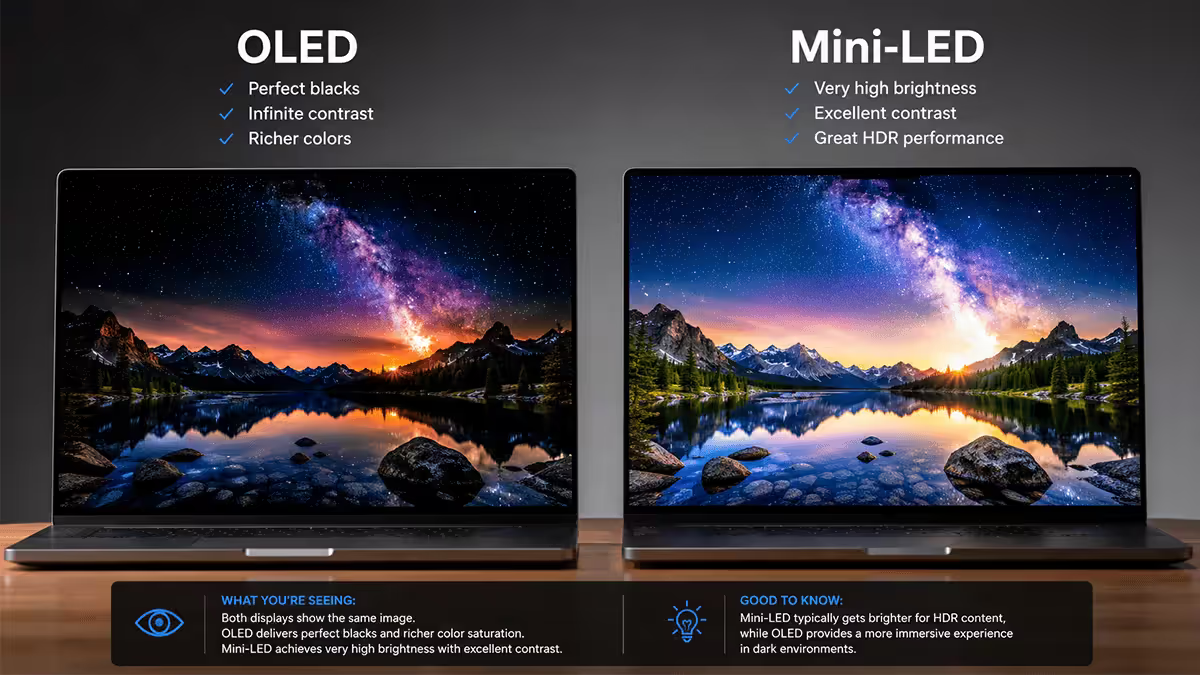
OLED (WOLED / QD-OLED). Per-pixel emission means infinite contrast and instant pixel response. Best-in-class for PS5 HDR titles, fastest input response, perfect blacks in dark games like Returnal or Resident Evil 4 Remake. Modern panels (2024+) have largely solved burn-in for typical gaming use — Samsung and LG offer 3-year burn-in warranties. Downside: lower peak brightness in bright rooms, premium pricing.
Mini-LED IPS. Thousands of backlight zones approximate OLED contrast without burn-in risk. Highest peak brightness (1000–2000 nits), great in sunlit gaming rooms. The Samsung Odyssey Neo series is the SA market leader here. Downside: some “blooming” around bright objects against dark backgrounds, slightly slower pixel response than OLED.
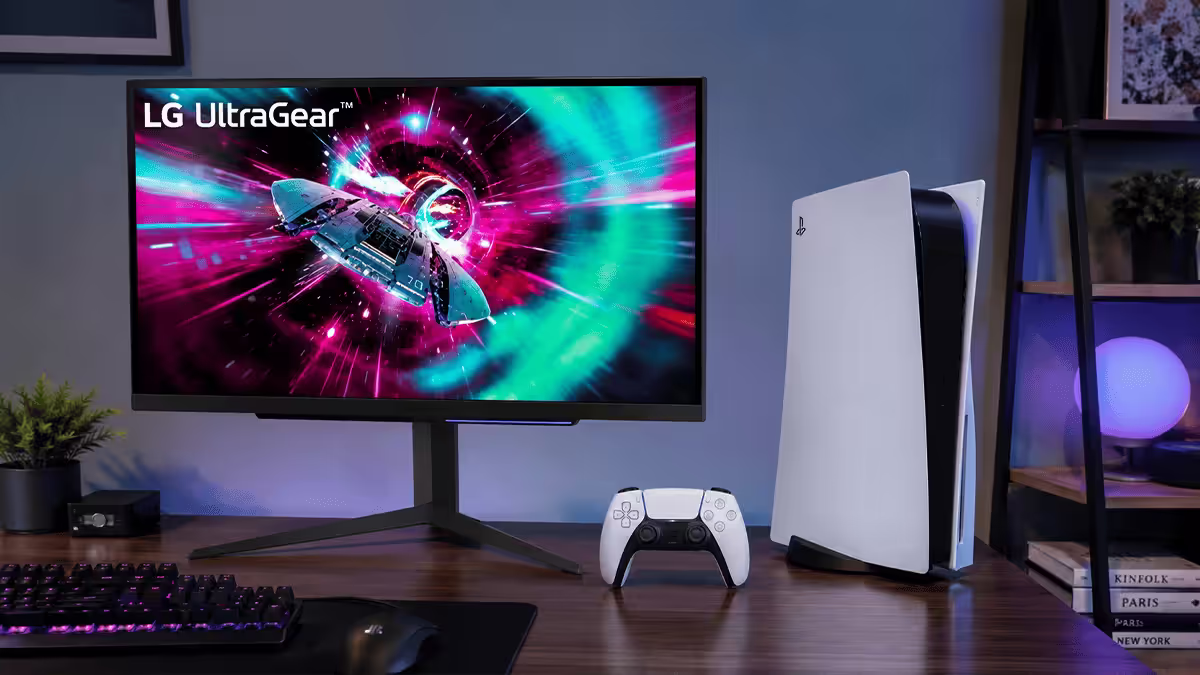
Standard IPS. No local dimming or basic edge-lit dimming. Excellent colour and viewing angles, fast and responsive for gaming. HDR is the weakest of the three — usually HDR400 or basic HDR600. Best for buyers who care more about resolution, refresh and price than HDR fidelity. The LG UltraGear 27GR93U sits here.
Recommended PS5 monitors by budget
| Use case | Pick | SA price |
|---|---|---|
| Best all-rounder (27") | LG UltraGear 27GR93U — 4K 144Hz IPS, HDMI 2.1, VRR, ALLM | R14,000–R16,000 |
| Best all-rounder (32") | LG UltraGear 32GR93U — 4K 144Hz IPS, HDMI 2.1 | R16,000–R18,000 |
| Best HDR experience (Mini-LED) | Samsung Odyssey Neo G7 32" — 4K 165Hz, HDR1000, Mini-LED | R20,000–R24,000 |
| Best couch / bright room (32") | BenQ EX3210U Mobiuz — 4K 144Hz, HDR600, treVolo speakers | R18,000–R21,000 |
| Premium IPS HDR (32") | ASUS ROG Swift PG32UQ — 4K 144Hz, HDR600, dual HDMI 2.1 | R22,000–R26,000 |
| Best HDR (QD-OLED) | Dell Alienware AW2725Q — 27" 4K QD-OLED, HDR True Black 400 | R34,000–R38,000 |
| Premium 32" QD-OLED | Samsung Odyssey OLED G80SD — 32" 4K QD-OLED 240Hz | R36,000–R42,000 |
Common PS5 monitor mistakes
Buying a “4K 120Hz” monitor with HDMI 2.0. The single biggest mistake. The 120Hz spec on these panels only works over DisplayPort — which PS5 doesn’t have. You’ll end up stuck at 4K 60Hz forever. Always verify HDMI 2.1 at 48Gbps explicitly.
Going ultrawide (21:9 or 32:9). The PS5 doesn’t natively support 21:9 or 32:9 aspect ratios. Games render at 16:9 with black bars on either side, wasting two-thirds of your screen real estate. Ultrawide is a PC gaming choice, not a console choice.
Trusting “HDR ready” as HDR. Most “HDR ready” or “HDR400” panels are SDR panels with extra contrast — the marketing equivalent of “leather-style upholstery.” Demand DisplayHDR 600 minimum, HDR1000 ideal, or any OLED rating for actual HDR.
Buying a 24-inch 4K panel. Pixel density is wasted at 24". You can’t see the difference between 1440p and 4K at 24-inch viewing distance. Either go 27" 4K (sharp + sensible) or save money with 1440p at 24". Don’t pay 4K money for 24" diminishing returns.
Skipping the HDMI cable upgrade. A cheap “HDMI 2.1” cable from a marketplace will fail handshake on 4K 120Hz HDR. Use a certified Ultra High Speed cable (look for the Premium Certified hologram).
Key takeaways
- HDMI 2.1 at 48Gbps is non-negotiable — without it, no 4K 120Hz on PS5.
- Target spec: 4K, 120Hz minimum (144Hz+ for PC dual-use), VRR + ALLM.
- HDR400 is marketing fluff. HDR600 is entry. HDR1000+ or OLED is real HDR.
- 27" 4K for desks, 32" 4K for couch use. Skip ultrawide — PS5 doesn't support it.
- Use a certified Ultra High Speed HDMI 2.1 cable. Cheap cables silently break 120Hz.
Frequently asked questions
What is the best monitor for PS5 in 2026?
The LG UltraGear 27GR93U (27" 4K 144Hz IPS, HDMI 2.1, R14–R16k) is the best all-rounder. Step up to the Samsung Odyssey Neo G7 32" for HDR1000 Mini-LED, or the Dell Alienware AW2725Q for QD-OLED.Do I need HDMI 2.1 for PS5?
Yes. 4K 120Hz needs HDMI 2.1 at 48Gbps — HDMI 2.0 caps at 4K 60Hz. The PS5 has no DisplayPort, so HDMI 2.1 is the only path to high refresh 4K.Is 1440p good enough for PS5 instead of 4K?
It works but the PS5 outputs 1080p or 4K natively; 1440p is upscaled. Console-only buyers should pick 4K. Dual PC + PS5 buyers should pick 4K 144Hz with HDMI 2.1.What is VRR and ALLM on PS5?
VRR syncs monitor refresh to PS5 frame output (no tearing/stutter). ALLM auto-switches to Game Mode when PS5 wakes (zero input lag). Both ship with HDMI 2.1.OLED or IPS for PS5 gaming?
OLED (QD-OLED, WOLED) wins for HDR titles — true blacks, instant pixel response. IPS with Mini-LED is close on HDR brightness with zero burn-in risk. OLED is the pick if budget allows.What is HDR1000 and do I need it?
HDR1000 = 1000 nits peak brightness. The floor for “real” HDR. HDR400 is barely SDR. HDR600 is entry-level. If you care about HDR, buy HDR1000 or any DisplayHDR True Black OLED.Does the PS5 Pro change my monitor choice?
No. Buy any 4K 120Hz HDMI 2.1 monitor and the Pro works perfectly. The 8K-cap is for media only (no native 8K games). PSSR upscaling makes the Pro hit performance-mode 4K more reliably.What size monitor is best for PS5?
27" 4K at a desk, 32" 4K for couch use 80cm+ away. Avoid 24" 4K (too small to appreciate pixels) and ultrawide (PS5 doesn’t support 21:9 — black bars).
Get the Evetech app
Exclusive app-only prices, daily flash sales, and free delivery on orders over R4,000 — download the app and start saving.