Gaming Performance · Competitive
How to choose a monitor for competitive gaming.
Cinematic monitors get bought for the colour gamut. Competitive monitors get bought for the priority stack. Refresh rate beats response time. Response time beats size. Size beats resolution. HDR sits at the back of the queue.
- new entry floor
- 240Hz
- end-to-end input lag
- <5ms
- sweet-spot size
- 24-27"
The competitive monitor priority stack
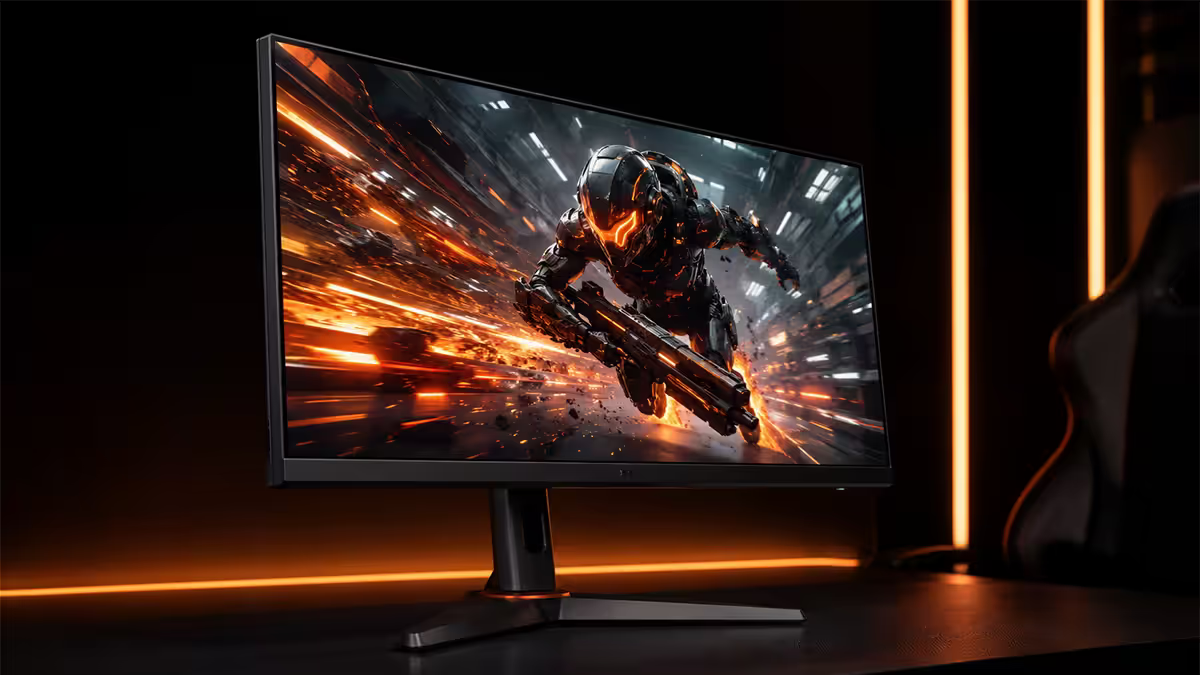
Competitive monitor selection is not a balance of equal specs. Every characteristic gets ranked, and you spend down the list. Pros do this by instinct; everyone else benefits from spelling it out.
- 1
Refresh rate
240Hz minimum, 360Hz target, 480Hz aspirational. Single biggest competitive lever. (~40% of decision) - 2
Response time + motion clarity
Real GtG under 3ms. OLED self-emissive eliminates this concern. (~20%) - 3
Size
24-25" for FPS pros, 27" for ranked players. Bigger forces head turning. (~15%) - 4
Resolution
1080p simpler, 1440p sharper, 4K unnecessary for competitive. 1440p sweet spot. (~10%) - 5
Input lag & sync
Sub-5ms input lag essential. G-Sync Compatible / FreeSync Premium standard. (~10%) - 6
HDR / colour gamut
Irrelevant — most pros disable HDR even on capable monitors. (~5%)
This ranking explains why pros buy 24" 1080p monitors when they can afford 32" 4K OLEDs. Refresh rate and size sit above resolution. A 240Hz 24" 1080p IPS beats a 144Hz 27" 4K IPS for ranked play, every time.
Refresh rate — 240Hz is the new floor
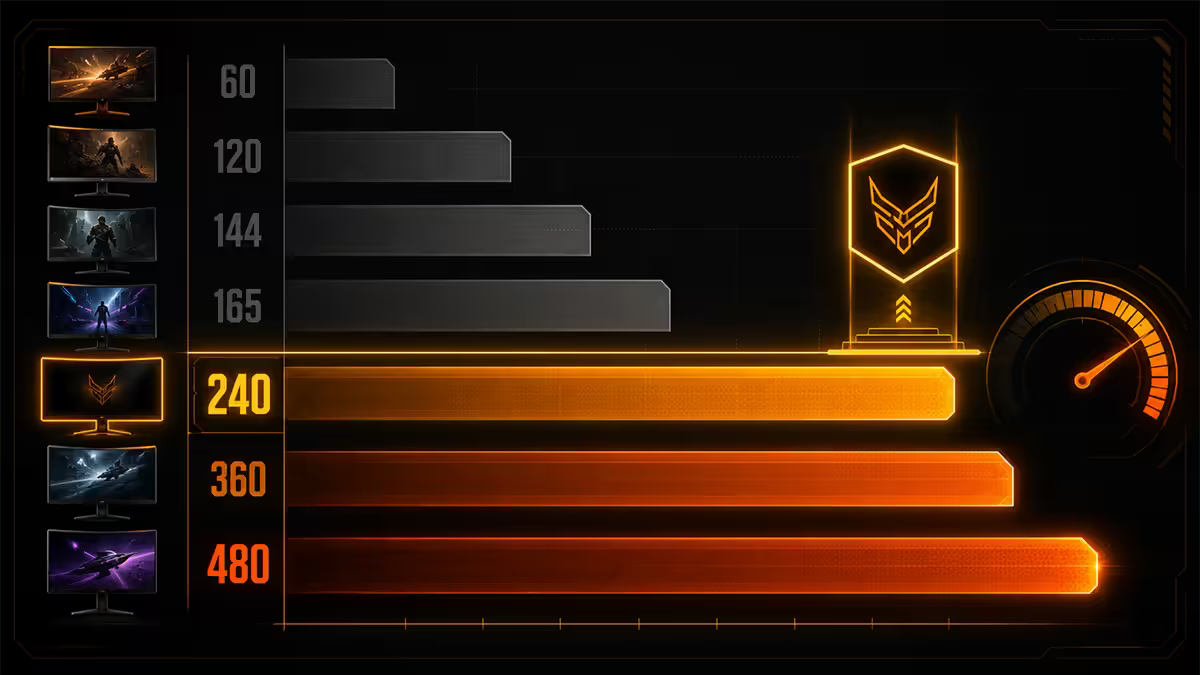
The single most consequential spec on a competitive monitor. Refresh rate determines how many discrete moments per second your eyes see, and that directly affects how cleanly you can track moving targets and react to threats appearing at the edge of your peripheral vision.
In 2026, 240Hz is the entry floor for any serious competitive play. The price has dropped to R5,500-R7,500 for solid Fast IPS panels at 1080p or 1440p — there is no strong case to buy a new 144Hz monitor for ranked. 360Hz is the target for tournament-level FPS players, and 480Hz OLED is the aspirational ceiling.
| Refresh rate | Frame time | Use case |
|---|---|---|
| 60-120Hz | 16.7 / 8.3ms | Casual gaming, productivity only |
| 144Hz | 6.9ms | Entry-level competitive — no longer recommended new |
| 240Hz | 4.17ms | New competitive floor — minimum for ranked |
| 360Hz | 2.78ms | Tournament-level FPS, esports target |
| 480Hz | 2.08ms | OLED ceiling, top 1% advantage |
Size and resolution — pros stay small
There's a clear divergence between competitive and cinematic monitor selection on size. Cinematic users want larger panels for immersion. Competitive players want panels that fit within their natural field of view, so they don't have to move their head to track action at the edges.
The pro consensus:
- 24-25" at 1080p — the FPS pro standard. Used by 80%+ of Valorant, CS2 and Apex Legends pros. Fits within natural FoV at a 60-70cm viewing distance. Allows the entire screen to be processed by your peripheral vision without head movement.
- 27" at 1440p — ranked-player favourite. Adds sharpness for asset identification (long-range enemy silhouettes, scope outlines, weapon icons). Still within "no head turn" range at typical desk distance.
- 32" and 34" ultrawide — generally avoided for competitive. Edge information requires conscious head turning. Better for single-player and productivity.
- 4K resolution — irrelevant for competitive. Most pros run lower-than-native resolution anyway for the FPS bump. The frame budget is better spent on refresh rate.
OLED 480Hz vs IPS 360Hz — the modern choice
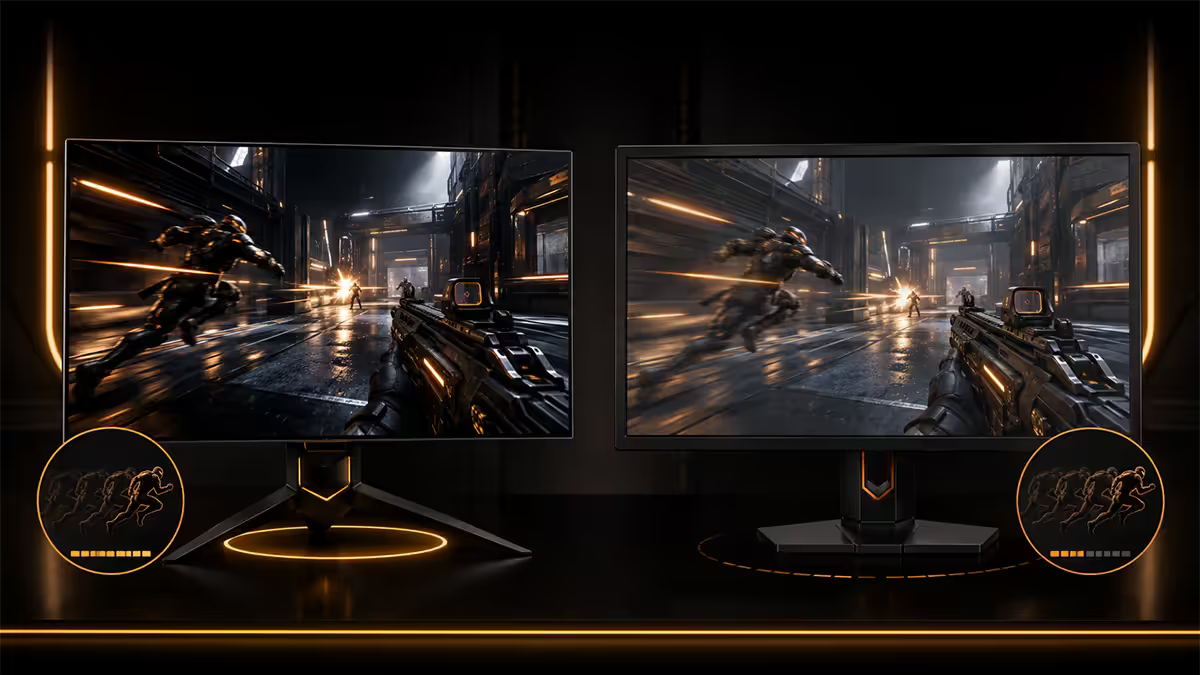
The 2025-2026 monitor wave brought two new pinnacles. OLED panels with 480Hz refresh rates and 0.03ms pixel response (LG WOLED, Samsung QD-OLED), and Fast IPS panels with 360Hz refresh and 3-4ms GtG. Both are dramatically better than the 240Hz IPS that dominated 2022-2024.
OLED 480Hz pros:
- Self-emissive 0.03ms pixel response — motion blur from pixel speed is effectively zero.
- True per-pixel contrast — dark enemies against dark backgrounds remain visible.
- 480Hz cuts sample-and-hold blur to near-perfect levels.
- Wide viewing angles, perfect uniformity.
OLED 480Hz cons:
- Burn-in risk for static HUD elements over 12+ months of heavy use (warranty covered on modern panels, but real).
- Text sub-pixel rendering can look slightly off (WOLED especially, QD-OLED less so).
- R18,000-R28,000 in SA — substantial premium.
IPS 360Hz wins for value. At R10,000-R15,000 in SA, you get most of the competitive benefit (clean motion, low input lag, sharp text, no burn-in worries) with a real cost saving. Pro CS2 and Valorant teams have largely shifted to OLED in 2025-2026, but for the ranked player who isn't training 8 hours a day, IPS 360Hz is the rational pick.
Motion clarity — three technologies that contribute
Motion clarity — how cleanly moving objects appear to your eye — is the underlying goal of competitive monitor design. Three independent technologies contribute:
1. High refresh rate. Reduces sample-and-hold blur — the smearing your eye experiences while tracking moving objects across static frames. The single biggest lever.
2. Fast GtG pixel response. Real GtG under 3ms eliminates ghosting trails behind moving objects. OLED solves this; Fast IPS achieves it; VA panels usually do not.
3. Backlight strobing (BFI / ULMB / DyAc+ / ELMB). Inserts black frames between each rendered frame, hiding sample-and-hold blur entirely. Sharpens motion to near-CRT clarity. Tradeoff: dimmer image, usually no VRR. BenQ Zowie's DyAc+ on the XL2566K and XL2546X remains the reference standard for backlight strobing.
The synergy: a 480Hz OLED panel achieves clean motion without strobing because the per-frame display duration is so short. A 240Hz IPS with high-quality strobing matches it for clarity, at lower cost, with worse brightness.
Input lag — the spec that decides "feel"
Input lag is the time between your mouse moving and the first photons of the new frame hitting your eye. It includes panel processing, scaler latency and the signal path. For competitive feel, this matters as much as refresh rate.
Rtings input lag tier list (lower = better):
- Under 3ms — elite tier. BenQ Zowie XL series, modern LG OLED. Tournament standard.
- 3-5ms — excellent. Most quality 240Hz+ IPS and OLED in 2026 land here.
- 5-10ms — competitive-acceptable. Older 240Hz panels, some QD-OLED first-gen.
- 10-15ms — feels sluggish in competitive play. Most "gaming" VA panels and budget IPS.
- 15ms+ — avoid for competitive. Many TVs and "creator" monitors land here.
HDMI 2.1 vs DisplayPort 2.1 — pick DP for competitive
Both interfaces can carry 4K 120Hz HDR — but for high-refresh competitive use, DisplayPort 2.1 is the cleaner choice. DP 2.1 carries 80 Gbps vs HDMI 2.1's 48 Gbps, supports higher refresh rates without compression (DSC), and is the native interface on every modern Nvidia and AMD card.
Specific use cases:
- 4K 240Hz uncompressed — requires DP 2.1 UHBR20. HDMI 2.1 needs DSC.
- 1440p 480Hz uncompressed — requires DP 2.1 UHBR13.5. HDMI 2.1 needs DSC.
- 1080p 240Hz / 1440p 240Hz — both interfaces work fine.
DSC (Display Stream Compression) is visually lossless in independent testing, but it introduces a microframe of latency. For elite competitive use, the uncompressed DP 2.1 path is preferable. For almost every buyer, either interface is fine — but if your card and monitor both have DP 2.1, use it.
SA competitive monitor picks (2026)
| Tier | Monitor | SA price |
|---|---|---|
| Budget 240Hz (entry) | LG 24GS65F-B (24" 1080p Fast IPS) | R5,500-R6,500 |
| Value 240Hz 1440p | Gigabyte M27Q-X (27" 1440p Fast IPS) | R8,500-R10,500 |
| FPS pro pick | BenQ Zowie XL2566X (24.5" 1080p 360Hz Fast TN, DyAc+) | R13,000-R16,000 |
| Ranked 1440p 360Hz | Dell AW2725DF (27" 1440p 360Hz Fast IPS) | R11,500-R14,000 |
| OLED competitive | LG 27GS95QE-B (27" 1440p 240Hz WOLED) | R16,500-R20,000 |
| OLED 480Hz ceiling | MSI MPG 271QRX (27" 1440p 480Hz QD-OLED) or LG 27GX700A | R22,000-R28,000 |
Key takeaways
- Priority stack: refresh rate > response > size > resolution > HDR. Spend down the list.
- 240Hz is the new competitive floor. 360Hz is tournament target. 480Hz OLED is the ceiling.
- 24-25" 1080p for FPS pros. 27" 1440p for ranked players. Skip ultrawide and 32" for competitive.
- Input lag under 5ms matters more than headline response time. Always test in Game Mode.
- Disable HDR for competitive. Use DisplayPort 2.1. G-Sync Compatible / FreeSync Premium is fine.
Frequently asked questions
What size monitor is best for competitive gaming?
24-25 inch at 1080p for hardcore FPS pros — fits within natural field of view, less head movement. 27 inch at 1440p for ranked competitive players — sharper assets, more screen real estate. Anything bigger than 27 inch forces head turning to track enemies in your peripheral vision. Pro Valorant and CS2 players overwhelmingly use 24-25 inch displays.Is 240Hz worth it over 144Hz?
Yes for competitive players. The jump from 144Hz to 240Hz delivers measurably tighter target tracking and noticeable motion clarity improvement. The 240Hz price floor in SA has dropped to R5,500-R7,500 for solid Fast IPS panels — there is no strong case for buying a new 144Hz panel for competitive use in 2026. Casual gaming, productivity and esports-light use still benefit minimally past 144Hz.OLED 480Hz vs IPS 360Hz — which for FPS?
OLED 480Hz if budget allows (R18,000-R28,000). Self-emissive pixels with 0.03ms response eliminate motion blur as a variable, and 480Hz cuts sample-and-hold to near-perfect levels. IPS 360Hz is the better-value pick (R10,000-R15,000) — fast enough to feel close to OLED in most scenarios, sharper text and no OLED burn-in risk. Pro CS2 and Valorant teams have largely shifted to OLED in 2025-2026.Do I need HDR for competitive gaming?
No — HDR is irrelevant for competitive play. Most pros disable HDR even on capable monitors because it shifts gamma, washes out enemy silhouettes against dark backgrounds, and adds processing latency. HDR matters for cinematic single-player gaming. For Valorant, CS2, Apex, Overwatch, Marvel Rivals — leave it off.What input lag is acceptable for competitive gaming?
Under 5ms end-to-end (signal in to first photons) is excellent. Under 10ms is competitive-tier. Rtings publishes measured input lag per monitor — for elite competitive gaming, target sub-3ms in the panel's Game Mode at native refresh. Avoid panels with input lag above 10ms regardless of headline response time specs.What is motion clarity and which technology delivers it?
Motion clarity is how cleanly moving objects appear to your eye. Three technologies contribute: high refresh rate (240Hz+ reduces sample-and-hold blur), fast GtG pixel response (under 3ms reduces ghosting), and backlight strobing (BFI, ULMB, DyAc+, ELMB) inserts black frames to sharpen perceived motion. OLED's near-instant pixel response makes refresh rate the dominant factor; on LCD, all three contribute.HDMI 2.1 vs DisplayPort 2.1 for competitive monitors?
DisplayPort 2.1 carries more bandwidth (80 Gbps vs HDMI 2.1's 48 Gbps) and supports the highest refresh rates without compression. For 4K 240Hz or 1440p 480Hz uncompressed, DP 2.1 is required. HDMI 2.1 is fine for 1080p 240Hz and 1440p 240Hz with DSC. RTX 50-series and Radeon RX 90 cards include DP 2.1 — use it for the panel input.Is G-Sync still better than FreeSync for competitive gaming?
No meaningful difference for almost every user in 2026. Most modern monitors are 'G-Sync Compatible' (Nvidia's certification of FreeSync over DisplayPort), and the experience is identical to native G-Sync within VRR range. Native G-Sync modules add R2,000-R4,000 to monitor cost for a benefit most competitive players don't perceive. FreeSync Premium Pro on a fast IPS or OLED panel is the sweet spot.
Get the Evetech app
Exclusive app-only prices, daily flash sales, and free delivery on orders over R4,000 — download the app and start saving.