Glossary · Display Tech
What is FreeSync Premium? — Three tiers, one badge ladder, real differences.
FreeSync, FreeSync Premium, FreeSync Premium Pro. AMD's three-tier certification is more meaningful than most monitor buyers realise — and crystal clear once you know which spec each tier actually guarantees.
- Premium minimum
- 120 Hz
- Premium Pro
- HDR400+
- where VRR plateaus
- ~240 Hz
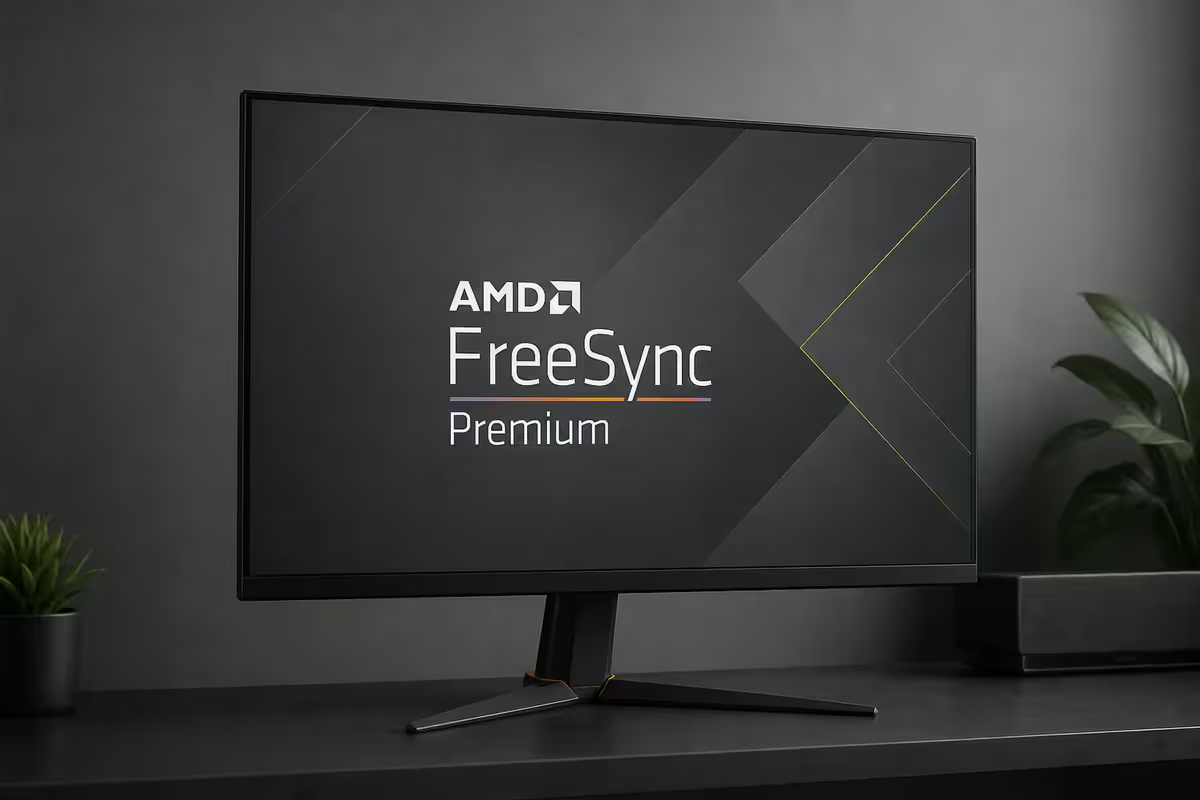
The three-tier hierarchy
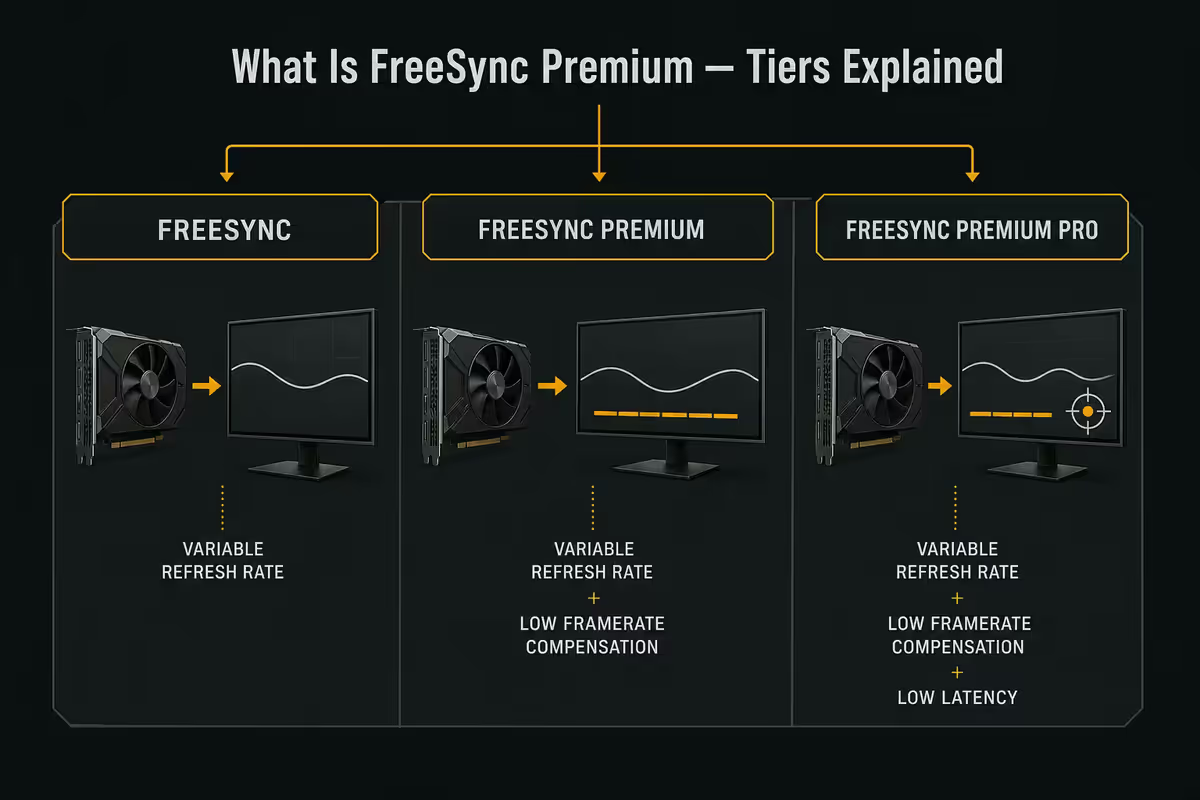
AMD's FreeSync certification is structured as a strict three-tier ladder. Each higher tier guarantees everything the tier below it does, plus additional minimum-spec requirements. A monitor wearing the Premium badge necessarily passes the FreeSync baseline; a Premium Pro panel necessarily passes Premium.
| Tier | Required specs | HDR support |
|---|---|---|
| FreeSync | Adaptive-Sync VRR, tear-free over panel range | Not required |
| FreeSync Premium | + 120 Hz min @ FHD, LFC, low input latency | Not required |
| FreeSync Premium Pro | + HDR400 min, HDR tone mapping, wide colour gamut, low HDR latency | Required |
Reading that table the right way: the only difference between Premium and Premium Pro is HDR. The VRR characteristics — refresh-rate ceiling, LFC behaviour, input latency — are functionally identical. If you don't care about HDR gaming, Premium is the ceiling you need.
Reading it the other way: the gap between standard FreeSync and FreeSync Premium is the most important one. Premium guarantees LFC, and LFC is what stops your screen from tearing during demanding moments when FPS drops into the high-20s or low-30s.
What LFC actually does
Every VRR-capable monitor has a refresh-rate range it can do variable refresh over. For a 165 Hz panel that's typically 48–165 Hz. If your game is running between 48 and 165 FPS, the monitor matches refresh rate to FPS one-for-one. Smooth, tear-free, no input lag.
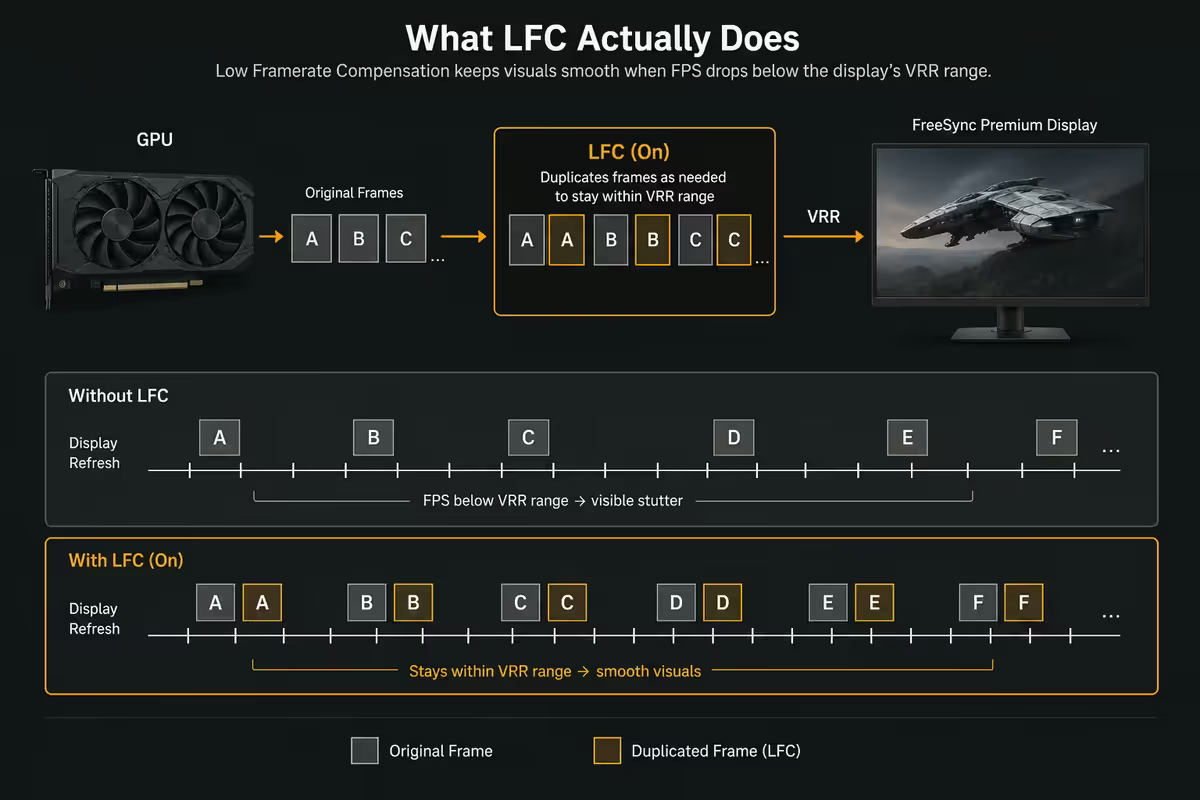
But what happens when your FPS drops to 30? Or 25? You're below the VRR floor of 48 Hz. Without LFC, the monitor falls back to a fixed refresh rate (usually the panel's max), VRR disengages, and you get tearing or stutter.
Low Framerate Compensation solves this by multiplying frames. When the GPU outputs 30 FPS, LFC tells the monitor to display each frame twice — a 60 Hz refresh that's still inside the VRR range. When FPS drops to 25, frames are tripled to 75 Hz. The visual smoothness mostly holds because frame-time consistency matters more than raw rate at low FPS.
VRR range — read the spec sheet
Monitor spec sheets quote a VRR range like 48–165 Hz or 1–240 Hz with LFC. These tell you the operational window.
The two ranges to know:
- Native VRR range: the actual hardware refresh-rate band. Lower bound is typically 30–48 Hz; upper bound is the panel's max refresh.
- Effective range with LFC: the apparent range once frame multiplication kicks in. Often quoted as 1 Hz to max — meaningless as a literal floor, useful as a "LFC is enabled" indicator.
A wider native range is better. A 30–165 Hz monitor handles low-FPS situations more gracefully than a 48–165 Hz panel — there's more cushion before LFC has to engage at all. Most quality 1440p panels in 2026 hit 48–165 native; better ones reach 30 or even 24 Hz minimum.
Why certification matters (and why it sometimes doesn't)
Two scenarios sit side by side here.
If a monitor wears a FreeSync Premium badge, AMD has audited it against the spec sheet. It will do 120 Hz minimum at FHD, it has LFC, it meets the input-latency target. You're guaranteed a known set of capabilities. Badge integrity has been generally good across the AMD certification programme.
If a monitor doesn't wear any FreeSync badge but supports VESA Adaptive-Sync (DisplayPort 1.2a+ Adaptive-Sync or HDMI 2.1 VRR), it will still do variable refresh with an AMD or NVIDIA GPU. You just don't have the guaranteed minimum specs — what you get depends on the panel.
In practical SA shopping terms: chase the Premium badge when you can. The R500–R1,000 premium it usually carries buys guaranteed LFC and a known refresh ceiling. Below the badge, verify the VRR range and LFC support before clicking buy.
What Premium Pro adds — HDR, tone mapping, colour
Premium Pro extends Premium with four HDR-focused requirements:
- HDR400 minimum certification — 400 nits sustained brightness, basic HDR support. Many Premium Pro panels exceed this with HDR600 or HDR1000.
- AMD HDR tone mapping — the monitor and AMD GPU coordinate to map game HDR signals to the panel's actual capabilities. Particularly useful for games with HDR that don't include calibration tools (e.g. Cyberpunk 2077, Forza Horizon 5).
- Low input latency in HDR mode — many HDR monitors add 10–30 ms latency when HDR is enabled. Premium Pro panels are required to keep HDR latency within close range of SDR mode latency.
- Wide colour gamut — typically >90% DCI-P3. Necessary for HDR visuals to look meaningfully different from SDR.
G-Sync Compatible — the parallel programme
NVIDIA's G-Sync Compatible programme certifies monitors that work with NVIDIA GPUs over the same VESA Adaptive-Sync protocol FreeSync uses. Most FreeSync Premium and Premium Pro panels also carry G-Sync Compatible badges — single panel, both ecosystems supported.
In practice this means: a FreeSync Premium 27-inch IPS panel will VRR happily with an RTX 4060, RTX 4070, RTX 5070 or AMD RX 7800 XT. You're not locked to AMD GPUs. The "FreeSync Premium" label is about which spec was tested — once it's running, the protocol underneath is open Adaptive-Sync that both vendors implement.
G-Sync Ultimate (the legacy NVIDIA hardware-module monitor tier) is the only genuine NVIDIA-exclusive standard left, and it's becoming rare. New 2025–2026 OLED and miniLED panels mostly chase FreeSync Premium Pro plus G-Sync Compatible dual-badging rather than the older proprietary route.
Where FreeSync stops mattering
Above roughly 240 Hz, the case for FreeSync gets thinner.
At 240 FPS each frame takes 4.2 milliseconds. At 360 FPS it's 2.8 ms. At 540 FPS it's 1.9 ms. The visual gap between a perfectly-VRR-matched refresh and a fixed high refresh becomes hard to see — both look smooth. Esports competitive players often disable VRR at ultra-high refresh because adaptive sync can introduce a tiny scheduling delay that competitive twitch-aim players prefer to remove.
For the 60 Hz to 165 Hz range where most SA gaming happens, FreeSync (and FreeSync Premium specifically) genuinely improves experience. For the 240 Hz+ esports tier, it becomes a "nice to have, can be turned off without regret" feature.
Recommended FreeSync monitors by tier
| Use case | Pick | SA price |
|---|---|---|
| Budget gaming (FHD) | AOC 24G2SP — FreeSync 165 Hz IPS | R3,200–R3,900 |
| 1440p sweet spot | Gigabyte M27Q — FreeSync Premium 165 Hz | R5,500–R6,800 |
| 1440p HDR | LG UltraGear 27GP850 — Premium Pro HDR600 | R8,500–R10,500 |
| 4K gaming | Samsung Odyssey G7 32" — Premium Pro HDR600 | R14,500–R17,500 |
| Ultrawide immersion | LG 34GP950G — Premium Pro 144 Hz | R18,500–R22,000 |
| OLED gaming | LG 27GR95QE OLED — Premium Pro HDR400 | R22,000–R26,000 |
Key takeaways
- 01
Three strict tiers
FreeSync (baseline VRR), Premium (120 Hz min + LFC + low latency), Premium Pro (Premium + HDR400+). - 02
The big jump is FreeSync → Premium
Premium guarantees LFC — your safety net when FPS drops below 48. - 03
Premium Pro is conditional
Only worth it if you genuinely play HDR-supported games in a controlled-light room. HDR400 is entry-level — chase HDR600/1000 for real impact. - 04
Dual-badge compatibility
Most FreeSync monitors also carry G-Sync Compatible badges — same panel works equally on AMD and NVIDIA GPUs. - 05
FreeSync plateaus above ~240 Hz
Frame times are too short for VRR vs fixed-refresh to differ visibly above that threshold.
Frequently asked questions
What does FreeSync Premium actually guarantee?
120 Hz minimum at FHD, mandatory LFC (Low Framerate Compensation), low input latency target, and tear-free VRR over the supported range. HDR is NOT required — that's Premium Pro.What's the difference between FreeSync, Premium and Premium Pro?
FreeSync: basic VRR. Premium: 120 Hz min, LFC, low latency. Premium Pro: Premium plus HDR400+, HDR tone mapping, low HDR latency, wide colour gamut. Each tier is a strict superset of the one below.What is LFC and why does it matter?
Low Framerate Compensation multiplies frames when FPS drops below the monitor's VRR floor — 30 FPS displays as 60 Hz, etc. Keeps gaming tear-free in demanding moments. Mandatory for FreeSync Premium and Premium Pro.Does FreeSync work with NVIDIA GPUs?
Yes, on most modern monitors. NVIDIA added Adaptive-Sync support starting with GTX 10-series via the G-Sync Compatible programme. Most FreeSync monitors carry dual badges.Is FreeSync Premium Pro worth the extra cost?
Only if you genuinely play HDR-supported games in a controlled-light room. HDR400 is entry-level. For real HDR impact, get a Premium Pro panel with HDR600 or HDR1000.At what refresh rate does FreeSync stop mattering?
Above ~240 Hz the visual benefit diminishes. Frame-time variance is small enough that tearing is barely perceptible and VRR smoothness gains shrink. Esports players at 360–540 Hz often disable it.Does my FreeSync monitor need certification?
For the badge, yes — AMD maintains the certification list. But any Adaptive-Sync-capable monitor will do VRR with an AMD or NVIDIA GPU regardless of badge. The badge guarantees minimum specs; without it, results vary by panel.What FreeSync tier should I buy in SA for 2026?
FreeSync Premium is the sweet spot for most builds — 144/165 Hz 1440p IPS at R4,500–R8,000. Premium Pro adds R2,000–R5,000 for genuine HDR. Standard FreeSync without Premium is fine for budget but LFC is worth chasing.
Get the Evetech app
Exclusive app-only prices, daily flash sales, and free delivery on orders over R4,000 — download the app and start saving.