Video Call Setup Guide
Improve your video calls. — Sound right. Light right. Wire in.
The webcam is the part people obsess over. It's the third most important thing on the call. Audio, lighting, and your network beat resolution every time — and almost nobody fixes them in that order.
- priority order
- Audio > video
- cost zero rand
- 3 fixes
- three real tiers
- R500–R6000
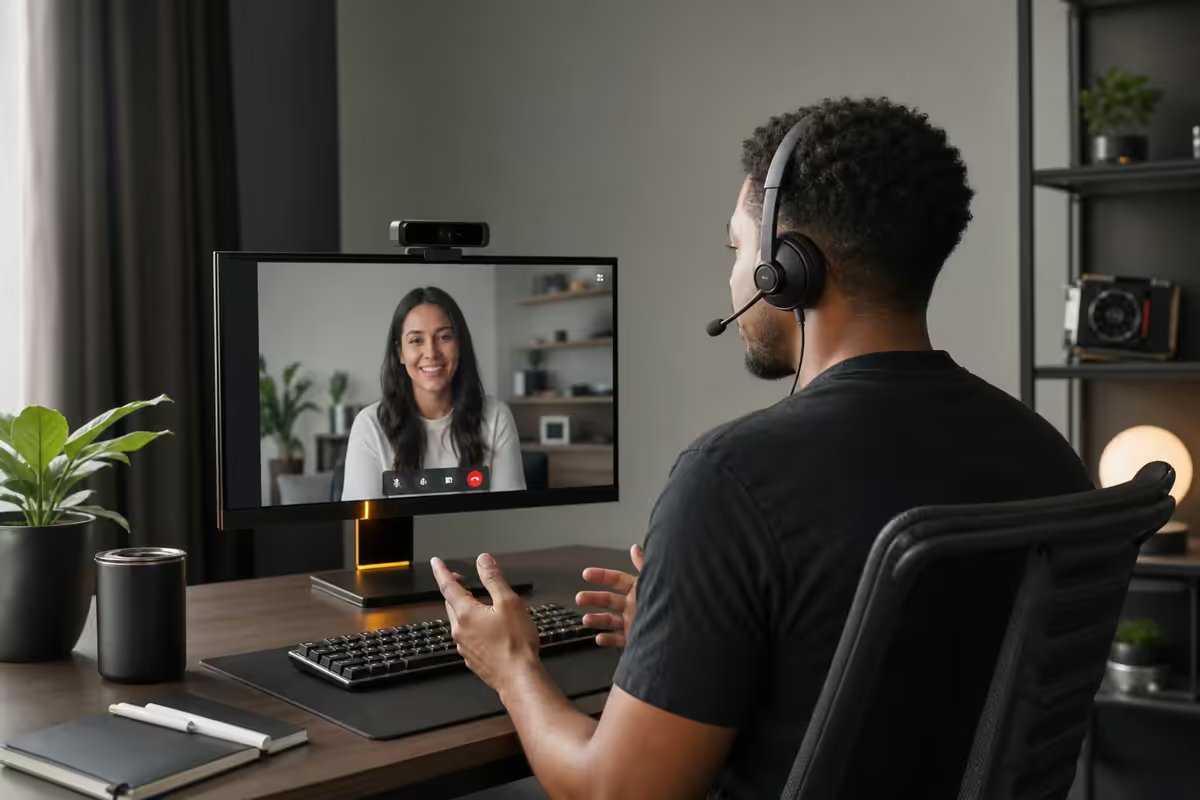
Why audio matters more than video
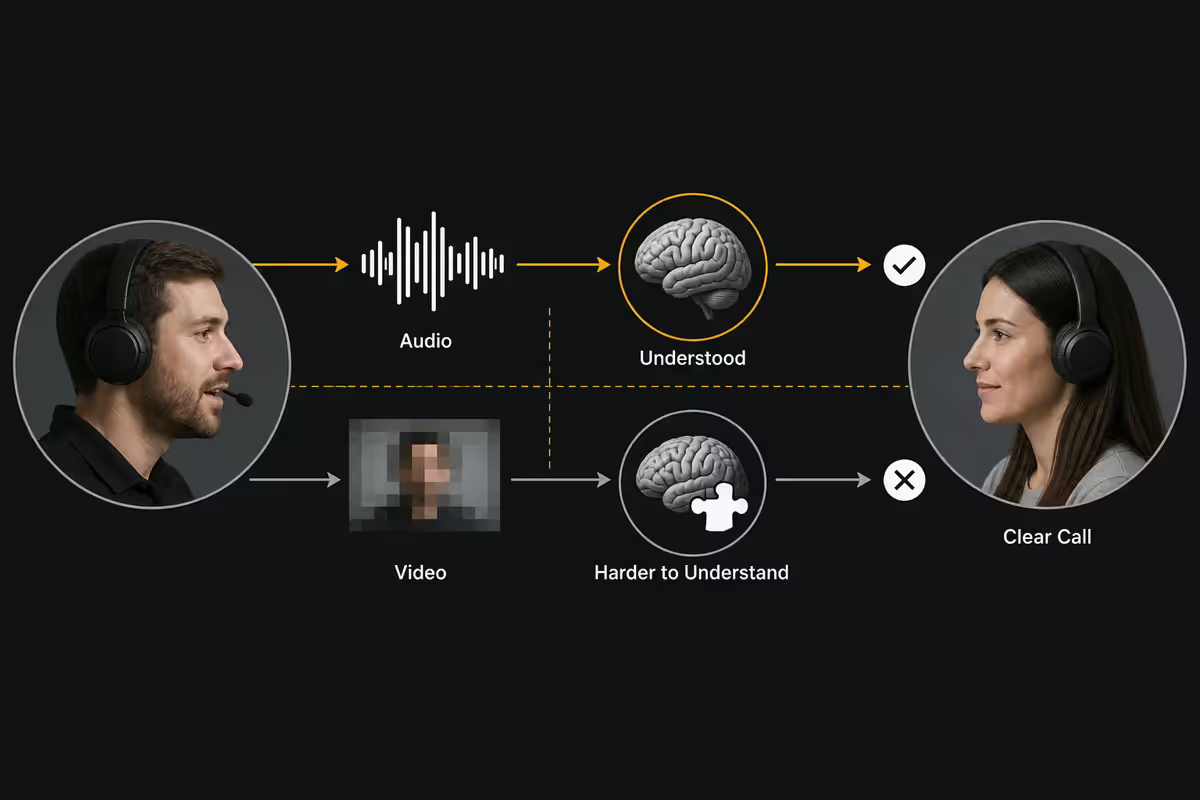
Watch any normal video call with the picture blurred. You can still follow it. Now do the same call with the audio crackling, echoey, or thin. You'll quit in five minutes. Human listeners forgive bad picture; they do not forgive bad sound.
Three things are happening underneath:
- Cognitive load. Poor audio forces the brain to constantly reconstruct missing words. After 20 minutes of that, the call feels exhausting and nobody remembers what was decided.
- Perceived professionalism. Studies on remote-interview hiring (BBC, 2024) found candidates with clear audio were rated 19% higher on competence — same script, same person, different mic.
- Bandwidth allocation. Zoom, Teams and Meet all prioritise audio packets over video packets. Bad audio means your network is in trouble; bad video might just mean dim lighting.
The order to spend your money in: microphone, lighting, framing, then the webcam itself. If you only have R1,800 to spend on your call quality, spend all of it on a mic.
The webcam upgrade ladder
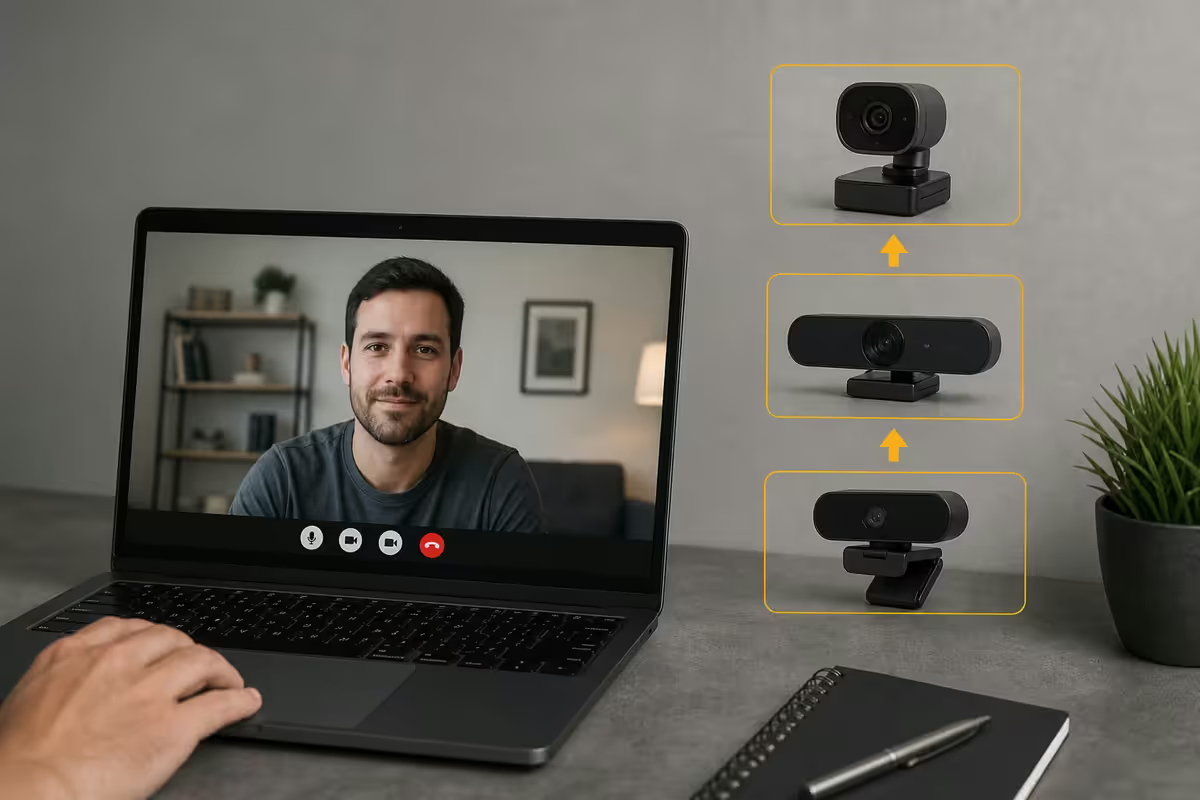
Built-in laptop webcams have improved, but they still suffer from two problems: small sensors and an angle pointing up your nostrils. A dedicated webcam fixes both — at price points that scale faster than the image quality does.
| Webcam | What you actually get | SA price |
|---|---|---|
| Phone-as-webcam (Camo / Continuity) | Surprisingly good if you own a recent iPhone or Pixel | R0 (own phone) |
| Logitech C920 / C922 | Reliable 1080p baseline. Eight years old, still fine. | R1,200–R1,500 |
| Logitech Brio 500 | Best mainstream pick — autoframing, RightLight 5 | R2,400–R2,700 |
| Insta360 Link | Gimbal-mounted, follows you. Great for whiteboards. | R4,800–R5,500 |
| OBSBOT Tiny 2 | Pro-tier AI tracking, 4K, gesture control | R5,500–R6,200 |
| Logitech Brio 4K Pro | Older flagship, IR Windows Hello included | R3,800–R4,400 |
The honest take on phone-as-webcam: if you already own an iPhone 12 or newer, running Camo (Windows) or Continuity Camera (Mac) gets you image quality genuinely competitive with a R2,000 webcam. The trade-off is a charging cable hanging off your desk and the phone being unavailable for other things during the call. Worth trying before you spend money.
Where dedicated webcams still win: autoframing (the camera follows you when you lean), better low-light performance after lighting tweaks, no charging dance, and the lens doesn't fish-eye your face the way ultrawide phone cameras can.
Lighting — the secret weapon
If your video looks grainy, washed out, or like a hostage tape — the camera isn't the problem. It's the light. Webcams use tiny sensors that need three times the light of a phone camera to look the same.
The free fix first: face a window. Don't sit with the window behind you (your face goes black). Don't sit under an overhead light only (raccoon-eye shadows). A window two metres in front of you, in the late morning or early afternoon, is broadcast-quality lighting for zero rand.
When natural light isn't enough:
- Elgato Key Light Mini (R2,200). Battery-powered, USB-C, sits behind your monitor. Tunable from warm to cool. The default starter light for serious WFH.
- Lume Cube Edge (R1,800). Monitor-mounted via clip. Slightly less polished controls, similar output. Good if you don't want a stand.
- Logitech Litra Beam (R2,400). Doubles as a desk lamp when not on calls. Smart move if your desk lacks ambient light.
- Two-light setup (~R4,400). A key light slightly off-axis and a softer fill on the other side eliminates shadows entirely. This is the YouTuber setup.
The microphone hierarchy
You don't need a podcast studio. You need clear, present voice and minimal room noise. Four tiers cover almost everyone:
| Tier | Pick | SA price |
|---|---|---|
| Free fix | Wired earphones with inline mic — yes, really | R0–R200 |
| Wireless earbuds | AirPods Pro 2 / Sony WF-1000XM5 (decent, not great) | R3,500–R5,500 |
| Entry USB mic | Logitech Litra Beam (mic + light combo) | R2,400 |
| Best value USB mic | Rode NT-USB Mini | R1,800–R2,000 |
| Versatile USB mic | Blue Yeti Nano | R1,900–R2,200 |
| Pro USB / XLR | Shure MV5C / Shure SM7dB | R2,400–R8,500 |
| Headset (calls all day) | Logitech Zone Vibe 100 / Jabra Evolve2 55 | R2,200–R4,800 |
Why wired earphones still work: the microphone sits 20cm from your mouth — far closer than any USB desk mic. Cheap inline mics on a R150 pair of wired earphones beat the laptop's built-in mic in every situation. They just look unprofessional, which is the only reason to upgrade.
Why AirPods are okay but not great: Bluetooth audio compresses microphone input heavily — that's the "thin / underwater" sound when someone joins a call on AirPods. Good enough for chats, not for recorded meetings or anything client-facing.
Why USB beats XLR for most WFH users: XLR mics need an audio interface (R2,500+) and physical setup time. USB mics like the Rode NT-USB Mini plug in and work. The sound quality ceiling is lower than XLR but the practical difference is small on Zoom-compressed audio anyway.
Framing & background — the rule of thirds applies
The classic photography rule: imagine the frame divided into nine boxes by two horizontal and two vertical lines. Your eyes should sit on the upper horizontal line. Not the top of your head — your eyes.
Camera placement specifics:
- Height: camera at eye level or slightly above. Looking up into a webcam shows your nostrils and makes the angle feel hostile.
- Distance: roughly an arm's length away. Shoulders and upper chest in frame. Don't sit so close you fill the frame with your face.
- Centring: centre yourself horizontally unless you're sharing a screen — then sit slightly off to one side to leave room for content.
- Laptop trap: if you're on a laptop, raise it. A R300 stand, a Riser shelf, or three hardcover books all work. Plug in an external keyboard and mouse so typing is comfortable.
The honest take on virtual backgrounds: background blur is fine and works well now — most modern CPUs and GPUs handle it cleanly. Full virtual backgrounds (the office, the beach scene, the spaceship bridge) still look obviously fake to viewers and glitch around hair, glasses and headsets. The best background is a real wall, a real plant, or a real shelf — not a virtual one.
The network — ethernet beats WiFi, every time
This is the upgrade nobody wants to do, because it involves a cable. Do it anyway. A R150 ethernet cable from your desk to the router is the single biggest call-quality improvement on this entire list.
Why your WiFi speedtest lies: speedtests measure peak throughput. Video calls are sensitive to jitter (variation in packet timing) and packet loss (dropped packets resent). A WiFi connection can show 100 Mbps on Speedtest and still drop 2% of packets — which on Zoom is the difference between a smooth call and the "you're frozen" loop everyone hates.
- Wired ethernet: jitter near zero, packet loss essentially zero. Even a 25 Mbps fibre line on ethernet outperforms a 200 Mbps line on flaky WiFi.
- WiFi 6 / 6E close to router: nearly as good if you're within 3 metres on the 5GHz or 6GHz band.
- WiFi at the edge of the house: your problem. Mesh nodes (TP-Link Deco, Asus ZenWifi, Netgear Orbi) costing R3,000–R8,000 fix this properly.
- 2.4GHz WiFi: shared with microwaves, neighbours' routers, Bluetooth, baby monitors. If you're stuck on 2.4GHz, expect calls to drop.
Recommended setups by budget
| Tier | What's in the box | SA total |
|---|---|---|
| Entry (R500) | Wired earphones + laptop riser + 5m ethernet cable. Face a window. Done. | ~R500 |
| Mid (R2,500) | Rode NT-USB Mini + Elgato Key Light Mini sub-budget + ethernet | ~R2,500 |
| Mid+ (R3,800) | Logitech Brio 500 + wired earphones + Lume Cube Edge | ~R3,800 |
| Pro (R6,000) | Logitech Brio 500 + Rode NT-USB Mini + Elgato Key Light Mini + boom arm | ~R6,000 |
| Pro+ (R10,000+) | OBSBOT Tiny 2 + Shure MV5C + two-light kit + mesh WiFi node | R10,000–R14,000 |
The R500 tier is not a joke. Wired earphones with inline mic, a R250 laptop stand, and a R150 ethernet cable to your nearest port — that's a meaningful upgrade over most untouched home setups. Spending zero rand by facing a window and muting the fridge in your meetings is also free.
The R2,500 tier is where most WFH workers should land. A dedicated mic plus a real light covers the two biggest perceived-quality factors. Your existing laptop webcam, raised to eye level, plus this kit, will beat an untreated R5,000 webcam-only upgrade.
The R6,000 tier is for client-facing roles. Sales calls, recorded interviews, customer onboarding, live demos. The Brio 500 + NT-USB Mini + Key Light Mini combo is the workhorse setup we recommend to every Evetech account exec who took the WFH shift seriously.
Common video-call mistakes
Spending the whole budget on a 4K webcam. Zoom, Meet and Teams downsample to 720p or 1080p for everyone except the active speaker. A R6,000 4K webcam in a poorly lit room with the built-in mic looks worse than a R2,500 setup that gets lighting and audio right.
Webcam below eye level. The laptop-on-the-desk angle shoots you from below, exaggerating chins and showing your ceiling. Raise the camera. Cheapest fix in this entire guide.
Window behind you. Backlighting from a window silhouettes your face into a black shape. Turn around or close the curtain. If you can't, a key light strong enough to compete with the window costs R2,500 minimum.
WiFi when ethernet is available. The cable looks ugly. The call sounds smooth. Pick one.
Trusting the laptop mic in a busy household. Built-in mics are omnidirectional. They pick up the dishwasher, the kids, the dog and the road. A USB mic with a cardioid pattern (Rode NT-USB Mini, Shure MV5C) only hears the sound directly in front of it.
Using full virtual backgrounds when blur would do. Virtual backgrounds glitch around glasses, hair and headsets — every viewer notices. Background blur is invisible and just as effective at hiding your room.
Skipping mic test before important calls. Every major call platform has a mic preview. Use it before client meetings. Five seconds of self-check beats five minutes of "you're cutting out."
Key takeaways
- Audio matters more than video. Buy a mic before you buy a better webcam.
- Light from the front, never the back. A R2,200 key light beats a R3,500 webcam upgrade.
- Camera at eye level. Raise the laptop on books if you have to.
- Ethernet beats WiFi for every video call — speedtests don't show jitter.
- Logitech Brio 500 + Rode NT-USB Mini + Elgato Key Light Mini is the R6,000 sweet spot.
- Background blur is fine. Full virtual backgrounds still look fake — skip them.
Frequently asked questions
What single upgrade improves video call quality the most?
A dedicated USB microphone. Audio is what colleagues actually notice — a Rode NT-USB Mini (R1,800) transforms how you sound far more than any same-priced webcam upgrade improves how you look.Is a R2,000 webcam better than using my iPhone as a webcam?
Often not. iPhone 12 and newer used with Continuity Camera (Mac) or Camo (Windows) genuinely competes with R2,000–R3,000 webcams. Dedicated webcams still win on autoframing and convenience.Do I really need a ring light or key light?
If your room lacks large windows, yes. A R2,200 Elgato Key Light Mini behind your monitor is the second-highest-value upgrade after a microphone. Window light works free if you have it — face the window.Why does my WiFi video call freeze even though my speedtest is fine?
Speedtests measure peak throughput. Video calls are sensitive to jitter and packet loss, which speedtests don't show. Wired ethernet eliminates both.Are virtual backgrounds and blur really fine?
Background blur is fine and looks natural. Full virtual backgrounds still glitch around hair and headsets — viewers notice. Use blur, or pick a real wall.What microphone should I buy for video calls under R2,000?
Rode NT-USB Mini (R1,800–R2,000). Plug-and-play USB-C, built-in pop filter, desktop stand included. Blue Yeti Nano is a solid alternative at similar price.How should I frame myself on camera?
Eyes on the upper third of the frame, camera at eye level. Shoulders and upper chest visible. Looking down into a laptop webcam is the most common mistake — raise the laptop.Do I need a 4K webcam for normal work calls?
No. Zoom, Teams and Meet downsample to 720p or 1080p anyway. A good 1080p webcam beats a cheap 4K webcam — sensor and lens matter more than resolution.
Get the Evetech app
Exclusive app-only prices, daily flash sales, and free delivery on orders over R4,000 — download the app and start saving.