Mac Creative · Logic Pro
Logic Pro on Mac, decoded. — The grown-up GarageBand. Once. Forever.
Apple's flagship DAW costs R3,500 once and runs Apple Silicon roughly three times faster than equivalent x86 workflows. Free major updates for life. No subscription. Here's everything you need to start.
- one-time
- R3,500
- optimised
- Apple Silicon
- DAW
- Mac-only
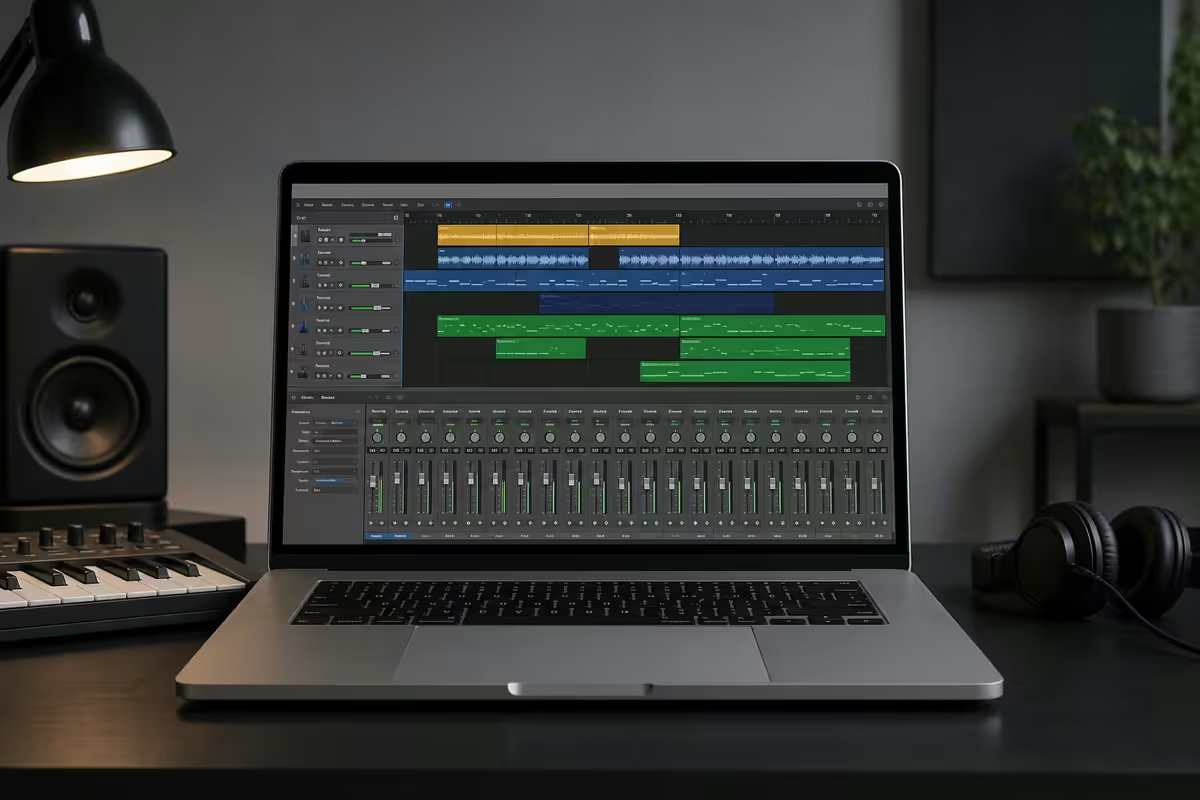
Why Logic Pro instead of the alternatives
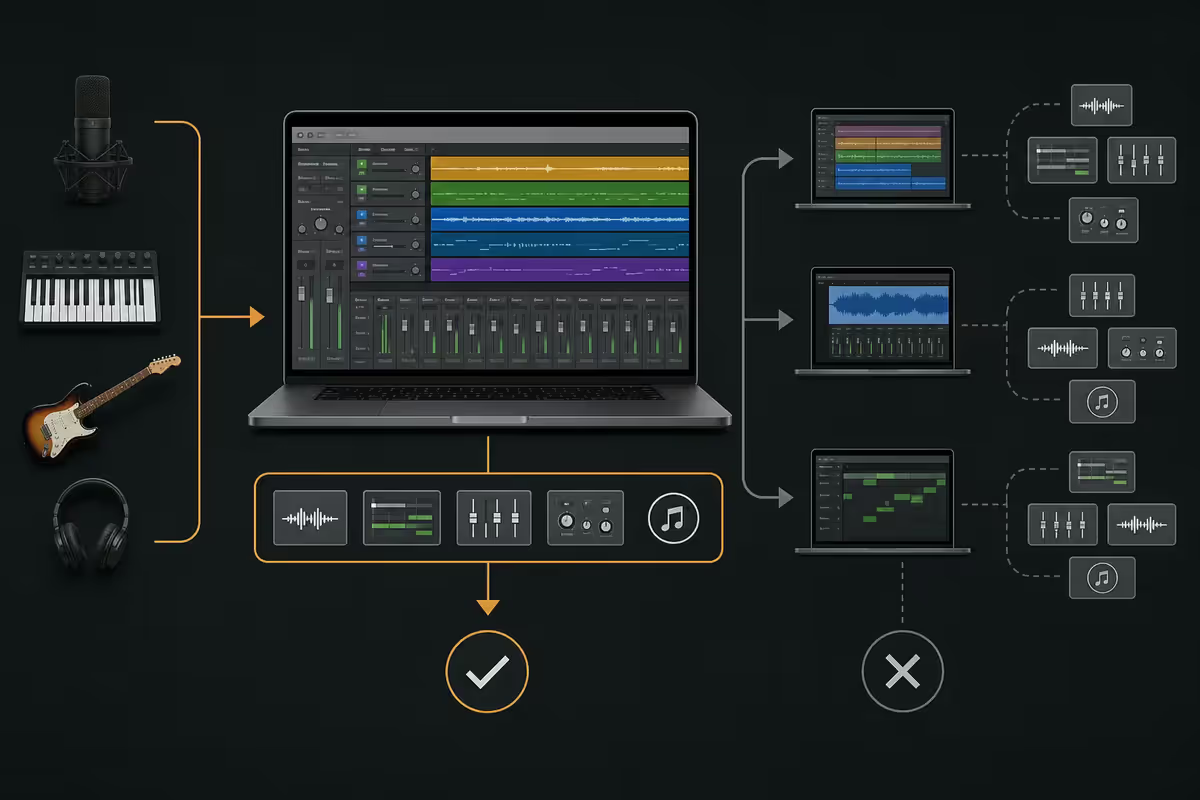
Logic Pro is Apple's flagship digital audio workstation. The case for choosing it in 2026 rests on three pillars: cost, Apple Silicon optimisation, and included content.
Logic is a once-off R3,500 purchase on the Mac App Store. Every other professional DAW worth using sits in a different pricing model. Pro Tools is subscription (around R350/month indefinitely). Ableton Live Suite is roughly R12,000 plus paid major-version upgrades. FL Studio is around R3,800 but only the lifetime-free-update tier — and you'll still pay for many plugins separately. Cubase is around R8,000 with paid version jumps.
Apple has not raised the Logic Pro price in over a decade. Whatever you pay today is also what gets you Logic Pro 12, 13 and 14 down the line.
The second pillar is Apple Silicon optimisation. Logic is built and tested by Apple on Apple's own chips. On an M-Pro chip we routinely run 60+ track projects with multiple Alchemy and Sculpture instances, complex bus processing and dozens of plugins — with CPU headroom to spare. Equivalent workflows on x86 PCs require considerably more CPU.
Third is what's in the box. Buy Logic once and you receive over 70GB of loops, the Alchemy hybrid synth (would cost R4,500+ standalone elsewhere), Sculpture physical modelling synth, the ES2 classic, Drum Kit Designer, vintage drum machines, Studio Strings/Horns/Drummer, Mastering Assistant and EQ/compressor/reverb suites that genuinely compete with paid plugins.
| DAW | SA price model | Notes |
|---|---|---|
| Logic Pro | R3,500 once, free upgrades | Mac only. Apple Silicon optimised. |
| Ableton Live Suite | ~R12,000 + paid upgrades | Cross-platform. Clip launching workflow. |
| FL Studio All Plugins | ~R12,000 (lifetime free updates) | Cross-platform. Hip-hop and EDM-friendly. |
| Pro Tools Studio | ~R350/month subscription | Industry standard for mix & post. |
| Cubase Pro | ~R8,000 + paid upgrades | Cross-platform. Strong for scoring & orchestral. |
System requirements — which Mac do you actually need?
Logic's official minimum is any Mac running macOS Sonoma or later. The real-world floor is much higher.
Apple Silicon (M1 or newer) is non-negotiable in 2026. Intel Macs technically still run Logic, but performance and feature parity is falling behind every release. Don't start a Logic journey on Intel.
Practical RAM tiers
- 8GB unified memory — fine for GarageBand-style projects, vocals + a few backing instruments. Tight for serious Logic work.
- 16GB unified memory — the practical minimum. Handles 32+ tracks with moderate plugin use. Most M2 Air and M3 Air buyers land here.
- 32GB unified memory — the sweet spot. Heavy mixing, large sample libraries (Native Instruments Komplete, Spitfire BBC SO), long-form scoring projects all comfortable. Recommend M-Pro or M-Max.
- 64GB+ unified memory — composer / film score territory. Massive orchestral templates, hundreds of tracks. M-Max or M-Ultra only.
Storage matters too. The 70GB of included content takes a meaningful slice of 256GB SSD models. Aim for 512GB minimum if Logic is your primary creative app; 1TB if you sample-collect.
The pricing model that makes Logic an outlier
Buy Logic once for R3,500 and that's the entire commercial transaction. Apple has shipped every major Logic Pro update since version 10.0 (2013) free to existing licence holders. That includes massive updates like Live Loops, Drummer, Alchemy, Mastering Assistant and the entire iPad-Mac universal workflow — all free.
Compare to the alternative subscription or paid-upgrade models over a typical five-year producer career:
| DAW | 5-year total cost (SA) | Lock-in? |
|---|---|---|
| Logic Pro | R3,500 | Mac required |
| Pro Tools Studio | ~R21,000 over 5 years | Stop paying → tool stops working |
| Ableton Live Suite | ~R18,000 with version jumps | Cross-platform |
| FL Studio All Plugins | ~R12,000 once | Cross-platform, lifetime updates |
| Cubase Pro | ~R15,000 with upgrades | Cross-platform |
The lock-in distinction matters. Logic ties you to Mac hardware. Ableton, FL Studio and Cubase let you migrate to a Windows PC if you change platforms. Pro Tools Studio works on both but you must keep paying to keep working — stop the subscription and Pro Tools refuses to open your sessions.
Logic Pro workspace — the four core panels
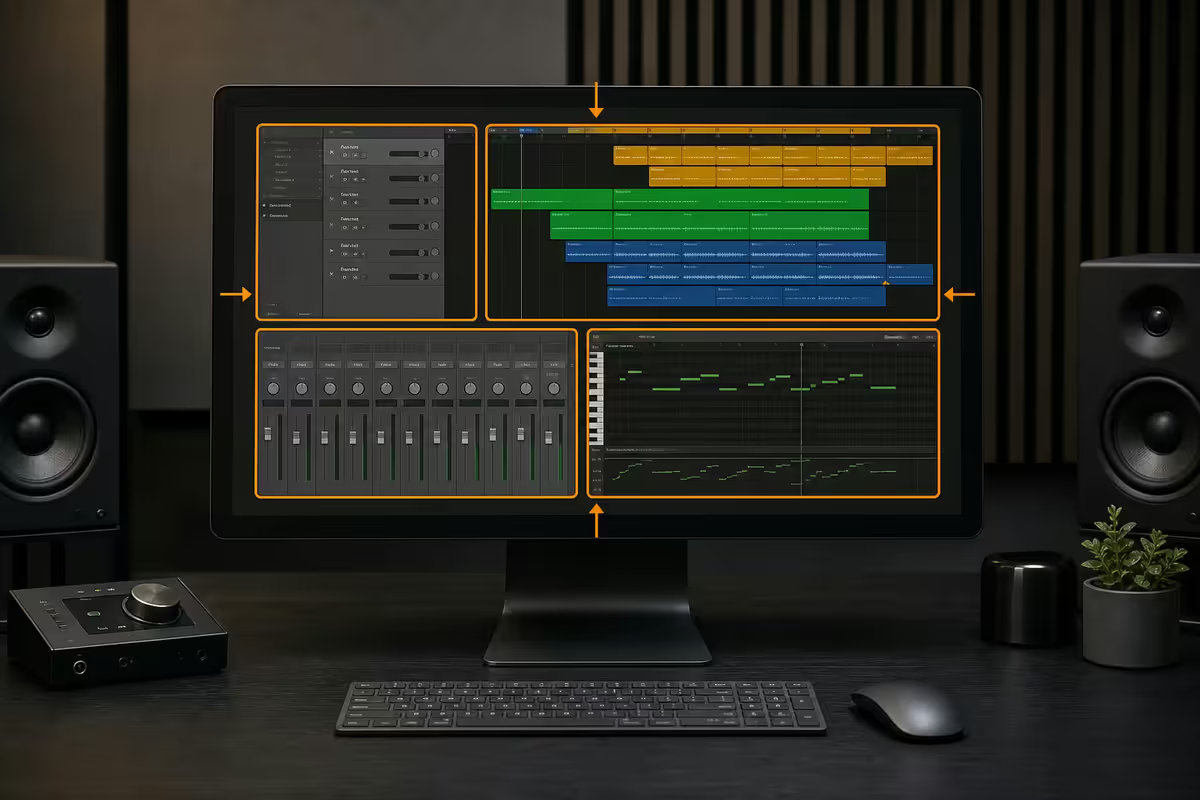
Logic's interface looks intimidating but resolves to four panels you'll learn quickly:
- Tracks area (the main horizontal timeline) — your arrangement. Audio regions and MIDI regions stack vertically, time runs left to right.
- Piano roll editor (bottom panel) — opens when you double-click a MIDI region. This is where you draw, edit, quantise and humanise individual MIDI notes.
- Mixer (X key to toggle) — every track shown as a channel strip with fader, pan, sends, EQ thumbnail and plugin chain. Mirrors a physical mixing console.
- Library / Smart Controls (Y key) — patch browser on the left, simplified macro knobs on the right. Critical for fast sound exploration.
Logic's Smart Tempo system (since version 10.5) detects the tempo of imported audio automatically and matches the project. Drop a vocal acapella into a fresh session and Logic figures out 87.4 BPM without you doing anything. This used to be a Pro Tools-only luxury.
Recording setup essentials
Logic doesn't record anything itself — you need a path from microphones and instruments into the Mac. The minimum useful setup:
Audio interface
An audio interface converts analog signal (microphone, guitar) to digital and gives you near-zero-latency monitoring through Logic. The sensible starting tier in SA:
- Focusrite Scarlett Solo (R2,800) — 1 mic input, 1 instrument input. Perfect for solo singer-producers.
- Focusrite Scarlett 2i2 (R4,200) — 2 mic/instrument inputs. The most popular starter interface in SA.
- Universal Audio Volt 2 (R5,800) — cleaner preamps with a vintage mode. Slight step up in audio character.
- Audient iD14 mk2 (R7,500) — pristine class-A preamps, ADAT expansion. Closer to studio-grade.
All four are USB-C, class-compliant (no driver install), and recognised by Logic instantly on Apple Silicon. You do not need Thunderbolt unless you're recording more than 8 inputs simultaneously.
Microphone choices
For vocals and acoustic instruments, a large-diaphragm condenser microphone with phantom power is the standard starting point:
- Audio-Technica AT2020 (R2,400) — the default first condenser. Bright, clean, forgiving.
- Rode NT1 5th Gen (R6,400) — quieter electronics, more flattering on most voices.
- Shure SM7B (R8,500) — broadcast dynamic mic, the radio/podcast standard, but needs a clean preamp or Cloudlifter due to low output.
Track types & the included content library
Logic supports five distinct track types, each behaving differently:
- Audio tracks — record microphone or instrument signal. Holds WAV/AIFF/MP3 regions, supports flex time/pitch.
- Software Instrument tracks — play virtual instruments (Alchemy, ES2, Sculpture, Drum Kit Designer, third-party AU plugins). Holds MIDI regions.
- Drummer tracks — Logic's AI session drummer. Pick a drummer (Kyle the pop drummer, Logan the metal drummer, etc.) and a feel, and Logic generates the part. Edit by region not by note.
- External MIDI — drives hardware synths over USB-MIDI or DIN-MIDI. Logic records the MIDI; the audio comes back through the interface.
- Auxiliary / Bus — virtual mixer channels for sends (reverb, delay, parallel compression) and submix groupings.
What ships with Logic — the 70GB content library
When you first download Logic, the 1.4GB application is small. The deep content is an optional 70GB+ extra download:
- Alchemy — Apple's flagship hybrid synth. Sample manipulation, additive, granular, virtual analog. Standalone equivalents (Omnisphere, Serum) cost R6,000+.
- Sculpture — physical modelling synth. Sounds like nothing else — bowed strings, struck metal, blown air.
- ES2 — classic virtual-analog workhorse. Great for warm pads and basses.
- Drum Kit Designer + Drummer — pre-recorded multitrack drum performances by session players, conducted by the Drummer track.
- Studio Strings, Horns, Piano — Apple's in-house orchestral and keys library. Not Spitfire BBC SO depth but very usable for pop/hip-hop arrangement.
- Vintage Drum Machines — TR-808, TR-909, LinnDrum and CR-78 samples, accurate.
- Loops library — thousands of royalty-free Apple Loops across hip-hop, electronic, R&B, world music, rock, ambient, cinematic.
MIDI controllers and Logic Remote
You can technically produce with mouse and Mac keyboard alone (using Logic's Musical Typing, where Z, X, C, V, B map to white keys). It works for sketching. For serious composing, a physical MIDI keyboard transforms the workflow.
Starter MIDI keyboards available in SA
- Arturia MiniLab 3 (R2,400) — 25 keys, 8 pads, 8 knobs, comes with Analog Lab Intro + Ableton Live Lite. The bestselling starter controller in SA.
- Native Instruments M32 (R2,800) — 32 keys, integrates beautifully with Komplete Kontrol if you ever buy Native libraries.
- AKAI MPK Mini Mk3 (R2,200) — the iconic 25-key + 8 MPC pads layout. Beatmaker's first instrument.
- Novation Launchkey 49 Mk4 (R6,500) — full 49 semi-weighted keys, deep DAW integration including dedicated Logic Pro mode.
- Roli Lumi Keys 2 (R7,800) — light-up keys that teach scales and chords. Cool but niche.
Logic Remote — the free iPad/iPhone companion
Logic Remote is a free Apple app that turns an iPad or iPhone into a wireless MIDI keyboard, drum pad surface, mixing console, transport controller and key-command sender. Open Logic on the Mac, open Logic Remote on the iPad, and they auto-pair over the network.
Practical Logic Remote uses:
- Play software instruments from anywhere in your space (mic placed away from desk).
- Mix-while-listening on the couch using the touch faders.
- Smart Strings, Smart Drums, Smart Piano — beginner-friendly chord triggers.
- Punch in your own takes from the live tracking room.
Mixing fundamentals & Mastering Assistant
Logic's stock mixing plugins are remarkably good in 2026. You can mix entire releases without ever installing a third-party plugin.
Core mixing chain
- Channel EQ — Logic's parametric EQ with spectrum analyser. 8 bands. Use to carve frequency space between elements.
- Compressor — six emulation modes (VCA, Opto, FET, Vintage Tube, Class A_R, Platinum Digital). Each emulates a hardware character.
- ChromaVerb / Space Designer — modern reverb and convolution reverb respectively. Send buses are the standard pattern.
- Tape — modelled tape saturation for analog warmth.
- Stereo Spread / Direction Mixer — controlled stereo widening.
Mastering Assistant — Apple's AI mastering tool
Mastering Assistant (added in 2023, refined in 2026) is one of the most useful additions to Logic in a decade. Drop it on the stereo output bus, click Analyze, and Logic listens to your mix at the loudest section, applies targeted EQ, multiband compression, limiting and stereo enhancement to hit a competitive release loudness.
Four character presets:
- Clean — transparent, modern. Pop, hip-hop, electronic.
- Valve — gentle harmonic saturation. Rock, indie, soul.
- Punchy — louder, more aggressive limiting. EDM, drill, modern hip-hop.
- Transparent — minimal processing, just gentle level matching. Classical, jazz, podcast.
Mastering Assistant won't replace a dedicated mastering engineer on a flagship album release — there's still value in human ears for that. But for demos, EPs, self-released material and bedroom-producer-to-DSP pipelines, it gets you 80-90% of the way there in 30 seconds.
Logic Pro vs the other DAWs — which fits your workflow?
| If you make… | Best fit DAW | Why |
|---|---|---|
| Singer-songwriter, live band | Logic Pro | Strong audio recording, Drummer, Studio Strings included. |
| House / Amapiano / Dance | Ableton Live or Logic | Ableton's clip launching; Logic's Alchemy + 808 library. |
| Hip-hop / Trap / Drill | FL Studio or Logic | FL's pattern workflow; Logic's vocals and Mastering Assistant. |
| Film score / orchestral | Logic Pro or Cubase | Logic's Studio Strings + free upgrades; Cubase's notation depth. |
| Mixing & post-production | Pro Tools | Industry standard, AAF interchange with studios. |
| Live performance | Ableton Live | Designed around live clip launching. |
| Beginner / first DAW | GarageBand → Logic Pro | GarageBand is free; Logic opens its projects directly. |
The GarageBand-to-Logic upgrade path is unique. No other DAW has a free training-wheel tier with full project compatibility. If you're sitting on GarageBand projects right now, Logic opens them with no migration. Every track, region, plugin and automation maps across.
SA producer context — what's actually happening locally
SA has a thriving electronic music production scene. Historically the dance and house community leaned heavily Ableton — DJ workflow, clip launching, the same software for studio and stage. We see that shifting.
Trends we're observing in 2026 SA Mac sales for music producers:
- Logic gaining ground in amapiano, deep house, afro-tech. Producers cite the once-off price (versus continuous Ableton upgrade fees), the included Alchemy presets, and Apple Silicon performance on long mixdowns.
- Hip-hop still split between FL Studio and Logic. FL Studio remains popular for beats; Logic is taking the vocal recording and mixing side.
- Singer-songwriters lean Logic almost exclusively. Drummer + Studio Strings + decent stock vocal chain covers a full bedroom album.
- Film and TV composers stick with Logic or Cubase. Cubase for notation-heavy work; Logic for everything else.
Common Logic Pro mistakes for beginners
Trying to mix on MacBook speakers. Even the M-Pro 14-inch's speakers are good "for laptop speakers" — they're not flat. Get a pair of studio monitors (Adam T5V at R8,000 or Yamaha HS5 at R6,500) before serious mixing, or at least closed-back headphones (Audio-Technica ATH-M50x at R4,000).
Recording at -3dB peaks. You're not in the analog tape era. Record around -18dBFS average, -6dBFS peaks. Leaves headroom for mixing without distortion.
Adding every plugin Logic ships with. A clean mix with Channel EQ + Compressor + reverb send beats a 12-plugin-deep chain on every track. Use plugins to fix specific problems, not as decoration.
Not enabling automatic project backup. Logic auto-saves but doesn't version. Enable Time Machine to an external drive — the difference between losing a session and recovering an hour-old version.
Buying every Native Instruments / Spitfire bundle on day one. The included Logic content covers 90% of beginner production needs. Master what's in the box before spending another R10,000 on third-party libraries.
Key takeaways
- Logic Pro is R3,500 once-off on the Mac App Store with free major upgrades for life — no subscription, no version-bump fees.
- Any Apple Silicon Mac (M1+) handles 32+ tracks; 16GB RAM is the practical floor, 32GB on M-Pro/M-Max is the sweet spot.
- Buy a Focusrite Scarlett Solo or 2i2 (R2,800-R4,200), a 25-key MIDI controller (R1,800-R3,000), and you can start producing same day.
- 70GB of included content (Alchemy, Sculpture, Drummer, Studio Strings, vintage drum machines) would cost R30,000+ as standalone libraries.
- Mastering Assistant gets you 80-90% of professional mastering loudness in 30 seconds — game-changer for self-released material.
Frequently asked questions
How much does Logic Pro cost in South Africa?
R3,500 once-off on the Mac App Store. No subscription, no paid upgrades — Apple has not raised the price in over a decade and includes all future major updates free.What Mac do I need to run Logic Pro?
Any Apple Silicon Mac (M1 or newer). 16GB RAM is the practical minimum; 32GB on M-Pro or M-Max is ideal for heavy mixing or large sample libraries. Aim for 512GB SSD minimum.Is Logic Pro better than GarageBand?
Logic is GarageBand's professional sibling — same project format, so your GarageBand sessions open straight in Logic. Logic adds Alchemy, Sculpture, Mastering Assistant, advanced MIDI editing and full mixer routing.Logic Pro vs Ableton Live — which should I pick?
Logic for traditional recording, scoring and arrangement-thinkers. Ableton for electronic clip-launching workflow and live performance. In SA the dance scene is shifting Logic-ward due to price and Apple Silicon performance.What audio interface should I buy for Logic Pro?
Focusrite Scarlett Solo (R2,800) or 2i2 (R4,200) for solo home producers. Step up to Universal Audio Volt or Audient iD14 for cleaner preamps. USB-C is fine — no Thunderbolt needed for typical projects.Do I need a MIDI keyboard to use Logic Pro?
Not strictly — Musical Typing on your Mac keyboard or trackpad-piano works. A small 25-key MIDI controller (R1,800-R3,000) dramatically speeds up composition. Logic Remote on iPad is a free alternative.What is Mastering Assistant in Logic Pro?
An AI-powered mastering tool built into Logic since 2023. Analyses your mix, applies EQ, compression, limiting and stereo enhancement to a release-loudness target. Four character presets. Gets you ~80% to professional mastering quality in 30 seconds.Can I open Logic Pro projects on a Windows PC?
No — Logic project files are Mac-only. Collaborate with Windows producers by exporting individual track stems (WAV at session tempo and sample rate) plus a tempo/key reference. AAF/OMF export also supported for Pro Tools interchange.
Get the Evetech app
Exclusive app-only prices, daily flash sales, and free delivery on orders over R4,000 — download the app and start saving.