Lifestyle · Repurpose Guide
What to do with your old PC. — Twelve second lives. None of them landfill.
That dusty tower in the corner has more years in it than you think. Stream movies to every TV in the house, hand down a first gaming PC, build a R0 media server, or boot Linux for a snappier productivity machine. The bin is the last option.
- second lives
- 12 paths
- value recovery
- R0-R8k
- e-waste avoided
- ~ 15 kg
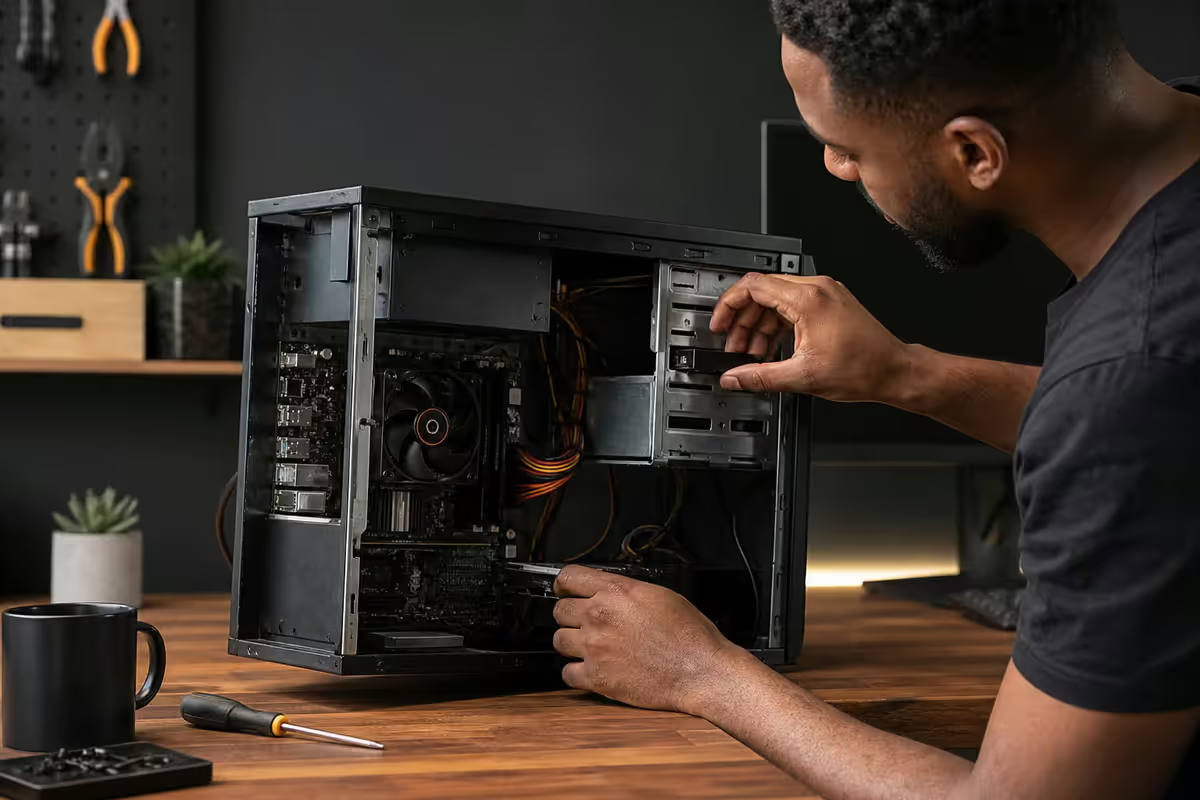
Audit the PC first — what are you actually working with?
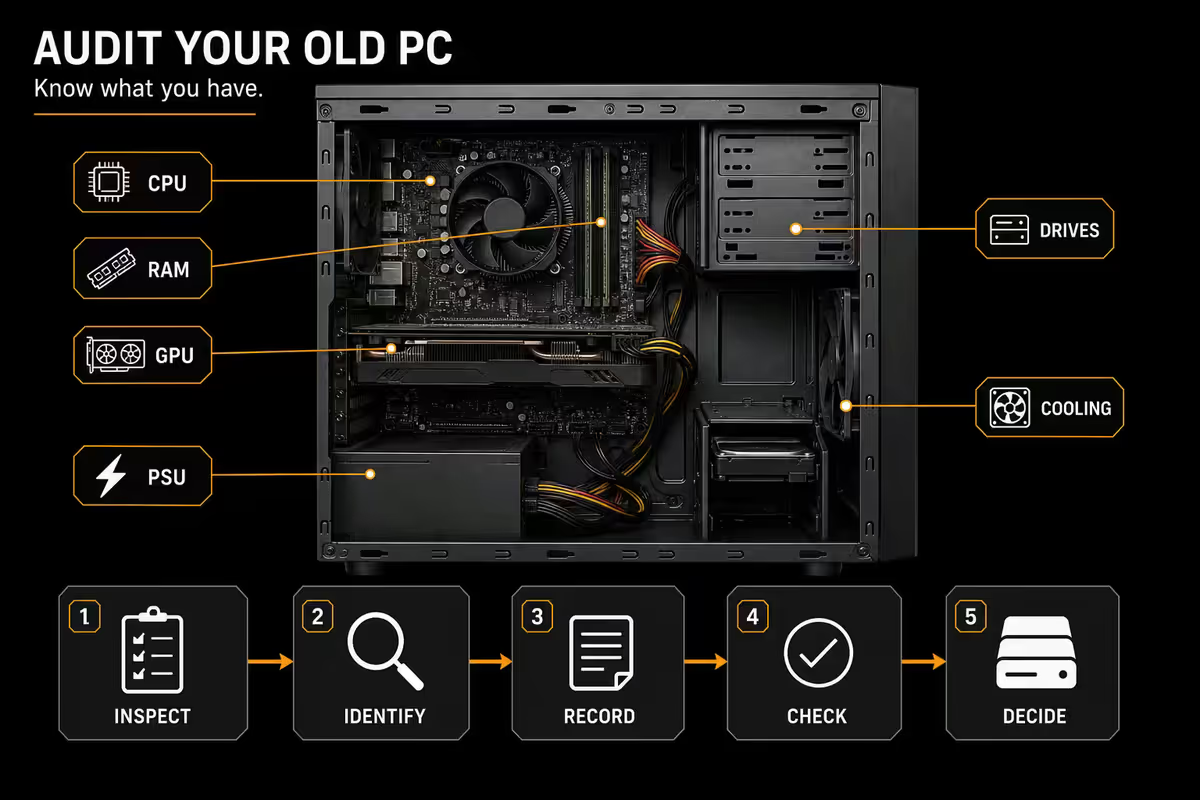
Before you pick a path, know what you've got. Open the case, take photos, and write down the rough age, CPU, RAM, storage and GPU. Match against this rough capability bracket:
| Era / spec | Best second life |
|---|---|
| 2020+ · 8+ core, 16GB+, GTX 1660+ | Hand-down gaming rig (kids/partner) |
| 2017-2019 · 6-core, 16GB, GTX 1050/RX 570+ | Plex server + light 1080p gaming |
| 2014-2017 · 4-core i5/i7, 8-16GB | Linux dev box, NAS, retro emulator |
| 2010-2013 · 4-core, 4-8GB | Lightweight Linux, kids' first PC |
| Pre-2010 | Parts harvest + e-waste recycle |
Quick health check: does it POST? Does the PSU spin up? Are the capacitors visibly bulging? Is the CPU cooler dust-bricked? A R0 deep-clean with a paint brush and compressed air plus fresh thermal paste (R200) often resurrects a machine that "wasn't working".
The hand-down gaming rig
The most rewarding path. A 2018-2020 PC with a GTX 1660, 16GB RAM and an SSD plays Minecraft, Fortnite (at low settings), Roblox, Rocket League, GTA V, the Sims and most indie games at 1080p. That's exactly what a 9-year-old or a partner who's been waiting for their own gaming PC needs.
Refresh investment (R400-R800):
- New thermal paste on CPU + GPU — R200, drops temps 5-10°C
- Fresh case dust clean with compressed air — R0 if you have a can
- Optional: cheap new fans if originals are noisy — R150-R300
- Optional: 240GB SATA SSD if it's still on a HDD — R350 transforms responsiveness
- Optional: 8GB DDR4 extra stick if at 8GB — R250-R400
OS choice: Windows 11 if the CPU is 8th-gen Intel / Ryzen 2000+ (TPM 2.0 required). Otherwise Pop!_OS or Linux Mint for a snappy alternative that supports Steam and Lutris for almost every modern Windows game.
Plex / Jellyfin media server
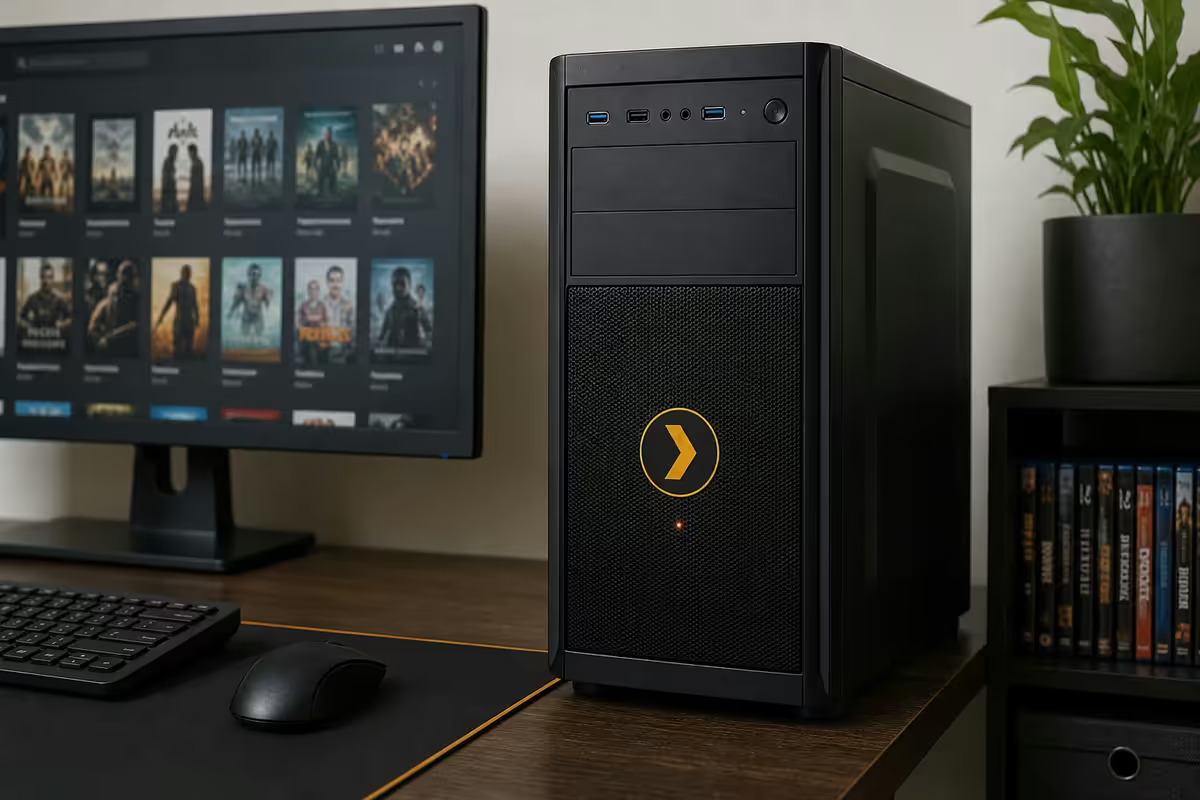
The most popular repurpose path for PCs 5-8 years old. Install Plex Media Server (paid) or Jellyfin (free, open source) on the old PC, point it at your video library, and every TV, phone and tablet on your home Wi-Fi has on-demand access.
What the old PC contributes:
- CPU/GPU transcoding. Even a 2017 i5 has hardware H.264 encoding via Intel Quick Sync — enough to transcode 1-2 simultaneous 4K streams to phones over Wi-Fi.
- Storage capacity. Drop in cheap 8-14TB HDDs. WD Red and Seagate IronWolf are NAS-rated and last 5+ years.
- Always-on. Park it in a corner with the screen off; it draws 30-60W idle while serving the whole house.
OS: Ubuntu Server 24.04 LTS or unRAID (paid, easier). Skip the GUI — you'll administer via a web interface from your laptop. Both Plex and Jellyfin have first-class Docker containers that auto-update.
NAS conversion with TrueNAS Scale or Unraid
If the old PC has 4+ SATA ports and you've been wanting central network storage for backups, photos and family videos, convert it to a NAS. TrueNAS Scale (free) or Unraid (paid, friendlier) turn a desktop into a multi-bay storage server.
Hardware sweet spot: any 2014+ desktop with a 4+ core CPU, 8GB+ RAM (ECC ideal but not required) and at least 4 SATA ports on the motherboard. A second NVMe slot for the OS keeps the SATA bays free for storage.
Storage strategy: RAID-Z1 or RAID-Z2 with 3-4 matched HDDs (e.g. four 8TB WD Red drives = ~24TB usable in Z1). Survive one or two simultaneous drive failures without losing data. Run an automated cloud backup (Backblaze B2, Wasabi or local NAS-to-NAS) for offsite copy.
What you get: network-wide file storage, time machine backups for Macs, Windows file shares, photo library hosting (Immich or PhotoPrism), and the same Plex/Jellyfin streaming on top. One machine, many jobs.
Linux dev / productivity box
A 2014-2016 PC that struggles with Windows 11 absolutely flies on Linux. Pop!_OS 22.04 / 24.04, Linux Mint 22 or Fedora Workstation turn a sluggish i5-4570 with 8GB RAM into a quick browsing, document and light-coding machine.
Why Linux works on old hardware:
- No Windows 11 TPM/Secure Boot requirements.
- Lower RAM footprint at idle (often under 2GB for the OS).
- Better disk I/O scheduling — old SATA SSDs feel snappier than under Windows.
- 10+ years of free security updates on LTS releases.
- First-class support for Docker, VS Code, Python, Node, Go — anything dev.
Steam on Linux: via Proton (Steam's built-in Windows compatibility layer), the old PC plays 18,000+ Windows games natively from the Steam library. ProtonDB.com lists per-game compatibility. Combined with Lutris for non-Steam titles, Linux gaming on old hardware is genuinely viable.
Retro emulation tower
Even a 2010-era PC can emulate every console up to PS2 / GameCube comfortably, and any 2014+ machine handles PS3, Wii U and Switch via RPCS3 / Cemu / Ryujinx. Build a dedicated retro emulation tower for the lounge TV.
Distros built for this: Batocera, RetroPie (Raspberry Pi origin but PC-installable) or Lakka. All boot from USB, auto-detect controllers, and present a console-style frontend (EmulationStation). Just add your legally-owned ROM library and plug in a HDMI cable to the TV.
Hardware sweet spot: any quad-core CPU, 8GB RAM, a discrete GPU (even a GTX 1050 is overkill for PS2 and below), a 500GB SSD for OS + ROM storage. Wrap it in an old chassis under the TV cabinet and forget about it.
Selling, donating and giving away
Not every PC is worth your own time to repurpose. Three honest exit paths if you'd rather move it on:
Resell on Carbonite, Facebook Marketplace or Gumtree. A 5-year-old mid-range gaming PC typically lists for R5,000-R8,000 if cleanly presented with photos and a clear spec list. Be honest about wear; provide a 7-day return guarantee for trust; meet in public for safety. Parts sold individually usually recover 30-50% more total but take 3-6 weeks of patient listing.
Donate to a school or NGO. Several SA programmes redistribute working PCs to schools, rural learners and bootcamps. Notable ones: SchoolNet SA, Bookery Education, NEC Foundation's Computers4Kids, your former primary or high school, township coding initiatives like WeThinkCode and Codetribe alumni networks, and provincial Department of Education feeder schemes. Always wipe storage securely (see below) before donating.
Hand to a friend or family member. The lowest-friction path. Someone in your circle is almost certainly running on a worse machine than the one you're replacing. A R0 transfer often produces more goodwill than a R5,000 sale.
Responsible e-waste recycling in SA
If the PC is truly past saving — bulging capacitors, dead motherboard, pre-2010 — please don't dump it. SA has growing certified e-waste infrastructure that recovers metals, safely handles toxic capacitors, and creates jobs in the formal sector.
Three certified routes:
- eWASA-accredited recyclers nationwide. Check ewasa.org for the closest accredited collector in your province. Drop-off is usually free for consumers.
- Desco Electronic Recyclers in Gauteng, KZN and Western Cape. Run periodic collection events and accept walk-in drop-offs at their Johannesburg, Cape Town and Durban facilities.
- Provincial drop-off points. Pikitup in Johannesburg, Cape Town Solid Waste depots, eThekwini Municipality waste sites — most have dedicated e-waste streams that route to certified processors.
Avoid: generic scrap dealers who pull copper and dump the rest. Look for ISO 14001 (environmental management) and e-Stewards or R2 certifications when choosing a processor.
Parts worth harvesting before recycling
Even from a PC that's headed for the recycler, some parts are worth keeping for your next build or for resale:
- Case — chassis lasts decades, repaint for a fresh look.
- PSU if Gold-rated and under 7 years old — works in any new build.
- SATA SSDs — 10+ year typical life, great for secondary storage.
- NVMe SSDs — still useful even from older PCs.
- DDR4 RAM if speed matches your new build (3200/3600 mainstream).
- AIO coolers if under 5 years and pump still works.
- CPU cooler bracket kits — Noctua and be quiet! still ship updated brackets for old coolers.
- Quality case fans — Noctua and be quiet! fans last 10+ years.
- RGB strips, cables, screws, standoffs — small parts add up.
Skip: the motherboard, CPU and GPU from PCs older than 5 years — they're not worth the harvest effort and have minimal resale value.
In 22 years of building and servicing 200,000+ PCs, we've watched thousands of "dead" old PCs come back to life with a R200 thermal paste reapplication and a R350 SSD upgrade. The single biggest reason customers bin perfectly good PCs is they think SSDs aren't worth installing in old machines. They're wrong: a R350 SATA SSD in a 2015 PC produces a bigger felt speedup than R8,000 of new components in a 2024 PC. If you do nothing else with your old machine — drop in an SSD, install Linux, and gift it to someone who'll use it.
From our Centurion service bench
Key takeaways
- Match the path to the PC's age — 2017+ gaming hand-down, 2014-2017 server/Linux, older parts harvest.
- R350 SATA SSD + R200 thermal paste resurrects most "dead" PCs from 2014-2019.
- Plex/Jellyfin media server is the most popular path for PCs aged 5-8 years.
- SA donation channels include SchoolNet SA, Computers4Kids, township bootcamps and your old school.
- eWASA, Desco and municipal e-waste sites are the certified routes if the PC is truly dead.
Frequently asked questions
Is an old PC still worth using in 2026?
Yes — a PC from 2017-2020 with a 6-core CPU, 16GB RAM and a GTX 1660 or RX 580 still handles 1080p gaming, media serving, light productivity and retro emulation. A PC from 2013-2016 is too slow for modern gaming but excellent as a Plex server, home automation hub or kids' first PC. PCs older than 2013 are best harvested for SATA cables, drives and the case, then responsibly recycled.What's the best use for an old gaming PC?
For a PC that's still capable of gaming at 1080p medium settings: hand it down as a kids' or partner's first gaming rig. For PCs that struggle at modern gaming but still boot quickly: a Plex / Jellyfin media server is the most popular path — your old GPU does hardware-accelerated 4K transcoding to phones and TVs around the house. For storage-heavy old PCs: convert to a TrueNAS Scale or Unraid box.Can I install Linux on an old PC to make it usable again?
Yes — Linux is the single best way to extend the life of an older PC. Linux Mint, Pop!_OS or Lubuntu run comfortably on hardware that struggles with Windows 11. A 2014-era PC with 8GB RAM and an i5-4570 is genuinely fast running Pop!_OS for browsing, document work and light dev. Linux also brings excellent retro emulation and home server software out the box.How do I securely wipe an old PC before giving it away?
For SSDs: use the manufacturer's secure-erase tool (Samsung Magician, Crucial Storage Executive, WD Dashboard) — it issues an ATA Secure Erase command that's faster and more thorough than overwriting. For HDDs: use DBAN (Darik's Boot and Nuke) booted from a USB stick, single-pass random data. For paranoid wipes (e.g. business data): three-pass DoD 5220.22-M standard. Then reinstall a fresh OS so the recipient gets a clean machine.Where can I donate an old PC in SA?
Several SA programmes accept working PCs for redistribution to schools, NGOs and rural learners. Notable ones: SchoolNet SA, Bookery Education, NEC Foundation's Computers4Kids, Reach for a Dream's tech drive, and many provincial Department of Education feeder schemes. Local options include municipal libraries, your old high school, township coding bootcamps and gaming charities like GameOn SA. Always wipe storage securely first.How do I responsibly recycle a PC in South Africa?
South Africa has growing e-waste infrastructure. Three certified routes: eWASA (e-Waste Association of South Africa) accredited recyclers nationwide; Desco Electronic Recyclers in Gauteng, KZN and Western Cape with collection events; and provincial drop-off points (Pikitup in Joburg, Cape Town Solid Waste depots). Avoid generic scrap dealers — they often pull copper and dump the rest. Look for ISO 14001 and e-Stewards certification when choosing.What parts are worth harvesting before recycling?
From any old PC worth harvesting: case (chassis lasts decades), PSU if Gold-rated and under 7 years, all SATA cables, SATA SSDs (10+ year typical life), NVMe SSDs (still useful), DDR4 RAM if compatible with newer builds, AIO cooler if under 5 years and pump still works, CPU cooler bracket sets, fans (if quality brand), and any RGB strips. The motherboard, CPU and GPU are usually not worth harvesting from PCs older than 5 years.What's the resale value of an old gaming PC in SA?
A 5-year-old mid-range gaming PC (R20-R25k original price) typically resells for R5,000-R8,000 on Carbonite, Facebook Marketplace or Gumtree if working and cleanly presented. Older 8-10 year systems are worth R1,500-R3,000 at best. Selling parts individually often recovers 30-50% more total than selling whole, but takes 3-6 weeks of patient listing. For most people, donation or hand-down beats the time-cost of part-by-part resale.