Mac Guide · Windows on Apple Silicon
Can you run Windows on a Mac? — Yes, but Boot Camp is dead. Parallels lives.
Apple silicon broke the old playbook. Boot Camp only exists on Intel Macs now, and Windows 11 ARM with Microsoft's Prism emulator quietly does most of what x86 Windows used to. Here's the honest 2026 picture.
- Parallels SA
- R1,200/yr
- Apps run on ARM
- 90%+
- Min Mac RAM
- 16 GB
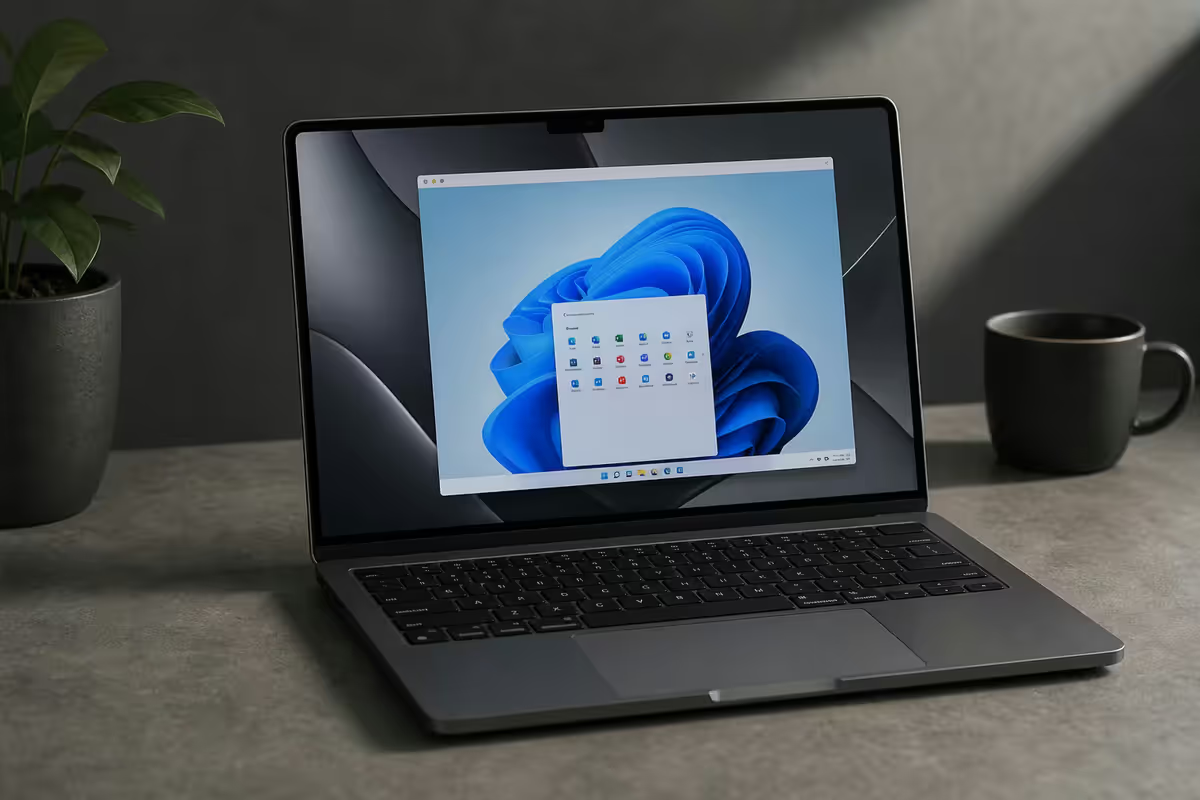
The three ways to run Windows on a Mac
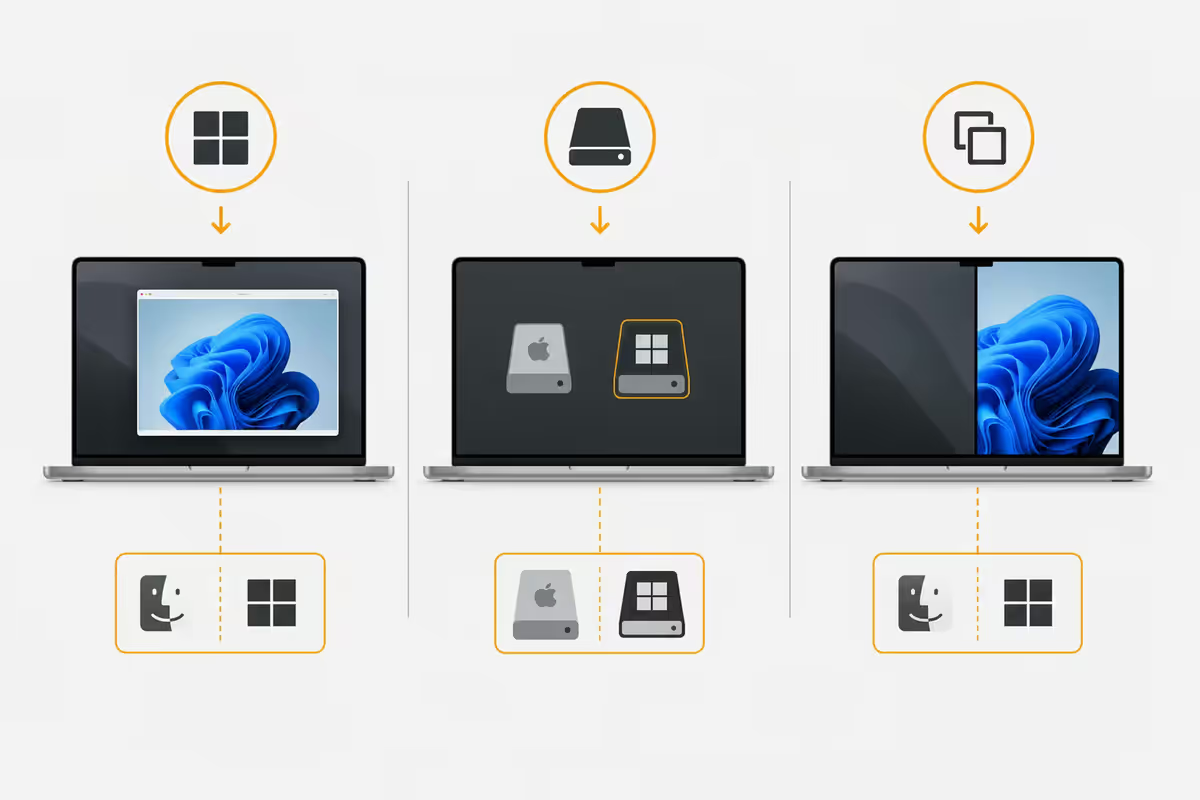
In 2026 there are exactly three legitimate routes. The right one depends on what Mac you own and how badly you actually need Windows.
| Method | Best for | 2026 status |
|---|---|---|
| Boot Camp (dual-boot) | Intel-based Macs only | Dead on Apple Silicon |
| Parallels Desktop 20 | Most people on M1-M4 Macs | R1,200/yr, polished |
| VMware Fusion Pro | Free personal-use route | Free since late 2024 |
| UTM (QEMU front-end) | Open-source purists, light workloads | Free, community-driven |
Virtualisation has effectively won. Modern Apple silicon GPUs are fast enough that the old "real hardware vs VM" performance gap doesn't matter for office work, web development, light gaming or admin tooling. The only people who genuinely miss Boot Camp are gamers running anti-cheat titles and a small group of hardware engineers who need direct device access.
If you bought your Mac after late 2020 — meaning any M-series chip — virtualisation isn't a choice, it's the only option. Apple removed the firmware hooks that Boot Camp relied on.
Why Boot Camp died with Apple Silicon
Boot Camp Assistant still ships in macOS on Intel-based Macs, where it partitions the drive and installs Windows natively as a dual-boot. On those machines it runs Windows at full hardware speed with no virtualisation overhead. That sounds appealing — except Apple stopped selling Intel Macs in 2022.
When Apple moved to its own ARM-based silicon, three things broke at once:
- No firmware Windows-boot path. Apple silicon Macs use iBoot, not UEFI. There's no equivalent of the EFI partition Boot Camp wrote Windows into.
- No drivers. Microsoft does not ship Windows 11 ARM drivers for Apple's GPU, Secure Enclave, T2 successor, Wi-Fi or Thunderbolt. Even if you could boot it, half the machine wouldn't work.
- Microsoft's ARM licensing. Windows 11 ARM was, until late 2024, only sold to OEMs. Microsoft now sells individual ARM licences but Apple has shown zero interest in shipping a Boot Camp replacement.
The result: virtualisation isn't a compromise on Apple silicon, it's the architecture. The M4 GPU handles a Windows VM more smoothly than a 2019 Intel MacBook Pro ran Boot Camp natively.
Parallels Desktop 20 — the practical pick
Parallels Desktop 20 is the path of least resistance. Install it, click "Install Windows", wait fifteen minutes — done. Parallels downloads Windows 11 ARM directly from Microsoft, sets up the VM with sensible defaults, and integrates Windows apps into the macOS Dock with their own icons. Drag-and-drop between macOS and Windows just works. Shared clipboard, shared folders, automatic display scaling — all configured.
What you actually get with the R1,200/yr Standard subscription:
- Coherence Mode — Windows apps appear as native macOS windows with no Windows desktop visible. Surprisingly good for the "I just need this one app" workflow.
- DirectX 12 and Vulkan — translated to Metal on the M-series GPU. Older games are playable; modern AAA without anti-cheat protection works.
- Up to 8 vCPUs and 16GB RAM per VM on Standard; Pro unlocks 128GB and unlimited cores.
- Snapshots — freeze the VM state before installing dodgy software, roll back if it breaks.
The pricing trap to watch for: Parallels switched from perpetual licences to subscriptions for new buyers in 2021. You can still buy a perpetual v20 licence (around R2,400 one-off in SA) but it won't get upgraded to v21, v22 and so on — when major macOS releases break compatibility, you're stuck.
VMware Fusion and UTM (free alternative)
Two genuinely free options now exist alongside Parallels. They're worth knowing.
VMware Fusion Pro
Broadcom acquired VMware and, in late 2024, made VMware Fusion Pro free for personal use. This was the biggest news in Mac virtualisation in five years. Fusion Pro on Apple silicon is technically excellent — DirectX 11 support, decent 3D acceleration, full Linux compatibility — and the only real downside vs Parallels is the user experience is more "enterprise IT tool" than "consumer app". Setup involves more clicks. Integration with macOS is less seamless. But it costs R0.
If you're a developer, sysadmin or anyone comfortable with VM tooling, Fusion Pro is the right pick. You give up Coherence Mode and slick file-sharing, you gain a permanent free virtualiser that supports macOS, Linux and Windows guests.
UTM
UTM is the open-source community option. It's a friendly front-end over QEMU and Apple's Virtualization framework, distributed via the Mac App Store (R85) or for free from utm.app. It runs Windows 11 ARM, plus historical Windows versions in emulation, plus Linux, plus weird things like Windows XP for legacy app compatibility.
UTM's strengths: completely free, lightweight, runs on every Apple silicon Mac, no telemetry, no licensing checks. Weaknesses: rougher edges (occasional graphics glitches), no Coherence Mode equivalent, GPU acceleration is hit-and-miss on Windows guests. Fine for office work, weak for gaming.
Windows on ARM — what runs, what doesn't
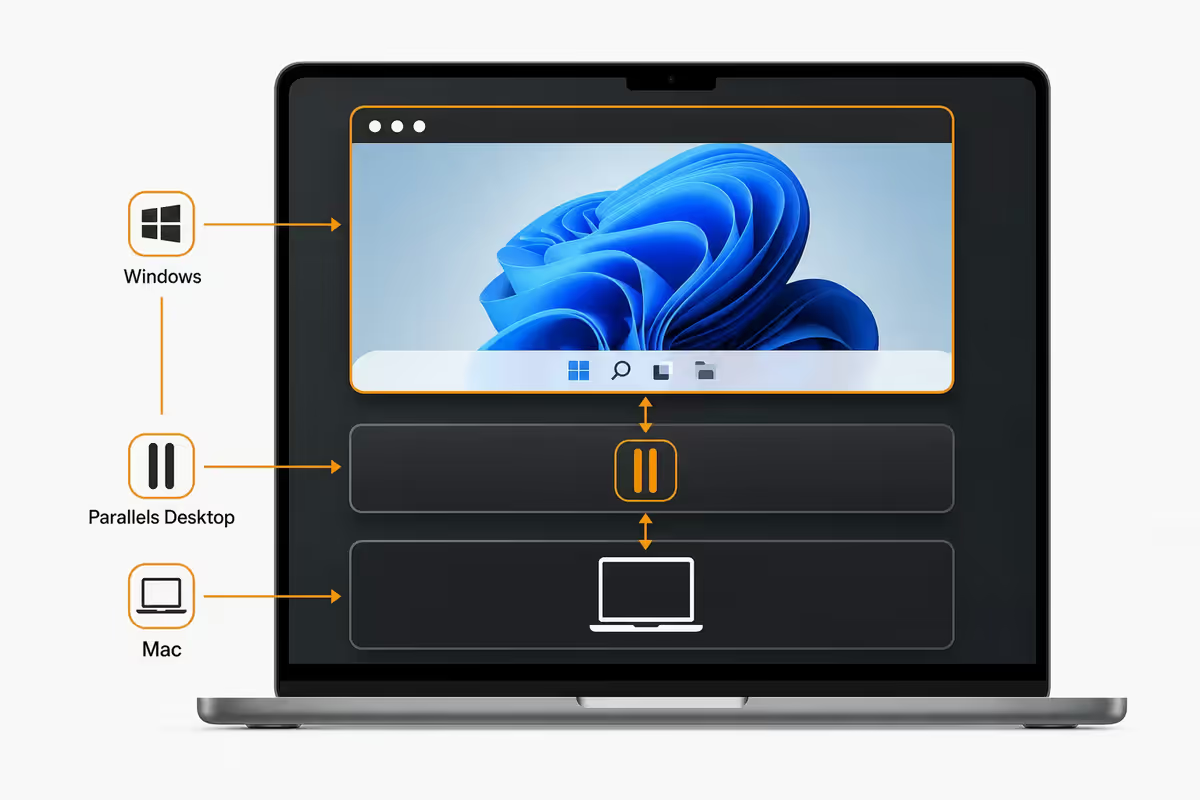
This is the part people get wrong. Windows 11 on a Mac VM is always the ARM build of Windows — there's no choice in 2026 because Apple silicon can't virtualise x86 efficiently. The good news: Microsoft's Prism emulator (the successor to xtajit64, shipped with Windows 11 24H2 and later) runs the vast majority of x86 and x64 Windows apps transparently. You won't know it's emulated.
What runs perfectly under Prism:
- Microsoft 365 (full ARM-native build available as of 2024).
- Chrome, Firefox, Edge — all native ARM64 versions.
- Spotify, Zoom, Teams, Slack, Discord — native ARM.
- Adobe Photoshop and Lightroom — native ARM since 2023.
- Visual Studio 2022 — native ARM build.
- Most enterprise SaaS clients (Salesforce, SAP GUI, Workday native apps).
What breaks under Windows 11 ARM:
- Anti-cheat games — BattlEye, Easy Anti-Cheat, Vanguard and friends detect virtualisation and refuse to start. Affects Fortnite, Valorant, Apex, CS2, COD, Roblox in many configurations.
- Kernel-mode drivers — anything that installs at ring 0 (motherboard tuning utilities, certain anti-virus, USB-specific hardware drivers).
- 32-bit only apps from the early 2000s — Prism handles 64-bit x86 well but 32-bit support is patchier.
- AutoCAD — Autodesk has been promising a native ARM build for years and it's slowly arriving. Until then, x86 AutoCAD runs but with noticeable lag on complex drawings.
- SolidWorks and most CAD/CAM — heavy DirectX 11 workloads where virtualisation overhead becomes obvious.
The honest summary: if your Windows workload is web apps, Office, browsers, productivity software, light development or basic accounting (Sage, Pastel, QuickBooks all run fine) — Windows on ARM in a VM is genuinely good. If your workload is anti-cheat gaming or heavy 3D CAD, look elsewhere.
Across the thousands of Macs we've sold and supported from Centurion since the M1 launch, the question we get most is "will my one weird Windows app work?" The answer is almost always yes — but the 2-week trial of Parallels is your friend. We've seen Pastel Partner, Sage One, eFiling, every major SA banking app, ABSA's certificate uploader, and even old-school Windows-only EFT tools run cleanly under Parallels on an M3 MacBook Air. The ones that didn't work were always either anti-cheat games or one specific motherboard utility — never a piece of business software.
Evetech Mac Team — Behind the Bench
When you actually need Windows on a Mac
| Scenario | Best approach | SA cost |
|---|---|---|
| Specific SA corporate app (Pastel, certain ERPs) | Parallels Desktop 20 + Windows 11 ARM | R1,200/yr + R3,500 |
| Legacy Excel with VBA macros | Parallels (Office native ARM) | R1,200/yr |
| Internet Explorer / legacy intranet | UTM (free) + Win 11 ARM | Free |
| Visual Studio + Windows-specific .NET | VMware Fusion Pro (free) | Free |
| Anti-cheat multiplayer games | Don't — buy a PC or use cloud gaming | — |
| AutoCAD / SolidWorks daily driver | Don't — get a Windows workstation | — |
| Casual Steam library / older games | Apple Game Porting Toolkit or Whisky | Free |
| Curiosity / occasional test environment | UTM (free, lightweight) | Free |
The honest test: can you do this on the web or on Mac-native software? If yes, do that. If genuinely no, virtualise.
Native Apple Silicon apps that replaced Windows ones
Before you commit to a Parallels subscription, check whether a native Mac equivalent has caught up. The list of "you genuinely need Windows for this" has shrunk dramatically.
Microsoft 365 — fully native ARM. Word, Excel, PowerPoint, Outlook and Teams all ship as native Apple silicon builds, faster than the Windows versions on equivalent hardware. The only gap is heavy VBA macro support in Excel.
Adobe Creative Cloud — native since 2023. Photoshop, Lightroom, Illustrator, Premiere Pro, After Effects all run native on M-series with often-better performance than Windows. InDesign and the rest of the suite followed in 2024.
AutoCAD — native (partial). Autodesk shipped AutoCAD for Mac with significant feature parity in 2024. Plant 3D, Civil 3D and a few specialist verticals still require Windows, but base AutoCAD is good enough for most users.
Banking and accounting in SA. Most SA business banking now works in any browser (FNB, ABSA, Standard Bank, Nedbank, Capitec). Sage Business Cloud Accounting is web-based. The only common holdouts: Pastel Partner desktop, certain eFiling old-style clients, and a handful of specialist industry apps.
Common mistake: buying Parallels because you've always run Windows. Try the native Mac equivalent of your daily apps for a week first. The number of people running Parallels who never actually open it is staggering.
Key takeaways
- Boot Camp is dead on Apple silicon. Intel Macs only. Virtualisation is the only route on M1-M4.
- Parallels Desktop 20 (R1,200/yr) is the polished pick. VMware Fusion Pro is free. UTM is free and open-source.
- You'll always run Windows 11 ARM. Microsoft's Prism emulator handles 90%+ of x86 apps transparently.
- Anti-cheat games and kernel drivers break. Office, browsers, business apps, light dev tools all run.
- 16GB RAM minimum. Allocate 8GB to the VM. If you only need Office, native Mac M365 is faster — skip the VM.
Frequently asked questions
Can I install Windows on an M1, M2, M3 or M4 Mac?
Not natively — Boot Camp doesn't exist on Apple Silicon. You virtualise Windows 11 ARM with Parallels Desktop 20, VMware Fusion Pro (free) or UTM (free).Is Boot Camp still supported?
Boot Camp Assistant ships only on Intel-based Macs. Apple silicon Macs (M1-M4) cannot dual-boot Windows — virtualisation is the only path.How much does Parallels Desktop cost in South Africa?
Standard subscription is around R1,200/yr. Pro is R1,800/yr. Perpetual v20 licence is around R2,400 but doesn't get future major upgrades. Windows 11 Pro licence separate at around R3,500.What's the free alternative to Parallels?
VMware Fusion Pro is free for personal use since late 2024 — closest to Parallels in quality. UTM is open-source and lighter, ideal for testing.Will my Windows apps actually run on Apple Silicon?
Most do. Microsoft Prism emulator runs 90%+ of x86 and x64 Windows apps transparently. Anti-cheat games, kernel drivers and some specialist CAD tools break.Can I play Windows games on a Mac via Parallels?
Older and indie titles yes. Anti-cheat protected multiplayer (Valorant, Fortnite, CS2, COD) refuses to launch in VMs. For native Mac gaming, Apple Game Porting Toolkit or Whisky is usually better.Do I need Windows on Mac if I just use Office?
No. Microsoft 365 has native Apple silicon versions that are faster than the Windows versions on equivalent hardware. Skip the VM unless you need specific VBA macros.Which Mac should I buy if I need to run Windows?
16GB minimum, 24GB or 32GB for daily Windows use. M4 MacBook Air 16GB (R28,999) or Mac mini 16GB (R18,999) are sensible starting points. Budget 80-120GB storage for the VM.